Overview
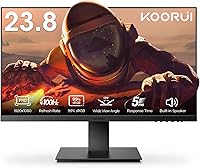
The KOORUI P01 24-inch FHD Monitor is a straightforward entry-level screen that punches above its weight in a crowded budget segment. It arrives with a VA panel, slim bezels, and built-in dual speakers — a combination that covers the basics without requiring additional accessories out of the box. Setup is quick: an HDMI port handles modern laptops and desktops, while a VGA connection keeps older machines in play. Backing it all is a 3-year warranty with a 12-month replacement policy, which is genuinely reassuring at this price point. This KOORUI monitor isn't trying to compete with premium displays — it's focused on delivering reliable, everyday performance for home and office use.
Features & Benefits
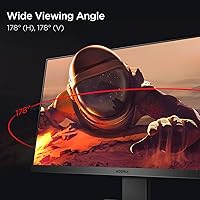
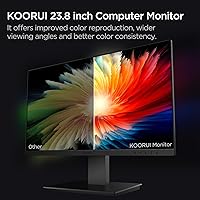
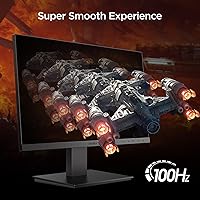
What makes the P01 stand out at its price is the VA panel, which delivers noticeably deeper blacks and richer contrast than the TN alternatives cluttering this price bracket. The 99% sRGB color coverage means photos and videos look surprisingly vivid. A 100Hz refresh rate with FreeSync support is a genuine step up for anyone coming from a standard 60Hz display — fast-paced action stays clear rather than blurry. The ultra-slim bezels keep things tidy in a dual-monitor arrangement. Ergonomics are basic: tilt adjustment and 75mm VESA compatibility get the job done, though height and pivot adjustments are absent. The blue light filter is a quiet but useful addition for long work sessions.
Best For
This 24-inch VA display makes the most sense for students, remote workers, or anyone putting together a functional home office setup without overspending. If you're currently running a 60Hz monitor and want a tangible improvement in fluidity without jumping to a costly gaming panel, this is a logical next step. It also suits people building a matching dual-screen desk setup, where the slim bezels keep the visual gap between screens minimal. The built-in speakers and single-cable setup make it a clean choice for compact workspaces. It's less ideal for competitive gamers needing low response times or professionals requiring color-critical accuracy beyond what an entry-level panel can honestly provide.
User Feedback
Buyers consistently praise the color vibrancy and overall value — many note it looks better than expected for the price, particularly for everyday tasks and casual media. The stand assembly draws mostly positive comments for being straightforward. That said, the lack of height or swivel adjustment is a recurring gripe, especially from users who need a more ergonomic setup. The built-in speakers get a pass for convenience but won't impress anyone used to external audio. A few buyers have flagged the 250 cd/m² brightness as underwhelming in bright or naturally lit rooms. Reports of dead pixels or shipping damage appear occasionally but are not a dominant pattern, and KOORUI's warranty response is generally described as responsive.
Pros
- The VA panel delivers noticeably richer contrast and deeper blacks than most budget TN monitors in this range.
- 100Hz refresh rate with FreeSync support makes everyday gaming and fast-scrolling feel genuinely smoother.
- 99% sRGB color coverage means colors look vivid and accurate for casual media consumption and everyday tasks.
- Ultra-slim bezels create a clean, modern look that works especially well in a side-by-side dual-monitor setup.
- VESA compatibility gives users the option to mount the P01 on a third-party arm for a more flexible desk arrangement.
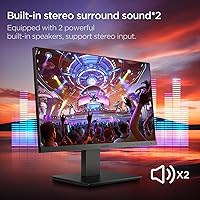
- Built-in dual speakers remove the need for external audio gear in low-demand use cases like video calls or background music.
- The 3-year warranty and 12-month replacement policy offer solid long-term protection at this price point.
- Matte screen surface cuts down on reflections and makes the display comfortable to use under overhead lighting.
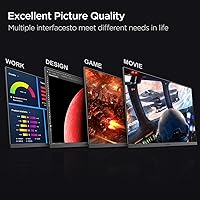
- HDMI and VGA ports cover a wide range of devices, making setup quick regardless of the machine you're connecting.
- Compact dimensions and a light build make this 24-inch VA display easy to move, reposition, or pack up.
Cons
- The stand offers only basic tilt adjustment — no height, swivel, or pivot movement, which limits ergonomic flexibility.
- Brightness tops out at a modest level that can struggle in bright, naturally lit environments or near windows.
- Built-in speakers are purely functional and will disappoint anyone expecting usable audio quality beyond basic system sounds.
- No USB hub or additional ports means the P01 relies entirely on HDMI and VGA, with no pass-through convenience.
- Response time specifications are not prominently disclosed, which raises questions for buyers sensitive to motion blur.
- The included stand feels basic and lightweight, and some users have noted it feels less sturdy than expected.
- 1080p resolution on a 24-inch panel may feel limiting for users who spend hours reading dense text or small UI elements.
- Color accuracy is decent for casual use but lacks the precision needed for photo editing or professional visual work.
- No pivot or portrait mode rotation limits versatility for users who prefer vertical screen orientation for coding or reading.
- Occasional buyer reports of shipping damage suggest the packaging could offer better protection for transit.
Ratings
The scores below for the KOORUI P01 24-inch FHD Monitor were generated by our AI engine after analyzing thousands of verified global buyer reviews, with spam, bot-submitted, and incentivized feedback actively filtered out. Each category reflects the honest distribution of real user sentiment — not a manufacturer summary — so both the strengths and the genuine frustrations are represented transparently. Whether this 24-inch VA display fits your needs depends heavily on the right context, and these ratings are designed to help you make that call clearly.
Value for Money
Picture Quality
Refresh Rate & Gaming
Ergonomics & Adjustability
Build Quality
Brightness & Visibility
Built-in Speakers
Connectivity
Eye Comfort
Setup & Assembly
Bezel & Aesthetics
Warranty & Support
Multi-Monitor Compatibility
Suitable for:
The KOORUI P01 24-inch FHD Monitor is a strong fit for anyone who needs a capable everyday screen without overspending. Students setting up a dorm or apartment desk will appreciate the slim footprint, no-fuss HDMI connectivity, and the fact that the built-in speakers mean one fewer thing to buy. Remote workers who spend long hours in front of a screen benefit from the blue light filter and the VA panel's comfortable contrast levels, which tend to be easier on the eyes than budget TN alternatives. Casual gamers upgrading from a 60Hz display will notice a real difference with the 100Hz refresh rate and FreeSync support — it's not a competitive gaming monitor, but it makes everyday gaming noticeably smoother. It also works well as a second screen in a dual-monitor setup, where the slim bezels keep the overall look tidy and cohesive.
Not suitable for:
The KOORUI P01 24-inch FHD Monitor has clear limitations that make it a poor match for certain buyers, and it's worth being upfront about those. If you work in a bright, sunlit room, the modest brightness output may leave the screen looking washed out during peak daylight hours — users in naturally lit spaces should factor this in carefully. Graphic designers, photo editors, or anyone doing color-critical work will find the panel's accuracy and the lack of factory calibration data insufficient for professional use. Competitive gamers chasing fast response times and high frame rates will quickly outgrow what this display can offer. The stand provides only basic tilt adjustment with no height, pivot, or swivel movement, which is a real ergonomic drawback for users who need precise screen positioning. If you're expecting strong audio from the built-in speakers, manage your expectations — they cover basic system sounds and video calls, but little more.
Specifications
- Screen Size: The active display area measures 23.8 inches diagonally, presented in a standard 16:9 widescreen aspect ratio.
- Panel Type: Uses a VA (Vertical Alignment) panel, which offers deeper contrast ratios and better black levels compared to TN panels at a similar price.
- Resolution: Native resolution is 1920x1080 pixels (Full HD), providing a clean, sharp image for everyday computing and media playback.
- Refresh Rate: Runs at a native 100Hz refresh rate, delivering noticeably smoother motion than standard 60Hz displays for both work and casual gaming.
- Color Gamut: Covers 99% of the sRGB color space, producing vivid, consistent color reproduction suitable for general-purpose and media use.
- Brightness: Peak brightness is rated at 250 cd/m², which is adequate for typical indoor environments but may appear dim in very bright or sunlit rooms.
- Surface Finish: The screen features a matte anti-glare coating that reduces reflections under overhead lighting or in mixed-light environments.
- Connectivity: Equipped with one HDMI port and one VGA port, covering the most common connection types for modern and legacy devices alike.
- Built-in Audio: Includes dual integrated speakers, providing basic audio output for video calls, system sounds, and casual media without external speakers.
- VESA Compatibility: Supports a 75x75mm VESA mounting pattern, making it compatible with most third-party monitor arms and wall mount brackets.
- Tilt Adjustment: The included stand supports tilt adjustment ranging from 5 degrees forward to 15 degrees backward for basic viewing angle customization.
- Ergonomics: The stand does not support height adjustment, pivot, or swivel movement; users requiring full ergonomic range will need a VESA arm.
- Blue Light Filter: Features a built-in blue light filter mode designed to reduce high-energy visible light emission during extended screen use.
- FreeSync Support: Compatible with AMD FreeSync adaptive sync technology, which reduces screen tearing and stuttering during gaming without requiring a premium GPU.
- Dimensions: The monitor with stand measures approximately 21.34 inches wide, 16.59 inches tall, and 7.13 inches deep.
- Weight: Total weight with stand is 8.53 pounds, making it easy to reposition or move between setups without assistance.
- Bezel Design: Features ultra-slim bezels on three sides, which keeps the visual footprint compact and suits side-by-side multi-monitor configurations.
- Warranty: Backed by a 3-year manufacturer warranty and a 12-month replacement service for verified defects or damage upon arrival.
Related Reviews
KOORUI 24N5CA 24-inch Curved Monitor
Sealan Z24B1A 24-inch Monitor
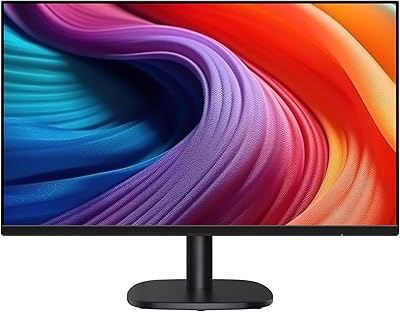
Amazon Basics 24-inch FHD 1080p Monitor
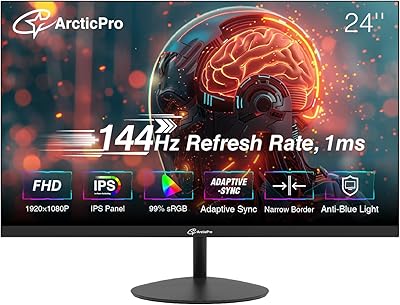
ArcticPro AD24EF2 24-inch Gaming Monitor

KOORUI E2411K 24-inch Gaming Monitor
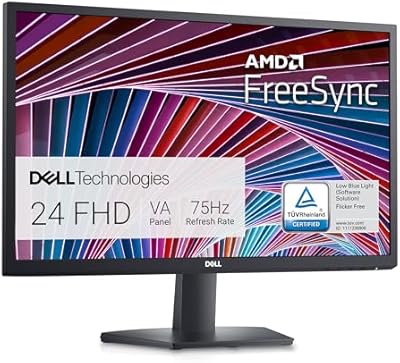
Dell SE2422HX 24-inch Monitor
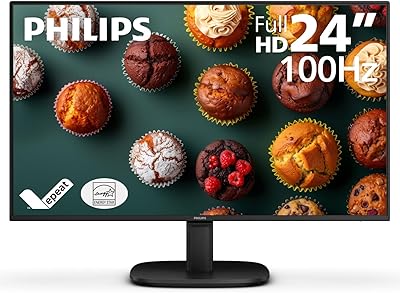
Philips 24B2N2100 24-inch Full HD Monitor
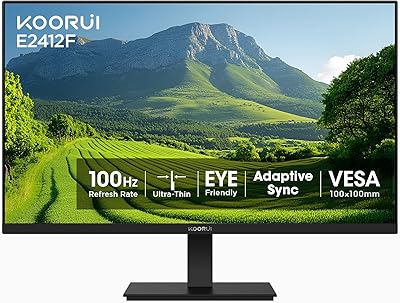
KOORUI E2412F 24-inch Monitor

Viewedge USC2412FDA-P 24-inch FHD 144Hz Gaming Monitor
