Overview

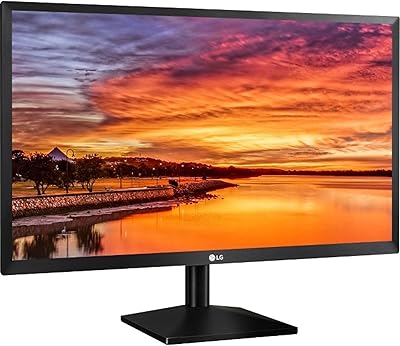
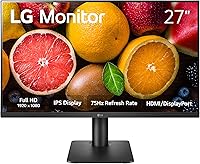
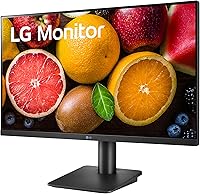
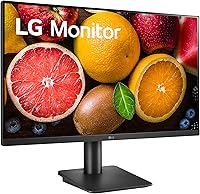
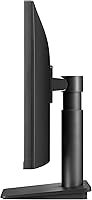
The LG 27MP450 27-inch FHD IPS Monitor sits comfortably in LG's budget-friendly lineup, offering reliable IPS panel quality without a steep price tag. The 3-side borderless design gives your desk a cleaner, less cluttered look — a small detail that genuinely improves day-to-day aesthetics. The stand includes both tilt and height adjustment, which is uncommon at this price point and worth appreciating in terms of long-term comfort. One honest caveat worth flagging upfront: 1080p spread across 27 inches won't look as crisp as a QHD panel at the same size, so if pixel-perfect sharpness is a priority, factor that into your decision.

Features & Benefits

The IPS panel covers NTSC 72% of the color gamut, which handles everyday tasks — spreadsheets, video streaming, casual photo browsing — with pleasing accuracy, though it's not a replacement for a wide-gamut display in serious color work. The 75Hz refresh rate paired with AMD FreeSync keeps casual gaming smooth and tear-free, and while 5ms GtG won't satisfy competitive players, it's perfectly adequate outside tournament-level use. Reader Mode and Flicker Safe are genuinely useful features for long desk sessions. The OnScreen Control software lets you adjust settings without touching the monitor itself — handy, though it can be glitchy on Windows.

Best For

This 27-inch IPS display is a natural fit for home office workers who spend extended hours at a screen and want something large without straining their eyes. Students who need a spacious, readable monitor for writing or research sessions will find it well-suited. The slim bezels make this LG monitor a practical candidate for dual-monitor setups, where visible gaps between screens become genuinely distracting. Casual gamers will find the FreeSync pairing serviceable for most titles. It's less ideal for anyone chasing sharp pixel density or high refresh rates — those buyers are better served by a QHD or 144Hz alternative.

User Feedback

Buyers frequently highlight the out-of-box color quality as a pleasant surprise at this price tier, with many noting the image looks noticeably better than the TN panels they upgraded from. The height-adjustable stand draws consistent praise — users mention it in terms of physical comfort, not just appearance, which says something. On the downside, the 1080p resolution does register as slightly soft to some people sitting close to the screen. The OnScreen Control software attracts occasional complaints about crashes on Windows. Overall, owner satisfaction skews strongly positive, particularly among first-time IPS monitor buyers who appreciate the step up in visual quality.

Pros

  • IPS panel delivers noticeably better color and viewing angles than TN alternatives at a similar price.
  • Height-adjustable stand is a genuine comfort advantage that many budget monitors skip entirely.
  • AMD FreeSync keeps casual gaming smooth without requiring a premium GPU.
  • Reader Mode and Flicker Safe make long work or study sessions significantly easier on the eyes.
  • Three-side borderless design keeps multi-monitor setups looking clean and cohesive.
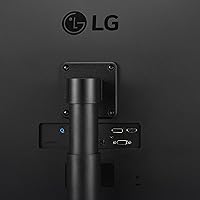
  • Multiple input options — HDMI, DisplayPort, and D-Sub — cover almost any device you'd connect.
  • Out-of-box color accuracy is consistently praised by users, requiring little to no manual calibration.
  • VESA mount compatibility gives you the option to free up desk space with an arm later.
  • The 27MP450 offers a solid balance of screen size, panel quality, and ergonomics for everyday use.

Cons

  • 1080p resolution across a 27-inch screen looks noticeably softer than QHD at the same size.
  • No built-in speakers means you must source external audio separately.
  • OnScreen Control software can be unreliable and occasionally crashes on Windows systems.
  • 5ms GtG response time is adequate for everyday use but falls short for competitive gaming.
  • 75Hz refresh rate won't satisfy users who have experienced 144Hz or higher displays.
  • NTSC 72% color gamut is insufficient for professional photo or video editing work.
  • Glossy screen surface can produce distracting reflections in brightly lit rooms.
  • No USB hub built in, which limits connectivity convenience at the desk.

Ratings

The scores below reflect our AI-driven analysis of verified global buyer reviews for the LG 27MP450 27-inch FHD IPS Monitor, with spam, bot-submitted, and incentivized feedback actively filtered out to ensure the results represent genuine user experiences. We've assessed this monitor across 12 specific performance and usability categories, surfacing both what it does well and where real buyers have run into frustration. The result is an honest, balanced picture — not a sanitized summary.

Image Quality
78%
22%
The IPS panel produces noticeably warmer, more lifelike colors than budget TN displays, and buyers consistently note the image looks good straight out of the box without needing manual calibration. For watching videos, browsing, or working with documents all day, the color rendering feels natural and easy on the eye.
At 1080p spread across 27 inches, the pixel density sits around 82 PPI, which is lower than ideal — text and fine UI details can look slightly soft when you're seated close to the screen. Users upgrading from a QHD panel often notice the step down in sharpness immediately.
Color Accuracy
71%
29%
For general productivity, casual photo viewing, and everyday content consumption, the NTSC 72% color gamut covers enough of the spectrum to look pleasing and consistent. Most home office users and students report that colors appear accurate and well-balanced without any obvious hue shifts across the panel.
Photographers, video editors, and designers who need reliable wide-gamut coverage will find the 72% NTSC coverage limiting — it falls short of the sRGB 99%+ coverage expected in color-critical workflows. This is not a professional-grade panel, and treating it as one will lead to disappointment downstream.
Gaming Performance
67%
33%
For casual and mid-level gaming, the 75Hz refresh rate combined with AMD FreeSync delivers a noticeably smoother experience than 60Hz monitors, with tearing largely eliminated when paired with a compatible AMD GPU. Story-driven games, RPGs, and slower-paced titles play well on this display.
Competitive gamers will quickly find the ceiling here — 75Hz and 5ms GtG are entry-level specs, and players used to 144Hz or higher will notice the difference in fast-moving scenes almost immediately. There is no support for higher refresh rates, and the response time won't satisfy anyone playing at a serious level.
Ergonomics & Stand
84%
The height-adjustable stand is a standout feature at this price bracket, where most rivals offer tilt-only adjustment. Users who work long hours specifically call out the ability to raise or lower the screen as a meaningful comfort improvement that reduces neck and upper back strain over the course of a workday.
Horizontal swivel is limited, so users who need to frequently rotate the monitor to share the screen with someone nearby will find it inconvenient. The stand also lacks a pivot function for portrait orientation, which some multi-monitor power users look for.
Eye Comfort
83%
Reader Mode's blue light reduction and the Flicker Safe backlight are features that users consistently mention positively in long-session contexts — students studying for hours and remote workers on marathon calls report noticeably less eye fatigue by end of day compared to older or cheaper monitors.
The glossy screen surface works against eye comfort in brightly lit environments, where reflections from windows or overhead lights can create persistent glare. Users in open-plan offices or sunlit rooms may find themselves fighting the surface as much as benefiting from the eye-care features.
Build Quality
76%
24%
The overall build feels solid and stable for a monitor in this category — there's minimal wobble when typing or adjusting the stand, and the plastic chassis doesn't feel cheap or hollow. The three-side borderless design looks noticeably cleaner in person than typical budget monitors with thick visible bezels.
The rear panel and base are predominantly plastic, and closer inspection reveals some of the cost-cutting. The stand mechanism, while functional, doesn't have the premium resistance feel of higher-end monitors, and a few users note minor flex in the panel housing when adjusting position.
Connectivity
81%
19%
Having HDMI, DisplayPort, and D-Sub all on the same monitor covers a wide range of devices including older desktop PCs, laptops, and consoles without needing adapters. Users with mixed legacy and modern hardware setups particularly appreciate the D-Sub option, which is increasingly rare on newer displays.
There are no USB ports on the monitor, meaning it can't double as a desktop hub for peripherals — a feature that's becoming more common in this price tier. The absence of USB-C is also increasingly felt by laptop users who prefer a single-cable desk connection.
Software (OnScreen Control)
58%
42%
When it runs properly, OnScreen Control is a genuine convenience — being able to adjust brightness, switch inputs, or configure screen split layouts from your desktop without touching the monitor's physical buttons saves time during a busy workday. The interface is relatively intuitive once installed.
The app has a documented history of instability on Windows, with users reporting crashes, failure to launch after system updates, and the occasional need to reinstall entirely. For a feature marketed as a convenience tool, its unreliability means many users simply stop using it and default to the physical controls.
Value for Money
86%
Considering the IPS panel, height-adjustable stand, FreeSync support, and eye-care features all bundled together at an accessible price, the 27MP450 represents strong value for home office buyers and students. Most owners feel they got more than they paid for, especially those upgrading from older or smaller displays.
Buyers expecting QHD sharpness or high-refresh gaming performance at this price will feel the trade-offs acutely. The value equation is strong only when the purchase is matched to the right use case — if your needs push beyond everyday productivity and casual gaming, the money is better spent elsewhere.
Setup & Installation
88%
Assembly is quick and tool-free — most users report having the monitor unpacked, assembled, and running within 10 to 15 minutes. The stand snaps into place without fuss, and the cable routing is clean enough to keep a tidy desk from the start.
The initial software installation for OnScreen Control adds an optional but sometimes confusing step, particularly for less tech-savvy users who are unsure whether to install it or not. The physical button layout on the monitor for on-screen menus is also a bit fiddly until you get used to it.
Multi-Monitor Suitability
82%
18%
The three-side borderless design makes the 27MP450 a practical candidate for side-by-side dual-monitor setups, where thin bezels visually reduce the gap between screens. Users who have built dual or triple configurations with this model report that the seam between displays is minimal and unobtrusive during daily use.
The lack of USB-C and hub functionality adds cable management complexity in multi-monitor setups. Additionally, the glossy finish can create asymmetry if paired with a matte-screen monitor beside it, with noticeably different surface reflections that some users find distracting.
Brightness & Contrast
73%
27%
In a normally lit indoor space, brightness levels are sufficient for comfortable viewing without pushing the monitor to its maximum. Users working in dim home office environments or evening setups generally report the display holds up well without causing strain.
In a sunlit room or under strong overhead lighting, the glossy panel combined with moderate peak brightness means the image can wash out or reflect distractingly. The contrast ratio is typical for IPS — acceptable but without the depth you would get from a VA panel if black levels matter to your workflow.

Suitable for:

The LG 27MP450 27-inch FHD IPS Monitor is a strong pick for home office workers who spend long hours in front of a screen and want accurate colors, comfortable viewing, and a stand that actually adjusts to their height — something many competing monitors in this price range simply don't offer. Students pulling extended study sessions will appreciate the built-in eye-care features, which make a noticeable difference over time compared to cheaper TN panels. If you're building a dual-monitor setup on a budget, the slim three-side bezels help the two screens sit together without an awkward visual gap. Casual gamers who play a few hours in the evening after work will find the 75Hz refresh rate and FreeSync pairing more than adequate for most genres. It's also a genuinely sensible upgrade path for anyone still using an older, smaller, or lower-quality display who wants a real improvement without overspending.

Not suitable for:

The LG 27MP450 27-inch FHD IPS Monitor is not the right choice for buyers who sit close to a large screen and care about pixel sharpness — at 1080p on a 27-inch panel, the pixel density is noticeably lower than a QHD display of the same size, and that softness becomes apparent in text-heavy work or detailed content. Competitive gamers who rely on fast reaction times should also look elsewhere, since 75Hz and 5ms GtG response time are entry-level specs that won't give you an edge in fast-paced titles where 144Hz or higher makes a real difference. Photographers, video editors, or anyone working in color-critical fields will find the NTSC 72% gamut too limited for accurate professional output. If you're expecting built-in speakers, this monitor doesn't have them, which means you'll need external audio regardless. Finally, users who heavily rely on monitor management software on Windows should be aware that the OnScreen Control app has a track record of occasional stability issues.

Specifications

  • Screen Size: The display measures 27 inches diagonally, offering a generous viewing area for both productivity and casual entertainment.
  • Resolution: Native resolution is 1920x1080 (Full HD), delivering standard 1080p output across the 16:9 panel.
  • Panel Type: Uses an IPS (In-Plane Switching) panel, which provides wider viewing angles and more consistent color reproduction than TN alternatives.
  • Refresh Rate: The display runs at a native 75Hz refresh rate, offering smoother motion than standard 60Hz monitors for everyday use and casual gaming.
  • Response Time: Rated at 5ms GtG (Gray-to-Gray), which is adequate for general use and light gaming but not optimized for competitive play.
  • Color Gamut: Covers NTSC 72%, which translates to reasonable color accuracy for everyday tasks but is not suited for professional color-critical workflows.
  • Aspect Ratio: Standard 16:9 widescreen aspect ratio, compatible with all common video and desktop display configurations.
  • Adaptive Sync: AMD FreeSync is supported, synchronizing the monitor's refresh rate with compatible AMD Radeon GPUs to reduce screen tearing and stuttering.
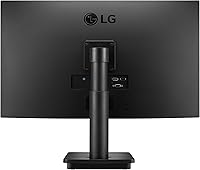
  • Inputs: Connectivity includes one HDMI port, one DisplayPort, and one D-Sub (VGA) input, supporting a wide range of devices including older hardware.
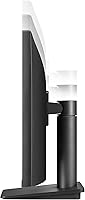
  • Stand Adjustment: The included stand supports both tilt and height adjustment, allowing users to position the screen comfortably for extended sitting sessions.
  • Bezel Design: Three sides of the monitor feature an ultra-narrow borderless bezel, making it a practical choice for side-by-side multi-monitor arrangements.
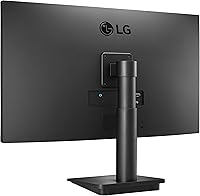
  • VESA Mount: Compatible with 75x75mm VESA mounting brackets, enabling installation on a third-party monitor arm or wall mount.
  • Eye Care: Includes Reader Mode for blue light reduction and Flicker Safe technology to minimize screen flicker during extended viewing sessions.
  • Software: LG OnScreen Control software allows users to adjust monitor settings, split screen layouts, and input sources directly from their desktop.
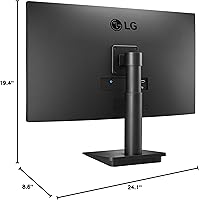
  • Dimensions: The monitor measures approximately 24.1 inches wide by 19.4 inches tall by 8.6 inches deep with the stand attached.
  • Weight: Total weight with stand is 8.6 pounds, making it straightforward to reposition or mount without assistance.
  • Screen Surface: The panel uses a glossy screen surface, which enhances color vibrancy but may produce reflections in rooms with strong ambient lighting.
  • Power Input: The monitor is rated for up to 240 volts, making it compatible with international power standards when used with the appropriate cable.
  • Built-in Speakers: This monitor does not include built-in speakers, so external audio output via connected devices or separate speakers is required.
  • Release Date: The 27MP450 was first made available in November 2021 as part of LG's accessible everyday-use monitor lineup.

Related Reviews
BenQ GW2791 27-inch FHD IPS Monitor
80%
83%
Image Quality
91%
Eye-Care Performance
88%
Value for Money
62%
Display Sharpness
47%
Stand & Ergonomics
More
LG 27MS550-B 27-inch IPS Monitor
76%
83%
Display Clarity
79%
Color Accuracy
91%
Ergonomics & Stand
77%
Refresh Rate & Smoothness
72%
Response Time
More
Acer SB272 27-inch FHD IPS Monitor
74%
91%
Value for Money
83%
Image Quality
54%
Brightness
78%
Refresh Rate & Smoothness
43%
Stand & Ergonomics
More
Amazon Basics 27E2UA 27-inch IPS Monitor
78%
92%
Value for Money
84%
Image & Color Quality
88%
Viewing Angles
51%
Ergonomics & Stand
87%
Connectivity & Port Selection
More
LG 24MP400-B 24-inch IPS Monitor
71%
83%
Image Quality
91%
Value for Money
79%
Eye Comfort
64%
Gaming Performance
67%
Build Quality
More
LG 24BK430H-B 24-Inch FHD IPS Monitor
82%
91%
Display Quality
88%
Value for Money
94%
Eye Comfort
68%
Build Quality
87%
Ease of Setup
More
LG 27SR50F-W 27-Inch Smart Monitor
70%
88%
Smart TV Features
67%
Display Clarity
79%
AirPlay & Apple Integration
91%
Setup Experience
82%
Build Quality & Design
More
LG 27UP850K-W 27-inch 4K IPS Monitor
76%
88%
Image Quality
91%
Color Accuracy
93%
USB-C Connectivity & Power Delivery
86%
Ergonomics & Stand
84%
Build Quality & Design
More
LG 24GN60R-B 24-inch FHD Gaming Monitor
71%
88%
Value for Money
84%
Gaming Performance
81%
Image Quality
51%
HDR Performance
43%
Stand & Ergonomics
More
LG 27GL650F-B 27-Inch Full HD IPS Gaming Monitor
85%
92%
Display Quality
89%
Gaming Performance
85%
Build Quality
91%
Ergonomics & Adjustability
90%
Value for Money
More

FAQ

Yes, it holds up well for daily office work. The IPS panel gives you accurate enough colors for documents, spreadsheets, and video calls, and the height-adjustable stand is a real plus for anyone sitting at a desk all day. The eye-care features also make a genuine difference over longer sessions.

It depends on how close you sit. At a typical desk distance of 2 to 3 feet, the pixel density is noticeably lower than a QHD panel of the same size, and text can look slightly soft. If you sit further back or don't scrutinize fine detail, most people find it perfectly acceptable. It's a fair trade-off at this price point.

Yes. The HDMI input makes it straightforward to connect a current-generation console. The 27-inch screen and 75Hz refresh rate work well for casual console gaming, though the 5ms response time and lack of 120Hz support mean it's not optimized for competitive or fast-paced titles.

It works fine with NVIDIA GPUs for general use, but AMD FreeSync is not natively supported on NVIDIA cards in the same way. Some NVIDIA cards support FreeSync displays through the G-Sync Compatible program, so it's worth checking whether your specific card supports it before assuming you'll get adaptive sync benefits.

Setup is straightforward — the stand clicks into the monitor base without tools in most cases. The height adjustment range is reasonable for most desk setups, and the tilt is easy to fine-tune. Many users specifically mention the stand as a highlight since rivals at this price often only offer tilt adjustment.

Yes, the 27MP450 supports 75x75mm VESA mounting, so it's compatible with most standard monitor arms and wall brackets. Removing the stand and switching to an arm is a popular choice for users who want to reclaim desk space or get more flexible positioning.

It's useful when it works — you can adjust brightness, input source, and screen partitioning without touching the monitor. That said, some Windows users report occasional crashes or the app not launching reliably. It's a nice convenience feature but not something to rely on heavily if your workflow depends on it.

It can be. The glossy surface makes colors look vivid, but in a room with windows or overhead lighting behind you, reflections can become distracting. If your workspace is well-controlled for light, it's fine. If you sit facing a bright window, a matte-screen monitor might be a smarter choice.

No, there are no built-in speakers. You'll need to route audio through your computer, use a headset, or connect external speakers. It's a common omission at this price tier, but worth knowing before you buy if you were counting on integrated audio.

Reader Mode reduces the blue light output from the display, which is the part of the spectrum most associated with eye fatigue and disrupted sleep when used at night. Combined with Flicker Safe, which minimizes backlight flicker that the naked eye doesn't always detect, the overall effect during long sessions is genuinely noticeable for most users — less strain by the end of the day compared to a standard monitor without these features.