Overview
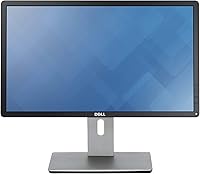
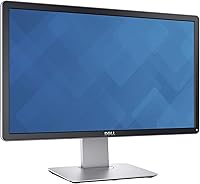
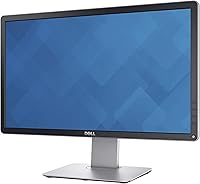
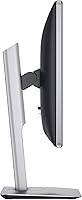
The Dell P2214H 22-Inch IPS Monitor sits comfortably in the mid-range productivity space, offering a full HD display that handles everyday office demands without fuss. At 22 inches, the screen gives you enough real estate to keep multiple windows open side by side — a genuine help when switching between documents, spreadsheets, or browser tabs all day. Unlike cheaper TN panels that dominate budget desks, this Dell display uses IPS technology, which means colors stay consistent whether you look straight-on or from a slight angle. Dell's long-standing reputation in the business monitor market lends real reassurance, and the ergonomic stand design makes it easy to dial in a comfortable viewing position for extended work sessions.
Features & Benefits
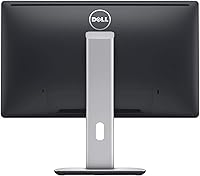
The IPS panel at the core of the P2214H keeps colors accurate and viewing angles wide — open a color-coded spreadsheet and it still looks right from the side, which matters when sharing your screen with a colleague. Text at 1920x1080 resolution is crisp and readable for hours, reducing strain during dense document work. Four USB 2.0 ports built into the monitor help cut down cable clutter, turning the display into a small but useful connectivity hub. The stand adjusts for height, tilt, swivel, and pivot, so finding a comfortable posture is quick. LED backlighting keeps power draw modest — a practical plus in any multi-monitor office setup where energy costs genuinely add up over time.
Best For
This Dell display makes the most sense for people who spend the bulk of their day in front of a screen — office workers, remote employees, and students who need reliable daily performance without paying for features they will never use. If you are upgrading from an older or smaller TN monitor, the jump in color accuracy and viewing comfort is noticeable right away. Home office setups benefit from the USB hub and flexible stand, which help keep a desk organized and posture friendly. Companies rolling out multiple workstations will appreciate the build consistency Dell tends to deliver at this tier. Casual multimedia use fits fine, but heavy gamers or video editors should look at purpose-built alternatives.
User Feedback
Owners of the P2214H consistently highlight image clarity and color consistency as standout strengths, with many noting that text looks sharp and comfortable across long sessions. The adjustable stand earns frequent praise too — people appreciate setting the exact height and angle rather than propping books underneath. On the flip side, the glossy screen surface draws real complaints from users working near windows or in brightly lit rooms, where glare can become a genuine distraction. The built-in USB ports come up often as a practical bonus that buyers did not expect to appreciate so much. A handful of users note that response time is average, noticeable during fast-moving video but a non-issue for typical office tasks. The 4.3-star average reflects steady, consistent satisfaction rather than polarized opinions.
Pros
- IPS technology delivers consistent colors and wide viewing angles, making shared screen moments far less awkward
- Full HD resolution keeps text sharp and easy to read during long document-heavy workdays
- Four built-in USB ports turn the display into a convenient peripheral hub, reducing desk cable clutter
- The adjustable stand covers height, tilt, swivel, and pivot, so dialing in a comfortable posture takes seconds
- Dell's build quality reputation holds up here — this 22-inch IPS panel feels solid and reliable from day one
- LED backlighting keeps energy consumption low, a genuine plus in offices running multiple monitors
- Strong owner satisfaction ratings reflect a consistent, dependable experience across a wide range of buyers
- The ergonomic stand flexibility reduces the need for an aftermarket monitor arm in most standard setups
- Full HD sharpness makes color-coded data and fine spreadsheet grids easy to distinguish without eye strain
Cons
- The glossy screen surface causes noticeable glare in bright rooms or near uncovered windows
- Response time is average at best, making fast-moving video or casual gaming feel slightly soft
- USB 2.0 ports are slow by current standards and will frustrate anyone regularly transferring large files
- At 22 inches, the screen can feel cramped when working with complex multi-window or wide-format layouts
- No built-in speakers means you will need external audio hardware for any sound output
- The glossy finish attracts fingerprints and smudges more readily than matte-coated alternatives
- Connectivity options beyond USB are limited, which may require an adapter depending on your hardware
- The monitor carries a noticeable weight at over seven pounds, making repositioning or travel awkward
Ratings
Our AI rating system analyzed verified global buyer reviews for the Dell P2214H 22-Inch IPS Monitor, actively filtering out incentivized, bot-generated, and outlier feedback to surface what real everyday users consistently experienced. The scores below reflect both what this display genuinely does well and where it falls short, so you can make a fully informed decision without any sugar-coating.
Image Clarity
Color Accuracy
Glare & Reflections
Ergonomics
Build Quality
USB Hub Utility
Response Time
Stand Stability
Setup Experience
Energy Efficiency
Value for Money
Out-of-Box Calibration
Viewing Angles
Suitable for:
The Dell P2214H 22-Inch IPS Monitor is a strong fit for anyone who spends the majority of their working day at a desk and needs a display that holds up comfortably over long hours. Office professionals who deal with dense spreadsheets, documents, or multi-tab browser sessions will appreciate the sharp full HD resolution and the IPS panel's consistent color rendering, which makes extended screen time noticeably less fatiguing than older TN alternatives. Home office workers benefit from the flexible ergonomic stand, which makes it easy to fine-tune viewing position without buying a separate monitor arm. Students juggling research, writing, and reference material side by side will find the 22-inch screen generous enough to keep everything visible at once. Businesses outfitting multiple workstations will value Dell's track record for build consistency and the practical built-in USB hub that keeps desks tidy.
Not suitable for:
The Dell P2214H 22-Inch IPS Monitor is not the right choice for buyers working in bright, window-facing environments, as the glossy screen surface reflects ambient light in a way that quickly becomes distracting and tiring. Competitive or casual gamers will likely find the response time underwhelming compared to monitors purpose-built for fast-moving content, where motion clarity genuinely matters. Creative professionals who need precise, calibrated color output for photo editing, video grading, or print production should look at higher-tier panels designed specifically for color-critical work, as this display targets office accuracy rather than studio-grade fidelity. Users who rely on USB 3.0 speeds for fast file transfers will be disappointed by the USB 2.0 ports. Anyone expecting a large-format display will also find 22 inches limiting if they regularly work with complex layouts or multi-window setups that benefit from extra screen space.
Specifications
- Screen Size: The display measures 22 inches diagonally, providing enough workspace for side-by-side application use without occupying excessive desk space.
- Panel Type: An IPS (In-Plane Switching) panel is used, offering wider viewing angles and more consistent color reproduction compared to standard TN displays.
- Resolution: Native resolution is 1920x1080 (Full HD), delivering sharp, clearly defined text and graphics suitable for everyday office and productivity tasks.
- Aspect Ratio: The screen uses a 16:9 widescreen aspect ratio, which aligns with standard document layouts, video content, and modern web browsing.
- Screen Surface: The panel has a glossy surface finish, which enhances perceived contrast but can produce reflections in brightly lit or window-facing environments.
- Backlight: LED backlighting is used throughout, contributing to lower energy consumption and a slimmer overall profile compared to older CCFL-lit monitors.
- USB Ports: Four USB 2.0 ports are built into the monitor body, functioning as a convenient peripheral hub for keyboards, mice, and storage devices.
- Stand Adjustments: The included stand supports height adjustment, tilt, swivel, and 90-degree pivot rotation, covering a full range of ergonomic positioning needs.
- Dimensions: The monitor measures 19.04 x 20.19 x 7.09 inches (length x height x depth) with the stand fully assembled and attached.
- Item Weight: The complete unit weighs 7.17 pounds, which is typical for a 22-inch display with a full ergonomic stand included.
- Model Number: The official Dell model number is N8RG7, part of the Dell 22 Monitor product series designed for business and professional environments.
- Brand: Manufactured by Dell, a company with a long-standing track record in producing reliable business-grade display hardware across global markets.
- Ratings: The monitor holds an average customer rating of 4.3 out of 5 stars based on 274 verified ratings on Amazon.
- ASIN: The Amazon Standard Identification Number for this monitor is B00EMB4L0I, used for precise product identification when ordering online.
- Availability: Dell has confirmed this model is not discontinued, meaning replacement parts, driver support, and warranty service remain accessible through official channels.
Related Reviews

Dell P2714H 27-inch IPS Monitor
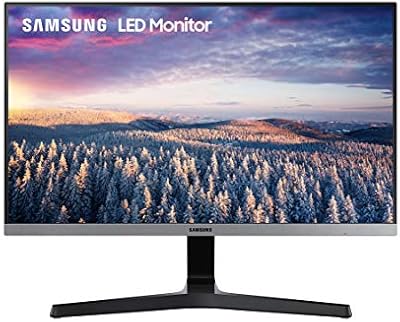
Samsung S22R350FHN 22-inch IPS Monitor

Dell E2420H 24-inch FHD IPS Monitor

Dell P2419H 24-Inch IPS Monitor
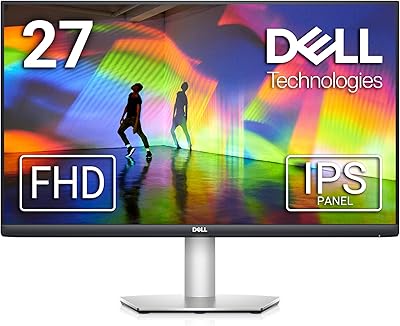
Dell S2721HS 27-inch Full HD IPS Monitor
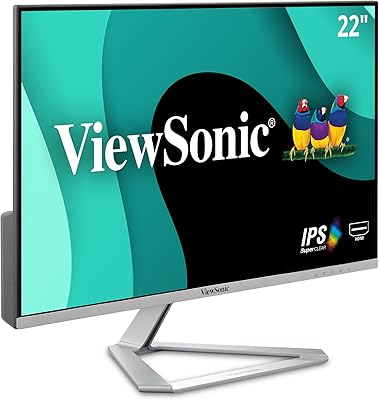
ViewSonic VX2276-SMHD 22-Inch IPS Monitor
SANSUI ES-22X3 22-inch IPS Monitor
Dell U3419W Ultrasharp 34-Inch Curved IPS Monitor
ViewSonic VA2256-MHD 22-inch IPS 1080p Monitor
