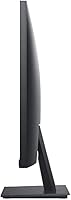
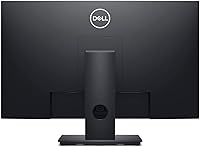
Overview
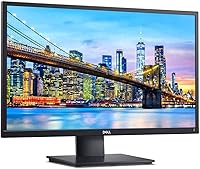
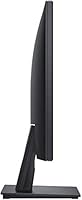
The Dell E2420H 24-inch FHD IPS Monitor is a versatile display designed to meet the needs of both home and office users. With its Full HD resolution and thin profile, this monitor is well-suited for a wide range of environments, including multi-display setups. The screen size provides a spacious workspace for everyday tasks, while the IPS panel ensures consistent color performance. Whether you're using it for work, gaming, or general browsing, this monitor delivers reliable performance and sleek design.
Features & Benefits
This Dell monitor offers impressive color accuracy thanks to its IPS panel, making it an excellent choice for those who need vibrant visuals. The wide viewing angles ensure that the display looks great from almost any position, while the anti-glare coating reduces reflections in bright environments. Additionally, the energy-efficient design is certified by Energy Star, helping users save on power consumption. With both VGA and DisplayPort inputs, this monitor is easy to integrate into various setups, adding flexibility to your workspace.
Best For
The E2420H model is perfect for professionals who require a reliable, everyday monitor. It’s particularly suitable for office tasks, such as document editing, email communication, and web browsing, as well as light multimedia use. Users looking to set up multi-monitor configurations will appreciate the slim design, which allows for seamless integration into a larger workspace. Additionally, the monitor’s accurate color reproduction makes it a great option for casual design work and general productivity tasks.
User Feedback
Users generally praise this 24-inch display for its solid color reproduction and wide viewing angles, which contribute to an overall satisfying experience. However, some have noted that at higher resolutions, the image can lack a bit of sharpness, which may be noticeable to those accustomed to ultra-high-definition displays. On the positive side, the ease of setup and ergonomic adjustments are frequently mentioned as standout features, with many appreciating how simple it is to adjust the tilt and position. Overall, the Dell E2420H receives mostly positive reviews for its balance of performance and affordability.
Pros
- This monitor provides vibrant color accuracy, making it suitable for general work and media consumption.
- Wide viewing angles ensure clarity and color consistency from multiple perspectives.
- Energy-efficient, with an Energy Star certification that helps reduce electricity usage.
- The slim profile makes it a good choice for multi-monitor setups or limited desk space.
- Setup is straightforward, and the monitor is compatible with both VGA and DisplayPort connections.
- The anti-glare coating enhances visibility in bright environments, improving user comfort.
Cons
- Some users report a slight lack of sharpness at higher resolutions, which may affect detailed work.
- The tilt-only adjustment is limiting for those needing more ergonomic flexibility.
- Not ideal for users seeking ultra-high-definition or pixel-perfect clarity for professional design tasks.
- The monitor's color accuracy may not meet the needs of advanced photo or video editors.
- VGA and DisplayPort ports may not suit those who prefer HDMI for newer devices.
- Some users find the build quality less durable for heavy daily use or frequent transportation.
Ratings
The Dell E2420H 24-inch FHD IPS Monitor has received generally positive feedback from users across various platforms and languages. After analyzing verified reviews from multiple regions, we found that this display is widely praised for its color accuracy and ergonomic features, although there are some complaints regarding image sharpness at higher resolutions. All scores reflect authentic user experiences, with spam, bot, and incentivized reviews filtered out to ensure reliable insights.
Display Quality
Color Accuracy
Viewing Angles
Ease of Setup
Energy Efficiency
Ergonomics
Connectivity Options
Build Quality
Value for Money
Resolution Sharpness
VESA Compatibility
Overall User Satisfaction
Suitable for:
The Dell E2420H 24-inch FHD IPS Monitor is an excellent choice for users who need a reliable, budget-friendly display for general work or productivity tasks. Its color accuracy and wide viewing angles make it particularly suitable for professionals in design, office work, and casual media consumption. Home office workers, students with limited budgets, or those setting up multi-monitor configurations will find it to be an efficient and cost-effective solution. The anti-glare coating and energy efficiency also make it ideal for use in well-lit environments, where clear visibility and lower electricity bills are priorities.
Not suitable for:
While the Dell E2420H 24-inch FHD IPS Monitor performs well for everyday tasks, it may not meet the needs of users who demand ultra-sharp image quality for professional photo editing, video production, or gaming. Some buyers have noted a slight lack of sharpness at higher resolutions, which could be a limitation for those working with high-definition content. Additionally, users who need more advanced ergonomic adjustments, such as height and swivel functionality, may find this monitor’s tilt-only design limiting. Overall, this device is best suited for casual or productivity-focused users rather than those with specific, high-end display needs.
Specifications
- Display Size: 24-inch diagonal display for a balanced screen size, suitable for most work and general use.
- Resolution: Full HD (1920 x 1080) resolution provides clear and sharp visuals for everyday tasks.
- Panel Type: IPS (In-Plane Switching) panel offers superior color accuracy and wide viewing angles.
- Aspect Ratio: 16:9 aspect ratio, standard for most content and multimedia applications.
- Brightness: 250 nits of brightness, providing sufficient illumination for indoor use in typical lighting conditions.
- Connectivity: Equipped with VGA and DisplayPort inputs for versatile connection options with various devices.
- Anti-Glare Coating: Anti-glare coating reduces reflections and improves visibility in bright environments.
- Tilt Adjustment: Supports tilt adjustments for ergonomic positioning of the display to reduce neck and eye strain.
- Energy Efficiency: Energy Star certified, ensuring reduced power consumption and improved energy efficiency.
- VESA Mount Compatibility: Compatible with VESA mount standards, allowing for flexible installation options on walls or stands.
- Color: Classic black color, suitable for most home and office environments.
- Power Consumption: Typical power consumption of 20W during normal use, with low energy usage in standby mode.
- Pixel Pitch: 0.276 mm pixel pitch, ensuring detailed image clarity and sharp text.
- Response Time: 8ms (gray to gray) response time, adequate for general office tasks and media viewing.
- Contrast Ratio: Static contrast ratio of 1000:1, delivering good differentiation between light and dark elements on screen.
- Dimensions: Display measures 21.2 x 13.1 x 1.8 inches (with stand) for a slim, space-saving profile.
- Weight: Weighs approximately 7.7 lbs (3.5 kg), making it easy to transport or move for setups.
- Warranty: Comes with a 3-year limited hardware warranty for peace of mind against defects.
- Compatibility: Compatible with a wide range of PCs, laptops, and other devices using VGA or DisplayPort.
Related Reviews

Dell P2419H 24-Inch IPS Monitor
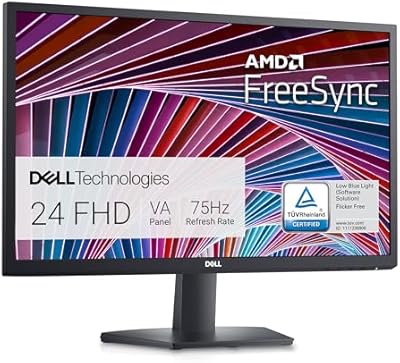
Dell SE2422HX 24-inch Monitor
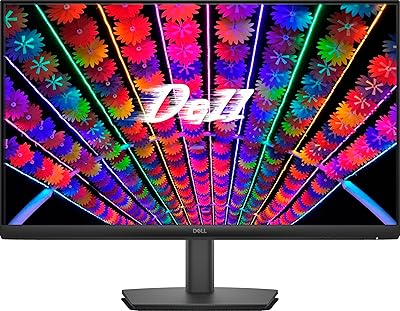
Dell E24 24-inch FHD IPS Monitor

HP Series 5 524sf 24-inch Monitor

ReHisk 241KV2 24-inch Gaming Monitor
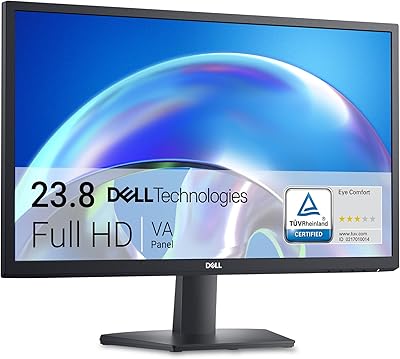
Dell SE2425H 24-Inch Full HD Monitor
LG 24MP400-B 24-inch IPS Monitor
LG 24BK430H-B 24-Inch FHD IPS Monitor
LG 24GN60R-B 24-inch FHD Gaming Monitor