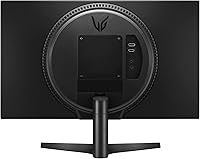
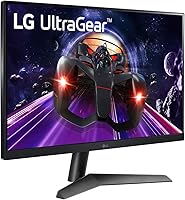
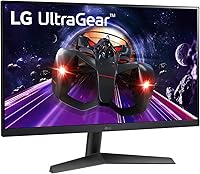
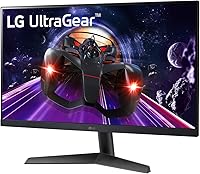
Overview

The LG 24GN60R-B 24-inch FHD Gaming Monitor arrived in late 2022 as one of the more honest value propositions in its category — a 23.8-inch IPS panel running at 144Hz without asking you to compromise on color quality the way older TN displays did. That combination used to cost noticeably more, which is part of why this monitor found its audience quickly. It targets first-time upgraders and budget-conscious gamers who want real performance gains over a basic 60Hz screen. Don't expect flagship-grade specs here — this is a practical, well-executed entry point, not a showpiece.
Features & Benefits

What makes the 24GN60R-B stand out at its price point is the pairing of a 144Hz refresh rate with a genuine IPS panel — most monitors in this range historically forced a choice between fast refresh and decent color, and this one skips that trade-off. The 1ms MBR (Motion Blur Reduction) helps with perceived sharpness in fast scenes, though it works by strobing the backlight, so brightness dips when active. AMD FreeSync Premium is genuinely useful if you're running a mid-range AMD GPU, keeping things smooth without proprietary sync costs. The HDR10 badge is present, but at 300 nits, don't expect dramatic high-dynamic-range visuals — it's a mild enhancement at best.

Best For

This 144Hz IPS display makes the most sense for competitive FPS players and esports enthusiasts who need higher frame rates but can't justify spending significantly more. It's also an easy pick for college students building their first real PC setup — the 24-inch footprint doesn't overwhelm a desk, and the IPS panel handles coursework and content equally well. If you're running an AMD GPU, the FreeSync Premium integration is a practical bonus rather than a marketing afterthought. And if you're still on a 60Hz screen, the jump to this LG gaming monitor will feel immediately obvious — the motion smoothness alone tends to make converts fast.

User Feedback

Owners of the 24GN60R-B generally praise the out-of-the-box image quality — colors look accurate without needing to dig into settings, and 144Hz delivers on its promise right away. Setup is reported as straightforward, and the OSD menu is functional if not particularly intuitive. The recurring complaint, though, is the stand: it tilts and that's about it, with no height adjustment or swivel, which frustrates users logging long hours at their desk. HDR10 also draws lukewarm responses, with most buyers agreeing it adds little in practice. On the upside, color consistency for productivity tasks earns solid marks, making the 24GN60R-B a reasonable dual-purpose option despite its gaming-first branding.

Pros

  • 144Hz on an IPS panel is rare at this price tier, offering smooth motion without washed-out colors.
  • The 24GN60R-B looks accurate and vibrant out of the box with minimal calibration needed.
  • AMD FreeSync Premium works reliably, making it a smart pairing with mid-range Radeon graphics cards.
  • The 24-inch size fits compact desks comfortably without feeling cramped for daily use.
  • Handles productivity tasks like document editing and web browsing well beyond its gaming identity.
  • Setup is quick and straightforward, with no complicated driver installs or configuration headaches.
  • Anti-glare surface reduces eye strain during long sessions in well-lit rooms.
  • Three USB ports add desk connectivity without needing a separate hub for peripherals.
  • Lightweight build at under 9 pounds makes repositioning or mounting on a monitor arm easy.
  • Strong value for first-time upgraders who want a noticeable performance improvement on a tight budget.

Cons

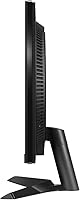
  • The stand only tilts — no height adjustment or swivel, which is a real ergonomic limitation for long sessions.
  • HDR10 support is largely cosmetic at 300 nits; do not expect meaningful high-dynamic-range visuals.
  • 1080p resolution can look noticeably soft on a 24-inch screen when sitting close, especially for desktop work.
  • The OSD menu gets the job done but feels dated and is not the most intuitive to navigate.
  • MBR mode reduces brightness when active, which can be distracting in darker gaming environments.
  • No built-in speakers, so external audio is required from day one.
  • Color gamut coverage is adequate but not wide enough for users doing color-sensitive creative work.
  • The plastic build feels utilitarian rather than premium, which may disappoint buyers used to higher-end aesthetics.

Ratings

Our AI-generated scores for the LG 24GN60R-B 24-inch FHD Gaming Monitor are built by analyzing thousands of verified global buyer reviews, with spam, bot activity, and incentivized feedback actively filtered out before any scoring takes place. The result is an honest, data-driven breakdown that reflects both where this 144Hz IPS display genuinely earns its keep and where real users have run into frustrations. Nothing is glossed over — the scores capture the full picture.
Value for Money
88%
Most buyers feel they got more than they paid for, particularly those coming from entry-level 60Hz panels. The combination of an IPS panel and 144Hz refresh rate at this price tier is a pairing that typically costs considerably more, and that context is not lost on the people who bought it.
A small but vocal group of reviewers feels the value proposition has weakened slightly as competing monitors have closed the price gap since the 24GN60R-B launched in late 2022. For buyers shopping today, it is worth comparing current alternatives before committing.
Gaming Performance
84%
In fast-paced shooters and esports titles, the 144Hz refresh rate delivers a clear, perceptible improvement over standard displays — motion feels controlled and tracking feels responsive. FreeSync Premium adds real stability for AMD GPU owners, with screen tearing effectively eliminated during normal gameplay sessions.
The 1ms MBR mode dims the display noticeably while active, which some players find more distracting than the blur it is meant to fix. Gamers playing slower, story-driven titles also report the performance advantages feel less meaningful in practice compared to competitive play.
Image Quality
81%
19%
Out of the box, the IPS panel produces colors that look balanced and natural without needing significant manual calibration — a detail that repeatedly comes up in positive reviews. Viewing angles are wide enough that color consistency holds well even when the monitor is not directly centered in view.
At 1080p on a 23.8-inch screen, pixel density is adequate but not exceptional, and users who sit closer than typical desk distance may notice a softness to fine text or detailed textures. It is not an issue for most, but those coming from higher-resolution displays may find it a step back.
HDR Performance
51%
49%
The HDR10 certification means the 24GN60R-B is compatible with HDR content sources and does produce a mild contrast boost in supported titles compared to standard dynamic range mode. For buyers who have never used an HDR display before, the difference may feel modest but noticeable.
At 300 nits of peak brightness, the HDR experience falls well short of what the term implies on premium displays — highlights do not pop, shadow detail remains limited, and several reviewers explicitly recommend leaving HDR disabled. This is a checkbox feature at this price, not a meaningful selling point.
Stand & Ergonomics
43%
57%
The stand assembles quickly without tools and holds the panel steady without wobble during normal desk use. For users who plan to immediately swap to a VESA-compatible monitor arm, the stock stand being basic is a non-issue.
Tilt is the only adjustment available, and the range it offers is narrow enough that taller users or those with specific posture needs will struggle to find a comfortable viewing angle. This is the single most consistent complaint across buyer reviews, and it is a real limitation for anyone planning long daily sessions.
Build Quality
67%
33%
The overall construction feels solid enough for daily desk use — the panel does not flex under light pressure and the stand base does not slide during use. At its weight and price tier, the physical build is in line with what competing monitors offer.
The plastic casing has a utilitarian, budget-grade feel that some buyers describe as cheap-looking up close, particularly around the rear of the panel. A few reviewers also noted minor cosmetic inconsistencies in finish quality, suggesting assembly tolerances are not tightly controlled.
Brightness & Visibility
69%
31%
In a typical indoor desk environment with controlled ambient lighting, 300 nits is sufficient for comfortable daily use without eye fatigue. The anti-glare coating does its job well in rooms with overhead lighting, reducing distracting reflections during work and gaming.
Place this monitor near a window on a bright day and the brightness limitation becomes apparent — the image can look washed out or low-contrast in direct sunlight conditions. Buyers in sun-facing rooms or those who work with bright ambient light consistently flag this as a drawback.
Color Accuracy
76%
24%
For a gaming-focused display, the out-of-box color accuracy is better than expected — users doing light photo editing, graphic design work, or content consumption report that colors look natural and consistent without manual fine-tuning. The IPS panel technology deserves most of the credit here.
Color gamut coverage is solid but not wide — it does not approach the sRGB-plus coverage that dedicated professional monitors offer, and it would not satisfy anyone doing serious color-critical creative work. Those needing accurate rendering for professional deliverables should consider purpose-built displays.
Connectivity
78%
22%
Three USB ports on a monitor at this price adds genuine convenience — buyers frequently mention using them for plugging in keyboards, mice, or charging phones without reaching behind a PC tower. Port placement is accessible and does not require awkward cable routing.
The port selection beyond USB is functional but not generous, and some users wanted more HDMI inputs for multi-device switching between a console and a PC. Buyers with complex multi-source setups may find themselves needing an external switch or hub.
Setup Experience
83%
Assembly is fast and largely hassle-free, with most buyers reporting the monitor is up and running within minutes of unboxing. The physical connection process is intuitive, and the included cable selection covers the most common use cases without needing an immediate accessory purchase.
The most common setup hiccup — and it comes up often — is Windows defaulting the refresh rate to 60Hz after first connection. Users unfamiliar with display settings may not realize they need to manually change this, and a small number of reviewers spent time troubleshooting before discovering the fix.
OSD & Controls
58%
42%
The on-screen display menu covers all the standard adjustment options — brightness, contrast, color temperature, input switching — and settings persist reliably between sessions without reverting. Basic navigation is manageable once you learn which button does what.
The OSD is controlled via physical buttons on the rear of the panel with no joystick navigation, which reviewers consistently describe as fiddly and counterintuitive, especially in the dark. The menu structure itself feels dated compared to the cleaner interfaces found on some competing models.
Productivity Usability
79%
21%
Users who pull double duty — gaming at night and working during the day — report the 24GN60R-B handles the transition well. Text rendering at 1080p on a 24-inch panel is sharp enough for spreadsheets, documents, and browser-based work at a normal viewing distance.
Screen real estate at 1080p can feel limiting for users accustomed to 1440p or ultrawide displays, particularly when working with multiple windows side by side. Those who rely on dense multi-window workflows may find themselves scrolling and resizing more than they would like.
Eye Comfort
72%
28%
The anti-glare coating meaningfully reduces eye strain during extended sessions under artificial lighting, and several reviewers specifically called out the IPS panel as easier on the eyes over long periods compared to TN panels they had used previously. Flicker behavior at normal brightness levels is generally well-regarded.
When MBR mode is active, the backlight strobing introduced to reduce motion blur can cause discomfort for users sensitive to flicker — a trade-off worth knowing about before enabling it. A few reviewers also noted that the default color temperature skews slightly cool out of the box and benefits from a minor warm adjustment.

Suitable for:

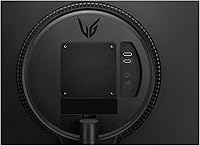
The LG 24GN60R-B 24-inch FHD Gaming Monitor is a strong fit for anyone stepping up from a basic 60Hz display for the first time — the jump in motion clarity is immediate and hard to argue with at this price. Budget-conscious gamers who play competitive titles like first-person shooters will get real, tangible benefit from 144Hz on an IPS panel without paying the premium that combo usually commands. It also works well as a dual-purpose screen for college students or young professionals who need something capable for both gaming sessions and daytime productivity work, since the IPS panel handles color-accurate tasks comfortably. AMD GPU owners in particular get added value here, as FreeSync Premium works reliably with mid-range Radeon cards to eliminate screen tearing without any additional cost or compatibility hassle. If desk space is limited and a compact 24-inch footprint matters, this monitor fits naturally into tighter setups without feeling like a compromise.
Not suitable for:

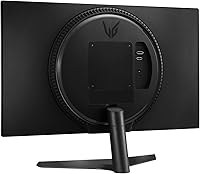
Buyers who care about resolution beyond 1080p will want to look elsewhere — the LG 24GN60R-B 24-inch FHD Gaming Monitor does not offer a path to 1440p or 4K, and for users who spend significant time in graphically rich single-player titles or creative work, that ceiling will feel limiting. Content creators who need accurate color grading or wide color gamut coverage should also pass, as this display is built around gaming performance rather than professional color precision. The tilt-only stand is a recurring frustration for anyone with specific ergonomic needs — without height adjustment or swivel, long work-from-home sessions can become uncomfortable without a third-party monitor arm. HDR enthusiasts will be let down, since the HDR10 certification at 300 nits delivers little visible improvement over standard dynamic range content in practice. Finally, users with Nvidia GPUs who want G-Sync compatibility should verify their setup, as this panel is optimized for the AMD FreeSync ecosystem.
Specifications

  • Panel Type: Uses an IPS (In-Plane Switching) panel, which provides wider viewing angles and more consistent color accuracy compared to TN alternatives at a similar price.
  • Screen Size: The active display area measures 23.8 inches diagonally, housed in a compact form factor well suited to standard desk setups.
  • Resolution: Native resolution is 1920 x 1080 (Full HD), delivering a pixel density appropriate for a 24-inch display at typical sitting distances.
  • Refresh Rate: Supports a maximum refresh rate of 144Hz, enabling noticeably smoother motion in fast-paced games compared to standard 60Hz displays.
  • Response Time: Rated at 1ms using Motion Blur Reduction (MBR) technology, which strobes the backlight to reduce perceived blur during rapid on-screen movement.
  • Adaptive Sync: Compatible with AMD FreeSync Premium, which dynamically matches the monitor's refresh rate to the GPU output to reduce screen tearing and stuttering.
  • HDR Support: Carries HDR10 certification, though the 300-nit peak brightness limits the practical impact of high-dynamic-range content compared to dedicated HDR displays.
  • Brightness: Typical brightness is rated at 300 nits, which is adequate for standard indoor lighting but not suited to very bright or sunlit environments.
  • Aspect Ratio: Standard 16:9 widescreen aspect ratio, compatible with virtually all modern games, applications, and video content without letterboxing.
  • Surface Finish: Features an anti-glare matte screen coating that reduces reflections from ambient light sources, helping maintain image readability in lit rooms.
  • USB Ports: Includes 3 USB ports total, providing convenient peripheral connectivity directly from the monitor without requiring additional hub hardware.
  • Dimensions: The assembled unit with stand measures approximately 21.29 x 12.75 x 1.69 inches (W x H x D), fitting comfortably on compact desk surfaces.
  • Weight: The complete unit including the stand weighs 8.67 pounds, making it light enough to reposition easily or mount on a standard monitor arm.
  • Stand Adjustment: The included stand supports tilt adjustment only, with no provision for height, swivel, or pivot adjustments out of the box.
  • VESA Compatibility: The monitor is VESA mount compatible, allowing users to replace the stock stand with a third-party arm for improved ergonomic positioning.
  • Model Number: The official model designation is 24GN60R-B, used for warranty registration, driver support, and compatibility verification with LG Electronics.
  • Release Date: This monitor was first made available in December 2022, positioning it as a late-2022 entry in the budget 144Hz IPS monitor segment.
  • Manufacturer: Designed and produced by LG Electronics, a South Korean multinational with an established track record in consumer display manufacturing.

Related Reviews
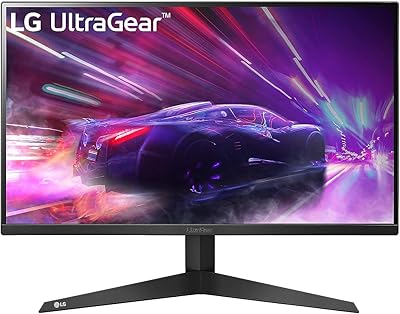
LG 24GQ50F-B 24-inch Gaming Monitor
79%
92%
Refresh Rate Performance
83%
Motion Clarity
88%
Sync & Tear-Free Gaming
61%
Color Accuracy
91%
Value for Money
More
LG 24BK430H-B 24-Inch FHD IPS Monitor
82%
91%
Display Quality
88%
Value for Money
94%
Eye Comfort
68%
Build Quality
87%
Ease of Setup
More
LG 24MP400-B 24-inch IPS Monitor

71%
83%
Image Quality
91%
Value for Money
79%
Eye Comfort
64%
Gaming Performance
67%
Build Quality
More
Viewedge USC2412FDA-P 24-inch FHD 144Hz Gaming Monitor

71%
83%
Value for Money
79%
Gaming Performance
76%
Image Quality
81%
Eye Comfort
63%
Build Quality
More
ReHisk 241KV2 24-inch Gaming Monitor
73%
91%
Refresh Rate Performance
88%
Adaptive Sync
79%
Panel & Color Quality
54%
Brightness & HDR
67%
Build Quality
More
LG 27MP450-B 27-inch FHD IPS Monitor
85%
90%
Display Quality
87%
Ergonomics and Comfort
92%
Value for Money
85%
Gaming Performance
88%
Setup and Installation
More
FYHXele 24-inch Gaming Monitor FHD 1080p 180Hz
86%
88%
Performance (Smooth Gaming)
85%
Display Quality
82%
Build Quality & Durability
90%
Ease of Setup
91%
Value for Money
More
LG 34GP63A-B 34-Inch Curved Gaming Monitor
79%
93%
Gaming Immersion
91%
Refresh Rate Performance
88%
Contrast & Black Depth
83%
Color Accuracy
86%
Input Lag & Responsiveness
More
LG 27GP700-B 27” UltraGear FHD Gaming Monitor
87%
94%
Performance (Gaming)
91%
Display Quality
88%
Ease of Setup
89%
Design & Aesthetics
90%
Color Accuracy (for Creators)
More
LG 27GS75Q-B 27-inch QHD Gaming Monitor
82%
91%
Refresh Rate & Motion Performance
88%
Image Sharpness & Resolution
83%
Color Accuracy & Gamut
57%
HDR Performance
86%
Response Time & Ghosting
More

FAQ

It genuinely runs at 144Hz — you need to enable it manually in your display settings (Windows often defaults to 60Hz on first connection). Once set correctly, the difference is immediately obvious, especially in fast-paced games.

Nvidia GPUs from the GTX 10 series onward support adaptive sync over DisplayPort through their G-Sync Compatible program, so there is a reasonable chance it will work. That said, compatibility is not guaranteed on every Nvidia card, and AMD GPU owners will get the most reliable and fully supported experience with this display.

Honestly, not particularly. The HDR10 certification is real, but at 300 nits of brightness the effect is subtle at best. You might notice slightly richer contrast in supported titles, but if HDR performance is a priority, you would need to spend more on a display with a higher peak brightness rating.

No — the stock stand only tilts forward and backward, which is a common complaint among buyers who spend long hours at their desk. If ergonomics matter to you, the monitor does support VESA mounting, so swapping in a third-party arm is a straightforward fix.

It performs well for general productivity. The IPS panel keeps colors consistent across the screen, text reads cleanly at 1080p on a 24-inch panel, and the anti-glare coating helps in typical office lighting conditions. It is not a professional color grading tool, but for everyday work it is more than capable.

The 24GN60R-B typically ships with a DisplayPort cable and a power cable. It is worth confirming at purchase since bundled accessories can vary by retailer, and you may need an HDMI cable separately if your GPU does not have a DisplayPort output.

The 1ms spec uses Motion Blur Reduction, which works by briefly cutting the backlight between frames. It does sharpen fast motion visibly, but it also reduces overall brightness while active. Most users find it useful in competitive shooters but prefer to leave it off during slower games or regular use.

At 24 inches, 1080p sits at a pixel density where text and images look sharp at a normal viewing distance of around two feet. It is not the same as 1440p, and if you sit very close you may notice individual pixels, but for the majority of users at a standard desk setup, it is a comfortable and practical resolution.

The most common issue is the monitor defaulting to 60Hz after first connection — just head into your display settings and manually select 144Hz. Beyond that, setup is largely plug-and-play, and most buyers report no significant issues out of the box.

No, the 24GN60R-B does not include built-in speakers, so you will need external speakers or a headset from day one. This is typical for gaming monitors at this price tier, but it is worth factoring into your overall setup budget if you do not already have audio sorted.