Overview

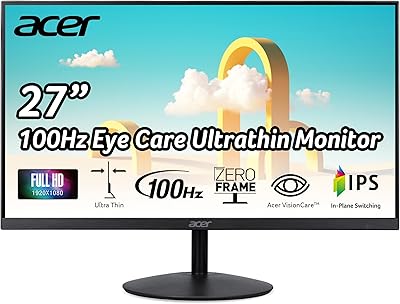
The BenQ GW2791 27-inch FHD IPS Monitor launched in October 2024 and has already climbed into the top 120 monitors on Amazon — a pretty telling sign that it found its audience quickly. BenQ has built a genuine reputation around eye-care technology over the years, and this model leans into that strength. At its price point, it isn't trying to compete with creative-pro or high-refresh gaming displays. It's a practical daily-driver — the kind of screen you put on a desk, plug in, and forget about in the best possible way. The 27-inch IPS panel at 1080p is a comfortable size for most desk setups, though pixel density is worth keeping in mind.
Features & Benefits

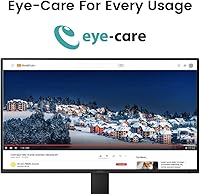
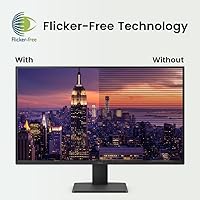
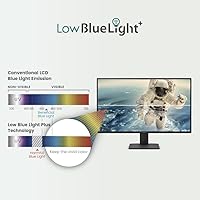
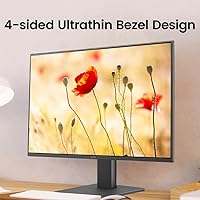
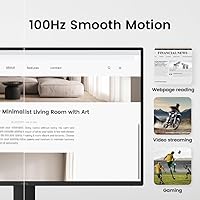
The GW2791's IPS panel covers 99% of the sRGB color space, which means colors stay consistent whether you're working on a spreadsheet, watching a video, or sitting off to the side of the screen. The 100Hz refresh rate is a quiet upgrade that you notice most during fast scrolling — smoother than the 60Hz panels still common in this category. Where this BenQ eye-care monitor really earns its name is in its TUV-certified Flicker-Free and Low Blue Light Plus features. These aren't just checkbox specs; after a long day, there's a real difference in how your eyes feel. The ePaper Mode is a nice touch for reading or coding sessions. Inputs include HDMI and DisplayPort, and the ultra-slim bezel makes multi-monitor pairing clean.

Best For

This 27-inch IPS panel is a natural fit for people who stare at a screen most of the day. Remote workers, students, and anyone doing long stretches of reading, writing, or video calls will appreciate the eye-care features more than they might expect. It also works well as a dual-monitor companion — the thin bezels keep the gap between screens tight, and color consistency across both panels is easy to achieve. Casual gamers upgrading from a basic 60Hz setup will notice the improvement without paying for hardware they won't use. If you're coming from a TN panel or an older office monitor, the difference in viewing angles and color warmth is immediate. It's not the right pick for graphic designers or video editors who need higher resolution.

User Feedback

With close to 20,000 ratings and a 4.6-star average, the GW2791 has earned its reputation through sheer volume of real-world use. The most consistent praise centers on out-of-box color accuracy — most buyers report not needing to adjust settings at all — and a genuine reduction in eye fatigue during long sessions. The eye-care modes, in particular, come up repeatedly as actually useful rather than just marketing language. On the critical side, a few users flag that 1080p on a 27-inch screen can look slightly soft if you're used to a QHD or 4K display — an honest trade-off at this price. The stand is tilt-only, with no height or swivel adjustment, which is a real limitation worth knowing before you buy.

Pros

  • IPS panel delivers accurate, consistent colors from wide viewing angles straight out of the box.
  • TUV-certified Flicker-Free and Low Blue Light Plus features genuinely reduce eye fatigue during long work sessions.
  • The 100Hz refresh rate makes everyday scrolling and light gaming noticeably smoother than a standard 60Hz panel.
  • Ultra-slim bezels make the GW2791 a clean, minimal-gap option for side-by-side dual-monitor setups.
  • ePaper Mode is a practical, well-implemented tool for extended reading, document editing, or coding sessions.
  • Matte anti-glare screen surface handles reflections well in bright rooms or mixed-lighting environments.
  • HDMI and DisplayPort inputs cover most laptop and desktop connection needs without requiring additional adapters.
  • Nearly 20,000 Amazon ratings averaging 4.6 stars reflect a consistently positive real-world ownership experience.
  • Competitive price point makes it one of the stronger value propositions in the 27-inch IPS monitor category.

Cons

  • At 1080p across 27 inches, pixel density sits near 82 PPI — noticeably softer than QHD panels at the same size.
  • The stand supports tilt adjustment only; height, swivel, and pivot all require a separate third-party monitor arm.
  • No built-in speakers or USB hub, which adds cable clutter or extra accessory costs for some desk setups.
  • Users stepping down from a higher-resolution display may find text and fine detail look visibly soft up close.
  • Color gamut tops out at sRGB, making it unsuitable for photographers or designers working in DCI-P3 or AdobeRGB.
  • 100Hz falls short for competitive gaming scenarios that benefit from 144Hz or higher refresh rates.
  • Eye-care certifications help reduce fatigue but are not a substitute for regular screen breaks and proper ergonomic setup.
  • No factory calibration report is included, so color-critical users will need to profile and calibrate the panel manually.

Ratings

The BenQ GW2791 27-inch FHD IPS Monitor has been scored across 15 performance and usability categories using AI-powered analysis of verified global buyer reviews, with bot-generated, incentivized, and repeat submissions actively filtered out. The results reflect the full picture — not just what buyers loved, but where real frustrations emerged that potential owners deserve to understand before committing. Strengths in eye-care performance and value are weighted honestly against genuine trade-offs in pixel density and stand ergonomics.
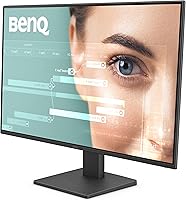
Image Quality
83%
The IPS panel produces clean, natural-looking colors straight out of the box, which consistently surprises users at this price tier. With 99% sRGB coverage, everyday content — spreadsheets, video calls, and YouTube — looks properly saturated without feeling over-processed or artificially punchy. Wide viewing angles mean the image holds up well even when a colleague leans over to look at your screen.
At 1080p stretched across 27 inches, pixel density lands near 82 PPI, and the softness in fine text and detailed images is real and persistent. Users who have previously owned a QHD or 4K display will notice the difference immediately, and it does not fully disappear with prolonged use or adjustment.
Eye-Care Performance
91%
This is where the GW2791 earns its most consistent and emphatic praise across user reviews. The Flicker-Free backlight eliminates the rapid cycling that causes invisible but cumulative strain, and Low Blue Light Plus adjusts the color spectrum in a way that genuinely reduces end-of-day fatigue. Users switching from older TN or uncertified IPS panels repeatedly call this the most noticeable real-world improvement in their daily experience.
The certifications are legitimate and effective for most users, but these features are not a medical solution — people with chronic eye conditions or serious photosensitivity will still need professional guidance beyond monitor settings. Some users also note that stronger Low Blue Light settings add visible warmth to the screen, which can skew color perception during photo browsing or design work.
Value for Money
88%
At its price tier, this monitor packs a legitimately strong feature set — IPS panel, 100Hz, TUV eye-care certifications, slim bezels, and dual inputs all in one package. For anyone upgrading from a budget TN panel or a generic office display, the gap in quality is obvious and immediate. It comfortably outclasses competing monitors at the same price that skip eye-care features entirely.
The value calculation has a catch: most ergonomically conscious users will eventually need a monitor arm given the tilt-only stand, which adds to the effective total cost. There is also no USB hub or built-in audio, meaning additional accessories and cable clutter for users who want a cleaner desk setup.
Display Sharpness
62%
38%
For web browsing, email, spreadsheets, and video calls at a typical sitting distance of two feet or more, the resolution is perfectly serviceable and most users working in this context adapt quickly. Users who have never owned a higher-resolution display tend to find it completely acceptable, and the matte coating keeps the image looking cleaner than a glossy lower-density panel would.
The 82 PPI figure is among the most discussed pain points in user reviews, and the criticism is fair. At close working distances, small text looks noticeably less defined than on a QHD panel, and the effect compounds during long sessions reading dense documents or fine UI elements. Users stepping down from a 1440p or higher display will feel the difference immediately.
Stand & Ergonomics
47%
53%
The base is stable and does not wobble during typing or casual desk activity, which is the baseline expectation at any price tier. Assembly takes a few tool-free minutes, and the tilt range, though limited, covers the basics for users who are already sitting at a height where no further adjustment is needed.
Tilt-only adjustment is a genuine ergonomic shortcoming — no height, swivel, or portrait pivot means many users end up with the screen too low for proper posture without adding accessories. This is the most frequently cited frustration in negative reviews and a consistent surprise for buyers who did not verify the stand specifications before purchasing.
Refresh Rate & Smoothness
84%
The jump from 60Hz to 100Hz is more tangible than many first-time buyers expect. Fast web scrolling, video playback, and lighter gaming all feel noticeably smoother in daily use, and returning to a 60Hz screen afterward starts to feel sluggish in comparison. For non-competitive gaming and general desktop productivity, this refresh rate hits a practical sweet spot at a fair price.
Competitive or fast-paced gamers will find 100Hz limiting — titles that benefit from precise frame-timing and low latency really want 144Hz and above, which this panel does not offer. For those users specifically, the extra investment in a purpose-built gaming display makes more practical sense than trying to push this monitor beyond its intended use case.
Color Accuracy
86%
For a monitor at this price, the out-of-box color calibration consistently impresses buyers. Colors look balanced and natural without requiring manual adjustments, which saves time and removes the technical barrier for non-expert users. The 99% sRGB coverage handles everyday content cleanly, from photo browsing to lightweight design tasks where sRGB accuracy is all that is needed.
The panel covers sRGB well but stops short of DCI-P3 or AdobeRGB, which limits its usefulness for professional color grading or print-accurate design. Without a factory calibration report, users doing critical color work will need to profile the display themselves — an added cost and effort step that most buyers in this price range are not expecting.
Viewing Angles
87%
IPS technology handles off-axis viewing far better than TN panels, and this monitor upholds that standard reliably. Colors remain consistent and contrast stays stable whether you are sitting directly in front or glancing from a wide side angle — genuinely useful in shared workspaces, during collaborative reviews, or when a colleague leans over to look at something on your screen.
At extreme angles — roughly 70 degrees or more off-axis — some color shift and mild contrast drop appear, which is normal behavior for IPS technology at this tier. This is unlikely to matter for typical single-user desktop setups but can be noticeable in group-viewing scenarios where multiple people are positioned well to the side.
Connectivity
73%
27%
Having both HDMI and DisplayPort at this price covers the most common connection scenarios cleanly — one cable for a desktop and one for a laptop can stay plugged in simultaneously, with input switching handled through the OSD without replugging anything. For most home office setups, this is all the physical connectivity that is practically needed day to day.
There is no USB hub, no built-in speakers, and no audio output listed among the specifications, which means additional accessories and cable management effort for users who rely on desk audio or want to charge peripherals through their display. Multi-device power users expecting a docking-style hub experience will find the port selection too lean for their workflow.
Bezel Design
89%
The ultra-slim bezel is among the most appreciated physical traits in user reviews, particularly from buyers running side-by-side dual setups. The visual gap between two adjacent panels is tight enough that content flows across screens without a jarring frame interruption, and the overall profile keeps the desk looking clean and modern without demanding visual attention.
The slim bezel, while visually appealing, leaves panel edges with less physical protection against bumps or accidental contact. A small number of users also report visible edge-bleed near the bezel borders when displaying dark scenes — not unusual for IPS panels at this price, but worth inspecting closely on arrival.
Setup & Ease of Use
92%
The unboxing and assembly experience is consistently praised — the stand attaches without tools in under five minutes, and the panel is ready for use immediately with color accuracy that does not require manual tuning. The OSD menu is logically structured, and most users report being able to navigate inputs and settings intuitively without consulting the manual.
The OSD relies on physical buttons along the rear edge that some users find slightly awkward to locate and press without looking away from the screen. Buyers coming from monitors with joystick-style navigation controls tend to find the button-based layout a minor but persistent inconvenience in everyday use.
Display Modes
81%
19%
ePaper Mode comes up repeatedly in user feedback as a feature that earns its place rather than sitting unused. Writers, coders, and readers who activate it during text-heavy sessions consistently report less visual fatigue than with standard settings, and the transition is noticeable enough that many users keep it set as their default for document work.
Beyond ePaper, the color mode selection is fairly limited compared to more expensive monitors that offer professionally tuned presets for photography, film, or design. Some users also find that cycling between modes through the OSD requires a few more button presses than feels natural, which discourages spontaneous switching during mixed-use sessions.
Brightness & Contrast
74%
26%
For typical indoor office and home lighting conditions, the panel brightness is more than adequate — content stays clearly visible and comfortable across a range of ambient environments. The matte anti-glare coating works alongside the backlight to keep reflections under control, which reduces the need to push brightness to eye-straining levels in mixed-light rooms.
IPS panels inherently trade deep blacks for wide viewing angles, and this one follows that rule without exception. In dim viewing conditions or during high-contrast film scenes, blacks appear noticeably grayish rather than truly dark — expected at this panel type and price, but users who value cinematic contrast should look toward VA or OLED alternatives.
Build Quality
79%
21%
For the price, the overall construction feels appropriately solid — the panel does not flex noticeably during normal use, the base provides stable footing during active typing sessions, and the matte black finish holds up well against everyday fingerprints and smudging. Nothing about the physical build feels actively fragile or destined to degrade quickly.
The chassis is predominantly plastic, and while that is expected at this price point, it does feel less substantial than mid-range monitors with metal accents or reinforced frames. A small number of users report minor flex in the rear housing when applying firm pressure, and cable routing through the stand is limited compared to monitors with dedicated management channels.
Multi-Monitor Compatibility
85%
The ultra-slim bezel and consistent IPS color profile make this 27-inch IPS panel a natural pick for dual-monitor configurations. Color temperature and brightness are straightforward to match across two identical units, and users setting up mirrored pairs consistently report that both screens look cohesively balanced without requiring tedious per-panel calibration.
Without height or swivel adjustment on the stock stand, getting two monitors perfectly level side by side typically demands monitor arms or careful surface planning — an added cost that should be budgeted upfront when planning a multi-display workspace. The lack of a USB hub also compounds cable management challenges when multiple monitors are involved.

Suitable for:

The BenQ GW2791 27-inch FHD IPS Monitor is a well-matched choice for anyone who spends the bulk of their workday staring at a screen and wants their eyes to actually feel better for it. Remote workers, home office users, and students will get the most out of it — especially those logging six or more hours daily on documents, spreadsheets, emails, or video calls. The TUV-certified Flicker-Free and Low Blue Light Plus features are not just spec-sheet checkboxes; people who have dealt with eye fatigue from older TN or flickering panels will likely feel a real difference by the end of a long session. It is also a smart pick for anyone building a dual-monitor setup on a budget, since the ultra-slim bezels keep the gap between screens tight and IPS color consistency means both panels look closely matched. Casual gamers upgrading from a tired 60Hz display will also find the 100Hz refresh rate a comfortable, noticeable improvement without overpaying for hardware they do not need.

Not suitable for:

The BenQ GW2791 27-inch FHD IPS Monitor is the wrong call for anyone whose work depends on fine detail or high pixel density. Running 1080p across a 27-inch screen puts pixel density at roughly 82 PPI — perceptibly lower than a QHD or 4K panel at the same size, and once you have worked on a sharper display, that softness is hard to ignore at a normal sitting distance. Graphic designers, photo editors, and video professionals who need accurate color reproduction at high resolution should look at QHD or wide-gamut panels instead. Competitive gamers chasing fast frame rates will also find this monitor limiting — 100Hz is comfortable for everyday use, but it cannot compete with the 144Hz or 240Hz displays built specifically for fast-paced titles. The stand is tilt-only, so anyone who needs height adjustment, swivel, or portrait-mode rotation for ergonomic reasons will need to factor in the added cost of a monitor arm. HDR workflows and color spaces beyond sRGB are also outside what this panel is designed to handle.
Specifications

  • Screen Size: The display measures 27 inches diagonally with a 16:9 aspect ratio.
  • Resolution: Native resolution is 1920x1080 (Full HD), yielding a pixel density of approximately 82 pixels per inch.
  • Panel Type: IPS (In-Plane Switching) panel delivers consistent color accuracy and stable image quality at viewing angles up to 178 degrees.
  • Refresh Rate: Supports a maximum refresh rate of 100Hz, offering noticeably smoother motion than standard 60Hz displays.
  • Color Gamut: Covers 99% of the sRGB color space for consistent, accurate color reproduction across everyday content types.
  • Screen Surface: Matte anti-glare coating reduces reflections and softens glare in bright or mixed-lighting work environments.
  • Eye-Care Tech: Equipped with Flicker-Free backlight technology and Low Blue Light Plus (Eyesafe 2.0) to reduce cumulative eye strain during extended screen use.
  • Certifications: Holds TUV Rheinland certification and Eyesafe 2.0 verification, both independently tested standards for flicker-free and low-blue-light performance.
  • Display Modes: Includes ePaper Mode, which adjusts color temperature and contrast to reduce visual fatigue during prolonged reading or text-heavy work sessions.
  • Video Inputs: Features one HDMI port and one DisplayPort input, covering connections from most modern laptops and desktop computers without additional adapters.
  • Bezel Design: Ultra-slim three-sided bezel minimizes the visual gap between panels in dual- or multi-monitor setups.
  • Stand Adjustment: Included stand supports tilt adjustment only; height, swivel, and portrait-mode rotation require a separate aftermarket monitor arm.
  • Dimensions: Physical footprint measures 18 x 7 x 24 inches (width x depth x height) with the stand attached.
  • Weight: Complete unit including the stand weighs 12.14 pounds.
  • Finish & Color: Chassis is finished in matte black across both the front bezel and the rear panel.
  • Release Date: First made available in October 2024.

Related Reviews

Acer SB272 27-inch FHD IPS Monitor
74%
91%
Value for Money
83%
Image Quality
54%
Brightness
78%
Refresh Rate & Smoothness
43%
Stand & Ergonomics
More
Amazon Basics 27E2UA 27-inch IPS Monitor
78%
92%
Value for Money
84%
Image & Color Quality
88%
Viewing Angles
51%
Ergonomics & Stand
87%
Connectivity & Port Selection
More
LG 27MP450 27-inch FHD IPS Monitor
77%
78%
Image Quality
71%
Color Accuracy
67%
Gaming Performance
84%
Ergonomics & Stand
83%
Eye Comfort
More
BenQ EX2710 27-inch Gaming Monitor
80%
91%
Motion Performance
88%
Color Accuracy
93%
Refresh Rate & Sync
89%
Console Compatibility
58%
HDR Quality
More
Gigastone LM-27FF51 27-Inch IPS Monitor
74%
82%
Image Clarity
54%
Brightness & Glare
76%
Color Accuracy
78%
Refresh Rate & Motion
71%
Build Quality
More
AOC 27B3HA2 27-Inch FHD Monitor
82%
92%
Value for Money
88%
Display Quality
85%
Matte Finish Performance
90%
Ease of Setup
84%
Build Quality
More
Dell SE2722HX 27-inch FHD Monitor
84%
91%
Value for Money
87%
Display Quality
83%
Build Quality
88%
Ease of Setup
85%
Ergonomics & Comfort
More
Samsung SR35 27-inch FHD Monitor
74%
88%
Value for Money
74%
Image Quality
86%
Eye Comfort
81%
Build Quality
52%
Stand & Ergonomics
More
BenQ PD2706U 27-inch 4K Monitor
78%
93%
Color Accuracy
91%
Color Gamut Coverage
88%
USB-C Connectivity
79%
KVM Functionality
89%
Build Quality
More
Dell P2714H 27-inch IPS Monitor
70%
78%
Color Accuracy
47%
Text Sharpness
87%
Ergonomic Range
74%
Build Quality
83%
Viewing Angles
More

FAQ

For most people doing office work, web browsing, and video calls, the BenQ GW2791 27-inch FHD IPS Monitor is perfectly fine at a typical sitting distance. That said, if you are coming from a QHD or 4K display, you will notice the difference — text edges are slightly softer and fine detail is less crisp. It is a real trade-off, not an imaginary one, so go in with eyes open if sharpness is a priority for you.
It connects to any Mac with a full-size HDMI or DisplayPort output without any issues. If your MacBook only has USB-C or Thunderbolt ports, you will need a USB-C to HDMI or USB-C to DisplayPort adapter — those are not included, but any reputable adapter handles the job without signal loss or compatibility headaches.

Yes, IPS panels genuinely handle this well, and the GW2791 is no exception. Colors and contrast stay consistent whether you are sitting directly in front of it or viewing from a fairly wide angle to the side. If you have ever used an older TN panel that washes out or shifts color the moment you move off-center, this is a real and noticeable improvement.

Based on what the technology does and consistent real-user feedback, these features make a genuine difference for most people — particularly Flicker-Free, which eliminates the rapid backlight cycling that causes subtle but cumulative strain over a long day. Low Blue Light Plus adjusts the color spectrum in a way that many users notice by evening, feeling less fatigued than they did on older monitors. They are not a medical solution and do not replace good lighting, a proper screen distance, or regular breaks, but they are not placebo features either.

For casual gaming — single-player titles, strategy games, RPGs — the GW2791 handles things well, and 100Hz is a smooth, comfortable experience. Where it falls short is competitive multiplayer: the refresh rate and response time are not tuned for fast-paced first-person shooters where every millisecond counts. If you play competitively, a dedicated 144Hz or 240Hz gaming panel is worth the investment.

The included stand only tilts — there is no height, swivel, or portrait-mode adjustment built in. This is a common limitation at this price tier, but it is worth knowing upfront. If you care about ergonomics, and most people should, budgeting for an aftermarket monitor arm makes a meaningful difference and unlocks the full range of positioning the stock stand does not offer.

ePaper Mode reduces contrast and shifts the display toward a cooler, lower-saturation tone that is meant to simulate the less-tiring look of a printed page or an e-ink reader. It sounds niche, but it is genuinely useful for long stretches of reading, writing, or coding where you are staring at mostly text. A lot of users who try it once end up keeping it on for those specific tasks.

No, there are no built-in speakers on this model. Audio needs to run through your computer, a headset, or a separate speaker setup. This is pretty standard at this price point, but it is something to factor in if desk audio is part of your workspace plan.

Yes — with one device on the HDMI input and another on the DisplayPort input, you can switch between them using the on-screen display menu. It is not a full KVM switch, so you will still need to handle keyboard and mouse separately, but for toggling the display between a work laptop and a personal desktop it works cleanly.

QHD (2560x1440) at 27 inches runs at roughly 109 pixels per inch versus about 82 PPI on this panel — that gap is visible, especially in small text and fine detail. This 27-inch IPS panel wins clearly on price and eye-care feature depth, while a QHD monitor wins on clarity. If your budget allows even a small stretch, the sharpness upgrade at 27 inches is one many people find worth paying for, especially for extended reading or document-heavy work.