
Overview

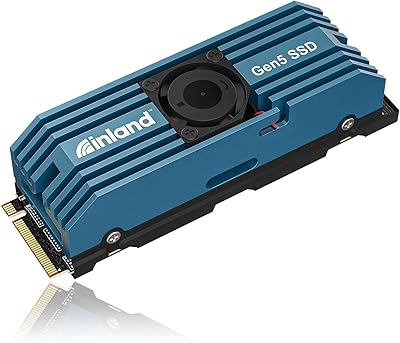
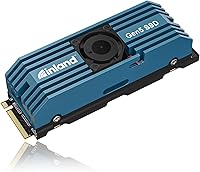
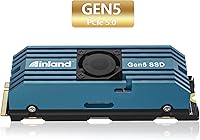
The Inland TD510 2TB PCIe Gen5 M.2 NVMe SSD represents a genuine step up for anyone building or upgrading a high-performance desktop in 2024. PCIe 5.0 doubles the available bandwidth over Gen4, which in practice means faster sustained transfers when moving large files or loading asset-heavy environments. What sets the TD510 apart physically is the integrated heatsink with active fan — most competitors ship passive-only solutions. INLAND, known as Micro Center’s house brand, backs this drive with wide retail availability and a 6-year limited warranty, which is notably generous for a consumer NVMe drive.

Features & Benefits

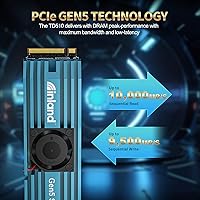
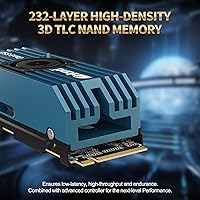
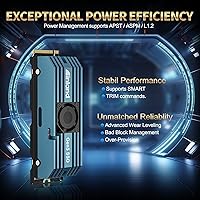
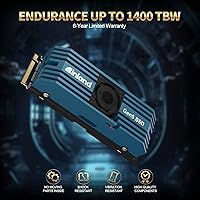
This Gen5 SSD pushes sequential reads up to 10,000 MB/s and writes to 9,500 MB/s — practically speaking, that translates to transferring a 50GB game installation in just a few seconds rather than a half-minute crawl on an older drive. The 232-layer 3D TLC NAND paired with onboard DRAM keeps performance consistent under sustained workloads rather than dropping off after the cache fills. Rated for 1,400 TBW, this NVMe drive is built for years of heavy use without worry about wearing out prematurely. Backward compatibility with Gen4 and Gen3 slots is a practical bonus, and power management protocols like APST and L1.2 help keep idle draw reasonable.

Best For

The TD510 is squarely aimed at builders with a 700-series Intel or AMD X670 motherboard that actually exposes a Gen5 M.2 slot — that’s a real prerequisite worth confirming before purchasing. Content creators shuffling between large RAW photo batches or multi-gigabyte video exports will notice the difference in transfer times. Gamers who prioritize fast level and asset loading will appreciate it in open-world titles with demanding streaming engines. It also suits professionals running 3D renders or heavy database I/O who need both raw throughput and long-term endurance without managing aftermarket cooling separately.

User Feedback

Buyers consistently highlight benchmark results that closely match rated speeds, which is not always the case with budget Gen5 options. Installation feedback is mostly positive, though a handful of users in smaller mid-tower cases mention that the heatsink’s height can create clearance issues with neighboring slots. The active fan noise is the most common trade-off noted — it is barely audible at idle but does become noticeable during prolonged sequential writes in a quiet room. Warranty support interactions reported in reviews trend positive. With a strong average rating across nearly 850 reviews, overall satisfaction is high, with most dissatisfaction tied to compatibility checks buyers skipped rather than the drive itself.

Pros

  • Real-world sequential speeds consistently match rated figures, which is not a given at this performance tier.
  • The included active-fan heatsink handles thermal management out of the box — no extra accessories needed.
  • A 6-year warranty provides long-term confidence that most competing drives at this level do not match.
  • Backward compatibility with Gen4 and Gen3 slots means the TD510 remains usable if you upgrade platforms later.
  • The 1,400 TBW endurance rating is high enough for years of heavy daily use without concern.
  • DRAM cache keeps sustained transfer performance from dropping off mid-task during large workloads.
  • INLAND’s Micro Center backing means physical retail availability, which simplifies returns and support access.
  • Power management protocols keep idle draw sensible, avoiding unnecessary strain on your PSU or thermals.
  • At 2TB capacity, this NVMe drive offers enough headroom for a full game library plus a working project folder.
  • Random I/O performance is strong enough to handle mixed workloads beyond just sequential file transfers.

Cons

  • Requires a PCIe 5.0 M.2 slot to reach advertised speeds — a hard requirement many current systems cannot meet.
  • The active cooling fan produces noticeable noise during prolonged sequential writes in quiet environments.
  • Heatsink height can cause physical clearance conflicts in smaller cases or boards with dense M.2 area layouts.
  • The price premium over Gen4 drives is substantial, and real-world gains in everyday tasks are often modest.
  • Gen5 platform compatibility limits this drive’s audience to a relatively narrow slice of current PC builders.
  • Fan longevity over a multi-year lifespan is an open question, as active coolers add a mechanical failure point.
  • No included software suite for drive health monitoring or firmware updates, unlike some competing brands.
  • Heavier than passively cooled alternatives, which can stress the M.2 slot retention mechanism in vertical board orientations.

Ratings

Our AI rating system analyzed verified global buyer reviews for the Inland TD510 2TB PCIe Gen5 M.2 NVMe SSD, actively filtering out incentivized, bot-generated, and duplicate submissions to surface what real users genuinely experience. Scores reflect a balanced synthesis of recurring praise and legitimate frustrations across thousands of ownership scenarios — nothing is smoothed over to flatter the product.

Read Performance
94%
Users running benchmarks consistently report sequential read speeds that land extremely close to the rated 10,000 MB/s ceiling, which is unusually accurate for consumer drives. In practice, large file loads — game level streaming, video preview rendering — feel noticeably snappier compared to flagship Gen4 drives users upgraded from.
Peak read performance is only accessible on a PCIe 5.0 x4 slot, and buyers who installed the drive in a Gen4 system noted speeds capped well below the rated figures. A small number of users on certain AMD platforms reported needing a BIOS update before the drive was detected at full Gen5 speeds.
Write Performance
91%
Sequential write speeds hold up impressively during sustained operations like exporting large video timelines or writing multi-gigabyte disk images, with the DRAM cache keeping throughput consistent rather than dropping off mid-task. Random write IOPS also translate well to real workloads, particularly for users running virtual machines or database-heavy applications.
A handful of users noted a slight performance dip during very prolonged mixed read-write workloads lasting more than several minutes, which is typical TLC behavior once SLC cache is exhausted. This is unlikely to affect most users but was flagged by professionals running continuous backup or encoding pipelines.
Thermal Management
78%
22%
The bundled aluminum heatsink with active fan genuinely keeps the controller and NAND from thermal throttling during sustained sequential transfers, which passive-only Gen5 drives often struggle with. Multiple users who stress-tested the drive with hour-long file copy operations reported stable temperatures and no speed drops.
The active fan introduces an audible element that becomes noticeable in a quiet build during heavy writes, which frustrated users running near-silent workstations. Several users in compact cases also reported that the heatsink height created clearance conflicts with GPU shrouds or neighboring M.2 heatsinks on their motherboards.
Installation Experience
82%
18%
Most buyers found the physical installation straightforward — the M.2 2280 format slots into any compatible motherboard without adapters or additional hardware. The heatsink arrives pre-attached to the drive, so there is no separate assembly required before seating it.
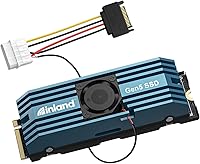
The heatsink’s added height and the fan connector cable introduced minor complications for some builders working in tight spaces, with the cable occasionally needing careful routing to avoid fan headers and VRM covers. A few users wished INLAND included a longer or more flexible fan cable for improved clearance in mid-tower builds.
Heatsink & Cooling Design
74%
26%
The integrated aluminum construction dissipates heat effectively during moderate workloads, and the active fan means the drive can sustain heavy transfers without relying entirely on case airflow the way passive solutions do. Users in warm environments or cases with poor airflow particularly appreciated having self-contained thermal management.
The fan is a mechanical component with its own potential failure point over years of use, which a few long-term thinkers flagged as a concern compared to fully passive designs. The heatsink also makes the drive incompatible with motherboard-integrated M.2 covers on several popular boards, forcing users to choose one or the other.
Endurance & Longevity
93%
At 1,400 TBW, this NVMe drive offers endurance that the vast majority of desktop users will simply never exhaust — even aggressive daily use over many years falls well within the rated lifespan. The 1,600,000-hour MTBF figure and the 6-year warranty together signal a product INLAND expects to survive extended real-world deployment.
TLC NAND carries lower per-cell write endurance than enterprise-grade MLC alternatives, which a small number of professional users noted when comparing it to workstation-class drives. Endurance ratings are manufacturer estimates under controlled conditions, and real-world longevity in high-write environments can vary depending on workload patterns.
Warranty & Support
86%
The 6-year limited warranty stands out in the Gen5 segment, where 3- to 5-year coverage is the norm, and INLAND’s connection to Micro Center gives US-based buyers the option of in-person support rather than mail-in-only RMA processes. Buyers who went through warranty claims described the process as relatively painless compared to dealing with overseas-only support channels.
Users outside the United States noted that Micro Center’s retail support advantage does not apply to them, making the warranty experience comparable to standard online-only RMA processes. A small number of users also reported slower-than-expected email response times during peak periods, though resolutions were ultimately satisfactory.
Value for Money
71%
29%
For buyers who already own a Gen5-capable platform and want the absolute fastest consumer M.2 drive with cooling included in the box, the TD510 offers a competitive price relative to other flagship Gen5 drives sold without heatsinks. The longer warranty adds perceived value that makes the cost easier to justify over a multi-year ownership horizon.
For the majority of PC users who lack a PCIe 5.0 M.2 slot, the value proposition weakens considerably — a well-chosen Gen4 drive costs significantly less and delivers comparable real-world performance on those platforms. Even on compatible boards, the tangible day-to-day benefit over a top-tier Gen4 drive is modest for general computing tasks.
Compatibility
69%
31%
Backward compatibility with Gen4 and Gen3 slots means the drive is not a paperweight if you ever change platforms, and it works across Windows, Linux, and Mac systems with NVMe support. The standard M.2 2280 form factor ensures it physically fits the widest possible range of desktop motherboards.
The Gen5 slot requirement is a genuine gatekeeping factor — most systems built before late 2022 cannot use this drive at its intended performance level, and this caught some buyers off guard despite the listing clearly stating the interface. Console users and laptop owners effectively cannot use it as intended, narrowing the compatible audience considerably.
Noise Level
63%
37%
During everyday desktop use — browser sessions, app launches, moderate file operations — the fan stays quiet or barely registers, and many users in louder builds report never noticing it. For users in cases with active airflow, the fan blends into the overall system noise floor without drawing attention.
In a silent or near-silent build, the fan becomes the primary noise source during sustained sequential write operations, which was a recurring complaint from content creators and professionals who prioritize quiet working environments. A few users expressed frustration that there is no software option to set a custom fan curve or disable the fan during low-load periods.
Build Quality
88%
The aluminum heatsink feels solid and well-machined, and multiple users noted the overall assembly feels more substantial than the plastic shrouds bundled with competing drives. The drive itself carries the premium physical characteristics expected at this performance tier, with no reported issues around connector integrity or heatsink adhesion.
Some users felt the fan unit looks slightly industrial compared to the cleaner aesthetics of passive heatsinks from rival brands, which matters in windowed builds where the M.2 area is visible. A small number of buyers reported the heatsink mounting screws felt slightly loose out of the box, though none reported the heatsink detaching during use.
Software & Ecosystem
57%
43%
The drive is compatible with standard NVMe management tools available on all major operating systems, and SMART data is accessible through third-party utilities like CrystalDiskInfo on Windows or smartmontools on Linux. No proprietary software dependency means there is nothing to install before the drive is ready to use.
INLAND does not provide a dedicated companion app for drive health monitoring, firmware updates, or secure erase functions, which competing brands like Samsung and WD offer through polished desktop utilities. Users who want granular health visibility or easy firmware updates need to rely on third-party tools or check INLAND’s support page manually for firmware releases.
Power Efficiency
76%
24%
The inclusion of APST, ASPM, and L1.2 power management protocols keeps idle draw reasonable for a flagship-tier drive, which matters in builds where power budget is tight or efficiency is a priority. Users running the drive as a secondary storage unit in workstations reported no unusual power draw at idle compared to Gen4 alternatives.
Under full sustained load, Gen5 drives inherently consume more power than Gen4 equivalents due to the controller demands of operating at higher interface speeds, which a small number of users noted reflected in slightly elevated system power draw. This is unlikely to matter for desktop users but is a relevant consideration for anyone evaluating this drive in a power-sensitive context.

Suitable for:

The Inland TD510 2TB PCIe Gen5 M.2 NVMe SSD is built for a specific type of buyer: someone who has already invested in a modern platform and wants storage that keeps pace with everything else in their rig. Enthusiast desktop builders running Intel 700-series or AMD X670 motherboards with an exposed Gen5 M.2 slot will get the most out of what this drive offers. Content creators who regularly handle large video projects, RAW photo libraries, or multi-layered audio sessions will notice genuinely faster file movement compared to even a solid Gen4 drive. Professionals doing 3D rendering, simulation work, or heavy database reads and writes benefit from both the raw throughput and the consistent performance that the onboard DRAM cache sustains over long sessions. Gamers who prioritize the fastest possible asset streaming in open-world titles with large map data will also find the TD510 worth the investment, especially paired with DirectStorage-enabled games.

Not suitable for:

The Inland TD510 2TB PCIe Gen5 M.2 NVMe SSD is genuinely not the right pick for a large portion of PC users, and it is worth being direct about that. If your motherboard does not have a PCIe 5.0 M.2 slot — which is still the case for most systems built before late 2022 — you simply cannot use this drive at its intended speeds, making the premium price hard to justify. Casual users who browse the web, stream video, and keep documents in the cloud will not perceive any real-world difference between this and a capable mid-range Gen4 drive. Builders working inside compact ITX cases should measure clearance carefully, as the active-fan heatsink adds meaningful height above the M.2 slot and can conflict with nearby GPU shrouds or motherboard heatsinks. Anyone sensitive to noise in a quiet workstation setup should also factor in that the cooling fan becomes audible during sustained write workloads. Laptop users or those on pre-built systems with locked storage configurations will find this drive simply incompatible with their setup.

Specifications

  • Capacity: The drive provides 2TB of usable storage, suitable for large game libraries, video project files, and operating system installations simultaneously.
  • Interface: It uses a PCIe 5.0 x4 NVMe interface, delivering up to twice the bandwidth ceiling of the previous Gen4 standard.
  • Form Factor: The M.2 2280 form factor is the most widely supported desktop M.2 size, measuring 22mm wide and 80mm long.
  • Sequential Read: Rated sequential read speed reaches up to 10,000 MB/s under optimal conditions using the PCIe 5.0 x4 interface.
  • Sequential Write: Rated sequential write speed reaches up to 9,500 MB/s, placing it among the fastest consumer NVMe drives available.
  • Random Read: Random read performance is rated at up to 1,400,000 IOPS, supporting responsive behavior under mixed or fragmented workloads.
  • Random Write: Random write performance is rated at up to 1,500,000 IOPS, benefiting database operations and heavily multithreaded I/O tasks.
  • NAND Type: The drive uses 232-layer 3D TLC NAND flash, balancing high density storage with reasonable write endurance for consumer use.
  • Cache: An onboard DRAM cache supports consistent sustained performance, preventing the speed drops common in DRAM-less budget alternatives.
  • Endurance: The drive is rated for 1,400 TBW (Terabytes Written), which equates to writing hundreds of gigabytes daily for well over a decade.
  • MTBF: Mean time between failures is rated at 1,600,000 hours, reflecting the manufacturer’s confidence in long-term component reliability.
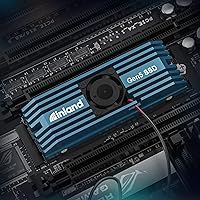
  • Cooling: An integrated aluminum heatsink with an active cooling fan is included in the box, designed to prevent thermal throttling during sustained transfers.
  • Warranty: INLAND backs the drive with a 6-year limited warranty, which is notably longer than the 3- to 5-year coverage common among competitors.
  • Compatibility: The drive is backward compatible with PCIe Gen4 and Gen3 M.2 slots, though top speeds require a Gen5-capable motherboard.
  • Power Management: Supports APST, ASPM, and L1.2 power management protocols to reduce idle power draw and improve efficiency during low-activity periods.
  • OS Support: Compatible with Windows, Linux, and Mac systems that support NVMe M.2 storage, covering the vast majority of desktop platforms.
  • Weight: The drive with heatsink assembly weighs approximately 3.84 ounces, which is heavier than passive M.2 drives due to the active cooler.
  • Color: The heatsink and overall assembly are finished in black, fitting the aesthetic of most enthusiast and gaming-oriented builds.

Related Reviews
PNY CS2150 2TB Gen5 NVMe SSD
80%
93%
Sequential Read Speed
91%
Sequential Write Speed
58%
Thermal Management
78%
Value for Money
88%
Installation Ease
More
Addlink G55 2TB NVMe SSD
79%
93%
Sequential Read Performance
88%
Sequential Write Performance
61%
Thermal Management
79%
Compatibility & Platform Flexibility
83%
Value for Money
More
Crucial P2 2TB NVMe M.2 SSD
79%
83%
Read Speed Performance
61%
Write Speed Performance
88%
Value for Money
93%
Installation Ease
79%
Compatibility
More
Crucial T700 2TB Gen5 NVMe M.2 SSD
82%
96%
Sequential Read Performance
93%
Sequential Write Performance
71%
Thermal Management
67%
Platform Compatibility
88%
Random I/O Performance
More
Inland TN325 2TB M.2 2242 NVMe SSD
84%
96%
Form Factor Fit
83%
Sequential Read Speed
78%
Sequential Write Speed
91%
Endurance & Longevity
93%
Installation Experience
More
Inland TN470 2TB Gen4 NVMe M.2 SSD
82%
93%
Sequential Speed
91%
Value for Money
62%
Thermal Performance
96%
Installation Ease
78%
Random I/O Performance
More
Samsung 960 PRO 2TB NVMe M.2 SSD
81%
91%
Raw Read Performance
83%
Write Performance
93%
Long-Term Reliability
58%
Value for Money
62%
Thermal Management
More
Crucial T705 4TB PCIe Gen5 NVMe SSD
81%
96%
Raw Transfer Speed
91%
Random I/O Performance
67%
Thermal Management
89%
Installation Experience
63%
Value for Money
More
Kingston NV1 2TB NVMe SSD
81%
88%
Value for Money
82%
Read/Write Performance
93%
Installation Ease
61%
Thermal Management
71%
Long-Term Reliability
More
Crucial P310 2TB NVMe SSD
80%
86%
Read & Write Speed
93%
PS5 Compatibility
84%
Value for Money
71%
Thermal Management
91%
Installation Experience
More

FAQ

You need a PCIe 5.0 M.2 slot to get anywhere near the rated speeds. If you install it in a Gen4 slot, it will work fine but will be capped at Gen4 bandwidth — roughly half the maximum throughput. For most buyers, that means checking your motherboard manual before purchasing, since Gen5 M.2 slots are still limited to newer Intel 700-series and AMD X670 or X670E platforms.

Yes, the heatsink is a separate component that attaches to the drive and can be removed if clearance is an issue. That said, running a Gen5 drive without any thermal management is not ideal — sustained transfers can push temperatures high enough to trigger throttling. If you remove the bundled cooler, make sure your motherboard’s own M.2 heatsink covers the slot, or add an aftermarket thermal pad solution.

At idle or during light use, most users report it is barely perceptible. During long sequential write operations — like copying a large video archive — the fan does spin up and becomes audible in a quiet room. It is not disruptively loud by any measure, but if you are building a near-silent workstation, it is worth factoring in.

No. The PS5 uses an M.2 NVMe slot, but it is limited to PCIe 4.0 speeds and has specific size and clearance requirements. This drive’s heatsink almost certainly will not fit within the PS5’s M.2 bay cover, and the Gen5 interface provides no benefit on that platform. Stick to drives specifically validated for console use if that is your goal.

TBW is the total amount of data the manufacturer rates the drive to write before the NAND is expected to wear out. At 1,400 TBW, if you wrote 100GB of data every single day, the drive would theoretically last nearly 40 years. Even heavy users writing 500GB daily would be looking at well over seven years of use, so endurance is genuinely not a concern for this drive in typical desktop scenarios.

INLAND does not bundle proprietary migration software with the TD510. However, free tools like Macrium Reflect (Windows) or vendor-neutral options like Clonezilla work reliably for cloning an existing drive to this one. The process is straightforward if you have a USB enclosure or a second M.2 slot available during migration.

Physically it uses the standard M.2 2280 form factor, so it will fit in any laptop with that slot size. The practical issue is that almost no current laptops have a PCIe 5.0 M.2 slot, and laptop power and thermal envelopes often cannot sustain Gen5 speeds anyway. The active cooling fan also draws power from the M.2 connector, which could affect battery behavior on a laptop. This drive is really designed for desktop use.

The aluminum heatsink does a reasonable job passively absorbing heat during short bursts. The fan only ramps up meaningfully when the controller and NAND get warm under sustained sequential loads. During typical mixed desktop use — browsing, app launches, moderate file operations — the drive stays cool enough that the fan stays quiet or off entirely.

INLAND is backed by Micro Center, which has physical retail locations across the US as well as an online support channel. Buyers who have gone through warranty claims generally report a straightforward process, with the option of in-store returns at Micro Center locations being a notable convenience advantage over brands that require shipping drives back to overseas depots.

TLC NAND has a lower per-cell write endurance than MLC or SLC at the raw level, but modern controllers, advanced wear leveling, and the generous 1,400 TBW rating mean this is not a practical concern for consumer workloads. The DRAM cache also reduces how often the NAND itself gets written to during caching operations. For the vast majority of users, this Gen5 SSD will outlast the useful life of the platform it is installed in.