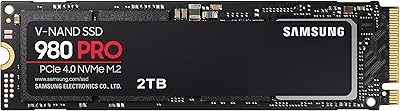
Overview

The Samsung 960 PRO 2TB NVMe M.2 SSD was Samsung's top-tier consumer storage drive when it launched, and it still commands respect today. Sitting above mainstream NVMe options, it was built for power users who demanded more than average speeds and weren't willing to compromise. It uses the standard M.2 2280 form factor with a PCIe 3.0 x4 interface, so compatibility with modern desktops and many laptops is generally straightforward. Samsung backs it with a 5-year limited warranty, which remains a meaningful confidence signal in a category where longevity matters. This is a mature drive now — newer PCIe 4.0 and 5.0 options exist — but for the right buyer, the 960 PRO 2TB still holds up well.

Features & Benefits

The headline numbers for this Samsung NVMe drive are sequential reads up to 3,500 MB/s and writes up to 2,100 MB/s — figures that translate in practice to fast boot times, quick application launches, and noticeably shorter waits when moving large video files or disk images. Samsung's proprietary V-NAND technology gives this drive an endurance edge over drives built on traditional planar NAND, which matters if you're writing heavily to the drive day after day. Hardware-level AES 256-bit encryption with TCG Opal support means sensitive data stays protected without leaning on software-based solutions that can slow things down. Samsung Magician rounds it all out, offering health monitoring and firmware updates through a clean, if occasionally buggy, interface.

Best For

This high-performance M.2 SSD is an especially strong fit for content creators and video editors who regularly move large batches of 4K or RAW files and need consistent throughput rather than just peak benchmark scores. Gamers building a capable desktop rig will appreciate the fast load times, though the honest truth is that most games won't saturate this drive's full bandwidth. Where it really shines is in professional workloads — running virtual machines, handling database queries, or processing large datasets where latency adds up fast. It also makes a significant impact for anyone upgrading from a SATA-based SSD. Those who value Samsung's ecosystem and long warranty coverage over chasing the latest PCIe 4.0 specs will find this a rational, dependable choice.

User Feedback

With a 4.5-star average across hundreds of ratings, the reception for the 960 PRO 2TB leans positive, but it isn't without nuance. Long-term owners frequently cite consistent speed over time and trust in the Samsung brand as the main reasons they'd buy again. On the other side, a recurring complaint is pricing — some buyers feel newer PCIe 4.0 drives now offer similar or better real-world performance at a lower cost, making this a harder value proposition than it once was. A smaller number of users have reported occasional issues with Samsung Magician software, including compatibility quirks after OS updates. A handful of compact-build owners also mention thermal throttling as a concern in tight chassis without proper airflow.

Pros

  • Sequential read speeds up to 3,500 MB/s make large file transfers noticeably fast in real, everyday use.
  • Samsung V-NAND technology delivers strong write endurance, which matters for users who write heavily to the drive.
  • Hardware AES 256-bit encryption protects sensitive data without any measurable performance cost.
  • The 5-year limited warranty provides long-term peace of mind that many competing drives do not offer.
  • A standard M.2 2280 form factor means installation is straightforward in most modern desktops.
  • Samsung Magician makes monitoring drive health and applying firmware updates genuinely accessible.
  • Long-term owners consistently report stable performance years after purchase, with no significant degradation.
  • At 2TB, this Samsung NVMe drive offers enough headroom to handle large creative or professional workloads without juggling multiple drives.
  • The NVMe protocol delivers meaningfully lower latency than SATA, which compounds over time in professional workflows.
  • Brand reliability and Samsung ecosystem support give buyers confidence that the drive is not a gamble.

Cons

  • Newer PCIe 4.0 drives now match or exceed this drive's performance at a lower or similar price point.
  • Samsung Magician has a history of compatibility issues following major operating system updates.
  • Users in compact or poorly ventilated builds have reported thermal throttling under sustained heavy workloads.
  • The 960 PRO 2TB carries a premium that is difficult to justify for light or casual computing needs.
  • PCIe 3.0 x4 bandwidth is now a ceiling that limits this drive compared to current-generation alternatives.
  • Laptop compatibility requires careful verification, as full PCIe x4 support is not universal across portable systems.
  • No included heatsink means buyers in high-load scenarios may need to source thermal solutions separately.
  • The product is aging, and long-term firmware or software support from Samsung is not guaranteed indefinitely.

Ratings

The scores below reflect an AI-driven analysis of verified global user reviews for the Samsung 960 PRO 2TB NVMe M.2 SSD, with spam, bot activity, and incentivized feedback actively filtered out to ensure integrity. Ratings are built from real ownership experiences — spanning everything from day-one installation to multi-year daily use — and are designed to surface both where this drive genuinely excels and where it falls short for certain buyers.

Raw Read Performance
91%
Users consistently report that sequential read speeds hold up impressively in real workloads — scrubbing 4K timelines, loading large Photoshop files, and booting Windows feel noticeably snappier compared to any SATA drive. The headroom at 3,500 MB/s means creative professionals rarely feel storage as a bottleneck during reads.
Against current PCIe 4.0 drives that push past 7,000 MB/s, this drive's read ceiling is now a generation behind. For benchmarking enthusiasts or users doing extremely large sequential transfers regularly, the gap is real and measurable.
Write Performance
83%
Sustained write speeds hold up well for tasks like exporting video, writing large database snapshots, or transferring multi-gigabyte archives. Most users note write performance remains consistent even after the drive is well-filled, which reflects favorably on the V-NAND architecture.
Write speeds of up to 2,100 MB/s, while strong for PCIe 3.0, trail newer drives meaningfully. Users handling extremely write-intensive workloads — continuous video capture, large VM snapshots — may start to notice the ceiling under sustained pressure.
Long-Term Reliability
93%
Long-term owners are among the most vocal advocates for this drive — a significant share report running it for four or more years with no performance degradation or failures. Samsung's V-NAND endurance and conservative TBW ratings give professionals genuine confidence in daily heavy use.
A small number of users have reported unexpected drive failures outside the common wear patterns, which is worth noting even if statistically rare. As the drive ages further, the question of ongoing firmware support from Samsung becomes increasingly relevant.
Value for Money
58%
42%
When it launched, this Samsung NVMe drive was a clear leader and its pricing reflected that premium positioning. Buyers who purchased it early and have used it reliably for years generally feel they got their money's worth over the long run.
At current market pricing, the value calculation is difficult to defend against newer PCIe 4.0 drives that deliver significantly higher speeds, often at a lower or comparable cost. Budget-conscious buyers and those entering the market today have objectively better options per dollar.
Thermal Management
62%
38%
Under typical mixed workloads — general desktop use, moderate gaming, routine file transfers — most users report no thermal issues and stable performance throughout. The drive handles everyday tasks without any special cooling solution required.
Users in compact cases or systems with poor M.2 airflow frequently report throttling under sustained heavy workloads, and the drive ships with no heatsink. Small form factor builders in particular need to plan their thermal approach carefully before committing to this drive.
Software & Ecosystem
71%
29%
Samsung Magician gives users a clear, accessible view of drive health, remaining endurance, and firmware status — something many competing drives lack entirely. For users already in the Samsung ecosystem, the integration feels natural and the interface is among the more polished in the SSD category.
A recurring frustration is Magician's inconsistent behavior after major Windows updates, with some users reporting the software failing to recognize the drive or crashing on launch. It is functional but requires occasional manual intervention that a truly reliable tool should not.
Installation Ease
88%
The standard M.2 2280 footprint means installation into a compatible motherboard is about as simple as storage installation gets — seat, screw, and done. Most desktop users report a painless setup experience, with the OS detecting the drive immediately on first boot.
Laptop users face more variability — some machines use shorter M.2 slots or route their slots to SATA only, causing compatibility failures that require returns. The drive also provides no installation guide, which can leave first-time builders uncertain about screw placement or slot selection.
Compatibility
76%
24%
The 960 PRO 2TB works without issue in the vast majority of modern desktops and many laptops, and NVMe boot is broadly supported in UEFI firmware from the past decade. Users upgrading mid-range to high-end rigs rarely encounter compatibility problems.
Older systems with BIOS (not UEFI) firmware or without NVMe boot support cannot use this drive as a primary boot device. SATA-only M.2 slots, which are common in budget and older laptop designs, will either reject the drive outright or fail to detect it.
Data Security
89%
Hardware-level AES 256-bit encryption with TCG Opal 2.0 support is a genuine differentiator for professionals who need to protect sensitive data. Because encryption runs in the drive controller, there is no CPU overhead — security does not come at the cost of performance.
Taking full advantage of TCG Opal requires compatible software like BitLocker with eDrive enabled, which is not a standard out-of-box configuration for most users. Home users are unlikely to ever engage this feature, making it largely irrelevant outside enterprise or regulated-data contexts.
Sustained Throughput
78%
22%
For content creators transferring large batches of RAW files or video editors working with multi-hour project caches, the 960 PRO 2TB maintains solid throughput without the sharp cliff-off seen in drives with smaller cache buffers. It handles real workloads — not just burst benchmarks — reasonably well.
Under very prolonged sustained writes pushing past the drive's cache threshold, speeds do drop, though this is a characteristic shared across most consumer NVMe drives. Users with truly industrial write demands — continuous 8K video capture, for example — should look at enterprise-grade options.
Build Confidence
87%
The drive feels premium in hand — which sounds minor for something that gets screwed into a motherboard slot, but it reflects a broader quality signal that buyers consistently notice. Samsung's manufacturing reputation contributes meaningfully to the trust users place in this drive.
Since the drive is internal and out of sight once installed, physical build quality mostly matters as a proxy for internal component confidence rather than tactile daily experience. Some users feel the premium build perception inflates the price beyond what performance alone can justify.
Noise & Vibration
96%
As a solid-state drive with no moving parts, this high-performance M.2 SSD is completely silent under all conditions — a meaningful upgrade for anyone coming from mechanical HDDs or even older hybrid drives. Zero noise contribution to a system build is essentially guaranteed.
There is nothing meaningful to criticize here for an SSD — this category is functionally a non-issue. The score reflects the nature of the technology rather than any particular engineering achievement specific to this model.
Capacity Practicality
84%
Two terabytes is a comfortable amount of fast storage for most professional and creative workloads — large enough to house an active game library, a working video project folder, and a full OS installation without constantly managing free space. Users rarely report running into capacity constraints for primary-drive use cases.
As game sizes and RAW video resolutions grow, 2TB starts to feel less expansive than it once did for the heaviest users. Professionals archiving large volumes of footage or maintaining multiple large project caches may find themselves supplementing with secondary storage sooner than expected.

Suitable for:

The Samsung 960 PRO 2TB NVMe M.2 SSD is a strong match for anyone whose daily workflow puts serious demands on storage — think video editors scrubbing through 4K timelines, photographers batch-processing RAW files, or engineers running multiple virtual machines simultaneously. These are users who notice when a drive hesitates, and this one rarely does. Data scientists and analysts working with large local datasets will also appreciate the low-latency NVMe interface, which keeps pipelines moving without the bottlenecks a SATA drive would introduce. Gamers building a premium desktop rig will benefit from the fast load times and the sheer headroom that 2TB of fast storage provides for large game libraries. It also suits professionals handling sensitive data who want hardware-level encryption baked in rather than bolted on. Anyone upgrading from an older SATA SSD will feel an immediate, tangible difference in responsiveness across nearly everything they do.

Not suitable for:

The Samsung 960 PRO 2TB NVMe M.2 SSD is harder to recommend for buyers who are primarily shopping on value, since the PCIe 4.0 generation has matured significantly and now offers faster peak speeds at more competitive prices. Casual home users who mostly browse, stream, and manage documents will never push this drive hard enough to justify its premium over cheaper NVMe options. Laptop users should verify M.2 slot compatibility carefully, as not all portable systems support the full PCIe x4 bandwidth this drive needs to perform at its best. Those building in compact cases with limited airflow should also be aware that the drive can throttle under sustained heavy loads if thermal management is not addressed. If cutting-edge sequential throughput is the priority and budget is flexible, newer PCIe 4.0 or 5.0 drives have simply moved the benchmark higher than this generation can match.

Specifications

  • Capacity: The drive offers 2TB of usable storage, making it practical for large creative libraries, game collections, or professional datasets.
  • Form Factor: It uses the M.2 2280 form factor, meaning it is 80mm long and fits the most widely supported M.2 slot size found in modern motherboards and many laptops.
  • Interface: The drive connects via PCIe 3.0 x4 using the NVMe protocol, which delivers significantly lower latency than older SATA-based storage.
  • Sequential Read: Maximum sequential read speed reaches up to 3,500 MB/s, enabling fast loading of large files and operating system responsiveness.
  • Sequential Write: Maximum sequential write speed tops out at up to 2,100 MB/s, which benefits tasks like video export, large backups, and database writes.
  • NAND Type: Samsung's proprietary V-NAND (vertical NAND) construction improves endurance and reliability compared to conventional planar NAND flash.
  • Encryption: The drive supports AES 256-bit hardware encryption and TCG Opal 2.0, providing data security without relying on CPU-based software encryption.
  • Warranty: Samsung includes a 5-year limited warranty, with TBW (terabytes written) limits that vary by capacity tier.
  • Dimensions: Physical dimensions are 3.15 x 0.87 x 0.09 inches (approximately 80mm x 22mm x 2.38mm), consistent with the M.2 2280 standard.
  • Weight: The drive weighs approximately 1.88 ounces, making it essentially negligible in any system build.
  • Companion Software: Samsung Magician software supports drive health monitoring, performance benchmarking, and firmware update management on Windows PCs.
  • Installation Type: This is an internal drive designed to be installed directly onto a motherboard M.2 slot; no external enclosure or adapter is included.
  • Compatible Devices: It is compatible with desktop PCs and laptops that include an M.2 slot with PCIe 3.0 x4 or PCIe 4.0 x4 support.
  • Color: The drive has a black PCB finish, which is typical for M.2 SSDs and largely hidden once installed inside a system.
  • Hardware Platform: Designed for use in PC systems running standard x86-64 hardware; not natively compatible with older systems lacking NVMe boot support.

Related Reviews
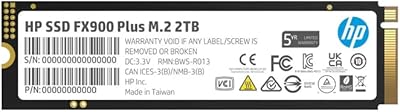
HP FX900 Pro 2TB NVMe SSD
77%
88%
Sequential Read Performance
71%
Sustained Write Consistency
84%
Value for Money
82%
Thermal Management
91%
Installation Experience
More
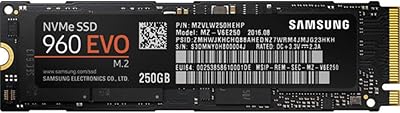
Samsung 960 EVO 250GB M.2 NVMe SSD
82%
93%
Read Performance
86%
Write Performance
88%
Real-World Speed
91%
Long-Term Reliability
67%
Thermal Management
More
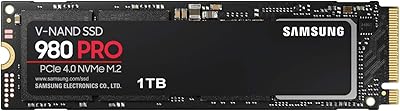
Samsung 980 PRO 1TB PCIe 4.0 NVMe M.2 SSD
91%
95%
Performance
88%
Thermal Management
90%
Ease of Installation
92%
Value for Money
89%
Durability
More
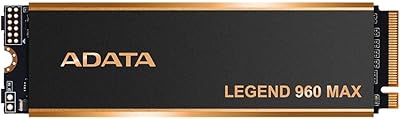
ADATA Legend 960 Max 2TB PCIe Gen4x4 NVMe M.2 SSD
88%
93%
Performance
94%
Speed (Read/Write)
88%
Thermals & Cooling
89%
Installation & Setup
91%
PS5 Compatibility
More
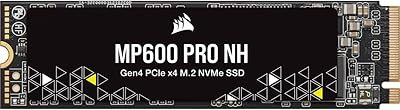
Corsair MP600 PRO NH 2TB NVMe SSD

82%
93%
Sequential Read Speed
89%
Sequential Write Speed
58%
Thermal Management
94%
Installation Experience
79%
Value for Money
More
SanDisk 2TB SSD Plus M.2 NVMe SSD
86%
89%
Performance
92%
Ease of Installation
88%
Reliability
91%
Value for Money
90%
Capacity
More
Vansuny 2TB NVMe M.2 Internal SSD

78%
88%
Value for Money
79%
Read/Write Speed
91%
PS5 Compatibility
74%
Thermal Management
93%
Installation Experience
More
GAMERKING 2TB M.2 NVMe Internal SSD
75%
78%
Read/Write Performance
82%
Value for Money
91%
Installation Experience
67%
Thermal Management
63%
Long-Term Reliability
More
Samsung 980 PRO 2TB NVMe SSD
84%
93%
Sequential Read Performance
88%
Sequential Write Performance
91%
Real-World Gaming Load Times
72%
Thermal Management
96%
Installation & Compatibility
More
Samsung 990 PRO 2TB NVMe SSD
86%
94%
Raw Transfer Speed
88%
Sustained Performance
76%
Thermal Management
91%
PS5 Compatibility
93%
Endurance & Longevity
More

FAQ

Most modern motherboards from the past several years include at least one M.2 slot with PCIe 3.0 x4 support, which is what this drive needs. That said, it is worth checking your motherboard manual to confirm the slot supports NVMe specifically, since some M.2 slots are wired for SATA only and will not recognize this drive at all.

Yes, and it works well in that role. You will need to make sure your system firmware (UEFI) supports NVMe boot, which the vast majority of systems made after 2014 do. Once installed and configured, boot times are noticeably fast.

Current PCIe 4.0 drives can reach sequential read speeds of 7,000 MB/s or higher, roughly double what this drive offers. In most real-world tasks, the difference is less dramatic than benchmarks suggest, but for sustained heavy workloads or very large file transfers, a gen4 drive will have a clear edge. The 960 PRO 2TB still performs well; it just is no longer at the top of the stack.

No, the drive ships without a heatsink. Under light to moderate use, this is rarely a problem. If you plan to push the drive hard for extended periods — large video renders, sustained database operations — you may want to add an aftermarket M.2 heatsink or make sure your case has decent airflow near the slot.

It can be physically installed in a Mac that has an M.2 slot with PCIe support, but macOS does not natively support Samsung Magician, so you lose access to health monitoring and firmware updates. Boot Camp configurations can complicate things further. If you primarily use macOS, there are drives with better native support worth considering.

TCG Opal is an industry standard for hardware-based self-encrypting drives. If you use compatible encryption management software — such as Microsoft BitLocker with eDrive, or third-party enterprise tools — the drive handles encryption in its own controller rather than taxing your CPU. For most home users this is a background feature, but for professionals handling regulated data, it is genuinely useful.

The easiest way is to check your motherboard manual or manufacturer website for your specific model. Look for the M.2 slot specification — it will typically state whether it supports PCIe (NVMe), SATA, or both. Installing this high-performance M.2 SSD into a SATA-only slot will either result in the drive not being detected, or it running at a much slower speed.

For most users, yes — it gives you a clear view of drive health, remaining lifespan, and lets you apply firmware updates without hunting for them manually. That said, some users have reported occasional compatibility hiccups after major Windows updates, so it is worth keeping it updated and not treating it as set-and-forget software.

Possibly, but it depends on your laptop's M.2 slot. Many laptops only expose one M.2 slot, and some use a shorter form factor (like M.2 2242 or 2260) that will not physically accommodate this 2280-length drive. Check your laptop's service manual or spec sheet before purchasing.

Quite a few long-term owners report using their drives for four or five years with no degradation in performance or reliability. Samsung's V-NAND construction and the conservative TBW ratings contribute to this. As with any storage device, routine backups remain essential — but the 960 PRO 2TB has a solid track record for longevity in the field.