Overview

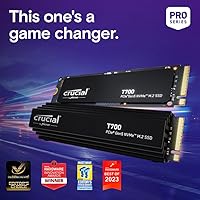
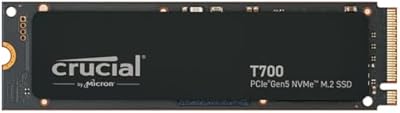
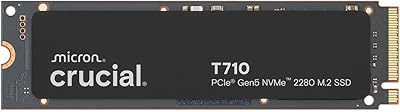
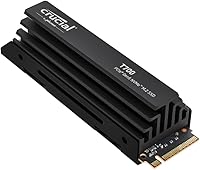
The Crucial T700 2TB Gen5 NVMe M.2 SSD is Crucial's most ambitious consumer drive to date, built for power users, creative professionals, and serious PC builders who want to push storage performance to its current ceiling. PCIe 5.0 doubles the available bandwidth over Gen4, and that gap matters when you're moving large project files or running sustained workloads. The bundled aluminum and copper heatsink is a genuine inclusion, not an afterthought. That said, be clear-eyed: you'll need an Intel 13th Gen or AMD Ryzen 7000 platform to unlock full speed. Everyday tasks won't feel dramatically different — the real gains show up where sustained throughput actually matters.
Features & Benefits

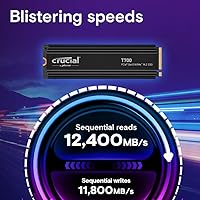
At the core of this Gen5 NVMe drive is a PCIe 5.0 x4 interface pushing sequential reads up to 12,400 MB/s and writes up to 11,800 MB/s — numbers that were firmly in enterprise territory not long ago. The 232-layer TLC NAND is manufactured in-house by Micron, meaning tighter quality control and better density efficiency than sourcing third-party flash. Random performance reaches up to 1,500K IOPS, translating to snappier OS responsiveness and faster multitasking under real pressure. For gamers, Microsoft DirectStorage reduces the CPU bottleneck during asset streaming, with faster texture loading in supported titles. The heatsink handles thermals passively — provided your case moves air reasonably well.

Best For

The T700 with heatsink makes the most sense for builders running a Gen5-capable platform — specifically Intel 13th Gen or AMD Ryzen 7000 systems with an M.2 PCIe 5.0 slot available. It's a natural fit for video editors and photographers dealing with UHD or 8K+ workflows where sustained read speeds directly cut render and export times. Gamers playing DirectStorage-enabled titles will also find genuine value in faster asset loading. At 2TB, the capacity comfortably holds a large game library alongside raw media files. If you're still on a Gen4 board, though, this drive won't stretch its legs — and there are more cost-effective options for older platforms.

User Feedback

With over 1,500 ratings and a 4.6-star average, this Crucial SSD has earned broad satisfaction across a diverse buyer base. The most consistent praise centers on benchmark results that actually align with advertised speeds — something that doesn't always hold for storage products. Buyers also frequently highlight the heatsink's build quality and how straightforward the installation process is. On the flip side, a recurring concern is thermal behavior: without solid case airflow, the drive can throttle under heavy load. A subset of users also reported needing a BIOS update before the drive was detected — worth verifying before assuming a hardware fault. Long-term reliability reports remain largely positive, with no widespread firmware issues surfacing at scale.

Pros

  • Sequential read speeds up to 12,400 MB/s deliver some of the fastest sustained transfers available in a consumer M.2 drive.
  • Real-world benchmarks from buyers consistently align with Crucial's advertised specifications — rare for storage products.
  • The included aluminum and copper heatsink is genuinely premium and handles thermals passively without added noise.
  • Micron's in-house 232-layer TLC NAND offers strong endurance and efficiency compared to older NAND generations.
  • DirectStorage support provides meaningful improvements in asset loading for compatible games on capable hardware.
  • At 2TB, this Gen5 NVMe drive hits a practical capacity sweet spot for games, media projects, and system workloads combined.
  • Installation is straightforward — the heatsink mounts cleanly and the drive slots in without complications.
  • Available in capacities up to 4TB, giving buyers room to scale storage without switching to a different product family.
  • Over 1,500 user ratings at 4.6 stars reflect consistent satisfaction across a wide and varied buyer base.
  • Works across Windows, Linux, and Mac environments, broadening its appeal beyond Windows-only setups.

Cons

  • Full Gen5 speeds require an Intel 13th Gen or AMD Ryzen 7000 platform — older systems cannot unlock its potential.
  • Some users needed a BIOS update before the drive was detected, adding friction to an otherwise simple install.
  • Without solid case airflow, this Crucial SSD can run hot enough to trigger thermal throttling under heavy workloads.
  • The premium price tier is hard to justify for casual users whose workloads would barely tax a mid-range Gen4 drive.
  • Everyday tasks like web browsing or document editing will feel identical to a much cheaper drive — no perceptible benefit.
  • DirectStorage gains are only available in a limited set of supported games, reducing that benefit for many gamers today.
  • The heatsink adds height, which may cause fitment issues in compact ITX builds with low-clearance coolers or RAM.
  • Long-term firmware support history is still developing given the drive's relatively recent release in the consumer market.
  • No bundled software or warranty dashboard tool is included, which some competing brands provide for peace of mind.
  • Buyers on tighter budgets will find better value in Gen4 alternatives if their workloads do not demand peak sequential throughput.

Ratings

The Crucial T700 2TB Gen5 NVMe M.2 SSD scores below are generated by AI after analyzing verified buyer reviews from across the globe, with spam, bot-submitted, and incentivized feedback actively filtered out. Based on thousands of real ownership experiences, these ratings transparently reflect both where this Gen5 NVMe drive genuinely excels and where it falls short of expectations — so you can make a clear-eyed decision before buying.
Sequential Read Performance
96%
Users running CrystalDiskMark and similar benchmarks consistently report read speeds that land within a few percentage points of Crucial's 12,400 MB/s claim — a level of accuracy that is uncommon for storage marketing. For video editors pulling large project files off the drive, the difference over Gen4 is tangible and measurable during sustained transfers.
The gap between rated and real-world speeds narrows significantly during shorter, fragmented reads, where everyday desktop tasks live. A small subset of users on certain AMD Ryzen 7000 boards reported slightly lower peak reads until a BIOS update resolved controller initialization issues.
Sequential Write Performance
93%
Write speeds hold up remarkably well under prolonged workloads — users exporting 8K video timelines or writing large batch photo libraries note that the drive rarely dips into a sustained throttle the way some competitors do. The in-house Micron NAND contributes to write consistency that reviewers repeatedly highlight as a strength.
Like all TLC drives, write speeds can drop once the SLC write cache is saturated during very large continuous transfers — this is a structural NAND trait, not a defect, but it catches some buyers off guard who expected peak speeds throughout an entire large file copy.
Thermal Management
71%
29%
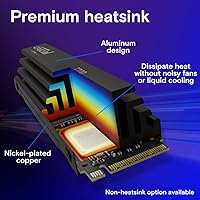
The aluminum and nickel-plated copper heatsink does its job well in cases with decent airflow — users in mid-tower builds with at least one intake and one exhaust fan report stable temperatures even under sustained workloads. The passive design avoids any added fan noise, which is appreciated in quieter workstation setups.
In poorly ventilated cases, compact ITX builds, or systems where the M.2 slot sits in a heat pocket, thermal throttling is a real and reported concern. Several buyers noted the drive running hot enough to reduce speeds noticeably during long video renders until they improved their case airflow situation.
Platform Compatibility
67%
33%
On confirmed Gen5-capable platforms — Intel 13th Gen with Z790 boards and AMD Ryzen 7000 with X670E motherboards — the drive installs cleanly and performs as expected once BIOS settings are correctly configured. Users who did their homework on slot compatibility report a smooth experience overall.
A frustrating number of buyers discovered only after purchase that their motherboard's secondary M.2 slots run at Gen4 speeds even on Gen5 boards, or that their board required a BIOS update before detection. The platform dependency is a real and recurring pain point that Crucial's product page does not communicate loudly enough.
Random I/O Performance
88%
The 1,500K IOPS rating translates to noticeably snappier OS behavior under multitasking pressure — users running virtual machines, compiling large codebases, or working across many simultaneous applications report that the system feels more responsive compared to their previous Gen4 drives.
For typical single-application desktop use, the random I/O advantage over a good Gen4 drive is difficult to perceive without a benchmark tool in hand. The gains are real but contextual, and buyers expecting a night-and-day difference in general computing will likely not register them.
Gaming Performance
79%
21%
In DirectStorage-enabled titles, buyers report faster initial scene loads and smoother open-world traversal where texture streaming is a factor. Gamers who play a wide library across multiple large titles appreciate the 2TB capacity allowing more installed games without constant deletion and re-downloading.
Outside of DirectStorage titles — which remain a relatively short list — load time differences versus a competitive Gen4 SSD are marginal and often within seconds. Gamers who primarily play older or non-DirectStorage titles will not see meaningful gains to justify the cost premium over Gen4 alternatives.
Heatsink Build Quality
91%
Buyers consistently describe the heatsink as feeling genuinely substantial — the copper and aluminum construction gives it a premium heft that third-party aftermarket options often lack. Compared to competitors that include thin plastic or aluminum-only covers, this one is frequently called out as a highlight of the unboxing experience.
The added height of the heatsink creates fitment problems in a meaningful number of builds, particularly with large air coolers that overhang the M.2 slot or in tight ITX cases. A handful of users ultimately removed the heatsink to resolve clearance issues, relying on motherboard thermal pads instead.
Installation Ease
82%
18%
For builders with straightforward mid-tower setups on compatible platforms, installation is described as smooth and intuitive — standard M.2 screw mounting, no additional software required to get the drive running, and Windows detects it quickly after a Disk Management initialization step.
The BIOS update requirement that affects a portion of users is the most common installation friction point. Some buyers also found that heatsink alignment during install required more patience than expected, particularly when trying to seat the thermal pad correctly before mounting.
Value for Money
74%
26%
For buyers on a Gen5-capable platform who regularly push sustained workloads — video production, large dataset processing, or high-resolution photography pipelines — the drive delivers enough measurable real-world benefit to justify the premium over Gen4. The included quality heatsink also removes an additional purchase that Gen4 competitors often require separately.
For anyone without a true Gen5 M.2 slot, or whose workload sits mostly in casual or office computing, the value proposition weakens considerably. Comparable Gen4 drives offer strong enough performance for everyday tasks at a noticeably lower price, making this drive a poor fit for budget-conscious or platform-limited buyers.
Long-term Reliability
83%
Given Crucial's established reputation and Micron's control over the full NAND manufacturing chain, long-term confidence is reasonably high among buyers. Users who have owned the drive through its first year report no unusual firmware issues or unexpected degradation, and the 5-year warranty provides meaningful coverage peace of mind.
The drive is still relatively young in the market, meaning long-term endurance data beyond two years is limited. A small number of early adopters flagged initial firmware concerns that Crucial addressed via updates, but it does underscore that first-generation Gen5 hardware carries slightly more early-adopter risk than mature Gen4 products.
Noise & Acoustics
97%
Being a passive thermal solution with no moving parts, this Gen5 NVMe drive is completely silent — a point that workstation users and home theater PC builders specifically call out as a genuine advantage over solutions that require active cooling fans to manage Gen5 heat output.
The only indirect acoustic caveat is that users who add case fans to improve drive airflow may notice increased overall system noise — though that is a case and fan selection issue, not a drive-specific problem. The drive itself introduces zero noise under any workload.
Software & Ecosystem
58%
42%
Crucial offers the Storage Executive software for drive monitoring, firmware updates, and health checks, which experienced users find adequate for basic maintenance and diagnostics. The drive works cleanly across Windows, Linux, and macOS without driver headaches on compatible hardware.
Several buyers noted that Crucial's software feels dated compared to competitors like Samsung Magician, which offers a more polished interface and more granular performance tuning options. There is no bundled cloning software included in the box, which is an omission that budget-conscious upgraders specifically mentioned as a frustration.
Physical Design & Form
86%
The black finish and low-profile heatsink design look clean inside a windowed case, and the overall aesthetic is restrained enough to complement most build themes without clashing. Enthusiasts building dark-themed or all-black rigs specifically noted it as a good visual fit.
The heatsink dimensions make this one of the taller M.2 drives on the market with a cooler attached, and for some board layouts the drive physically cannot be installed with the heatsink on due to slot placement near chipset heatsinks or PCIe slots. It is a minority issue but worth verifying in advance.

Suitable for:

The Crucial T700 2TB Gen5 NVMe M.2 SSD is purpose-built for users who already own — or are actively building — a platform with a PCIe 5.0 M.2 slot, specifically Intel 13th Gen or AMD Ryzen 7000 systems. Video editors cutting UHD or 8K+ footage will notice real differences in project load times, cache writing, and export throughput, where sustained sequential speeds stop being a spec and start being a time-saver. Photographers managing enormous raw file libraries benefit similarly, especially when culling and batch-editing across large shoots. PC gamers playing DirectStorage-enabled titles will also find genuine utility here, as asset streaming becomes less of a bottleneck during fast scene transitions and open-world traversal. Enthusiasts who want a thermally managed solution out of the box — without hunting for a compatible aftermarket heatsink — will appreciate that Crucial ships one worth using.
Not suitable for:

If your motherboard tops out at PCIe 4.0 or older, the Crucial T700 2TB Gen5 NVMe M.2 SSD will physically install but will run at Gen4 speeds at best — making the premium price very hard to justify when strong Gen4 drives cost considerably less. Casual users doing web browsing, document editing, or light media consumption simply will not feel the difference between Gen4 and Gen5 in daily use; the speed gap only opens up under sustained, heavy workloads. Budget-conscious builders may also find the value proposition strained if a cheaper drive would serve their actual workload just as well. Users with poor case airflow should also think twice — this drive runs warm under load, and throttling is a real risk in cramped or stagnant-air builds. Anyone expecting plug-and-play simplicity on every system should be aware that some boards require a BIOS update before the drive is even recognized.

Specifications

  • Interface: Uses a PCIe Gen5 x4 NVMe interface, delivering double the bandwidth ceiling of PCIe Gen4 drives.
  • Form Factor: Standard M.2 2280 format, compatible with any motherboard M.2 slot that supports PCIe 5.0.
  • Capacity: Available in 1TB, 2TB, and 4TB variants; this review covers the 2TB model.
  • Sequential Read: Rated for sequential read speeds of up to 12,400 MB/s under optimal, sustained conditions.
  • Sequential Write: Rated for sequential write speeds of up to 11,800 MB/s, among the highest available in consumer storage.
  • Random IOPS: Delivers up to 1,500K random read and write IOPS, benefiting OS responsiveness and multitasking under load.
  • NAND Type: Built on Micron's proprietary 232-layer TLC NAND, manufactured in-house for tighter quality control and density efficiency.
  • Heatsink: Ships with an aluminum and nickel-plated copper heatsink that dissipates heat passively without fans or liquid cooling.
  • Dimensions: Measures 3.15 x 0.91 x 0.83 inches with the heatsink attached; buyers should verify clearance in compact builds.
  • Weight: Complete unit with heatsink weighs 1.94 oz, which is typical for a heatsink-equipped M.2 drive.
  • CPU Compatibility: Designed for Intel 13th Gen and AMD Ryzen 7000 platforms that provide a native PCIe 5.0 M.2 slot.
  • DirectStorage: Supports Microsoft DirectStorage, enabling games to stream assets directly to the GPU with reduced CPU involvement.
  • OS Support: Compatible with Windows, Linux, and macOS, though PCIe 5.0 slot availability varies by platform and motherboard.
  • Color: Ships in black with the heatsink finishing matching most mid-range and high-end PC builds aesthetically.
  • Heatsink Option: A non-heatsink variant is also available for systems with a motherboard-integrated thermal solution or tight clearance constraints.
  • Warranty: Crucial provides a 5-year limited warranty on this drive, consistent with their other premium consumer SSD lines.
  • ASIN: The Amazon product identifier for this specific model is B0C3K2WRPV, corresponding to the 2TB heatsink configuration.
  • Release Date: This drive was first made available in late May 2023, positioning it among the earliest consumer PCIe Gen5 SSDs to market.

Related Reviews

Crucial T700 1TB Gen5 NVMe M.2 SSD
89%
96%
Performance
94%
Speed (Read/Write)
92%
Gaming Performance
90%
Compatibility
80%
Thermal Management
More
Crucial P2 2TB NVMe PCIe M.2 SSD
87%
91%
Performance
94%
Value for Money
89%
Reliability
90%
Speed (Read/Write)
88%
Ease of Installation
More
Crucial P310 2TB NVMe SSD
80%
86%
Read & Write Speed
93%
PS5 Compatibility
84%
Value for Money
71%
Thermal Management
91%
Installation Experience
More
PNY CS2150 2TB Gen5 PCIe NVMe M.2 SSD
89%
94%
Performance
96%
Speed
88%
Build Quality
91%
Ease of Installation
90%
Compatibility
More
Crucial T500 2TB Gen4 NVMe M.2 SSD with Heatsink
89%
95%
Read Speed
92%
Write Speed
88%
Thermal Management
90%
Compatibility with PS5
83%
Ease of Installation
More
Crucial T705 4TB PCIe Gen5 NVMe SSD
81%
96%
Raw Transfer Speed
91%
Random I/O Performance
67%
Thermal Management
89%
Installation Experience
63%
Value for Money
More
Addlink G55 2TB PCIe 5.0 Gen5 NVMe M.2 SSD
84%
94%
Performance
91%
Speed (Read/Write)
89%
Compatibility
86%
Installation Ease
78%
Thermals
More
SanDisk 2TB SSD Plus M.2 NVMe SSD
86%
89%
Performance
92%
Ease of Installation
88%
Reliability
91%
Value for Money
90%
Capacity
More
Crucial P510 2TB Gen5 NVMe SSD
89%
95%
Performance
92%
Speed (Read/Write)
88%
Compatibility with PCIe 4.0 and 3.0
90%
Ease of Installation
85%
Software (Acronis Migration Tool)
More
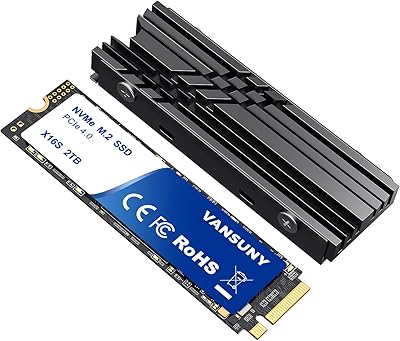
Vansuny 2TB NVMe M.2 SSD
86%
95%
Performance
88%
Installation Ease
78%
Thermal Management
92%
Storage Capacity
94%
Speed for Gaming
More

FAQ

Yes, a PCIe 5.0 M.2 slot is required to get the advertised speeds. If you install the Crucial T700 2TB Gen5 NVMe M.2 SSD in a Gen4 slot, it will still work but will be capped at Gen4 bandwidth — which makes the premium over a comparable Gen4 drive very difficult to justify. Always check your motherboard specifications before purchasing.

For most current games, the difference is modest. Where it stands out is in DirectStorage-enabled titles, where asset streaming and texture loading can be meaningfully faster. General load screen times between a strong Gen4 and Gen5 drive are often close, so if gaming is your only use case, the value depends heavily on which titles you play.

It can, particularly in ITX builds or with large air coolers that overhang the M.2 slot. The heatsink adds height to the drive, so it is worth measuring the gap between your M.2 slot and any adjacent component before installing. Crucial does sell a version without the heatsink if your board already has its own thermal solution.

Not necessarily. A number of users have reported this, and the fix is almost always a BIOS update. Motherboard manufacturers have been actively pushing updates to improve Gen5 SSD compatibility, so check your board manufacturer's site for the latest firmware before assuming the drive is faulty.

Under sustained heavy workloads, this Gen5 NVMe drive can run quite warm — that is simply a characteristic of high-bandwidth PCIe 5.0 drives in general. The included heatsink handles it well as long as your case has reasonable airflow. In a poorly ventilated case with stagnant air, you may see thermal throttling during extended transfers. If your case airflow is limited, consider improving it before installing.

For most users, 2TB strikes a practical balance between capacity and cost. It comfortably holds a large game library, a working media project folder, and your OS simultaneously. The 4TB model makes sense for professionals archiving large raw video or photo libraries directly on the drive, but for mixed everyday and gaming use, 2TB is usually sufficient.

Technically you can place it in an M.2 NVMe enclosure, but you will be severely bottlenecked — USB enclosures max out around 1,000 to 2,000 MB/s at best, which means the drive would perform no better than a much cheaper NVMe option externally. This Crucial SSD is engineered specifically for internal, high-bandwidth desktop use.

AMD Ryzen 7000 platforms generally support Gen5 M.2 storage natively, but you may still want to ensure your BIOS is up to date before installation. Some early BIOS versions had spotty detection for Gen5 drives. Once updated, setup is straightforward — slot it in, boot up, and initialize the drive in Windows Disk Management or your OS equivalent.

Crucial backs the T700 with a 5-year limited warranty, which is standard for their premium SSD lineup. Crucial's support is generally considered responsive, and the warranty process is managed directly through their website. Keep your purchase receipt and the drive's serial number handy if you ever need to file a claim.

It depends entirely on your Mac. The drive is listed as Mac-compatible, but PCIe 5.0 M.2 slots are not available in current Apple Silicon Mac models — those use proprietary internal storage. If you are running a hackintosh or a Mac Pro configuration with a compatible expansion slot, it could work, but for most Mac users this is not a practical internal storage option.

Where to Buy