Overview

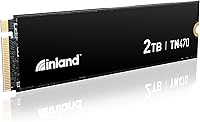
The Inland TN470 2TB Gen4 NVMe M.2 SSD arrived in early 2024 as a value-oriented challenger in a crowded Gen4 market, built around the Phison PS5027-E27T controller and 3D TLC NAND flash. It targets PC builders and gamers who want a genuine performance step up from Gen3 or aging SATA drives without paying premium prices. In that context, it sits comfortably alongside — and sometimes below — rivals like the WD Black SN850X and Samsung 990 Pro, both of which command noticeably higher prices. The pitch is straightforward: near-flagship sequential speeds at a price that still leaves room in the budget for other components.
Features & Benefits

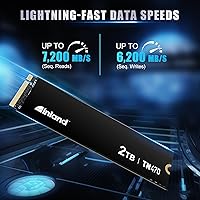
The headline numbers are hard to ignore: sequential reads up to 7,200 MB/s and writes hitting 6,200 MB/s put this Inland Gen4 drive in the same conversation as drives that cost significantly more. What translates that into everyday experience is the random IOPS performance — 900K reads and 850K writes — which is where you actually feel the difference during Windows boot, application launches, and in-game asset streaming. The Phison E27T controller handles power states intelligently, so in a laptop it draws just 50 mW at idle, which matters for battery life. Endurance is rated at 1,200 TBW, and the 6-year limited warranty backs that up with real-world reassurance. The M.2 2280 form factor works in Gen3 slots too, so compatibility is rarely a concern.

Best For

The TN470 is an obvious pick for Gen4 desktop builders who want fast load times in games without stretching their storage budget. It also works well as a laptop upgrade, provided the chassis has decent ventilation — under sustained workloads the drive can run warm, and in a tightly enclosed ultrabook a heatsink or thermal pad is worth considering. Content creators moving large video files or RAW photo batches will appreciate the write speeds, even if they sit just short of the absolute Gen4 peak. Anyone migrating from a Gen3 drive or a SATA-based system will feel a dramatic difference. For those who need the very top in random performance, the 990 Pro edges it out — but for most gaming and everyday workloads, that gap is minor.

User Feedback

With a 4.7 out of 5 rating across over 380 reviews, this M.2 SSD has built a strong early reputation for a drive that only launched in early 2024. Buyers consistently praise straightforward installation and noticeable speed gains compared to their previous drives, particularly those coming from SATA. Several reviewers point to meaningful reductions in boot time and game load screens as concrete, real-world wins. On the critical side, a handful of users in compact laptops report the drive runs warmer than expected during prolonged transfers, which reinforces the case for checking airflow before installing. A few also note that advertised benchmark figures can outpace their actual measured results. Overall, the tone strongly suggests solid value satisfaction relative to what was paid.

Pros

  • Sequential read speeds reach 7,200 MB/s, putting it firmly in the same league as much pricier Gen4 drives.
  • The 1,200 TBW endurance rating is above average for a value-tier drive, meaning longevity is not a real concern for most users.
  • A 6-year limited warranty is genuinely rare at this price point and adds meaningful peace of mind.
  • Installation is straightforward — standard M.2 2280 form factor fits virtually any modern desktop or laptop slot.
  • Power management features keep idle draw at just 50 mW, which is relevant for laptop battery life in real use.
  • Backward compatibility with Gen3 slots makes it a viable upgrade even on slightly older platforms.
  • Real-world user feedback highlights noticeable boot time and load time improvements over previous SATA or Gen3 drives.
  • At 2TB capacity, it comfortably handles an OS, large game libraries, and active project files on a single drive.
  • The Phison E27T controller is a proven, well-supported chip with a solid track record across multiple SSD brands.

Cons

  • No heatsink is included, which matters in tighter builds where airflow over the M.2 slot is limited.
  • Thermal throttling has been reported under sustained heavy workloads, particularly inside compact laptop chassis.
  • Random write IOPS (850K) fall slightly short of the 900K read figure, a gap that widens compared to top-tier competitors.
  • Real-world benchmarks from buyers occasionally fall below the advertised peak figures, which can feel misleading.
  • Brand recognition for Inland is weaker than Samsung or WD, which may affect resale value or long-term support confidence.
  • Users on Gen3-only platforms will not get the full speed benefit and may be overpaying relative to Gen3-optimized alternatives.
  • The drive is relatively new to market, so long-term reliability data across a large sample is still limited.

Ratings

The scores below reflect AI-driven analysis of verified global user reviews for the Inland TN470 2TB Gen4 NVMe M.2 SSD, with spam, bot activity, and incentivized feedback actively filtered out to ensure accuracy. Each category captures real buyer sentiment — not just the highlights — so both the genuine strengths and the recurring frustrations are represented honestly. The goal is to give you a clear, unvarnished picture of how this drive actually performs in the hands of everyday users.

Sequential Speed
93%
Buyers consistently report that the TN470 delivers on its headline sequential read and write figures in real-world use, not just synthetic benchmarks. Transferring large video files, game installs, and OS backups feels noticeably faster compared to Gen3 drives, and many users coming from SATA SSDs describe the difference as dramatic.
A small number of users note that sequential speeds can dip under prolonged continuous transfers as the drive warms up, particularly in enclosed laptop chassis without active cooling. The gap to absolute top-tier Gen4 drives is narrow but measurable under sustained load conditions.
Value for Money
91%
For the price tier this drive occupies, reviewers frequently call it one of the best-value Gen4 options they found during their build process. Getting 7,200 MB/s read performance at this cost point is something buyers repeatedly highlight as the main reason they chose it over pricier alternatives from Samsung or WD.
Some buyers note that occasional sales on competing drives can close the value gap significantly, making the TN470 feel less exceptional during those windows. A handful of users feel that the slightly lower random write IOPS compared to premium rivals is a quiet trade-off that the marketing does not foreground.
Thermal Performance
62%
38%
In open desktop builds with reasonable airflow across the M.2 slot, most users report stable temperatures during normal mixed workloads like gaming sessions and OS use. The Phison controller does engage power-saving states during idle periods, which helps keep the drive cool when not under load.
This is the most consistent pain point in user feedback: under heavy sustained transfers in compact laptops or mini-ITX cases with poor M.2 airflow, thermal throttling is a real and reported issue. Several laptop users specifically mention temperature spikes that reduce write speeds mid-transfer, and the lack of an included heatsink means buyers need to source their own solution.
Installation Ease
96%
Installation feedback is overwhelmingly positive across both desktop and laptop users. The standard M.2 2280 form factor fits virtually every modern motherboard and laptop slot without adapters, and buyers report a clean plug-and-screw installation with immediate system recognition on first boot.
A very small number of users on older platforms encountered slot compatibility questions, though this reflects platform limitations rather than any fault of the drive itself. There are no proprietary tools, software requirements, or firmware update steps needed out of the box for most users.
Random I/O Performance
78%
22%
In day-to-day use — OS responsiveness, application switching, loading game levels — the TN470 performs solidly. Users upgrading from Gen3 NVMe drives notice improved snappiness in Windows, and gamers report faster level load times in open-world titles that frequently stream assets from storage.
Users doing deeper benchmarking note that the random write IOPS figure (850K) sits slightly below the random read figure and behind top-tier competitors, which matters in professional workflows involving heavy mixed read/write operations. For pure gaming or general productivity this gap is largely invisible, but power users will notice it.
Build & Reliability
88%
The 1,200 TBW endurance rating and 1.5 million hour MTBF give users genuine confidence that the TN470 is built to last through years of regular use, not just a budget drive cutting corners on longevity. Early adopters who have had the drive since its launch in early 2024 report no reliability concerns in day-to-day use.
Because the drive is relatively new to market, there is a limited pool of long-term reliability data available compared to drives that have been shipping for several years. Buyers who prioritize brands with a long track record of consumer SSD reliability may feel more reassured by Samsung or WD on this front.
Warranty Coverage
94%
The 6-year limited warranty is one of the most frequently praised aspects of the TN470 in user reviews, particularly from buyers who compared it against 3 or 5-year warranties on competing drives. Knowing that Inland stands behind the drive for longer than the typical replacement cycle is a genuine confidence booster.
Some users have noted that the warranty claim process requires direct engagement with Inland support rather than a retail partner, which adds a step compared to brands with broader authorized service networks. Feedback on the warranty claim experience itself is limited given the drive's young market age.
Power Efficiency
86%
Laptop users are pleasantly surprised by how little the TN470 impacts battery life during normal use, with the 50 mW idle draw and L1.2 power state support doing meaningful work in practice. Several reviewers specifically mention that switching from a less power-efficient drive improved their battery endurance in light productivity sessions.
Under active read/write workloads the 5.3W power draw is on the higher end for a value-tier drive, which can contribute to heat in thermally constrained systems. Users running the drive in fanless or passively cooled laptops should factor this into their thermal planning.
Compatibility
89%
Backward compatibility with PCIe Gen3 slots makes the TN470 a versatile upgrade option for users on slightly older platforms who want to future-proof their storage without waiting for a full system upgrade. It also works across gaming consoles that support M.2 expansion, broadening its appeal beyond just PC builders.
Users on Gen3-only platforms will not access the drive's full performance headroom, which some buyers feel makes the value equation less compelling compared to a purpose-built Gen3 drive. A small number of users also report needing to enable NVMe support in BIOS on older motherboards before the drive is recognized.
Noise & Vibration
97%
As a solid-state drive with no moving parts, the TN470 operates completely silently under all workload conditions — a point that matters for users migrating from mechanical hard drives or older hybrid storage setups. Several buyers building quiet or near-silent PC systems specifically call this out as a benefit.
There is essentially nothing negative to report here from a noise perspective, as the category is not applicable to solid-state storage. Any reported system noise changes after installation are attributable to cooling fans responding to temperature changes, not the drive itself.
Advertised vs. Real-World Speeds
71%
29%
Under controlled conditions with a warm cache and a fresh system, many users report benchmark results that closely match the advertised 7,200 MB/s sequential read figure, which builds trust in the product claims. For sequential workloads in particular, the drive reliably delivers on its headline numbers.
A recurring theme in critical reviews is that real-world sustained performance — particularly write speeds over large continuous transfers — falls short of peak advertised figures as the SLC cache fills and thermal limits engage. Buyers who run detailed benchmarks sometimes report a noticeable gap between the top-line marketing numbers and their measured results.
Packaging & Presentation
74%
26%
The drive arrives in compact, functional packaging appropriate for the market segment, and the physical product itself has a clean black PCB finish that looks professional in glass-panel builds. Buyers report the drive arriving well-protected with no transit damage in the cases reviewed.
At this price point some buyers feel the unboxing experience is minimal compared to premium-branded competitors, with no heatsink, no installation tool, and no extras included. While none of this affects performance, buyers accustomed to more complete packages from rival brands may notice the difference.
Software & Ecosystem
58%
42%
The drive works natively with Windows and Linux without requiring any proprietary software, which suits users who prefer a clean install without vendor bloatware. SMART and TRIM support mean standard third-party monitoring tools like CrystalDiskInfo work out of the box.
Inland does not offer a branded SSD management utility, which means users miss out on drive health dashboards, firmware update notifications, and cloning tools that competitors like Samsung (Magician) and WD (Dashboard) provide for free. For less technical users, the absence of a guided software ecosystem can feel like a gap.
Brand Reputation
67%
33%
Within the Micro Center ecosystem and among value-oriented PC builders, Inland has built a respectable reputation as a reliable house brand that consistently delivers competitive specifications at honest prices. Buyers familiar with the brand often cite positive experiences with previous Inland products as a trust signal.
Outside of the Micro Center community, Inland remains a relatively unknown brand compared to Samsung, WD, or Seagate, which creates hesitation among first-time buyers. Some users mention that resale value for Inland drives is lower than for equivalent drives from more recognized brands.

Suitable for:

The Inland TN470 2TB Gen4 NVMe M.2 SSD is a strong match for PC gamers and system builders who want a meaningful performance upgrade without paying a premium for marginal gains at the top of the market. If you are coming from a Gen3 NVMe drive or, especially, an older SATA SSD, the jump in sequential and random speeds will be immediately noticeable in boot times, game load screens, and large file operations. Content creators who regularly move hefty video project files or import batches of RAW photos will also get real, practical value from the high sequential write ceiling. Laptop users with a PCIe Gen4 M.2 slot can benefit too, particularly because the Phison E27T controller manages power states well, keeping idle draw low enough to avoid killing battery life. The 2TB capacity hits a practical sweet spot for anyone who wants a single primary drive that holds an OS, a game library, and a working project folder without compromise.
Not suitable for:

The Inland TN470 2TB Gen4 NVMe M.2 SSD is probably not the right call for buyers who simply need the fastest drive available and are willing to pay extra to get it — in that scenario, the Samsung 990 Pro or WD Black SN850X pull ahead, especially in sustained random workloads and worst-case thermal performance. Users installing this drive into ultra-compact laptops or fanless mini-PCs should be cautious, as the drive can run warm under prolonged transfers and there is no heatsink included in the package; without adequate airflow, thermal throttling is a real possibility. If your primary workload involves heavy server-style random I/O — think database operations or professional virtualization — this is not the right tool, as it is tuned for consumer sequential performance rather than enterprise mixed workloads. Buyers on older platforms with only PCIe Gen3 slots will still work, but they will not see the full speed potential and may find better value in a drive specifically priced for that tier.
Specifications

  • Capacity: The drive offers 2TB of usable storage, suitable for a primary OS drive with room for a large game library or active creative project files.
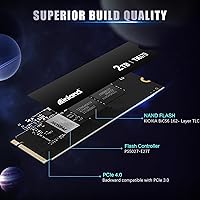
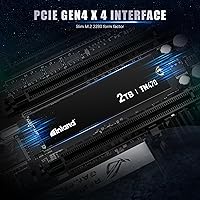
  • Interface: It connects via PCIe Gen4.0 x4 with NVMe protocol, delivering substantially higher bandwidth than Gen3 or SATA-based alternatives.
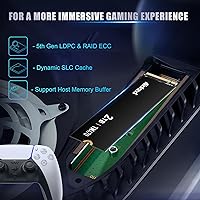
  • Form Factor: The M.2 2280 M Key form factor is the most widely supported size in modern desktops, laptops, and compatible gaming consoles.
  • Sequential Read: Peak sequential read speed is rated at up to 7,200 MB/s, competitive with the fastest consumer Gen4 drives currently available.
  • Sequential Write: Peak sequential write speed reaches up to 6,200 MB/s, which benefits large file transfers such as video renders and RAW image exports.
  • Random Read: Random read performance is rated at up to 900,000 IOPS, contributing to fast OS boot times and rapid application launches.
  • Random Write: Random write performance reaches up to 850,000 IOPS, supporting responsive multitasking and quick in-game asset loading.
  • Controller: The Phison PS5027-E27T controller manages data routing and power states, and is a well-regarded chip used across multiple reputable SSD brands.
  • NAND Type: 3D TLC NAND flash is used, offering a practical balance between write endurance, cost efficiency, and storage density.
  • Endurance: The drive is rated for 1,200 TBW (terabytes written), which is above average for a consumer-tier Gen4 SSD and sufficient for years of heavy use.
  • MTBF: Mean time between failures is rated at 1.5 million hours, reflecting strong manufacturer confidence in long-term drive reliability.
  • Warranty: Inland covers this drive with a 6-year limited warranty, which is notably longer than the 3 to 5 years offered by most competitors in this segment.
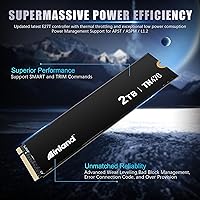
  • Idle Power: At idle the drive consumes just 50 mW, helping preserve battery life in laptops where the drive spends most of its time in a low-activity state.
  • Active Power: Under read/write loads power consumption reaches 5.3W, which is within normal range for a Gen4 NVMe drive and manageable for most system thermal budgets.
  • Standby Power: In standby mode power draw drops to 5 mW, supported by APST, ASPM, and L1.2 power management states for deeper sleep efficiency.
  • Weight: The drive weighs just 0.634 ounces, making it light enough to have no meaningful impact on laptop weight or system balance.
  • Compatibility: While optimized for PCIe Gen4 platforms, the drive is backward compatible with PCIe Gen3 slots, broadening its usable install base.
  • Features: The drive supports SMART and TRIM commands, along with Advanced Wear Leveling, Bad Block Management, and Over-Provisioning for sustained health over time.

Related Reviews
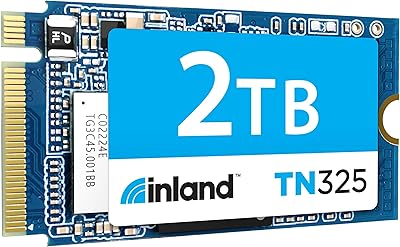
Inland TN325 2TB M.2 2242 NVMe SSD
84%
96%
Form Factor Fit
83%
Sequential Read Speed
78%
Sequential Write Speed
91%
Endurance & Longevity
93%
Installation Experience
More
PNY CS2241 2TB M.2 NVMe Gen4 SSD
83%
88%
Sequential Read Performance
83%
Sequential Write Performance
86%
Real-World Speed Gains
91%
Value for Money
67%
Thermal Management
More
Lexar NQ780 2TB NVMe SSD
81%
91%
Sequential Read Speed
86%
Sequential Write Speed
73%
Sustained Write Performance
78%
Random Read/Write
67%
Thermal Management
More
Crucial P310 2TB NVMe SSD
80%
86%
Read & Write Speed
93%
PS5 Compatibility
84%
Value for Money
71%
Thermal Management
91%
Installation Experience
More
Crucial T500 2TB Gen4 NVMe M.2 SSD with Heatsink
89%
95%
Read Speed
92%
Write Speed
88%
Thermal Management
90%
Compatibility with PS5
83%
Ease of Installation
More
Silicon Power US75 2TB NVMe M.2 SSD
77%
88%
Read & Write Speed
91%
Value for Money
86%
PS5 Compatibility
62%
Thermal Performance
93%
Installation Experience
More
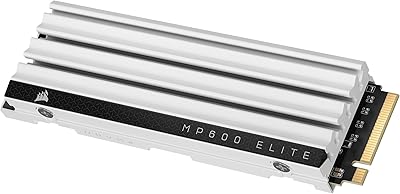
Corsair MP600 Elite 2TB NVMe SSD
87%
93%
Sequential Read Performance
88%
Sequential Write Performance
96%
PS5 Compatibility & Integration
84%
Thermal Management & Heatsink
91%
Installation Experience
More
KLEVV CRAS C925G 2TB M.2 NVMe PCIe Gen4 SSD
89%
94%
Performance
92%
Thermal Management
89%
Ease of Setup
91%
Compatibility with PS5
93%
Speed (Read/Write)
More
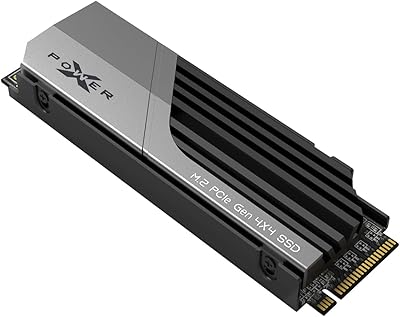
Silicon Power XS70 2TB NVMe M.2 SSD
79%
91%
Read/Write Performance
94%
PS5 Compatibility
83%
Heatsink Design
82%
Value for Money
89%
Installation Experience
More
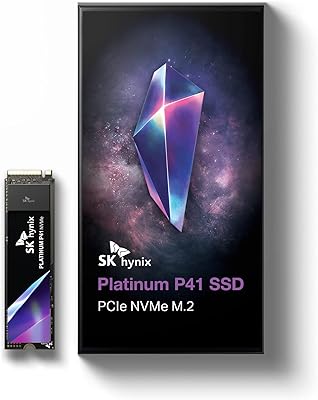
SK hynix Platinum P41 2TB NVMe SSD
83%
93%
Sequential Read Performance
89%
Sequential Write Performance
88%
Random Read/Write (4K IOPS)
67%
Thermal Management
91%
Build Quality & Reliability
More

FAQ

Yes, it will work — the TN470 is backward compatible with Gen3 M.2 slots. You just will not reach the full Gen4 speeds; the drive will operate at Gen3 bandwidth instead, which is still faster than any SATA SSD.

No heatsink is included in the package. For most desktop builds with decent case airflow, that is fine. If you are installing it in a compact laptop or a mini-ITX build with limited airflow, adding a low-profile thermal pad or a motherboard heatsink cover is a reasonable precaution.

In sequential read speeds, the TN470 matches or comes very close to both. Where the Samsung and WD drives pull ahead is in sustained random workloads and thermal consistency under prolonged heavy use. For gaming and everyday tasks, most users will not feel the difference — but if you are running server-style workloads or need absolute peak performance, those alternatives are worth the extra cost.

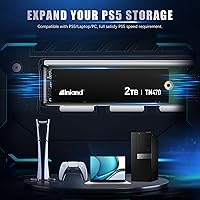
It is compatible with the PS5 expansion slot in terms of form factor and interface, but you should verify current PS5 firmware requirements before purchasing. The drive meets the minimum speed threshold Sony recommends, so performance should not be an issue. Just remember the PS5 slot does have a heatsink requirement, so you will need to add one separately.

With a 1,200 TBW endurance rating and a 1.5 million hour MTBF, the TN470 is built to outlast most consumer use cases by a significant margin. A typical user writing 100 to 200GB per day — which is already quite heavy — would take well over a decade to approach the rated endurance limit. The 6-year warranty provides a practical coverage window that reflects that confidence.

Under normal workloads like browsing, streaming, and light file operations, heat is not a concern. During prolonged sequential transfers — say, copying hundreds of gigabytes at once — the drive can warm up noticeably. In a laptop with tight thermals or a sealed bottom panel, that can lead to throttling. If your laptop runs warm already, it is worth monitoring temperatures after installation.

For most users it is genuinely plug-and-play. Insert it into your M.2 slot, secure the retention screw, and your system should detect it immediately. If you are using it as a primary OS drive, you will need bootable installation media for Windows or Linux. Cloning software from your existing drive works fine too — no special drivers are required.

For gaming, the honest answer is that you probably will not feel it in most titles, since game engines are not optimized to saturate even Gen3 speeds in most cases. Where the higher sequential speed makes a tangible difference is in large file operations — transferring a 50GB video project, loading a full virtual machine, or extracting a large archive. Those tasks finish measurably faster at 7,200 MB/s.

It handles video editing work well, particularly for high-bitrate footage formats like ProRes or high-resolution H.265 files. The sequential write speeds are high enough that most editing timelines will not struggle with playback or cache writing. Where a dedicated professional RAID setup would still outpace it is in multi-stream 8K workflows, but for 4K editing on a personal workstation, this M.2 SSD is more than capable.

Inland handles warranty claims directly. You would need to initiate a return merchandise authorization through their support channel, provide proof of purchase, and ship the drive back. They cover manufacturing defects and drive failure within the warranty period. It is worth keeping your receipt or order confirmation stored somewhere accessible, since that documentation is typically required to start a claim.