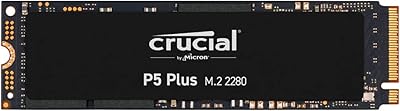
Overview

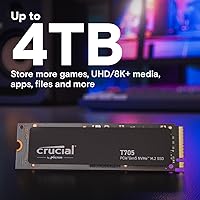
The Crucial T705 4TB PCIe Gen5 NVMe SSD sits at the very top of the consumer storage market — a drive built for users who simply cannot afford to wait on their hardware. PCIe Gen5 is still relatively new territory, and the options here are fewer than Gen4, but Crucial brings something most competitors can't: in-house Micron NAND. That matters because it gives Crucial direct control over flash quality and consistency rather than sourcing from a third party. Throw in a month of Adobe Creative Cloud at no extra cost, and there's genuine added value here. Just know upfront — Gen5 compatibility is non-negotiable, meaning you need a recent platform to unlock what this drive can do.
Features & Benefits

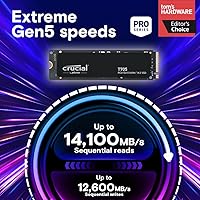
The headline numbers for this Gen5 drive are hard to ignore — sequential reads up to 14,100 MB/s and writes hitting 12,600 MB/s. In practice, that translates to moving a full 4K project file in moments, not minutes. The random I/O figures — 1,500K read and 1,800K write IOPS — are arguably more telling for day-to-day use, where storage is constantly handling small, scattered requests. The copper-clad label channels heat directly to your board's heatsink, so no aftermarket cooler is needed. Microsoft DirectStorage support helps AAA titles stream assets straight to the GPU. And for users handling sensitive data, hardware-level encryption adds real protection without any performance compromise.

Best For

This NVMe SSD is squarely aimed at builders running Intel 13th/14th Gen or AMD Ryzen 7000 platforms — those are the systems with Gen5 M.2 slots that can actually feed this drive. Video editors cutting 4K and 8K footage will feel the difference immediately, as will photographers processing large RAW batches or animators handling complex renders. Gamers on DirectStorage-enabled titles will see load-time improvements, though gains vary by game and will grow as more titles adopt the spec. Workstation users running simulation or compilation tasks will appreciate the reduced CPU overhead. If you're upgrading from Gen3 or a mid-range Gen4 drive, the jump is substantial.

User Feedback

Buyers consistently report that real-world benchmarks land close to Crucial's advertised figures, which isn't always the case at this performance tier. Installation gets frequent praise — drop it into the M.2 slot, let the board's heatsink do its job, and you're up and running. The recurring criticism worth noting: thermal throttling can emerge in cases with poor airflow or when no heatsink is present. On value, opinions split fairly cleanly — creative professionals and workstation users tend to feel the premium is justified, while casual users admit a strong Gen4 drive would serve them for less. Long-term reliability reports are largely positive, with few mentions of firmware trouble or early failures.

Pros

  • Real-world read and write speeds consistently match the advertised figures, which is rare at this performance tier.
  • In-house Micron 232-layer TLC NAND gives this Gen5 drive a reliability edge over competitors sourcing third-party flash.
  • The copper-clad label works effectively with standard motherboard heatsinks, keeping the installation clean and simple.
  • Hardware AES encryption is built in, making it a practical choice for professionals handling sensitive or confidential data.
  • 4TB of capacity means most power users won't need a secondary drive for active project storage.
  • Installation is genuinely straightforward — no extra cooler to source, no complicated setup.
  • Microsoft DirectStorage support positions this NVMe SSD well for the next wave of GPU-accelerated game loading.
  • Random I/O performance at 1,500K read and 1,800K write IOPS holds up under real workstation workloads, not just synthetic benchmarks.
  • The included month of Adobe Creative Cloud adds tangible value for new creative users without inflating the core product cost.
  • Long-term reliability feedback from buyers has been largely positive, with very few reports of early failures or firmware issues.

Cons

  • Requires a Gen5-compatible motherboard slot — older platforms cannot take full advantage of what this drive offers.
  • Thermal throttling is a genuine risk in cases with restricted airflow or when no heatsink contact is established.
  • The premium over high-end Gen4 SSDs is hard to justify for users running everyday productivity or gaming-only workloads.
  • DirectStorage game library is still limited, so the gaming performance pitch depends heavily on future software adoption.
  • At this price point, buyers expecting noticeable improvements in standard desktop tasks like file browsing or app launches will be disappointed.
  • The T705 4TB has no built-in heatsink option of its own, making it entirely dependent on what your motherboard provides.
  • Power consumption at peak load is higher than Gen4 drives, which can be a consideration in thermally constrained builds.
  • For laptop or mini-ITX users with tight thermal budgets, heat management at sustained workloads becomes a real obstacle.

Ratings

The Crucial T705 4TB PCIe Gen5 NVMe SSD earns strong marks across most categories, and the scores below reflect what our AI found after parsing verified global buyer reviews — actively filtering out incentivized, bot-generated, and low-signal feedback to surface what real users actually experienced. Both the standout strengths and the genuine frustrations are represented here without softening either side.
Raw Transfer Speed
96%
Buyers consistently reported that benchmark results in tools like CrystalDiskMark landed remarkably close to Crucial's advertised figures — something that doesn't always hold true at this tier. Video editors moving large project folders and creators exporting 8K timelines described the experience as noticeably faster than anything they'd used before.
A small subset of users noted that sustained sequential speeds dropped somewhat during long, continuous write sessions as the drive's cache filled, which is typical for TLC NAND but still caught a few buyers off guard expecting peak numbers to hold indefinitely.
Random I/O Performance
91%
Users running virtual machines, database applications, and complex creative pipelines praised the responsiveness under mixed workloads. The high random IOPS figures translated into snappier application launches, faster project indexing, and noticeably smoother multitasking in workstation environments.
For users doing standard desktop tasks without heavy I/O demands, the advantage over a premium Gen4 drive was largely imperceptible, making this a category that only delivers its full return to buyers with genuinely demanding workloads.
Thermal Management
67%
33%
In well-configured builds with adequate airflow and a proper motherboard heatsink, the copper-clad label did its job reliably. Most desktop users in mid-tower and full-tower cases reported stable temperatures even during extended workloads like large video exports or prolonged benchmark runs.
Users with compact cases, budget boards lacking M.2 heatsinks, or poor internal airflow flagged thermal throttling as a real issue under sustained use. A handful of buyers had to source aftermarket M.2 coolers to stabilize performance, which added unexpected cost and effort to the setup.
Installation Experience
89%
The physical installation process was widely described as painless — drop it into the M.2 slot, secure the screw, attach the heatsink, and boot. Most buyers had the drive recognized by their system within minutes, and there were no widespread reports of driver issues or unusual BIOS configuration requirements.
A few users on certain AMD Ryzen 7000 motherboards reported needing a BIOS update before the drive was correctly detected at Gen5 speeds, which added an extra step that less experienced builders found frustrating.
Value for Money
63%
37%
For content professionals and workstation users who regularly push storage throughput to its limits, most agreed the premium over Gen4 was justifiable given the measurable time savings on real production tasks. The included Adobe Creative Cloud month added a tangible bonus that creative buyers genuinely appreciated.
Casual users and gamers who don't consistently saturate storage bandwidth found the price delta over a strong Gen4 alternative difficult to rationalize. Several buyers admitted in hindsight that their workloads didn't demand Gen5 speeds, making the investment feel disproportionate to the benefit they actually experienced.
Compatibility
74%
26%
Buyers who had done their homework and confirmed Gen5 slot availability on their Intel 13th/14th Gen or Ryzen 7000 boards reported seamless compatibility with no surprises. The standard M.2 2280 form factor meant it fit without issue in any compatible slot.
A recurring pain point in user feedback was discovering post-purchase that their motherboard either lacked a Gen5 slot or required a BIOS update to enable it. Some buyers on X670 boards in particular reported confusion around slot prioritization that forced troubleshooting before achieving full rated speeds.
Long-Term Reliability
88%
The Micron in-house 232-layer TLC NAND generated genuine confidence among buyers who understand flash sourcing, and early reliability reports over the months since launch have been largely positive with few mentions of unexpected failures or data integrity issues.
The drive's relatively short time on the market means long-term endurance data is still limited, and buyers seeking a multi-year reliability track record like what Gen4 drives now have will find that historical depth simply isn't available yet for this product.
Gaming Performance
71%
29%
Gamers running DirectStorage-enabled titles noticed faster texture streaming and reduced initial load times compared to their previous Gen4 drives. Users who rebuilt their PCs around AMD Ryzen 7000 specifically for next-generation gaming found this NVMe SSD well positioned for where the ecosystem is heading.
For games that haven't implemented DirectStorage — still the majority of the current library — the load time advantage over a quality Gen4 SSD was minimal. Several gaming-focused buyers felt the Gen5 premium wasn't yet justified by available software support, even if the hardware potential is real.
Firmware & Software
79%
21%
Crucial's Storage Executive software was noted as functional and unobtrusive for firmware updates and health monitoring. Most buyers who updated firmware reported straightforward processes without incidents, and the drive behaved predictably across operating system installations.
A small but vocal group of users reported that certain firmware versions caused minor detection hiccups on specific board configurations, requiring rollback or re-flash. Crucial addressed some of these through updates, but the episodes left a portion of early adopters with a less-than-smooth experience.
Hardware Encryption
83%
IT professionals and privacy-conscious buyers appreciated that AES hardware encryption was available without any measurable impact on drive performance, unlike software-based solutions that can introduce CPU overhead. This made the T705 4TB a practical choice for workstations handling confidential or regulated data.
Setting up hardware encryption requires specific configuration through the BIOS and compatible software, which some users found unintuitive without prior experience. Documentation could be clearer, and a few buyers were unaware the feature existed until they actively researched it after purchase.
Build & Physical Quality
86%
The drive felt well-constructed for its size, and the copper-clad label was noted as a premium touch that distinguished it visually from drives using standard labels. Buyers handling it during installation generally commented positively on the fit and finish for an M.2 form factor device.
Because it is a bare M.2 stick without an integrated heatsink, buyers who are visually oriented or comparing it to heatsink-equipped competitors sometimes felt the presentation was underwhelming out of the box, even if the functional design logic is sound.
Workstation Productivity
93%
Architects, 3D artists, and engineers running simulation or compilation workloads reported the most enthusiastic feedback, describing noticeably reduced wait times during tasks that previously bottlenecked on storage. The reduced CPU overhead under heavy I/O was specifically called out as a practical daily benefit.
The productivity gains are genuinely workload-dependent — users whose software is not optimized for high-speed NVMe or who work primarily in cloud-based tools saw little benefit from the raw throughput this Gen5 drive provides.
Packaging & Unboxing
77%
23%
The drive arrived well-protected in most cases, and buyers appreciated that the packaging was compact and professional without excessive waste. The included information about Adobe Creative Cloud redemption was clearly communicated and easy to locate.
A few users noted the packaging offered minimal protective cushioning for such a premium component, and some international buyers reported minor cosmetic packaging damage on arrival, though the drives themselves were unaffected in virtually all reported cases.

Suitable for:

The Crucial T705 4TB PCIe Gen5 NVMe SSD was built with a very specific type of user in mind, and for that user, it genuinely delivers. If you're a video editor regularly working with 4K or 8K footage, a photographer managing massive RAW libraries, or an animator running heavy render pipelines, the throughput here translates directly into hours saved over weeks and months of work. Workstation users who run CPU-intensive simulations or large-scale compilations will also benefit from the reduced CPU overhead that comes with this level of I/O performance. Enthusiast PC builders on Intel 13th or 14th Gen platforms, or AMD Ryzen 7000 systems, will be able to fully exploit the Gen5 interface rather than leaving performance on the table. Gamers who prioritize the absolute fastest load times and are running DirectStorage-compatible titles will find this Gen5 drive a compelling fit, especially as more games adopt that spec. If you're upgrading from a Gen3 drive or a budget Gen4 option, the performance leap here is tangible and meaningful.

Not suitable for:

The Crucial T705 4TB PCIe Gen5 NVMe SSD is not the right call for every buyer, and it's worth being clear about who should look elsewhere. If your motherboard runs an older platform — anything before Intel 13th Gen or AMD Ryzen 7000 — you simply won't have a Gen5 M.2 slot, and this drive will either be incompatible or forced to run at reduced Gen4 speeds, which defeats the purpose entirely. Casual users who primarily browse the web, run office applications, or store media files would see almost no perceptible difference compared to a well-regarded Gen4 drive that costs considerably less. Gamers playing titles that haven't adopted DirectStorage will find the real-world gaming improvements modest at best, making the premium harder to justify on gaming grounds alone. Users with poorly ventilated cases or builds without proper heatsink coverage should also be cautious, as thermal throttling under sustained loads is a real concern. Budget-conscious builders, even those on compatible platforms, should honestly weigh whether the price delta over a strong Gen4 alternative is worth it for their specific workload.

Specifications

  • Capacity: This drive offers 4TB of usable storage, making it practical for large creative project libraries, game collections, and workstation data without needing a secondary drive.
  • Interface: It uses a PCIe Gen5 x4 NVMe M.2 interface, which requires a compatible Gen5 M.2 slot on the host motherboard to achieve full rated speeds.
  • Sequential Read: Sequential read speeds reach up to 14,100 MB/s, among the fastest available in the consumer M.2 SSD segment as of its release.
  • Sequential Write: Sequential write speeds top out at up to 12,600 MB/s, well suited for offloading large video or data files quickly under sustained workloads.
  • Random Read: Random read performance reaches up to 1,500K IOPS, which directly benefits workloads involving many simultaneous small file requests, such as database operations or OS responsiveness.
  • Random Write: Random write performance is rated at up to 1,800K IOPS, providing strong throughput for write-intensive tasks like video editing scratch disks or virtual machine storage.
  • NAND Type: The drive uses Micron 232-layer TLC NAND produced in-house, giving Crucial tighter control over flash quality compared to brands relying on third-party NAND suppliers.
  • Form Factor: It follows the standard M.2 2280 form factor, measuring 3.15 x 0.87 x 0.15 inches, compatible with the vast majority of desktop M.2 slots.
  • Encryption: Hardware-level AES encryption is supported natively, allowing users to secure data without relying on software-based encryption that can reduce drive performance.
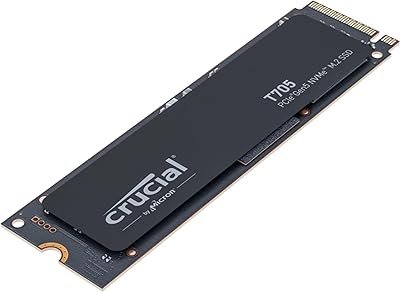
  • Thermal Design: A copper-clad label is integrated into the drive's surface to conduct heat efficiently toward the motherboard's heatsink, eliminating the need for a separate aftermarket cooler.
  • CPU Compatibility: The drive is officially validated for use with Intel Core 13th and 14th Gen processors and AMD Ryzen 7000 series CPUs, which are the platforms with native PCIe Gen5 M.2 support.
  • DirectStorage: Microsoft DirectStorage is supported, enabling compatible games to stream assets directly to the GPU and reduce CPU involvement during asset loading.
  • Installation Type: This is an internal M.2 SSD designed for desktop PCs and workstations, installed directly into the motherboard's M.2 slot without additional brackets or adapters.
  • Weight: The drive weighs just 0.349 ounces, making it negligible in terms of system weight impact during installation.
  • Model Number: The official model number is CT4000T705SSD3, which can be used to verify compatibility with specific motherboards and to register the product with Crucial.
  • Included Bonus: Purchase and registration of the drive includes one month of the Adobe Creative Cloud All-Apps plan, covering the full suite of Adobe software tools.
  • Compatible Devices: Officially listed compatible devices include desktop PCs, gaming desktops, and workstations — it is not designed for laptops or ultra-compact form factor systems.
  • Dimensions: The drive measures 3.15 inches in length, 0.87 inches in width, and 0.15 inches in height, conforming to the standard M.2 2280 specification.

Related Reviews
Crucial T705 2TB PCIe Gen5 NVMe SSD
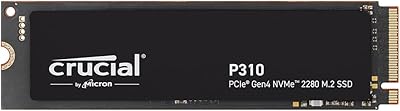
84%
98%
Sequential Read Performance
91%
Game Loading Efficiency
56%
Thermal Management
94%
Video Rendering Speed
93%
DirectStorage Integration
More
Crucial P310 4TB NVMe M.2 SSD
83%
91%
Sequential Read Performance
88%
Sequential Write Performance
73%
Random I/O Performance
94%
Storage Capacity Value
82%
Compatibility & System Fit
More
Crucial P3 Plus 4TB NVMe SSD
86%
92%
Performance
95%
Speed and Responsiveness
75%
Installation & Setup
90%
Durability and Reliability
88%
Compatibility
More
Crucial P510 2TB Gen5 NVMe SSD
89%
95%
Performance
92%
Speed (Read/Write)
88%
Compatibility with PCIe 4.0 and 3.0
90%
Ease of Installation
85%
Software (Acronis Migration Tool)
More
LEVEN JPS600 4TB PCIe NVMe SSD
88%
91%
Performance
88%
Build Quality
93%
Durability
89%
Speed (Read/Write)
84%
Compatibility
More
Crucial P510 1TB Gen5 NVMe SSD
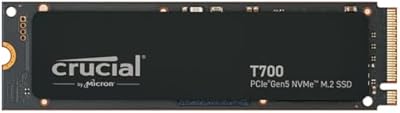
84%
93%
Raw Read & Write Performance
91%
Value for Money
61%
Thermal Management
94%
Installation & Compatibility
88%
Reliability & Endurance
More
Crucial T710 2TB Gen5 NVMe SSD
88%
96%
Performance
94%
Speed (Read/Write)
90%
Thermal Management (Cooling)
88%
Ease of Installation
70%
Software Experience
More
Crucial T500 4TB Gen4 NVMe M.2 SSD
89%
94%
Performance
87%
Cooling Efficiency
90%
Installation Process
92%
Reliability
95%
Compatibility with PS5
More
Crucial P2 2TB NVMe PCIe M.2 SSD
87%
91%
Performance
94%
Value for Money
89%
Reliability
90%
Speed (Read/Write)
88%
Ease of Installation
More
LinkMore XE600 4TB NVMe SSD
82%
93%
PS5 Compatibility
78%
Sequential Read Speed
96%
Storage Capacity
88%
Heatsink Design
74%
Write Speed Performance
More

FAQ

You need a motherboard with a PCIe Gen5 M.2 slot to get full performance. Currently that means Intel 13th or 14th Gen platforms, or AMD Ryzen 7000 series boards. If your board is older, the drive may still physically fit and work at Gen4 or Gen3 speeds, but you would be paying a Gen5 premium for reduced performance — so it is worth checking your specs before buying.

Honestly, for general desktop tasks like web browsing, email, and running standard applications, the difference will be minimal. Where this Gen5 drive genuinely stands out is in sustained large-file transfers, 4K or 8K video editing, and workloads that hammer the drive continuously. If your use case is mostly everyday computing, a strong Gen4 drive at a lower price point would likely serve you just as well.

No — the drive uses a copper-clad label that conducts heat toward your motherboard's built-in M.2 heatsink. Most recent motherboards come with one. If yours does not, you would want to add an aftermarket M.2 heatsink, especially given the heat Gen5 drives can generate under sustained loads.

Under sustained, heavy workloads the drive does generate significant heat, which is typical for Gen5 SSDs. The copper-clad label helps transfer that heat to the motherboard heatsink effectively, but if your case has poor airflow or lacks a proper M.2 heatsink, you may see thermal throttling kick in over time. In a well-ventilated build with a decent board heatsink, most users report stable performance.

No. This is a PCIe Gen5 M.2 drive designed specifically for desktop PCs and workstations. The PS5 uses a PCIe Gen4 M.2 slot and has specific size and heatsink requirements — this drive is not compatible with it.

You need to register the drive through Crucial's website using the model number found on the drive or packaging. Once registered, Crucial provides instructions to redeem the one-month Adobe Creative Cloud All-Apps subscription. It is worth doing even if you already use Adobe products, as it can be applied to extend an existing subscription.

This NVMe SSD is designed for internal M.2 installation inside a desktop PC or workstation. While some M.2 to USB or M.2 to PCIe enclosures exist, Gen5 drives often exceed what those enclosures can handle thermally and electrically. For NAS builds, a standard SATA or Gen3/Gen4 NVMe drive would be a more practical and cost-effective fit.

For the vast majority of users, TLC NAND is absolutely fine for long-term reliability. The key advantage here is that the NAND is produced by Micron in-house using their 232-layer technology, which tends to be more consistent than third-party sourced TLC. Enterprise workloads with extreme daily write cycles are where MLC makes a stronger case — for creative professionals and power users, this NVMe SSD is well within reliable operating parameters.

Crucial backs this drive with a five-year limited warranty, which is standard for premium NVMe SSDs in this category. As with any drive, it is strongly recommended to maintain regular backups of critical data regardless of the warranty coverage, since warranties cover replacement, not data recovery.

It depends on the game. Titles that support Microsoft DirectStorage can load assets noticeably faster because they stream data directly to the GPU, bypassing some CPU overhead. However, most games on the market today still use traditional asset loading pipelines, so the improvement over a fast Gen4 drive will be modest. The gap will grow as more titles ship with DirectStorage support, making this Gen5 drive more of a forward-looking investment for gamers.

Where to Buy