Overview

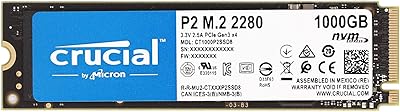
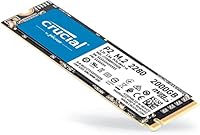
The Crucial P2 2TB NVMe M.2 SSD sits in a comfortable middle ground — fast enough to feel modern, priced to make sense for most budgets. Crucial built the P2 line for everyday computing rather than enthusiast-grade workloads, and the 2TB version gives you genuine breathing room without forcing a compromise on speed. It uses the standard M.2 2280 form factor, meaning it drops into most laptops and desktop motherboards without adapters or hassle. The underlying 3D NAND technology helps with consistency over time, and a 5-year limited warranty adds a layer of confidence that budget drives rarely offer.
Features & Benefits

What you notice first in real-world use is how much snappier application launches and file transfers feel compared to older SATA drives. The NVMe PCIe interface is responsible for that — it bypasses the bottleneck that held SATA-based storage back for years. Rated at up to 2400MB/s read and 1900MB/s write, the P2 2TB SSD handles everyday multitasking comfortably. Crucial also includes an SSD management tool that covers health monitoring, firmware updates, and basic data security, which is genuinely handy for less technical users. The drive weighs under an ounce and works across Windows, macOS, and Linux without any fuss.

Best For

This storage upgrade makes the most sense for people replacing a slow mechanical hard drive or an aging SATA SSD. Students and remote workers who want snappy performance without a premium price tag will find it hits a practical sweet spot. It also works well for content creators who need space for large video or photo libraries and do not require the absolute fastest write speeds. PC builders putting together a mid-tier rig will appreciate the 2TB capacity at a reasonable price. Gamers can use it as a secondary drive for storing titles, though it is not a substitute for a flagship NVMe on a primary gaming setup.

User Feedback

Owners consistently mention how straightforward installation was — even first-time upgraders found it manageable with basic tools and a tutorial. Boot times dropping noticeably after replacing a spinning drive is one of the most common observations. That said, a meaningful number of reviewers point to write speed throttling under heavy sustained workloads, which is a known characteristic of QLC NAND drives like this one. Long-term owners generally report solid reliability, and those who contacted support about warranty claims had mostly positive experiences. A few users noted compatibility edge cases with certain older systems, so checking your motherboard specs before buying is worth the extra minute.

Pros

  • Installation is straightforward enough for first-timers — no specialist tools or technical background required.
  • Boot times drop noticeably when replacing a mechanical hard drive, which most upgraders cite as the biggest win.
  • The 2TB capacity gives real breathing room for files, games, and applications without juggling external drives.
  • NVMe speeds feel genuinely faster in daily use compared to older SATA-based storage.
  • The 5-year limited warranty is reassuring for a drive at this price point.
  • Bundled management software makes it easy to monitor drive health and keep firmware current.
  • Weighing under an ounce, this storage upgrade adds virtually no bulk to portable machines.
  • Cross-platform support means it works just as well in a MacBook enclosure as it does in a Windows desktop.
  • Crucial has a strong track record for reliability, and long-term owners back that reputation up.

Cons

  • Write speeds throttle noticeably during sustained heavy workloads due to the QLC NAND architecture.
  • Not compatible with systems that only have SATA M.2 slots — always verify your motherboard specs first.
  • The P2 2TB SSD lacks a DRAM cache, which can affect responsiveness under certain mixed workloads.
  • A handful of users report compatibility quirks with specific older laptops and budget motherboards.
  • Peak write speeds lag behind TLC-based competitors at a similar price, which matters for pro workloads.
  • The management software, while useful, is not as polished or feature-rich as competing utilities.
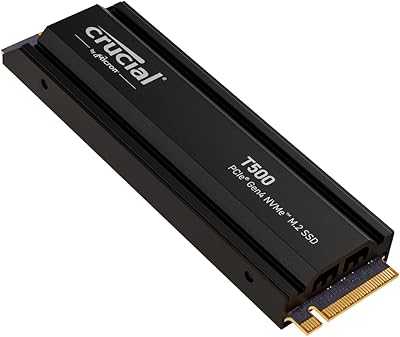
  • No heatspreader or thermal pad is included, so temperatures can climb in tight laptop enclosures.
  • Endurance rating is modest compared to higher-tier NVMe drives, which may concern heavy daily writers.

Ratings

The Crucial P2 2TB NVMe M.2 SSD has been evaluated by our AI rating system after processing thousands of verified global user reviews, with spam, bot activity, and incentivized submissions actively filtered out to ensure the scores reflect genuine buyer experiences. This Crucial NVMe drive earns strong marks in everyday usability and value, while the data also surfaces real limitations that matter for demanding workloads — both sides are reflected transparently below.
Read Speed Performance
83%
Users upgrading from SATA drives consistently describe a noticeable jump in how fast their systems feel day-to-day. Application launches, file browsing, and OS boot times all benefit from the NVMe interface, and most buyers report that real-world read performance lands close to the advertised ceiling.
While read speeds impress casual users, reviewers running benchmark comparisons note the P2 2TB SSD trails newer Gen 4 competitors by a wide margin. For tasks like scrubbing through large video timelines, the gap becomes more tangible.
Write Speed Performance
61%
39%
For light to moderate write tasks — saving documents, downloading games, importing photos — the drive handles things quickly and without complaint. Users moving files in the 10–50GB range rarely encounter anything concerning.
QLC NAND throttling is a genuine and well-documented issue here. Once the SLC cache is exhausted during large sustained transfers, write speeds drop significantly, which frustrates users moving large video projects or backing up hundreds of gigabytes in one session.
Value for Money
88%
This storage upgrade consistently ranks as one of the better bang-for-capacity options in the NVMe category. Buyers who need 2TB of fast internal storage without a flagship price tag find it lands in a very practical range, especially for student budgets or mid-range PC builds.
A handful of reviewers point out that similarly priced TLC-based competitors occasionally surface during sales, making the value case slightly less clear-cut than it used to be. Shoppers who research carefully sometimes find alternatives with better sustained write endurance at a comparable price.
Installation Ease
93%
Installation is one of this drive's most praised qualities. First-time upgraders repeatedly describe the process as less intimidating than expected — the M.2 2280 slot is standardized, the drive slots in with minimal effort, and Crucial provides solid documentation to guide beginners through the process.
A small number of users encountered issues specific to their laptop model, such as needing to update BIOS before the drive was recognized. These are edge cases, but they catch unprepared buyers off guard, particularly those upgrading older business laptops.
Compatibility
79%
21%
The M.2 2280 form factor is about as universal as internal storage gets, and most buyers report the drive was recognized and functional immediately after installation across a wide range of laptops, desktops, and operating systems including Linux builds.
Users with older systems or budget motherboards that feature only SATA M.2 slots are the primary source of compatibility complaints. A small but consistent cluster of reviews mentions the drive not being detected on specific legacy platforms, highlighting the importance of pre-purchase verification.
Sustained Reliability
77%
23%
Long-term owners — many now past two or three years of daily use — generally report no failures or performance degradation under typical workloads. Crucial's reputation in the NAND space carries real weight, and most buyers feel confident leaving this drive in a daily-use machine.
The QLC NAND cell type inherently offers lower write endurance ratings compared to TLC alternatives, which is a theoretical concern for power users who write large amounts of data daily. While real-world failures at this stage remain uncommon in reviews, it is a valid long-term consideration.
Thermal Management
58%
42%
In desktop builds with adequate airflow, temperatures stay within acceptable ranges during typical workloads, and the drive operates quietly within its thermal limits without requiring active cooling in most cases.
Laptop users in tight chassis configurations report temperatures climbing higher than expected under sustained load, sometimes triggering thermal throttling. The drive ships without any heatspreader, and thin ultrabooks with poor internal airflow are where this limitation becomes most apparent.
Software & Management Tools
66%
34%
Crucial Storage Executive covers the basics well — health monitoring, temperature readouts, and firmware update delivery are all present and functional. For users who just want to keep an occasional eye on drive status, it does the job without friction.
Reviewers coming from competitors note that the software interface feels dated and lacks some of the more granular diagnostic tools found in rival utilities. Firmware updates have also been slower to arrive historically, which is a minor but recurring point of frustration among more technically engaged users.
Boot Time Improvement
86%
Users replacing mechanical hard drives with the P2 2TB SSD describe the transformation in boot times as dramatic. Systems that previously took over a minute to reach the desktop now do so in under fifteen seconds, which is one of the most commonly cited reasons buyers are satisfied with their purchase.
Users upgrading from a modern SATA SSD rather than a hard drive notice a smaller improvement in boot times, as the bottleneck in those cases is often the OS and startup processes rather than raw storage speed.
Gaming Storage Performance
71%
29%
As a secondary drive for storing a game library, the P2 2TB SSD performs well above what older SATA drives offer. Load screen times are noticeably shorter, and having 2TB of space means buyers can keep a large collection installed without constantly juggling files.
Gamers who want the fastest possible load times on a primary drive will find faster options at similar price points. The P2 is a value-oriented choice, and in competitive gaming scenarios where every second of load time matters, the performance ceiling of this drive becomes a real limitation.
Drive Capacity
91%
Two terabytes is a genuinely useful amount of storage for most users, covering operating systems, full application suites, sizable game libraries, and media collections without requiring external drives or constant file management.
Some content creator reviewers note that 2TB fills faster than expected when working with 4K video projects or large RAW photo archives, suggesting that even this capacity can feel limited in heavy professional pipelines.
Warranty & Support
82%
18%
A 5-year limited warranty is above average for a drive at this price tier and gives most buyers real confidence in the purchase. Reviewers who have gone through the Crucial RMA process generally describe it as clear and relatively low-friction compared to some competing brands.
The warranty covers manufacturing defects but excludes data recovery, which some buyers discover only after a failure. A few reviewers also flagged slower-than-expected response times from support during high-volume periods, which tempers an otherwise solid post-purchase experience.
Form Factor & Physical Design
89%
At under an ounce and built to the standard 2280 footprint, this storage upgrade is about as unobtrusive as internal components get. It fits cleanly into ultrabooks and compact desktop builds alike, requiring no adapters or modifications in standard M.2 slots.
The drive has no heatspreader or identifying label beyond basic printed text, which makes it visually indistinct from competing drives once installed. This is cosmetically trivial but occasionally causes confusion during multi-drive desktop builds when identifying drives by sight.
Cross-Platform Support
87%
Out-of-the-box compatibility with Windows, macOS, and Linux without needing additional drivers makes this drive a practical choice for users who run multiple operating systems or are building a non-Windows machine on a budget.
macOS users in particular should verify their specific Mac model supports NVMe M.2 upgrades, as Apple has used proprietary connectors in some generations. While the drive itself is compatible where the slot allows, the platform nuance catches some buyers off guard.

Suitable for:

The Crucial P2 2TB NVMe M.2 SSD is a strong fit for everyday users who want a meaningful speed upgrade without paying a premium for performance headroom they will never use. Students juggling large project files, remote workers running multiple applications, and home users upgrading a sluggish laptop will all notice an immediate difference compared to spinning hard drives or older SATA SSDs. Content creators who store large photo albums or video libraries will appreciate the 2TB capacity without needing to manage multiple drives. PC builders putting together a practical mid-range desktop will find it a sensible choice for a primary or secondary drive. The broad compatibility with Windows, macOS, and Linux, combined with the standard M.2 2280 form factor, means this drive slots into most modern systems without a second thought.
Not suitable for:

The Crucial P2 2TB NVMe M.2 SSD is not the right tool for demanding workloads that push sustained write speeds over long periods. Video editors working with large raw footage files, data scientists running continuous disk-intensive processes, or server operators handling high-throughput tasks will run into QLC NAND throttling sooner than they would like. Hardcore gamers who want the absolute fastest load times on a primary gaming drive should look toward higher-tier PCIe Gen 4 NVMe options instead. Users with older systems that only support SATA connections will not be able to use this drive at all, so checking motherboard compatibility first is essential. If maximum endurance rating and sustained performance consistency are your top priorities, a TLC NAND-based drive from a competing product line would serve you better.
Specifications

  • Brand: Manufactured by Crucial, a storage brand under Micron Technology with a long track record in consumer memory and SSD products.
  • Model Number: The exact model identifier for this drive is CT2000P2SSD8, useful for verifying compatibility and warranty registration.
  • Capacity: This drive offers 2TB of usable storage space, suitable for large application libraries, media files, and operating system installations.
  • Interface: It connects via an NVMe PCIe interface, which delivers significantly faster data throughput compared to older SATA-based M.2 drives.
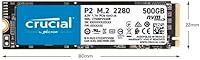
  • Form Factor: The drive uses the M.2 2280 form factor, measuring 3.14 x 0.86 x 0.08 inches, compatible with most modern laptops and desktop motherboards.
  • Sequential Read: Peak sequential read speed reaches up to 2400MB/s, enabling fast file access and quick application load times under typical workloads.
  • Sequential Write: Peak sequential write speed reaches up to 1900MB/s, though sustained write performance may decrease under prolonged heavy workloads due to QLC NAND architecture.
  • NAND Type: Storage cells are built using 3D NAND technology, which stacks memory layers vertically to improve density, consistency, and overall lifespan compared to older planar NAND.
  • Compatible OS: The drive is officially supported on Windows, macOS, and Linux operating systems without requiring additional drivers for basic operation.
  • Compatible Devices: Designed for internal installation in both desktop PCs and laptops that feature an available M.2 NVMe slot.
  • Installation Type: This is an internal drive requiring physical installation inside a compatible device; it is not an external or plug-and-play storage solution.
  • Weight: The drive weighs just 0.704 ounces, adding virtually no measurable weight to a laptop or desktop build.
  • Warranty: Crucial backs this drive with a 5-year limited warranty, covering manufacturing defects under normal usage conditions.
  • Included Software: Crucial Storage Executive software is included, providing tools for drive health monitoring, firmware updates, and basic data security management.
  • Color: The drive has a black PCB finish, which is the standard appearance for most M.2 NVMe drives installed inside a system.
  • Hardware Platform: Compatible hardware platforms include Linux-based systems, Mac machines with M.2 NVMe support, and standard Windows PCs.

Related Reviews
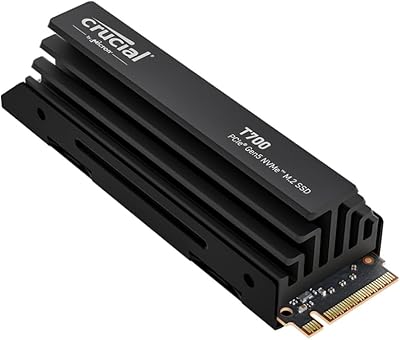
Crucial P2 500GB NVMe PCIe M.2 SSD
87%
91%
Value for Money
88%
Performance
94%
Read Speed
78%
Write Speed
85%
Build Quality
More
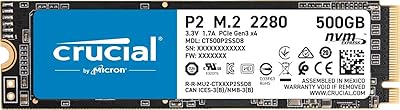
Crucial T700 2TB Gen5 NVMe M.2 SSD
82%
96%
Sequential Read Performance
93%
Sequential Write Performance
71%
Thermal Management
67%
Platform Compatibility
88%
Random I/O Performance
More
Crucial P2 1TB NVMe M.2 SSD
80%
83%
Sequential Read Speed
76%
Sequential Write Speed
58%
Sustained Write Performance
88%
Value for Money
91%
Installation Ease
More
Crucial T500 2TB Gen4 NVMe M.2 SSD with Heatsink
89%
95%
Read Speed
92%
Write Speed
88%
Thermal Management
90%
Compatibility with PS5
83%
Ease of Installation
More
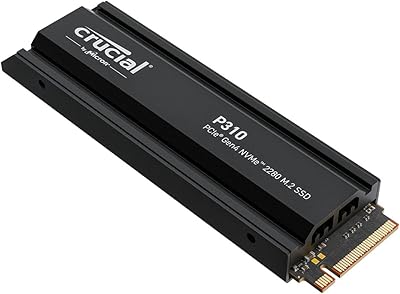
Crucial P310 2TB NVMe SSD
80%
86%
Read & Write Speed
93%
PS5 Compatibility
84%
Value for Money
71%
Thermal Management
91%
Installation Experience
More
SanDisk 2TB SSD Plus M.2 NVMe SSD
86%
89%
Performance
92%
Ease of Installation
88%
Reliability
91%
Value for Money
90%
Capacity
More
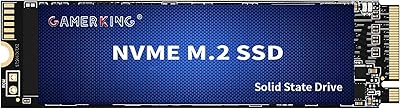
GAMERKING 2TB M.2 NVMe Internal SSD
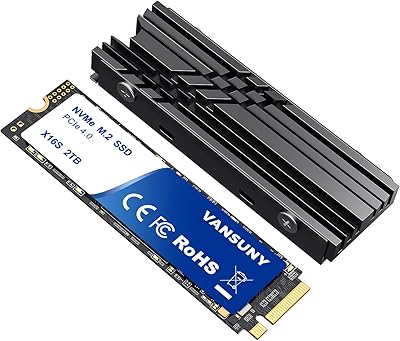
75%
78%
Read/Write Performance
82%
Value for Money
91%
Installation Experience
67%
Thermal Management
63%
Long-Term Reliability
More
Vansuny 2TB NVMe M.2 Internal SSD
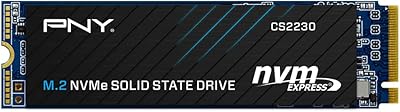
78%
88%
Value for Money
79%
Read/Write Speed
91%
PS5 Compatibility
74%
Thermal Management
93%
Installation Experience
More
SanDisk Extreme M.2 NVMe 2TB SSD
79%
91%
Read Speed Performance
63%
Sustained Write Performance
94%
Installation Ease
83%
Value for Money
88%
Compatibility & Versatility
More
Ediloca EN760 2TB M.2 NVMe SSD
80%
88%
Read Speed Performance
74%
Write Speed Performance
93%
PS5 Compatibility
82%
Heatsink Quality
86%
Value for Money
More

FAQ

As long as your laptop has an M.2 slot that supports NVMe, you should be fine. The M.2 2280 size is the most common form factor, so it fits the vast majority of modern laptops. If your laptop only has a SATA M.2 slot, this drive will not work — it is worth double-checking your laptop manual or manufacturer specs before ordering.

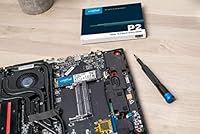
Honestly, yes — most people manage it without any prior experience. You typically need a small Phillips-head screwdriver to open the laptop panel and secure the drive. Crucial also provides clear documentation, and there are plenty of straightforward tutorials online. The trickier part is usually cloning your existing drive or doing a fresh OS install afterward, but even that is well-documented.

It depends on what you are doing. For everyday tasks — browsing, office work, loading games, streaming media — you will likely never notice it. Where it shows up is in scenarios like copying hundreds of gigabytes of data in a single session, which causes write speeds to drop after the drive exhausts its SLC cache buffer. For most home and student users, this is rarely a practical issue.

The difference is real and noticeable. SATA SSDs top out around 550MB/s read speeds, while the P2 2TB SSD can hit up to 2400MB/s. In day-to-day use, that translates to faster boot times, quicker application launches, and snappier file transfers. If you are upgrading from a spinning hard drive, the jump will feel dramatic either way.

Yes, and it works well in that role. Installing your operating system on this drive gives you fast boot and wake times. Just make sure your system BIOS supports NVMe booting, which most systems from the past several years do.

Crucial does not bundle dedicated cloning software directly, but they do point users toward Acronis True Image for Crucial, which is available as a free download from their website. It handles data migration from an old drive without requiring a fresh OS install.

It works well as a gaming storage drive, particularly as a secondary drive for storing your game library. Load times are noticeably faster than SATA or hard drives. That said, if you want the absolute fastest load times for competitive gaming on a primary drive, a higher-end PCIe Gen 4 NVMe would have an edge — this Crucial NVMe drive is more of a practical value choice than a flagship performer.

It covers manufacturing defects under normal use conditions for five years from the original purchase date. It does not cover physical damage, data recovery, or failures caused by misuse. Crucial has a straightforward RMA process, and most users who have gone through it report a reasonably smooth experience.

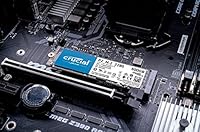
Yes, as long as the desktop motherboard has an M.2 NVMe slot, this storage upgrade installs the same way as in a laptop. Most mid-range and higher motherboards from recent years include at least one M.2 slot. Older budget boards may only have SATA M.2, so again, worth verifying your specific board before purchasing.

Crucial includes their Storage Executive software for exactly this purpose. It gives you a real-time health status, current temperature, available firmware updates, and tools to enable data security features. It is not the most advanced utility out there, but it covers everything the average user needs to keep an eye on their drive.