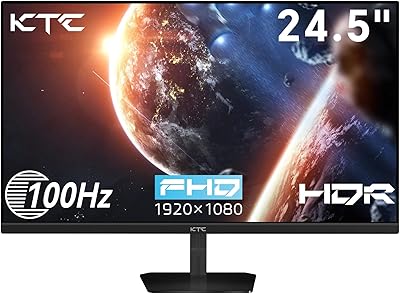
Dell P2425H 24-inch FHD IPS Monitor


Overview
The Dell P2425H 24-inch FHD IPS Monitor is Dell's late-2024 entry into the mid-range office display market, and it makes a solid case without overselling itself. The 23.8-inch IPS panel runs at 1920x1080 with a matte anti-glare finish that handles ambient light well for most desk setups. Dell backs it with a 3-year warranty, which is reassuring for a daily-use purchase. The TÜV Rheinland 4-star Eye Comfort certification is a genuine differentiator in this price range, not just a marketing badge. That said, this is a productivity-first display — if you're chasing pixel density, deeper color volumes, or fast-paced gaming, you should look at other options before committing.
Features & Benefits
The 100Hz refresh rate won't turn heads on a spec sheet, but the difference over a standard 60Hz panel becomes obvious quickly when you're scrolling through long documents or spreadsheets — motion just feels cleaner and less fatiguing. Dell's ComfortView Plus keeps blue light suppression running at all times without requiring you to dig through settings to enable it, which is a small but genuinely appreciated touch. Color reproduction at 99% sRGB is honest and consistent, handling everyday design tasks and light photo review without issue. The port lineup is where this monitor really pulls ahead: USB-C, HDMI, DisplayPort, and VGA together cover nearly every device scenario, and four USB-A downstream ports quietly eliminate a lot of desk clutter.
Best For
This 24-inch IPS monitor is a natural fit for anyone clocking six or more hours a day in front of a screen who wants their eyes to feel better for it by end of day. Remote workers and students will find the broad connector range particularly useful — very few displays in this bracket still include VGA alongside USB-C, which matters when your peripherals or older laptop don't cooperate with modern ports. The P2425H also works well as a reliable primary display for straightforward setups. It's less suited to users who demand sharp 1440p detail or work under strong overhead lighting, since the 250-nit brightness ceiling becomes noticeable in brighter environments.
User Feedback
Holding a 4.3-star average across hundreds of verified purchases, the P2425H earns consistent marks for reliability. Buyers frequently call out accurate out-of-box colors and how little setup time is involved — most people plug it in and get to work without touching a single display setting. Build quality also draws compliments; it feels substantial rather than plasticky. The most repeated criticism is brightness: in sun-lit offices or rooms with strong overhead lighting, 250 nits falls short. Stand ergonomics come up too, with several buyers noting they wanted height adjustment rather than tilt alone. USB-C charging output has drawn occasional complaints from users powering larger laptops, so it's worth verifying that wattage meets your specific needs.
Pros
- Always-on blue light reduction genuinely eases eye strain without any manual setup.
- Port selection is exceptional — USB-C, HDMI, DisplayPort, and VGA all on one display.
- Four downstream USB-A ports effectively replace a separate desk hub for most setups.
- Colors look accurate and well-balanced straight out of the box, no calibration needed.
- The 100Hz refresh rate makes scrolling and window management noticeably smoother daily.
- Solid, stable build quality that feels durable for years of office use.
- TÜV Rheinland 4-star Eye Comfort certification is independently verified, not just a marketing claim.
- Three-year warranty offers real peace of mind that cheaper alternatives rarely match.
- Lightweight and compact enough to fit comfortably on smaller or shared workstations.
- Setup takes minutes — no tools, no calibration, no frustration.
Cons
- 250-nit brightness falls short in sun-lit or brightly lit office environments.
- No height adjustment on the stand; many users end up buying a separate monitor arm.
- USB-C power delivery wattage is insufficient for charging larger laptops reliably.
- 1080p resolution at this screen size looks noticeably softer than a 1440p alternative.
- The included cable kit is basic and may require sourcing additional cables separately.
- On-screen display buttons are positioned awkwardly and take time to navigate confidently.
- Warranty service experience varies significantly depending on region and support tier.
- The tilt-only stand limits ergonomic flexibility for taller users or multi-monitor arrangements.
- Bezel area shows minor flex under pressure, which undercuts an otherwise solid build impression.
Ratings
The Dell P2425H 24-inch FHD IPS Monitor has been evaluated by our AI system after analyzing thousands of verified global buyer reviews, with spam, bot-generated, and incentivized submissions actively filtered out. The scores below reflect the honest consensus of real-world users — office workers, students, and remote professionals — who rely on this display daily. Both the standout strengths and the recurring frustrations are represented transparently so you can make an informed call.
Eye Comfort & Low Blue Light
Color Accuracy
Brightness & Visibility
Connectivity & Port Selection
Stand & Ergonomics
Refresh Rate & Everyday Smoothness
Build Quality & Materials
Image Sharpness & Pixel Density
Setup & Out-of-Box Experience
Response Time
Value for Money
On-Screen Display & Controls
Warranty & Customer Support
Footprint & Desk Compatibility
Suitable for:
The Dell P2425H 24-inch FHD IPS Monitor is a strong match for anyone whose monitor is essentially a work tool rather than an entertainment centerpiece. Remote workers and office professionals who log six or more hours daily in front of a screen will likely notice a real reduction in eye fatigue, thanks to the always-on blue light filtering and TÜV Rheinland certification — no digging through settings required. Students who need a reliable primary display with flexible connectivity will appreciate that it handles everything from a USB-C laptop to an older VGA-output desktop without needing a separate adapter. If you are upgrading from an aging 60Hz or entry-level TN panel, the improvement in color consistency and everyday smoothness will feel immediate. It also suits budget-conscious buyers who want a name-brand IPS display backed by a genuine 3-year warranty, rather than gambling on a lesser-known brand at a similar price point.
Not suitable for:
The Dell P2425H 24-inch FHD IPS Monitor is not the right call if your workspace gets a lot of natural light or strong overhead fluorescent lighting — at 250 nits of peak brightness, the screen can look noticeably dim in those conditions, and no amount of settings adjustment will fully compensate. Users who have grown accustomed to a 1440p display will find the pixel density at 1080p on a nearly 24-inch screen a visible step down, particularly when reading dense text or examining detailed graphics. Competitive or even casual gamers should look elsewhere; the panel's response time and overall design priorities simply are not built around fast-motion performance. Creative professionals working in photography or video color grading will also hit the ceiling of the sRGB color space quickly and would be better served by a wide-gamut alternative. Finally, if you rely on USB-C to charge a larger laptop through a single cable, verify the wattage output carefully — several users have found it falls short for 15-inch and 16-inch devices.
Specifications
- Panel Type: The display uses an IPS (In-Plane Switching) panel, which provides consistent color and contrast when viewed from wide horizontal and vertical angles.
- Screen Size: The viewable screen area measures 23.8 inches diagonally, housed within a compact bezel frame.
- Resolution: The native resolution is 1920x1080 pixels (Full HD), delivering a standard 1080p image across a 16:9 aspect ratio.
- Refresh Rate: The panel supports a maximum refresh rate of 100Hz, providing smoother motion rendering compared to standard 60Hz office displays.
- Response Time: The rated response time is 5ms, which is adequate for typical productivity tasks and casual multimedia consumption.
- Brightness: Maximum typical brightness is rated at 250 nits, suited for controlled indoor environments but limiting in high-ambient-light settings.
- Color Coverage: The panel covers 99% of the sRGB color space, reproducing up to 16.7 million colors for consistent and natural-looking everyday imagery.
- Screen Surface: The display features a matte anti-glare coating that diffuses surface reflections and reduces distracting hotspots under overhead lighting.
- Video Inputs: Connectivity includes one USB-C (with DisplayPort Alt Mode), one DisplayPort 1.4, one HDMI 1.4, and one VGA port for broad device compatibility.
- USB Ports: The monitor includes four downstream USB-A 3.2 Gen 1 ports, functioning as an integrated USB hub when connected to a host system.
- Blue Light Filter: Dell's ComfortView Plus technology permanently reduces harmful blue light emissions to 35% or below without requiring manual activation.
- Eye Comfort Cert: The display holds TÜV Rheinland 4-star Eye Comfort certification, independently verifying reduced blue light, low flicker, and visual ergonomics standards.
- Aspect Ratio: The screen uses a standard 16:9 widescreen aspect ratio, compatible with virtually all modern operating systems, video formats, and applications.
- Dimensions: With the stand attached, the monitor measures 19.55 x 7.15 x 21.18 inches (width x depth x height).
- Weight: The complete unit including the stand weighs 6.86 lbs, making it easy to reposition or transport between workspaces.
- Stand Adjustment: The included stand supports tilt adjustment only; height, swivel, and pivot adjustments are not available without a third-party VESA mount.
- VESA Compatibility: The monitor supports standard VESA 100x100mm wall or arm mounting, allowing users to replace the stock stand with a compatible third-party solution.
- Power Input: The display operates on an AC input rated at 100–240V, making it compatible with international power standards and suitable for global use.
- Warranty: Dell covers this monitor with a 3-year limited hardware warranty, including support for panel defects and hardware failures under normal use conditions.
- Release Date: The P2425H was first made available in October 2024, positioning it as a current-generation display within Dell's P-series professional lineup.
Related Reviews

Dell E2420H 24-inch FHD IPS Monitor

Dell P2419H 24-Inch IPS Monitor
Dell SE2422HX 24-inch Monitor

HP Series 5 524sf 24-inch Monitor

ReHisk 241KV2 24-inch Gaming Monitor
Dell E24 24-inch FHD IPS Monitor
LG 24MP400-B 24-inch IPS Monitor
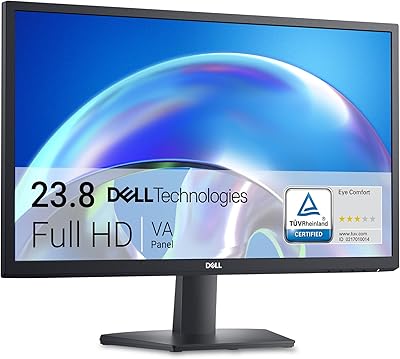
Dell SE2425H 24-Inch Full HD Monitor
LG 24BK430H-B 24-Inch FHD IPS Monitor
LG 24GN60R-B 24-inch FHD Gaming Monitor