Overview

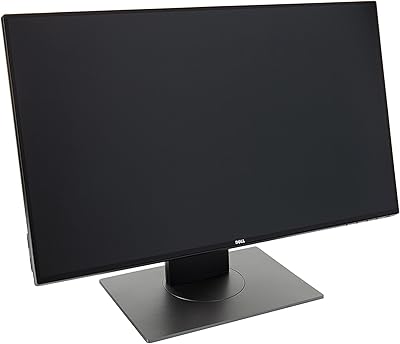
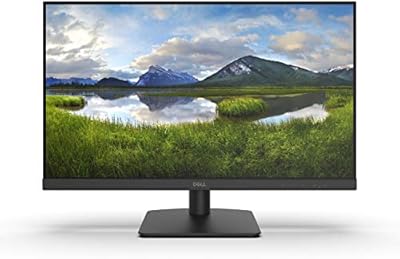
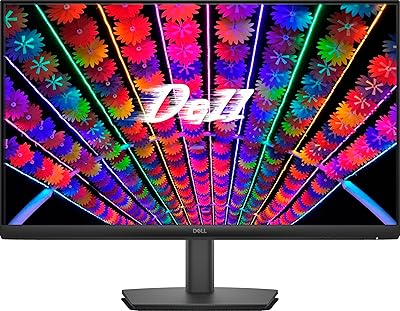
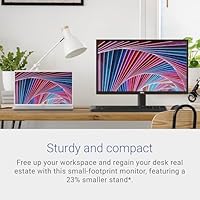
The Dell SE2422HX 24-inch Monitor is Dell's answer to the growing demand for reliable, no-fuss displays that handle everyday tasks without asking too much from your wallet. Built around a 23.8-inch Full HD panel with three-sided slim bezels, this 24-inch display has a compact footprint that fits comfortably on tighter desks. It sits in a competitive bracket alongside options from LG, HP, and Acer, and holds its own reasonably well. One small touch worth noting: it ships in Styrofoam-free packaging, which some buyers will genuinely appreciate. Just set expectations accordingly — this is a solid everyday workhorse, not a display built for color-critical work or serious gaming.

Features & Benefits

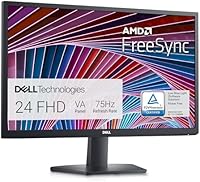
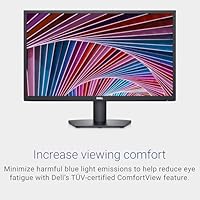
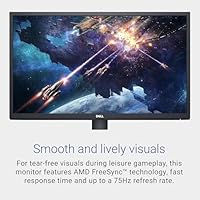
What this Dell monitor does well is handle all-day screen comfort without much fuss. The ComfortView feature — TUV-certified for blue light reduction — genuinely helps during long work sessions, and the matte anti-glare coating does a decent job cutting reflections in brighter environments. The 3H surface hardness adds basic protection against minor scratches. On the performance side, the 75Hz refresh rate with AMD FreeSync is a step above the standard 60Hz found on many competitors at this tier, though it won't satisfy anyone chasing smoother motion. The internal power supply means no bulky external brick, and the built-in cable holder keeps things tidy on your desk.

Best For

The SE2422HX makes the most sense for students and remote workers who need a dependable 1080p display for documents, video calls, and general browsing. If you're upgrading from a smaller screen or an older 60Hz panel, you'll notice a real improvement in both real estate and smoothness. The slim bezels and modest depth also make it a natural fit for tight workspaces or dual-monitor arrangements. Light casual gamers will find the FreeSync support useful for reducing screen tearing in less demanding titles. And if your room gets a lot of natural light, the anti-glare matte surface is genuinely worth having — it keeps the image readable without constant glare battles.

User Feedback

With over 2,000 ratings averaging 4.6 out of 5, the general buyer response is clearly positive. Most people highlight how easy it is to set up and how good the image looks straight out of the box. The clean cable management also gets frequent mentions. Where things get more critical is the stand — it only tilts, with no height or swivel adjustment, which is a real limitation if ergonomics matter to you. A few buyers also wish this 24-inch display had built-in speakers or USB ports, which similarly priced options from HP and Acer sometimes include. Occasional complaints about backlight bleed are worth keeping in mind, though they don't appear widespread.

Pros

  • TUV-certified blue light reduction genuinely helps reduce eye strain during long work sessions.
  • The matte anti-glare coating handles bright room conditions well without washing out the image.
  • 75Hz with AMD FreeSync is a noticeable step up from standard 60Hz panels at this price tier.
  • No external power brick keeps the desk cleaner and reduces cable clutter from day one.
  • The integrated cable holder is a small but practical detail that most budget monitors skip.
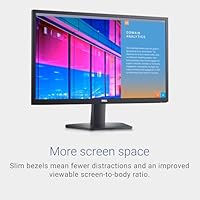
  • Slim three-sided bezels make this 24-inch display a natural fit for side-by-side dual-monitor setups.
  • Setup is fast and straightforward — most buyers report being up and running within minutes.
  • Out-of-box image quality is consistently praised across a large pool of verified buyer reviews.
  • PowerNap energy-saving mode trims idle power draw without any manual input required.
  • Dell brand reliability and wide availability of support resources add a layer of purchase confidence.

Cons

  • The tilt-only stand offers no height, swivel, or pivot adjustment — a real ergonomic shortcoming.
  • No built-in speakers means you will need external audio if your setup does not already have it.
  • Zero USB ports on the monitor itself, which limits desk convenience for multi-device users.
  • 1080p resolution starts to feel limiting on a 24-inch screen for users accustomed to sharper QHD panels.
  • Some units have shown backlight bleed inconsistencies, particularly in dark or low-light viewing conditions.
  • Color accuracy is adequate for general use but not reliable enough for any professional creative work.
  • 75Hz is a low ceiling for gaming — even modestly demanding titles benefit from 100Hz or higher.
  • The display lacks a USB-C input, which increasingly matters for users with modern laptops.
  • Competitors like the Acer SB220Q or HP V24i occasionally offer comparable specs with added features at similar prices.

Ratings

The scores below reflect an AI-driven analysis of thousands of verified global buyer reviews for the Dell SE2422HX 24-inch Monitor, with spam, bot activity, and incentivized feedback actively filtered out to ensure accuracy. Each category score is weighted against real-world usage patterns — not marketing claims — so both the genuine strengths and the recurring frustrations are represented honestly. Whether this display earns a spot on your desk depends on what you actually need it for, and these ratings are designed to make that call clearer.

Image Quality
83%
For everyday work and media consumption, the panel delivers a clean, well-balanced picture that most buyers found immediately usable straight out of the box. Colors look natural and consistent across typical viewing angles, and text rendering is sharp enough for long document sessions without any noticeable fringing.
Users with experience on QHD or higher-resolution displays will notice that 1080p at 24 inches is not especially pixel-dense, and some reported that color vibrancy falls short compared to glossy IPS panels from competitors like LG at a similar price point.
Eye Comfort
88%
The TUV-certified ComfortView blue light filter made a real difference for reviewers who use this display eight or more hours a day — several noted reduced end-of-day eye fatigue compared to their previous monitors. The matte coating adds to this by cutting the harsh reflections that glossy screens throw off under office lighting.
ComfortView is not adjustable in intensity through the on-screen menu in the same way some competing displays allow, so users who prefer to fine-tune their blue light settings may find the fixed implementation slightly limiting.
Build Quality
76%
24%
The chassis feels reasonably solid for its price tier, and the slim bezels give it a cleaner, more modern look than older Dell budget monitors. Most buyers found assembly straightforward, with the stand clicking together firmly without any wobble once seated.
The plastic finish attracts fingerprints and light scratches over time, and a few users noticed some flex in the panel housing when adjusting the tilt. It does not feel fragile, but it is clearly not built to the same standard as Dell's UltraSharp lineup.
Ergonomics & Adjustability
47%
53%
The tilt adjustment works smoothly enough for basic angle changes, and the VESA compatibility means buyers who purchase a separate monitor arm can unlock full ergonomic flexibility at an added cost.
The tilt-only stand is the most consistently flagged frustration across reviews — no height adjustment, no swivel, no pivot. For users who spend long hours at a desk and care about proper screen positioning, this is a genuine limitation that competing monitors at similar prices sometimes solve without requiring an extra purchase.
Refresh Rate & Smoothness
74%
26%
The jump from 60Hz to 75Hz with AMD FreeSync is noticeable during everyday scrolling and casual gaming, giving the display a slightly smoother feel that buyers upgrading from older panels appreciated. FreeSync also eliminates the screen tearing that bothered users running AMD GPUs on their previous 60Hz displays.
75Hz is a modest ceiling, and anyone who has used a 144Hz panel will find this 24-inch display underwhelming during fast-paced gaming. FreeSync support does not extend to Nvidia GPUs in a meaningful way, which limits its benefit for a significant portion of PC users.
Glare & Reflection Control
84%
The anti-glare matte coating handles bright office environments and rooms with windows notably better than glossy alternatives, and multiple reviewers specifically mentioned keeping the display in sun-facing setups without significant image washout.
In very dark rooms, the matte coating can impart a slight haze to dark content that glossy panel users will notice, and it does reduce peak perceived brightness compared to a glossy screen under the same backlight settings.
Connectivity
58%
42%
HDMI input covers the most common connection scenario for laptops and desktop PCs, and the VGA port adds backward compatibility for users with older hardware still in rotation.
The absence of DisplayPort, USB-C, and any USB hub ports is a notable gap for a 2021-era monitor, and buyers with modern laptops found themselves needing adapters immediately. Several reviewers comparing this display to the HP V24i or Acer SB220Q flagged connectivity as a weaker point.
Cable Management
81%
19%
The integrated cable holder on the stand is a small but practical feature that reviewers appreciated, especially those building a clean desk setup. Combined with the internal power supply — which removes the need for an external brick entirely — the overall cable situation is tidier than most competitors at this price.
The cable routing slot accommodates only a limited number of cables before things get crowded, and users with multiple peripherals connected found it less effective than it initially appeared.
Value for Money
79%
21%
For a buyer who primarily needs a reliable 1080p work display from a reputable brand, the SE2422HX delivers a fair return on investment, and the Dell name adds a layer of purchase confidence that lesser-known brands at this tier cannot easily match.
At its price point, some buyers felt the lack of USB-C, built-in speakers, and height adjustment tips the value equation slightly in favor of alternatives like the HP V24i or LG 24MK430H, which occasionally offer one or two of those features at comparable pricing.
Setup & Ease of Use
91%
Assembly is genuinely fast — the stand clips together without tools and the on-screen display menu is clean and intuitive. Buyers consistently reported being fully set up and running within ten minutes, which matters for less technical users.
A small number of users found the OSD button placement on the underside of the panel slightly awkward to navigate by feel, particularly when adjusting brightness in a dark room without looking under the bezel.
Color Consistency
69%
31%
For general productivity tasks, web browsing, and video calls, color rendering is consistent and pleasing, with most units displaying a balanced, neutral image that does not require immediate calibration for everyday use.
A minority of buyers reported noticeable unit-to-unit variation, with some displays arriving with a cooler or warmer tint than expected. This inconsistency, while not widespread, is worth keeping in mind for buyers who cannot easily return a unit that ships with color issues.
Backlight Uniformity
63%
37%
The majority of units perform acceptably in well-lit environments where minor backlight unevenness is masked by ambient light, and most buyers using this display for daytime office work did not encounter issues significant enough to mention.
In darker viewing conditions, a subset of reviewers noticed visible backlight bleed at the corners or edges, which is distracting during movie watching or any content with extended dark scenes. This appears to be a quality control variance rather than a universal flaw.
Energy Efficiency
78%
22%
The PowerNap idle mode actively reduces power consumption when the display is not in use, which buyers running home offices with long screen-on periods found genuinely useful for managing electricity usage over time.
Rated power consumption is not class-leading for this screen size, and users upgrading from newer eco-certified panels from competing brands may find the SE2422HX slightly less efficient than expected for its tier.
Packaging & Unboxing
82%
18%
The Styrofoam-free packaging stood out for environmentally conscious buyers, and several reviewers specifically mentioned it positively. The monitor arrived well-protected in all reported cases, suggesting the eco-friendly design does not compromise protection during shipping.
Accessory inclusions are minimal — just a power cable and a single HDMI cable — so buyers expecting a more complete bundle, including a DisplayPort cable or a cable tie set, may feel the box is a little sparse.

Suitable for:

The Dell SE2422HX 24-inch Monitor is a strong pick for students, remote workers, and anyone who spends long hours in front of a screen and wants a comfortable, reliable display without overcomplicating the buying decision. If you're working primarily with documents, spreadsheets, video calls, or streaming content, the Full HD resolution handles all of that comfortably at this screen size. The TUV-certified blue light filter is a genuine benefit for people who log eight or more hours daily — it's not just a marketing checkbox. Buyers upgrading from an older 60Hz panel or a smaller 21-inch screen will notice a clear improvement in both workspace and smoothness. The slim bezels also make the SE2422HX a practical choice for dual-monitor setups where visual continuity between screens matters. If your room gets a lot of ambient light, the matte anti-glare coating earns its keep by keeping the image readable without constant repositioning.

Not suitable for:

The Dell SE2422HX 24-inch Monitor is not the right tool for buyers who need precise color accuracy for photo editing, video grading, or any creative work where color reproduction is critical — a proper IPS panel with factory calibration would serve those users far better. Competitive or enthusiast gamers will also want to look elsewhere; 75Hz is a modest ceiling, and the display lacks the faster response times and higher refresh rates that titles like first-person shooters genuinely benefit from. The tilt-only stand is a real ergonomic limitation — if you need height adjustment, swivel, or pivot to get a comfortable working posture, you'll either need a separate monitor arm or a different display altogether. Users who rely on USB hub functionality or want built-in speakers to keep their desk clean will find this 24-inch display lacking on that front compared to some similarly priced alternatives from HP or Acer. Anyone prone to noticing backlight bleed should be aware that a minority of units have shown inconsistency in this area.

Specifications

  • Screen Size: The panel measures 23.8 inches diagonally, marketed as a 24-inch display.
  • Resolution: Native resolution is 1920x1080 Full HD, delivering a standard 1080p image across the panel.
  • Aspect Ratio: The display uses a 16:9 widescreen aspect ratio, standard for modern productivity and media use.
  • Refresh Rate: Supports a maximum refresh rate of 75Hz, a step above the 60Hz baseline common at this tier.
  • Adaptive Sync: AMD FreeSync is supported, helping reduce screen tearing during gaming without requiring a premium GPU.
  • Color Depth: The panel renders up to 16.7 million colors, adequate for general content consumption and office work.
  • Panel Surface: A matte anti-glare coating with 3H hardness minimizes reflections and offers basic scratch resistance.
  • Blue Light Filter: Dell's ComfortView feature reduces harmful blue light emissions and is TUV Rheinland certified for eye comfort.
  • Bezel Design: Three sides of the monitor feature slim bezels, making it well-suited for multi-monitor arrangements.
  • Stand Adjustment: The included stand supports tilt adjustment only, with no height, swivel, or pivot functionality.
  • Power Supply: An internal power supply unit is built into the monitor body, eliminating the need for an external power brick.
  • Cable Management: An integrated cable holder is built into the stand to help route and conceal cords for a tidier desk setup.
  • Energy Saving: PowerNap mode automatically reduces power consumption when the monitor detects it is not in active use.
  • Dimensions: The monitor measures 7 x 21.8 x 16.5 inches (depth x width x height) with the stand attached.
  • Weight: Total weight with stand is 8.53 pounds, making it manageable for single-person setup or repositioning.
  • Color: Available in Black with a matte finish that resists fingerprints reasonably well under normal handling.
  • Voltage: The monitor operates at 100 Volts AC, suited for standard North American electrical outlets.
  • Packaging: Ships in Styrofoam-free, eco-conscious packaging as part of Dell's sustainability commitment.

Related Reviews
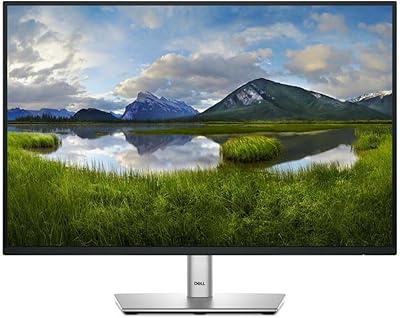
Dell P2425 24-inch Monitor
87%
94%
Display Quality
90%
Ergonomics and Adjustability
92%
Color Accuracy
89%
Connectivity Options
85%
Blue Light Technology (ComfortView Plus)
More
Dell Ultrasharp U2415 24-Inch Monitor
88%
91%
Display Quality
88%
Ergonomics & Adjustability
85%
Connectivity Options
93%
Ease of Setup
89%
Energy Efficiency
More
Dell Ultrasharp U2417H 24-inch Monitor
86%
92%
Display Quality
96%
Color Accuracy
89%
Ergonomics & Comfort
90%
Build Quality
87%
Connectivity
More
Dell G2524H Gaming Monitor 24.5-inch
87%
92%
Performance
96%
Refresh Rate
88%
Build Quality
91%
Ergonomics
93%
Display Quality
More
Dell D2421H 24-inch Full HD Monitor
84%
89%
Value for Money
91%
Display Quality
84%
Build Quality
93%
Ease of Setup
90%
Viewing Angles
More
Dell E2420H 24-inch FHD IPS Monitor
88%
88%
Display Quality
90%
Color Accuracy
87%
Viewing Angles
92%
Ease of Setup
91%
Energy Efficiency
More
Dell E24 24-inch FHD IPS Monitor
78%
83%
Image Quality
67%
Brightness & Glare Handling
78%
Refresh Rate & Smoothness
89%
Connectivity & Compatibility
52%
Ergonomics & Stand
More
Dell SE2425HM 24-inch Full HD Monitor
84%
92%
Value for Money
88%
Display Quality
91%
Eye Comfort Features
85%
Refresh Rate Performance
82%
Build Quality
More
Dell S2421HS 24-Inch Full HD Monitor
83%
88%
Display Quality
92%
Value for Money
84%
Ergonomics/Adjustability
75%
Performance in Gaming
89%
Color Accuracy
More
Dell P2419H 24-Inch FHD IPS Monitor
87%
91%
Display Quality
88%
Ergonomics
78%
Build Quality
94%
Color Accuracy
89%
Flicker-Free Technology
More

FAQ

Yes, the SE2422HX is compatible with Macs as long as your MacBook or Mac has an HDMI output or you use an appropriate adapter. The display will run at its native 1080p resolution without any special drivers. Just note that AMD FreeSync does not function on Apple systems, but everything else works fine.

The stand only supports tilt adjustment — there is no height, swivel, or pivot option built in. This is one of the more commonly flagged limitations by buyers. If ergonomics are important to you, a third-party VESA monitor arm is worth considering, and this Dell monitor does support VESA mounting.

The SE2422HX includes HDMI and VGA input ports. There are no USB-C, DisplayPort, or USB hub ports on this display. If your laptop only has USB-C, you will need a USB-C to HDMI adapter to connect it.

The ComfortView blue light filter is TUV-certified, which means it has been independently verified to reduce blue light emissions to safer levels — it is not just a software toggle. Combined with the matte anti-glare screen, most users find it noticeably more comfortable for extended use compared to glossy panels with no blue light control.

It handles casual gaming reasonably well. The 75Hz refresh rate with AMD FreeSync reduces tearing and feels smoother than a standard 60Hz panel. That said, competitive gamers who rely on fast response times and high frame rates will find it limiting — this display is not built with gaming as a primary use case.

No, this 24-inch display does not include built-in speakers. You will need external speakers or headphones for audio. It is a common trade-off at this price point, and buyers who want audio through their monitor may want to consider alternatives that include integrated speakers.

At 24 inches, 1080p is a reasonable fit for most general use at typical desk distances. Text looks clean, videos play crisply, and web browsing is comfortable. If you are used to a high-density QHD or 4K display, you may notice the difference, but for everyday productivity it is perfectly adequate.

A minority of user reports mention some backlight bleed, particularly noticeable in dark scenes or when the display is used in a very dim room. It is not a widespread issue based on the overall review data, but it is worth knowing about if you are sensitive to it or plan to use the display for movie watching in low-light conditions.

Yes, this 24-inch display is VESA compatible, which means you can remove the included stand and attach it to a third-party monitor arm or wall mount. This is a practical workaround for buyers who want full ergonomic flexibility that the included stand does not provide.

Setup is genuinely straightforward. The stand clicks together without tools, the cable management channel keeps things tidy, and most buyers report being fully up and running within ten minutes. The on-screen menu is simple to navigate, and the image quality is usable right away without significant calibration needed for general use.

Where to Buy

Saber Sales & Service
In stock $129.00