Overview

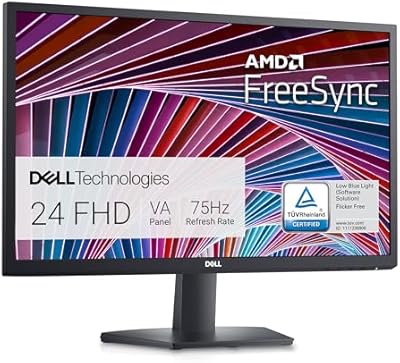
The Dell E24 24-inch FHD IPS Monitor is the kind of display Dell has always done well: dependable, well-built, and priced for real-world budgets without cutting corners where it counts. Released in early 2024, it quickly climbed to a respectable rank among computer monitors — not because it chases specs, but because it nails the basics. The 24-inch IPS panel is the real draw here, offering color accuracy and wide viewing angles that make a long workday noticeably easier on the eyes. This is not a monitor for enthusiasts chasing frame rates. It is a productivity-first display that earns its place on any desk.
Features & Benefits

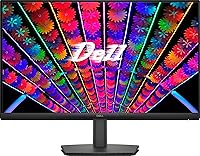
The IPS panel is the foundation everything else builds on — colors stay consistent when you shift your viewing angle, which matters whether you are sharing your screen or just rearranging your setup. The 100Hz refresh rate paired with AMD FreeSync makes scrolling and general navigation noticeably smoother than the 60Hz panels still common at this size, though calling it a gaming monitor would be a stretch. On connectivity, the triple-input setup — DisplayPort, HDMI, and a legacy VGA port — covers practically every scenario. The built-in power supply keeps cabling tidy, and the tilt-adjustable stand plus VESA compatibility add genuine day-to-day flexibility.

Best For

This Dell monitor makes the most sense for remote workers and office users who need a sharp, reliable screen without complexity. Students outfitting a first real desk setup will appreciate familiar Dell build quality without paying for features they do not need. If you are coming from an older TN panel or a basic 60Hz display, the upgrade to IPS color fidelity is immediately visible. Multi-device households will also value the VGA port for keeping older hardware in the mix. Where the E24 panel is less compelling is for competitive gamers or anyone whose primary need is raw response speed over image quality.

User Feedback

Buyers consistently highlight color accuracy out of the box and a build quality that feels a step above similarly priced rivals. The setup process draws praise too, and the cable management channel is a small touch that users genuinely appreciate. The most reliable complaint is the stand — no height adjustment or pivot means ergonomic flexibility is limited unless you pair it with a third-party arm. The brightness level is fine for most indoor rooms but can struggle in sun-facing spaces. A small number of buyers mention dead pixel issues on arrival, though it does not appear to be a widespread pattern. Productivity users tend to rate it highly; more demanding users are split.

Pros

  • The IPS panel delivers noticeably better color accuracy and wider viewing angles than TN alternatives at this price.
  • The 100Hz refresh rate makes everyday scrolling and multitasking feel visibly smoother without requiring a premium.
  • Triple connectivity covers DisplayPort, HDMI, and VGA, so virtually any device can plug straight in.
  • The built-in power supply eliminates the external brick, keeping cable runs behind the desk clean and minimal.
  • VESA mount compatibility means upgrading to a monitor arm later is straightforward and well-supported.
  • Flicker-free backlighting and a low blue light mode reduce eye fatigue noticeably during long work sessions.
  • Dell's build consistency means this 24-inch display feels more solid than similarly priced competitors from lesser-known brands.
  • AMD FreeSync reduces screen tearing during casual gaming and general use without needing a high-end GPU.
  • Color calibration out of the box is accurate enough for most users to start working immediately without adjustments.
  • The compact footprint and integrated cable management tray help keep tight desks organized from day one.

Cons

  • The stand offers only tilt adjustment — no height, swivel, or pivot — which forces posture compromises for many users.
  • Brightness tops out at a level that struggles in sun-facing rooms or naturally bright environments during the day.
  • No USB hub is included, which is a missed convenience for users running multiple peripherals from a single desk.
  • Input switching requires navigating a slow, button-driven on-screen menu with no shortcut or hardware toggle.
  • The low blue light mode shifts the screen noticeably warm, with no option to dial in an intermediate intensity.
  • Quality control reports include occasional dead or stuck pixels found within the first days of use.
  • The stand base can shift on smooth or glossy desk surfaces without a non-slip pad underneath it.
  • Full HD resolution on a 24-inch panel is adequate but not sharp enough for users accustomed to higher-density displays.

Ratings

The Dell E24 24-inch FHD IPS Monitor sits in a competitive spot where buyers expect solid daily performance without paying a premium for features they may never use — and for the most part, it delivers. Our AI-generated scores are based on analysis of verified global user reviews, with spam, bot activity, and incentivized feedback actively filtered out to reflect genuine ownership experiences. Both the consistent strengths and the recurring frustrations are factored in, giving you an honest picture before you buy.
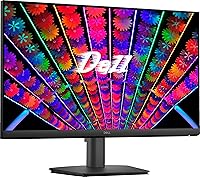
Image Quality
83%
The IPS panel is the standout feature for most buyers, with colors that look accurate and balanced right out of the box. Users working on documents, spreadsheets, and video calls frequently note how much more natural text and skin tones appear compared to older TN panels they replaced.
At full HD resolution on a 24-inch screen, pixel density is adequate but not sharp enough to impress users coming from higher-resolution displays. A handful of reviewers note that gradients and darker scenes reveal minor banding, which is a known limitation at this panel tier.
Brightness & Glare Handling
67%
33%
The anti-glare coating does a competent job in typical indoor lighting — most office and home users report no distracting reflections under overhead lights or beside lamps. The coating finish also avoids the washed-out look that some matte screens suffer from.
At 250 nits, the panel struggles in sun-facing rooms or near bright windows, where the image can appear noticeably dim. Users who work in naturally bright environments consistently flag this as a real limitation, particularly during daytime hours.
Refresh Rate & Smoothness
78%
22%
The step up to 100Hz makes a tangible difference for everyday use — scrolling through long documents, switching between browser tabs, and even light gaming all feel noticeably more fluid than a standard 60Hz screen. AMD FreeSync reduces the minor tearing some users noticed on older monitors.
This is not a monitor built around gaming, and the 5ms response time makes that clear to anyone pushing it in fast-paced titles. Competitive gamers will find ghosting under demanding conditions, and the FreeSync range is not broad enough to satisfy serious players.
Connectivity & Compatibility
89%
Three inputs — DisplayPort, HDMI, and VGA — means this display connects to virtually anything in a typical home or office. Users with older desktop towers especially appreciate the VGA port, which most modern monitors have quietly dropped.
There is no USB hub built in, which users running multi-peripheral setups notice as a missing convenience. Switching between inputs requires manually navigating the on-screen menu, which a few buyers describe as slower than expected.
Ergonomics & Stand
52%
48%
The stand is stable and the tilt adjustment covers a reasonable range, which is enough for users who set up their monitor once and rarely move it. VESA compatibility is a genuine relief for anyone who already owns a monitor arm or wall mount.
No height adjustment and no pivot or swivel are the most consistent complaints across all review sources. For anyone spending hours at a desk, the fixed height forces compromises in posture, and buyers with varying desk setups find this genuinely frustrating rather than just mildly inconvenient.
Build Quality & Materials
84%
Dell's manufacturing consistency shows here — the chassis feels solid with minimal flex, and the plastic finish does not attract scratches easily. Most buyers comment that the monitor looks and feels more expensive than comparable options from lesser-known brands at similar prices.
The stand base is lightweight plastic that can shift on slick desk surfaces, and a few users note the rear cable routing clip is a bit fragile under repeated use. Nothing feels cheap, but the materials are clearly chosen with cost efficiency in mind.
Setup & Out-of-Box Experience
91%
Assembly takes under five minutes for most users, and the monitor arrives calibrated well enough that many buyers plug it in and never visit the settings menu. The included documentation is clear, and the cable management channel is a small but appreciated touch that keeps the desk looking tidy.
The on-screen display interface is functional but dated, with a button layout that takes some getting used to. Users who want to fine-tune color profiles or adjust settings regularly find the navigation less intuitive than competing options.
Eye Comfort & Long Sessions
86%
The flicker-free backlight and low blue light mode make a real difference for users logging eight or more hours in front of this display. Several buyers who reported headaches or eye fatigue with previous monitors mention a noticeable improvement after switching to this panel.
The low blue light mode shifts the white balance toward warm tones, which some users find too yellow for color-accurate work. There is no fine-grained control over the intensity, so it is either fully on or off without intermediate options.
Value for Money
81%
19%
At its price point, the combination of an IPS panel, 100Hz refresh rate, triple connectivity, and a reputable brand is genuinely hard to match. Buyers who compare it against similarly priced alternatives from less established brands consistently rate the Dell as the safer long-term investment.
Shoppers on the tightest budgets can find functionally similar TN panels for less, and those willing to stretch further can access higher resolution or better stands. The value is strong but contextual — it depends on how much the IPS panel and Dell reliability matter to you personally.
Color Accuracy
77%
23%
Out of the box, the E24 panel handles everyday color reproduction reliably for office tasks, video streaming, and casual photo browsing. Users doing light photo editing report that the default calibration is close enough for non-professional work without manual adjustment.
For serious creative work, the color gamut coverage is not wide enough to be considered a design monitor. Users who need accurate sRGB or wide-gamut performance for professional photography or video editing will likely feel constrained by this panel's limitations.
Viewing Angles
82%
18%
IPS technology delivers consistent color and contrast even at moderate off-axis angles, which is a practical advantage in shared workspaces or when a second person is reviewing content on the same screen. The difference versus TN panels is immediately obvious in side-by-side comparisons.
At the extreme edges of the viewing cone, some color shift and mild contrast loss are still present — this is typical for IPS panels at this price level rather than a specific flaw. It is unlikely to affect most users but worth noting for those placing the monitor in a wide-angle shared environment.
Footprint & Desk Fit
88%
The compact base and built-in power supply eliminate the external power brick that clutters the area behind many budget monitors. Users with smaller desks or tight dual-monitor setups consistently note how little space the overall assembly demands.
The depth of the stand base is slightly larger than the slimmest alternatives on the market, which matters in very shallow desk configurations. Users who had hoped for a borderline-minimal footprint may find the base just slightly larger than expected from product photos.
Reliability & Quality Control
74%
26%
The majority of buyers report zero hardware issues over extended use, and Dell's warranty support is consistently rated as responsive compared to white-label competitors. Long-term owners rarely report backlight degradation or color drift over months of use.
A recurring thread in negative reviews involves dead or stuck pixels discovered within the first week of use. While not an epidemic-level complaint, the frequency is high enough to suggest quality control variability across production runs, and some buyers report friction in the initial warranty claim process.
Gaming Suitability
61%
39%
For casual gaming — indie titles, strategy games, slower-paced RPGs — this 24-inch display handles the task comfortably, with the 100Hz rate giving movement a cleaner feel than budget 60Hz alternatives. AMD FreeSync helps in VRR-compatible game sessions at moderate frame rates.
Competitive and fast-twitch gaming exposes the 5ms response time as a real bottleneck, with ghosting visible in high-motion scenes. The brightness cap also makes HDR-adjacent game environments feel flat. This is not a monitor that gaming-first buyers should build their setup around.

Suitable for:

The Dell E24 24-inch FHD IPS Monitor is a strong fit for anyone who spends most of their screen time on productivity tasks — think remote workers juggling spreadsheets, video calls, and browser-heavy workflows across a long day. Students building out a first real desk setup will find the combination of IPS color accuracy and Dell's build reliability hard to beat at this price tier without taking risks on unknown brands. If you are currently using an older TN panel or a basic 60Hz display, the upgrade in both color consistency and motion smoothness will be immediately noticeable and genuinely worthwhile. Multi-device households also benefit from the rare inclusion of a VGA port alongside modern inputs, keeping older hardware in active use without requiring adapters. Anyone who plans to wall-mount or use a monitor arm will appreciate the VESA compatibility, and the built-in power supply keeps the cable situation far tidier than most rivals in this category.

Not suitable for:

The Dell E24 24-inch FHD IPS Monitor is the wrong choice for buyers whose primary use case is competitive or fast-paced gaming — the response time and brightness ceiling simply do not match what dedicated gaming monitors offer at comparable prices. Creative professionals who need wide color gamut coverage for accurate photo editing, video grading, or design work will find the panel's color space too limiting for client-facing output. Users working in sun-facing rooms or next to bright windows will likely struggle with the panel's modest brightness, which can make the image feel washed out during daylight hours. Anyone who needs a monitor arm but has not yet bought one should also know that the stock stand offers only tilt adjustment — no height, swivel, or pivot — which becomes an ergonomic compromise in longer sessions. Finally, buyers hoping for a USB hub or quick-switch input controls will find neither here, which is a real inconvenience in more complex desk setups.
Specifications

  • Panel Type: The display uses an IPS LED panel, which provides consistent color reproduction and wide viewing angles compared to TN or VA alternatives.
  • Screen Size: The active display area measures 24 inches diagonally, making it a practical fit for standard desks without dominating the workspace.
  • Resolution: Native resolution is 1920x1080 (Full HD), delivering clear, sharp visuals suitable for everyday productivity and media consumption.
  • Refresh Rate: The panel runs at up to 100Hz, offering noticeably smoother motion than standard 60Hz monitors for scrolling, multitasking, and light gaming.
  • Response Time: The specified response time is 5ms, which handles general use and casual gaming well but falls short of what competitive gaming monitors offer.
  • Brightness: Maximum brightness is rated at 250 cd/m², adequate for typical indoor office environments but limited in very bright or sun-facing rooms.
  • Aspect Ratio: The panel uses a 16:9 widescreen aspect ratio, the standard format for full HD content, productivity software, and video streaming.
  • Connectivity: Input options include one DisplayPort, one HDMI, and one VGA port, covering both modern and legacy device connections without adapters.
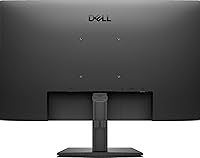
  • VESA Compatibility: The monitor supports standard VESA 100x100mm mounting, allowing it to be paired with most third-party monitor arms or wall mounts.
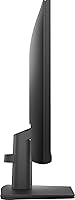
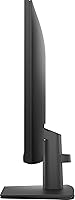
  • Stand Adjustment: The included stand supports tilt adjustment only; height, swivel, and pivot adjustments are not available without a third-party mounting solution.
  • Anti-Glare Coating: A 3H Hard Coating anti-glare treatment is applied to the screen surface to reduce reflections under typical indoor lighting conditions.
  • Eye Care: The monitor is certified flicker-free and includes a low blue light mode, both designed to reduce eye strain during extended use.
  • AMD FreeSync: AMD FreeSync is supported, which synchronizes the refresh rate with compatible AMD GPUs to reduce screen tearing and stuttering.
  • Power Supply: The power supply unit is built directly into the monitor chassis, eliminating the need for an external power brick and simplifying cable management.
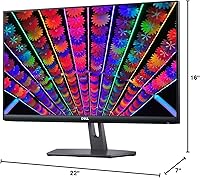
  • Dimensions: With the stand attached, the monitor measures 24 x 21.65 x 6 inches (W x H x D), giving it a relatively compact overall footprint.
  • Weight: The complete unit including the stand weighs 12.52 pounds, which is manageable for repositioning but substantial enough to feel stable on a desk.
  • Cable Management: A built-in cable holder on the stand helps route and conceal cables, contributing to a tidier desk setup without additional accessories.
  • Availability Date: This monitor was first made available in January 2024, positioning it as a current-generation entry in Dell's mainstream monitor lineup.

Related Reviews

Dell E2420H 24-inch FHD IPS Monitor

88%
88%
Display Quality
90%
Color Accuracy
87%
Viewing Angles
92%
Ease of Setup
91%
Energy Efficiency
More
Dell P2419H 24-Inch FHD IPS Monitor
87%
91%
Display Quality
88%
Ergonomics
78%
Build Quality
94%
Color Accuracy
89%
Flicker-Free Technology
More
Dell SE2422HX 24-inch Monitor

75%
83%
Image Quality
88%
Eye Comfort
76%
Build Quality
47%
Ergonomics & Adjustability
74%
Refresh Rate & Smoothness
More
HP 524sf 24-inch FHD IPS Monitor
85%
88%
Display Quality
91%
Value for Money
85%
Build Quality
94%
Ease of Setup
87%
Eye Care Features
More
ReHisk 241KV2 24-inch Gaming Monitor
73%
91%
Refresh Rate Performance
88%
Adaptive Sync
79%
Panel & Color Quality
54%
Brightness & HDR
67%
Build Quality
More
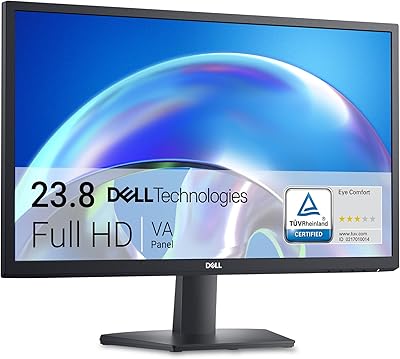
Dell 24 SE2425H Monitor 23.8-inch FHD
83%
92%
Value for Money
88%
Display Quality
91%
Eye Comfort
60%
Ergonomics
85%
Color Accuracy
More
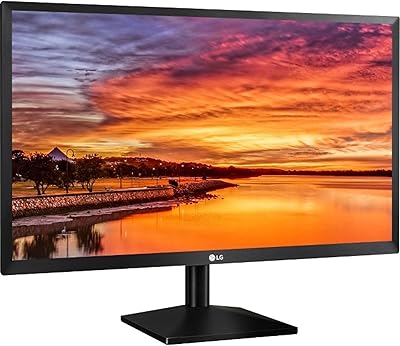
LG 24MP400-B 24-inch IPS Monitor
71%
83%
Image Quality
91%
Value for Money
79%
Eye Comfort
64%
Gaming Performance
67%
Build Quality
More
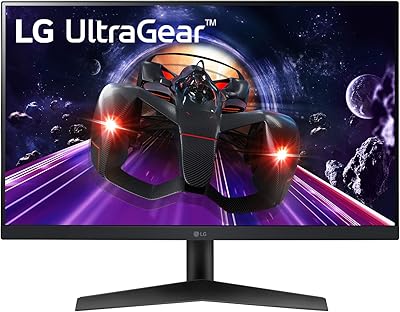
LG 24BK430H-B 24-Inch FHD IPS Monitor
82%
91%
Display Quality
88%
Value for Money
94%
Eye Comfort
68%
Build Quality
87%
Ease of Setup
More
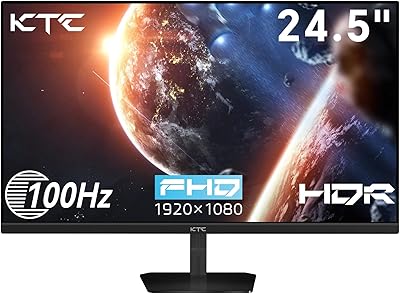
KTC H25B7 24.5-inch FHD 100Hz IPS Monitor
83%
89%
Display Quality
85%
Gaming Performance
91%
Color Accuracy
88%
Eye Care Features
78%
Build Quality
More
LG 24GN60R-B 24-inch FHD Gaming Monitor
71%
88%
Value for Money
84%
Gaming Performance
81%
Image Quality
51%
HDR Performance
43%
Stand & Ergonomics
More

FAQ

Yes, the HDMI port works with any laptop that has a standard HDMI output, including many MacBook models when used with the appropriate USB-C to HDMI adapter. Setup is straightforward — plug in, select the HDMI input, and the display is recognized automatically in most cases.

Absolutely. The monitor supports the standard VESA 100x100mm pattern, which is compatible with the vast majority of monitor arms and wall mounts sold today. You will need to remove the included stand first, and then the arm attaches directly to the four mounting holes on the back.

The included stand only supports tilt adjustment — there is no height, swivel, or pivot movement built in. If ergonomic positioning matters to you, pairing this display with an aftermarket monitor arm is the practical solution, and the VESA mount support makes that easy to do.

Yes, the VGA input is included specifically for compatibility with older hardware, which is increasingly rare on monitors in this category. You can connect a legacy desktop or older laptop directly without needing a separate adapter.

For most users, yes — particularly during everyday tasks like scrolling through documents or web pages, where motion appears visibly smoother. It is not a dramatic leap like going from 60Hz to 144Hz, but the difference is real and consistent in daily use. Casual gamers will also appreciate the improvement, though competitive players will want something faster.

Out of the box, the color accuracy is good enough that most users plug it in and leave the settings alone. Dell's factory calibration on this panel is consistent enough for office work, general media, and even light photo browsing. If you have specific color requirements for design work, you may want to fine-tune the settings, but it is not necessary for everyday use.

This is one area where the E24 panel shows its limits. The 250-nit brightness is comfortable in a typical indoor office or home setup, but in a room with a south-facing window or strong daylight coming in, the image can look noticeably dim. If your workspace gets a lot of direct sunlight, you may want to consider a higher-brightness option.

No, this 24-inch display does not include built-in speakers. You will need external speakers or headphones connected to your computer or a separate audio device for sound output.

No, there are no USB ports on this monitor. All connectivity is limited to the display inputs — DisplayPort, HDMI, and VGA. If you need USB ports at your monitor for peripherals or charging, you will need to use a separate USB hub.

Dell typically backs monitors in this line with a standard one-year limited hardware warranty, though coverage terms can vary by region and purchase channel, so it is worth confirming at the time of purchase. Dell's support reputation for business and consumer monitors is generally solid, with accessible replacement and claims processes compared to smaller monitor brands.