

Overview
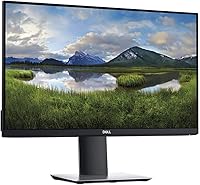
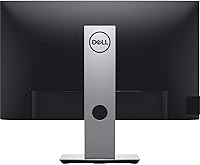
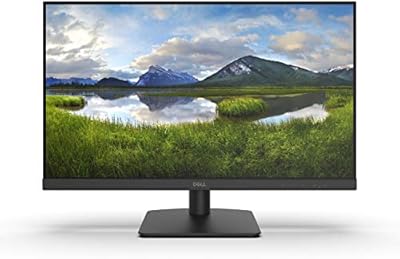
The Dell P2419H 24-Inch IPS Monitor has been a steady fixture in the mid-range office display market since its debut in 2018, and its continued popularity says a lot about what Dell got right. This is a no-drama productivity panel — compact base, slim bezel profile, and a screen that renders colors consistently whether you're sitting front-and-center or off to one side. At 1080p, the resolution hits a practical sweet spot for everyday work without demanding a powerful GPU. If you want a reliable daily driver that simply works, this Dell display has earned its reputation.
Features & Benefits
What makes the P2419H worth considering for long work sessions is the combination of an IPS panel and Dell's ComfortView technology. The wide viewing angle means colors stay accurate even when you shift in your seat, and the flicker-free, low blue light certification from TUV is genuinely useful if you log eight-plus hours daily. The three-sided ultrathin bezel keeps things clean visually and makes pairing two of these side by side a natural choice. Connectivity is practical: DisplayPort, HDMI, VGA, and a built-in USB hub with five ports total. Worth noting — at 60Hz and 8ms, this is a productivity panel, not a gaming one.
Best For
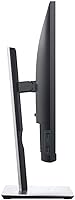
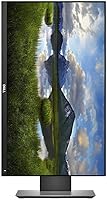
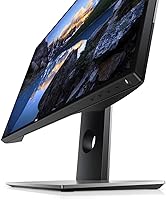
This 24-inch IPS panel makes the most sense for remote workers and professionals who need a dependable screen for spreadsheets, documents, and video calls without a lot of fuss. Students building their first proper desk setup will appreciate the compact footprint and the ergonomic stand, which adjusts for height, tilt, swivel, and pivot — a surprisingly full range at this price tier. Creative beginners doing light photo editing will find the color accuracy adequate for casual work. It also suits anyone daisy-chaining multiple monitors, where the near-borderless design makes the joined edges feel almost invisible. Not the right call if gaming performance is a priority.
User Feedback
Across thousands of verified buyers, the P2419H holds a 4.6 out of 5 rating — and reading through the feedback, that number reflects genuine satisfaction rather than hype. Color accuracy and stand adjustability come up most often as standout strengths, particularly among users who work seated at varying heights throughout the day. On the downside, some buyers have noticed minor backlight bleed in the corners, which is worth knowing about — it is a trait common to IPS panels generally and tends to vary from unit to unit rather than being a systematic flaw. Long-term owners repeatedly mention durability as a reason they would buy Dell again.
Pros
- IPS panel delivers consistent, accurate colors from wide angles — no color shift when you move off-center.
- ComfortView and flicker-free certification make a real difference during long work sessions.
- The fully adjustable stand — height, tilt, swivel, and pivot — is unusually capable at this price tier.
- Three-sided ultrathin bezel keeps multi-monitor setups looking clean and professional.
- Built-in USB hub with five ports reduces cable clutter on a busy desk.
- Matte anti-glare coating handles ambient light well without adding a distracting haze.
- Strong long-term reliability; Dell's build quality is one reason repeat buyers cite this brand again.
- Rated 4.6 out of 5 across thousands of verified buyers — sustained satisfaction, not a short-lived spike.
- Multiple video inputs including DisplayPort, HDMI, and VGA cover a wide range of source devices.
- Compact base footprint frees up meaningful desk space compared to bulkier monitor stands.
Cons
- 60Hz refresh rate makes this 24-inch IPS panel a poor fit for fast-paced or competitive gaming.
- No USB-C port limits compatibility with newer laptops that rely on it for video output.
- 1080p resolution may feel limiting for users who work with dense code, large spreadsheets, or 4K media.
- Some units exhibit minor backlight bleed in the corners, a known variability with IPS technology.
- Color gamut coverage is adequate but not wide enough for professional color-critical work.
- No built-in speakers, which adds another accessory purchase for users without external audio.
- 8ms response time can produce visible ghosting on fast-moving content compared to gaming-grade panels.
- At 7.19 pounds, it is not particularly light, making repositioning or travel with it less convenient.
Ratings
Our AI-generated scores for the Dell P2419H 24-Inch IPS Monitor are built by analyzing thousands of verified global buyer reviews, with spam, bot-submitted, and incentivized feedback actively filtered out before scoring. Each category reflects the real distribution of user sentiment — strengths are credited where they are earned, and recurring pain points are scored honestly without being softened. The result is a transparent, balanced picture of where this 24-inch IPS panel genuinely delivers and where it falls short for specific buyers.
Color Accuracy
Viewing Angles
Eye Comfort
Stand Ergonomics
Build Quality
Bezel Design
Connectivity
Image Sharpness
Gaming Performance
Brightness & Glare Handling
Value for Money
Setup & Usability
Multi-Monitor Compatibility
Suitable for:
The Dell P2419H 24-Inch IPS Monitor is built for people who spend the majority of their day in front of a screen and need it to hold up without complaint. Office professionals and remote workers will appreciate the ComfortView low blue light mode and flicker-free certification, which genuinely reduce the eye fatigue that builds up over long hours. Students putting together a first serious desk setup get a lot of practical value here — the fully adjustable stand accommodates different sitting positions and desk heights without requiring an aftermarket arm. If you're planning a dual-monitor arrangement, the ultrathin three-sided bezel makes the joined edges far less distracting than a conventional display would. Creative beginners doing light photo editing or graphic work will find the IPS color accuracy more than adequate for learning and casual projects. It's also a sensible upgrade for anyone coming from an older TN panel or a smaller screen, where the jump in viewing angle quality and screen real estate will be immediately noticeable.
Not suitable for:
The Dell P2419H 24-Inch IPS Monitor has clear limits, and being upfront about them saves buyers from disappointment. The 60Hz refresh rate and 8ms response time are fine for productivity work, but anyone who plays fast-paced or competitive games will feel the difference compared to a dedicated gaming display — input lag and motion blur are real concerns at these specs. Content creators working in video production or professional color grading will likely outgrow the 1080p resolution and the panel's color volume relatively quickly, making a step-up display a smarter long-term investment. Buyers who need a large-format screen for immersive media consumption or wide creative canvases may also find 24 inches limiting. Additionally, the P2419H does not support USB-C connectivity, which can be a genuine inconvenience for users with modern laptops that rely on that port for video output.
Specifications
- Panel Type: The display uses an IPS (In-Plane Switching) panel, which provides consistent color accuracy and wide viewing angles compared to TN alternatives.
- Screen Size: The active display area measures 24 inches diagonally, making it a practical fit for single or multi-monitor desk setups.
- Resolution: Native resolution is 1920x1080 (Full HD), delivering a pixel density suitable for everyday office work, web browsing, and media consumption.
- Refresh Rate: The panel runs at a fixed 60Hz refresh rate, which is standard for productivity-focused displays in this category.
- Response Time: Rated at 8ms (GtG), the response time is adequate for general use but not optimized for fast-paced gaming or motion-heavy video.
- Aspect Ratio: The screen uses a 16:9 widescreen aspect ratio, the standard format for modern productivity applications and HD video content.
- Contrast Ratio: Static contrast ratio is rated at 1000:1, which is typical for IPS panels and supports reasonably deep blacks for office environments.
- Screen Surface: The matte anti-glare coating (3H hardness) reduces reflections from ambient light sources without introducing significant haze or cloudiness.
- Ports: Video connectivity includes one DisplayPort 1.2, one HDMI 1.4, and one VGA port, covering a broad range of source devices old and new.
- USB Hub: The integrated USB hub includes one USB 3.0 upstream port, two USB 3.0 downstream ports, and two USB 2.0 downstream ports for peripheral management.
- Eye Care: The P2419H is TUV-certified for both flicker-free operation and ComfortView low blue light output, reducing eye strain during extended use.
- Bezel Design: Three sides of the panel feature an ultrathin bezel, minimizing the visual border between screens when used in a multi-monitor configuration.
- Stand Adjustment: The included stand supports tilt (-5° to 21°), swivel (45° in each direction), pivot (90° rotation), and height adjustment (up to 130mm range).
- VESA Mount: The monitor is compatible with 100x100mm VESA mounting patterns, allowing use with third-party monitor arms or wall mounts.
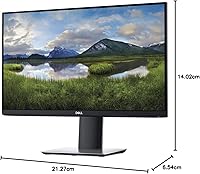
- Dimensions: With the stand attached, the monitor measures 21.27 inches wide, 6.54 inches deep, and 14.02 inches tall at its lowest height position.
- Weight: The full unit including stand weighs 7.19 pounds, which is manageable for a desk monitor but not particularly light for frequent repositioning.
- Power Input: The monitor operates on 100–240V AC input, making it compatible with standard power outlets across most regions worldwide.
- Color Gamut: The panel covers the sRGB color space at a level suitable for everyday productivity and casual creative work, though it is not factory-calibrated for professional use.
Related Reviews

Dell E2420H 24-inch FHD IPS Monitor
Dell P2425 24″ WUXGA IPS Monitor

ViewSonic VG2448A 24-inch IPS Monitor
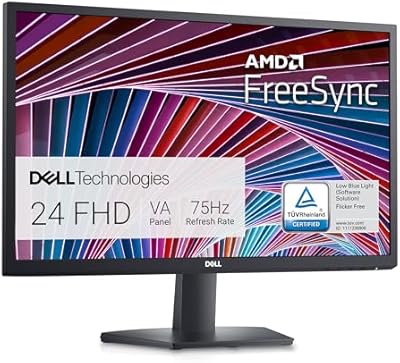
Dell SE2422HX 24-inch Monitor
Dell UltraSharp U2417H 24-inch IPS Monitor

Dell P2714H 27-inch IPS Monitor
Dell UltraSharp U2415 24-inch Monitor
Dell P2214H 22-Inch IPS Monitor
Dell D2421H 24-inch Full HD IPS Monitor