



Overview
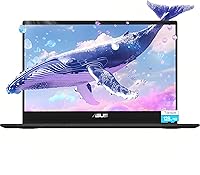
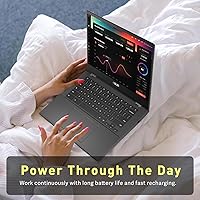
The ASUS Chromebook 14-inch Laptop is ASUS's practical answer to what a student laptop should look like without breaking the bank. Running Chrome OS means automatic updates, built-in security, and no bloatware to clean up — it's a genuinely low-maintenance operating system once you're in the Google ecosystem. The 2024 positioning keeps it competitive among entry-level education laptops. One clarification worth making early: the 192GB storage figure in the listing includes a bundled microSD card of 128GB alongside roughly 64GB of onboard flash. That card is a real bonus, not a gimmick, and it meaningfully expands what you can store locally.
Features & Benefits
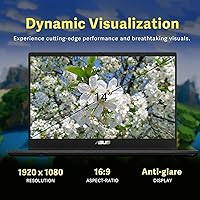
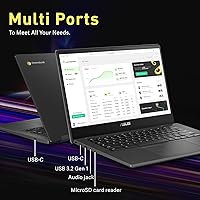
The MediaTek Kompanio 520 — an 8-core chip running at 2GHz — handles the kind of tasks this Chromebook is built for: Google Docs, Sheets, video calls, and streaming. Push it harder with 15-plus browser tabs and you'll feel the edges of what 4GB of RAM allows, but for focused everyday work, it keeps pace. The 14-inch FHD display delivers sharp 1920x1080 visuals with decent color, comfortable for long study sessions. Battery life is legitimately strong, often clearing 10 hours in real use. Wi-Fi 6 support adds stability on congested school networks, and the USB-C plus three USB 3.0 ports cover most connectivity needs without requiring an adapter.
Best For
This student laptop fits a pretty specific profile, and knowing that upfront saves disappointment. It's ideal for students from middle school through college who rely on Google Workspace, browser research, and video calls to get through their day. Families with younger kids will appreciate Chrome OS's built-in safety features and how difficult it is to accidentally break the system. Remote or hybrid workers who operate primarily in a browser will feel right at home here too. What this isn't: a machine for anyone needing Windows software, local video editing, or serious offline productivity. Stay in that lane and the ASUS 14-inch Chromebook delivers reliably.
User Feedback
Owners of this Chromebook tend to land in one of two camps. The majority are satisfied, pointing to battery performance as the standout — many report pushing through a full school day without reaching for the charger. Keyboard feel earns decent marks for everyday typing, though the trackpad draws mixed reviews for its firmness. On the critical side, chassis flex comes up often; the lid and base have noticeable give under pressure, a known trade-off at this price point. The RAM ceiling is another honest complaint — multitaskers running several apps simultaneously will notice slowdowns. A handful of buyers also mention adjusting expectations around Chrome OS compared to a traditional Windows machine.
Pros
- Battery life regularly clears a full school day, making the charger an afterthought on most outings.
- Chrome OS boots fast, stays secure without antivirus software, and updates itself quietly in the background.
- At under four pounds, this Chromebook is genuinely easy to carry between classes or rooms all day.
- The 14-inch FHD screen is sharp and comfortable for long reading and video sessions.
- Wi-Fi 6 support means fewer connection headaches on crowded school or office networks.
- The bundled 128GB microSD card adds meaningful storage right out of the box.
- USB-C plus three USB 3.0 ports offer practical flexibility without needing a hub for most setups.
- Chrome OS family management tools make this a safe, controlled environment for younger students.
- The keyboard is comfortable for extended typing sessions like essays or reports.
Cons
- 4GB of RAM creates noticeable slowdowns when more than six or seven browser tabs are open simultaneously.
- Onboard flash storage is only around 64GB; the 192GB figure in the listing depends entirely on the included microSD card.
- The chassis has a fair amount of flex in the lid and base, which feels fragile under daily backpack use.
- Chrome OS cannot run Windows or Mac software, which surprises buyers who do not research this beforehand.
- The trackpad feels stiff and imprecise to some users, especially those coming from premium laptops.
- Integrated graphics mean any GPU-dependent task, including light video editing, struggles noticeably.
- The display, while sharp, lacks brightness for comfortable outdoor or high-glare environments.
- Offline functionality is genuinely limited — many core Chrome OS apps need an internet connection to work properly.
Ratings
Our AI-generated scores for the ASUS Chromebook 14-inch Laptop are built by analyzing thousands of verified global user reviews, with spam, bot submissions, and incentivized feedback actively filtered out before scoring. The result is an honest, balanced snapshot that reflects both what real buyers love and where this student laptop genuinely falls short. Every score below — high or low — is grounded in patterns from authentic purchase feedback across multiple markets.
Battery Life
Value for Money
Performance
Display Quality
Build Quality
Keyboard & Typing
Trackpad
Storage Setup
Portability
Connectivity
Chrome OS Experience
Webcam Quality
Software & App Ecosystem
Setup & Ease of Use
Suitable for:
The ASUS Chromebook 14-inch Laptop is a strong fit for students from middle school through college who spend most of their time in Google Classroom, Docs, or a browser. If your workflow revolves around writing assignments, video calls, research, and light media consumption, this machine covers all of it without fuss. Families with younger children will appreciate how locked-down and manageable Chrome OS is — parental controls are straightforward, and the system is genuinely hard to mess up. Remote workers or part-time freelancers who live inside Google Workspace and need a portable, reliable secondary device will also find it does the job well. The bundled microSD card is a practical bonus for anyone who deals with photos, documents, or media files and wants a little breathing room beyond the onboard storage.
Not suitable for:
The ASUS Chromebook 14-inch Laptop is the wrong choice for anyone who depends on Windows-native software, whether that's Adobe Creative Suite, specialized engineering tools, or legacy business applications that have no web equivalent. The 4GB of RAM is a real ceiling — power users who habitually run a dozen browser tabs alongside streaming, cloud syncing, and communication apps will notice the slowdowns quickly. This is not a machine for serious gaming either; Chrome OS gaming options are limited, and the MediaTek processor was not designed for demanding graphics workloads. Anyone who needs substantial offline capability should also look elsewhere, since Chrome OS is at its weakest when disconnected from the internet. If you need a single laptop that handles everything, this student laptop will likely leave you reaching for something else within a year.
Specifications
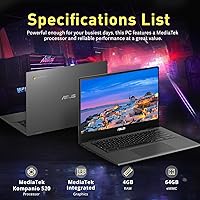
- Processor: Powered by the MediaTek Kompanio 520, an 8-core chip running at 2GHz designed for light-to-moderate computing workloads.
- RAM: Equipped with 4GB of LPDDR4X memory, sufficient for everyday browsing and productivity tasks within Chrome OS.
- Onboard Storage: Includes approximately 64GB of built-in flash storage for the operating system, apps, and locally saved files.
- Bundled Storage: Ships with a 128GB microSD card included in the box, bringing the total advertised storage figure to 192GB.
- Display: Features a 14-inch FHD IPS-style panel with a native resolution of 1920x1080 pixels for clear, sharp visuals.
- Operating System: Runs Chrome OS, Google's browser-centric operating system with built-in security, automatic updates, and Google Play support.
- Battery Life: Rated for up to 14 hours of use on a single charge, making it viable for full-day student or work sessions.
- Wireless: Supports Wi-Fi 6 (802.11ax) for faster throughput and better performance on congested wireless networks.
- Ports: Includes one USB-C port, three USB 3.0 Type-A ports, and a built-in SD card reader for flexible connectivity.
- Webcam: Equipped with a built-in webcam suitable for video calls, virtual classes, and remote meetings.
- Graphics: Uses integrated MediaTek graphics; no discrete GPU is present, limiting performance in graphics-intensive tasks.
- Weight: Weighs 3.77 pounds, placing it in the lightweight category for a 14-inch laptop.
- Dimensions: Measures 12.63 x 8.13 x 0.69 inches, keeping the footprint compact enough for most standard backpacks.
- Memory Type: RAM uses the DDR4 SDRAM standard in an LPDDR4X configuration optimized for lower power consumption.
- Bluetooth: Includes Bluetooth connectivity for pairing wireless peripherals such as headphones, mice, and keyboards.
- Platform: Built on the PC hardware platform running Chrome OS, fully compatible with Android apps via the Google Play Store.
Related Reviews

ASUS Chromebook CM14 (CM1402CM2A-DS44)

HP Chromebook 14a 14-inch Laptop
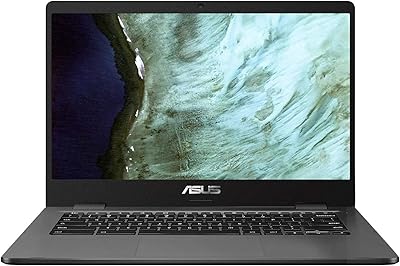
ASUS C423NA-BCLN5 14-inch 32GB Chromebook
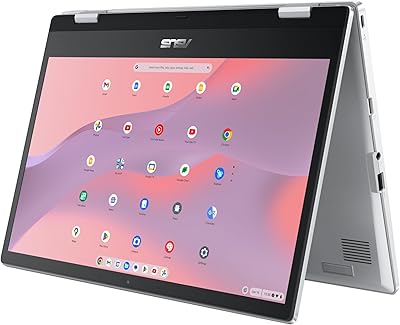
ASUS Chromebook Flip CX1 14″ 8GB/128GB
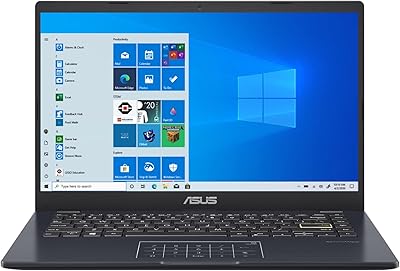
ASUS E410MA 14-Inch Celeron Laptop

HP Chromebook 14 AMD A4 Laptop
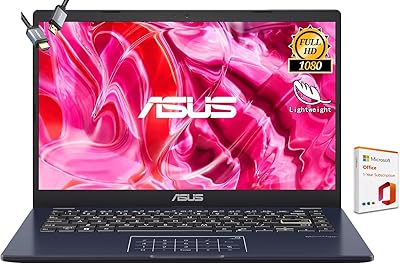
ASUS Vivobook Go 14-inch Laptop
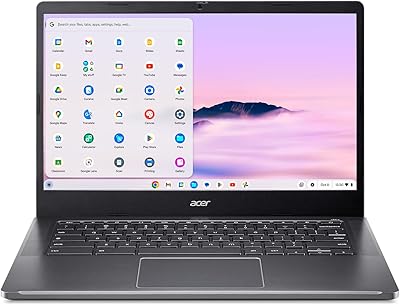
Acer Chromebook Plus 514 CB514-4HT

HP Chromebook Plus x360 14-inch 2-in-1 Laptop

HP 14-dq0020nr 14-Inch Laptop
