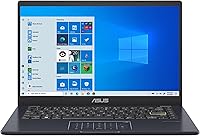
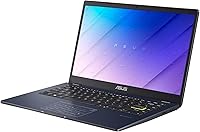
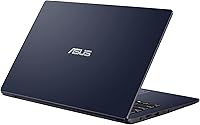
Overview

The ASUS E410MA 14-Inch Celeron Laptop is ASUS's answer to one of the most common buyer requests in tech: a Windows machine that works reliably without costing a fortune. This budget ASUS laptop sits firmly in entry-level territory — built for students, light home users, and anyone who just needs to get things done. It's slim, easy to carry, and the anti-glare display is a practical touch that makes a real difference in bright rooms. Just be honest going in: this is not a powerhouse, and matching expectations to the hardware is everything with a machine at this level.

Features & Benefits

The E410MA runs on an Intel Celeron N4020 with 4GB of RAM — workable for single-task use, but noticeably sluggish the moment you pile browser tabs on top of an open document. The 64GB eMMC storage boots faster than a traditional spinning drive, but it is not a full SSD, and it fills up quickly enough that cloud storage becomes almost mandatory from day one. On the upside, Wi-Fi 6 support is a genuine bonus at this price tier. Battery life, rated around 10 hours, is the standout spec here — and from real-world use, it holds up reasonably well for a full school or work day.

Best For

This entry-level Celeron notebook is well-suited to students who live inside Google Docs, Microsoft 365 online, or a browser tab for most of the day. It also works for seniors or first-time laptop owners who just want a simple, low-maintenance Windows device for email and video calls. A backup or secondary laptop for a family is another natural fit. What it is not suited for: gaming, video editing, or running heavy local software. If your workload is mostly cloud-based, this machine punches at its weight. Push it beyond that, and the hardware limitations become hard to ignore pretty fast.

User Feedback

Buyers who understood what they were getting tend to rate this budget ASUS laptop quite favorably — portability and battery life are the most consistent praise points. The frustration, predictably, comes from those who expected more. The 4GB RAM is non-upgradeable, and that ceiling gets painfully obvious with more than a few apps running. Storage runs out faster than most people expect. The 1366x768 display draws frequent criticism for looking dated, and both the trackpad and hinge feel decidedly budget-grade. Build quality is acceptable for the price, but nothing more. Satisfaction really does come down to matched expectations from day one.

Pros

  • Genuinely lightweight and slim enough to carry in a bag without noticing it all day.
  • Battery life holds up well through a full school or work day on a single charge.
  • Wi-Fi 6 support is a surprisingly capable inclusion at this price tier.
  • The anti-glare display reduces eye strain during extended indoor use.
  • Boots up noticeably faster than older HDD-based budget laptops thanks to eMMC storage.
  • A full Windows experience at a price point that undercuts many comparable machines.
  • Built-in webcam, HDMI output, and a card reader cover the basics without needing extra adapters.
  • ASUS build quality at the budget level is generally more consistent than lesser-known brands.
  • Compact 14-inch footprint works well on small desks, tray tables, or cramped dorm setups.

Cons

  • 4GB of RAM is not upgradeable, making the performance ceiling permanent from day one.
  • 64GB eMMC storage runs out fast — local software installs and file saves add up quickly.
  • Multitasking with more than a few apps open causes noticeable slowdowns and lag.
  • The 1366x768 display resolution looks dated compared to most modern laptops at any price.
  • Windows 10 on this hardware can feel sluggish, especially after background updates run.
  • The trackpad feel and hinge build quality are noticeably budget-grade under daily use.
  • No USB-C port limits future-proofing and compatibility with newer peripherals and chargers.
  • eMMC storage is slower than a proper SSD for file transfers and app loading times.
  • Only one USB 3.0 port available, which becomes a bottleneck when connecting multiple devices.

Ratings

Our AI rating engine analyzed thousands of verified global purchases of the ASUS E410MA 14-Inch Celeron Laptop, actively filtering out incentivized, duplicate, and bot-generated submissions to surface genuine buyer sentiment. The scores below reflect a balanced synthesis of real-world praise and recurring frustrations across a wide range of use cases and buyer profiles. Both the strengths that keep this machine competitive and the limitations that matter most to everyday users are transparently represented in every category.

Value for Money
78%
22%
Buyers who went in with clear expectations consistently found the E410MA punched above its weight financially — getting a full Windows machine with Wi-Fi 6 and a webcam at this price point is genuinely hard to beat. For students or families on a fixed budget, the cost-to-functionality ratio feels fair rather than compromised.
Users who compared it directly to similarly priced Chromebooks often felt the Chrome OS alternatives offered a smoother everyday experience for the money. The locked RAM and small eMMC storage mean longevity is limited, which dents the long-term value calculation for buyers planning to keep it more than two years.
Performance
47%
53%
For a narrow slice of tasks — typing documents, checking email, watching a YouTube video — the Celeron N4020 gets the job done without dramatic complaints. Boot times are quicker than older HDD-based budget laptops, which makes the daily startup experience feel more modern than the specs suggest.
Open four or five browser tabs alongside a video call and the machine visibly struggles, with noticeable input lag and occasional freezes. Windows 10 itself consumes a meaningful chunk of the 4GB RAM at idle, leaving very little headroom for anything beyond the most basic workloads.
Battery Life
83%
This is the E410MA's strongest suit by a clear margin — users regularly reported getting through a full school day or commute without reaching for the charger, which is rare in this price tier. Light-use sessions involving browsing and document work routinely hit the 7 to 8 hour real-world mark.
Battery longevity drops noticeably once screen brightness is pushed past 70 percent or streaming video is involved for extended periods. A small number of users reported faster-than-expected battery degradation after 12 to 18 months of daily use, suggesting the cell quality is consistent with its budget positioning.
Portability
89%
At under 3 lbs and barely three-quarters of an inch thick, this entry-level Celeron notebook genuinely disappears inside a backpack or tote bag. Students who carry it between classes and coffee shops frequently called out the slim profile as one of the most appreciated day-to-day qualities.
The chassis flexes slightly under hand pressure, particularly around the display lid, which is a reasonable trade-off for the weight but does make it feel less confidence-inspiring to handle one-handed. It is slim enough that port placement can feel cramped when multiple accessories are plugged in at once.
Display Quality
53%
47%
The anti-glare coating is a practical, well-appreciated feature that makes the screen usable near windows or under overhead lighting without the constant reflections that plague glossy budget panels. Color rendering is adequate for documents and casual video watching in a controlled indoor environment.
The 1366x768 resolution is noticeably behind the full-HD panels that have become standard even on competing budget laptops, and text can appear slightly soft at normal viewing distances. Users who work with multiple browser windows or spreadsheets side by side found the low resolution limiting and eye-fatiguing over long sessions.
RAM & Multitasking
41%
59%
For truly single-task users — someone who opens one app, uses it, closes it, and moves on — the 4GB is just functional enough to get through a basic workflow without constant frustration. Buyers who primarily use lightweight web apps in a single browser window reported manageable performance.
The non-upgradeable 4GB ceiling is the most frequently cited dealbreaker in negative reviews, and understandably so — there is no path to improvement short of replacing the entire machine. Real-world multitasking headroom disappears fast, and background Windows processes alone can push RAM utilization above 60 percent at idle.
Storage
49%
51%
The eMMC storage delivers faster boot-up and app-launch times than a traditional spinning hard drive, which makes the out-of-box experience feel reasonably snappy. For users who rely on cloud storage platforms and stream rather than download media locally, 64GB can stretch further than it sounds.
Most buyers hit the storage ceiling within the first few months, especially after Windows updates, browser caches, and a handful of apps accumulate. Unlike a proper SSD, the eMMC chip cannot be swapped out or upgraded, making an external drive or microSD card a practical necessity rather than an option.
Build Quality
61%
39%
ASUS has a more consistent quality control track record than many no-name budget brands at this price tier, and most buyers noted that the chassis arrived undamaged and held together reliably during normal daily use. The matte Star Black finish resists visible smudging better than glossy alternatives.
The hinge feels stiff initially but loosens more than expected after a few months of regular opening and closing, and lid flex is present enough to make careful handling feel necessary. The overall plastic construction, while expected at this price, lacks the rigidity that would inspire confidence in a bag with other items.
Keyboard & Trackpad
58%
42%
The keyboard layout is sensible and covers standard typing needs adequately for note-taking and lighter writing tasks. Key spacing is reasonably comfortable for users with average hand sizes, and most buyers found it acceptable for sessions up to an hour.
Key travel is shallow enough that touch typists accustomed to better keyboards frequently mentioned adjustment fatigue during extended writing. The trackpad is functional but lacks the smooth, precise glide of more expensive panels, and accidental palm rejection could be more reliable during fast typing.
Connectivity
72%
28%
Wi-Fi 6 is a genuinely pleasant surprise at this price point, and users with compatible routers noticed a tangible improvement in connection stability and speed over older Wi-Fi standards. The inclusion of HDMI, a card reader, and a headphone combo jack covers the essentials without requiring immediate adapter purchases.
The absence of any USB-C port is a meaningful omission that will age this machine poorly as peripheral ecosystems continue shifting toward that standard. Having only one USB 3.0 port among the two USB-A slots limits simultaneous peripheral use for anyone connecting a mouse, external drive, and other accessories at once.
Software & OS Experience
55%
45%
Getting a full Windows 10 environment rather than a locked-down Chrome OS gives users genuine software flexibility — they can install any compatible Windows application without platform restrictions, which matters to buyers coming from a traditional PC background.
Windows 10 was not designed with hardware this modest in mind, and the overhead it creates is a persistent friction point — updates can render the machine nearly unusable for the duration they run, and background services eat into the already thin performance headroom. Buyers expecting a fluid Windows experience are routinely disappointed.
Webcam Quality
54%
46%
The built-in webcam handles standard video calls on Zoom, Google Meet, or Teams at an acceptable level for everyday communication, which is the core use case most buyers need it for. Having it integrated removes the need to purchase and carry an external camera for basic remote schooling or work calls.
Image quality is noticeably soft and struggles in lower-light environments, producing a grainy output that more attentive callers will notice. Users who frequently conduct professional video meetings or record content found the webcam inadequate and opted for an external USB camera as a workaround.
Audio
59%
41%
Stereo speaker output is passable for casual media consumption in a quiet room — YouTube videos and online lectures come through intelligibly without needing external speakers in most normal environments. The headphone and microphone combo jack works reliably with standard 3.5mm headsets.
Bass is essentially absent and volume headroom is limited, meaning audio in noisier settings like cafeterias or public transit becomes difficult to follow without headphones. Speaker placement and chamber size are constrained by the slim chassis, and it shows in the flat, thin sound profile.
Setup & Ease of Use
81%
19%
Out-of-box setup is clean and relatively painless — ASUS keeps bloatware relatively minimal compared to some budget PC brands, and first-time users and seniors in particular found the initial Windows 10 setup process manageable without technical assistance. The lightweight chassis makes physical setup effortless.
The mandatory Windows update process on first boot can take significantly longer than expected on this hardware, and a few buyers reported frustration at waiting 30 to 60 minutes before the machine was fully usable out of the box. Wi-Fi setup occasionally required a second attempt to connect reliably during initial configuration.

Suitable for:

The ASUS E410MA 14-Inch Celeron Laptop is a genuinely practical choice for students who spend most of their day in a browser, writing documents, or attending virtual classes — provided they are not expecting desktop-grade responsiveness. It is equally well-suited to seniors or first-time PC users who want a simple, no-fuss Windows machine for email, video calls, and light browsing without a steep learning curve. Families looking for an affordable secondary machine to share around the house will find the slim profile and solid battery life convenient. Remote learners in cost-sensitive situations will appreciate getting a full Windows experience at a price point that competes with entry-level Chromebooks. If your daily workload lives mostly in cloud apps like Google Docs or Microsoft 365 online, this machine handles that comfortably without complaint.

Not suitable for:

Anyone expecting to multitask seriously — juggling a dozen browser tabs, running Zoom alongside other apps, or editing photos and video — will find the E410MA frustrating within the first week. The 4GB of RAM is fixed and cannot be upgraded, which is a hard ceiling that becomes impossible to ignore as Windows 10 itself consumes a significant portion of it at idle. The 64GB eMMC storage is not a true SSD, and it fills up fast enough that buyers who rely heavily on locally installed software will run out of space quickly. Gamers should look elsewhere entirely — the integrated graphics handle nothing beyond basic media playback. Similarly, professionals or power users who need reliable performance under pressure will find this entry-level Celeron notebook too constrained to depend on day-to-day.

Specifications

  • Processor: Intel Celeron N4020 dual-core processor clocked at 1.1GHz base, boosting up to 2.8GHz under load.
  • RAM: 4GB SDRAM soldered to the motherboard, running at 2.8GHz — not user-upgradeable under any circumstance.
  • Storage: 64GB eMMC internal storage, which offers faster boot times than a spinning hard drive but is slower and less durable than a dedicated SSD.
  • Display: 14-inch HD LED panel with a native resolution of 1366x768 pixels and an anti-glare coating for reduced reflections indoors.
  • Graphics: Intel integrated graphics handle basic display output and media playback only — no dedicated GPU is present.
  • Wireless: Wi-Fi 6 (802.11ax) is supported, enabling faster and more reliable wireless connections on compatible routers.
  • Ports: Connectivity includes 2x USB Type-A ports, 1x HDMI output, 1x combined headphone and microphone jack, and a built-in card reader.
  • Battery: A 3-cell lithium-ion battery powers the machine, rated by ASUS for up to 10 hours of typical use on a single charge.
  • Operating System: Ships with Windows 10 pre-installed; eligibility for a free Windows 11 upgrade depends on hardware compatibility checks at the time of update.
  • Webcam: A built-in webcam is integrated above the display, suitable for video calls and basic online meetings.
  • Dimensions: The chassis measures 12.81 x 8.56 x 0.74 inches, making it a compact and slim form factor that fits easily into most bags.
  • Weight: Listed weight is approximately 1 kilogram (roughly 2.2 lbs), keeping it light enough for daily carry without strain.
  • Optical Drive: No optical drive is included; users who need to read CDs or DVDs will require an external USB drive.
  • Audio: Stereo speakers are built into the chassis, providing basic audio output for media and calls without needing external speakers.
  • Color: Available in Star Black, a matte dark finish that resists visible fingerprints better than gloss alternatives.
  • Chipset Brand: The chipset is manufactured by Intel, consistent with the Celeron N-series platform.
  • Power Source: The laptop runs on both battery power and a corded AC adapter included in the box.
  • USB 3.0 Ports: One of the two USB Type-A ports operates at USB 3.0 speeds, suitable for faster external storage transfers.

Related Reviews
ASUS Vivobook Go 14-inch Laptop

67%
81%
Value for Money
47%
Performance
74%
Battery Life
88%
Portability
69%
Display Quality
More
HP 14 Celeron 14-inch Touchscreen Laptop

68%
74%
Value for Money
52%
Performance
43%
Storage Adequacy
91%
Portability
61%
Display Quality
More
ASUS Chromebook CM14 (CM1402CM2A-DS44)
72%
83%
Value for Money
88%
Build Quality & Durability
74%
Performance & Speed
58%
Display Quality
84%
Battery Life
More
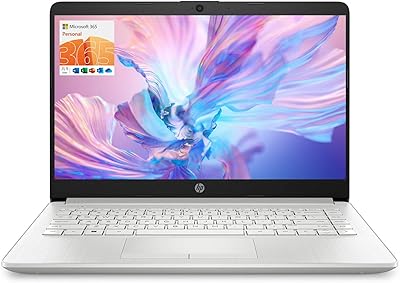
HP Stream 14-inch Laptop
65%
78%
Value for Money
84%
Battery Life
53%
Performance
41%
Storage Capacity
67%
Display Quality
More
ASUS E410KA-CL464 14″ Laptop, Intel Celeron N4500, 4GB RAM, 64GB eMMC
80%
84%
Performance for Basic Tasks
89%
Battery Life
75%
Build Quality
92%
Portability/Size
80%
Display Quality
More
MARGOLAI M14 S 14-inch Laptop
63%
81%
Value for Money
58%
Performance
44%
Battery Life
84%
Portability
62%
Display Quality
More
HP TPN-Q221 14″ Laptop
63%
81%
Value for Money
48%
Performance
37%
Storage Capacity
43%
Battery Life
56%
Display Quality
More
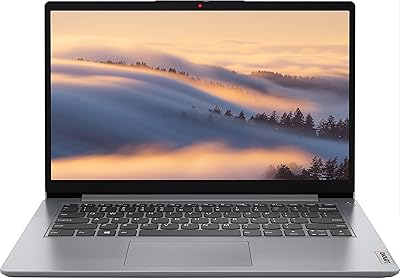
SAINTDISE ANL5-N4000 14-inch Celeron N4000 Laptop
61%
74%
Value for Money
51%
Performance
43%
Battery Life
61%
Display Quality
58%
Build Quality
More
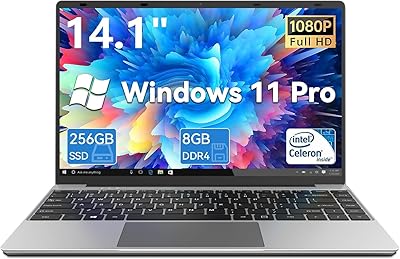
Lenovo Ideapad 1i 14-inch Laptop, Intel Celeron N4020, 4GB RAM, 64GB eMMC
77%
92%
Value for Money
88%
Battery Life
91%
Portability
75%
Performance for Basic Tasks
67%
Display Quality
More
Gezoon D-1420 14-Inch 256GB Laptop
71%
83%
Value for Money
52%
Performance
77%
Display Quality
88%
Portability
67%
Build Quality
More

FAQ

Unfortunately, no. The 4GB of RAM is soldered directly onto the motherboard, so there is no slot to add or swap memory. The eMMC storage is also fixed in place. Your best workaround for storage is a microSD card or an external USB drive, which the E410MA supports without any issues.

They are related but not the same thing. eMMC is a type of flash storage like an SSD, so it does boot faster than an old spinning hard drive. However, eMMC chips are slower for sustained read and write tasks, and they are not removable or replaceable the way many SSDs are. For light everyday use it is fine, but do not expect the same snappy performance you would get from a laptop with a proper NVMe SSD.

Yes, for one-on-one or small group calls it generally holds up fine. Where things get shaky is if you are running Zoom in the background while simultaneously working in a browser with multiple tabs open and playing audio. Keep the multitasking light and video calls on this budget ASUS laptop tend to work without major problems.

This is a common question, and the honest answer is: probably not officially. The Celeron N4020 does not meet Microsoft's TPM 2.0 requirement for the official Windows 11 upgrade path. There are workaround methods, but they are unofficial and can introduce stability issues. For most users, sticking with Windows 10 is the safer and more reliable choice.

It depends heavily on how you use the machine. If your workflow is mostly web-based — Google Docs, streaming, cloud apps — you can stretch it reasonably far. However, once you factor in Windows itself, system updates, a browser, and a few installed apps, you can find yourself below 20GB of free space faster than expected. Most buyers end up relying on a microSD card or external drive within the first few months.

It is a solid fit for that use case, as long as the student's needs are limited to note-taking, research, document writing, and video streaming. It handles Google Classroom, Microsoft Teams for school, and typical homework tasks without trouble. It is not suitable for graphic design projects, video editing assignments, or any software that demands serious processing power.

The rated 10-hour figure is achievable under light conditions — screen brightness around 50 percent, mostly document editing or browsing with Wi-Fi on. Real-world use with heavier browsing, video streaming, and brighter screen settings typically brings that closer to 6 to 8 hours, which is still very competitive for a machine in this price range.

No, the E410MA does not include a USB-C port, which is one of its more notable omissions. It charges through a proprietary barrel connector using the included AC adapter. This also means you cannot use a USB-C dock or charger, so keep that in mind if you were hoping to simplify your desk setup with a single cable.

Feedback from everyday users is mixed but generally adequate for a budget-tier machine. The key travel is shallow compared to premium laptops, and the layout is fairly standard. For writing emails, taking notes, or working through documents for an hour or two at a time, most users find it acceptable. It is not comfortable enough for heavy all-day typing the way a ThinkPad or higher-end machine would be.

Yes, the built-in HDMI port makes this straightforward. You can mirror or extend the display to an external screen, which is handy if you want a larger workspace at home. Given the modest integrated graphics, it handles basic extended-display tasks just fine, though you should not expect smooth performance if you are trying to push video or animation across two screens simultaneously.

Where to Buy