
Overview
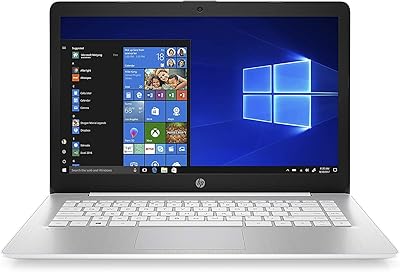
The HP Chromebook 14 AMD A4 Laptop is a straightforward, no-frills machine built for people who spend most of their day in a browser. It runs Chrome OS — not Windows — which is worth understanding before you buy. Paired with AMD's A4-9120C processor, it handles email, Google Docs, YouTube, and video calls without complaint, but it was never designed for heavy software or local file work. The 14-inch size hits a comfortable middle ground: big enough for extended use, light enough to toss in a bag. At this price point, you are paying for reliable daily functionality, not raw performance.
Features & Benefits
The 14-inch anti-glare display is one of those quiet wins — it is not stunning, but it reduces eye strain during long reading or browsing sessions in a way you genuinely notice. The AMD A4-9120C processor, capable of turbo up to 2.4GHz, keeps everyday tasks moving without obvious lag. Two USB-C ports cover charging, external monitors, and file transfers, which is genuinely generous at this tier. The Qualcomm AC Wi-Fi stays reliably fast for streaming. And the B&O Play speakers outperform what you might expect here — clear enough for casual listening or video calls without sounding tinny.
Best For
This Chromebook fits naturally into a few specific lifestyles. Students who live in Google Workspace — Docs, Sheets, Classroom — will feel right at home. It also works well as a household secondary device for browsing, streaming, and video calls, especially when the main computer is occupied. Older users or anyone who finds Windows maintenance exhausting will appreciate Chrome OS: updates happen in the background, there is no antivirus to manage, and the experience is just simpler. If you are already deep in the Google ecosystem, this AMD-powered Chromebook plugs in without friction. It is not for power users, but it was never meant to be.
User Feedback
Owners consistently praise how quickly this Chromebook boots up and how little setup it requires straight out of the box. The lightweight build earns regular compliments, especially from students carrying it daily. That said, local storage limits tend to catch people off guard — 32GB fills faster than expected if you are not leaning on Google Drive or an SD card. A few buyers mentioned wishing for an HDMI port alongside the USB-C options. Keyboard comfort draws mixed reactions too; some find it perfectly fine for daily use, while others feel it is a bit shallow for longer writing sessions. Overall, the value-to-usability ratio lands positively for the right buyer.
Pros
- Boots up in seconds and requires almost no setup straight out of the box.
- The 14-inch anti-glare display reduces eye strain during long reading or browsing sessions.
- Two USB-C ports offer real versatility — charging, data transfer, and video output from a budget device.
- B&O Play dual speakers sound noticeably better than most competitors at this price tier.
- Chrome OS handles security and updates automatically, so there is nothing to babysit.
- Weighing just 3.4 lbs and measuring 0.7 inches thin, this Chromebook is easy to carry daily.
- Qualcomm AC Wi-Fi keeps streaming and video calls consistently smooth.
- The AMD A4-9120C handles everyday multitasking — tabs, email, YouTube — without obvious slowdowns.
- A great fit for Google Workspace users who want a no-fuss, dedicated device.
Cons
- 32GB of local storage fills up faster than most buyers anticipate, especially without cloud habits.
- No HDMI port means connecting to a TV or monitor requires an adapter or USB-C hub.
- Display brightness struggles in direct sunlight or bright outdoor environments.
- Keyboard feel is on the shallow side, which some users find tiring during longer writing sessions.
- Chrome OS cannot run Windows applications, which is a hard stop for many professional workflows.
- Offline functionality is limited — a weak or absent internet connection significantly reduces what you can do.
- 4GB of RAM shows its limits when juggling many browser tabs or heavier web apps simultaneously.
- No optical drive and limited local storage make it a poor choice for physical media or large downloads.
Ratings
Our AI rating system analyzed thousands of verified global user reviews for the HP Chromebook 14 AMD A4 Laptop, actively filtering out incentivized, duplicate, and bot-generated feedback to surface what real buyers actually experienced. Scores reflect both where this Chromebook genuinely delivers and where it falls short — no category has been softened to make the product look better than it is. The result is a transparent, balanced scorecard that helps you decide whether this AMD-powered Chromebook fits your life.
Value for Money
Performance
Display Quality
Build Quality
Portability
Keyboard & Trackpad
Storage
Audio Quality
Connectivity
Setup & Ease of Use
Battery Life
Webcam Quality
Chrome OS Experience
Suitable for:
The HP Chromebook 14 AMD A4 Laptop is genuinely well-matched for anyone whose daily computing revolves around a browser and Google's suite of tools. Students working through Google Classroom, Docs, and Sheets will find it handles their workload without any real friction. It also makes a strong case as a household secondary device — something a parent or sibling can grab for quick browsing, video calls, or streaming without worrying about software conflicts or maintenance headaches. Seniors and less tech-savvy users tend to respond especially well to Chrome OS: there are no complicated updates to manage, no antivirus subscriptions, and the interface stays consistent over time. If you are already living in the Google ecosystem, this AMD-powered Chromebook plugs in naturally and just works.
Not suitable for:
The HP Chromebook 14 AMD A4 Laptop is a poor fit for anyone who relies on Windows software — Adobe Creative Suite, Microsoft Office desktop apps, or any specialized program simply will not run here. Chrome OS is cloud-first by design, which means working offline has real limitations that will frustrate users who expect a traditional laptop experience. The 32GB of built-in storage is genuinely tight if you plan to download files, music, or apps locally, and while Google Drive helps bridge the gap, it requires an active internet connection to be useful. Anyone who needs to multitask heavily — with many browser tabs open alongside web apps — may find the 4GB of RAM starts to feel constrained. This Chromebook is also not the right call for users who want a long-term primary machine capable of growing with more demanding needs over several years.
Specifications
- Display Size: The screen measures 14 inches diagonally with an SVA anti-glare WLED-backlit panel.
- Resolution: Native display resolution is 1366 x 768 pixels (HD).
- Processor: AMD A4-9120C dual-core processor with a base clock and turbo speed up to 2.4GHz and 1MB cache.
- RAM: 4GB DDR SDRAM running at 1866MHz handles basic multitasking and browser-based workloads.
- Storage: 32GB eMMC flash storage is built in; there is no traditional spinning hard drive or optical drive.
- Graphics: AMD Radeon R5 integrated graphics are included, sharing system memory rather than using dedicated VRAM.
- Operating System: Ships with Google Chrome OS and is not compatible with Windows or macOS.
- USB Ports: Two USB-C 3.1 Gen 1 ports and two USB 2.0 ports are provided for peripherals, charging, and data transfer.
- Wireless: Qualcomm Atheros QCA6174A-5 supports 802.11a/b/g/ac (2x2) Wi-Fi and Bluetooth 4.2.
- Audio: B&O Play-tuned dual speakers and a combined headphone and microphone 3.5mm jack are included.
- Webcam: A built-in HD webcam supports standard video calling and conferencing applications.
- Weight: The unit weighs 3.4 lbs, making it practical for daily carrying in a bag or backpack.
- Dimensions: Physical dimensions are 13.27 x 8.94 x 7.2 inches with a profile approximately 0.7 inches thin.
- Battery: A 2-cell lithium-ion battery powers the device; a power cord is included in the box.
- Card Reader: A multi-format SD media card reader is built in, which can be used to expand accessible storage.
- Color: The chassis is finished in grey with a design consistent across the HP Chromebook line.
- Model Number: The official HP model number for this configuration is 6CD26UA.
- Charging: The device charges via one of the two USB-C ports, supporting power delivery at 5 volts.
Related Reviews

HP Chromebook 14a 14-inch Laptop
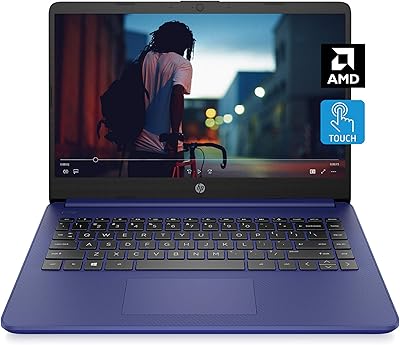
HP 14 AMD 3020e Touchscreen Laptop

HP Chromebook Plus x360 14-inch 2-in-1 Laptop

HP 14-dq0020nr 14-Inch Laptop

HP OmniBook X Flip 14″ 2K Touch-Screen 2-in-1 Laptop, AMD Ryzen AI 7 3500U, 24GB RAM, 1.5TB Storage

HP 14 Celeron 14-inch Touchscreen Laptop
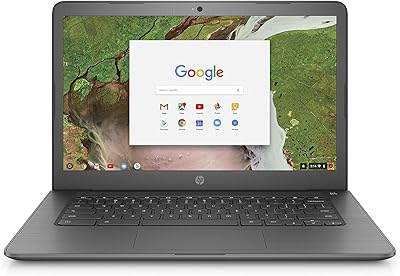
HP Chromebook 14-ca020nr
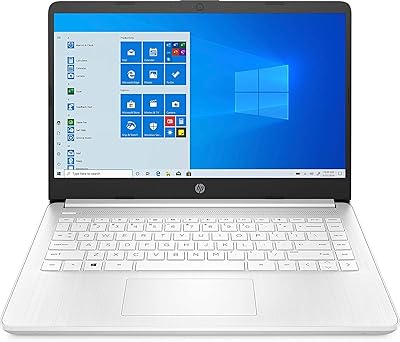
HP 14-fq0032ms 14-inch Touchscreen Laptop