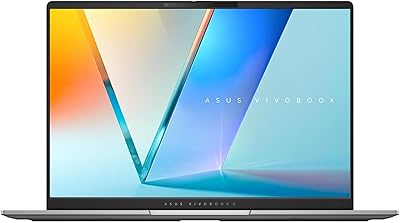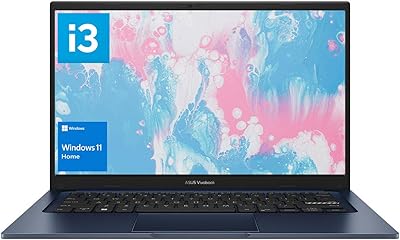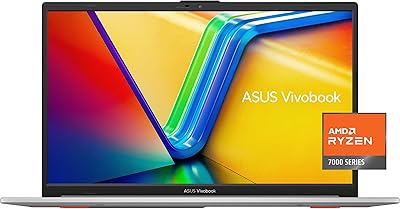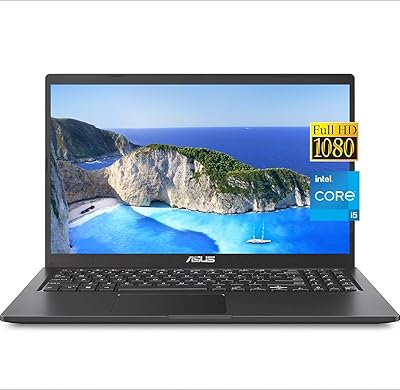

Overview

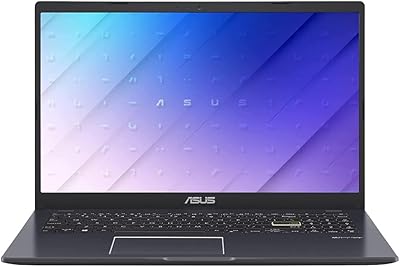
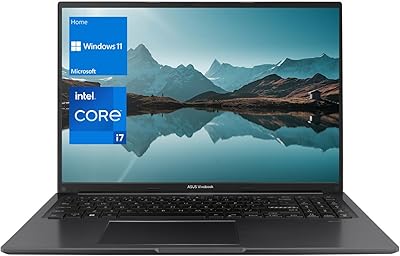
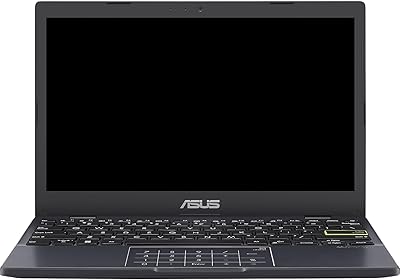
The ASUS Vivobook Go 14-inch Laptop is a straightforward, entry-level Windows machine built for light daily tasks — not for pushing limits. At under 3 lbs with a full 14-inch FHD display, it strikes a reasonable balance between portability and screen size. One thing worth knowing upfront: it ships with Windows 11 Home S Mode, which restricts app installs to the Microsoft Store only. Upgrading to full Windows 11 Home is free, though the process trips up some buyers who do not expect it. The bundled 1-year Microsoft 365 subscription is a genuine perk that adds real value for anyone starting fresh.

Features & Benefits

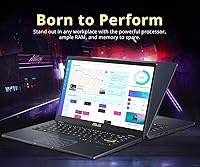
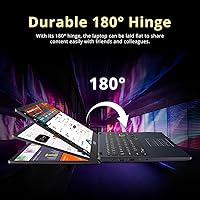
The Intel Celeron N4500 handles web browsing, Word documents, and video calls without complaint — but open too many browser tabs or run anything heavier, and the cracks show quickly. The 14-inch FHD panel offers a clean, sharp image for the price tier, and the 180-degree lay-flat hinge is genuinely handy for sharing your screen across a desk. Battery life realistically lands between 7 and 9 hours under typical use — short of the advertised figure, but still workable for a full school or work day. Port variety is better than expected at this level: USB-C, HDMI, and dual USB-A all present.

Best For

This entry-level ASUS laptop makes the most sense for students who primarily type notes, do online research, and run Office apps — nothing heavier than that. Parents shopping for a first computer for a younger teen will find it easy to set up and hard to break the bank over. Light, browser-based users — retirees, occasional remote workers, anyone who mostly video calls and checks email — will get along with it just fine. It also works as a low-stakes travel device you won't stress over. Anyone needing to run creative software, code, or manage multiple demanding apps should look at a different tier entirely.

User Feedback

Buyers consistently appreciate the clean, minimal design and how quickly the machine is ready out of the box. Battery life draws reliable praise, and most users find the keyboard comfortable for extended typing sessions. On the downside, sluggish performance when multitasking comes up repeatedly — 4GB of RAM is a real ceiling, and it shows when switching between apps. Several buyers were caught off guard by S Mode restrictions, not realizing the limitation until they tried installing software. Display brightness in well-lit rooms is a mild but recurring complaint. Build quality gets mixed marks — the hinge feels solid, but overall chassis rigidity is modest for the class.

Pros

  • Weighs under 3 lbs, making it genuinely easy to carry between classes or meetings all day.
  • The 14-inch FHD display is sharp and well-sized for the budget tier.
  • Battery life comfortably covers a full school or workday under light use.
  • The 180-degree lay-flat hinge is a practical touch for collaborative screen sharing.
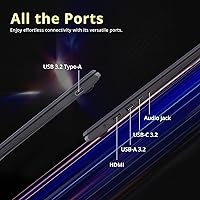
  • Port selection punches above its weight with USB-C, HDMI, and dual USB-A included.
  • Comes with a 1-year Microsoft 365 subscription, which is a real cost saver for new users.
  • Setup is quick and straightforward — most buyers are up and running within minutes.
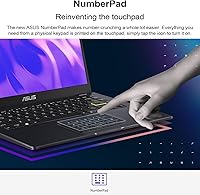
  • The ASUS NumberPad 2.0 touchpad is a useful bonus for anyone who works with spreadsheets regularly.
  • The clean, minimal design avoids the plasticky, toy-like look common at this price point.
  • Upgrading from S Mode to full Windows 11 Home is free and permanently unlocks the machine.

Cons

  • 4GB of RAM creates a noticeable ceiling — multitasking with more than a few apps causes real slowdowns.
  • The Celeron N4500 processor struggles with anything beyond light, single-task workloads.
  • Ships in Windows 11 S Mode by default, which surprises buyers who try to install software immediately.
  • 128GB of storage feels tight once the OS, updates, and core apps are installed.
  • Display brightness is modest and can wash out in well-lit rooms or near windows.
  • RAM is not user-upgradeable on most configurations, limiting any path to improving performance later.
  • Wi-Fi 5 is functional but lags behind the Wi-Fi 6 standard now common on competing devices.
  • The chassis has some flex under pressure, which may concern buyers expecting a sturdier build.
  • Real-world battery life falls short of the advertised 10-hour figure under typical mixed use.
  • No backlit keyboard, which is a meaningful omission for students working in dim environments.

Ratings

Our AI rating system analyzed thousands of verified global purchases of the ASUS Vivobook Go 14-inch Laptop, actively filtering out incentivized, duplicate, and bot-generated reviews to surface what real everyday users actually experienced. The scores below reflect an honest picture — strengths and frustrations weighted equally — so you can make a genuinely informed decision rather than one shaped by marketing copy.

Value for Money
81%
19%
For buyers whose needs fit squarely within light daily use, this budget Vivobook delivers a surprisingly complete package at its price point — full Windows, a decent display, and a bundled Microsoft 365 year subscription feel like more than the entry cost suggests. Users who understand what they are buying consistently feel they got a fair deal.
Buyers who expected mid-range performance from a budget price come away disappointed, and a few noted that the 4GB RAM limitation makes the machine feel dated almost immediately. If longevity is a priority, the value proposition weakens noticeably within a year or two of use.
Performance
47%
53%
For single-task use — one browser window, a document open, a video call running — the Celeron N4500 handles the load without obvious stuttering. Users whose workflows stay narrow and predictable rarely encounter a hard wall during their sessions.
The moment multitasking enters the picture, performance degrades quickly and noticeably. Reviewers consistently flagged slowdowns when switching between apps, and users coming from even modest mid-range laptops describe the experience as a significant step backward in responsiveness.
Battery Life
74%
26%
Real-world battery endurance regularly covers a full school day or standard office shift under typical light use, which is the core promise buyers care most about. Commuters and students who are away from a plug for 7 to 8 hours find it reliably holds on without anxiety.
The advertised 10-hour figure is optimistic — most users land between 7 and 8.5 hours under mixed real conditions, and those who push brightness or stream continuously may see it dip closer to 6. It is not a dealbreaker, but the gap between claim and reality comes up repeatedly in user feedback.
Portability
88%
At under 3 lbs and with a slim 0.71-inch profile, the Vivobook Go slips into a backpack or shoulder bag without adding meaningful weight to the day. Students and light travelers consistently praise how unobtrusive it feels to carry compared to bulkier, similarly priced alternatives.
The slim chassis comes with some trade-offs in structural rigidity — lid flex under bag pressure is a minor but recurring complaint. A few users also note the power brick adds a bit of bulk to carry-along weight that the spec sheet does not fully capture.
Display Quality
69%
31%
The 1920x1080 resolution produces a clean, sharp image that holds up well for document work, web browsing, and standard video streaming at typical viewing distances. The 78% screen-to-body ratio gives the panel a modern, relatively frameless appearance that users find more premium-looking than expected.
Brightness is the most consistent complaint — in well-lit rooms or near windows, the screen can wash out and cause eye strain from squinting. Viewing angles are acceptable head-on but color and contrast shift noticeably when the screen is tilted or viewed from the side.
Build Quality
62%
38%
The hinge mechanism feels solid and holds its position reliably through repeated open-and-close cycles, and the 180-degree lay-flat action works smoothly without looseness. The matte black finish resists fingerprints better than glossy surfaces and keeps the machine looking presentable with minimal upkeep.
The overall chassis plasticity is hard to ignore — there is flex in the palm rest and lid under moderate pressure that signals cost-cutting. Users who have handled more premium laptops describe the build as functional but clearly economy-grade in feel.
Keyboard & Touchpad
71%
29%
Key travel and layout are well-suited to long typing sessions — students who spend hours writing notes or essays tend to find the keyboard more comfortable than entry-level alternatives from competing brands. The NumberPad 2.0 integration on the touchpad is a pleasant bonus that spreadsheet-focused users genuinely appreciate.
The absence of keyboard backlighting is a real frustration for users who work in dim classrooms, libraries, or evening settings, and it comes up frequently in critical reviews. Touchpad click feedback is on the shallow side, which takes some adjustment for users accustomed to a firmer response.
RAM & Multitasking
41%
59%
For single-app focused tasks — one Office document, one video call, or a few tabs in a browser — 4GB is technically sufficient and most users in this narrow lane do not hit a wall during a session. The DDR4 memory type at least handles what bandwidth it has efficiently.
Four gigabytes of RAM is a genuine ceiling in 2025, and the fact that it is non-upgradeable on most units means there is no remediation path. Reviewers repeatedly describe the experience of opening multiple browser tabs as noticeably sluggish, and background Windows processes alone consume a meaningful portion of available memory.
Storage Capacity
58%
42%
The PCIe SSD provides fast boot times and snappy file access compared to older eMMC storage solutions common at this price tier. Users who keep their files in the cloud and do not store large local libraries manage perfectly well within the available space.
128GB fills up quickly once Windows, system updates, Microsoft 365, and a few additional apps are installed — users are often left with 70 to 80GB of usable space out of the box. Those who store photos, videos, or offline media locally find themselves managing storage constantly, which is a friction point that grows over time.
Software & OS Experience
63%
37%
Windows 11 Home runs cleanly on this entry-level ASUS laptop for the tasks it is designed for, and the free upgrade path from S Mode to full Windows 11 is a meaningful flexibility that budget Chromebook alternatives cannot match. New users generally find the out-of-box setup process quick and guided.
S Mode catches a significant portion of buyers off guard — many discover the app restriction only after trying to install Chrome or another essential tool, leading to frustration and negative reviews that stem from a misunderstanding rather than a hardware failure. The switching process, while free, is not prominently communicated at the point of sale.
Connectivity & Ports
83%
The port lineup — USB-C, two USB-A ports, HDMI, and a headphone jack — covers the essentials without forcing buyers to purchase a hub, which is genuinely uncommon at this price level. Users who connect a mouse, an external display, and headphones simultaneously can do so without conflict.
Wi-Fi 5 is functional but starts to feel like a relic as Wi-Fi 6 becomes the standard on competing devices even in the budget segment. There is no SD card reader or Thunderbolt support, which limits flexibility for users who work with cameras or need faster data transfer speeds.
Setup & Ease of Use
79%
21%
Most buyers report that the initial setup experience is quick and accessible — plug in, follow the Windows prompts, and you are ready within 20 minutes without technical knowledge required. Parents setting this up for younger users or non-technical family members consistently praise how uncomplicated the process feels.
The S Mode situation introduces an unexpected friction point for users who do not know to look for it, and support requests related to software installation restrictions are disproportionately common for this model. A clearer warning during first boot would prevent a notable share of frustration-driven negative reviews.
Display Brightness
55%
45%
In controlled indoor lighting — a typical bedroom, office, or classroom — the display is comfortable for extended use without inducing eye strain. Users who work primarily in dim or standard lighting rarely flag the brightness as an issue.
Under bright ambient conditions — sunny rooms, outdoor use, or near a window — the screen struggles noticeably and users report having to strain to read content. This is among the more consistent hardware criticisms and is worth factoring in heavily if you frequently work in bright environments.
Webcam Quality
66%
34%
The integrated webcam performs adequately for standard video calls on Teams, Zoom, or Google Meet in normal room lighting, and most classmates or colleagues on the other end of a call will not have complaints about image clarity. For the target use case, it clears the bar.
Low-light and backlit environments expose the webcam's limitations quickly — image quality degrades with grainy output and poor contrast that makes the user look washed out or unclear. Users who do frequent video meetings in dim home offices or rooms with windows behind them will notice the shortcoming regularly.

Suitable for:

The ASUS Vivobook Go 14-inch Laptop is a genuinely practical choice for anyone whose computing needs stay within a well-defined, light-use lane. Students who spend their day in Google Docs, a few browser tabs, and the occasional Zoom call will find it holds up reliably without asking too much of them technically. Parents shopping for a first laptop for a middle or high schooler get a capable, low-risk device that handles schoolwork without the anxiety of handing over something expensive. Retirees or occasional home users who primarily check email, browse, and video call family will rarely run into its limits. It also works well as a dedicated travel or backup machine — something you can toss in a bag without worrying too much about wear and tear.

Not suitable for:

Anyone coming from a modern mid-range laptop should think carefully before stepping down to this budget Vivobook — the performance gap is noticeable in daily use, not just benchmarks. The 4GB of RAM is a real constraint in 2025: even routine multitasking with a handful of browser tabs open can produce lag and sluggish app switching. Developers, designers, video editors, or anyone running resource-intensive software will find the Celeron N4500 falls well short of what they need. The 128GB storage also fills up faster than most people expect, particularly once Windows updates and Microsoft 365 are installed. Buyers who plan to run third-party software immediately should also be aware that the machine ships in Windows 11 S Mode, which blocks non-Store app installs until you manually switch — a step that catches many new owners off guard.

Specifications

  • Processor: Intel Celeron N4500 dual-core processor clocked at up to 2.8 GHz handles light computing tasks like document editing and web browsing.
  • RAM: 4GB DDR4 SDRAM is soldered onboard and supports basic multitasking within a limited application workload.
  • Storage: 128GB PCIe SSD provides faster boot and file access times than a traditional hard drive, though total capacity is modest.
  • Display: 14-inch FHD IPS-type panel renders at 1920x1080 resolution at 60Hz, with a 78% screen-to-body ratio for clean screen real estate.
  • Operating System: Ships with Windows 11 Home in S Mode, which can be switched free of charge to full Windows 11 Home directly through Microsoft Settings.
  • Battery Life: ASUS rates battery endurance at up to 10 hours, with real-world usage typically landing between 7 and 9 hours depending on screen brightness and workload.
  • Weight: The laptop weighs 2.87 lbs with the battery included, making it comfortable to carry in a bag throughout the day.
  • Dimensions: The chassis measures 12.8 x 8.54 x 0.71 inches, keeping the overall footprint compact enough for standard backpacks and shoulder bags.
  • Ports: Connectivity includes one USB-C 3.2 Gen 1, one USB-A 3.2 Gen 1, one USB-A 2.0, one HDMI 1.4, and a combined headphone/headset jack.
  • Wi-Fi: 802.11ac (Wi-Fi 5) wireless connectivity supports standard dual-band networks for reliable everyday browsing and streaming.
  • Graphics: Intel UHD integrated graphics share system memory and are sufficient for display output and standard video playback, but not GPU-intensive tasks.
  • Hinge Design: The 180-degree lay-flat hinge allows the display to open fully horizontal, which is useful for side-by-side screen sharing in collaborative settings.
  • Touchpad: The ASUS NumberPad 2.0 touchpad doubles as a numeric input pad when toggled, adding a practical layer of functionality without taking up extra space.
  • Keyboard: Full-size keyboard layout is included without a backlight, which may be a limitation for users who frequently work in low-light conditions.
  • Included Software: A 1-year Microsoft 365 subscription is bundled with the laptop, giving new users access to the full Office application suite at no additional cost.
  • Color: Available in a matte black finish that resists visible smudging better than gloss surfaces and maintains a clean appearance with regular wiping.
  • Bluetooth: Bluetooth 5.0 is supported for pairing wireless peripherals such as mice, headphones, and speakers without additional adapters.
  • Audio: Built-in stereo speakers provide adequate audio for video calls and casual media consumption at close range.
  • Webcam: An integrated HD webcam is positioned at the top bezel and is suitable for standard video conferencing at typical lighting conditions.
  • Warranty: ASUS provides a standard 1-year limited hardware warranty covering manufacturer defects on this model.

Related Reviews
ASUS Vivobook Go 12 L210 11.6-inch Laptop, Intel Celeron N4020, 4GB RAM, 64GB eMMC
81%
91%
Value for Money
94%
Portability
89%
Battery Life
81%
Performance for Basic Tasks
60%
Storage Capacity
More
ASUS Vivobook S 14 OLED M5406WA
76%
94%
Display Quality
88%
Portability & Build
86%
CPU Performance
61%
Thermal Management & Fan Noise
67%
Battery Life
More
ASUS Chromebook CM14 (CM1402CM2A-DS44)
72%
83%
Value for Money
88%
Build Quality & Durability
74%
Performance & Speed
58%
Display Quality
84%
Battery Life
More
ASUS E410MA 14-Inch Celeron Laptop
63%
78%
Value for Money
47%
Performance
83%
Battery Life
89%
Portability
53%
Display Quality
More
ASUS Vivobook 14 i3-1215U 16GB/512GB
75%
88%
Value for Money
82%
Performance & Speed
91%
RAM & Multitasking
61%
Display Quality
87%
Storage Capacity & Speed
More
ASUS VivoBook 15.6-inch i5-1135G7 Laptop, 20GB RAM, 1TB SSD
83%
91%
Performance
87%
Value for Money
78%
Display Quality
92%
Multitasking Capability
75%
Battery Life
More
ASUS Vivobook Go 15 E1504FA
72%
88%
Value for Money
83%
Build Quality
74%
Performance
61%
Display Quality
69%
Battery Life
More
ASUS Vivobook F1605Z 16-inch Laptop, Intel Core i7, 40GB RAM, 1TB SSD
85%
91%
Performance
89%
Display Quality
88%
Multitasking & Memory Handling
78%
Portability & Weight
82%
Battery Life
More
ASUS Vivobook Go 15 L510 Laptop
66%
81%
Value for Money
78%
Display Quality
52%
Performance
43%
Storage Capacity
89%
Portability
More
ASUS Vivobook Go L210KA 11.6″
73%
88%
Value for Money
93%
Portability
84%
Battery Life
58%
Performance
61%
Display Quality
More

FAQ

It comes with a 1-year Microsoft 365 subscription included in the box, but you will need to activate and download the apps yourself after setup. The process is straightforward — just sign in or create a Microsoft account and redeem the code. After the year is up, you would need to pay for a renewal or switch to the free web versions.

S Mode restricts the laptop to only installing apps from the Microsoft Store, which means popular browsers like Chrome or Firefox and most downloaded software won't install until you switch it off. The good news is that switching to full Windows 11 Home is completely free and takes only a few minutes through the Windows Settings menu. It's a one-way change though — you cannot go back to S Mode once you switch.

On most configurations of the Vivobook Go, the 4GB RAM is soldered directly to the motherboard, meaning it cannot be replaced or expanded. The storage situation varies — some units have an accessible M.2 slot, but it is best to confirm with ASUS support for your specific unit before assuming upgradeability. If 4GB feels tight now, it is worth factoring that in before purchasing rather than planning to upgrade later.

It depends entirely on what your coursework involves. For writing papers, attending online lectures, using web-based tools, and working in Microsoft Office, it is more than capable. If your program involves software development, data science, graphic design, or engineering simulation tools, the processor and RAM will hold you back fairly quickly.

Most users report getting somewhere in the 7 to 9 hour range under typical use — think a mix of browser tabs, document work, and occasional video calls with the screen at moderate brightness. If you push the brightness up or stream video continuously, expect to land closer to the lower end of that range. For a full school day of light tasks, it generally makes it through without needing a charger.

Yes, the HDMI 1.4 port allows you to connect to most external monitors and TVs directly using a standard HDMI cable. The USB-C port also supports display output on compatible monitors, though you may need to verify the cable and monitor support video signal over USB-C. Extended desktop and mirror modes both work through standard Windows display settings.

It is a reasonable fit for kids who need a device primarily for school — typing assignments, doing online research, and joining virtual classes. The lightweight build and simple setup make it accessible for younger users, and the low cost reduces the stakes if something goes wrong. You may want to switch off S Mode early so they can access the apps they actually need, and consider setting up parental controls through the Microsoft Family Safety tools.

Under light workloads — browsing, documents, video calls — this entry-level ASUS laptop runs quietly and stays comfortably warm rather than hot. The Celeron N4500 is a low-power processor, so it generates relatively little heat during everyday tasks. Under sustained heavier loads, the fan may spin up more noticeably, but that scenario is outside what this machine is really designed for.

Yes, there is a built-in webcam positioned at the top of the display. It is a standard HD camera that handles typical video calls on Zoom, Teams, or Google Meet without issue in decent lighting. Do not expect great results in dim or backlit conditions — the image quality drops noticeably — but for daytime or well-lit room use, it is functional.

ASUS NumberPad 2.0 is a feature that turns the touchpad into a lit numeric keypad when you tap and hold a small icon in the corner. It disappears when you need the touchpad again, so it does not get in the way. For anyone doing a lot of data entry or spreadsheet work, it is a genuinely handy feature that saves desk space. If you never use a number pad, you may never activate it at all — which is also fine.