Overview

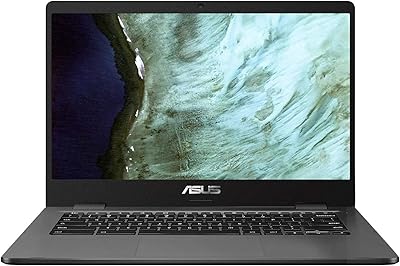
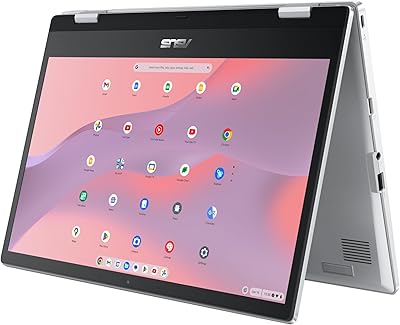
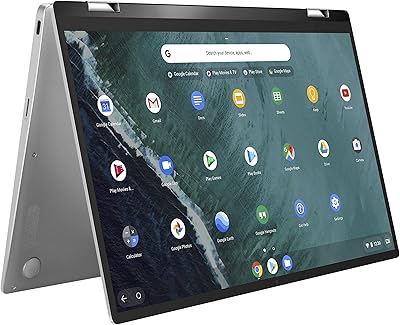
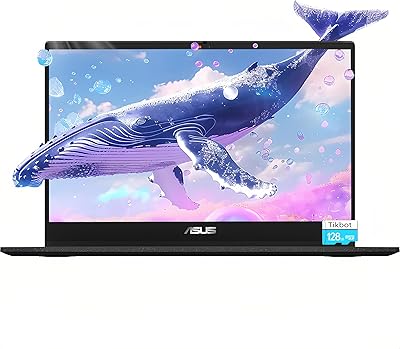
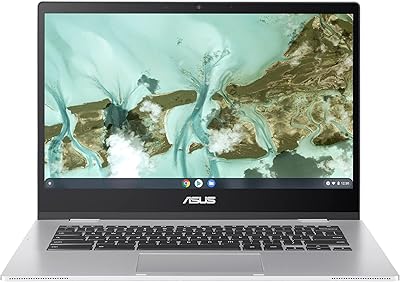
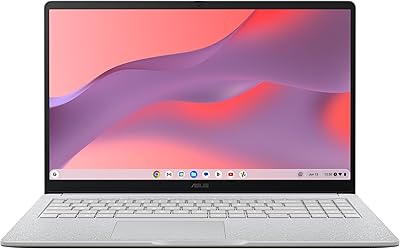
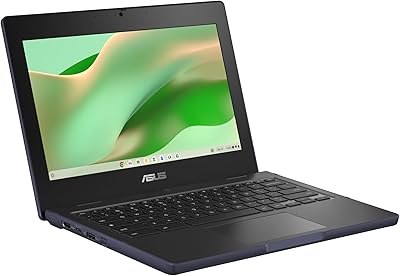
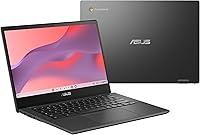
The ASUS Chromebook CM14 (CM1402CM2A-DS44) is a budget-friendly 14-inch laptop built around ChromeOS, targeting students and everyday users who want a dependable machine without a steep price tag. Unlike Windows laptops, ChromeOS keeps things simple — fast boot times, automatic updates, and a cloud-first workflow that just works. What makes this Chromebook stand out at its price point is the MIL-STD 810H certification and spill-resistant keyboard, which add a layer of real-world toughness you don't often find here. The MediaTek Kompanio 520 chip handles daily tasks capably, but set expectations accordingly — this is not the machine for video editing or heavy multitasking.
Features & Benefits

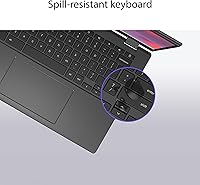
The 14″ NanoEdge anti-glare display does its job indoors without eye strain, though the 1366x768 resolution will feel dated to anyone upgrading from a Full HD screen. In day-to-day use, the 8-core Kompanio 520 keeps Chrome tabs, Google Docs, and video calls moving without noticeable slowdowns. The 4GB of RAM is enough for light multitasking within ChromeOS, but if you habitually keep 15-plus tabs open, you will feel the limit. Wi-Fi 6 and Bluetooth 5.3 are genuinely modern inclusions at this price. The antimicrobial surface coating is a thoughtful touch for shared classroom environments, and the spill-resistant keyboard handles the occasional drink mishap without drama.

Best For

This budget laptop finds its strongest footing with students and home users who live mostly inside a browser. If your workflow revolves around Google Workspace, video calls, and light research, the ASUS CM14 handles all of it without asking much in return. It is also a practical pick for parents sourcing a durable secondary machine for kids — ChromeOS is easy to manage remotely, and the tough build reduces accident-related headaches. That said, if you rely on specific Windows desktop software, expect a real adjustment period. This Chromebook makes the most sense for people already in Google's ecosystem who simply need reliable, low-fuss hardware.

User Feedback

Buyers consistently highlight fast boot times and how light the machine feels to carry — both genuinely appreciated in a packed student bag. Battery life draws positive mentions too, with many reporting a full school or workday on a single charge. Where opinions turn critical is the display: a good number of users find the 1366x768 resolution noticeably soft, especially if they have used Full HD screens before. Storage is another friction point, as 64GB fills up faster than expected for anyone not accustomed to keeping files in the cloud. The keyboard and trackpad earn decent marks for the price tier, and overall value perception is strong among buyers who understood ChromeOS going in.

Pros

  • MIL-STD 810H certification delivers real-world toughness rarely found at this price point.
  • Spill-resistant keyboard handles classroom and kitchen-table accidents without drama.
  • Fast boot times and snappy day-to-day performance for browsing and Google Workspace tasks.
  • Wi-Fi 6 support keeps connections stable and quick on compatible home and school routers.
  • Battery comfortably lasts a full school or workday on a single charge.
  • Anti-glare display reduces eye strain in fluorescent classrooms and office environments.
  • ChromeOS makes setup, updates, and family account management genuinely simple.
  • The memory card slot offers a practical and affordable way to expand storage.
  • Lightweight enough to carry in a backpack alongside books without noticeable strain.
  • Antimicrobial surface treatment adds a useful hygiene layer for shared or multi-user households.

Cons

  • The 1366x768 display resolution looks noticeably soft compared to any modern Full HD screen.
  • 64GB of storage fills faster than expected once apps, updates, and offline files accumulate.
  • Only one USB 3.0 port makes connecting multiple peripherals simultaneously an awkward juggle.
  • Users coming from Windows face a real adjustment period with ChromeOS app limitations.
  • 4GB of RAM shows its ceiling when multitasking with Android apps and multiple browser tabs.
  • Trackpad precision feels limited for anything more demanding than basic navigation.
  • The plastic chassis feels adequate but not premium, with some lid flex under pressure.
  • Webcam quality drops to grainy output in low-light conditions, below expectations for video calls.
  • Battery degradation has been reported faster than average after extended daily charging cycles.
  • Heavy Android app users will find performance noticeably less smooth than pure web-based workflows.

Ratings

The ASUS Chromebook CM14 (CM1402CM2A-DS44) has been rated by our AI system after analyzing thousands of verified global user reviews, with spam, bot-generated, and incentivized feedback actively filtered out. Scores reflect how real buyers — students, remote workers, and budget-conscious households — experienced this Chromebook across daily use. Both the genuine strengths and the recurring frustrations are transparently captured below.
Value for Money
83%
Most buyers feel they got a solid return on their investment, particularly given the MIL-STD 810H build quality and Wi-Fi 6 support at this price tier. For a student or light home user, the hardware-to-cost ratio is genuinely competitive among budget Chromebooks.
Users who stretch this machine beyond basic cloud tasks quickly feel the value proposition weaken. The low-resolution screen and limited RAM become more frustrating when you realize upgrades are impossible, making the long-term value feel less certain.
Build Quality & Durability
88%
The MIL-STD 810H certification is not just a marketing badge here — buyers consistently report the chassis feels more rigid than expected at this price. The spill-resistant keyboard has reportedly survived real-world accidents in school and home environments without damage.
The plastic body, while sturdy, does not feel premium to the touch. A few users note the lid flexes under moderate pressure, and the hinge action feels slightly loose after extended daily use.
Performance & Speed
74%
26%
For the tasks this Chromebook is designed for — Google Docs, video calls, YouTube, and light browsing — the MediaTek Kompanio 520 keeps things moving without obvious lag. Boot times are fast, and the system stays responsive through a typical school or workday.
Push it past eight to ten Chrome tabs, or try running Android apps alongside web tools, and slowdowns appear. Users who expected more headroom from an 8-core chip are sometimes surprised by how quickly the experience degrades under moderate multitasking.
Display Quality
58%
42%
The anti-glare coating earns genuine praise for indoor classroom and office use, cutting reflections in bright fluorescent environments better than glossy-panel competitors. Text is readable and colors are acceptable for document work and casual video streaming.
The 1366x768 resolution is a persistent complaint, especially from users upgrading from Full HD screens. Fine text looks soft, and extended reading or spreadsheet work can feel tiring. This is arguably the single biggest compromise on this machine.
Battery Life
84%
A consistent highlight across buyer feedback — many users report comfortably getting through a full school day or remote workday on a single charge. ChromeOS efficiency plays a significant role here, keeping power draw low during typical browsing and Docs sessions.
Battery longevity under heavier use, such as sustained video playback or Android app usage, drops noticeably. A few buyers in warmer climates report the battery capacity degrading faster than expected after the first year of daily charging cycles.
RAM & Multitasking
61%
39%
For users who keep a focused set of tabs open and work within a single Google app at a time, 4GB is workable. ChromeOS is leaner than Windows, which helps stretch the available memory further than the spec alone suggests.
Heavy tab users and students juggling research, video, and Docs simultaneously run into real memory pressure. The 4GB ceiling is not expandable, so buyers who anticipate growing usage should factor this constraint in before purchasing.
Storage Capacity
55%
45%
For users fully committed to cloud storage — keeping files in Google Drive and streaming rather than downloading — 64GB holds up reasonably well day-to-day. The included memory card slot provides a low-cost way to expand local storage when needed.
Buyers who are not cloud-native hit the storage wall quickly. Android apps, offline files, and system updates together consume a meaningful portion of the 64GB, leaving less breathing room than the headline number implies.
Keyboard & Typing Experience
72%
28%
The keyboard receives decent marks for a budget Chromebook, with buyers noting a reasonably comfortable key travel for extended typing sessions. The spill resistance adds practical confidence during daily student use without changing the feel noticeably.
The layout takes some adjustment for users coming from full-size keyboards, and the key feedback feels slightly mushy under fast typing. A few users find the short key travel unsatisfying compared to mid-range Windows laptops in a similar size class.
Trackpad Responsiveness
69%
31%
For everyday navigation, the trackpad handles gestures and clicks reliably. Buyers doing light work report the surface is smooth enough and multi-finger gestures register consistently in ChromeOS, which handles trackpad input well at the OS level.
Precision tasks like selecting small text or dragging files reveal the trackpad's limitations. Some users find the click mechanism feels stiff, and the surface area is on the smaller side, which becomes noticeable when navigating complex web layouts.
Webcam Quality
67%
33%
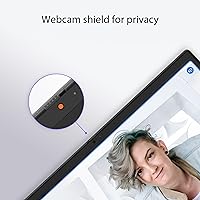
The HD webcam with face lighting adjustment is a thoughtful inclusion for a budget device, and buyers using it for regular Google Meet or Zoom calls report it performs acceptably in well-lit rooms. The lighting adjustment feature helps in tricky indoor conditions.
In low-light environments the image quality drops to below-average, showing noticeable grain. Users who rely on video calls for professional or academic presentations may find the output quality just shy of looking polished without supplemental lighting.
Wireless Connectivity
86%
Wi-Fi 6 is a standout inclusion at this price point, and users on compatible routers report noticeably stable and fast connections during video calls and large file syncs. Bluetooth 5.3 pairs quickly with headphones and peripherals without repeated dropout issues.
Users on older Wi-Fi 5 routers see no practical benefit from the Wi-Fi 6 radio, which limits the real-world value for some households. A small number of users report occasional Bluetooth audio stuttering with specific headphone models.
Portability & Weight
81%
19%
At 4.4 lbs and a slim profile, this Chromebook is easy to carry between classes or rooms without strain. Students carrying it in a backpack alongside textbooks consistently mention it does not add an uncomfortable bulk to their load.
It is not the lightest option in the budget Chromebook category — some competing models come in closer to 3 lbs. For users prioritizing maximum portability above all else, there are lighter alternatives worth comparing.
ChromeOS Experience
77%
23%
For users already living in Google's ecosystem, ChromeOS feels natural and low-friction. Automatic updates, quick recovery options, and easy family or school account management are genuinely appreciated by parents and IT administrators alike.
Buyers coming from Windows sometimes feel the app ecosystem is restrictive, particularly for niche software or offline-heavy workflows. The adjustment period is real, and users who did not research ChromeOS beforehand express frustration with its limitations post-purchase.
Hygiene & Surface Treatment
71%
29%
The ASUS Antimicrobial Guard surface is a genuinely useful differentiator for shared devices in classrooms or households with multiple users. Buyers in school environments appreciate the added layer of protection, even if the effect is not visibly measurable in daily use.
The antimicrobial coating cannot be verified by end users and some buyers are skeptical of its practical impact. Over time, with repeated cleaning using standard wipes, a few users report the surface finish showing subtle wear around high-contact areas.
Port Selection
53%
47%
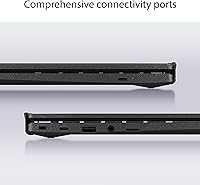
The inclusion of a memory card slot is a practical addition that helps offset the limited internal storage. The available ports cover basic daily needs for most students connecting a mouse or occasional USB drive.
With only one USB 3.0 port, users who need simultaneous peripherals — a mouse, an external drive, and a charger adapter — find the setup awkward quickly. The limited port count is a recurring frustration for users who expected more flexibility.

Suitable for:

The ASUS Chromebook CM14 (CM1402CM2A-DS44) is a strong fit for students from middle school through college who need a dependable, low-maintenance machine for Google Workspace, research, and video calls without spending a lot. Its MIL-STD 810H durability and spill-resistant keyboard make it genuinely practical in backpack-and-classroom environments where accidents happen. Remote workers or home users whose daily routine revolves around email, Google Meet, and browser-based tools will find the ASUS CM14 handles everything smoothly without fuss. Parents looking for a manageable second laptop for their kids will appreciate how easy ChromeOS is to supervise and update — no antivirus subscriptions, no complex settings. Budget-conscious buyers who prioritize reliability and battery life over raw specs will get real, day-to-day value here, especially if they are already living in Google's ecosystem.
Not suitable for:

Buyers expecting a Full HD display will likely be disappointed — the 1366x768 resolution is one of the most consistently flagged shortcomings of this budget laptop, and it shows most on text-heavy work or longer screen sessions. Anyone who depends on Windows-native software — whether that is Adobe Creative Suite, specialized industry tools, or certain games — should look elsewhere, as ChromeOS simply cannot run those applications. Power users who habitually keep many browser tabs open alongside Android apps will run into real memory pressure with 4GB of RAM, and there is no upgrade path. The single USB 3.0 port becomes a genuine inconvenience for users who need to connect multiple peripherals at once. If long-term storage expansion beyond a microSD card matters, or if offline-heavy workflows are a requirement, the ASUS CM14 will create more friction than it solves.

Specifications

  • Processor: Powered by the MediaTek Kompanio 520 (MT8186), an 8-core chip running at up to 2.05 GHz designed for efficient everyday computing.
  • RAM: Equipped with 4GB of LPDDR4X memory running at 2666 MHz, suitable for standard ChromeOS multitasking.
  • Storage: Includes 64GB of eMMC internal storage, with a memory card slot available for additional local expansion.
  • Display: Features a 14″ HD NanoEdge anti-glare panel with a 1366x768 pixel resolution optimized for indoor use.
  • Operating System: Ships with ChromeOS, Google's cloud-first operating system that receives automatic updates and supports Android apps via the Play Store.
  • Wi-Fi: Supports Wi-Fi 6 (802.11ax) for faster and more reliable wireless connections on compatible routers.
  • Bluetooth: Includes Bluetooth 5.3 for low-latency pairing with headphones, mice, keyboards, and other peripherals.
  • Webcam: Built-in HD webcam with an automatic face lighting adjustment feature to improve video call quality in variable indoor lighting.
  • Keyboard: Full-size spill-resistant keyboard rated to withstand up to 13 oz of liquid without damage to internal components.
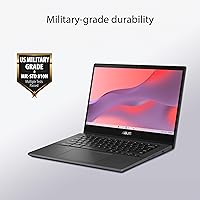
  • Durability: Meets MIL-STD 810H military-grade standards, covering resistance to drops, vibration, humidity, and temperature extremes.
  • Surface Treatment: Covered with ASUS Antimicrobial Guard, a surface coating designed to inhibit bacterial growth by up to 99% over a 24-hour period.
  • USB Ports: Includes one USB 3.0 Type-A port for connecting external drives, mice, or other standard peripherals.
  • Weight: Weighs 4.4 lbs, making it portable enough for daily carry in a school bag or work tote.
  • Dimensions: Measures 12.78 x 8.93 x 0.72 inches, keeping the footprint compact for a 14-inch class laptop.
  • Battery: Powered by a built-in Lithium Ion battery included in the box, designed to support a full day of typical use on a single charge.
  • Graphics: Uses integrated MediaTek graphics sufficient for video streaming, video calls, and light Android gaming but not GPU-intensive tasks.
  • Memory Card Slot: Includes a dedicated memory card slot, allowing users to expand local storage affordably using standard microSD cards.
  • Charging Voltage: Operates at 15 volts, charged via the included adapter with no USB-C Power Delivery ambiguity on supported configurations.

Related Reviews

ASUS Chromebook 16 2-in-1 Laptop
82%
91%
Value for Money
87%
Display Quality
88%
Battery Life
82%
Performance for Everyday Use
85%
Portability
More
ASUS Chromebook C423NA 14-inch 4GB 32GB
82%
72%
Performance
88%
Battery Life
95%
Portability
78%
Display Quality
84%
Build Quality
More
ASUS Chromebook Flip C434 2-In-1 Laptop
86%
91%
Build Quality
87%
Display Quality
90%
Battery Life
89%
Portability
83%
Performance (General Use)
More
ASUS Chromebook Flip CX1 14″ 8GB/128GB
73%
84%
Value for Money
78%
Build Quality & Durability
71%
Display Quality
67%
Performance & Everyday Speed
54%
Storage & Local Capacity
More
ASUS Chromebook 14 - MediaTek Kompanio 520 - 4GB RAM, 192GB Storage
84%
90%
Value for Money
93%
Battery Life
88%
Portability & Design
82%
Performance for Everyday Tasks
80%
Display Quality
More
ASUS Chromebook CX1 14″, Intel Celeron N3350, 64GB eMMC, 4GB RAM
81%
91%
Battery Life
93%
Portability/Size/Weight
87%
Build Quality/Durability
84%
Display Quality
82%
Performance for Everyday Tasks
More
ASUS Chromebook CR11, 11.6-inch, Intel N100, 4GB RAM, 64GB eMMC
83%
89%
Build Quality & Durability
92%
Portability & Size
85%
Performance for Basic Tasks
72%
Display Quality
78%
Battery Life
More
ASUS Chromebook Flip 16-inch, Intel Core i3, 8GB RAM, 128GB SSD
85%
87%
Performance
92%
Battery Life
88%
Build Quality
89%
Display Quality
85%
Portability
More
ASUS Chromebook CX15 CX1505CKA
74%
83%
Display Quality
67%
Performance & Speed
88%
Storage & Memory
74%
Battery Life
81%
Build Quality & Durability
More
ASUS ExpertBook CX54 Chromebook Plus 14″, Intel Core i5, 8GB RAM, 128GB SSD
84%
89%
Performance
92%
Display Quality
75%
Battery Life
90%
Build Quality
88%
Portability
More

FAQ

Yes, for most college workflows it holds up well. Google Docs, Sheets, video calls, research browsing, and Canvas or similar LMS platforms all run smoothly. Just keep in mind it is a cloud-first device, so you will want to stay connected and store most files in Google Drive rather than locally.

Not natively. This Chromebook runs ChromeOS, which does not support traditional Windows applications. That said, Microsoft 365 works well through the browser, and the Play Store gives you access to Android versions of Word, Excel, and PowerPoint, which cover most student and light-work needs.

For focused, everyday use — a handful of tabs, Google Workspace, and video calls — 4GB is workable on ChromeOS since the OS is lean by design. Where it gets uncomfortable is heavy tab loading or running several Android apps simultaneously. If you are a power user with 15-plus tabs open constantly, the limits will show.

It is a real trade-off worth knowing about upfront. The 1366x768 resolution looks noticeably softer than the Full HD screens now standard on most mid-range laptops. For casual browsing, YouTube, and Google Docs it is livable, but users coming from sharper displays will notice the difference immediately, especially with small text.

It depends entirely on your habits. If you use Google Drive for files and stream rather than download media, 64GB can last a while. If you plan to save files locally, install many Android apps, or use it offline frequently, you will hit the ceiling faster than you expect. The memory card slot helps, so picking up a microSD card is a smart move early on.

It means the ASUS Chromebook CM14 (CM1402CM2A-DS44) has been tested against military-grade standards for drops, vibration, humidity, and temperature changes. In practical terms, it is more likely to survive the bumps of a school backpack or a short drop than a typical budget laptop. It is not indestructible, but the durability is meaningfully above average for the price.
Based on consistent user feedback, yes — it handles accidental spills reasonably well. The rating covers up to 13 oz of liquid, which is roughly a small glass of water. As long as you act quickly and tilt the machine to let liquid drain, most buyers report no lasting damage from everyday spill incidents.

To a limited extent. Google Docs, Sheets, and Slides all support offline mode when set up in advance, and some Android apps work without a connection. However, ChromeOS is fundamentally built around being online, so offline capability is the exception rather than the rule. For heavy offline workflows, this is not the right machine.

In the first year, most users report very solid all-day battery life. After sustained daily charging over a longer period — especially in warmer environments — some users note a gradual reduction in capacity, which is normal for built-in lithium batteries. It is not a standout concern early on, but worth keeping in mind for multi-year ownership.

There is a genuine adjustment period. The basics — browsing, email, Google apps — feel intuitive quickly. The friction comes when you look for apps you used on Windows and realize they either do not exist or have limited Android alternatives. Most users adapt within a week or two, but going in with realistic expectations about the app ecosystem makes the transition much smoother.