Overview
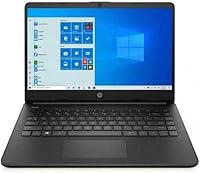
The HP 14-dq0020nr 14-Inch Laptop is a no-frills entry-level machine built for people who need a capable daily companion without spending a lot. At just 3.24 lbs and 0.71 inches thin, it is genuinely easy to toss in a bag and forget about until you need it. But let's be upfront: the Intel Celeron processor and eMMC storage set a hard ceiling on what this machine can do. Think of it as a reliable secondary laptop or a first computer for younger users, not a replacement for a proper workhorse. Windows 11 Home and a year of Microsoft 365 are included, which adds real, tangible value at this price tier.
Features & Benefits
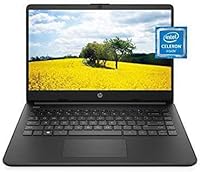
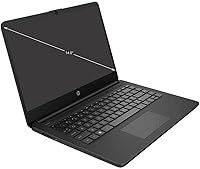
The 14-inch display gets a modern touch from its micro-edge bezel design, which gives the screen a cleaner, larger feel than the 1366x768 resolution might suggest. The Celeron N4020 handles web browsing, Google Docs, video calls, and Netflix without much fuss — just don't expect it to run a dozen tabs while exporting a spreadsheet. The 4GB of RAM is workable for light tasks but will feel tight if you lean on Chrome heavily. Storage is the real pressure point: 64GB fills up faster than you'd expect, so pairing this entry-level HP laptop with a microSD card or a cloud storage plan from day one is a smart move. Battery endurance and solid wireless connectivity round out a practical everyday package.
Best For
This HP 14-inch budget laptop really clicks for a specific type of buyer. Students carrying it between classes will appreciate the lightweight build and the fact that Word and PowerPoint are ready to go straight out of the box. It also works well as a first laptop for kids, or for an older family member who needs something simple for video calls and email without an intimidating setup. Casual travelers who want a backup machine they won't stress about losing or bumping will find it fits the bill neatly. Anyone who simply needs a basic Windows machine for everyday office tasks, rather than creative or technical work, will get solid daily mileage out of it.
User Feedback
Buyers have broadly responded well to the HP 14 Celeron model, with a 4-star average that reflects genuine satisfaction for what it is. The most common praise centers on the slim, attractive build and the notably quick boot times — both real wins that hold up in everyday use. On the flip side, the 64GB storage draws frequent complaints; users consistently find themselves managing space within weeks of setup. A few reviewers flag the display as serviceable indoors but lacking brightness in sunlit environments. Real-world battery life tends to land around six to eight hours rather than the claimed eleven, which is still respectable but worth knowing. Fan noise under sustained load is a minor, recurring mention as well.
Pros
- Genuinely lightweight at 3.24 lbs, making it one of the easier laptops to carry daily.
- Fast boot times courtesy of eMMC flash storage — up to a working screen in seconds.
- The micro-edge bezel gives the display a modern, clean look that punches above its price.
- Windows 11 Home comes pre-installed, so there is no need to pay for an OS upgrade later.
- A bundled one-year Microsoft 365 subscription adds real software value straight out of the box.
- The Celeron N4020 handles web browsing, video calls, and document work without noticeable lag.
- 802.11ac Wi-Fi and Bluetooth provide reliable, modern wireless connectivity for everyday use.
- The matte Jet Black finish resists fingerprints better than glossy alternatives at this price point.
- Claimed battery life of up to 11 hours, with real-world use typically landing around six to eight hours — still solid for a full school or work day.
Cons
- 64GB of onboard storage fills up quickly; a microSD card or cloud storage plan is almost immediately necessary.
- 4GB of RAM creates a noticeable bottleneck when running more than a handful of browser tabs simultaneously.
- The 1366x768 display resolution looks soft compared to full HD screens common even on competing budget laptops.
- Fan noise under sustained load is a recurring complaint from real users and can be distracting in quiet settings.
- Display brightness is adequate indoors but struggles in well-lit rooms or near windows.
- The Celeron processor has no meaningful upgrade path — what you buy is what you keep.
- No optical drive and limited port selection may require dongles for users with older peripherals.
- Real-world battery life falls noticeably short of the advertised 11-hour claim under typical usage conditions.
- The HP 14 Celeron model is not suited to multitasking-heavy workflows, as performance degrades quickly under load.
Ratings
The HP 14-dq0020nr 14-Inch Laptop has been evaluated by our AI rating system after analyzing thousands of verified global buyer reviews, with spam, bot-generated entries, and incentivized feedback actively filtered out. The scores below represent a balanced synthesis of genuine buyer satisfaction and real frustrations — both strengths and pain points are weighted equally, so every score tells an honest story about what owners actually experience day to day.
Value for Money
Performance
Portability
Battery Life
Software & Value Bundle
Build Quality
Display Quality
Storage
RAM & Multitasking
Keyboard & Trackpad
Wireless Connectivity
Display Brightness
Thermal & Noise
Suitable for:
The HP 14-dq0020nr 14-Inch Laptop is a genuinely good fit for buyers whose daily computing needs are modest and predictable. Students who spend most of their time in Google Docs, Zoom, or a learning management system will find it handles that workload without complaint, and at 3.24 lbs it won't weigh down a backpack. Seniors or casual home users who primarily browse the web, check email, and watch streaming video are squarely in its wheelhouse — the setup is straightforward, and Windows 11 with a year of Microsoft 365 means the essentials are ready from day one. Parents searching for an affordable first laptop for a child in middle or high school will appreciate that it feels like a real computer without carrying a real-computer price tag. It also makes a lot of sense as a dedicated travel machine: something light and capable enough to handle remote work basics, but not so costly that losing or damaging it becomes a crisis.
Not suitable for:
Anyone expecting this entry-level HP laptop to function as a primary productivity machine for demanding work will run into its limits quickly. The Intel Celeron N4020 and 4GB of RAM are a combination that works fine in isolation but buckles noticeably when juggling multiple browser tabs, video conferencing, and a spreadsheet at the same time. The 64GB eMMC storage fills up at an uncomfortable pace — installing a few apps, downloading some files, and letting Windows updates accumulate can consume a surprising share of that space within the first month, making external storage a near-mandatory add-on rather than an optional one. Creative professionals, software developers, and anyone working with photo editing, video production, or local databases should look elsewhere entirely. Gamers will also be disappointed: despite HP marketing the integrated GPU as capable of 4K content, real-world gaming performance is minimal, and expecting smooth gameplay beyond very lightweight titles is unrealistic.
Specifications
- Processor: Intel Celeron N4020 dual-core processor clocked at up to 2.8GHz handles everyday computing tasks such as browsing, document editing, and video streaming.
- RAM: 4GB of DDR4 RAM running at 2400MHz provides enough bandwidth for light multitasking but will feel constrained under heavier workloads.
- Storage: 64GB eMMC flash storage delivers faster boot and load times than a traditional hard drive, though the total capacity is limited for long-term use.
- Display Size: The 14-inch screen uses an HD panel with a 1366x768 pixel resolution and a micro-edge bezel that achieves a 79% screen-to-body ratio.
- Graphics: Intel UHD Graphics 600 is integrated into the processor and supports standard video playback and basic visual tasks without a discrete GPU.
- Operating System: Windows 11 Home comes pre-installed, providing a current, supported operating system environment with access to the Microsoft Store and modern security features.
- Battery: A 3-cell, 41Wh lithium-ion battery powers the laptop with a manufacturer-rated endurance of up to 11 hours, though real-world usage typically yields 6 to 8 hours.
- Weight: At 3.24 lbs, this laptop is light enough for daily carry in a backpack or tote without adding noticeable burden.
- Dimensions: The chassis measures 12.76 x 8.86 x 0.71 inches, offering a slim profile that fits comfortably in most standard laptop sleeves and bags.
- Wi-Fi: Wireless connectivity is provided via 802.11a/b/g/n/ac (Wi-Fi 5), supporting dual-band networks for reliable home and public Wi-Fi performance.
- Bluetooth: Bluetooth is built in, enabling wireless pairing with peripherals such as headphones, mice, and keyboards without additional adapters.
- Color & Finish: The laptop ships in a Jet Black matte finish that resists fingerprint smudging better than glossy alternatives common at this price range.
- Included Software: A one-year subscription to Microsoft 365 is bundled with the laptop, covering Word, Excel, PowerPoint, and 1TB of OneDrive cloud storage during the subscription period.
- Optical Drive: No optical drive is included, which is standard for thin laptops at this size and helps keep the overall chassis slim and lightweight.
- Memory Type: The system uses DDR4 SDRAM, which is the current-generation memory standard offering improved power efficiency over older DDR3 modules.
Related Reviews


HP 14 Celeron 14-inch Touchscreen Laptop

HP Chromebook 14a 14-inch Laptop
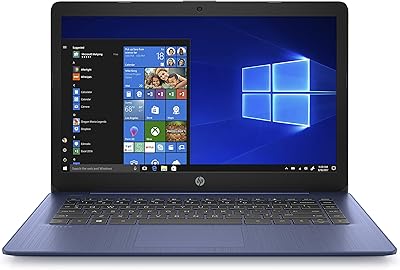
HP Stream 14-inch Laptop

HP Chromebook 14 AMD A4 Laptop
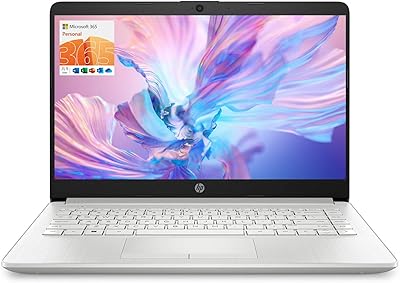
HP TPN-Q221 14″ Laptop
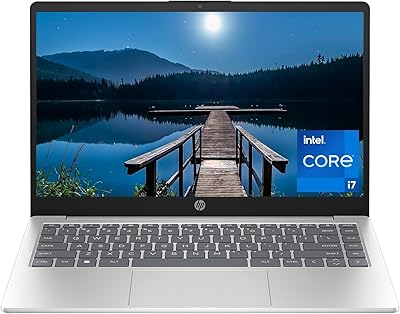
HP 14-inch Intel Core i7 Laptop
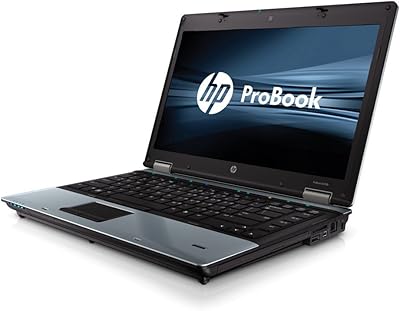
HP EliteBook 8460p 14-inch Laptop
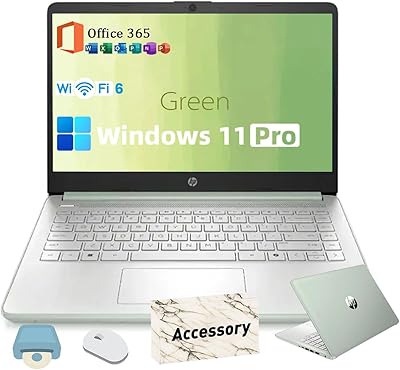
HP 2025 14-inch Laptop - 16GB RAM, 128GB UFS, 256GB MSD, Windows 11 Pro