Overview

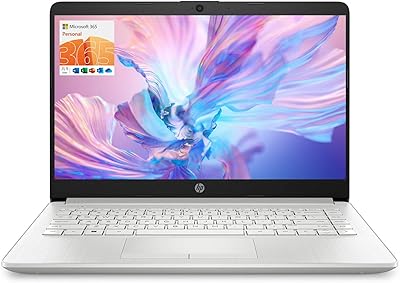
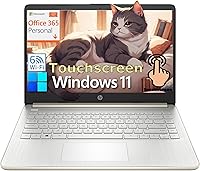
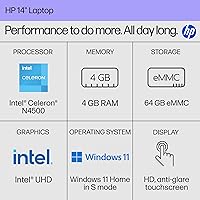
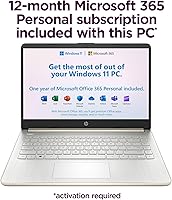
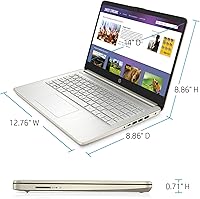
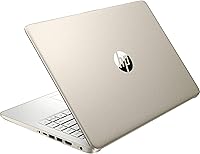
The HP 14 Celeron 14-inch Touchscreen Laptop is a budget-friendly Windows 11 machine built for students and everyday home users who need reliable basics without overspending. Powered by an Intel Celeron N4500, 4GB of DDR4 RAM, and 64GB of eMMC storage, the specs are modest — and it's worth being honest about that upfront. This isn't a powerhouse; it's a capable light-duty companion. What sweetens the deal is the included Microsoft 365 subscription, a one-year pass that adds genuine everyday value. At just 3.24 lbs with a slim 0.71-inch profile, this HP 14 laptop is easy to toss in a bag, and its Pale Gold finish looks noticeably more refined than most laptops in this price tier.

Features & Benefits

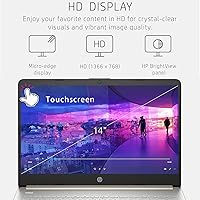
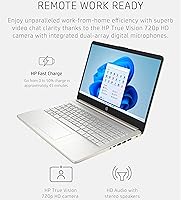
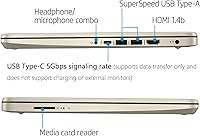
The 14-inch HD anti-glare touchscreen registers taps accurately and the micro-edge bezel keeps things looking tidy, though the 1366×768 resolution shows its age compared to modern Full HD panels. For everyday tasks — typing a paper, streaming a lecture, or scrolling through emails — the Celeron N4500 processor holds up fine. Don't expect smooth performance with a dozen browser tabs open simultaneously, though. The Wi-Fi 6 connectivity keeps the connection stable even in crowded environments like libraries. The 720p webcam with dual mics handles video calls clearly. One important caveat: the USB-C port transfers data only — it will not charge the laptop or connect to an external monitor, which is a real limitation worth knowing before you buy.

Best For

This budget touchscreen laptop makes the most sense for students — middle school through college — who need a reliable machine for notes, research, and Office documents. It's also a reasonable pick for home users whose daily routine involves browsing, streaming, and cloud-based tools. Seniors and first-time laptop buyers tend to appreciate the touchscreen interface; it reduces the learning curve noticeably. Parents shopping for a kids' secondary device will find this entry-level HP appropriately priced. Remote workers who already own a capable primary machine and just want something lightweight to carry around will find it practical too. Where it struggles is anything more demanding — photo editing, running local software, or heavy multitasking are not realistic use cases here.

User Feedback

Buyers most often praise the portability and lightweight build, along with the bundled Microsoft 365 subscription, which many describe as an unexpected practical bonus. Touchscreen responsiveness also earns consistent compliments. On the downside, the 64GB eMMC storage fills up faster than most people expect — users quickly learn to rely on OneDrive or a microSD card to manage space. A recurring complaint is sluggishness when multiple browser tabs are open, confirming that 4GB of RAM has real limits in daily use. Windows 11 S mode draws mixed reactions: some buyers never notice the restriction, while others find switching out of it a necessary first step. Battery life generally earns positive marks, though heavy streaming shortens runtime noticeably.

Pros

  • Genuinely lightweight at 3.24 lbs — easy to carry between classes or rooms without a second thought.
  • The bundled one-year Microsoft 365 subscription delivers real, immediate value right out of the box.
  • Wi-Fi 6 support keeps connections fast and stable in crowded environments like campus libraries or cafes.
  • The touchscreen is responsive and makes navigation noticeably easier for users less comfortable with a trackpad.
  • Anti-glare coating on the display reduces eye strain during long study or work sessions.
  • The 720p webcam with dual-array mics handles video calls and remote learning clearly.
  • Slim, attractive Pale Gold design looks more polished than most budget laptops in this price range.
  • Multiple port options — HDMI, two USB-A ports, and an SD card slot — cover most basic connectivity needs.
  • Battery life holds up well through a typical school or light workday without needing a top-up.
  • At this price point, it is one of the few options that includes a touchscreen and a modern wireless standard together.

Cons

  • Four gigabytes of RAM causes noticeable slowdowns when more than a few browser tabs are open simultaneously.
  • Sixty-four gigabytes of eMMC storage fills up quickly — managing space becomes an ongoing chore without cloud or SD card backup.
  • The 1366×768 display resolution feels dated compared to Full HD screens now common even on budget rivals.
  • The USB-C port does not support charging or external monitor output, which is a real inconvenience many buyers do not expect.
  • Windows 11 S mode silently blocks installation of popular third-party apps until the user actively switches it off.
  • eMMC storage is noticeably slower than even a budget SSD, which contributes to longer load times for apps and startup.
  • No mention of exact battery capacity makes it hard to predict real-world runtime under heavier use.
  • The Celeron N4500 has no headroom for future software demands as apps grow heavier over time.
  • Only a single USB-C port limits expandability, and since it cannot charge, a dedicated charging port takes up one of the USB-A slots via adapter.
  • Build quality is functional but plastic-heavy — it lacks the structural rigidity users upgrading from a more premium laptop might expect.

Ratings

Our AI rating system analyzed thousands of verified global buyer reviews for the HP 14 Celeron 14-inch Touchscreen Laptop, actively filtering out incentivized, spam, and bot-generated submissions to surface what real users actually experience. The scores below reflect both the genuine strengths that keep buyers satisfied and the honest pain points that have led others to leave critical feedback. Nothing is glossed over — the numbers tell the full story.

Value for Money
74%
26%
For budget-conscious shoppers — students, parents buying a first laptop, or seniors needing a simple daily device — the inclusion of a one-year Microsoft 365 subscription meaningfully offsets the purchase cost. Buyers frequently note that getting Word, Excel, and OneDrive built into the price makes this entry-level HP feel like a better deal than the sticker price suggests.
At its core, the hardware is limited, and buyers who compare it against similarly priced Chromebooks or refurbished mid-range machines often feel the storage and RAM constraints reduce the perceived value. Once the Microsoft 365 subscription expires after a year, the value equation becomes harder to justify without renewal costs factored in.
Performance
52%
48%
For single-task use — drafting a document, watching a video, or browsing a handful of websites — the Celeron N4500 keeps up without obvious delays. Students doing straightforward schoolwork in a single app at a time rarely hit a wall during normal sessions.
The combination of a dual-core Celeron and only 4GB of RAM creates real-world friction quickly. Opening more than four or five browser tabs simultaneously, running a video call while referencing a document, or letting background updates run can cause sluggishness that users find genuinely frustrating rather than merely inconvenient.
Storage Adequacy
43%
57%
For users who commit to a cloud-first workflow from day one — saving everything to OneDrive and keeping an SD card inserted as overflow — the 64GB eMMC can stretch far enough for light daily use. Students relying almost entirely on web-based tools and Office online encounter fewer storage headaches.
This is one of the most consistent complaints in verified buyer feedback. After Windows 11, pre-installed software, and a few app updates, usable free space can drop to around 20GB or less. Users who are not tech-savvy enough to proactively manage storage often find the laptop warning about low disk space within the first few months of ownership.
Portability
91%
At 3.24 lbs and just 0.71 inches thin, this budget touchscreen laptop earns strong praise for being genuinely easy to carry. Students moving between classrooms, remote workers hopping between meetings, and anyone tossing it into a bag for a commute consistently highlight how light and unobtrusive it feels compared to heavier alternatives.
A small number of buyers note that the plastic chassis flexes slightly under pressure, which raises minor durability concerns when carried in a packed bag. The slim build also means there is no room for an Ethernet port, which is a limitation for users in environments with unreliable Wi-Fi.
Display Quality
61%
39%
The anti-glare coating is genuinely useful for students working under overhead classroom lighting or near windows, reducing eye strain during long sessions. The micro-edge bezel gives it a cleaner, more modern look than older budget displays with thick borders, and most buyers find it perfectly adequate for document work and video streaming.
The 1366×768 resolution is where buyers most often express disappointment, especially those accustomed to Full HD screens. Text and images look noticeably softer than on modern budget competitors, and the 250-nit brightness makes outdoor use uncomfortable. For a laptop sold in 2025, HD resolution feels like a meaningful step behind.
Touchscreen Responsiveness
78%
22%
The touchscreen draws consistent praise for being accurate and reliable during everyday finger-touch interactions — tapping icons, scrolling through web pages, and pinch-to-zoom all register cleanly. For first-time laptop owners and seniors, the ability to interact directly with the screen reduces the learning curve considerably.
A portion of buyers note occasional missed taps or slight input lag during faster gestures, particularly when the system is under load. There is no active stylus support, which limits its usefulness for students who had hoped to take handwritten notes digitally.
Keyboard & Trackpad
66%
34%
For a budget machine, the keyboard offers adequate key travel for typing papers, emails, and general schoolwork without causing significant fatigue during moderate-length sessions. Most buyers who use it for light writing tasks find it acceptable and comfortable enough for daily use.
The trackpad is a recurring point of frustration — buyers describe it as inconsistent, with sensitivity issues that require recalibration or driver adjustment to feel natural. The keyboard also lacks backlighting, which is a notable omission for students working in dim environments or late at night.
Webcam Quality
71%
29%
The 720p HP True Vision webcam with dual-array microphones handles video calls and remote classes clearly in well-lit environments. Buyers who use it primarily for Zoom or Teams classes report that the audio pickup is one of the stronger points, capturing voice clearly without excessive background noise.
In lower light conditions — a dorm room at night or a dim home office — the webcam output degrades noticeably, producing grainy footage that some teachers and colleagues find distracting. At a time when 1080p webcams are appearing on comparably priced laptops, 720p feels like a missed upgrade.
Connectivity & Ports
58%
42%
Having both HDMI and an SD card reader on a budget laptop is genuinely useful — students can connect to classroom projectors and expand storage without carrying adapters. The Wi-Fi 6 support is a standout for this price tier and makes a real difference in crowded wireless environments.
The USB-C limitation is the most frequently mentioned port-related complaint: buyers discover post-purchase that it cannot charge the laptop or output to a monitor, which contradicts the expectations most users now have for USB-C. With only two USB-A ports alongside a non-functional USB-C for power, the practical connectivity is tighter than it appears on paper.
Battery Life
69%
31%
Under genuinely light workloads — typing documents, attending one or two video calls, and light web browsing — most buyers get through a full school day on a single charge without issue. The slim chassis belies a battery that performs reasonably for its target use case.
When the workload increases even modestly, battery drain accelerates quickly. Streaming video continuously, running Microsoft 365 apps alongside a browser, or downloading updates in the background can cut the effective runtime noticeably short of the all-day claim, and the exact watt-hour capacity is never disclosed.
Software & OS Experience
55%
45%
Windows 11 Home runs smoothly for basic tasks, and buyers who stay within the Microsoft ecosystem — using Edge, Microsoft 365, and Microsoft Store apps — rarely encounter friction. For first-time Windows users, the interface is familiar and approachable.
Windows 11 S mode is a persistent source of buyer frustration. Many users do not realize until after purchase that they cannot install Chrome, Spotify, or other common apps without first disabling S mode — a process that, while free, permanently changes the system and confuses less tech-savvy buyers. The mode is positioned as a feature but often lands as an obstacle.
Build Quality
62%
38%
The Pale Gold finish genuinely looks more polished than typical black plastic budget laptops, and buyers appreciate that it draws less attention as a budget device. The slim form factor holds together adequately for everyday carry and home use under normal conditions.
Extended stress on the chassis — being dropped, stuffed into a full backpack, or used without a sleeve — reveals the limits of the plastic construction. A meaningful subset of verified buyers report minor flex in the lid and keyboard deck, and the hinge, while functional, does not inspire confidence over a multi-year lifespan.
Setup & Ease of Use
82%
18%
Out of the box, this HP 14 laptop is genuinely easy to set up — Windows 11 guides new users through the initial configuration clearly, and the Microsoft 365 subscription activates without much technical knowledge required. Seniors and first-time buyers frequently cite how quickly they were up and running as a highlight.
The S mode confusion at setup is a consistent pain point, particularly for buyers who immediately try to download a non-Microsoft-Store app and hit an unexpected wall. Some users also report that initial Windows updates consume a large portion of available storage before they have installed a single personal file.
Wi-Fi Performance
83%
Wi-Fi 6 support is a meaningful differentiator at this price point, and buyers in dense wireless environments — college dorms, libraries, apartment buildings — notice a real improvement over older Wi-Fi standards in terms of connection stability and speed consistency. It rarely drops and maintains speed during video calls well.
A small number of buyers report occasional driver-related Wi-Fi issues on initial setup, requiring a manual update to stabilize performance. The 2×2 antenna configuration is adequate but not exceptional for users at the far edge of a home network range.

Suitable for:

The HP 14 Celeron 14-inch Touchscreen Laptop is a genuinely practical choice for students from middle school through college who need a reliable, portable machine for writing papers, attending virtual classes, and managing assignments through Microsoft Office. The included one-year Microsoft 365 subscription means they can hit the ground running without any extra software cost. Home users whose daily routine stays within web browsing, video streaming, and cloud-based tools will also find this entry-level HP more than adequate. Seniors and first-time laptop owners tend to appreciate the touchscreen interface, which makes navigation feel intuitive without requiring technical familiarity. Parents searching for an affordable secondary device for their kids — one that won't break the bank if it gets bumped around in a backpack — will find the value proposition here quite reasonable. At just 3.24 lbs, it genuinely earns its reputation as a carry-anywhere machine.

Not suitable for:

The HP 14 Celeron 14-inch Touchscreen Laptop is not the right tool for anyone who needs real processing muscle. The Celeron N4500 paired with only 4GB of RAM will frustrate users who regularly juggle multiple browser tabs, run desktop software, or work with media files. Creative professionals, gamers, developers, and even busy office workers handling spreadsheet-heavy workflows should look elsewhere — the hardware simply was not built for those demands. The 64GB eMMC storage is another hard ceiling; without actively offloading files to cloud storage or an SD card, it fills up uncomfortably fast. The USB-C port adds to the limitations: it handles data transfer only, so anyone hoping to charge through USB-C or connect an external monitor will be disappointed. Students in technical programs or anyone running specialized local software should also note that Windows 11 S mode restricts installs to the Microsoft Store by default, which rules out many common third-party applications unless the user manually switches out of S mode.

Specifications

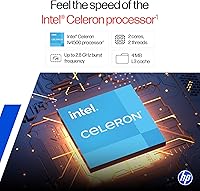
  • Processor: Intel Celeron N4500 dual-core processor runs at 1.1GHz base speed and can reach up to 2.8GHz under load, suitable for light computing tasks.
  • RAM: 4GB of DDR4 SDRAM handles basic multitasking adequately, though it becomes a bottleneck when running several applications or browser tabs at once.
  • Storage: 64GB eMMC internal storage provides enough room for the operating system and core apps, but fills up quickly without active file management or cloud storage use.
  • Display: 14-inch HD anti-glare touchscreen with a 1366×768 resolution, micro-edge bezel, and 250 nits brightness designed for indoor everyday use.
  • Graphics: Intel UHD integrated graphics share system memory and are capable of handling video playback and basic display tasks, but are not suited for gaming or video editing.
  • Webcam: HP True Vision 720p HD webcam with dual-array digital microphones delivers clear video and audio for remote learning and video calls in typical lighting conditions.
  • Wireless: Wi-Fi 6 (802.11ax) with 2×2 antenna configuration and Bluetooth provide fast, stable wireless connectivity and peripheral pairing.
  • Ports: Connectivity includes one USB-C port (5Gbps data transfer only, no charging or display output), two USB-A ports, one HDMI 1.4b port, and one SD card reader.
  • Operating System: Windows 11 Home in S mode ships pre-installed, restricting app installations to the Microsoft Store unless the user opts to switch out of S mode.
  • Included Software: A one-year Microsoft 365 Personal subscription is included, providing access to Word, Excel, PowerPoint, and OneDrive cloud storage during the subscription period.
  • Battery: The battery is rated for all-day use under typical workloads, though exact watt-hour capacity is not officially published in the product specifications.
  • Weight: The laptop weighs 3.24 lbs, making it light enough for daily commuting, campus use, or carrying in a standard backpack without discomfort.
  • Dimensions: The chassis measures 12.76 × 8.86 × 0.71 inches, giving it a slim, compact footprint that fits well in most bags and on smaller desks.
  • Color: Available in Pale Gold, a finish that distinguishes it visually from the plain black or grey typical of most budget laptops in its class.
  • Processor Cores: The Celeron N4500 features two physical cores with 4MB cache, which is sufficient for single-threaded tasks but limits performance under concurrent workloads.
  • Display Type: The screen uses BrightView anti-glare touchscreen technology with a micro-edge bezel that minimizes border width and maximizes the usable viewing area.
  • Memory Type: The installed RAM is DDR4 SDRAM, a standard and reliable memory type, though the total 4GB capacity is non-expandable in most configurations of this model.
  • Charging Port: The laptop charges via its dedicated proprietary port; the USB-C port does not support power delivery and cannot be used for charging.

Related Reviews
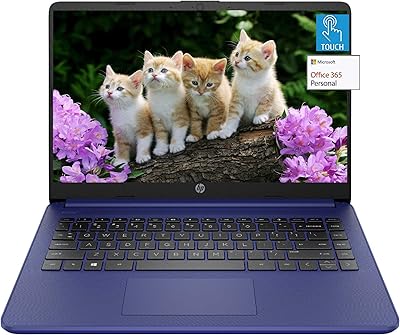
HP 14″ Touchscreen Laptop, Intel Celeron N4020, 16GB RAM, 192GB Storage
79%
81%
Performance
65%
Display Quality
55%
Battery Life
73%
Build Quality
88%
Portability
More
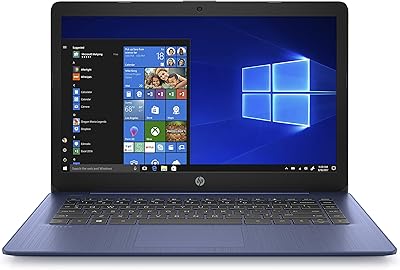
HP Stream 14-inch Laptop
65%
78%
Value for Money
84%
Battery Life
53%
Performance
41%
Storage Capacity
67%
Display Quality
More
HP TPN-Q221 14″ Laptop
63%
81%
Value for Money
48%
Performance
37%
Storage Capacity
43%
Battery Life
56%
Display Quality
More
HP 14-dq0020nr 14-inch Laptop 64GB
80%
72%
Performance
94%
Portability
88%
Battery Life
81%
Build Quality
75%
Display Quality
More
HP 14 Inch Laptop
HP 14 Inch Laptop
83%
92%
Value for Money
89%
Portability & Weight
90%
Battery Life
80%
Performance
84%
Build Quality
More
HP Chromebook 14a-nf0009nr 14-inch Laptop
82%
91%
Battery Life
88%
Portability & Weight
92%
Value for Money
80%
Performance for Everyday Tasks
85%
Display Quality
More
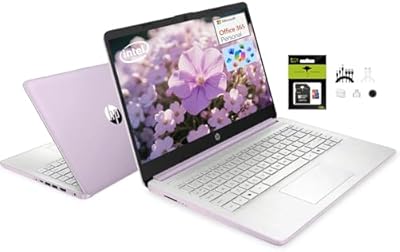
ASUS E410MA 14-Inch Celeron Laptop
63%
78%
Value for Money
47%
Performance
83%
Battery Life
89%
Portability
53%
Display Quality
More
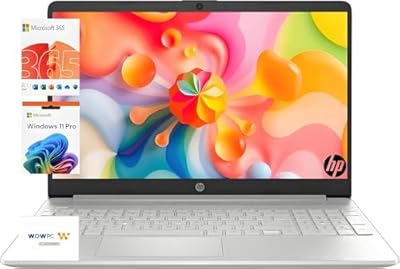
HP 14″ Student Laptop Celeron N150 8GB RAM 256GB Storage
83%
92%
Value for Money
90%
Portability/Weight
85%
Battery Life
80%
Display Quality
72%
Multitasking Performance
More
HP 15-inch Laptop, Intel Celeron N4120, 16GB RAM, 512GB SSD
77%
92%
Value for Money
65%
Display Quality
88%
Performance for Everyday Tasks
80%
Build Quality
78%
Portability
More
HP 14-inch Intel N150 Laptop
71%
83%
Value for Money
61%
Performance
48%
Display Quality
88%
RAM & Multitasking
54%
Storage Setup
More

FAQ

Not immediately out of the box — the laptop ships with Windows 11 in S mode, which only allows installs from the Microsoft Store. To use Chrome, Zoom desktop, or most standard third-party software, you need to switch out of S mode first. The good news is that switching is free and takes only a few minutes through Windows Settings, and it is a one-way change that unlocks the full Windows experience.

No, and this trips up a lot of buyers. The USB-C port on this budget touchscreen laptop is wired for data transfer only — it will not charge the device and does not support video output to an external monitor. You charge it through the dedicated proprietary power connector that comes in the box.

It depends on how you use it. For a student who saves documents to OneDrive and streams rather than downloads media, 64GB can work. However, once Windows updates and a few apps are installed, you may find yourself with 20–25GB of free space remaining. Keeping an SD card inserted as overflow storage or relying heavily on OneDrive cloud storage is a smart habit to develop from day one with this entry-level HP.

Yes, comfortably. The 720p webcam with dual microphones produces clear enough video and audio for online classes and video calls. Wi-Fi 6 also helps keep the connection stable. Just make sure to switch out of S mode if you need to run the desktop version of Zoom, since only the Microsoft Store version is available by default.

Yes, through the HDMI 1.4b port you can connect it to an external display or TV. Keep in mind that the USB-C port does not support video output, so HDMI is your only option here. The HDMI 1.4b standard supports up to 1080p at 60Hz, which is fine for presentations or casual extended-screen use.

It manages light multitasking — a couple of browser tabs, a Word document, and music playing in the background — reasonably well. Where it starts to struggle is when you pile on more: streaming a video while running a web meeting while downloading an update, for example. Four gigabytes of RAM is the main bottleneck, and users who push it will notice slowdowns or occasional freezing.

The touchscreen is responsive for basic finger touch input — tapping, scrolling, and pinch-to-zoom all work reliably. HP does not officially bundle a stylus or list active pen support for this model, so if stylus input is important for note-taking or drawing, this likely is not the right fit without doing further research on compatible passive stylus options.

HP markets it as an all-day battery, and for light use — typing, light browsing, and document work — most users report getting through a school day or work shift on a single charge. Stream video continuously or run more demanding tasks, and that runtime drops noticeably. Exact watt-hour capacity is not published, so treat the all-day claim as best-case rather than guaranteed.

It is a reasonable choice for a supervised younger student using it for schoolwork. The touchscreen is intuitive for kids, Windows 11 S mode actually works in your favor here since it limits app installs to the Microsoft Store by default — a bit of a built-in safety net. For younger children, you may want to set up a child account with parental controls as an additional layer.

Almost certainly not in any practical way. The eMMC storage is soldered directly to the motherboard, and the RAM is not designed to be user-upgradeable in this class of budget laptop. If you anticipate needing more storage down the road, plan ahead by using an SD card and cloud storage from the start rather than counting on a hardware upgrade later.