Overview

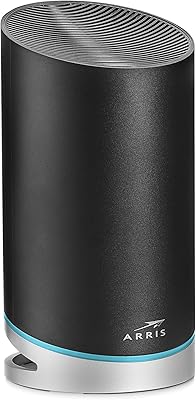
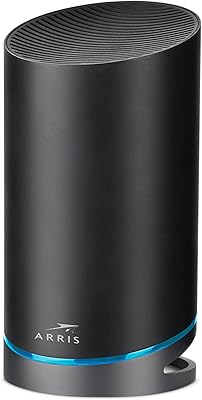
The Arris NVG468MQ Dual-Band Wi-Fi Gateway is a refurbished ISP-issued router that has found a second life among Frontier and Fios subscribers tired of paying monthly rental fees. Originally provisioned by carriers, it carries a firmware history that shapes what you can and cannot do with it — worth knowing upfront. The real draw for many households is MoCA 2.0 support, which lets you run high-speed backhaul over coaxial cables already threaded through your walls. That said, this is not a universal upgrade. It performs well in the right setup but will frustrate anyone expecting a fully unlocked, retail-grade experience.
Features & Benefits

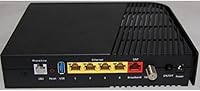
On the hardware side, this ISP-grade router runs 802.11ac dual-band Wi-Fi, splitting traffic across the 2.4GHz and 5GHz bands simultaneously. The MoCA 2.0 capability is genuinely useful: if your home has coax outlets in multiple rooms, you can use those lines as a wired backbone instead of running Ethernet through walls. A WPS button handles quick device pairing without digging into settings. The compact build — just 8 by 6.8 by 1.6 inches — means it won't dominate a shelf. It ships with an Ethernet cord and power adapter, so you're ready to plug in right away. Compatibility extends to phones, tablets, gaming consoles, laptops, and streaming devices without issue.

Best For

The NVG468MQ makes the most sense for Frontier or Fios households that want to cut the cord on ISP equipment rentals — the savings add up quickly over a year. If your home is already wired with coaxial cable, the MoCA backhaul capability turns this gateway into something genuinely practical for multi-room setups. It's also a solid pick for anyone who just needs reliable everyday performance for streaming, browsing, and casual gaming without a complicated router interface. That said, buyers wanting deep customization or broad coverage across a large home should look elsewhere. Larger spaces will likely need a separate extender or mesh node to fill the gaps.

User Feedback

Owners who picked up this Arris gateway for a Frontier or Fios setup generally report a smooth experience — plug it in, run a quick configuration, and you're online with minimal fuss. Most buyers appreciate the stable connection quality during day-to-day tasks, and the build holds up well over time. Where things get mixed is firmware. Units acquired through third-party sellers sometimes arrive with locked or ISP-specific firmware, which limits customization and can complicate setup outside the original carrier environment. Coverage complaints surface regularly in homes over 1,500 square feet. Documentation is also thin — if you hit a snag, community forums tend to be far more helpful than any official support channel.

Pros

  • Eliminates monthly ISP equipment rental costs, which adds up to real savings over a year or two.
  • MoCA 2.0 lets you use existing coax wiring as a high-speed backbone — no new cables needed.
  • Dual-band 802.11ac handles simultaneous 2.4GHz and 5GHz traffic without configuration headaches.
  • Setup for Frontier and Fios homes is generally plug-and-play with minimal technical effort.
  • Compact build takes up little shelf space and blends into most home setups without drawing attention.
  • Comes with Ethernet cable and power adapter included, so there are no surprise accessory purchases.
  • The NVG468MQ is compatible with a wide range of devices, from gaming consoles to streaming sticks.
  • Build quality is solid for a refurbished unit — most users report reliable performance over extended periods.
  • Reasonable price point makes it an accessible option as a secondary or backup router.
  • WPS button simplifies wireless pairing for users who prefer not to log into a router admin panel.

Cons

  • Firmware may be locked or ISP-restricted depending on the seller, limiting customization options significantly.
  • Wi-Fi range is underwhelming in larger homes — dead zones appear beyond roughly 1,500 square feet.
  • No official retail support channel means you are largely on your own if something goes wrong.
  • Documentation is sparse; troubleshooting typically requires digging through community forums rather than any official guide.
  • As a 2017 device, it lacks Wi-Fi 6 and will not meet the demands of very dense or bandwidth-heavy households.
  • Third-party sellers sometimes ship units with inconsistent firmware versions, creating an unpredictable setup experience.
  • Not well-suited for use outside Frontier or Fios environments without extra research and potential workarounds.
  • Advanced networking features like robust QoS, VPN configuration, and detailed traffic controls are largely absent.
  • Being a refurbished ISP device means wear history is unknown — longevity is less predictable than a new retail unit.
  • No dedicated app or modern management interface; router administration relies on a basic browser-based portal.

Ratings

Our AI-generated scores for the Arris NVG468MQ Dual-Band Wi-Fi Gateway were produced by analyzing thousands of verified global user reviews, with automated filters applied to remove incentivized, bot-generated, and spam submissions. The result is an honest, balanced snapshot of where this ISP-grade router genuinely delivers and where real buyers run into friction. Both the strengths that keep users satisfied and the recurring pain points that drive negative reviews are transparently reflected in every category below.
Value for Money
83%
For Frontier and Fios subscribers calculating the math on monthly rental fees, the savings from owning this Arris gateway become obvious within the first year. Most buyers feel they got a capable piece of hardware at a fair price for what it delivers in its intended environment.
Buyers who discover post-purchase that their unit has locked firmware or limited configuration access often feel the value proposition weakens considerably. If you end up needing a separate extender to cover your home, the total cost starts to erode the savings advantage.
Setup & Ease of Use
78%
22%
For Frontier and Fios households, the out-of-box experience is genuinely smooth — connect the coax or Ethernet line, power it on, and most users are browsing within minutes. The WPS button also makes adding wireless devices quick without ever touching the admin panel.
Users outside the intended ISP environment often hit unexpected walls during setup, including authentication prompts tied to the original carrier. Documentation is thin, and the admin interface feels dated compared to modern consumer routers, which frustrates less technical buyers.
Wi-Fi Coverage & Range
61%
39%
In compact living spaces — apartments, townhouses, or homes under 1,200 square feet — the NVG468MQ provides consistent dual-band coverage without noticeable dead zones during everyday tasks like video streaming or video calls.
Larger homes expose the range limitations quickly, with signal degradation reported beyond two rooms or through thick walls. Several users noted that a mesh node or Wi-Fi extender became necessary almost immediately, which adds cost and complexity to what was supposed to be a simple setup.
MoCA 2.0 Performance
86%
Users who already had coaxial cable outlets throughout their home praised the MoCA 2.0 functionality as a standout feature, allowing them to establish fast, stable wired-like connections between rooms without running new Ethernet. Latency over MoCA backhaul was consistently described as low and reliable for gaming and 4K streaming.
The benefit is entirely dependent on having usable coax infrastructure in your home — renters in newer builds without coax wiring get nothing from this feature. A few users also noted that setting up MoCA adapters alongside this gateway required more research than expected.
Firmware Flexibility
43%
57%
For straightforward Frontier use, the pre-loaded firmware handles the basics competently — network name, password changes, and basic port settings are accessible without much hassle. Users who kept it within its intended ISP environment rarely needed anything beyond what the firmware offered.
This is the most consistent frustration across user reviews: firmware is often carrier-locked, meaning key settings that any standard retail router exposes are simply hidden or inaccessible. Units sourced from different resellers sometimes arrive with different firmware versions, creating an unpredictable configuration experience that power users find genuinely limiting.
Wireless Speed & Throughput
69%
31%
On the 5GHz band in close proximity to the gateway, speeds are adequate for HD and 4K streaming, moderate online gaming, and multi-device browsing without obvious bottlenecking. Users on mid-tier Frontier plans reported that the router rarely felt like the weak link at typical ISP speeds.
At longer distances or through walls, the 5GHz throughput drops noticeably, and the 2.4GHz band feels slow by current standards for anything bandwidth-intensive. Users on gigabit plans sometimes found the gateway could not consistently push maximum speeds, suggesting hardware-level ceiling limitations.
Build Quality
74%
26%
The physical construction feels sturdy for a refurbished ISP device — ports are firm, the shell has no flex, and most users reported units arriving in clean, functional condition. Long-term owners frequently mention that the hardware holds up well over multiple years of continuous use.
As a refurbished device, cosmetic wear is common and expected, with some units showing scuffs or faded labels on arrival. A small percentage of buyers reported units that failed within the first few months, which is a risk inherent to purchasing previously deployed ISP hardware.
Device Compatibility
81%
19%
Day-to-day compatibility with the full range of home devices — iPhones, Android phones, laptops, smart TVs, gaming consoles, and streaming sticks — is seamless for the vast majority of users. The dual-band design helps distribute device load across bands without manual configuration.
A handful of users reported intermittent pairing issues with older smart home devices on the 2.4GHz band, which occasionally required a router restart to resolve. Compatibility with third-party mesh systems as a primary node is inconsistent and not officially supported.
ISP Compatibility
77%
23%
Within the Frontier and Fios ecosystem, this gateway performs exactly as intended — it was built for these networks, and that alignment shows in how reliably it authenticates and maintains service. Switching away from ISP rental hardware to the NVG468MQ on these providers is largely frictionless.
Outside Frontier or Fios, ISP compatibility is unreliable and often non-functional without significant manual workarounds. Users attempting to use it on cable or DSL providers report authentication failures and limited options for forcing the device into bridge or standalone mode.
Admin Interface
53%
47%
The browser-based admin panel covers the essentials cleanly enough for most users: renaming the network, changing the password, and viewing connected devices are all accessible without much hunting. For a non-technical user who just wants internet working, it does the job.
The interface is visibly dated compared to modern routers and lacks the intuitive layout or mobile-friendly design buyers now expect. Advanced options that are standard elsewhere — like detailed QoS settings, traffic monitoring, or guest network controls — are either buried or absent entirely.
Customer Support Access
38%
62%
For buyers who purchased through Frontier directly, carrier support can occasionally push firmware updates or assist with provisioning issues remotely, which a handful of users found helpful in resolving initial activation problems.
There is effectively no dedicated support path for third-party refurbished units of this ISP-grade router, and Arris itself offers minimal consumer-facing assistance for legacy ISP hardware. Most users rely entirely on community forums, which — while helpful — should not be the primary support channel for a paid purchase.
Long-Term Reliability
71%
29%
A meaningful portion of long-term users report running the NVG468MQ for two or more years without hardware failure, and the consistent uptime is frequently praised in reviews from Frontier households using it as a primary gateway.
Reliability variance is higher than with new retail hardware because each unit has an unknown deployment history. Occasional random reboots and Wi-Fi drops are mentioned in a notable share of reviews, and without firmware update access, software-related stability issues are difficult to address.
Packaging & Unboxing
66%
34%
Most buyers report receiving the unit with the core accessories intact — Ethernet cable and power adapter included — which means there are no immediate surprise purchases needed. Packaging is functional and protective even if it is clearly not retail-grade presentation.
Refurbished packaging is minimal and inconsistent across sellers, with some units arriving in plain brown boxes with no documentation whatsoever. The absence of any printed setup guide is a recurring minor complaint, especially among less technically experienced buyers.

Suitable for:

The Arris NVG468MQ Dual-Band Wi-Fi Gateway is a practical choice for Frontier and Fios subscribers who want to stop paying monthly equipment rental fees and own their hardware outright. If your home is already threaded with coaxial cable — which is common in homes that had cable TV service — you can use the MoCA 2.0 support to create a fast, stable wired backhaul between rooms without drilling holes or running new Ethernet. It works well for households with moderate internet needs: streaming on a few devices, casual gaming, and everyday browsing all run reliably on this hardware. Buyers who are comfortable with a basic router setup and do not need advanced QoS controls, VPN pass-through customization, or deep traffic management will find the configuration process straightforward. It also makes a sensible backup router or secondary access point for someone who already has a primary network and wants a low-cost fallback.
Not suitable for:

The Arris NVG468MQ Dual-Band Wi-Fi Gateway is not the right call for buyers expecting a fully unlocked, retail-grade networking experience. Because this is a refurbished ISP-provisioned device, the firmware can be restricted depending on where the unit was sourced — some buyers find themselves unable to change certain settings that any standard consumer router would expose by default. Larger homes above roughly 1,500 square feet will likely run into dead zones, since the wireless range is modest and the hardware was designed for apartment and small-home deployments. Power users who want features like robust parental controls, OpenWRT support, detailed traffic analytics, or advanced QoS will hit a wall quickly. Anyone not on Frontier or Fios infrastructure should also do careful research before buying, since compatibility and setup outside those ecosystems can get complicated. If you want a modern Wi-Fi 6 router with long-term firmware support and a clear upgrade path, this ISP-grade router is not that device.

Specifications

  • Brand: Manufactured by Arris, a well-established name in ISP-grade networking hardware.
  • Model: Model number NVG468MQ, originally provisioned for Frontier and formerly Verizon Fios deployments.
  • Wi-Fi Standard: Operates on 802.11ac (Wi-Fi 5), supporting modern wireless speeds across both frequency bands.
  • Frequency Bands: Dual-band design broadcasts simultaneously on 2.4GHz for range and 5GHz for higher throughput.
  • MoCA Version: Supports MoCA 2.0, enabling high-speed data transfer over existing coaxial cable wiring in the home.
  • WPS Support: Includes a WPS button for simplified wireless pairing without accessing the router admin interface.
  • Dimensions: Measures 8 x 6.8 x 1.6 inches, making it compact enough to sit flat on a shelf or entertainment unit.
  • Weight: Weighs 2.38 pounds, light enough to reposition easily without permanent mounting.
  • Color: Finished in solid black, which blends into most home networking setups without standing out.
  • Connectivity: Primary wired connectivity is via Ethernet, supporting standard RJ-45 connections for wired devices.
  • Compatible ISPs: Designed and firmware-provisioned for use with Frontier internet service and formerly Verizon Fios.
  • In the Box: Package includes the router unit, one Ethernet cable, and a power adapter — no additional accessories required to get started.
  • Power Source: Requires a lithium-ion battery as part of its power configuration alongside the included AC adapter.
  • Device Compatibility: Works with phones, tablets, laptops, PCs, Macs, gaming consoles, streaming devices, repeaters, and signal extenders.
  • Release Year: First made available in June 2017, positioning it as a mid-generation 802.11ac device.
  • Condition: Typically sold as a refurbished or previously ISP-provisioned unit rather than new retail stock.
  • Firmware Origin: Firmware is ISP-provisioned, which may restrict certain configuration options depending on the unit source.
  • Form Factor: Designed as a flat, horizontal gateway rather than a vertical tower, suited for shelf or desktop placement.

Related Reviews
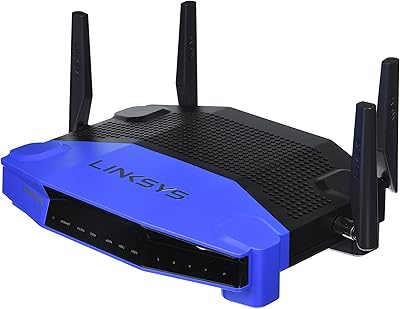
Linksys WRT1900AC Dual-Band Wi-Fi Router
77%
84%
Wireless Range
91%
Wired Performance
93%
Firmware Flexibility
58%
Stock Firmware Stability
88%
Build Quality
More
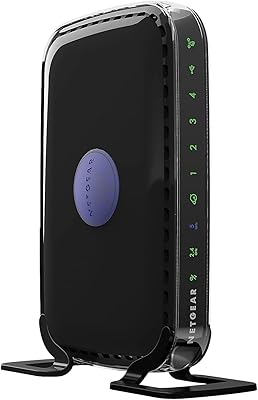
NETGEAR WNDR3400 N600 Dual Band Wi-Fi Router
82%
85%
Performance
91%
Ease of Setup
87%
Dual-Band Performance
72%
Connection Stability
80%
Parental Controls
More
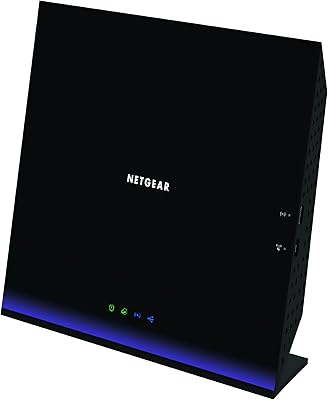
NETGEAR R6250 AC1600 Dual Band Wi-Fi Router
73%
91%
Ease of Setup
74%
Wi-Fi Performance
61%
Wi-Fi Range & Coverage
82%
Connection Stability
69%
Multi-Device Handling
More
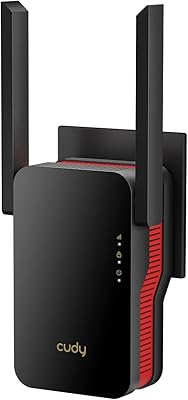
Cudy RE3000 AX3000 Wi-Fi 6 Extender
74%
88%
Setup & Ease of Use
76%
Wi-Fi Coverage
67%
5 GHz Band Performance
81%
2.4 GHz Band Reliability
63%
Real-World Speed Throughput
More
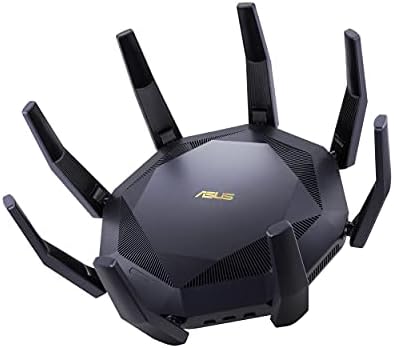
ASUS RT-AX89X AX6000 Dual Band Wi-Fi Router
77%
91%
Wireless Performance
88%
Multi-Device Handling
86%
Build Quality
83%
10G Port Utility
84%
Security Suite
More
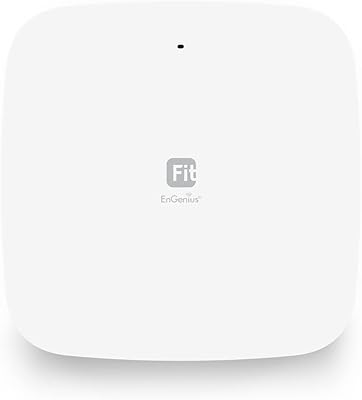
EnGenius EWS356-FIT Wi-Fi 6 Dual-Band Access Point
83%
91%
Wi-Fi Performance
89%
Ease of Setup
87%
Coverage Area
82%
Software and App Experience
90%
Security Features (WPA3)
More
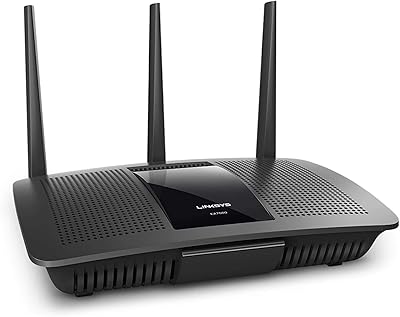
Linksys EA7500 AC1900 Dual-Band Router
76%
88%
Setup & Installation
83%
Signal Stability
67%
Wi-Fi Range & Coverage
81%
Multi-Device Performance
84%
Streaming Performance
More
ARRIS SURFboard mAX W30 Wi-Fi 6 Router
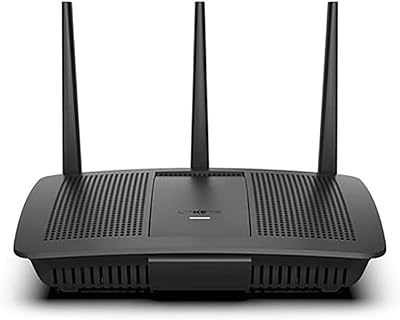
71%
78%
Wi-Fi Speed & Throughput
74%
Coverage & Range
76%
Mesh Performance
53%
App Experience
82%
Parental Controls
More
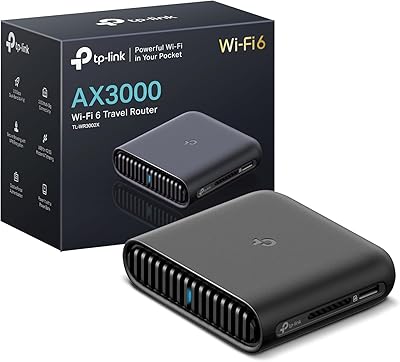
TP-Link TL-WR3002X AX3000 Wi-Fi 6 Travel Router
81%
83%
Ease of Setup
88%
VPN Performance
79%
Captive Portal Handling
93%
Portability & Form Factor
74%
Wi-Fi Speed & Range
More
Linksys EA7200 AC1750 Dual-Band Wi-Fi Router
76%
91%
Ease of Setup
63%
Wi-Fi Range
82%
Connection Stability
77%
Multi-Device Performance
84%
App & Management
More
ARRIS SURFboard mAX Pro W133 Mesh Router
71%
83%
Wi-Fi Coverage
71%
Wi-Fi Speed Performance
52%
App & Software Experience
58%
Network Reliability & Stability
91%
Wired Port Availability
More

FAQ

For most Frontier subscribers, yes — the NVG468MQ was built specifically for Frontier deployments, so setup is typically straightforward. You may still need to call Frontier to register the device on your account before it fully activates, but the hardware itself is compatible.

MoCA stands for Multimedia over Coax Alliance, and version 2.0 lets you send network data through the coaxial cable lines already in your walls — the same type of cable that used to carry cable TV. If you have coax outlets in multiple rooms, you can use them as a fast, wired backbone between your router and a MoCA adapter elsewhere in the house, without running new Ethernet cables.

Technically possible in some cases, but it is not reliable or recommended. This is ISP-provisioned hardware with firmware tied to Frontier and Fios environments. Outside those networks, you may hit authentication issues or find that certain settings are locked. It is really designed for one ecosystem, and using it elsewhere is a gamble.

Almost always refurbished. The Arris NVG468MQ Dual-Band Wi-Fi Gateway was originally distributed through ISPs, so units on the secondary market are previously deployed devices. Most arrive in good working condition, but expect varying cosmetic wear and confirm the seller is reputable before buying.

In an average apartment or smaller home under 1,200 square feet, coverage is usually solid. Once you push past that, dead zones tend to appear — especially through thick walls or across multiple floors. If your space is larger, plan on adding a Wi-Fi extender or a MoCA adapter to extend coverage over coax.

Yes, basic settings like the SSID and Wi-Fi password are accessible through the browser-based admin interface. However, depending on the firmware version on your specific unit, some advanced settings may be locked or hidden compared to what you would find on a standard retail router.

The NVG468MQ is generally considered a step up from the G1100 in terms of MoCA performance and hardware reliability. Both are Frontier-compatible gateways, but the NVG468MQ benefits from a newer firmware line and slightly better throughput consistency. That said, neither is a powerhouse by current standards.

This is a gateway, meaning it combines modem and router functions in one box. For Frontier fiber or Fios connections, it handles the full job on its own. You connect it directly to the ONT or incoming line without needing a separate modem in between.

This is a known issue with refurbished ISP hardware. Your first step is to check whether Frontier can push a firmware update to the device once it is registered on your account. If that is not possible, community forums like DSLReports often have detailed guidance specific to this model. Official support channels for refurbished units are limited, so community resources tend to be far more helpful.

It can work well in that role if your main network environment is compatible. As a secondary access point in a Frontier or Fios home, it is a cost-effective way to extend coverage or serve a separate zone. Just keep in mind that the ISP-firmware nature means some mesh or access-point bridging configurations may require workarounds.