Overview

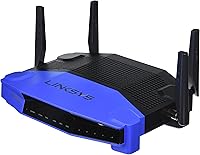
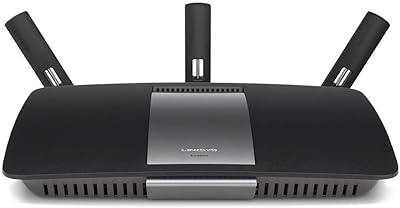
The Linksys WRT1900AC Dual-Band Wi-Fi Router arrived in 2014 as a serious AC1900-class option aimed squarely at power users who wanted more than a typical consumer box. It carries the iconic WRT name — a lineage that still means something to networking enthusiasts who remember the original WRT54G. Four adjustable antennas and a distinctly industrial-retro chassis make it stand out on a shelf, but the real draw is open-source firmware support. If you are shopping today, be honest with yourself: Wi-Fi 6 routers exist at comparable price points. This remains a strong machine for the right buyer, but it is not the obvious default it once was.
Features & Benefits

The WRT1900AC runs on a 1.2 GHz dual-core ARM processor — unusual for a consumer router at its launch — which keeps things running smoothly even when multiple devices are hammering the network simultaneously. On the wireless side, you get up to 600 Mbps on the 2.4 GHz band and 1300 Mbps on the faster 5 GHz band, with beamforming that directs the signal toward your devices instead of scattering it everywhere. Four Gigabit Ethernet ports handle wired connections for consoles, desktops, and streaming devices. The USB 3.0 and eSATA ports let you attach an external drive for basic file sharing, and the Smart Wi-Fi app makes remote network management genuinely straightforward.

Best For

This dual-band router is a natural fit for multi-level homes and small offices where dead zones have been a recurring frustration. If you have a cluster of wired devices — a gaming console, a desktop, a NAS box — four Gigabit ports mean you are not fighting over bandwidth. The USB 3.0 and eSATA connections make it practical for anyone wanting a basic shared drive without buying separate NAS hardware. Where this Linksys router truly shines, though, is with users willing to install DD-WRT or OpenWrt firmware. That audience gets a level of network customization most routers simply will not allow straight out of the box.

User Feedback

Across nearly 900 ratings, the WRT1900AC holds a 4.1-star average — not a perfect score, but a respectable one given how long it has been on the market. Buyers consistently praise the 5 GHz range, the solid build quality, and how stable this dual-band router tends to be over long stretches without a reboot. The criticisms that surface repeatedly are worth noting: 2.4 GHz performance trails some competitors, and the initial setup can feel intimidating if you are not comfortable inside a router admin panel. A number of users also flagged intermittent bugs in the stock firmware, though most report that switching to DD-WRT or OpenWrt resolves those issues reliably.

Pros

  • Exceptionally strong 5 GHz signal holds up well across multiple floors and open-plan spaces.
  • Four Gigabit Ethernet ports provide fast, stable wired connections for consoles, PCs, and smart TVs.
  • Full DD-WRT and OpenWrt compatibility gives technically skilled users near-unlimited network customization.
  • The 1.2 GHz dual-core processor keeps traffic management smooth even under heavy multi-device loads.
  • USB 3.0 and eSATA ports enable basic network-attached storage without separate hardware.
  • Beamforming directs the wireless signal toward active devices, reducing dead zones in larger homes.
  • The Smart Wi-Fi app makes remote management, guest access, and parental controls genuinely accessible.
  • Long-term reliability is a recurring theme in user feedback, with many reporting years of stable uptime.
  • The WRT lineage carries real credibility in the enthusiast community, backed by a decade of third-party firmware development.

Cons

  • 2.4 GHz performance noticeably trails competing routers at similar price points.
  • Stock firmware has a documented history of intermittent bugs that Linksys has been slow to address.
  • No Wi-Fi 6 support means households with newer devices cannot take advantage of improved efficiency and speed.
  • Initial setup can feel complex and unintuitive for users without prior router configuration experience.
  • 256 MB of RAM and 128 MB of flash storage leave limited headroom for running advanced firmware packages.
  • Launched in 2014, so buyers are investing in aging hardware in a market that has moved on considerably.
  • The four large external antennas make this a bulky unit that does not sit discreetly on a shelf.
  • No MU-MIMO support beyond basic implementation, which limits efficiency when many wireless devices connect simultaneously.
  • Warranty and manufacturer support are less reassuring for a product this far into its lifecycle.

Ratings

Our AI rating engine analyzed verified global reviews for the Linksys WRT1900AC Dual-Band Wi-Fi Router, actively filtering out incentivized, bot-generated, and duplicate submissions to surface patterns from genuine long-term owners. The scores below reflect both what this router consistently gets right and where real buyers have run into friction — nothing is glossed over. Whether you are an enthusiast eyeing it for custom firmware or a home user weighing it against newer hardware, these ratings are designed to give you a clear, honest picture.

Wireless Range
84%
The 5 GHz coverage is a recurring highlight across hundreds of reviews, with users in two-story homes and open-plan offices reporting strong, stable signals in rooms where other routers had already given up. The four adjustable antennas combined with beamforming make a tangible difference in practice.
The 2.4 GHz band tells a different story — it struggles to match competitors at the same price tier, and users with older smart home devices or IoT gadgets on that band have noticed weaker penetration through walls compared to rival AC1900 routers.
Wired Performance
91%
Four Gigabit Ethernet ports are a genuine strength, and users who hardwire gaming consoles, desktop PCs, or NAS drives consistently report fast, rock-steady throughput with negligible latency. For wired-first households, this is one of the most reliable aspects of the WRT1900AC.
There are no real complaints about wired speed itself, but the physical port placement on the rear of the unit makes cable management a minor annoyance in tight media cabinet setups where access is limited.
Firmware Flexibility
93%
This is where the WRT1900AC genuinely separates itself from the pack. DD-WRT and OpenWrt support is deep and well-documented, and the enthusiast community has been developing and refining builds for this specific model for years. Users running VPN servers, custom QoS rules, and advanced firewall configs consistently report excellent results.
The benefits of third-party firmware come with a learning curve that is steep enough to exclude non-technical buyers entirely. If you are not comfortable with networking concepts, flashing firmware can feel risky, and a botched process — while recoverable — is stressful.
Stock Firmware Stability
58%
42%
Out of the box, the Smart Wi-Fi interface is clean and relatively easy to navigate for basic tasks like setting up a guest network or enabling parental controls. First-time setup is guided well enough that most users get online without major issues.
Stock firmware reliability is a persistent sore point in the review pool. Intermittent disconnects, behavioral regressions after updates, and occasional reboot loops are mentioned often enough to be a real concern. Many reviewers explicitly say they only found stability after switching to DD-WRT or OpenWrt.
Build Quality
88%
The chassis feels dense and purposeful — this does not rattle or flex when handled, and the matte black finish resists scratches well over time. Multiple long-term owners mention that the physical unit still looks and feels solid after several years of continuous use.
The unit is bulky by modern standards, and the four large antennas mean it demands real shelf or desk space. Users trying to tuck it into a media cabinet or mount it discreetly often find the form factor more awkward than expected.
Setup Experience
61%
39%
For users who are comfortable with basic networking, the guided setup via the Smart Wi-Fi app gets the router online quickly and the interface is logically laid out. Intermediate users appreciate having advanced settings accessible without needing to dig through hidden menus.
Non-technical buyers frequently describe the initial configuration as confusing, especially when dealing with dual-band naming, channel selection, or WAN setup for non-standard ISP configurations. The learning curve is noticeably steeper than consumer-focused mesh systems.
Remote Management
76%
24%
The Smart Wi-Fi cloud app works reliably for remotely checking connected devices, pausing internet access for specific clients, and adjusting guest network settings — features that parents and small business owners find genuinely practical on a day-to-day basis.
The app has not kept pace with modern design standards and feels dated compared to the mobile interfaces on newer router platforms. Some users also express discomfort with cloud dependency for local network management, raising valid privacy considerations.
USB & Storage Sharing
73%
27%
Plugging in an external USB 3.0 drive and sharing it across the network works as advertised, and users running basic home media setups or shared backup folders find it a convenient alternative to buying dedicated NAS hardware.
Transfer speeds over the network are acceptable but not impressive, and a few users report inconsistent drive detection after firmware updates. The eSATA port adds flexibility, but compatible external eSATA drives are increasingly rare and the feature is underused in practice.
Long-Term Reliability
82%
18%
A notable proportion of reviews come from users who have owned the WRT1900AC for three or more years and describe it as a set-it-and-forget-it device once properly configured. Uptime measured in months between reboots is a recurring theme among owners running third-party firmware.
Reliability on stock firmware is considerably less consistent, and units purchased closer to the product launch era have occasionally shown signs of hardware aging — particularly around port sensitivity. Long-term support from Linksys has tapered off as the product ages.
Value for Money
67%
33%
For DD-WRT and OpenWrt enthusiasts, the WRT1900AC still represents reasonable value because the open-source firmware ecosystem gives it capabilities that comparable consumer routers simply do not have, effectively extending its functional lifespan well beyond its launch date.
For buyers not planning to use custom firmware, the value equation is harder to justify in today's market. Wi-Fi 6 routers offering better throughput, improved device handling, and longer manufacturer support windows are available at similar or lower prices.
2.4 GHz Performance
62%
38%
For light-duty devices — older laptops, basic smart speakers, and low-bandwidth IoT gadgets — the 2.4 GHz band provides adequate coverage and the range on that band is acceptable for single-floor use.
Against direct AC1900 competitors, the 2.4 GHz throughput consistently comes in lower in real-world comparisons, and users with a large number of 2.4 GHz-only devices in busy RF environments have noticed congestion and speed drops more than they expected.
5 GHz Performance
87%
On the 5 GHz band, this dual-band router performs confidently — streaming 4K content, online gaming, and large file transfers over wireless all run smoothly when devices are connected to this band, and signal consistency across floors is one of the most praised aspects in user feedback.
Like all 5 GHz implementations, range drops off more sharply through multiple walls or floors compared to 2.4 GHz, and users in very large homes occasionally find they need a secondary access point to maintain full coverage.
Parental Controls
71%
29%
The built-in parental control features through the Smart Wi-Fi app allow parents to pause internet access per device and set basic scheduling, which covers the core use case for most households without needing third-party software.
Content filtering is basic compared to dedicated parental control platforms or what is achievable through OpenWrt packages. Parents wanting category-level content blocking or detailed usage reports will find the stock options limiting.
Community & Support
79%
21%
The WRT1900AC benefits from an unusually rich third-party support ecosystem. Dedicated forum threads, detailed flashing guides, and actively maintained firmware builds mean that motivated users can find answers to almost any configuration question.
Official Linksys support for this model has become minimal given its age, and users relying on manufacturer channels for troubleshooting often find the responses generic or unhelpful. Warranty coverage on a product this old is also a diminishing asset.

Suitable for:

The Linksys WRT1900AC Dual-Band Wi-Fi Router is a strong match for technically confident users who want more control over their network than a typical consumer router allows. Households spread across multiple floors will appreciate the strong 5 GHz range and beamforming, which keeps signal quality consistent in areas where cheaper routers start to struggle. If you have several wired devices — gaming consoles, desktop PCs, a NAS box — the four Gigabit Ethernet ports mean you can hardwire everything without adding a separate switch. The USB 3.0 and eSATA ports are a genuine convenience for anyone who wants to share an external drive across the network without investing in dedicated NAS hardware. Above all, this router is the go-to choice for enthusiasts who plan to run DD-WRT or OpenWrt, since that firmware ecosystem unlocks VPN routing, advanced QoS, and traffic shaping options that most routers simply do not support.

Not suitable for:

The Linksys WRT1900AC Dual-Band Wi-Fi Router is a harder sell for buyers who just want to plug something in and forget about it. The stock firmware has a history of intermittent bugs, and resolving them often means researching third-party firmware options — not something a non-technical user should be expected to do. If your household runs mostly newer devices that support Wi-Fi 6, you would be leaving meaningful speed and efficiency gains on the table, since this router tops out at Wi-Fi 5 (802.11ac). Budget-conscious buyers comparing options today will find newer routers at similar or lower price points that offer better throughput, improved range on the 2.4 GHz band, and more modern security protocols. Anyone living in a small apartment with only a handful of devices will also find this router oversized and over-engineered for their actual needs.

Specifications

  • Wi-Fi Standard: This router operates on 802.11ac (Wi-Fi 5), supporting simultaneous dual-band communication across both the 2.4 GHz and 5 GHz frequencies.
  • 2.4 GHz Speed: The 2.4 GHz band delivers wireless throughput of up to 600 Mbps, suitable for everyday browsing and low-bandwidth smart home devices.
  • 5 GHz Speed: The 5 GHz band reaches up to 1300 Mbps, making it the preferred band for streaming, gaming, and other bandwidth-intensive tasks.
  • Processor: A 1.2 GHz dual-core ARM CPU handles routing, traffic management, and storage sharing tasks without the slowdowns common in single-core consumer routers.
  • Memory: The router includes 256 MB of RAM and 128 MB of flash storage, providing enough headroom for standard firmware operation and moderate third-party firmware use.
  • LAN Ports: Four Gigabit Ethernet ports support wired connections at speeds up to 1000 Mbps, significantly outpacing older Fast Ethernet infrastructure.
  • USB Port: One USB 3.0 port allows users to connect an external storage drive for basic network file sharing or media serving.
  • eSATA Port: An eSATA interface provides an alternative high-speed connection for compatible external drives, offering faster data transfer than USB 2.0.
  • Antennas: Four external, adjustable antennas are engineered to optimize dual-band signal distribution across multi-room and multi-floor environments.
  • Beamforming: Active beamforming technology focuses wireless signals toward connected client devices rather than radiating equally in all directions, improving effective range.
  • Firmware Support: The WRT1900AC is officially compatible with both OpenWrt and DD-WRT open-source firmware, enabling advanced routing configurations well beyond stock capabilities.
  • Remote Management: The Linksys Smart Wi-Fi cloud app lets users manage network settings, set parental controls, and configure guest access from any smartphone or browser.
  • Dimensions: The unit measures 9.76 x 7.68 x 2.01 inches, with four protruding antennas adding additional height when fully extended.
  • Weight: At 2.11 pounds, the router is sturdy enough to stay in place on a shelf without requiring wall mounting.
  • Color & Build: The chassis is finished in matte black with a utilitarian industrial design that references the classic WRT aesthetic from earlier Linksys generations.
  • WPS Support: Wi-Fi Protected Setup (WPS) is included for simplified one-button pairing with compatible wireless devices.
  • OS Compatibility: Setup is supported on Windows XP SP3 through Windows 8 and Mac OS X 10.5.8 or later, though modern browsers handle configuration without OS restrictions.
  • Launch Date: The WRT1900AC was first made available in May 2014 and has not been discontinued by the manufacturer as of the time of this writing.

Related Reviews
Linksys EA7500 AC1900 Dual-Band Router
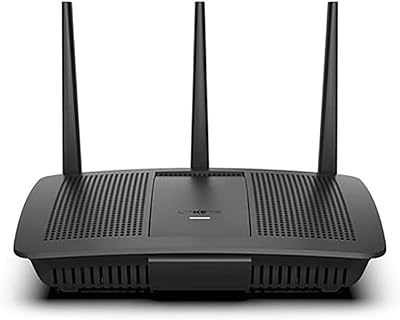
76%
88%
Setup & Installation
83%
Signal Stability
67%
Wi-Fi Range & Coverage
81%
Multi-Device Performance
84%
Streaming Performance
More
Linksys EA7200 AC1750 Dual-Band Wi-Fi Router
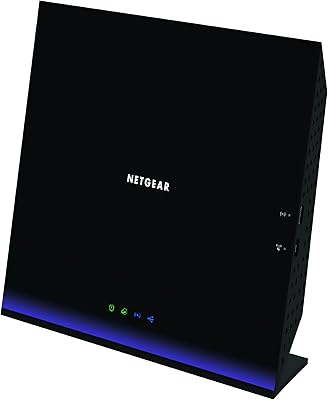
76%
91%
Ease of Setup
63%
Wi-Fi Range
82%
Connection Stability
77%
Multi-Device Performance
84%
App & Management
More
NETGEAR WNDR3400 N600 Dual Band Wi-Fi Router
82%
85%
Performance
91%
Ease of Setup
87%
Dual-Band Performance
72%
Connection Stability
80%
Parental Controls
More
NETGEAR R6250 AC1600 Dual Band Wi-Fi Router
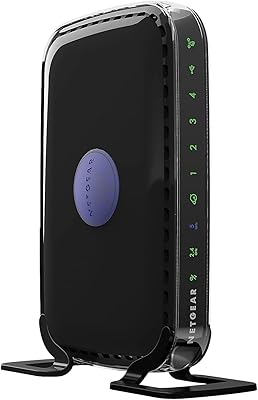
73%
91%
Ease of Setup
74%
Wi-Fi Performance
61%
Wi-Fi Range & Coverage
82%
Connection Stability
69%
Multi-Device Handling
More
ASUS RT-AX89X AX6000 Dual Band Wi-Fi Router
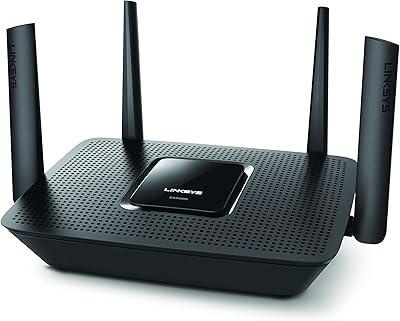
86%
91%
Wi-Fi Performance
89%
Speed & Throughput
87%
Setup & Installation
84%
Build Quality
93%
Security Features
More
Linksys EA8300 Max-Stream AC2200 Tri-Band Wi-Fi Router
86%
90%
Wi-Fi Performance
87%
Setup & Installation
91%
Signal Coverage
89%
Gaming & Streaming Performance
85%
Multi-Device Support
More
TP-Link TL-WR3002X Dual-Band Wi-Fi 6 Travel Router
85%
89%
Performance
91%
Ease of Setup
85%
Portability
87%
Security Features
88%
Wi-Fi Speed
More
Linksys EA2700 Dual-Band Router
82%
84%
Wireless Performance
78%
Signal Coverage
88%
Setup & Installation
90%
Wired Connectivity
81%
Reliability
More
Linksys EA6900 AC1900 Dual-Band Wi-Fi Router

73%
91%
Ease of Setup
78%
Wi-Fi Speed & Performance
67%
Wireless Range
73%
Beamforming Effectiveness
74%
Build Quality & Design
More
Linksys EA4500 N900 Wi-Fi Router
82%
88%
Wi-Fi Performance
91%
Setup and Installation
85%
App Experience (Smart Wi-Fi)
89%
Range (2.4GHz Band)
70%
Range (5GHz Band)
More

FAQ

It depends heavily on what you need. The Linksys WRT1900AC Dual-Band Wi-Fi Router is a capable machine for wired-heavy setups and open-source firmware enthusiasts, but it tops out at Wi-Fi 5 (802.11ac). If your devices support Wi-Fi 6 and you want to future-proof your home network, newer options at similar price points make more sense. If you specifically want a rock-solid platform for DD-WRT or OpenWrt, this router still earns its place.

Yes, the WRT1900AC was designed with third-party firmware in mind — Linksys even collaborated with the open-source community during its development. That said, flashing custom firmware does carry some risk if you skip steps or use an incompatible build. Follow a build-specific guide for this exact model rather than a generic one, and you should be fine. The community support around this router is well-established.

This is a known weak spot. The 5 GHz band is genuinely strong, but the 2.4 GHz performance has consistently underwhelmed compared to competing AC1900 routers. For most modern devices that support 5 GHz, this is not a dealbreaker. However, if you have a lot of older gadgets, smart home sensors, or devices that only connect on 2.4 GHz, you may notice the difference.

You can plug in an external hard drive and share it across your network — useful for basic file storage, media playback from a smart TV, or running scheduled backups. It is not a replacement for a dedicated NAS device, but for light shared storage needs it works well. The USB 3.0 port is fast enough that large file transfers across the network are reasonably quick compared to older USB 2.0 setups.

Using the stock firmware with the Smart Wi-Fi app, the basic setup is manageable — the guided flow handles most of the heavy lifting. Where things get tricky is if something goes wrong or you want to configure anything beyond the basics, like static IP assignments or custom DNS. If you are not comfortable poking around inside router settings, this is not the most forgiving option on the market. A mesh system from a consumer-focused brand might be a better fit.

The WRT1900AC has only basic MU-MIMO implementation, and in practice it does not handle dense device environments as efficiently as more recent routers designed with that feature at the forefront. If you have 20 or 30 wireless devices all active at the same time, a newer Wi-Fi 6 router with proper MU-MIMO and OFDMA support will serve you better.

This concern has merit. A meaningful portion of long-term users have reported stability issues with the stock Linksys firmware — occasional disconnects, inconsistent behavior after updates. The good news is that most of those users also report that switching to DD-WRT or OpenWrt resolves the issues entirely. If you plan to run stock firmware indefinitely, it is worth keeping an eye on firmware update notes before applying them.

Yes. You can configure the WRT1900AC to operate in access point mode, which disables its routing functions and lets it work purely as a wireless extension to your existing network. This is a practical option if you want better wireless coverage in a specific part of your home without replacing your main router.

Most users in two-story homes report strong performance, particularly on the 5 GHz band. The four adjustable antennas and beamforming combination gives this dual-band router a real advantage over routers with internal antennas. Placement matters — putting it on the main floor near the center of the house tends to get the best results on both floors. Very large homes or thick concrete walls may still push the limits.

The WRT1900ACS is a later revision that bumped the flash storage from 128 MB to 256 MB, which gives it more room to run complex third-party firmware packages. For everyday use and basic DD-WRT or OpenWrt setups, the original WRT1900AC is functionally equivalent. The extra storage in the ACS becomes relevant only if you want to install a larger selection of firmware add-ons simultaneously.

Where to Buy