

Overview

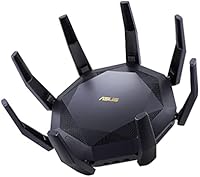
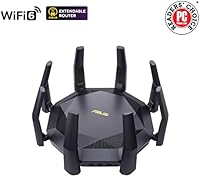
The ASUS RT-AX89X AX6000 Dual Band Wi-Fi Router is a serious piece of hardware built for people who have outgrown mainstream routers and genuinely need more. Launched in late 2020, this ASUS Wi-Fi 6 router still holds its own against newer competition — largely because its hardware was specced generously from the start. The AX6000 rating translates to less congestion, faster handoffs, and real headroom when many devices are active simultaneously. Fair warning: this thing is large and heavy, so measure your shelf or cabinet before it arrives. It targets home network veterans, prosumers, and small office setups — not someone looking for a simple plug-and-play solution.

Features & Benefits

Where this high-end AX6000 router stands apart is how it handles a house full of active devices at once. The 12-stream architecture, combined with OFDMA and MU-MIMO, means the router isn't serving devices one at a time — it's juggling them simultaneously, which matters when a dozen people are streaming, video calling, or gaming at the same moment. AiProtection Pro, backed by Trend Micro, delivers real-time network security without a separate subscription — a meaningful inclusion at this tier. Adaptive QoS lets you prioritize traffic, so your video call stays smooth when someone else starts a large download. The single 10G port handles wired backhaul or a fast NAS connection with room to spare.

Best For

The RT-AX89X is purpose-built for environments where Wi-Fi is genuinely under pressure. Dense households with 20 or more devices — smart TVs, phones, laptops, game consoles, and IoT gear all competing for bandwidth — will notice a tangible difference compared to mid-range options. If you run a home NAS or local server, the 10G wired port alone makes this worth a serious look. Gamers and streamers benefit from QoS keeping latency predictable even when the network is loaded. It also suits small office setups that need reliable security and traffic control without a separate firewall. Casual users with just a few devices and a standard ISP plan, though, would be better served elsewhere.

User Feedback

Long-term owners of this ASUS Wi-Fi 6 router consistently praise its raw throughput and build quality — it feels like hardware built to outlast a typical upgrade cycle, not a stopgap. NAS users especially appreciate the 10G port, and most agree the included security suite earns its place. On the downside, the ASUS firmware can overwhelm newcomers; it is deep and configurable, but that depth comes with a real learning curve. Some owners have noted occasional firmware stability quirks over the years, though update support has been reasonably consistent. The central debate tends to revolve around value at this tier — enthusiasts who push the hardware hard consider it well worth it, while lighter users sometimes feel the investment outpaced their actual needs.

Pros

  • Handles 20-plus simultaneous device connections without meaningful slowdowns under real household load.
  • The single 10G port is a genuine differentiator for NAS users and wired home server setups.
  • AiProtection Pro delivers solid, continuously updated network security at no recurring cost.
  • Adaptive QoS keeps gaming and video call traffic smooth even when downloads are happening in the background.
  • Build quality is robust — long-term owners report this ASUS Wi-Fi 6 router holding up well after years of continuous use.
  • Wi-Fi 6 OFDMA and MU-MIMO together reduce per-device latency in dense network environments noticeably.
  • Feature set rivals dedicated prosumer hardware without requiring separate management software.
  • WPS and standard onboarding mean initial setup is accessible despite the advanced capabilities underneath.
  • Firmware update support has remained consistent, extending the useful lifespan beyond what some competitors offer.

Cons

  • The firmware interface is complex enough to frustrate users who are not already comfortable with advanced networking concepts.
  • Physical size and weight make placement a real logistical consideration — this does not tuck away easily.
  • Dual-band only; there is no dedicated third band for backhaul, which limits mesh expansion flexibility.
  • Occasional firmware stability issues have been reported by a subset of long-term users after certain updates.
  • The 10G port delivers genuine value only for users with compatible NAS hardware or multi-gig ISP service, which remains uncommon.
  • Premium pricing is difficult to justify for light users whose network demands do not approach this hardware's actual limits.
  • No built-in Wi-Fi coverage optimization or intelligent node management for users wanting a whole-home mesh approach.
  • The device runs warm under sustained load, so ventilation around placement is a practical requirement, not optional.

Ratings

Our AI rating system analyzed thousands of verified global user reviews for the ASUS RT-AX89X AX6000 Dual Band Wi-Fi Router, actively filtering out incentivized, bot-generated, and duplicate submissions to surface what real buyers actually experience. The scores below reflect both the genuine strengths that keep enthusiasts loyal to this hardware and the friction points that have frustrated a meaningful share of owners. Nothing has been softened or inflated — the numbers reflect the full picture.

Wireless Performance
91%
Users running dense households with 30 or more active devices report that throughput remains consistent even during peak hours — something mid-range routers visibly struggle with. The 12-stream Wi-Fi 6 architecture translates into real headroom, not just a marketing figure, particularly for simultaneous 4K streaming and large file transfers.
Maximum theoretical speeds are rarely achieved in practice, as real-world walls, interference, and client hardware limit actual throughput. A small number of users also report that 2.4 GHz performance is noticeably weaker relative to the 5 GHz band, which matters for older smart home devices.
Multi-Device Handling
88%
OFDMA and MU-MIMO together make a tangible difference in households where a dozen or more devices compete simultaneously — video calls stay clear, gaming latency stays low, and background downloads no longer visibly degrade other traffic. Users upgrading from Wi-Fi 5 routers specifically call out this improvement.
Benefits are most pronounced in genuinely dense environments; users with fewer than ten devices may not notice much difference compared to a well-configured mid-range alternative. A handful of users report that certain older client devices do not negotiate connections as efficiently as expected.
Build Quality
86%
The RT-AX89X feels substantial and well-constructed — the chassis has a rigidity that cheaper routers simply do not match, and long-term owners consistently note that the hardware shows no signs of degradation after two or more years of continuous operation. The port arrangement is practical and clearly labeled.
The size and weight, while reflecting solid internal construction, make repositioning or wall-mounting inconvenient compared to lighter competitors. A few users noted that the exterior finish attracts dust noticeably and requires regular cleaning to stay presentable.
10G Port Utility
83%
For NAS owners and home server enthusiasts, the 10G port is the single feature that justifies choosing this router over similarly priced dual-band alternatives. Users with Synology or QNAP devices plugged directly into this port report saturating their NAS read speeds without the port becoming a bottleneck.
The 10G port delivers real value only for the subset of buyers who already own 10G-compatible hardware — for everyone else, it sits as a standard gigabit connection. Multi-gig ISP service remains limited in coverage, so future-proofing arguments are genuine but not immediately actionable for most households.
Security Suite
84%
AiProtection Pro handles real-time threat blocking, intrusion prevention, and malicious site filtering at the router level, meaning every connected device benefits regardless of what software it runs. Users specifically appreciate that this protection carries no subscription cost and does not degrade after a trial period.
The security dashboard, while functional, is less intuitive than standalone security products and can feel buried within the broader firmware interface. Advanced users who prefer granular firewall rule customization may find AiProtection Pro less flexible than a dedicated security appliance.
QoS & Traffic Prioritization
79%
21%
Adaptive QoS works as advertised for common scenarios — gamers report noticeably lower ping variance when QoS is configured correctly, and remote workers find video calls stay stable even when household members start large downloads simultaneously. Setup through the ASUS dashboard is guided and accessible.
Getting the most out of QoS still requires some manual configuration and an understanding of traffic categories, which casual users often skip entirely. A small percentage of reviewers noted that QoS rules did not behave as expected after firmware updates, requiring reconfiguration.
Firmware & Software
62%
38%
The ASUS router firmware is among the most feature-rich available on consumer hardware — VPN server and client, detailed traffic analytics, DDNS, port forwarding, and AiMesh management are all present and genuinely functional. Power users frequently cite the firmware depth as a core reason they chose this hardware.
The interface is genuinely complex, and newcomers regularly describe feeling overwhelmed by the sheer number of settings. Firmware stability has also been a recurring complaint — certain update versions introduced connectivity drops or required factory resets, which is a meaningful frustration for a device at this price tier.
Setup Experience
71%
29%
The ASUS router app simplifies initial setup considerably, and most users are connected within fifteen minutes using the guided process. WPS makes adding compatible devices quick, and the web interface provides enough visual structure to navigate basic configuration without consulting a manual.
Setup confidence drops sharply once users move beyond the basics — the gap between the guided setup experience and the full firmware interface is steep. Users migrating from simpler mesh systems often find the transition jarring and report spending significant time in community forums to solve configuration questions.
Range & Coverage
73%
27%
In open-plan homes and single-floor layouts, the RT-AX89X delivers strong, consistent coverage that satisfies most users without supplemental access points. Several reviewers in larger homes report reliable signal reaching detached garages and back gardens when the router is centrally placed.
Being a single-unit router, coverage in multi-story homes or properties with thick concrete walls shows the expected limitations — some dead zones require a wired access point or AiMesh node to resolve. Users expecting mesh-level blanket coverage from a single unit will find this falls short.
Value for Money
66%
34%
For power users who actively exploit the 10G port, 12-stream capacity, and AiProtection Pro together, the value proposition holds up — you are getting hardware that typically costs more when split across separate devices. Long-term owners tend to rate value more favorably once the hardware has proven its longevity.
For the significant portion of buyers who do not have dense networks or 10G-compatible peripherals, the premium feels difficult to justify against capable Wi-Fi 6 routers available at considerably lower price points. Value perception drops sharply among users who purchased primarily on spec sheet numbers rather than actual network needs.
Thermal Management
74%
26%
Passive cooling keeps the RT-AX89X completely silent during normal operation, which is a genuine quality-of-life advantage for routers placed in living spaces or home offices. Most users report the chassis temperature stays within a comfortable range during everyday mixed usage.
Under sustained heavy load — continuous large transfers or extended gaming sessions involving many simultaneous clients — the router runs noticeably warm and requires open ventilation to remain stable. Users who placed the unit in enclosed cabinets reported thermal throttling symptoms and occasional reboots.
AiMesh Compatibility
68%
32%
AiMesh integration works reliably when pairing the RT-AX89X with other compatible ASUS routers, and users running a wired backhaul configuration report strong whole-home coverage with manageable overhead. For enthusiasts already invested in the ASUS ecosystem, this is a coherent expansion path.
Without a dedicated backhaul band, wireless AiMesh performance is compromised compared to tri-band mesh systems from competing brands. Users expecting plug-and-play mesh behavior comparable to dedicated mesh products will find AiMesh requires more deliberate configuration to perform well.
Long-Term Reliability
77%
23%
The majority of owners who have run the RT-AX89X continuously for two or more years report no hardware failures, and ASUS has maintained a reasonable firmware support cadence that extends the useful life of the device. Build confidence among long-term owners is generally high.
A recurring thread among long-term users involves post-update instability — some firmware versions have introduced random disconnects or degraded Wi-Fi stability that required rollbacks or resets to resolve. This inconsistency is a legitimate concern for users who rely on uninterrupted uptime.

Suitable for:

The ASUS RT-AX89X AX6000 Dual Band Wi-Fi Router was built for households and workspaces where the network is constantly under load — not occasionally, but every day. If you have 20 or more connected devices spanning laptops, phones, smart home gear, game consoles, and streaming devices, the 12-stream Wi-Fi 6 architecture will actually get used rather than sit idle. Home lab enthusiasts and NAS users will find the 10G wired port a compelling reason to choose this over similarly priced alternatives, since most routers at this tier still top out at 2.5G. Gamers and remote workers who rely on consistent, low-latency connections during peak household hours will appreciate the adaptive QoS keeping their traffic prioritized without manual tweaking. Security-conscious users who want network-level threat protection without paying for a separate service will find AiProtection Pro a practical inclusion. Small offices that need serious throughput, built-in security, and granular traffic control in a single device also land squarely in the target audience for the RT-AX89X.

Not suitable for:

The ASUS RT-AX89X AX6000 Dual Band Wi-Fi Router is not the right call for everyone, and being honest about that matters. If your household has five or fewer devices and a standard broadband connection, nearly all of this router's hardware capability goes completely untapped — you would be paying a premium for headroom you will never use. The ASUS firmware is genuinely deep, and anyone who finds current router interfaces confusing will likely feel overwhelmed here; this is not a set-it-and-forget-it device aimed at casual users. At nearly 6.3 pounds and over 13 inches on each side, the RT-AX89X demands real estate — an entertainment center shelf or open desk space, not a cramped closet corner. Users who rent apartments, frequently move, or prioritize Wi-Fi coverage across wide floor plans may also find a mesh system more practical than a single high-powered unit. Finally, buyers on a strict budget or those who simply need reliable basic connectivity would be better served by a mid-range Wi-Fi 6 router at a fraction of the investment.

Specifications

  • Wi-Fi Standard: The RT-AX89X operates on 802.11ax, commonly known as Wi-Fi 6, offering improved efficiency and throughput compared to the previous Wi-Fi 5 generation.
  • Frequency Bands: This router is dual-band, broadcasting simultaneously on both the 2.4 GHz and 5 GHz frequency bands to support a wide range of devices.
  • Max Combined Speed: The AX6000 class rating reflects a maximum combined wireless throughput of up to 6000 Mbps across both bands under optimal conditions.
  • Total Streams: The router supports 12 spatial streams in total, enabling a large number of devices to maintain high-bandwidth connections simultaneously.
  • MU-MIMO: Multi-User MIMO (MU-MIMO) is supported, allowing the router to communicate with multiple devices at the same time rather than sequentially.
  • OFDMA: Orthogonal Frequency Division Multiple Access (OFDMA) is built in, reducing latency and improving efficiency in dense, multi-device network environments.
  • 10G Port: One 10-Gigabit wired port is included, suitable for high-speed NAS connections, wired backhaul, or direct attachment to a multi-gig capable switch.
  • Security Suite: AiProtection Pro, powered by Trend Micro, is integrated into the firmware and provides real-time network threat detection and parental controls at no recurring cost.
  • QoS: Adaptive QoS allows users to prioritize specific types of network traffic — such as gaming, streaming, or VoIP — to maintain consistent performance during peak usage.
  • WPS Support: WPS (Wi-Fi Protected Setup) is supported, providing a quick and straightforward connection method for compatible devices without manual password entry.
  • Dimensions: The router measures 13.5 x 13.5 x 3.15 inches, making it one of the larger single-unit routers in its class and requiring dedicated, open placement.
  • Weight: At 6.27 pounds, the RT-AX89X is substantially heavier than most consumer routers, reflecting its dense internal hardware and robust construction.
  • Wireless Standard: Full backward compatibility with older Wi-Fi standards (802.11a/b/g/n/ac) ensures existing devices on the network continue to function without any configuration changes.
  • Recommended Use: ASUS officially positions this router for home and small office environments where high device density and demanding network workloads are the norm.
  • Box Contents: The package includes one router unit; additional accessories such as a power adapter and quick-start documentation are included but no additional network cables.
  • ASIN: The Amazon Standard Identification Number for this product is B08L7HK9K2, and the manufacturer model number is 90IG04J1-BM3010.
  • Availability: The RT-AX89X has not been discontinued by ASUS and was first made available in late October 2020, giving it an established firmware and support track record.
  • Compatible Devices: The router is compatible with personal computers and general Wi-Fi client devices, supporting all standard wireless adapters across major operating systems.

Related Reviews

Linksys WRT1900AC Dual-Band Wi-Fi Router
77%
84%
Wireless Range
91%
Wired Performance
93%
Firmware Flexibility
58%
Stock Firmware Stability
88%
Build Quality
More
Asus RT-AC1200 Wireless Dual-Band Router
83%
85%
Wi-Fi Performance
91%
Ease of Setup
78%
Coverage Range
88%
Parental Controls
81%
Streaming & Gaming Performance
More
ASUS RT-AX1800S
ASUS RT-AX1800S
79%
88%
Value for Money
79%
WiFi Speed & Performance
74%
Coverage & Range
83%
Setup & Ease of Use
67%
Router App Experience
More
NETGEAR WNDR3400 N600 Dual Band Wi-Fi Router
82%
85%
Performance
91%
Ease of Setup
87%
Dual-Band Performance
72%
Connection Stability
80%
Parental Controls
More
NETGEAR R6250 AC1600 Dual Band Wi-Fi Router
73%
91%
Ease of Setup
74%
Wi-Fi Performance
61%
Wi-Fi Range & Coverage
82%
Connection Stability
69%
Multi-Device Handling
More
ASUS RT-ACRH13 AC1300 Dual Band Gigabit Router
78%
91%
Ease of Setup
72%
Wi-Fi Range
84%
Connection Stability
67%
Multi-Device Performance
83%
Value for Money
More
ASUS RT-N66R Dual-Band N900 Gigabit Router
69%
63%
Wireless Performance
61%
Signal Range & Coverage
84%
Setup & Ease of Use
78%
Firmware & Software
91%
Wired Connection Quality
More
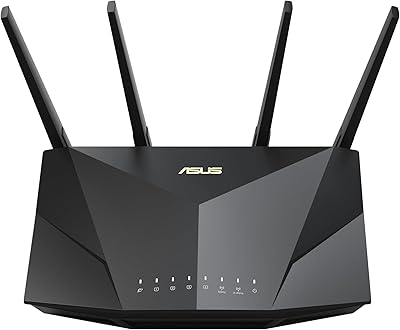
ASUS RT-AX5400 WiFi 6 Dual-Band Router
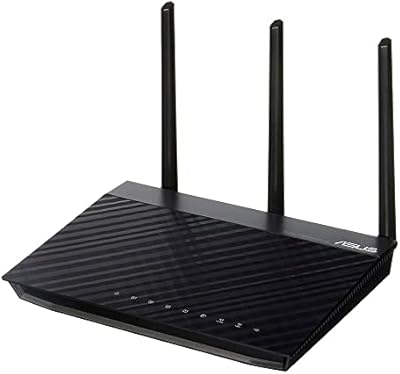
80%
84%
WiFi Speed & Throughput
71%
Coverage & Range
88%
Setup & Ease of Use
91%
Built-in Security (AiProtection)
83%
Parental Controls
More
Linksys EA7500 AC1900 Dual-Band Router
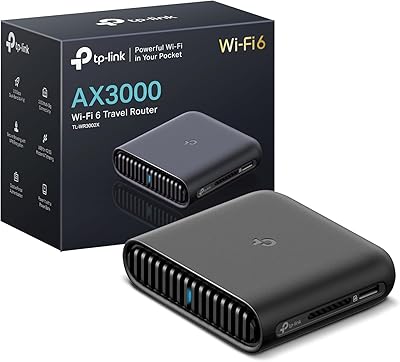
76%
88%
Setup & Installation
83%
Signal Stability
67%
Wi-Fi Range & Coverage
81%
Multi-Device Performance
84%
Streaming Performance
More
Linksys EA7200 AC1750 Dual-Band Wi-Fi Router
76%
91%
Ease of Setup
63%
Wi-Fi Range
82%
Connection Stability
77%
Multi-Device Performance
84%
App & Management
More

FAQ

Yes, it works with virtually any ISP that uses a standard modem or gateway. You connect your ISP-supplied modem to the router's WAN port, and the RT-AX89X handles the rest. The only edge case is ISPs that require specific router firmware, which is uncommon but worth checking with your provider before purchasing.

A NAS is the most common use case, but the 10G port is also useful for connecting to a 10G-capable network switch, linking to another router for high-speed wired backhaul, or future-proofing for multi-gig ISP service as it becomes more widely available. For most buyers today, it will sit as a standard gigabit port unless they have matching 10G hardware on the other end.

Initial setup through the ASUS app or web interface is fairly guided and manageable for most people. Where it gets complex is if you want to explore the full firmware — VPN server configuration, custom QoS rules, advanced firewall settings, and so on. If you plan to use it as a straightforward home router without touching advanced settings, it is approachable enough, but the interface is clearly designed with enthusiasts in mind.

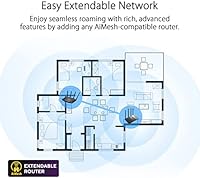
The RT-AX89X supports ASUS AiMesh, which allows it to pair with other compatible ASUS routers to form a mesh network. That said, it is dual-band only, so it does not have a dedicated wireless backhaul band — meaning mesh performance depends on using a wired backhaul or accepting some bandwidth sharing on the 5 GHz band.

No subscription is required. AiProtection Pro, backed by Trend Micro, is included at no additional cost for the lifetime of the router. ASUS has maintained this model consistently across its AiProtection-enabled lineup, which makes it a genuinely useful inclusion rather than a trial feature.

This is actually where the RT-AX89X tends to shine. OFDMA allows it to allocate smaller chunks of bandwidth to low-demand devices like smart bulbs and sensors without wasting full channel time on them, while simultaneously handling the heavier loads from laptops and phones. In practical terms, a congested smart home network becomes noticeably less chaotic when upgraded to this class of hardware.

The RT-AX89X is passively cooled — it has no active fans — so it runs silently. Under heavy, sustained load it does generate noticeable heat, so you should ensure it has open airflow around it and is not enclosed in a tight cabinet.

At 13.5 inches on each side and weighing over six pounds, it is meaningfully larger than a typical consumer router. A standard bookshelf shelf or open desk area handles it fine, but a cramped AV cabinet or small closet shelf may not. It is worth measuring your intended spot before it arrives, because returning a router is more hassle than planning ahead.

ASUS has a reasonably consistent track record of firmware updates for the RT-AX89X, and the router has received security patches and feature additions since its 2020 launch. That said, some users have encountered stability hiccups after specific firmware versions, so checking the ASUS community forums before applying a major update is a sensible habit.

For most home users and small offices, yes — AiProtection Pro handles real-time malicious site blocking, intrusion detection, and vulnerability protection at the router level. It is not a full enterprise-grade firewall, but it covers the threat landscape that the average household or small office actually faces. Businesses with strict compliance requirements or more complex security policies would still want dedicated hardware alongside it.

Where to Buy