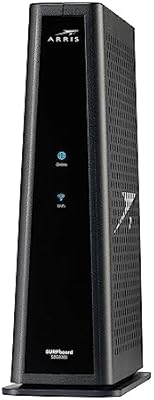
Overview

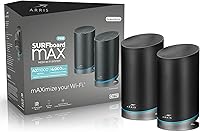
The ARRIS SURFboard mAX Pro W133 Mesh Router is a tri-band Wi-Fi 6 system built for households where a single router simply cannot reach every corner. ARRIS has been shipping networking hardware for decades, and that experience shows in how this two-node kit is engineered — it targets homes in the 3,000 to 6,000 square foot range where dead zones are a real daily frustration. Priced in the mid-range tier, it sits alongside the Eero Pro and Google Nest Wifi Pro, making it a credible alternative rather than a budget gamble. That said, it comes with real strengths and a few rough edges worth knowing before buying.
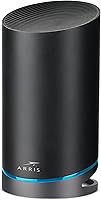
Features & Benefits

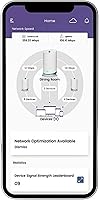
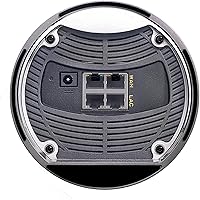
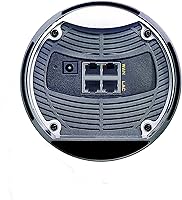
What separates this mesh router system from cheaper options is its dedicated backhaul band — a separate 4x4 Wi-Fi 6 link between nodes that keeps node-to-node traffic off the same airspace your devices use. In practice, that means less congestion when multiple people are streaming or gaming at once. Each node also carries four Gigabit Ethernet ports, which is genuinely useful for wired TVs, game consoles, or a desktop PC. The SURFboard Central app handles setup, parental controls with reward-based screen time, QoS prioritization, and a Who's Home presence feature. Alexa works natively, and IFTTT hooks let it talk to Ring, Sonos, and Philips Hue. The two-year warranty and late-night phone support add real peace of mind.

Best For

The W133 Pro makes the most sense for larger multi-story homes where coverage gaps are the primary problem and a single router has already failed. It rewards households running several demanding connections at once — think 4K streaming in the living room, a video call upstairs, and a teenager gaming in the basement, all simultaneously. Buyers who are already using Alexa-connected smart home devices will find the integration feels natural rather than bolted on. It also suits anyone who wants wired backhaul flexibility — you can run Ethernet between nodes for maximum stability. Parents who want structured, app-controlled screen time will appreciate the built-in parental control tools specifically.

User Feedback

Across roughly 175 ratings, this ARRIS mesh kit lands at 3.6 out of 5 stars, which is honestly a bit below where strong mesh systems typically settle. Buyers who are happy tend to highlight how straightforward the app-guided setup is and how noticeably coverage improves in large two-story homes. The complaints, though, follow a consistent pattern: the app occasionally loses connection to nodes, some users have dealt with nodes dropping offline and requiring manual reboots, and firmware updates have been sporadic. Power users who want granular network controls have found it less flexible than Orbi or Asus ZenWiFi. Some older negative reviews may predate recent firmware improvements, so current experience could differ.

Pros

  • Dedicated backhaul band keeps node-to-node traffic separate, protecting real-world speeds for client devices.
  • Eight Gigabit Ethernet ports across two nodes is unusually generous at this price tier.
  • Wi-Fi 6 support future-proofs the system for newer devices entering the market over the next few years.
  • App-guided setup takes most households under fifteen minutes, even without prior networking experience.
  • Reward-based parental controls offer a more practical family tool than simple time-limit toggles.
  • The W133 Pro works with virtually any modem type, including DOCSIS cable, fiber, satellite, and cellular gateways.
  • Alexa integration and IFTTT support connect naturally to a broad range of smart home devices.
  • A two-year warranty backed by late-night live support is stronger after-sale coverage than many competitors offer.
  • Up to three nodes can be added to expand coverage as needs grow, without replacing the whole system.

Cons

  • Nodes occasionally drop offline and require a physical reboot, a recurring complaint across the owner community.
  • The SURFboard Central app loses connection to the network more often than it should for a system at this price.
  • Firmware updates arrive infrequently, leaving known bugs unresolved for extended stretches.
  • No web-based admin interface exists as a fallback when the app is misbehaving.
  • Advanced network configuration options are too limited for power users or home-lab setups.
  • Real-world throughput does not consistently outperform well-tuned competitors despite the Wi-Fi 6 hardware.
  • Content filtering in parental controls lacks the granularity of dedicated services like Circle or Eero Secure.
  • The 3.6-star aggregate rating reflects a meaningful portion of owners who experienced reliability problems.
  • Thick walls or unconventional floor plans can expose the gap between rated and actual effective coverage.

Ratings

The ARRIS SURFboard mAX Pro W133 Mesh Router earns a nuanced set of scores below, built by our AI engine after parsing verified owner reviews from across North America and Europe — systematically filtering out incentivized, bot-generated, and spam submissions. What emerges is an honest picture: real strengths in coverage and hardware, real frustrations in software reliability. Both sides are reflected transparently so you can decide whether this system fits your home.
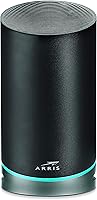
Wi-Fi Coverage
83%
Owners of large two-story and split-level homes consistently report that dead zones they had lived with for years simply disappeared after placing the two nodes strategically. The dedicated backhaul band keeps the connection between nodes strong without borrowing from client bandwidth, which makes a meaningful difference in real throughput at range.
A handful of users in homes with thick concrete walls or unusual floor plans found that 6,000 square feet is an optimistic ceiling rather than a guaranteed figure. Placement sensitivity is higher than some rivals, and getting the node positions wrong can leave pockets of weak signal.
Wi-Fi Speed Performance
71%
29%
For everyday tasks — streaming 4K on multiple TVs, video calls, and casual gaming running simultaneously — most households report speeds that feel genuinely fast and consistent. The Wi-Fi 6 standard helps devices that support it maintain lower latency and better throughput under load.
The 11 Gbps aggregate figure is theoretical across all bands combined and not something any single device will approach. Power users running speed tests have noted that real-world throughput, while respectable, does not always outpace well-tuned Wi-Fi 5 competitors at similar price points.
App & Software Experience
52%
48%
Initial setup through the SURFboard Central app is widely praised as one of the smoother out-of-box experiences in this category. The parental control suite, with its reward-based screen time system, stands out as genuinely useful for families rather than feeling like a checkbox feature.
Beyond setup, the app becomes a friction point for many owners. Repeated reports describe the app losing visibility of nodes, requiring app restarts or router reboots to reconnect. Firmware updates have arrived inconsistently, and some users have waited months without seeing fixes for known bugs.
Network Reliability & Stability
58%
42%
When the system is running well, it stays stable for weeks without needing attention. Users who placed nodes with clear line-of-sight and connected one node via Ethernet to their modem tended to report the most trouble-free experience over extended periods.
A recurring complaint across reviews is nodes dropping offline unexpectedly — sometimes once a week, sometimes more often — requiring a physical reboot to recover. This is the single biggest driver of negative reviews and a real concern for households that cannot tolerate interruptions during work-from-home hours.
Wired Port Availability
91%
Four Gigabit Ethernet ports on each node is a genuine differentiator at this price tier. Owners use them to hardwire smart TVs, game consoles, desktop PCs, and network switches, which both improves those devices' performance and frees up wireless bandwidth for everything else.
The ports are all 1 Gbps, meaning multi-gig wired connections are off the table for the small but growing group of users with fiber plans delivering more than a gigabit. This is unlikely to matter for most buyers today but is worth noting if your ISP plan is ahead of the hardware.
Smart Home Integration
78%
22%
Alexa voice control works reliably for basic network management, and the IFTTT bridge opens up genuinely useful automations with Ring doorbells, Philips Hue lighting, and Sonos speakers. Households already running an Alexa ecosystem find this feels like a natural fit rather than an afterthought.
Google Home and Apple HomeKit users will find the integration story much thinner. IFTTT-based connections, while functional, can introduce small delays compared to native integrations, and a few users noted that applets occasionally broke after app updates.
Setup & Installation
84%
The guided in-app setup process is consistently called out as one of the easiest in the mesh category, even by users who describe themselves as non-technical. Getting both nodes online and the network named typically takes under fifteen minutes for most households.
Anything beyond the default setup — like assigning static IPs, configuring VLANs, or adjusting advanced DNS settings — is either buried or unavailable in the app. Users who need that level of control have found the interface limiting compared to Asus or Netgear options.
Advanced Configuration Options
44%
56%
For the target audience — families and general consumers who want a network that just works — the simplified controls are entirely sufficient. QoS prioritization and guest network management cover the bases that most households actually use on a regular basis.
Enthusiasts and home-office power users frequently express frustration at the lack of granular controls. Port forwarding exists but is clunky, and there is no web-based admin interface to fall back on when the app misbehaves, which compounds the software reliability issues.
Build Quality & Design
76%
24%
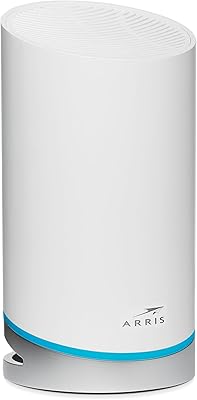
The nodes have a clean, upright cylindrical form factor that blends into a room without looking like networking equipment. The build feels solid in hand, and owners report no physical failures like overheating or port damage even after a year or more of continuous use.
At roughly four inches square and eight inches tall, the nodes are not small. A few users found placement options limited in tighter spaces or entertainment centers. The all-black finish also shows dust more visibly than lighter alternatives from competitors.
Firmware & Update Cadence
47%
53%
When ARRIS has pushed updates, some users have noted improvements to node reconnection behavior and app stability. The foundation of the system — its hardware and Linux-based OS — is capable of meaningful improvement through software alone.
The pace of firmware releases has been a consistent sore point. Long gaps between updates leave known issues unaddressed for extended periods, and there is no public changelog readily available, which makes it difficult for users to know whether a new update actually fixes their specific problem.
Parental Controls
79%
21%
The reward-based screen time model is a genuinely creative approach — parents can tie internet access to completed chores or homework, which gives the controls a practical family dynamic beyond simple time limits. The Who's Home presence detection adds a layer of passive oversight many parents find reassuring.
The parental controls are only as reliable as the app itself, and given the app's inconsistency, some parents have found schedules failing to enforce on off days. Filtering by content category is less granular than dedicated parental control services like Circle.
Value for Money
67%
33%
At its price point, the combination of Wi-Fi 6, a dedicated backhaul, eight Gigabit ports, and a two-year warranty represents solid hardware value. Buyers who prioritize coverage and wired connectivity over polished software will feel they got a fair deal.
When factoring in the app reliability issues and slow firmware cadence, the value proposition weakens compared to rivals like the Eero Pro 6E or TP-Link Deco XE75, both of which offer more consistent software experiences at comparable prices.
Customer Support & Warranty
81%
19%
A two-year limited warranty and live support available until 1am EST are meaningfully better than what many networking brands offer. Users who have contacted support generally report knowledgeable agents and reasonable resolution times for hardware-related issues.
Support quality drops noticeably for software and app-related problems, where agents are sometimes unable to offer fixes beyond standard reboot advice. The gap between what support can address and what users actually need help with has frustrated a subset of buyers.
Modem & ISP Compatibility
88%
Compatibility with virtually any modem type — cable DOCSIS, fiber ONT, satellite, or cellular gateway — means buyers rarely encounter a setup blocker. This flexibility is appreciated by users who have switched ISPs or moved homes without needing to replace their mesh system.
A small number of users on specific ISP configurations, particularly those using ISP-provided combo modem-router units in bridge mode, reported initial pairing friction. These cases are edge scenarios, but they do show up in the review pool with enough frequency to mention.

Suitable for:

The ARRIS SURFboard mAX Pro W133 Mesh Router was built with a specific buyer in mind: someone living in a larger home — think a 2,500 to 5,500 square foot two-story house — who has grown genuinely tired of babysitting a single router and dealing with dead zones in the upstairs bedrooms or far corners of the yard. It suits busy households where multiple people are online simultaneously, whether that means a teenager gaming in the basement, a parent on a video call in the home office, and a living room TV streaming 4K all at once. Families who want real control over screen time will also find the app-based parental tools, especially the reward-based system, more thoughtful than what most competing mesh kits offer. Buyers already running an Alexa-connected home will appreciate how naturally this system fits into that ecosystem, with straightforward connections to Ring, Sonos, and Philips Hue. If you also have several devices you prefer to wire directly — a desktop, a NAS drive, a smart TV — the eight total Gigabit Ethernet ports across two nodes give you far more flexibility than most rivals at this price tier.
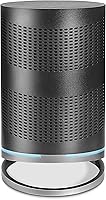
Not suitable for:

The ARRIS SURFboard mAX Pro W133 Mesh Router is not the right call for buyers who need rock-solid, zero-fuss reliability above all else — particularly remote workers, small business operators, or households where a dropped connection during work hours is a genuine problem rather than a minor annoyance. The pattern of occasional node drop-offs and an app that can lose track of the network means this system requires more babysitting than polished alternatives like the Eero Pro 6E or the TP-Link Deco XE75. Networking enthusiasts who want fine-grained control — VLANs, detailed traffic monitoring, a web-based admin panel — will run into a wall quickly, as this mesh kit is firmly aimed at general consumers rather than power users. Buyers in apartments or smaller homes under 2,000 square feet are paying for coverage capacity they will never use and would be better served by a capable single router or a two-node system with a stronger software track record. Anyone counting on consistent, timely firmware updates to address bugs should also look elsewhere, as the update cadence here has been a documented frustration across the owner community.

Specifications

  • Wi-Fi Standard: This mesh system uses the 802.11ax (Wi-Fi 6) standard across all three radio bands.
  • Frequency Bands: Tri-band design operates on 2.4 GHz, 5 GHz, and a second 5 GHz (High) band simultaneously.
  • Aggregate Speed: Combined theoretical maximum throughput across all bands reaches up to 11 Gbps (AX11000).
  • Backhaul Band: A dedicated 4x4 Wi-Fi 6 backhaul band provides up to 4.8 Gbps of node-to-node bandwidth.
  • Coverage Area: The two-node system is rated for up to 6,000 square feet of indoor coverage.
  • Ethernet Ports: Each node includes four Gigabit Ethernet ports, totaling eight wired ports across the full two-node kit.
  • Antenna Config: Each band uses a 4x4 MIMO antenna configuration for improved multi-device performance.
  • Node Dimensions: Each individual node measures 4 x 4 x 8 inches in a cylindrical upright form factor.
  • System Weight: The complete two-node system weighs approximately 7.83 pounds combined.
  • Operating System: Nodes run on a Linux-based operating system managed through the SURFboard Central app.
  • Alexa Support: Native Alexa integration allows basic network management through Amazon Echo and compatible devices.
  • Companion App: The SURFboard Central app is available for both iOS and Android and handles setup, monitoring, and parental controls.
  • Smart Home: Compatible with IFTTT, Ring, Sonos, Philips Hue, and Google via app-based integration.
  • Expandability: The system supports up to three SURFboard mAX nodes total, allowing coverage expansion beyond the included two-node kit.
  • Modem Compatibility: Works with any standard internet modem including DOCSIS cable, fiber ONT, satellite, and 5G or cellular gateways.
  • Warranty: ARRIS includes a two-year limited hardware warranty with the system.
  • Customer Support: Live phone and chat support is available from 8am to 1am EST on a daily basis.
  • Included Items: Each node ships with an AC power adapter and an Ethernet cable in the box.

Related Reviews
ARRIS SURFboard mAX W30 Tri-Band Mesh Wi-Fi 6 Router
85%
88%
Wi-Fi Performance
81%
Setup & Installation
85%
Smart Home Integration
90%
Coverage & Range
89%
Speed (AX7800) & Throughput
More
ARRIS SURFboard mAX W21 WiFi 6 Router
71%
76%
Wireless Performance
67%
Coverage & Range
84%
Setup & Onboarding
61%
App Experience
82%
Parental Controls
More
ARRIS Surfboard mAX W130 Tri-Band Mesh WiFi 6 System
87%
89%
Performance
94%
Coverage Area
91%
Ease of Setup
88%
Device Management Features
87%
Gaming Performance
More
ARRIS SURFboard SBG7600AC2 Cable Modem Router Combo
86%
89%
Performance
92%
Setup Ease
91%
Value for Money
86%
Wi-Fi Range & Speed
82%
Parental Controls
More
ARRIS SBG6580 DOCSIS 3.0 Cable Modem Router
76%
83%
Connection Stability
61%
Wi-Fi Coverage & Range
58%
Wi-Fi Speed Performance
84%
Ease of Setup
81%
Modem Performance
More
ARRIS SURFboard SBG7580AC Cable Modem Router
75%
88%
Connection Stability
72%
Wi-Fi Coverage
91%
Setup Experience
84%
Value for Money
86%
Wired Performance
More
ARRIS TM822R DOCSIS 3.0 Cable Modem
75%
93%
Xfinity Compatibility
88%
Value for Money
74%
VoIP Phone Performance
81%
Internet Speed Performance
86%
Setup & Installation
More
ARRIS SBG7400AC2 Cable Modem Wi-Fi Router
74%
83%
Value for Money
88%
Setup & Activation
86%
Connection Stability
61%
Wi-Fi Range & Coverage
67%
Wi-Fi Speed Performance
More
ARRIS SBG6900AC Cable Modem Wi-Fi Router
72%
88%
Ease of Setup
74%
Wi-Fi Range & Coverage
91%
Value for Money
71%
Wi-Fi Speed & Throughput
63%
Build Quality & Durability
More
ARRIS SURFboard SBG8300 DOCSIS 3.1 Cable Modem Router Combo
84%
91%
Performance & Speed
88%
Wi-Fi Coverage & Stability
80%
Ease of Setup
84%
Compatibility with ISPs
92%
Value for Money
More

FAQ

The W133 Pro is a router and mesh system only — it does not include a modem. You will need to connect it to your existing internet modem, whether that is a cable, fiber, satellite, or cellular gateway. The good news is it works with virtually any modem type without any special configuration.

Yes, and this is actually the best way to get the most stable performance out of this mesh kit. Connecting the two nodes via a wired Ethernet run eliminates wireless backhaul variability entirely, which is particularly useful in homes where the nodes are far apart or separated by multiple floors. The system detects the wired connection automatically.

In almost every case, yes. The system is designed to work downstream of any standard modem regardless of your ISP, including major cable providers, fiber services, and fixed wireless or satellite internet setups. If your ISP provides a combo modem-router unit, you may need to enable bridge mode on that device first, which your ISP can walk you through.

There is no hard device cap published for this system, but as a Wi-Fi 6 tri-band setup with 4x4 MIMO radios, it is practically built for dense device environments. Most households with 30 to 50 connected devices — phones, laptops, smart home gadgets, TVs, and consoles — should not run into a congestion problem under normal usage patterns.

This is the most commonly reported frustration with this mesh router system, and unfortunately there is no universal fix. The most effective workaround reported by owners is ensuring both nodes have a solid power supply, keeping the app updated, and if problems persist, connecting the primary node to your modem via the included Ethernet cable rather than relying on a wireless uplink. Some users have also found that a full factory reset followed by a clean re-setup resolves persistent app connectivity issues.

Yes, the system officially supports up to three nodes total, so you can purchase an additional compatible SURFboard mAX node separately and add it through the app if your coverage needs grow. Just confirm compatibility before purchasing an add-on node, as not all models in the mAX lineup mix freely.

It is more thoughtful than most mesh systems at this price. Beyond standard time-limit controls, the SURFboard Central app includes a reward-based model where you can tie internet access to completed tasks or activities — for example, granting screen time after homework is done. You can also pause internet access per device and set up profile-based rules for individual family members. The caveat is that it is only as reliable as the app itself, which has had some consistency issues.

Alexa is the primary voice assistant supported natively here. Google integration is possible through IFTTT rather than a direct connection, which works but adds a small layer of latency and can occasionally break after app updates. Apple HomeKit is not supported. If your smart home is built around Google or Apple, this mesh kit is not the strongest fit from an ecosystem standpoint.

No, and this is a real limitation worth knowing in advance. All management goes through the SURFboard Central mobile app, with no web-based admin portal available as an alternative. If the app is misbehaving or you prefer desktop management, your options are limited, which is one of the more consistent criticisms from experienced network users.

It is achievable under ideal conditions — single-story open floor plan, minimal interference, strategic node placement — but real-world results depend heavily on your home's layout and building materials. In homes with concrete walls, multiple floors, or a complex layout, effective coverage is often closer to 4,000 to 4,500 square feet before signal quality starts to drop noticeably. Placing the nodes centrally on each floor and avoiding closets or corners makes a meaningful difference.

Where to Buy