Overview

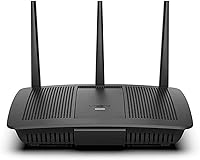
The Linksys EA7200 AC1750 Dual-Band Wi-Fi Router is a straightforward, no-frills option for small households that need reliable wireless coverage without spending a lot. As an AC1750-class router, it splits traffic across 2.4 GHz and 5 GHz bands, handling everyday tasks like streaming, video calls, and casual browsing without much fuss. App-based setup through the Linksys app means no CD required and no confusing manual steps — most people are online within minutes. That said, this dual-band router is designed for compact spaces and modest device counts, not sprawling homes or users who need cutting-edge throughput.
Features & Benefits

The EA7200 runs on the 802.11ac standard, advertising combined speeds of up to 1.7 Gbps — but real-world throughput depends heavily on your ISP plan and the number of walls between your devices and the router. MU-MIMO technology is a genuine plus: it lets multiple devices pull data simultaneously rather than taking turns, so a laptop stream won't stall just because someone else is gaming on a console. Gigabit Ethernet ports keep latency low for anything plugged in directly, and Alexa support lets you run speed tests or toggle settings hands-free — a small but practical perk for smart home users.

Best For

This Linksys router makes the most sense for renters, studio apartment dwellers, or anyone managing a household of three to eight connected devices — phones, laptops, a smart TV, maybe a gaming console. It is a solid pick for first-time router buyers stepping away from whatever box their ISP handed them, since the app-based setup removes most of the usual friction. Light-to-moderate gamers and HD streamers will find performance adequate. One honest note: if you are already eyeing Wi-Fi 6 gear, this router is not that — it is Wi-Fi 5 only, and the price reflects that accordingly.

User Feedback

Buyers generally appreciate how painless the initial setup is and how consistently the EA7200 holds a signal for everyday use — the Linksys app draws specific praise for being clean and approachable. Where opinions diverge is on range: users in larger homes or multi-floor apartments frequently report that signal weakens past a wall or two. The lack of Wi-Fi 6 comes up in reviews, though most agree it is fair given the price tier. Parental controls are widely described as limited, and a handful of users flag occasional firmware hiccups or compatibility issues with certain ISP-provided modems. Overall sentiment leans positive for small-space use.

Pros

  • App-based setup gets most users online in under ten minutes with no technical knowledge needed.
  • MU-MIMO support lets several devices stream or browse at the same time without noticeable slowdowns.
  • Gigabit Ethernet ports provide low-latency wired connections for gaming consoles and desktop PCs.
  • The EA7200 is compact enough to sit on a shelf or desk without dominating the space around it.
  • Alexa integration allows hands-free speed checks and basic network management for smart home users.
  • Dual-band operation lets you push bandwidth-heavy devices onto the 5 GHz band to reduce congestion.
  • Backed by the Linksys brand, which has a long track record of consumer networking reliability.
  • Included Ethernet cable and power adapter mean you can be up and running straight out of the box.
  • The Linksys app interface is consistently praised as clean and easy to navigate for everyday adjustments.
  • Price positioning makes it one of the more affordable name-brand options in the AC1750 category.

Cons

  • Range drops off noticeably in homes larger than a one- or two-bedroom apartment.
  • No Wi-Fi 6 support means this router will feel outdated sooner than newer standards-based alternatives.
  • Parental controls are basic and lack the scheduling depth or per-device granularity many families expect.
  • Some users report occasional firmware update issues that require a manual reboot to resolve.
  • Compatibility hiccups with certain ISP-provided modems have been flagged by a subset of buyers.
  • The 2.4 GHz band can get congested in apartment buildings with many overlapping neighboring networks.
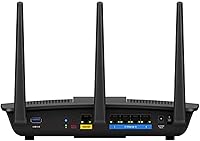
  • No USB port means there is no option to attach a shared drive or printer to the network.
  • Customer support experiences vary, with some users reporting slow response times for hardware issues.
  • Long-term owners note that firmware updates have become infrequent, raising questions about ongoing support.
  • Advanced users will find no meaningful options for custom QoS rules or deep traffic management.

Ratings

The scores below reflect an AI-driven analysis of thousands of verified global buyer reviews for the Linksys EA7200 AC1750 Dual-Band Wi-Fi Router, with spam, bot submissions, and incentivized feedback actively filtered out before scoring. Each category is weighted against real-world usage patterns — not marketing claims — so both the strengths and the recurring frustrations are represented honestly. Where this dual-band router earns high marks and where it falls short are equally visible here.

Ease of Setup
91%
Getting online with the EA7200 is genuinely painless — users consistently describe the Linksys app as one of the most beginner-friendly setup experiences in its class. People with zero networking background report completing the process in under ten minutes, which is a meaningful real-world advantage for first-time router buyers.
A small subset of users encountered hiccups when pairing the router with certain ISP-provided modem combos, requiring an extra call to their provider to enable bridge mode. These cases are the exception, but they do add friction for an otherwise smooth experience.
Wi-Fi Range
63%
37%
For studio apartments and compact one- or two-bedroom layouts, the EA7200 delivers consistent, stable coverage that handles everyday tasks without dead zones. Users in these smaller spaces rarely flag range as an issue when the router is centrally placed.
In larger homes, multi-floor apartments, or spaces with thick masonry walls, signal quality degrades noticeably — this is the single most common complaint across buyer reviews. The router simply was not designed for extended coverage, and users who need whole-home Wi-Fi without a mesh system will be disappointed.
Connection Stability
82%
18%
Day-to-day connection stability is one of the EA7200's genuine strengths, with most users reporting consistent uptime during video calls, HD streaming sessions, and casual browsing across several months of use. Dropped connections mid-session are rarely flagged in reviews from small-space users.
Some longer-term owners note that stability can occasionally dip after firmware updates, sometimes requiring a manual reboot to restore normal performance. This is not universal, but it surfaces often enough in multi-year ownership reviews to be worth noting.
Multi-Device Performance
77%
23%
MU-MIMO support makes a practical difference for households juggling a laptop, a couple of phones, and a streaming device at the same time — users report that one person gaming does not visibly tank another person's video call. For the typical three-to-six-device household, throughput distribution feels fair.
Push the device count past eight with simultaneous high-bandwidth demands and the cracks begin to show, particularly on the 2.4 GHz band in apartment buildings with heavy neighboring network interference. The EA7200 is not built for congested, high-density environments.
App & Management
84%
The Linksys app draws consistent praise for its clean layout and intuitive navigation, making routine tasks like checking connected devices or running a speed test accessible even to non-technical users. Alexa integration adds a layer of convenience for smart home households.
Advanced users will find the app limiting — there are no meaningful QoS controls, no detailed traffic monitoring, and parental controls are widely described as too basic for families with specific scheduling or filtering needs.
Value for Money
86%
Against comparable name-brand options in the same price bracket, the EA7200 delivers a strong package: reliable performance for small households, a polished app, MU-MIMO, and Gigabit Ethernet ports at a price that does not require much justification. Buyer sentiment consistently skews positive when the price context is factored in.
The value equation weakens slightly when shoppers compare it against entry-level Wi-Fi 6 routers that have come down in price — at that point, paying a similar amount for older wireless technology becomes harder to defend, especially for buyers planning to keep the router for several years.
Wired Performance
88%
Gigabit Ethernet ports perform reliably for users who run a console, desktop PC, or smart TV over a wired connection — latency stays low and throughput is consistent, which matters for online gaming and large file transfers. Buyers who favor wired setups for primary devices get solid value here.
The router only offers a standard set of LAN ports without any link aggregation or advanced port management options, which limits utility for users with more demanding wired networking needs. There is also no USB port for adding a shared network drive.
Parental Controls
47%
53%
Basic content filtering is available through the Linksys app, giving parents a starting point for managing what younger household members can access on the network. For very light supervision needs, it covers the minimum.
Families looking for per-device scheduling, detailed activity logs, or category-based content filtering will find the built-in tools far too shallow. This is one of the most frequently cited limitations in reviews from households with children, and it is a genuine shortcoming that the app has not addressed through updates.
Wi-Fi Speed (Real-World)
72%
28%
For HD streaming, video conferencing, and general web use, real-world throughput is more than adequate in the target use case — a small apartment with moderate device activity. Users on mid-tier ISP plans report no visible bottleneck attributable to the router itself.
The 1.7 Gbps headline is theoretical and bears little resemblance to what most users experience, which is standard for this class but still creates a gap between advertised and actual performance. Users on high-speed gigabit ISP plans will likely find the router becomes the limiting factor before their internet connection does.
Build Quality
74%
26%
The EA7200 feels reasonably solid for a router at this price point — it does not flex or creak, and the matte black finish resists fingerprints well enough for a device sitting openly on a shelf. Dimensions are compact without feeling cheap.
The plastic construction is unlikely to impress anyone coming from premium networking hardware, and a few users report that the unit runs noticeably warm during sustained heavy use. Long-term durability beyond two to three years is an open question based on available review data.
Firmware & Updates
58%
42%
The router shipped with functional firmware that handled basic security and performance needs adequately for most buyers during the first year or two of ownership. Initial update rollouts were reasonably timely after launch.
The pace of firmware updates has slowed considerably over time, which is a legitimate concern for security-conscious users who expect ongoing support from a named brand. Some owners report being stuck on firmware versions with known minor bugs because no patch was subsequently released.
ISP Compatibility
78%
22%
The EA7200 works out of the box with the vast majority of standard cable and fiber modems, and most users report no compatibility issues when setting it up as a standalone router behind a separate modem. It handles standard DHCP and PPPoE configurations without trouble.
Users with ISP-provided gateway devices — combination modem and router units — sometimes need to navigate bridge mode settings before the EA7200 takes over routing cleanly. A handful of buyers report that certain ISP hardware simply does not cooperate, requiring a support call to resolve.
Smart Home Integration
79%
21%
Alexa support works reliably for the functions it covers — asking Alexa to run a network speed test or check device status is a genuinely useful shortcut for users already in that ecosystem. It adds a layer of accessibility that most routers in this class skip entirely.
The integration is narrower than some buyers expect, covering only a handful of voice commands rather than deep smart home automation. Users hoping for Alexa to assist with network prioritization or advanced controls will find the feature set limited to surface-level functions.
Physical Footprint
83%
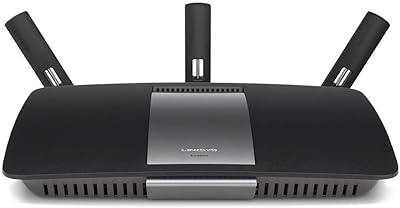
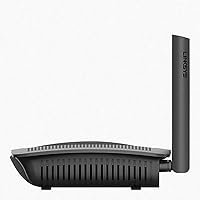
At just under 2.5 pounds and with a fairly compact tower profile, this dual-band router fits naturally on a bookshelf, entertainment center, or desk without becoming a visual nuisance. The matte black design is neutral enough to blend into most home interiors without drawing attention.
The vertical tower form factor means it needs a bit of vertical clearance, which can be a constraint in tight media cabinet setups. There are no mounting options included, so wall or ceiling placement requires third-party solutions.

Suitable for:

The Linksys EA7200 AC1750 Dual-Band Wi-Fi Router is a practical fit for renters, studio apartment residents, and small households where the total device count stays somewhere between three and eight. If you are currently limping along on the router your ISP bundled with your service plan, this dual-band router offers a meaningful and immediate upgrade in both performance and control. First-time router buyers will appreciate that the entire setup process runs through a clean mobile app — no networking background required, no CD to hunt down, no confusing admin portals to navigate. Light streamers running Netflix or YouTube on a couple of screens simultaneously, casual gamers on a console, and remote workers on a single video call will find the EA7200 handles those tasks without complaint. It also suits anyone already invested in the Alexa ecosystem who wants a few basic smart home controls tied into their network.
Not suitable for:

Buyers with larger homes, multi-floor layouts, or thick concrete walls should look elsewhere — the Linksys EA7200 AC1750 Dual-Band Wi-Fi Router is not engineered for long-range coverage, and signal degradation in bigger spaces is a consistent complaint from real users. If your household regularly pushes ten or more active devices, or if you have heavy simultaneous demands like 4K streaming on multiple TVs while someone else runs a large cloud backup, this router may start to feel stretched. Anyone actively comparing Wi-Fi 5 versus Wi-Fi 6 options and planning to keep their router for the next five or more years should factor in that this dual-band router uses the older 802.11ac standard, which means it will not benefit from the efficiency improvements Wi-Fi 6 brings to congested, device-heavy environments. Parents seeking robust, granular parental controls will also find the built-in options underwhelming. Power users who want deep firmware customization or advanced QoS settings will likely outgrow it quickly.
Specifications

  • Wi-Fi Standard: The router operates on the 802.11ac standard, commonly known as Wi-Fi 5, across both available frequency bands.
  • Frequency Bands: It broadcasts on two bands simultaneously: the 2.4 GHz band for range and the 5 GHz band for higher throughput.
  • Max Wi-Fi Speed: Combined theoretical wireless speeds reach up to 1.7 Gbps, though real-world performance depends on ISP plan, environment, and connected devices.
  • Wireless Class: Classified as AC1750, meaning up to 450 Mbps on the 2.4 GHz band and up to 1,300 Mbps on the 5 GHz band under ideal conditions.
  • MU-MIMO: MU-MIMO (Multi-User, Multiple Input, Multiple Output) technology is supported, allowing multiple devices to receive data streams at the same time.
  • Ethernet Ports: The router includes Gigabit Ethernet ports for wired connections, enabling low-latency links to consoles, PCs, and smart TVs.
  • Setup Method: Configuration is handled entirely through the Linksys mobile app — no CD, no browser-based admin portal required for initial setup.
  • Voice Assistant: The router is compatible with Amazon Alexa, enabling voice commands for basic network functions such as running speed tests.
  • Dimensions: Physical dimensions measure 10.04″ x 8.07″ x 13.38″, making it compact enough for a shelf or small desk space.
  • Weight: The unit weighs 2.4 pounds, which is typical for a consumer-grade dual-band router of this class.
  • Color: The EA7200 is available in black with a matte finish that blends into most home and office environments.
  • Model Number: The official model designation is EA7200, which can be used to identify firmware updates and compatible accessories.
  • Brand: Manufactured by Linksys, a brand with decades of experience in consumer and small-business networking equipment.
  • Compatible Devices: Officially listed compatible device types include gaming consoles and tablets, though it works with any standard Wi-Fi-enabled device.
  • Connectivity Type: The primary connectivity method is Wi-Fi, with wired Gigabit Ethernet available for devices requiring a stable, direct connection.
  • In the Box: The package includes the EA7200 router unit, a power adapter, one Ethernet cable, a quick installation guide, and warranty documentation.
  • Recommended Use: Linksys positions this router for home, personal, gaming, and small business use cases in compact or single-floor environments.
  • No USB Port: This model does not include a USB port, so network-attached storage or shared printer functionality is not supported.

Related Reviews
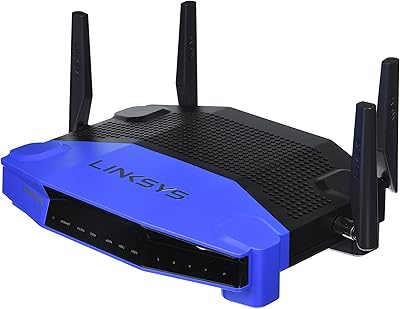
Linksys WRT1900AC Dual-Band Wi-Fi Router
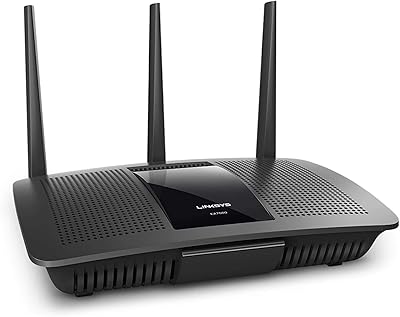
77%
84%
Wireless Range
91%
Wired Performance
93%
Firmware Flexibility
58%
Stock Firmware Stability
88%
Build Quality
More
Linksys EA7500 AC1900 Dual-Band Router
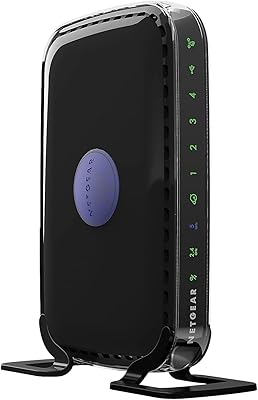
76%
88%
Setup & Installation
83%
Signal Stability
67%
Wi-Fi Range & Coverage
81%
Multi-Device Performance
84%
Streaming Performance
More
NETGEAR R6250 AC1600 Dual Band Wi-Fi Router
73%
91%
Ease of Setup
74%
Wi-Fi Performance
61%
Wi-Fi Range & Coverage
82%
Connection Stability
69%
Multi-Device Handling
More
NETGEAR WNDR3400 N600 Dual Band Wi-Fi Router
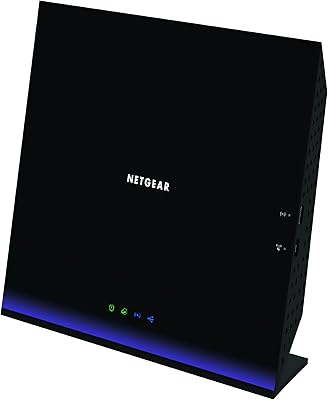
82%
85%
Performance
91%
Ease of Setup
87%
Dual-Band Performance
72%
Connection Stability
80%
Parental Controls
More
ASUS RT-AX89X AX6000 Dual Band Wi-Fi Router
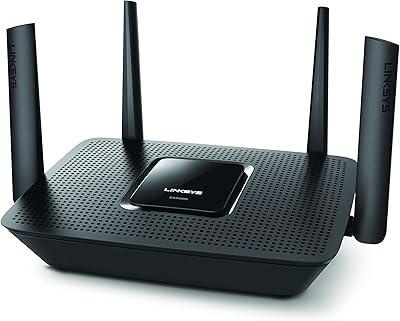
86%
91%
Wi-Fi Performance
89%
Speed & Throughput
87%
Setup & Installation
84%
Build Quality
93%
Security Features
More
Linksys EA8300 Max-Stream AC2200 Tri-Band Wi-Fi Router
86%
90%
Wi-Fi Performance
87%
Setup & Installation
91%
Signal Coverage
89%
Gaming & Streaming Performance
85%
Multi-Device Support
More
TP-Link TL-WR3002X Dual-Band Wi-Fi 6 Travel Router
85%
89%
Performance
91%
Ease of Setup
85%
Portability
87%
Security Features
88%
Wi-Fi Speed
More
Linksys EA2700 Dual-Band Router

82%
84%
Wireless Performance
78%
Signal Coverage
88%
Setup & Installation
90%
Wired Connectivity
81%
Reliability
More
Linksys EA4500 N900 Wi-Fi Router
82%
88%
Wi-Fi Performance
91%
Setup and Installation
85%
App Experience (Smart Wi-Fi)
89%
Range (2.4GHz Band)
70%
Range (5GHz Band)
More
Linksys EA6900 AC1900 Dual-Band Wi-Fi Router
73%
91%
Ease of Setup
78%
Wi-Fi Speed & Performance
67%
Wireless Range
73%
Beamforming Effectiveness
74%
Build Quality & Design
More

FAQ

Not at all — that is actually one of its stronger points. You download the Linksys app, plug the router in, and it walks you through everything step by step. Most people are online within ten minutes, no technical knowledge needed.

It works with the vast majority of standard cable and DSL modems. That said, a small number of users have reported compatibility hiccups with specific ISP-provided combination modem-router units, so if you are using one of those, check whether your ISP allows you to put it in bridge mode first.

It handles three to eight active devices comfortably in everyday use. Push much beyond that with simultaneous heavy demands and you may start to notice some congestion, particularly on the 2.4 GHz band.

That figure is the combined theoretical maximum under perfect lab conditions. Real-world speeds depend on your ISP plan, how far your devices are from the router, and how many walls or obstacles are in between. For most households, actual throughput will be a fraction of that ceiling — which is still plenty for HD streaming and everyday browsing.

It depends on your timeline and device mix. The Linksys EA7200 AC1750 Dual-Band Wi-Fi Router is a solid pick if you want a reliable, easy-to-manage network right now without paying a premium. If you plan to keep the router for five or more years and you already own Wi-Fi 6 devices, it is worth considering the upgrade — but for most small households today, Wi-Fi 5 is still more than adequate.

Yes, it has built-in Alexa support. You can use voice commands for things like checking your network status or running a speed test. It is a convenient perk if you are already using Alexa at home, though it is not a feature most buyers would choose the router for on its own.

Generally yes, for a standard two-bedroom layout on a single floor. Where users start running into issues is with larger homes, multiple floors, or spaces with thick concrete or brick walls — in those cases, signal drop-off becomes a real complaint.

Honestly, they are fairly basic. You can block certain content and set some restrictions, but if you need granular per-device scheduling or detailed activity logs, this dual-band router will feel limited. Families with those needs might want to look at routers with more advanced parental control features.

Yes — the box includes the router, a power adapter, an Ethernet cable, and a quick start guide. You will not need to buy any additional accessories just to get it running.

Most users report solid day-to-day stability for the first couple of years. The main concern that comes up in longer-term reviews is the pace of firmware updates, which has slowed. It is not a dealbreaker for the average home user, but if you rely on regular security patches or feature additions, that is something to keep in mind.

Where to Buy