Overview

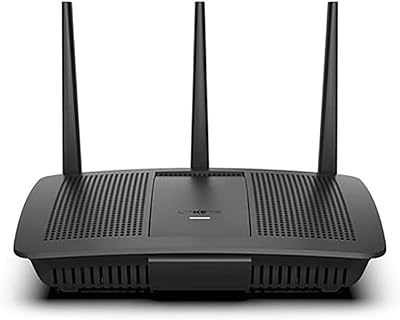
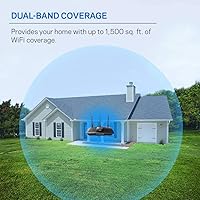
The Linksys EA7500 AC1900 Dual-Band Router is a mid-range option that has been on the market since 2016, yet it continues to hold its own for everyday home networking. Its staying power comes from solid fundamentals — reliable coverage, approachable setup, and a brand most buyers already trust. It handles homes up to roughly 1,500 square feet, which works well for most apartments and single-floor houses. One important detail: this Linksys router requires an existing modem to function, since it is not a modem-router combo. The Linksys app handles initial configuration, making the process manageable even for people who find network settings intimidating.

Features & Benefits

The MU-MIMO technology inside the EA7500 is one of its more practical strengths — rather than serving devices in a queue, it communicates with several at once, so one person streaming video does not noticeably slow things down for everyone else. The dual-band setup adds further flexibility: the 2.4 GHz band carries signal further with better wall penetration, while the 5 GHz band handles faster throughput for nearby devices. A remote access feature lets you monitor or adjust settings through the app even when you are away from home. The router arrives with an Ethernet cable and power supply included, so setup does not require a separate parts run.

Best For

This dual-band router is a natural fit for busy connected households running 10 to 15 devices — phones, laptops, smart TVs, and the occasional gaming console all coexisting without obvious congestion. It works best in apartments or single-floor homes where the coverage footprint is not stretched too thin. Families who regularly stream 4K content on multiple screens simultaneously will appreciate how the 5 GHz band holds up under that kind of load. Casual gamers looking for consistent, low-latency connections will find it capable without needing to dig into advanced settings. It is also a strong pick for anyone who values a straightforward setup over granular network control.

User Feedback

With close to 5,000 ratings and a 4.3-star average, the EA7500 lands in that comfortable zone of mostly satisfied buyers who have a few honest complaints. The most repeated praise centers on how painlessly everything comes together on first setup, and how stable the signal tends to stay week after week. The friction shows up in multi-story homes or larger floor plans — walls and distance chip away at coverage in ways the specs do not fully prepare you for. Some owners who have had the router for a few years mention firmware reliability issues and occasional app disconnects. For anyone stepping up from an older or budget model, the day-to-day improvement is still hard to argue with.

Pros

  • MU-MIMO lets multiple devices stay at full speed simultaneously, which makes a real difference in busy households.
  • The Linksys app makes initial setup genuinely approachable, even for people who dread router configuration.
  • Signal stability over months and years is a recurring highlight among long-term owners.
  • The 5 GHz band handles 4K streaming on multiple screens without obvious degradation.
  • Remote access lets you check or adjust your network from anywhere, which is a handy safety net.
  • Broad compatibility with Windows, Mac, and Linux means it works across virtually any home setup.
  • The box includes both an Ethernet cable and power supply, so you are not hunting for accessories on day one.
  • Nearly 5,000 ratings with a 4.3-star average reflects a product that consistently meets expectations for most buyers.
  • Stepping up from an older or budget router, the day-to-day performance improvement is immediately noticeable.
  • Dual-band design gives you the flexibility to push range-sensitive devices onto 2.4 GHz and speed-hungry ones onto 5 GHz.

Cons

  • Coverage drops off meaningfully in multi-story homes or spaces larger than 1,500 square feet.
  • Some long-term owners report firmware updates causing connectivity issues or requiring router reboots.
  • The companion app occasionally loses connection to the router, requiring manual troubleshooting.
  • No built-in modem means an extra piece of hardware and an extra cost if you do not already own one.
  • Advanced network controls are limited, which frustrates users who want fine-grained traffic or security settings.
  • As an 802.11ac router, it lacks Wi-Fi 6 efficiency gains, which may feel limiting as newer devices become standard.
  • Theoretical speeds rarely match real-world throughput, especially at the outer edges of its coverage zone.
  • No dedicated third band means heavy simultaneous use can still create congestion under peak conditions.

Ratings

The Linksys EA7500 AC1900 Dual-Band Router has been scored across 12 performance and usability categories by our AI rating system, which analyzed thousands of verified global buyer reviews while actively filtering out incentivized, bot-generated, and spam feedback. The scores reflect what real owners experience day to day — not what the spec sheet promises — capturing both the genuine strengths that keep this router competitive and the recurring pain points that honest buyers deserve to know about.

Setup & Installation
88%
Owners consistently describe the initial setup as one of the most painless they have experienced in this router class. The Linksys app guides users through each step clearly, and most households report being fully connected within 10 to 15 minutes without any technical background required.
A smaller subset of users ran into issues when the app failed to detect the router during first-time setup, requiring a manual configuration workaround through the browser interface. This is uncommon but frustrating for buyers who chose this router specifically to avoid that kind of experience.
Signal Stability
83%
Long-term owners are notably positive about how consistent the connection remains over weeks and months of continuous use. Households that stream video daily or keep smart home devices running around the clock report very few unexplained drops under normal operating conditions.
Stability can waver after certain firmware updates, with some users describing temporary signal degradation or the need to reboot the router to restore normal performance. This is not an everyday occurrence, but it is a real enough pattern among long-term owners to be worth flagging.
Wi-Fi Range & Coverage
67%
33%
For apartments and compact single-floor homes, the EA7500 delivers solid, even coverage that reaches most corners without dead zones. Users in smaller spaces consistently report that devices at moderate distances hold strong connections on both bands.
In two-story homes or spaces that push past 1,500 square feet, the coverage story changes quickly. Walls, floors, and structural interference eat into usable range, and a meaningful number of owners in larger homes say they ended up adding an extender or switching to a mesh system.
Multi-Device Performance
81%
19%
MU-MIMO makes a tangible difference in households where 10 or more devices are active at once. Families report that one person gaming while others stream video rarely causes the kind of noticeable slowdown they experienced with older single-user-at-a-time routers.
Under genuinely heavy simultaneous loads — multiple 4K streams, active downloads, and gaming all at once — some users notice throughput compression, particularly on the 2.4 GHz band. The dual-band architecture helps, but the absence of a third band does create a ceiling in very demanding households.
Streaming Performance
84%
For households built around 4K streaming, the 5 GHz band holds up well when devices are within a reasonable distance from the router. Users who position smart TVs and streaming sticks in the same room or directly adjacent consistently report buffer-free playback at high quality.
Streaming performance becomes less predictable as devices move further from the router or as more bandwidth-heavy tasks stack up simultaneously. Users in larger homes occasionally report 4K content dropping to lower resolutions during peak household usage hours.
App Experience
71%
29%
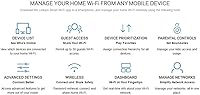
The Linksys app is genuinely approachable for non-technical users, offering a clean layout and tools like speed tests, device management, and parental controls that most people actually use. For basic day-to-day network management, it covers what the average household needs without overwhelming them.
A recurring complaint among owners who have had the router for more than a year is that the app periodically loses its connection to the router and requires restarting or re-pairing to regain control. It is not a constant issue, but it erodes confidence in the remote management feature over time.
Gaming Performance
74%
26%
Casual gamers report consistently low latency and stable connections for online multiplayer sessions, particularly when connected to the 5 GHz band within good range of the router. For everyday gaming without professional-level demands, the EA7500 handles the task reliably.
Competitive gamers who need QoS controls to prioritize gaming traffic will find the options here limited compared to routers built with gaming explicitly in mind. The lack of a dedicated gaming mode or advanced traffic shaping means performance is more dependent on overall network load than on deliberate tuning.
Firmware & Updates
58%
42%
When firmware updates go smoothly, they do bring incremental improvements to stability and occasionally add minor feature refinements. Most users who update promptly do not encounter significant disruption and appreciate that Linksys has continued supporting the EA7500 well past its 2016 launch.
Firmware reliability is one of the most consistently mentioned pain points in long-term ownership reviews. Some updates have introduced new bugs — particularly around app connectivity and occasional reboot loops — and the rollback process is not straightforward for users without technical confidence.
Value for Money
79%
21%
Buyers who are upgrading from a budget or aging router typically describe the improvement in everyday performance as immediately noticeable and well worth the spend. Given the feature set, the mid-range price positions the EA7500 as a reasonable option for households with moderate networking needs.
Against newer Wi-Fi 6 routers available at comparable or only slightly higher prices, the value equation becomes harder to justify for buyers planning for the next several years. The 2016 hardware foundation means you are buying proven reliability but not future-proofing.
Build Quality & Design
76%
24%
The physical build feels solid without being heavy, and the flat horizontal form factor sits unobtrusively on a shelf or entertainment center. Owners rarely raise complaints about the hardware itself degrading over time, and many have run the same unit for several years without physical issues.
The design is functional but dated — there are no external antennas for positioning adjustments and limited airflow consideration in cramped spaces. Users who run the router in enclosed shelving occasionally note it runs warm, which is worth keeping in mind for long-term placement decisions.
Remote Access
69%
31%
The ability to check connected devices, run diagnostics, and manage basic network settings from a phone while away from home is a genuinely useful feature for households where someone wants to stay in control of the network without being physically present.
The remote access feature is only as reliable as the app itself, and given that some users experience intermittent app-to-router communication issues, remote management is not always dependable when you actually need it. It works well most of the time, but you cannot fully count on it in every situation.
Compatibility
86%
Working across Windows, Mac, and Linux without driver issues or platform-specific quirks is something users across mixed-device households genuinely appreciate. It also connects older 802.11n devices alongside newer ones without requiring any manual configuration changes.
As 802.11ac hardware, it does not unlock the full capabilities of newer Wi-Fi 6 devices, which can feel limiting for buyers who have recently upgraded their laptops or phones. Compatibility is broad, but the ceiling it imposes on newer hardware is a real consideration for forward-looking buyers.

Suitable for:

The Linksys EA7500 AC1900 Dual-Band Router is a strong match for renters and homeowners living in apartments or single-floor homes where square footage is manageable and walls are not stacked three deep. If your household runs a mix of phones, laptops, smart TVs, and a streaming stick or two — all going at once — this router handles that kind of load without making you feel it. Families who regularly watch 4K content on separate screens will get real value from the 5 GHz band, which holds throughput well when devices are within reasonable range. Casual gamers who want consistent, low-lag connections without the learning curve of advanced firmware settings will find it capable right out of the box. It is also a particularly good fit for buyers who are not especially technical, since the Linksys app walks you through setup in a way that rarely requires a manual.

Not suitable for:

The Linksys EA7500 AC1900 Dual-Band Router is not the right call for anyone expecting it to blanket a large two-story home or a sprawling open-plan layout — real-world range falls noticeably short of what the spec sheet implies in those environments. Power users who want deep QoS controls, custom firmware support, or granular traffic management will quickly feel constrained by what the interface offers. This is also not a modem-router combo, so buyers who do not already own a separate modem will need to factor in that additional cost and hardware before they can get online. Anyone who has been burned by router firmware issues in the past should note that a portion of long-term owners have run into update-related quirks and app reliability problems. Finally, if your ISP delivers speeds that push well beyond what AC1900 can realistically handle at range, a newer Wi-Fi 6 router is likely a smarter long-term investment.

Specifications

  • Brand: Manufactured by Linksys, a long-established networking brand with broad consumer and retail presence.
  • Model: The EA7500 is a mid-range AC1900 class router designed for home and small-space use.
  • Wi-Fi Standard: Operates on 802.11ac (Wi-Fi 5), supporting modern devices while remaining backward compatible with older 802.11n and 802.11a/b/g hardware.
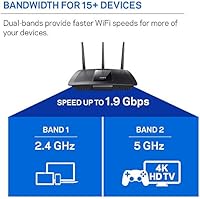
  • Frequency Bands: Dual-band design broadcasts simultaneously on both 2.4 GHz and 5 GHz frequencies to balance range and speed across connected devices.
  • Max Speed: Combined theoretical wireless throughput reaches up to 1.9 Gbps across both bands under ideal conditions.
  • 2.4 GHz Speed: The 2.4 GHz band delivers up to 600 Mbps, offering wider range and better penetration through walls and floors.
  • 5 GHz Speed: The 5 GHz band reaches up to 1,300 Mbps, suited for bandwidth-intensive tasks like 4K streaming and online gaming at closer range.
  • MU-MIMO: Multi-User Multiple Input Multiple Output (MU-MIMO) technology allows the router to communicate with several devices at once rather than in sequence.
  • Coverage Area: Rated for up to 1,500 square feet of Wi-Fi coverage, best suited to apartments and single-floor homes.
  • Device Support: Supports 15 or more simultaneously connected wireless devices without significant performance degradation under typical home loads.
  • Dimensions: The unit measures 10.03 x 7.25 x 2.19 inches, designed to sit flat on a shelf or desk without occupying excessive space.
  • Weight: Weighs 1.23 pounds, making it lightweight and easy to reposition during setup or relocation.
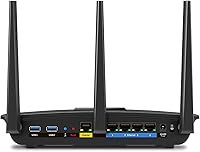
  • Connectivity: Offers both Wi-Fi and Ethernet connectivity options for wired and wireless device connections.
  • OS Compatibility: Compatible with Windows, Mac, and Linux operating systems for broad household and mixed-device environments.
  • Special Feature: Includes a remote access feature that allows users to monitor and manage their network through the Linksys app from any location.
  • Voltage: Supports 100 to 240 volts, making it compatible with power standards in most countries worldwide.
  • Color: Available in black with a low-profile horizontal form factor that blends into most home setups.
  • In the Box: Package includes the router, one Ethernet cable, a power supply, and a quick start guide.
  • Modem Required: This router requires a separate internet modem to function, as it does not include built-in modem hardware.
  • Release Date: First made available in February 2016, with ongoing availability indicating continued manufacturer support.

Related Reviews
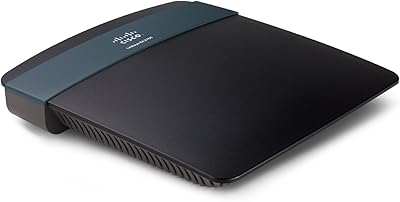
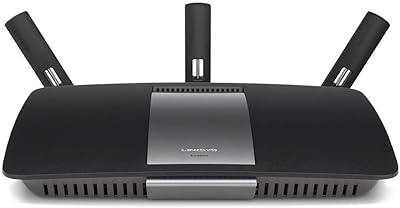
Linksys EA2700 Dual-Band Router
82%
84%
Wireless Performance
78%
Signal Coverage
88%
Setup & Installation
90%
Wired Connectivity
81%
Reliability
More
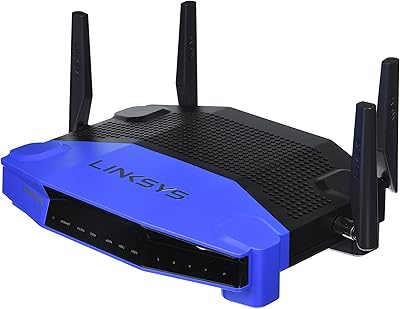
Linksys WRT1900AC Dual-Band Wi-Fi Router
77%
84%
Wireless Range
91%
Wired Performance
93%
Firmware Flexibility
58%
Stock Firmware Stability
88%
Build Quality
More
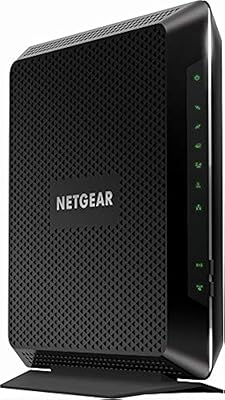
NETGEAR Nighthawk C6900-100NAS Dual Band AC1900 Cable Modem Router
85%
91%
Wi-Fi Performance
89%
Gaming and Streaming Speed
87%
Setup and Installation
92%
Value for Money
80%
Reliability and Stability
More
Linksys EA7200 AC1750 Dual-Band Wi-Fi Router
76%
91%
Ease of Setup
63%
Wi-Fi Range
82%
Connection Stability
77%
Multi-Device Performance
84%
App & Management
More
Linksys EA6900 AC1900 Dual-Band Wi-Fi Router

73%
91%
Ease of Setup
78%
Wi-Fi Speed & Performance
67%
Wireless Range
73%
Beamforming Effectiveness
74%
Build Quality & Design
More
Asus RT-AC1200 Wireless Dual-Band Router
83%
85%
Wi-Fi Performance
91%
Ease of Setup
78%
Coverage Range
88%
Parental Controls
81%
Streaming & Gaming Performance
More
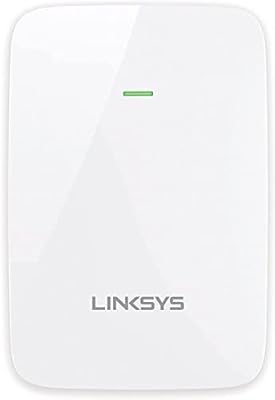
Linksys RE6350 AC1200 Dual-Band WiFi Extender
86%
91%
Setup & Installation
88%
Wi-Fi Performance
89%
Coverage Area
85%
Dual-Band Performance
84%
Streaming & Gaming
More
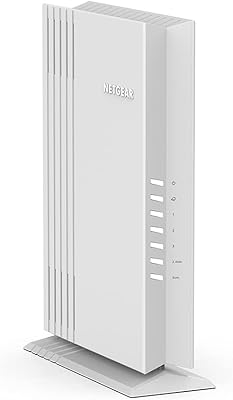
NETGEAR WAX202 WiFi 6 Dual-Band Router
84%
88%
WiFi Performance
93%
Setup & Installation
85%
App Usability
89%
Speed & Coverage
90%
Device Connectivity
More
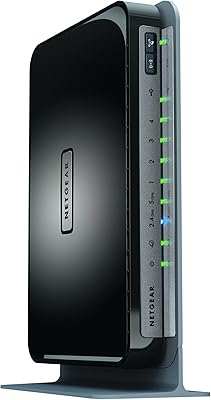
Netgear WNDR4300 N750 Dual Band Gigabit Router
73%
78%
Wi-Fi Range & Coverage
86%
Setup & Ease of Use
74%
Connection Stability
88%
Wired (Ethernet) Performance
57%
USB Sharing (ReadySHARE)
More
Asus T-Mobile AC-1900 Dual-Band Router
85%
88%
Performance
94%
Ease of Setup
91%
Security Features
65%
Compatibility with Non-T-Mobile Devices
86%
Wi-Fi Speed and Range
More

FAQ

Yes, you do. The EA7500 is a standalone router, not a modem-router combo, so you will need a compatible modem already connected to your internet service. Most ISPs either provide one or sell you one when you sign up. If you are upgrading from an older router, your existing modem should work fine as long as it supports your current internet plan speeds.

Honestly, it is one of the easier setups in its class. You download the Linksys app, follow the on-screen steps, and most people are online within 15 minutes. You do not need to log into any web interface or manually configure anything unless you want to.

That depends heavily on your home layout, but for most two-story houses it will struggle. The rated 1,500 square foot coverage is measured under ideal open-space conditions, and floors, thick walls, and building materials all reduce effective range significantly. If your home is spread across two levels or exceeds that footprint, you may want to consider a mesh system or a Wi-Fi extender alongside this router.

Yes, and this is actually one of the stronger use cases for the EA7500. MU-MIMO lets the router serve your console and other devices at the same time rather than taking turns, so one heavy user is less likely to noticeably impact everyone else. For casual to moderate gaming sessions, most users report solid, consistent performance.

It will connect to Wi-Fi 6 devices just fine, but they will connect using the older 802.11ac (Wi-Fi 5) standard rather than Wi-Fi 6. You will not get the efficiency or speed improvements that Wi-Fi 6 devices are capable of. If you have recently bought several Wi-Fi 6 devices and want to get the most out of them, a Wi-Fi 6 router would be a better long-term investment.

Yes, the remote access feature built into the Linksys app lets you check on connected devices, run a speed test, or adjust basic settings from your phone even when you are not at home. It is a convenient feature if you want to keep an eye on what devices are using your network or restart the router without physically being there.

The router is rated for 15 or more devices, and in practice most households with that number of devices report no issues under normal everyday use. Where things can get congested is if several of those devices are all streaming high-resolution video or downloading large files at the same time. For a typical mixed household of phones, laptops, and smart TVs, it handles the load comfortably.

A portion of long-term owners have reported that certain firmware updates caused connectivity drops or made the app temporarily unable to communicate with the router. It is not a universal issue, but it is worth knowing before you buy. Keeping your firmware updated is still recommended for security reasons; just be prepared for the occasional reboot if something acts up after an update.

In general, yes. This dual-band router is not locked to any specific ISP and works with any standard broadband modem regardless of your provider. Whether you are on cable, DSL, or fiber, as long as your modem is compatible and your service is active, the router should work without issue.

For a lot of households, yes. The core technology — MU-MIMO, dual-band, stable firmware under normal conditions — still covers the everyday needs of most home users well. Where it shows its age is in Wi-Fi 6 support and advanced features that newer routers include by default. If your priority is reliable everyday performance at a reasonable price and you are not chasing cutting-edge speeds, it remains a solid choice.

Where to Buy