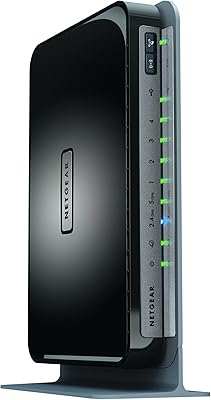
NETGEAR R6250 AC1600 Dual Band Wi-Fi Router
Overview
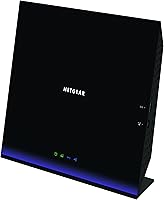
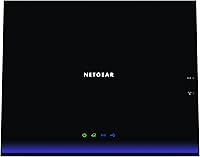
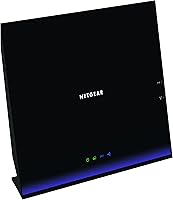
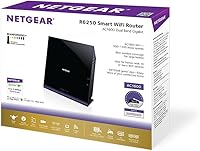
The NETGEAR R6250 AC1600 Dual Band Wi-Fi Router launched in March 2013, and the fact that buyers still actively research it speaks to NETGEAR's reputation for building hardware that lasts. This was a mid-range router when it debuted — not a budget throwaway, but nowhere near a pro-grade flagship either. The dual-core 800MHz processor was a genuine differentiator at its price tier, giving it enough headroom to handle typical household traffic without constantly choking. Go in with clear expectations: this dual-band router is a solid everyday performer for routine home networking, not a serious contender against today's Wi-Fi 5 or Wi-Fi 6 options.
Features & Benefits
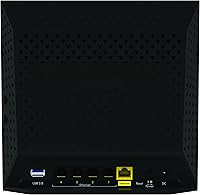
The R6250 splits its signal across two bands — the 2.4GHz side reaches farther but at lower speeds, while the 5GHz band delivers noticeably faster throughput for nearby devices like laptops and streaming sticks. The dual-core processor keeps things from stuttering when several devices are pulling data at once, a real advantage over single-core units from the same era. A USB 3.0 port lets you attach an external drive for basic network storage — handy, though real-world transfer speeds are adequate rather than impressive. Four gigabit wired ports round things out for desktops or smart TVs that benefit from a stable direct wired connection.
Best For
This NETGEAR router is a natural fit for smaller homes — apartments, condos, or single-floor houses — where you're not asking it to push signal through multiple thick walls or across two stories. If you're still on an older single-band or 802.11n router and want a meaningful upgrade without a big outlay, the R6250 delivers exactly that. It handles two or three HD streams simultaneously without much fuss, and setup is genuinely straightforward with no networking background required. That said, if you're outfitting a larger home, juggling 25-plus devices, or want long-term future-proofing, newer Wi-Fi 6 routers are worth the additional investment.
User Feedback
Across more than 750 ratings, this dual-band router holds a 4.1 out of 5 average — a respectable score reflecting a mostly satisfied user base. Reviewers consistently highlight painless initial setup and day-to-day connection stability as standout qualities, with NETGEAR's firmware earning praise for dependability even if it lacks advanced customization options. Where people push back is coverage: users in two-story homes or larger spaces report the signal struggles to reach every corner reliably. USB storage performance draws a few fair complaints — it works, but expectations should stay modest. It is also worth noting that some critical reviews appear linked to ISP-side problems or general hardware aging rather than any inherent flaw in the router itself.
Pros
- Setup is genuinely straightforward — most users report being online within minutes of unboxing.
- The dual-band design keeps slower devices from bogging down faster ones on the same network.
- Four gigabit wired ports provide rock-solid, low-latency connections for desktops and smart TVs.
- The dual-core processor holds up well under moderate multi-device loads without noticeable slowdowns.
- NETGEAR's firmware is stable and reliable, even if it is no longer receiving major updates.
- Backward compatibility with older Wi-Fi standards means no device gets left behind.
- The USB 3.0 port adds basic network storage and printer sharing without any extra hardware.
- A 4.1 out of 5 rating across hundreds of real buyers signals consistently solid day-to-day performance.
- WPS support makes adding new devices to the network quick and painless.
Cons
- Signal range struggles noticeably in two-story homes or layouts with multiple thick interior walls.
- The router is over a decade old, and active firmware and security update support has effectively ended.
- USB NAS performance is adequate for light use but disappoints anyone expecting fast, consistent transfers.
- No Wi-Fi 5 or Wi-Fi 6 support means it cannot take advantage of faster modern client devices.
- The 2.4GHz band is increasingly congested in dense neighborhoods, limiting its real-world range advantage.
- Advanced users will find the configuration options limited compared to current competing routers.
- Households with more than 15 to 20 simultaneously active devices may begin to notice performance degradation.
- Some reported connectivity drops appear linked to firmware age rather than ISP or hardware faults.
- No MU-MIMO support means devices take turns rather than communicating with the router simultaneously.
Ratings
The scores below for the NETGEAR R6250 AC1600 Dual Band Wi-Fi Router were generated by our AI review engine after analyzing verified global buyer feedback, with spam, bot-submitted, and incentivized reviews actively filtered out before scoring. Each category reflects the honest distribution of real user sentiment — strengths are credited where earned, and recurring pain points are weighted accordingly. The result is a transparent, balanced picture of where this router genuinely delivers and where it falls short.
Ease of Setup
Wi-Fi Performance
Wi-Fi Range & Coverage
Connection Stability
Multi-Device Handling
USB Storage Performance
Firmware & Software
Wired (LAN) Performance
Build Quality
Value for Money
Security Features
Admin Interface Usability
Backward Compatibility
Suitable for:
The NETGEAR R6250 AC1600 Dual Band Wi-Fi Router is a practical choice for anyone living in an apartment, condo, or single-floor home who needs dependable everyday connectivity without overcomplicating the setup process. First-time router buyers or those upgrading from an aging single-band unit will find the jump in performance immediately noticeable — faster speeds on the 5GHz band make a real difference for video calls and HD streaming. Households running two or three screens simultaneously, a few smartphones, and a laptop or two will rarely push this router beyond its comfort zone. The straightforward web interface and WPS button make onboarding new devices easy enough that non-technical users will feel right at home. If you have older devices that still run on legacy Wi-Fi standards, the R6250 handles backward compatibility without any manual fiddling, which is a quiet but useful convenience.
Not suitable for:
Buyers with larger homes, multi-story layouts, or thick concrete walls should look elsewhere — the NETGEAR R6250 AC1600 Dual Band Wi-Fi Router simply was not built to blanket expansive floor plans with strong signal, and real-world user complaints confirm that range is its most consistent limitation. Power users running 20-plus connected devices, heavy torrent seeders, or anyone doing 4K streaming on multiple screens at once will likely find the hardware ceiling frustrating over time. The router debuted in 2013, which means its firmware ecosystem has aged considerably; do not expect ongoing security patches or feature additions from NETGEAR at this stage of the product lifecycle. Anyone already on a modern Wi-Fi 5 or Wi-Fi 6 router should stay put rather than treating this as a lateral upgrade. Those hoping to use the USB port as a proper home NAS solution should also temper expectations — it handles occasional file access reasonably well, but it is not a substitute for a dedicated network storage device.
Specifications
- Wi-Fi Standard: The router operates on the 802.11ac standard, commonly marketed as AC1600, covering both 2.4GHz and 5GHz bands simultaneously.
- Combined Speed: Maximum theoretical throughput reaches 1600Mbps total — 300Mbps on the 2.4GHz band and 1300Mbps on the 5GHz band.
- Processor: A dual-core 800MHz CPU handles routing tasks and multi-device traffic without the bottlenecks common in single-core routers of the same era.
- RAM: 256MB of onboard RAM provides enough working memory for typical household network loads under normal operating conditions.
- Flash Memory: 128MB of flash storage holds the router firmware and configuration data.
- LAN Ports: Four Gigabit Ethernet LAN ports support wired connections at up to 1000Mbps for devices like desktops, gaming consoles, and smart TVs.
- WAN Port: One Gigabit Ethernet WAN port connects the router to a cable or DSL modem from your internet service provider.
- USB 3.0 Port: One USB 3.0 port supports attached external hard drives for basic network storage access or shared printer connectivity.
- USB 2.0 Port: One USB 2.0 port provides a secondary option for attaching lower-bandwidth USB peripherals such as printers or flash drives.
- Antennas: Two external antennas handle signal transmission and reception across both frequency bands.
- WPS Support: A dedicated WPS button on the unit allows new devices to join the network quickly without manually entering the Wi-Fi password.
- Dimensions: The unit measures 12.01 x 10.12 x 2.83 inches, designed for horizontal placement on a shelf or desk surface.
- OS Compatibility: The router is compatible with Windows (XP through 8), Mac OS, Linux, and UNIX operating systems for web-based management.
- Backward Compat.: Full backward compatibility with 802.11a, 802.11b, 802.11g, and 802.11n devices ensures older hardware connects without any manual configuration.
- Color: The unit ships in a matte black finish designed to blend unobtrusively into typical home or office environments.
- First Available: The R6250 was first made available in March 2013 and remains listed as not discontinued by the manufacturer.
Related Reviews
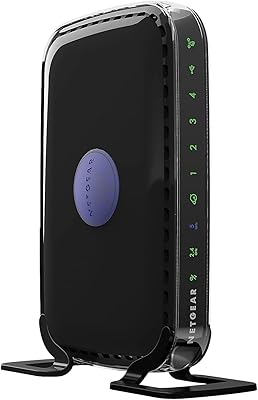
NETGEAR WNDR3400 N600 Dual Band Wi-Fi Router
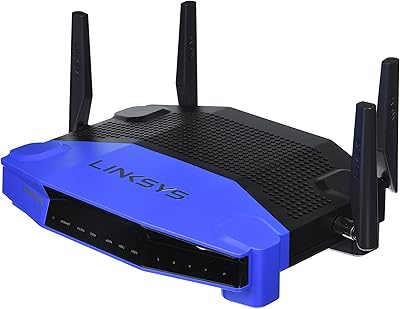
Linksys WRT1900AC Dual-Band Wi-Fi Router
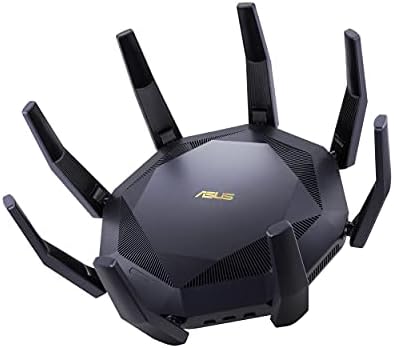
ASUS RT-AX89X AX6000 Dual Band Wi-Fi Router
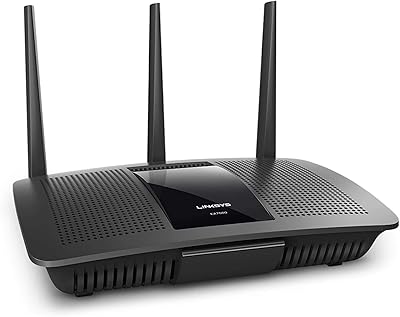
Linksys EA7500 AC1900 Dual-Band Router
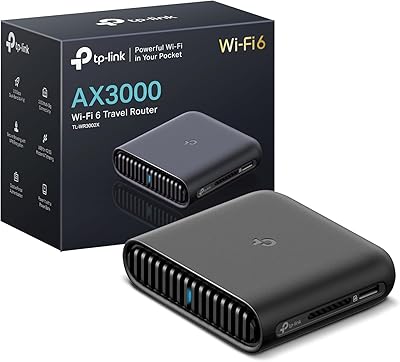
TP-Link TL-WR3002X AX3000 Wi-Fi 6 Travel Router
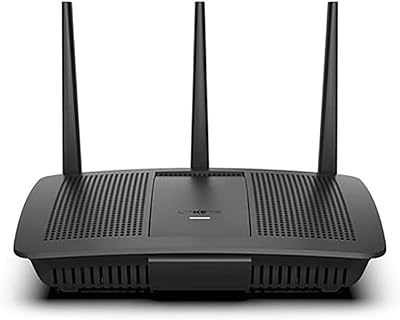
Linksys EA7200 AC1750 Dual-Band Wi-Fi Router
NETGEAR Nighthawk R6900P Wi-Fi Router
Netgear R6400 AC1750 Wi-Fi Router
NETGEAR WAX202 WiFi 6 Dual-Band Router