
Overview

The ARRIS SB6141 DOCSIS 3.0 Cable Modem has quietly earned a reputation as one of the most dependable ways to stop paying your ISP a monthly rental fee. DOCSIS 3.0 is the protocol most US cable networks run on, so this standalone modem slots right into the infrastructure Comcast, Spectrum, Cox, and others already use. It is strictly a wired-only modem — no WiFi, no phone port — which means you will need a separate router if wireless coverage is part of the plan. With over 12,000 reviews accumulated across the years, its track record speaks for itself.

Features & Benefits

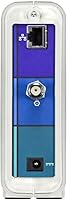
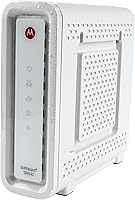
The SB6141 uses 8x4 channel bonding, pulling data across eight downstream channels simultaneously to reach download speeds up to 343 Mbps and uploads up to 131 Mbps — plenty of headroom for a household on a plan capped at 100 Mbps. A single Gigabit Ethernet port on the back connects to your router or directly to a PC. The unit itself is slim and vertical, barely two inches wide, so it tucks neatly alongside most home routers without hogging shelf space. It supports both IPv4 and IPv6, which matters as ISPs gradually transition their networks, and comes backed by a two-year warranty with US-based support.

Best For

This cable modem is a natural fit for anyone on Xfinity, Spectrum, Cox, Mediacom, or Suddenlink who is tired of that recurring modem rental charge on their monthly bill. If your current plan tops out around 100 Mbps, the SB6141 handles it without complaint. It also makes sense if you already own a WiFi router you like — since there is no wireless radio built in, you are not doubling up on hardware you do not need. Verizon, AT&T, and CenturyLink customers should look elsewhere entirely, as this modem is cable-network only and will not work on fiber or DSL infrastructure.

User Feedback

Across its large base of verified buyers, the SB6141 scores well, and the feedback paints a consistent picture. Most people highlight how straightforward the setup process is — plug it in, call your ISP to register the MAC address, and you are online within minutes. Long-term owners frequently cite rock-solid connection stability as the standout quality. The criticism, when it appears, centers on one limitation: if your ISP upgrades you past 100 Mbps, this standalone modem can become the bottleneck. A handful of reviewers also note the aging hardware, and those planning to keep a modem for many years ahead may want to consider a DOCSIS 3.1 alternative.

Pros

  • Eliminates the ISP modem rental fee, which typically pays back the purchase cost within a few months.
  • Setup is straightforward — register the MAC address with your provider and you are usually online in minutes.
  • Compatible with several major US cable providers including Xfinity, Spectrum, Cox, Mediacom, and Suddenlink.
  • Stable, consistent performance is the most repeated compliment across thousands of long-term owner reviews.
  • The slim vertical design takes up very little space on a desk or shelf next to a router.
  • Supports IPv6, so it is ready for the addressing standard ISPs are gradually rolling out.
  • Backed by a two-year manufacturer warranty and US-based customer support for post-purchase issues.
  • At its price point, the value proposition for anyone on a 100 Mbps or lower plan is hard to argue with.

Cons

  • Not suitable for internet plans above 100 Mbps — users on faster tiers will experience a real bottleneck.
  • No built-in WiFi means an additional router purchase is required for any wireless coverage.
  • DOCSIS 3.0 is an aging standard, and some ISPs are phasing out support in favor of DOCSIS 3.1 equipment.
  • Only one Ethernet port limits direct wired connections without adding a switch.
  • Buyers on Verizon, AT&T, or CenturyLink networks cannot use this modem at all.
  • No VOIP support, so households that bundle phone service through their cable provider will need a separate adapter.
  • Some reviewers report the modem struggling to maintain top-end speeds as ISP infrastructure ages or changes.
  • Long-term owners on growing households may find themselves needing an upgrade sooner than expected.

Ratings

The ARRIS SB6141 DOCSIS 3.0 Cable Modem has been scored by our AI system after analyzing thousands of verified buyer reviews from global sources, with spam, bot-generated, and incentivized submissions actively filtered out. The scores below reflect a balanced picture of where this standalone modem genuinely excels and where real users have run into friction. Both the praise and the frustrations are represented transparently so you can make a clear-headed decision.

Value for Money
91%
For households paying a monthly modem rental fee to their ISP, the payback period on the SB6141 is typically just a few months. Buyers consistently describe it as one of the smartest small investments they have made for their home network setup.
The value equation weakens significantly for anyone on a plan above 100 Mbps, since the hardware becomes a bottleneck and the purchase effectively has a shorter useful life. Buyers on faster or upgrading plans may find themselves replacing it sooner than expected.
Connection Stability
88%
Long-term owners frequently single out rock-solid uptime as the defining quality of this cable modem. Many report going months or even years without a single unexplained dropout, which is exactly what you want from a device that sits quietly in the background.
A minority of users report intermittent disconnections that appear tied to ISP-side provisioning changes rather than the hardware itself, though troubleshooting can still be frustrating. Some older units show more instability as they age past the two-year mark.
Ease of Setup
93%
Activation is about as painless as home networking gets — plug in the coaxial cable, connect a router via Ethernet, power it on, and register the MAC address with your ISP. Most buyers report being online within ten to fifteen minutes of opening the box.
A small number of users encounter friction during ISP activation calls, particularly with providers that require a technician to remotely provision the modem before it will connect. This is an ISP process issue rather than a hardware flaw, but it does catch some buyers off guard.
Speed Performance
74%
26%
On plans at or below 100 Mbps, the SB6141 handles everyday household traffic — streaming, video calls, working from home — without any noticeable strain. The 8x4 channel bonding provides enough headroom that the modem rarely feels like the weak link in a properly matched setup.
Users who upgraded their internet plan past 100 Mbps frequently report that speeds plateau well below what their ISP is actually delivering, which is a direct hardware limitation. This is the most common source of one-star reviews and is a real concern for anyone on or eyeing a faster tier.
ISP Compatibility
86%
Working across Xfinity, Spectrum, Cox, Mediacom, and Suddenlink gives this cable modem a broad reach that covers a large share of the US cable subscriber base. Buyers switching providers between these carriers rarely need to replace the modem, which adds long-term flexibility.
The hard incompatibility with Verizon, AT&T, and CenturyLink is a dealbreaker for a meaningful segment of buyers who discover this only after purchase. The modem is also not approved by every regional cable provider, so checking your specific ISP's approved device list before buying is essential.
Build Quality
78%
22%
The SB6141 feels solid and purposeful for a device that sits untouched on a shelf for years. The vertical form factor is stable and the casing does not flex or creak, giving it a sense of durability that matches its long field history.
The plastic housing is not premium by any measure, and the aesthetic is purely functional. A few long-term users report that the status indicator lights become harder to read after extended use, though this is cosmetic rather than operational.
Heat Management
72%
28%
Under normal operating conditions with a moderate-speed plan, the unit runs warm but not hot, and most users never notice any heat-related issues during daily use. The passive cooling design has proven adequate for its intended workload over multi-year deployments.
Users pushing the modem hard on plans near or above its recommended ceiling report that it runs noticeably warmer, which may contribute to occasional resets over time. Placement in enclosed cabinets without airflow exacerbates this issue.
Physical Design
81%
19%
At just two inches wide and under two pounds, the SB6141 is easy to tuck behind a router or along a baseboard without cluttering a desk or media shelf. Its minimal footprint is consistently noted as a practical plus by apartment dwellers and home office users alike.
The modem only stands vertically and does not include a wall-mount option or horizontal feet, which limits placement flexibility in some setups. The all-white finish, while clean, shows dust and scuff marks more readily than darker-colored alternatives.
Longevity
67%
33%
A significant number of buyers report using the same unit reliably for four or more years on stable, moderate-speed plans. For the right use case, this is a buy-it-and-forget-it device that delivers consistent results without requiring attention.
DOCSIS 3.0 is an aging standard, and some ISPs are actively migrating infrastructure toward DOCSIS 3.1, which could shorten the functional lifespan of this modem for some users. Buyers who expect to stay with the same hardware for five or more years should weigh this carefully.
Warranty & Support
76%
24%
The two-year warranty backed by US-based customer service gives buyers a reasonable safety net, and multiple reviewers describe their replacement or support experiences as handled promptly and without pushback. Having domestic support access is a genuine differentiator in this product category.
Some users report difficulty reaching support during high-volume periods, and warranty claims do require proof of purchase which not everyone keeps on hand. Coverage ends at two years, which means units that develop issues in year three or four leave owners without recourse.
Port & Connectivity Options
63%
37%
For a modem-only device, the single Gigabit Ethernet port is the correct and expected configuration, and it delivers full throughput to a connected router without becoming the bottleneck at supported plan speeds. The port itself is well-positioned and easy to access.
Having only one Ethernet port means you cannot connect multiple wired devices directly to the modem without adding a switch or router. Users who want a more integrated or multi-port solution will find this setup limiting compared to combo gateway devices.
Indicator Lights
69%
31%
The front-panel status LEDs give a quick visual read on power, downstream sync, upstream sync, and online status, which is genuinely useful when diagnosing a connection drop without logging into a web interface. Most users find the light layout intuitive after a brief learning curve.
The lights are always on with no option to dim or disable them, which bothers light-sensitive users in bedrooms or dark media rooms. A few buyers also report that the LEDs can be difficult to interpret clearly from a distance or in bright ambient light.
Software & Firmware
71%
29%
The modem operates transparently with no required app or ongoing software interaction, which is exactly what most home users want — set it up once and move on. Firmware updates, when delivered by the ISP, apply automatically without any user intervention needed.
Because firmware is ISP-controlled rather than user-managed, owners have no ability to push updates themselves or roll back problematic firmware versions. A handful of users report that ISP firmware pushes have caused temporary connectivity issues that required a modem reboot to resolve.

Suitable for:

The ARRIS SB6141 DOCSIS 3.0 Cable Modem is an excellent choice for cable internet subscribers who are tired of paying their ISP a recurring equipment rental fee month after month. It works particularly well for households on Xfinity, Spectrum, Cox, Mediacom, or Suddenlink plans that top out around 100 Mbps — the kind of plan that covers everyday streaming, browsing, and remote work without needing bleeding-edge throughput. Renters and homeowners alike benefit here, especially those who already own a standalone WiFi router and want a clean, simple modem-only setup rather than an all-in-one gateway. It is also a smart pick for anyone who values a proven, widely reviewed product over a newer and less field-tested alternative.

Not suitable for:

The SB6141 is a poor match for anyone whose ISP has moved them onto a plan faster than 100 Mbps, since the hardware will become the weakest link in that connection. Households that need built-in WiFi should look elsewhere — this cable modem is strictly a wired device, and no firmware update will change that. Verizon, AT&T, and CenturyLink customers cannot use it at all, as it is designed exclusively for cable networks and is entirely incompatible with fiber or DSL infrastructure. Anyone planning a long-term investment who anticipates upgrading to a gigabit plan in the next few years would be better served by a DOCSIS 3.1 modem from the start, since the SB6141 will not keep pace with where many ISPs are heading.

Specifications

  • Standard: Uses DOCSIS 3.0, the widely adopted cable internet protocol supported by most major US cable providers.
  • Channel Bonding: Supports 8 downstream and 4 upstream channels for more efficient data throughput compared to older single-channel modems.
  • Max Download: Capable of download speeds up to 343 Mbps under optimal cable network conditions.
  • Max Upload: Capable of upload speeds up to 131 Mbps under optimal cable network conditions.
  • Recommended Plan: Best suited for internet service plans with speeds at or below 100 Mbps.
  • Ethernet Port: Includes one Gigabit Ethernet port for wired connection to a router or directly to a single computer.
  • WiFi: Does not include a built-in wireless radio; a separate WiFi router is required for wireless connectivity.
  • VOIP: Does not include a telephone adapter; VOIP phone service requires a separate compatible device.
  • IP Support: Supports both IPv4 and IPv6 addressing standards for compatibility with current and transitioning network environments.
  • Dimensions: Measures 6.4″ long by 2″ wide by 8.7″ tall in its standard vertical orientation.
  • Weight: Weighs approximately 1.52 pounds, making it easy to reposition or mount with minimal effort.
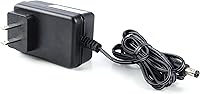
  • Power Source: Powered via a standard AC wall outlet using the included power adapter.
  • Compatible ISPs: Approved for use on Comcast Xfinity, Spectrum, Cox, Mediacom, Suddenlink, and several other US cable providers.
  • Incompatible ISPs: Not compatible with Verizon, AT&T, or CenturyLink, which use fiber or DSL infrastructure rather than cable.
  • Warranty: Comes with a two-year limited manufacturer warranty supported by a US-based customer service team.
  • Color: Available in white with a compact vertical form factor designed to sit discreetly alongside home networking equipment.
  • Platform Support: Compatible with Windows, Mac, Unix, and Linux operating systems via the Ethernet connection.
  • ASIN: Listed on Amazon under ASIN B00AJHDZSI for reference when verifying purchase listings.

Related Reviews
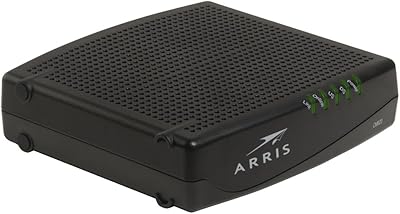
ARRIS CM820A DOCSIS 3.0 Cable Modem
74%
83%
Connection Stability
78%
Ease of Setup
74%
ISP Compatibility
81%
Long-Term Reliability
88%
Value for Money
More
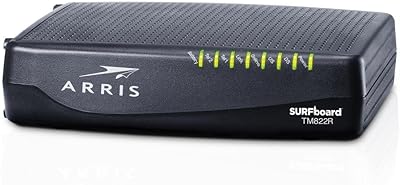
ARRIS TM822R DOCSIS 3.0 Cable Modem
75%
93%
Xfinity Compatibility
88%
Value for Money
74%
VoIP Phone Performance
81%
Internet Speed Performance
86%
Setup & Installation
More
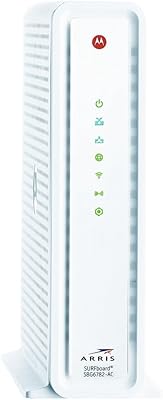
ARRIS SBG6782 DOCSIS 3.0 Cable Modem Router
78%
88%
Value for Money
91%
Setup & Installation
86%
Connection Stability
69%
Wi-Fi Performance
63%
Wi-Fi Range
More
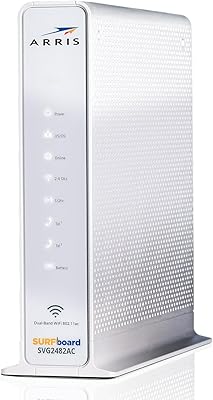
ARRIS SURFboard SVG2482AC Cable Modem Router Combo
74%
72%
ISP Compatibility
81%
Internet Performance
63%
Wi-Fi Coverage
79%
Setup Experience
76%
Build Quality
More
Motorola MB7420 DOCSIS 3.0 Cable Modem
87%
94%
Connection Stability
91%
Download Speed Performance
89%
Setup & Installation
92%
Provider Compatibility
85%
Build Quality
More
ARRIS TM822G DOCSIS 3.0 Telephony Modem
75%
88%
Value for Money
78%
Internet Performance
84%
Voice Call Quality
58%
Setup & Activation
86%
Long-Term Reliability
More
Arris CM8200A DOCSIS 3.1 Cable Modem
74%
88%
Internet Speed Performance
79%
Ease of Setup & Activation
74%
ISP Compatibility
83%
Build Quality & Durability
71%
Thermal Management
More
NETGEAR CM500 DOCSIS 3.0 Cable Modem
77%
91%
Value for Money
88%
Setup & Activation
84%
Connection Stability
63%
Refurbished Condition Consistency
72%
ISP Compatibility
More
ARRIS Touchstone TM1602A 16x4 DOCSIS 3.0 Modem
82%
88%
Performance
91%
Ease of Setup
93%
ISP Compatibility
85%
Connection Stability
80%
Latency/Buffering
More
NETGEAR C3700 N600 Cable Modem Router
73%
91%
Ease of Setup
88%
Connection Reliability
58%
WiFi Speed & Performance
61%
WiFi Range & Coverage
83%
Modem Speed & Throughput
More
Linksys CM3024 DOCSIS 3.0 Cable Modem
75%
88%
Value for Money
84%
Setup & Installation
79%
Download Speed Performance
53%
Latency & Ping Stability
86%
ISP Compatibility
More

FAQ

Yes, the SB6141 is on Comcast Xfinity's approved modem list for cable internet service. Just make sure your plan speed is 100 Mbps or below to get the most out of it. If you are on a faster Xfinity tier, you may want to consider a DOCSIS 3.1 modem instead.

No, this is a modem-only device with no wireless radio built in. You will need to connect a separate WiFi router to the Ethernet port if you want wireless coverage in your home. Many buyers already own a router they prefer, which is exactly the setup this cable modem is designed for.

The physical setup is simple: plug the coaxial cable from your wall into the modem, connect a router or PC via the Ethernet port, and power it on. Then call your ISP or use their app to register the modem's MAC address, which is printed on the label on the device. Most providers complete activation within a few minutes.

No. The ARRIS SB6141 DOCSIS 3.0 Cable Modem only works on cable internet networks and is not compatible with Verizon Fios, AT&T, or CenturyLink, all of which use fiber or DSL technology. If you are on one of those providers, you will need a different type of equipment.

Honestly, not reliably. The SB6141 is recommended for plans up to 100 Mbps, and while it has a theoretical ceiling higher than that, real-world performance on faster plans tends to be inconsistent. For a 200 Mbps plan, a DOCSIS 3.1 modem would be a better long-term investment.

Many users report years of trouble-free use on moderate-speed cable plans. That said, as ISPs push faster infrastructure and some start phasing out older DOCSIS 3.0 hardware, its useful life does have a ceiling. If you plan to upgrade your internet speed in the next couple of years, it is worth factoring that into your decision now.

You will need an active cable internet subscription and a coaxial cable outlet in your home — those are requirements of any cable modem. If you want wireless internet, add a separate WiFi router. Other than that, the modem itself is ready to go out of the box.

The SB6141 comes with a two-year manufacturer warranty backed by a US-based customer support team. If the unit fails within that window under normal use, you can contact ARRIS directly to initiate a replacement or repair claim. Keep your purchase receipt handy when you reach out.

Yes, Spectrum — which now encompasses the old Charter, Time Warner Cable, and Bright House Networks — supports this cable modem on its approved device list. Just confirm your specific plan speed before buying, since higher-tier Spectrum plans may exceed what this modem handles comfortably.

Not directly — the standalone modem has only one Ethernet port, so it can connect to a single device at a time. In practice, most households plug a router into that port, which then handles distributing the connection to multiple wired or wireless devices throughout the home.

Where to Buy