Overview

The ZyXEL WAP3205V2 Wireless Access Point is a mid-range 802.11n device aimed at home users and small offices looking to extend or manage wireless coverage without a major investment. ZyXEL has been in the networking hardware space long enough to carry real credibility — this isn't a no-name box. What separates this ZyXEL access point from a basic extender is its four operating modes, which give you considerably more flexibility than a simple plug-and-play repeater. That said, keep expectations grounded: it runs on an older wireless standard and won't satisfy anyone pushing heavy simultaneous loads across a house full of modern devices.

Features & Benefits

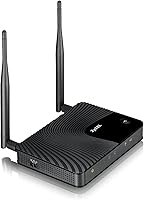
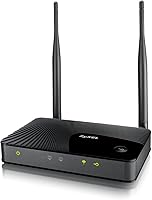
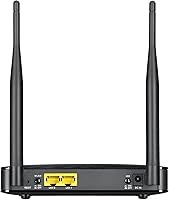
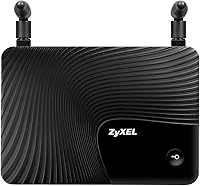
The WAP3205V2 supports four distinct roles — Access Point, Universal Repeater, Client, and a mode-switch — covering most common small-network scenarios without requiring separate hardware. Two detachable 5 dBi antennas help push the signal further than a single internal antenna would, and the build feels solid enough for a fixed wall or shelf installation. A one-touch WPS button handles security pairing quickly, useful when you'd rather skip the web interface entirely. Two Ethernet ports add real utility for wired device connections. The theoretical 300 Mbps ceiling sounds capable, but real-world throughput will land noticeably lower — adequate for light browsing and streaming, less ideal for large transfers.

Best For

This ZyXEL access point makes the most sense in a handful of specific situations. If you have a Wi-Fi dead zone in a small home or office and your existing router simply lacks range, this wireless extender can fill that gap without much fuss. It also suits IT generalists or small-business technicians who want a unit capable of switching roles — repeater today, client bridge tomorrow — without purchasing separate hardware for each job. Homes running older laptops and tablets that don't require Wi-Fi 5 or 6 won't feel shortchanged either. The two LAN ports further add practical value in wired-first environments where a couple of devices still need a hardline connection.

User Feedback

With 335 ratings and a 3.6-star average, the WAP3205V2 sits firmly in mixed-but-informative territory. Buyers who speak positively tend to highlight easy physical setup and stable, consistent performance for everyday tasks like email and casual browsing. The mode-switching flexibility also earns mentions as a genuine differentiator. On the downside, the most repeated criticism involves the dated single-band standard — shoppers comparing it against newer dual-band units frequently question whether the value holds up. A handful of reviewers also flag firmware quirks and occasional compatibility issues, particularly with less common router brands. Long-term reliability impressions are uneven; it tends to work, but don't expect it to age gracefully alongside a modern network.

Pros

  • Four operating modes in one unit eliminate the need for separate AP and repeater hardware
  • Physical mode-switch button makes changing network roles faster than navigating a web interface
  • One-touch WPS pairing gets devices connected securely without manual configuration steps
  • Two Ethernet ports add practical wired connectivity in rooms far from the main router
  • Detachable 5 dBi antennas provide better signal stability than fixed internal antenna designs
  • LED on/off button lets you kill indicator lights at night without disrupting the network
  • ZyXEL carries genuine brand credibility in the networking hardware space
  • Compact, sturdy build suits fixed shelf or wall installation in small offices
  • Adequate throughput for low-demand tasks like email, light browsing, and standard streaming
  • Includes everything needed out of the box: antennas, power adapter, Ethernet cable, and quick-start guide

Cons

  • 802.11n is a dated single-band standard that limits performance with modern devices and faster ISP plans
  • Real-world throughput falls well below the 300 Mbps theoretical ceiling, often noticeably so
  • Firmware quirks including random disconnects and web interface timeouts appear with concerning frequency
  • Compatibility issues with ISP-locked or less common routers require workarounds some users won't anticipate
  • Mode-switching does not always behave cleanly without a full factory reset beforehand
  • No WPA3 support makes it a poor fit for security-conscious or compliance-aware environments
  • Long-term reliability is uneven, with stability concerns emerging after extended months of use
  • Value proposition weakens significantly when dual-band alternatives are available at comparable prices
  • Range degrades noticeably through walls, limiting usefulness in anything beyond a single room or small floor
  • Limited firmware update support means security and stability improvements are unlikely going forward

Ratings

The ZyXEL WAP3205V2 Wireless Access Point earns a mixed but nuanced verdict after our AI model processed hundreds of verified global buyer reviews, actively filtering out incentivized submissions and bot-pattern ratings. Scores reflect both what this wireless extender genuinely delivers and where it falls short for today's network demands. Strengths and frustrations are weighted equally — nothing is glossed over.

Ease of Setup
78%
22%
Most buyers report getting the WAP3205V2 up and running within minutes thanks to the physical mode-switch button and one-touch WPS pairing. Users who are not technically inclined appreciate not having to dig deep into a web interface just to configure basic repeater or AP mode.
A subset of reviewers ran into confusion when switching between modes, noting that the documentation isn't always clear on required reboot steps. A few compatibility hiccups with certain ISP-supplied routers added friction that casual users didn't anticipate.
Wireless Range
61%
39%
For a compact unit with two detachable 5 dBi antennas, the WAP3205V2 covers a modest single-floor area reliably. In a small apartment or a single office room, users consistently report stable signal without drops during standard browsing sessions.
Buyers expecting whole-home coverage were frequently disappointed. The single-band 802.11n limitation means range degrades noticeably through walls, and several reviewers noted that newer budget alternatives from competing brands reach further for a similar outlay.
Throughput & Speed
54%
46%
For light daily tasks — email, standard-definition streaming, and casual web browsing — the WAP3205V2 holds up without obvious bottlenecks. Users in low-demand environments like small reception areas or secondary home offices found actual performance acceptable.
The 300 Mbps ceiling is purely theoretical and real-world throughput lands considerably lower, often frustrating users on faster ISP plans. Anyone running video calls, cloud backups, or multiple simultaneous streams will feel the constraint almost immediately.
Operating Mode Flexibility
83%
The ability to toggle between AP, Universal Repeater, and Client mode in a single unit is a genuine differentiator at this price tier. IT generalists and small-business technicians specifically called out this versatility as the primary reason they chose the WAP3205V2 over single-purpose extenders.
While the modes themselves work, a number of reviewers noted inconsistent behavior when switching modes without performing a full factory reset first. The transition is not always as clean as the physical button implies, which adds an unexpected troubleshooting step.
Build Quality
71%
29%
The chassis feels sturdy enough for a fixed shelf or wall installation, and the detachable antennas give it a more professional look than many consumer-grade extenders. Weight and dimensions are well-proportioned for desk or wall placement in a small office.
The plastic casing shows fingerprints and dust accumulation easily, and a few long-term users reported that the antenna connection points loosened over time with repeated adjustments. It feels functional rather than premium for its price point.
Value for Money
57%
43%
Buyers who purchased the WAP3205V2 specifically to extend coverage for older 802.11n devices found the value proposition reasonable, especially when sourced at a discount. The multi-mode capability does reduce the need to buy separate hardware for different network roles.
At its standard asking price, the value argument weakens considerably given that dual-band Wi-Fi 5 access points are now available in a similar range. Several reviewers explicitly stated they would not repurchase at full price given how the competitive landscape has shifted.
Firmware & Software Stability
52%
48%
Under stable conditions and standard configuration, the firmware runs quietly in the background without demanding attention. Users running straightforward AP or repeater setups rarely reported needing to interact with the firmware after initial configuration.
Reports of firmware-related quirks surface with enough frequency to be a genuine concern — random disconnects after extended uptime, web interface timeouts, and limited update support were noted by multiple reviewers. Those using less common router brands encountered compatibility issues that required workarounds.
Security Features
69%
31%
Support for WPA2-PSK is the standard most home and small-office users need, and the one-touch WPS button makes initial security pairing quick without exposing users to complex configuration menus. For a basic locked-down network, it covers the essentials.
WEP support is outdated and WPS itself carries known vulnerabilities that security-conscious buyers have flagged. There is no mention of WPA3 support, which is increasingly expected on new networking hardware and may be a sticking point for compliance-aware business users.
Wired Connectivity
74%
26%
Having two Ethernet ports on an access point is more useful than it sounds — it lets you hard-wire a desktop or smart TV in a room where running cable back to the main router isn't practical. Users in repeater mode especially appreciated this dual-port setup.
Two ports is a minimal offering, and users needing to connect more than two wired devices still require a separate switch. Port speeds are limited by the overall 802.11n backbone, meaning wired performance is also capped in wireless-backhaul configurations.
LED & Physical Controls
76%
24%
The physical wireless on/off button and separate LED toggle are small but thoughtful additions that users in home environments genuinely appreciate. Being able to kill the LED at night without powering down the unit entirely is a detail that earns consistent positive mentions.
The LED indicator layout is not immediately intuitive to new users, and the manual doesn't always map LED behavior clearly to network status. A couple of reviewers noted accidental mode switches from bumping the physical buttons during routine adjustments.
Heat Management
67%
33%
During normal operation at moderate loads, the unit stays at a tolerable temperature and doesn't require forced ventilation or special mounting considerations. Users running it continuously in a typical office environment report no heat-related shutdowns under standard workloads.
Under sustained load or in poorly ventilated spots, warmth builds up noticeably, and a few users reported that prolonged heat exposure correlated with stability issues over months of use. It's not a severe problem, but placement in a confined space is not advisable.
Compatibility
63%
37%
For standard home networking equipment from major brands, the WAP3205V2 connects without drama. Users pairing it with mid-range consumer routers from well-known manufacturers generally reported smooth interoperability in both repeater and client configurations.
Compatibility with less common or ISP-locked routers is inconsistent, and a meaningful share of reviewers reported needing to manually adjust settings or downgrade security protocols to establish a stable connection. This is not a plug-and-play device for every environment.
Long-Term Reliability
58%
42%
A portion of buyers have used the WAP3205V2 for several years in light-duty roles without major issues, suggesting the hardware itself can last when demands are modest. Low-traffic installations — a guest network, a secondary office drop — seem to age more gracefully.
The aging 802.11n standard means the unit will feel increasingly mismatched with modern devices and network speeds over time. Reliability impressions in the review pool are uneven, with occasional reports of units requiring reboots after extended uptime or firmware-related instability emerging after months of use.

Suitable for:

The ZyXEL WAP3205V2 Wireless Access Point is a solid fit for small home offices, reception areas, or compact business environments where the primary goal is reliable coverage extension rather than raw speed. IT generalists and small-business technicians who need one device capable of switching between access point, repeater, and client roles — without buying separate hardware for each scenario — will find real value in the multi-mode design. It suits households running older laptops, printers, or smart devices that operate comfortably on 802.11n and don't demand the throughput of newer standards. If you have a specific dead zone to fill in a low-demand environment, this wireless extender handles that job without unnecessary complexity. The two built-in Ethernet ports also make it a practical choice for wired-first setups where a couple of devices need a hardline drop in a room that's too far from the main router.

Not suitable for:

The ZyXEL WAP3205V2 Wireless Access Point is the wrong choice for anyone building or upgrading a modern home network that needs to support multiple simultaneous users, 4K streaming, video conferencing, or large file transfers. The single-band 802.11n standard is genuinely dated at this point — if your household has a mix of current smartphones, laptops, and smart home devices, this wireless extender will become a bottleneck rather than a solution. Buyers comparing it against dual-band Wi-Fi 5 or Wi-Fi 6 alternatives will find newer options outperform it on range, throughput, and long-term firmware support for a comparable or only marginally higher price. Security-conscious deployments should also look elsewhere, as there is no WPA3 support and the WPS implementation carries known vulnerabilities that may conflict with stricter IT policies. If you need coverage across multiple floors or a large open-plan space, the range limitations reported by real users make this a frustrating and ultimately inadequate solution.

Specifications

  • Wireless Standard: The unit operates on the 802.11n (Wi-Fi 4) standard, a single-band protocol that has been widely supported across consumer and small-business devices for over a decade.
  • Max Throughput: Theoretical maximum data transfer rate is 300 Mbps; real-world speeds will be significantly lower depending on environment, interference, and connected device capabilities.
  • Antennas: Two external, detachable 5 dBi omni-directional antennas are included, designed to improve signal stability and extend effective coverage range compared to internal antenna configurations.
  • Operating Modes: Supports four modes — Access Point, Universal Repeater, Client, and a hardware mode-switch — allowing the unit to serve different network extension roles without requiring separate hardware.
  • Ethernet Ports: Two 10/100 Mbps Fast Ethernet LAN ports are available for connecting wired devices directly to the unit in repeater or client mode deployments.
  • Security Protocols: Supported wireless security protocols include WEP, WPA-PSK, WPA2-PSK, and WPS; note that WPA3 is not supported on this device.
  • WPS Button: A dedicated one-touch WPS button on the unit allows for quick, push-button wireless security pairing without requiring access to the web-based management interface.
  • Physical Controls: A physical wireless on/off button and a separate LED on/off button are built into the unit for convenient power and indicator management.
  • Dimensions: The unit measures 10.7 x 7.9 x 2.6 inches (L x W x H), sized for placement on a desk, shelf, or wall mount in a small office or home environment.
  • Weight: The WAP3205V2 weighs 1.4 pounds without packaging, making it lightweight enough for wall installation without heavy-duty mounting hardware.
  • Power Input: The unit requires a 12V DC power supply; a compatible power adapter is included in the retail package.
  • Compatible OS: The web-based setup interface is documented as compatible with Windows 7, though the unit itself functions as a standard network device accessible from any modern browser.
  • Package Contents: Retail box includes the access point unit, two detachable antennas, a power adapter, an Ethernet cable, a quick start guide, a support CD, and a warranty card.
  • Brand & Model: Manufactured by ZyXEL (officially styled as ZYXEL), model number WAP3205V2, a brand with an established history in consumer and enterprise networking hardware.
  • ASIN: Amazon Standard Identification Number for this product is B00BZBZZVW, used for direct product identification on the Amazon marketplace.
  • Availability Status: As of the available product data, the manufacturer has not marked this unit as discontinued, though active firmware development support may be limited given the product age.

Related Reviews
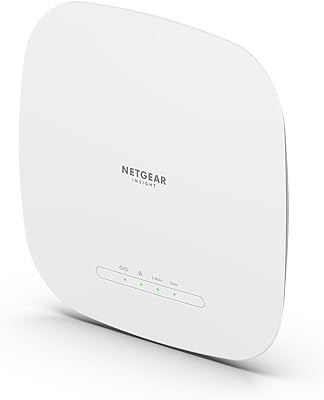
Zyxel NWA130BE WiFi 7 Access Point
77%
83%
Wireless Performance
74%
Setup & Initial Configuration
67%
Nebula Cloud Management
81%
Build Quality & Hardware Design
89%
PoE+ Implementation
More
BrosTrend AC1200 Dual-Band WiFi Access Point
76%
88%
Ease of Setup
71%
WiFi Signal Strength
74%
Connection Stability
81%
Build Quality & Design
76%
Dual-Band Performance
More
Ubiquiti U6+
Ubiquiti U6+
80%
88%
Wireless Performance
54%
Setup & Configuration
84%
Range & Coverage
82%
Build Quality & Design
91%
PoE+ Implementation
More
NETGEAR WAX615 Wireless Access Point
86%
91%
Performance
88%
Ease of Setup & Installation
93%
Coverage & Range
89%
Security Features
87%
App & Remote Management
More
EnGenius EAP350 N300 Wireless Access Point
82%
88%
Range & Coverage
81%
Ease of Setup
92%
Value for Money
85%
Reliability
87%
Signal Stability
More
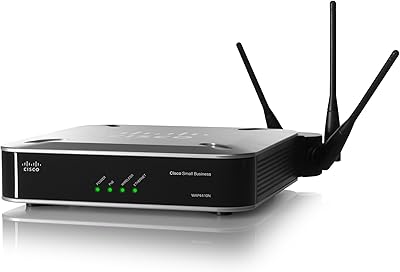
Cisco WAP4410N Wireless-N Access Point
86%
87%
Performance
92%
Setup and Installation
78%
Wireless Range
88%
Build Quality
94%
Security Features
More
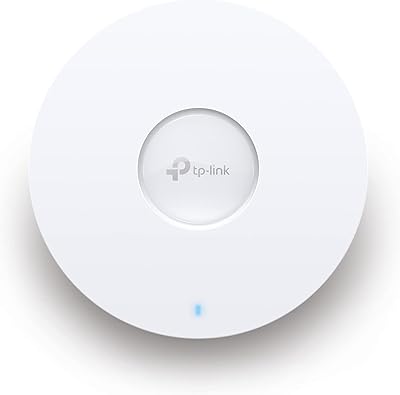
TP-Link EAP653 Wi-Fi 6 Access Point
83%
88%
Wireless Performance
79%
Setup & Installation
83%
Omada App & Controller Experience
91%
Build Quality & Design
84%
Range & Coverage
More
Zyxel NWA50AX WiFi 6 Access Point

76%
83%
Wireless Performance
88%
Setup & Installation
61%
Nebula Cloud Management
91%
PoE+ & Power Flexibility
74%
Build Quality & Design
More
TP-Link TL-WA1201 AC1200 Wireless Access Point
75%
88%
Value for Money
81%
Wi-Fi Coverage & Range
83%
Ease of Setup
86%
Multi-Mode Flexibility
58%
PoE Implementation
More
Ubiquiti UAP-AC-IW-PRO In-Wall Access Point
77%
88%
Wireless Performance
84%
Build Quality & Hardware Design
61%
Installation Experience
47%
PoE Power Requirement Clarity
91%
UniFi Ecosystem Integration
More
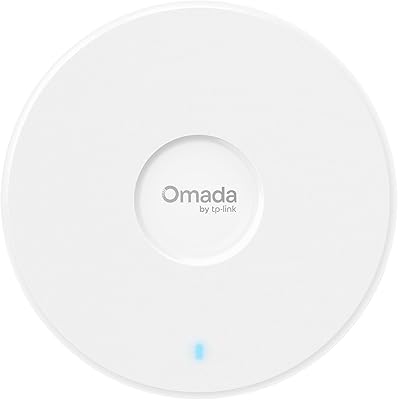
TP-Link Omada EAP720 WiFi 7 Access Point
81%
88%
Wireless Performance
91%
Value for Money
83%
Setup & Installation
79%
Build Quality & Design
86%
Omada Ecosystem Integration
More

FAQ

Yes, that is one of its primary roles. In Universal Repeater mode, the WAP3205V2 connects wirelessly to your existing router and rebroadcasts the signal to extend coverage into areas with a weak connection. Just keep in mind it operates on 802.11n only, so it won't push faster speeds than that standard allows.

There is a physical mode-switch button on the unit that handles toggling between operating modes, which is one of its more practical features. That said, a number of users have found that performing a factory reset between mode changes prevents unexpected behavior, so it is worth doing that if you run into instability after switching.

It works reliably with most standard consumer routers from major brands. However, some users have reported compatibility issues with ISP-supplied or locked routers, particularly in repeater mode. If your router runs non-standard firmware or has restrictive wireless settings, you may need to adjust a few configuration options to get a stable connection.

They let you connect wired devices — a desktop PC, a smart TV, a network printer — directly to this wireless extender in a room where running a cable all the way back to your main router isn't practical. It essentially gives you a small wired drop point in any location where the unit is placed, which is genuinely useful in wired-first setups.

For basic access point or repeater setups, most users find it straightforward. The one-touch WPS button handles wireless pairing without any interface interaction, and the physical mode switch removes a step that usually requires logging into a web panel. Where it gets slightly trickier is in Client mode or when fine-tuning settings, which benefits from some basic familiarity with IP addressing and router configuration.

The 300 Mbps is the theoretical ceiling under ideal lab conditions, and actual throughput in a home or office environment will be noticeably lower — often in the 80 to 150 Mbps range depending on distance, interference, and the devices you are connecting. For email, standard browsing, and SD video streaming it is more than adequate, but do not plan on running 4K streams or large cloud backups through it regularly.

No, it does not. The supported protocols are WEP, WPA-PSK, WPA2-PSK, and WPS. WPA2-PSK is still considered adequate for home use, but if your organization requires WPA3 compliance, this unit will not meet that requirement and you should look at a newer device.

Yes, and that is actually a thoughtful feature on this wireless extender. There is a dedicated LED on/off button that kills the indicator lights independently of the unit's wireless or power state. It is a small detail, but users who place it in a bedroom or a living room tend to appreciate not having a blinking light on all night.

The key difference is flexibility. A standard plug-in extender typically does one thing in one fixed spot. This unit supports multiple operating modes, has two Ethernet ports for wired connections, and uses external antennas for better signal directionality. It is bulkier and requires a power cable, but it gives you considerably more control over how your network is extended.

Honestly, it depends on your specific situation. If you are extending coverage for older devices that only support 802.11n anyway, or you just need a reliable low-traffic AP for a secondary space, it can still do the job. But if you are buying it to support a modern household with multiple simultaneous users and current-generation devices, the 802.11n limitation will likely frustrate you. At its standard price, newer dual-band alternatives offer better long-term value for most buyers.

Where to Buy