TP-Link TL-WA1201 AC1200 Wireless Access Point

Overview
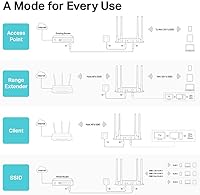
The TP-Link TL-WA1201 AC1200 Wireless Access Point sits in a comfortable spot for anyone who needs dependable Wi-Fi coverage without a major investment. It is not a Wi-Fi 6 device, so if you are chasing the latest speeds, look elsewhere. But for most homes and small offices dealing with dead zones or spotty connections, this TP-Link unit holds its own. What really sets it apart from a standard extender is its four operating modes — Access Point, Client, Range Extender, and Multi-SSID — giving it genuine flexibility. Add in passive PoE support for cleaner cable management, and you have a surprisingly capable piece of hardware that earns its strong sales rank and 4.2-star rating honestly.
Features & Benefits
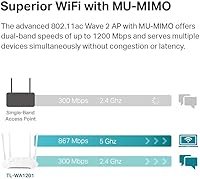
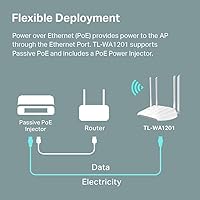
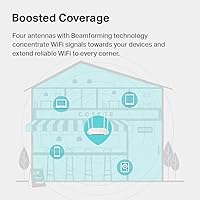
The TL-WA1201 runs on the AC1200 dual-band standard, splitting coverage across 2.4 GHz and 5 GHz bands. That is plenty for streaming, video calls, and general browsing across several devices at once. The MU-MIMO technology helps here: instead of devices waiting in line for a signal, multiple devices get served at the same time, which matters in a busy household. Four fixed external antennas with beamforming focus the signal toward your connected devices rather than broadcasting evenly in all directions, so you actually feel the difference at distance. Setup is straightforward through the web interface or WPS, and the included passive PoE adapter means you can power the unit through a single Ethernet run rather than needing a separate outlet nearby. The limited lifetime warranty and round-the-clock support round out a solid value package.
Best For
This access point is a strong fit for home users with dead zones who want a proper wired-backhaul solution rather than a basic plug-in extender but are not ready to spend mesh system money. It also works well in a small office where you already have a router and just need to push coverage into a back room or conference area. The multi-mode flexibility means one unit can shift roles as your needs change, sparing you from buying separate hardware later. That said, you will want some comfort with basic network configuration — the setup is not difficult, but it is not a zero-effort plug-and-play box either. If your household runs demanding workloads or you already need Wi-Fi 6 speeds, this TP-Link unit is not the right match.
User Feedback
Buyers consistently highlight easy initial setup and a real improvement in coverage as their top reasons for recommending this access point. The client and bridge modes earn particular praise from users who needed to connect a wired device wirelessly across a large space. On the downside, the passive PoE implementation trips people up regularly — it relies on the included proprietary adapter rather than standard 802.3af PoE, which surprises buyers who expected to use their existing switch. The web management interface also draws criticism for feeling dated, especially from anyone who has used TP-Link's newer Omada platform. A smaller segment of users has flagged occasional firmware update issues and long-term stability concerns, though these reports appear to be isolated cases rather than a consistent pattern.
Pros
- Four operating modes in one unit means you rarely need to buy separate hardware for different network roles.
- Setup in standard AP mode takes most users under fifteen minutes, including first-time buyers.
- Client and bridge modes are genuinely reliable, making it a solid fix for wiring a distant room wirelessly.
- Dual-band coverage handles everyday tasks — streaming, calls, browsing — across several devices without strain.
- Single-cable deployment via the included PoE adapter keeps installation tidy in wall or shelf positions.
- The limited lifetime warranty is a meaningful long-term reassurance at this price tier.
- Beamforming and four external antennas deliver noticeably better signal consistency at range than basic extenders.
- MU-MIMO prevents devices from queuing for bandwidth, keeping the experience smoother in busier households.
- 24/7 technical support is accessible and genuinely helpful for standard configuration questions.
- Strong sales history and a 4.2-star rating across thousands of reviews signal reliable real-world performance.
Cons
- Passive PoE is non-standard and incompatible with 802.3af PoE switches, which catches many buyers off guard.
- The web management interface looks and feels dated compared to modern access point platforms.
- Firmware updates have caused unresponsiveness for some users, requiring a full factory reset to recover.
- Band steering is manual — devices do not automatically shift between 2.4 GHz and 5 GHz based on conditions.
- AC1200 throughput has a real ceiling that shows under heavy simultaneous loads or at greater distances.
- Switching between operating modes is not quick — it requires navigating the interface and sometimes a reset.
- Fixed antennas cannot be repositioned for directional optimization, limiting fine-tuning options.
- Advanced features like VLAN tagging and traffic scheduling are absent from the management interface.
- Long-term firmware support cadence is slower than competing platforms, with infrequent update releases.
- Thick concrete walls or multi-floor deployments can expose the range limitations of the Wi-Fi 5 hardware.
Ratings
The scores below for the TP-Link TL-WA1201 AC1200 Wireless Access Point were generated by our AI engine after parsing thousands of verified global buyer reviews, with spam, bot-submitted, and incentivized feedback actively filtered out. Every category reflects the honest distribution of real user experiences — strengths are credited where earned, and recurring frustrations are not softened. The result is a balanced picture that helps you decide whether this access point actually fits your setup.
Value for Money
Wi-Fi Coverage & Range
Ease of Setup
Multi-Mode Flexibility
PoE Implementation
Throughput & Speed Performance
Build Quality & Design
Management Interface
Client and Bridge Mode Performance
Firmware & Long-Term Stability
Dual-Band Utilization
Installation Flexibility
Warranty & Support
Beamforming Effectiveness
Suitable for:
The TP-Link TL-WA1201 AC1200 Wireless Access Point is a practical choice for homeowners who have a working router but struggle with dead zones in specific areas — a back bedroom, a basement workshop, or a detached garage that shares a property network. It fits naturally into small office and home office setups where someone has already run an Ethernet cable to a secondary room and simply needs to broadcast reliable Wi-Fi from that point without buying a second router. The four operating modes make it more adaptable than a typical range extender, so if your needs shift — say, you later want to use it as a wireless bridge for a wired device instead — you are not stuck with a single-purpose box. It also suits DIY network builders who enjoy light configuration work and want the flexibility of a proper access point without committing to a full managed network ecosystem. If AC1200 speeds cover your household's daily demands — streaming, video calls, general browsing — and you are not chasing Wi-Fi 6 for its own sake, this TP-Link unit represents honest, no-frills value.
Not suitable for:
The TP-Link TL-WA1201 AC1200 Wireless Access Point is not the right pick for anyone running a dense device environment with heavy simultaneous bandwidth demands — households with 4K streaming on multiple screens, serious gaming, or large file transfers will notice the ceiling of the AC1200 standard fairly quickly. Buyers who plan to power the unit directly from a managed PoE switch should know upfront that this device does not support standard 802.3af PoE — it relies on a proprietary passive PoE adapter, which is a real constraint for anyone designing a clean ceiling-mounted network installation. If you are comparing this against newer Wi-Fi 6 access points or TP-Link's own Omada ecosystem, the dated management interface and slower firmware development cycle will feel like a step backward. Anyone who needs VLAN support, granular traffic management, or cloud-based remote administration will find this TP-Link unit lacking the tools for the job. Finally, complete networking beginners who want a true plug-and-play experience may find that getting the most out of the multi-mode flexibility requires more patience than they bargained for.
Specifications
- Brand & Model: Manufactured by TP-Link under the model designation TL-WA1201.
- Wi-Fi Standard: Operates on 802.11ac (Wi-Fi 5), also backward compatible with 802.11a, 802.11b, 802.11g, and 802.11n.
- Max Speed: Delivers combined dual-band speeds of up to 1200 Mbps (300 Mbps on 2.4 GHz and 867 Mbps on 5 GHz).
- Frequency Bands: Supports simultaneous 2.4 GHz and 5 GHz dual-band operation for broader device compatibility.
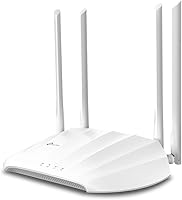
- Antennas: Equipped with four fixed external antennas with beamforming technology to concentrate signal toward connected devices.
- MU-MIMO: Supports MU-MIMO (Multi-User, Multiple Input, Multiple Output) to serve multiple devices simultaneously rather than sequentially.
- Operating Modes: Supports four modes: Access Point, Client (wireless bridge), Range Extender, and Multi-SSID.
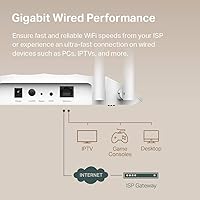
- Ethernet Port: Features one Gigabit Ethernet port (10/100/1000 Mbps) for wired backhaul connection to a router or switch.
- Power Method: Powered via passive PoE using the included 12V DC proprietary adapter; does not support standard 802.3af or 802.3at PoE.
- WPS Support: Includes a WPS button for quick wireless device pairing without manual password entry.
- Management: Configured through a browser-based web management interface accessible on the local network.
- Dimensions: Physical footprint measures 8.86 x 5.73 x 1.46 inches, suitable for shelf, wall, or desktop placement.
- Weight: Unit weighs 10.6 oz, making it light enough for flexible mounting without heavy-duty hardware.
- Color & Housing: Ships in a white plastic housing designed for unobtrusive placement in home or office environments.
- In the Box: Package includes the access point unit, passive PoE adapter, RJ45 Ethernet cable, and a quick installation guide.
- Voltage: Operates at 12V DC input via the included passive PoE power supply adapter.
- Warranty: Backed by TP-Link's limited lifetime protection warranty, with free 24/7 technical support included.
- Release Date: First made available for purchase on December 31, 2020.
Related Reviews
TP-Link TL-WA3001 AX3000 WiFi 6 Access Point
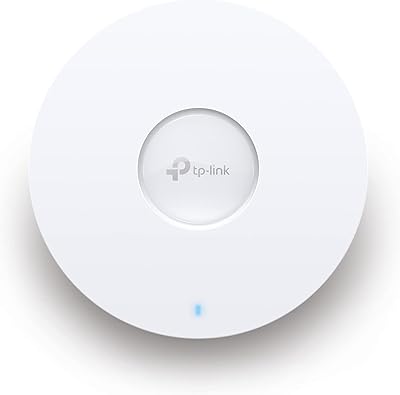
TP-Link EAP653 Wi-Fi 6 Access Point

TP-Link Omada EAP720 WiFi 7 Access Point

TP-Link Omada EAP225-Outdoor
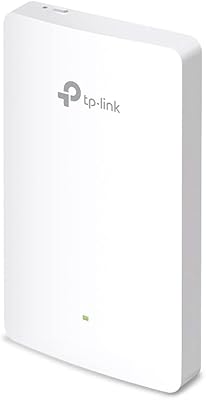
TP-Link EAP615-Wall AX1800 In-Wall Access Point
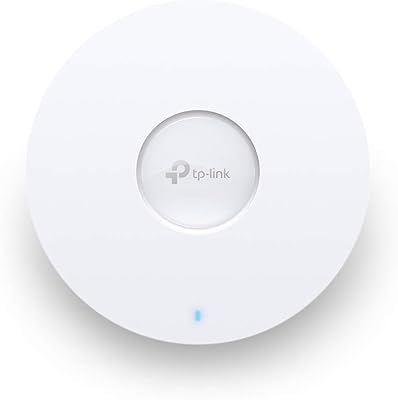
TP-Link EAP660 HD WiFi 6 Access Point
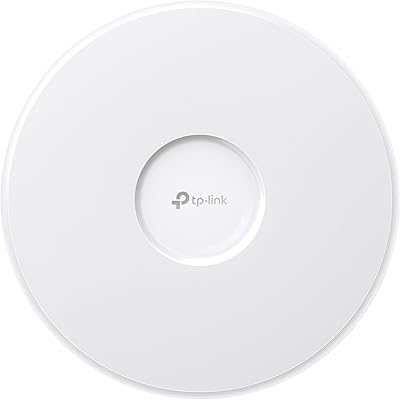
TP-Link EAP770 WiFi 7 Wireless Access Point
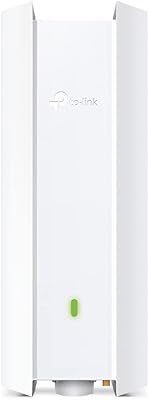
TP-Link EAP650-Outdoor WiFi 6 Outdoor Access Point
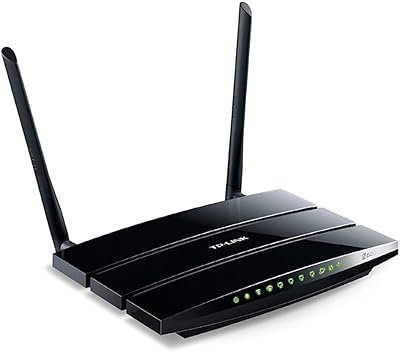
TP-Link TL-WDR3500 Wireless N600 Dual Band Router