Overview

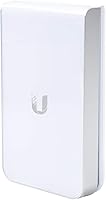
The Ubiquiti UAP-AC-IW-PRO In-Wall Access Point takes a different approach to wireless coverage — instead of mounting on a ceiling, it snaps into a standard US wall outlet box, sitting flush like any other wall plate. That alone sets it apart. Built on the 802.11ac Wave 2 standard, it delivers reliable dual-band performance across both 2.4 GHz and 5 GHz, which in practical terms means you can comfortably handle video calls, 4K streaming, and a dozen connected devices in a room without congestion. It also integrates tightly with Ubiquiti's UniFi platform — a centralized network management system that lets admins monitor, configure, and update every access point from a single dashboard.
Features & Benefits

The UAP-AC-IW-PRO ships with MU-MIMO dual-band radios that allow it to communicate with multiple devices simultaneously rather than taking turns — a real advantage in rooms packed with smartphones, laptops, and tablets. What genuinely separates this in-wall access point from ceiling-mounted alternatives is the built-in three-port Gigabit switch: one port pulls power and data via the uplink, while the two passthrough ports let you plug in a desktop or IP phone directly at the wall. One critical detail buyers frequently overlook: this unit requires an 802.3at PoE+ power source, which is sold separately. Budget for a compatible injector or switch before ordering, or you will not get it running.

Best For

This UniFi wall-plate AP is squarely aimed at IT professionals, network engineers, and technically confident prosumers — not someone setting up their first home router. It shines in hospitality deployments like hotels, boutique Airbnbs, or corporate suites where each room needs dedicated wireless coverage without visible ceiling hardware. MDU buildings and dormitories are another natural fit, since the wall-plate form keeps installs tidy and standardized across floors. If you are already running UniFi switches and gateways, adding this access point to the mix is straightforward and keeps your entire network under one management roof. Those without existing UniFi infrastructure should factor in additional setup time and cost.

User Feedback

With a 3.9-star average across 84 ratings, the feedback on this in-wall access point reflects its niche nature more than any fundamental flaw. Buyers who deploy it in the right environment — hotels, offices, managed networks — consistently praise its rock-solid reliability and clean aesthetics once installed. The criticism tends to cluster around two points: the PoE+ power requirement surprises buyers who assume everything they need is in the box, and the UniFi Controller software has a steep learning curve for anyone new to managed networking. A handful of users also mention that wall box depth can complicate physical installation. This is not a plug-and-play device, and the ratings largely reflect that mismatch in buyer expectations.

Pros

  • Flush wall-plate design eliminates visible ceiling mounts and blends cleanly into professional environments.
  • Dedicated per-room coverage model dramatically improves signal consistency compared to centralized access points.
  • Two Gigabit passthrough ports allow wired devices to connect directly at the wall without a separate switch.
  • Deep UniFi ecosystem integration enables centralized management of every AP across an entire property from one dashboard.
  • Supports guest network isolation and VLAN tagging, which is essential for hospitality and office deployments.
  • MU-MIMO dual-band radios handle multiple simultaneous device connections without noticeable performance drops.
  • Long-term hardware reliability is well-documented — users report years of stable uptime in production environments.
  • Band steering and radio power controls allow fine-tuned optimization through the UniFi Controller interface.
  • Replaces a standard US outlet plate with no ceiling drilling, conduit, or special mounting hardware required.

Cons

  • PoE+ injector or compatible switch is required but not included — a surprise cost that catches many buyers off guard.
  • Requires a persistent UniFi Controller host to function properly, adding setup complexity and potential extra cost.
  • Physical installation can fail entirely if the existing wall box lacks sufficient depth for the unit.
  • No standalone operation mode — the UAP-AC-IW-PRO is nearly useless without the broader UniFi management infrastructure in place.
  • Only available in white, limiting compatibility with darker or custom interior color schemes.
  • UniFi Controller has a steep learning curve for anyone new to managed networking or VLAN configuration.
  • Ubiquiti firmware updates occasionally introduce breaking changes that require manual reprovisioning during active deployments.
  • Official setup documentation is sparse and does not adequately address in-wall-specific installation challenges.
  • Not cost-effective for single-room or casual home use where a fraction of the feature set would ever be utilized.

Ratings

The Ubiquiti UAP-AC-IW-PRO In-Wall Access Point earns a nuanced scorecard — our AI has analyzed verified purchaser reviews from buyers worldwide, actively filtering out incentivized and bot-generated feedback, to surface what real network professionals and prosumers actually experience. Scores reflect both the genuine strengths that keep this in-wall access point at the top of its category and the friction points that trip up buyers who underestimate its setup requirements.

Wireless Performance
88%
Deployed in hotel rooms, corporate suites, and MDU hallways, the UAP-AC-IW-PRO consistently delivers stable per-room coverage without the dead zones common to centralized ceiling APs. Users handling simultaneous 4K streams, video conferences, and mobile browsing on the same room network report minimal interference or slowdown.
At longer distances or through dense walls, the 2.4 GHz band can feel congested in high-density environments like dormitories. A handful of users note that band steering does not always aggressively push capable devices to 5 GHz without manual tuning in the UniFi Controller.
Build Quality & Hardware Design
84%
The wall-plate form factor is genuinely well-executed — the unit sits flush against the wall with no gaps or visible mounting hardware, which matters in hospitality settings where aesthetics are taken seriously. The plastic housing feels solid, not hollow, and the white finish resists scuffs and discoloration over time.
The depth of the unit can be a real problem depending on the wall box behind it — some older electrical boxes simply do not have enough clearance, which forces a more involved installation. A few users wish Ubiquiti offered a slightly slimmer profile to handle more wall configurations.
Installation Experience
61%
39%
For IT professionals already familiar with structured cabling and PoE deployments, the physical installation is straightforward — run a Cat5e or Cat6 cable to the box, snap in the unit, and adopt it in the UniFi Controller. In a well-planned deployment, each unit can be provisioned in minutes.
Buyers without a networking background frequently hit a wall at multiple stages: sourcing a compatible PoE+ switch or injector, understanding adoption within UniFi, and dealing with wall box depth limitations. This is among the most commonly cited frustration points in negative reviews, and it is rarely caused by the hardware itself.
PoE Power Requirement Clarity
47%
53%
Once buyers understand and properly budget for the 802.3at PoE+ requirement, the power delivery is clean and reliable. Users running this in-wall access point off a UniFi PoE switch report stable uptime over extended periods with no thermal or power-related incidents.
The PoE+ injector is not included, and this catches a disproportionate number of buyers off guard — it is the single most repeated complaint across reviews. Ubiquiti does not prominently surface this requirement at the point of purchase, and for buyers who ordered without reading the specs carefully, it results in a dead unit on arrival until additional hardware is sourced.
UniFi Ecosystem Integration
91%
For anyone already running UniFi switches, gateways, or other APs, this in-wall access point slots in without friction. Centralized management via UniFi OS means you can push firmware updates, adjust radio power, create SSIDs, and monitor per-device traffic across an entire property from one dashboard — a genuine time-saver in multi-room deployments.
The tight ecosystem dependency is also a constraint: this unit offers very limited standalone functionality outside the UniFi Controller, which must be running on a hosted device or Ubiquiti Cloud Key. First-time UniFi users describe the initial setup learning curve as steep, particularly around adoption, network topology, and VLAN configuration.
Wired Port Utility
86%
The two Gigabit passthrough ports are legitimately useful in practice — hotel desks with wired IP phones, office walls with a desktop and a VoIP handset, or dorm rooms with a gaming console all benefit from having live Ethernet at the wall plate without running separate cable drops. This removes the need for an additional switch in the room.
The passthrough ports share the uplink bandwidth, so in bandwidth-intensive scenarios with multiple wired devices running simultaneously, there is some contention. Power users occasionally wish the passthrough ports supported PoE output so they could power smaller devices like IP cameras directly from the wall.
Network Management & Software
79%
21%
UniFi OS provides a level of network visibility that is rare at this price tier — per-client statistics, guest portal customization, VLAN segmentation, and scheduled radio upgrades are all accessible through a reasonably clean interface. IT admins managing large properties find the bulk configuration options especially valuable.
The UniFi Controller requires a persistent host — whether a Cloud Key, a local server, or a cloud-hosted instance — and this dependency adds both cost and complexity for smaller deployments. Some users also note that major Controller version upgrades occasionally introduce breaking changes that require manual intervention.
Value for Money
74%
26%
In the context of a professionally managed UniFi network, the UAP-AC-IW-PRO delivers real value — the combination of a wall-plate AP and a built-in Gigabit switch in a single unit saves both hardware costs and cabling labor in multi-room builds. For the right deployment, the per-room cost is justified by the reduction in complexity.
Buyers who factor in the PoE+ switch or injector, a UniFi Controller host, and professional installation often find the total cost climbs quickly. Compared to simpler consumer APs, the upfront investment requires a clear use case to be worthwhile, and casual users are unlikely to utilize enough of the feature set to justify the spend.
Range & Coverage per Room
83%
The per-room coverage model this in-wall access point enables is its strongest practical argument — placing a dedicated AP in each room rather than relying on one central unit dramatically improves signal consistency. Users in hotel and MDU deployments consistently report that guests get strong, reliable signal without ever noticing a handoff.
Because the unit is designed for per-room use rather than wide-area coverage, relying on a single UAP-AC-IW-PRO to cover a large open space like a conference room or loft apartment is not its strong suit. In those scenarios, a ceiling-mounted AP would be a better fit.
Guest Network & VLAN Support
87%
The ability to run isolated guest SSIDs with bandwidth throttling and captive portal login is well-suited to hospitality use cases. Hotel operators and Airbnb hosts with technical know-how appreciate being able to keep guest traffic fully separated from internal networks without deploying additional hardware.
Configuring VLANs and guest isolation requires comfort with the UniFi Controller interface, and the process is not particularly guided for first-timers. Misconfiguration — leaving guest traffic on the same VLAN as management traffic — is a real risk for less experienced installers and occasionally surfaces as a complaint in reviews.
Physical Aesthetics
89%
The flush wall-plate design is genuinely one of the cleaner-looking networking products available — it blends into the wall like a standard outlet cover and draws no attention in professional or hospitality settings. Property managers and interior designers who normally push back on visible networking hardware rarely object to this form factor.
The unit is only available in white, which limits compatibility with darker wall palettes or custom interior color schemes. In environments where decor consistency matters — boutique hotels, for instance — the inability to match the wall color is a minor but real limitation.
Firmware Stability & Long-term Reliability
81%
19%
Users who have had the UAP-AC-IW-PRO running in production environments for multiple years report strong uptime with no hardware failures. Ubiquiti maintains firmware updates for the device, and the hardware itself appears to run cool and stable in continuous operation.
Some long-term users note that certain UniFi Controller updates have temporarily broken compatibility or required reprovisioning, which is disruptive in active deployments. Ubiquiti's firmware release cadence can feel unpredictable, and the company does not always communicate breaking changes clearly in advance.
Documentation & Setup Guidance
53%
47%
Ubiquiti's community forums and third-party guides fill in most of the knowledge gaps, and experienced installers tend to find the process intuitive once they have worked through it once. For repeat deployments, the initial learning investment pays off across multiple sites.
Official documentation for the UAP-AC-IW-PRO is sparse and relies heavily on general UniFi guides that do not address the in-wall-specific installation nuances, such as wall box compatibility or passthrough port configuration. Buyers without prior UniFi experience or a knowledgeable installer can spend hours troubleshooting issues that better documentation would prevent.

Suitable for:

The Ubiquiti UAP-AC-IW-PRO In-Wall Access Point is purpose-built for IT professionals, network engineers, and technically confident prosumers who are deploying structured wireless networks across multiple rooms or floors. It is an especially strong fit for hospitality operators — hotel owners, boutique property managers, and Airbnb hosts running multi-unit buildings — who need reliable per-room Wi-Fi without exposed ceiling hardware. Office managers overseeing MDU buildings, corporate suites, or dormitories will appreciate how the wall-plate form factor keeps installations clean and standardized across every room without requiring additional mounting infrastructure. Anyone already running a UniFi ecosystem — meaning they have a UniFi switch, gateway, or Cloud Key in place — will find this in-wall access point slots in naturally and adds genuine management value. The built-in Gigabit passthrough ports also make it ideal for rooms that need both Wi-Fi and wired connectivity at the same wall location, eliminating the need for a separate desktop switch.

Not suitable for:

The Ubiquiti UAP-AC-IW-PRO In-Wall Access Point is not the right choice for anyone expecting a consumer-grade, plug-and-play Wi-Fi experience — if you are looking for something to unbox, plug into a router, and forget about, this is not it. Buyers without an existing UniFi setup need to factor in the cost and time of deploying a UniFi Controller host, whether that is a Cloud Key, a local server, or a cloud-hosted instance, before this unit does anything useful. The 802.3at PoE+ power requirement means you also need a compatible injector or PoE+ switch, neither of which is included — an often-overlooked additional expense. Home users who want broad whole-home coverage from a single unit will find the per-room design philosophy limiting, since the UAP-AC-IW-PRO is optimized for dense, distributed deployments rather than wide-area single-point coverage. Anyone working with older construction where wall boxes are shallow or non-standard should also verify physical compatibility before ordering, as installation depth can become a genuine obstacle.

Specifications

  • Wi-Fi Standard: Supports 802.11a/b/g/n/ac (Wave 2) across both frequency bands for broad device compatibility and modern throughput.
  • Frequency Bands: Operates simultaneously on 2.4 GHz and 5 GHz, allowing clients to connect on the band best suited to their distance and capability.
  • MIMO Technology: MU-MIMO support allows the access point to communicate with multiple client devices at the same time rather than sequentially.
  • Form Factor: Designed as a US standard wall-plate replacement, fitting directly into a single-gang electrical box with no ceiling mounting required.
  • Ethernet Ports: Includes one Gigabit uplink port and two Gigabit passthrough ports, enabling wired device connections directly at the wall location.
  • Power Input: Requires 802.3at PoE+ (48V DC) delivered via a compatible injector or PoE+ switch; no power adapter or injector is included in the box.
  • Operating Voltage: Rated for 48V DC input, which is standard for 802.3at PoE+ infrastructure components.
  • Management Platform: Fully managed through Ubiquiti UniFi OS and the UniFi Network Controller, which must be hosted on a compatible device or cloud instance.
  • Network Features: Supports guest network isolation, VLAN tagging, band steering, and zero-touch provisioning via the UniFi Controller interface.
  • Item Weight: The unit weighs 2.54 pounds, which is within the load tolerance of a standard single-gang wall box installation.
  • Color: Available exclusively in white, matching standard residential and commercial wall plate finishes.
  • Model Number: Officially designated UAP-AC-IW-PRO by Ubiquiti Networks, distinguishing it from the standard non-Pro in-wall variant.
  • Manufacturer: Designed and manufactured by Ubiquiti Networks, a US-based company specializing in managed enterprise networking hardware.
  • First Available: This access point was first made available for purchase in August 2017 and remains an active product in the Ubiquiti lineup.
  • Compatibility: Compatible with the broader UniFi ecosystem including UniFi switches, gateways, Cloud Keys, and the UniFi Network application.
  • Deployment Type: Optimized for per-room or per-zone distributed deployments rather than single-unit wide-area coverage scenarios.
  • BSR Ranking: Ranked #324 in Computer Networking Wireless Access Points on Amazon, reflecting consistent demand within its professional-grade category.
  • ASIN: The Amazon Standard Identification Number for this product is B0751JNCSQ, used to locate the exact listing.

Related Reviews
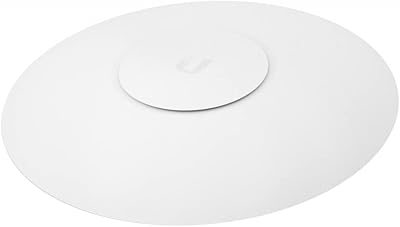
Ubiquiti UAP-AC-M-PRO Unifi Access Point
85%
88%
Overall Performance
90%
Wi-Fi Speed
85%
Installation Ease
89%
Range and Coverage
92%
Build Quality
More
Ubiquiti UniFi UAP-AC-PRO Access Point
80%
94%
Network Stability & Uptime
89%
Wi-Fi Signal Range & Penetration
58%
Setup & Initial Configuration
81%
Value for Money
86%
Multi-Device Performance
More
Ubiquiti UniFi HD UAP-AC-HD Access Point
85%
89%
Performance
78%
Ease of Setup
91%
Coverage & Range
85%
Reliability
93%
Integration with UniFi Controller
More
Ubiquiti airCube AC Wireless Access Point
79%
93%
Ecosystem Integration
91%
PoE Passthrough
74%
Wireless Coverage
78%
Setup & Installation
82%
Build Quality
More
Ubiquiti UniFi 6 Pro (U6-Pro)
80%
93%
Wireless Performance
89%
Range & Coverage
54%
Setup & Installation
78%
Value for Money
88%
Build Quality & Design
More
Ubiquiti UniFi U7 Pro
82%
91%
Wireless Performance
88%
Build Quality
83%
Range & Coverage
67%
Ease of Setup
78%
Value for Money
More
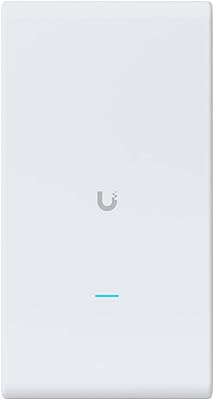
Ubiquiti UAP-AC-M Outdoor Mesh Access Point
79%
91%
Outdoor Range & Coverage
88%
Build Quality & Weatherproofing
58%
Setup & Configuration
93%
Long-Term Reliability
74%
Mesh Wireless Performance
More
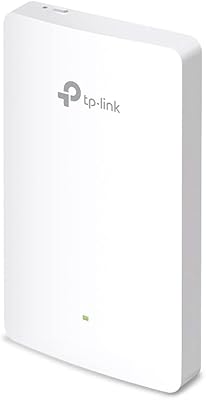
TP-Link EAP655-Wall WiFi 6 AX3000 Wall Plate Access Point
85%
88%
Overall Performance
91%
Wi-Fi Speed and Range
87%
Ease of Setup
85%
PoE Passthrough Flexibility
82%
Build Quality
More
Ubiquiti U6+
Ubiquiti U6+
80%
88%
Wireless Performance
54%
Setup & Configuration
84%
Range & Coverage
82%
Build Quality & Design
91%
PoE+ Implementation
More
TP-Link EAP615-Wall AX1800 In-Wall Access Point
80%
91%
Ease of Installation
84%
Wi-Fi Performance
93%
Wired Port Versatility
88%
PoE Power & Pass-Through
79%
Omada SDN Integration
More

FAQ

No — and this is probably the most common gotcha buyers run into. The UAP-AC-IW-PRO requires 802.3at PoE+ power, which means you need either a compatible PoE+ injector or a PoE+ switch to power it. Neither is included in the box. Make sure you have one sourced before your hardware arrives, or you will not be able to power it up.

You need the UniFi Controller — this in-wall access point has no meaningful standalone mode. The Controller is free software, but it needs to run on something persistent, like a Ubiquiti Cloud Key, a local server or NAS, or a cloud-hosted virtual machine. If you turn off the Controller, your existing Wi-Fi keeps running, but you lose the ability to manage or reconfigure anything until it is back online.

It fits a standard single-gang US electrical box, but wall box depth can be an issue. Some older boxes — particularly those in buildings from the mid-20th century — are shallow enough that the unit does not seat flush. Before installing, check that your wall box has at least 2.5 inches of depth clearance behind the plate opening. If you are doing a new installation, using a deep old-work box eliminates this concern entirely.

Yes, this is actually one of the strongest use cases for the Ubiquiti UAP-AC-IW-PRO In-Wall Access Point. Placing one unit per room gives each guest dedicated, consistent coverage rather than sharing a hallway AP. The wall-plate form factor is unobtrusive, guests rarely notice it, and the guest network isolation feature keeps your management traffic completely separate from what guests can see or touch.

The main differences are form factor and the built-in switch ports. This unit replaces a wall plate instead of mounting on a ceiling, which makes it better suited for per-room deployments where running cable to a ceiling is impractical. It also includes two Gigabit passthrough ports so you can plug a wired device directly into the wall — something ceiling APs do not offer. In terms of raw wireless performance, the ceiling-mounted Pro has a slight edge in open-plan wide-area coverage.

Yes, that is exactly what those passthrough ports are for. The unit acts as a small three-port Gigabit switch — one port handles the uplink from your PoE+ switch, and the other two are available for wired devices in the room. Keep in mind that all three ports share the uplink bandwidth, so if you are pushing heavy traffic on both wired devices simultaneously, there is some bandwidth contention.

In a typical hotel room scenario with two to four devices — phones, a laptop, and a tablet — the UAP-AC-IW-PRO handles 4K streaming, video calls, and general browsing without issue. The 5 GHz band provides clean throughput for bandwidth-intensive tasks at close range, while 2.4 GHz handles devices further from the wall or those that do not support 5 GHz. It is not going to push theoretical maximum speeds, but real-world performance in a properly deployed setup is consistently solid.

Honest answer: it depends on your networking background. If you are comfortable with concepts like VLANs, PoE switches, and network management software, the initial setup takes an hour or two at most. If you are new to all of that, expect a steeper learning curve — the UniFi Controller interface is powerful but not particularly guided for beginners. There are excellent community guides and YouTube walkthroughs available that make the process much more approachable, and once you understand the ecosystem, managing it is straightforward.

Yes, the UniFi Controller lets you create multiple SSIDs and assign them to specific VLANs, including a fully isolated guest network with its own bandwidth limits and captive portal if needed. This is one of the more useful enterprise-grade features for hospitality and office deployments, and it runs entirely through software — no additional hardware required.

A lot of the lower ratings come from buyers who were not the right fit for the product — people who expected it to work like a consumer router out of the box, or who were surprised by the PoE+ requirement after the fact. When you filter for reviews from IT professionals and network admins who deployed it in the intended context, the satisfaction rate is noticeably higher. Technically complex products that require supporting infrastructure almost always carry a lower average rating than their actual performance warrants, and this in-wall access point is a clear example of that pattern.

Where to Buy