Overview

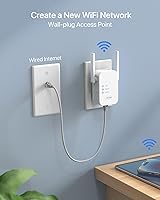
The BrosTrend AC1200 Dual-Band WiFi Access Point is a compact, wall-plug unit that does one thing well: it takes a wired Ethernet connection and turns it into a usable wireless network. That sounds simple, and it is — but for anyone dealing with a dead zone in a back bedroom, garage, or small office, that simplicity is exactly the point. It covers both the 5GHz and 2.4GHz bands, so faster devices get the higher band while older gadgets fall back gracefully. It ships with a short Ethernet cable and a quick-start guide, keeping the out-of-box experience low-friction for users who want reliable connectivity without a networking degree.
Features & Benefits

The wall-plug form factor is genuinely useful — this compact WiFi AP sits flush against an outlet and stays out of the way, which matters more than it sounds in tight spaces. Two external antennas help direct signal where it needs to go rather than scattering it randomly, a real advantage over access points with hidden internal antennas. MU-MIMO lets multiple devices pull data simultaneously rather than waiting in line, though at this class of hardware you're getting entry-level capability, not something you'd deploy across an enterprise floor. Setup runs through a browser-based interface — no app to install, no account to create, which non-technical users will genuinely appreciate.

Best For

This wall-plug access point makes the most sense for people who already have an Ethernet run somewhere useful — a cable drop in a basement workshop, a LAN port in a conference room, or a wall jack in a spare bedroom that otherwise gets no signal. Renters who cannot drill holes or run new cable will appreciate that it demands nothing structural. Smart-home users looking to extend coverage to a garage full of sensors or IoT gadgets will find it handles that load without complaint. It also works as a reasonable upgrade for anyone still running an older single-band unit who wants dual-band capability without a major spending commitment.

User Feedback

With roughly 93 ratings averaging 4.0 out of 5, this compact WiFi AP lands in solid-but-not-standout territory. Buyers consistently praise how quickly it gets up and running — most report being connected within minutes of unboxing, and the compact wall-plug design draws plenty of positive comments. On the other side, a handful of reviewers note that real-world range falls short of optimistic expectations, particularly through thick walls or across larger open areas. A few mention occasional stability hiccups that a quick power cycle resolves, but that should not be a recurring need. Heavy simultaneous use across the full device limit can stress the hardware noticeably, so those with demanding workloads may want to consider a higher-tier option.

Pros

  • Wall-plug design keeps the installation completely clean — no cables trailing across the floor or shelves sacrificed.
  • Browser-based setup is fast and straightforward, with most users online in under ten minutes.
  • Dual-band operation lets newer devices use the faster band while older gadgets stay on the more forgiving 2.4GHz channel.
  • The two external antennas provide noticeably better signal directionality than competing units with hidden internal antennas.
  • Broad 802.11a/b/g/n/ac compatibility means virtually any WiFi device you own will connect without issue.
  • At its price point, this compact WiFi AP offers strong utility for renters and light-use home offices who need a simple wireless zone.
  • The bundled Ethernet cable covers the most common installation distances right out of the box.
  • Lightweight and unobtrusive — it blends into a wall outlet without drawing attention in any room.

Cons

  • Real-world range falls short through thick or older walls — buyer expectations need to be managed carefully.
  • Occasional disconnections under heavy load require a manual power cycle, which should not be necessary on a stable networking device.
  • The 30-device capacity figure is theoretical; active simultaneous bandwidth demand degrades performance well before that ceiling.
  • Firmware update delivery has been inconsistent, and the configuration interface lacks meaningful advanced options for technical users.
  • The fixed antenna position cannot be adjusted to optimize signal toward a specific corner or room layout.
  • The five-foot Ethernet cable is insufficient for installations where the outlet and wall jack are not in close proximity.
  • Community and third-party support resources are thin compared to more established networking brands, making troubleshooting harder.
  • The wall-plug body can block an adjacent outlet on standard two-socket plates depending on the installation geometry.

Ratings

The BrosTrend AC1200 Dual-Band WiFi Access Point has been scored below by our AI system after processing verified global buyer reviews, with spam, bot-submitted, and incentivized feedback actively filtered out before analysis. The ratings reflect a clear-eyed synthesis of what real users experienced day-to-day — not just the highlights. Genuine strengths and recurring frustrations are both represented honestly across every category.
Ease of Setup
88%
The browser-based configuration process is one of the most consistently praised aspects across buyer reviews. Most users report being fully connected within five to ten minutes of unboxing, with no app download or account creation required — a genuine relief for non-technical households.
A small but vocal group of reviewers struggled when connecting to less common router brands, where the default settings did not auto-negotiate cleanly. In those cases, the quick-start guide offered limited troubleshooting depth, leaving users to search for solutions independently.
WiFi Signal Strength
71%
29%
In average-sized rooms and open floor plans, this compact WiFi AP delivers a stable, usable signal across both bands. Users in apartments or single-room office setups report noticeably better coverage compared to relying solely on a distant router.
Real-world range falls short for users who expected whole-floor or multi-room coverage through dense walls. Concrete, brick, or older construction materials meaningfully limit penetration, and the unit is not a substitute for a mesh system in larger or more complex spaces.
Connection Stability
74%
26%
For everyday tasks — video calls, streaming, casual browsing — the connection holds steady without noticeable dropouts under normal load. Users who run five to fifteen devices simultaneously generally report a trouble-free experience over extended periods.
Some buyers document intermittent disconnections during sustained heavy use, particularly when pushing near the device limit. A power cycle typically resolves the issue, but the fact that it happens at all suggests the firmware could benefit from more rigorous stability optimization.
Build Quality & Design
81%
19%
The wall-plug form factor is compact and practical — it occupies a single outlet and sits flush against the wall without dangling cables or requiring shelf space. The white finish blends unobtrusively into most home and office environments, and the external antennas feel sturdier than expected at this price tier.
The plastic casing has a lightweight feel that some users associate with fragility, even if it has not translated into widespread durability complaints. The antennas are fixed rather than adjustable, which limits the ability to fine-tune signal direction toward a specific area.
Dual-Band Performance
76%
24%
Having both bands available is genuinely useful when managing a mixed device household — newer phones and laptops can lock onto the faster 5GHz channel while older smart-home gadgets sit comfortably on 2.4GHz without fighting for bandwidth.
The 5GHz band's effective range is shorter than the 2.4GHz band, as is typical at this frequency, but buyers unfamiliar with this trade-off sometimes feel misled by the top-line speed figures. Throughput under real-world conditions is respectable but noticeably below theoretical maximums.
Multi-Device Handling
68%
32%
For households running ten to twenty connected devices — a mix of phones, smart speakers, a printer, and a streaming stick or two — the BrosTrend AC1200 manages the load adequately. Casual simultaneous use across those devices runs without obvious contention.
The 30-device ceiling is a marketing figure, and real-world performance starts to degrade meaningfully once active simultaneous bandwidth demand climbs across a large portion of that count. This is entry-level MU-MIMO, not a platform designed for high-density environments.
Value for Money
83%
For a budget-conscious buyer who needs a reliable wireless extension point in a specific location — a back office, a basement, a garage — the price-to-utility ratio is genuinely strong. It does what it promises in appropriate use cases without demanding a significant financial commitment.
Buyers who purchase expecting it to replace a proper mesh node or handle the demands of a larger home may feel underwhelmed, making the value perception highly dependent on how well the use case is matched. There are marginally pricier options that offer meaningfully better range and firmware polish.
Compatibility
86%
Support for the full 802.11a/b/g/n/ac standard set means this wall-plug access point works with virtually any WiFi-capable device manufactured in the last fifteen years. Smart-home gadgets, older laptops, gaming consoles, and current-generation phones all connect without issues.
A few users report that certain ISP-provided router models required manual configuration changes to allow the access point to operate correctly in AP mode rather than defaulting to an unintended routing behavior. The documentation does not address these edge cases proactively.
Physical Footprint
89%
At under four inches in any dimension and barely over three ounces, this compact WiFi AP is about as unobtrusive as a networking device can get. It disappears into the wall and frees up every inch of desk or shelf space — a real advantage in already-crowded rooms.
The wall-plug design, while tidy, does block the adjacent outlet on some standard two-socket plates depending on the unit's orientation. In power strips or tight outlet configurations, the physical placement can become a minor but genuine inconvenience.
Included Accessories
73%
27%
The bundled five-foot Ethernet cable is a thoughtful inclusion — it covers the most common installation scenario where the outlet is near but not directly at the wall jack, saving buyers an immediate extra purchase.
Five feet is not enough for every installation scenario, and users with the Ethernet port located across the room will need to buy a longer cable separately. The quick-start guide is serviceable for standard setups but lacks the detail needed for less straightforward configurations.
Firmware & Software
62%
38%
The browser interface is clean and functional for basic tasks — changing the SSID, setting a password, and switching between operating modes is straightforward enough that most users never feel out of their depth.
Advanced users will quickly hit the ceiling of what the firmware exposes. There is no VLAN support, no detailed traffic monitoring, and update delivery has been inconsistent across the product's lifespan. A handful of reviewers mention that certain firmware versions introduced rather than resolved stability issues.
Antenna Performance
77%
23%
The two external antennas provide a meaningful improvement over competing units in the same price range that rely entirely on internal antennas. In direct line-of-sight scenarios, the signal quality holds up well at moderate distances.
The antennas are fixed in position and cannot be repositioned to optimize coverage for a specific room layout. Users in irregular spaces — L-shaped rooms, basement setups with obstructions — report uneven coverage that a pivoting or adjustable antenna might have addressed.
Heat Management
78%
22%
Under normal operating conditions, the unit runs warm but not hot. Most users leave it running continuously for weeks without any heat-related concerns, and there are no widespread reports of thermal throttling affecting performance during standard use.
Extended heavy load does cause the casing to become noticeably warm to the touch. It is not a safety concern, but users in enclosed spaces or warm climates mention that ambient heat compounds the issue slightly during summer months.
Brand Support & Documentation
61%
39%
BrosTrend provides basic setup documentation and has a presence on Amazon for seller-side support queries. Some buyers report receiving helpful direct responses when they reached out with configuration questions post-purchase.
The official support infrastructure feels thin for users who encounter non-standard issues. Community resources online are limited compared to more established networking brands, and the product documentation has not kept pace with firmware changes, leaving some instructions outdated.

Suitable for:

The BrosTrend AC1200 Dual-Band WiFi Access Point is a practical fit for anyone who already has a wired Ethernet connection in a location that lacks wireless coverage — think a basement workshop, a back-office conference room, or a garage loaded with smart-home devices. Renters are a natural audience here, since the wall-plug design requires zero installation work and leaves no trace when you move out. Non-technical users will also find it approachable: the browser-based setup takes minutes, and there is no app ecosystem to learn or maintain. It works well as a low-cost upgrade path for households still running an older single-band access point who want to step into dual-band operation without a significant outlay. Small offices needing a dedicated wireless zone for a handful of employees or a shared printer will find it handles that load without complaint.
Not suitable for:

The BrosTrend AC1200 Dual-Band WiFi Access Point is not the right tool for anyone expecting it to blanket a large home or penetrate multiple floors of dense construction — real-world range is modest, and marketing figures should be treated with healthy skepticism. Power users who need VLAN support, granular traffic controls, or enterprise-grade firmware will hit a wall quickly, as the configuration interface is intentionally basic. Households that routinely push fifteen or more devices into heavy simultaneous use — gaming, 4K streaming, and large file transfers all at once — may find performance starts to buckle under that combined demand. Anyone without an existing Ethernet drop in the target location will also need to reconsider, since this unit depends entirely on a wired connection to function; it is an access point, not a range extender. If your need is whole-home coverage rather than a single targeted wireless zone, a mesh system is a more appropriate investment.
Specifications

  • WiFi Standard: This access point supports 802.11a, 802.11b, 802.11g, 802.11n, and 802.11ac — the full legacy-to-current spectrum for broad device compatibility.
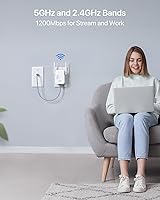
  • Frequency Bands: Operates on both 2.4GHz and 5GHz simultaneously, providing a dual-band wireless network from a single unit.
  • 5GHz Throughput: The 5GHz band delivers a theoretical maximum of 867Mbps, best suited for bandwidth-intensive tasks at close to medium range.
  • 2.4GHz Throughput: The 2.4GHz band offers up to 300Mbps theoretical throughput, with better wall penetration and longer effective range than the 5GHz band.
  • Combined Class: Classified as AC1200, reflecting the combined theoretical throughput across both bands under ideal, lab-grade conditions.
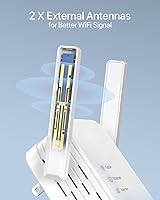
  • Antennas: Equipped with 2 fixed external antennas designed to improve signal directionality compared to units relying on internal antenna designs.
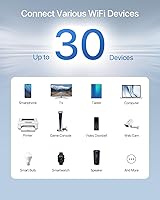
  • Max Devices: Rated to support up to 30 simultaneously connected WiFi devices, including smartphones, tablets, printers, game consoles, and IoT devices.
  • MIMO Technology: Incorporates MU-MIMO (Multi-User, Multiple Input, Multiple Output) to allow multiple devices to receive data at the same time rather than sequentially.
  • Form Factor: Wall-plug design plugs directly into a standard electrical outlet, requiring no desk space, mounting hardware, or additional power adapter.
  • Connectivity: Connects to a network via a single RJ45 Ethernet port; requires an active, Internet-enabled Ethernet source to function.
  • Included Cable: Ships with one RJ45 Ethernet cable measuring 5 feet in length for connecting the unit to the nearest Ethernet wall jack or router LAN port.
  • Dimensions: The unit measures 2.99 x 1.97 x 3.39 inches, keeping its physical footprint minimal on or near any standard outlet.
  • Weight: Weighs 3.53 oz, light enough that it does not stress the outlet it is plugged into during normal use.
  • Color: Available in white, designed to blend unobtrusively into standard home and office wall environments.
  • Setup Method: Configured via a browser-based interface accessible from any connected device — no proprietary app or cloud account is required.
  • Operating Modes: Supports Access Point mode as its primary function; some firmware versions also allow alternate operating modes depending on network configuration.
  • Box Contents: Each unit includes one 1200Mbps WiFi Access Point, one 5-foot RJ45 Ethernet cable, and one printed quick installation guide.
  • Manufacturer: Designed and sold by BrosTrend Technology LLC, a networking hardware brand focused on budget-to-mid-range wireless devices.
  • Model Identifier: Listed under model number 1200Mbps WiFi Access Point and Amazon identifier B0BZRZ56MD for reference and support purposes.
  • First Available: This product was first listed for sale on Amazon on March 28, 2023, and has accumulated ratings from verified purchasers since that date.

Related Reviews

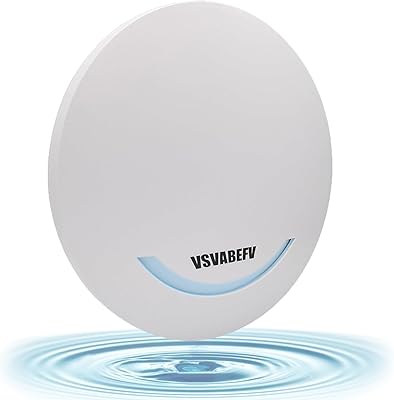
VSVABEFV AP240 Dual-Band WiFi Access Point
85%
88%
Performance
91%
Ease of Setup
85%
Coverage & Range
83%
Reliability
80%
Build Quality
More
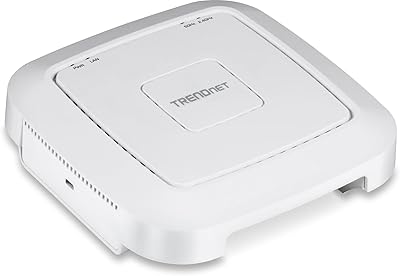
TRENDnet TEW-821DAP AC1200 Dual Band PoE Access Point
86%
94%
Installation Ease
87%
Wi-Fi Performance
75%
Range Coverage
88%
Value for Money
90%
Reliability
More
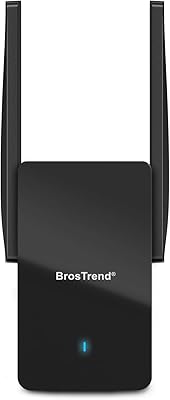
BrosTrend AX3000 WiFi 6 Access Point
84%
87%
Performance
92%
Ease of Setup
85%
Signal Strength
90%
Device Support
80%
Build Quality
More
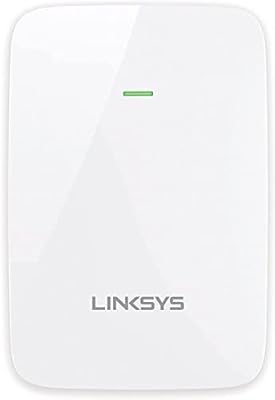
Linksys RE6350 AC1200 Dual-Band WiFi Extender
86%
91%
Setup & Installation
88%
Wi-Fi Performance
89%
Coverage Area
85%
Dual-Band Performance
84%
Streaming & Gaming
More
TP-Link Archer A6 AC1200 WiFi Router
76%
74%
WiFi Speed & Performance
67%
WiFi Range & Coverage
88%
Setup & Ease of Use
71%
Build Quality & Design
91%
Wired Port Performance
More
TP-Link Festa F76 WiFi 7 Access Point
76%
83%
Wireless Performance
88%
Ease of Setup
54%
Ecosystem Compatibility
67%
Cloud Management & App Quality
86%
Build Quality & Design
More
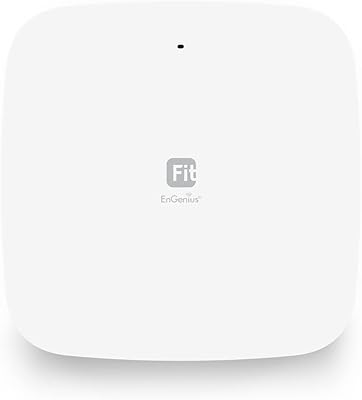
EnGenius EWS356-FIT Wi-Fi 6 Dual-Band Access Point
83%
91%
Wi-Fi Performance
89%
Ease of Setup
87%
Coverage Area
82%
Software and App Experience
90%
Security Features (WPA3)
More
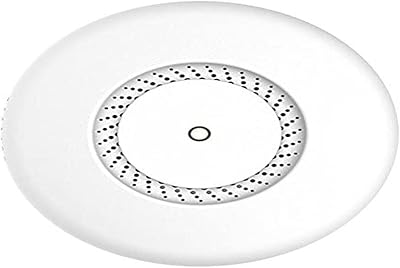
MikroTik cAP ac Dual-Band Access Point
74%
47%
Ease of Setup
83%
Wireless Performance
78%
Build Quality
91%
CAPsMAN Integration
86%
PoE Output Functionality
More
BrosTrend AC3L AC1200 Linux USB WiFi Adapter
75%
88%
Linux Compatibility
63%
Driver Installation Experience
83%
5GHz Signal Stability
81%
Antenna Range & Performance
71%
Windows Plug-and-Play
More
BrosTrend AC1200 Outdoor WiFi Extender
79%
91%
Weather Durability
74%
Signal Coverage
82%
Ease of Installation
78%
Value for Money
86%
Build Quality
More

FAQ

You do need an existing router or a live Ethernet connection coming from a modem — this unit cannot connect to the internet by itself. What it does is take that wired connection and broadcast it as a WiFi network in areas your main router does not reach. Think of it as a wireless translator for an Ethernet port, not a standalone router.

Yes, the BrosTrend AC1200 Dual-Band WiFi Access Point is compatible with virtually any router or ISP-provided gateway, since it connects over a standard Ethernet cable rather than pairing wirelessly with your router. The only requirement is that the Ethernet port you plug it into is active and carrying internet access. A small number of users have needed to make minor configuration adjustments when using certain ISP-provided combo modem-routers, but it is not a common issue.
Honest answer: it depends heavily on your space. In an open room or a smaller apartment with standard drywall, you can expect solid coverage across a few hundred square feet. Thick concrete walls, brick construction, or large open warehouses will cut that range noticeably. Do not plan on it covering an entire multi-story home — it is best matched to a single room or zone scenario.

Yes, you can assign this compact WiFi AP its own SSID and password through the browser configuration interface. This is actually useful if you want to keep a guest zone, a dedicated IoT network, or a specific area on a separate wireless segment from your primary home network.

It is genuinely straightforward for most users. You plug it in, connect the Ethernet cable to a live port, open a browser on any device, follow the on-screen steps, and you are done — typically in under ten minutes. The only scenario where it gets complicated is if your router has unusual settings that need manual adjustment, which the included guide does not walk you through in detail.

It can, depending on the orientation of your outlet and the size of neighboring plugs. The body of the unit is compact, but it may overlap the adjacent socket on a standard dual-outlet plate. If that is a concern, plugging it into a power strip with spaced outlets is a practical workaround.

That is actually one of the best use cases for this wall-plug access point. As long as you have an Ethernet cable running to that space — or can run one — it will broadcast a fresh WiFi signal right there, close to where you need it. Many smart-home and workshop setups are handled exactly this way.

This unit tops out at WiFi 5 (802.11ac), so it does not support WiFi 6 or 6E. For most everyday home tasks and a reasonable number of devices, that is not a practical limitation. But if you have a lot of modern WiFi 6 devices and want to take advantage of their full capabilities, you would need a newer access point.

No, the settings are saved on the device. If it disconnects or you unplug it, it comes back with the same configuration once power is restored. The occasional stability hiccup some users report is resolved with a simple power cycle — unplug it, wait a few seconds, plug it back in — without any reconfiguration needed.

It is more of a practical performance ceiling than a hard technical block. The unit will not refuse a 31st connection, but throughput and stability start to degrade meaningfully as active simultaneous data demand increases across many devices. For a typical household with a mix of phones, smart gadgets, and a laptop or two, you will not come close to stressing it — but a high-density environment with lots of active streaming or downloading simultaneously is a different story.