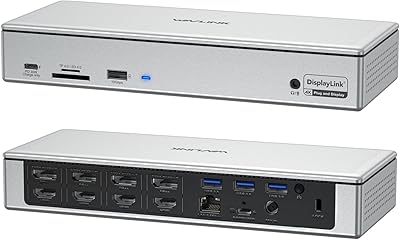
ZMUIPNG 18-in-1 DisplayLink Docking Station
Overview
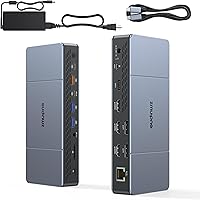
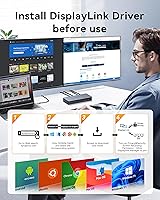
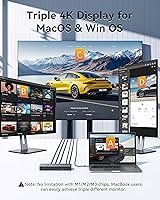
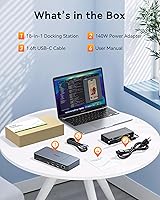
The ZMUIPNG 18-in-1 DisplayLink Docking Station is aimed squarely at MacBook users who have hit Apple Silicon's hard limit of one external display — and this DisplayLink dock clears that wall through a software-based workaround. Before anything else, know that it requires a driver install and is not plug-and-play on a Mac; skipping that step leads straight to frustration. Physically, it is a compact desktop brick, with ports spread across the front and rear panels. The included 140W adapter is mandatory — the unit will not power on without it. At its mid-range price point, you are buying solid feature coverage from a lesser-known brand, so measured expectations on long-term build quality are sensible.
Features & Benefits
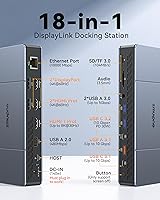
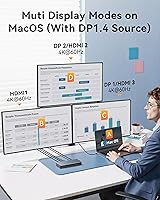
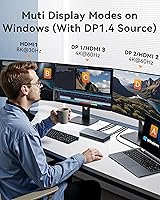
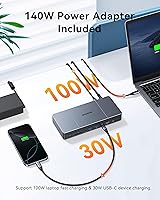
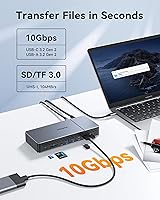
The port selection on this 18-in-1 hub is genuinely broad. Three HDMI outputs and two DisplayPort connections give you the hardware to drive three 4K@60Hz displays simultaneously on a Mac — but only through DisplayLink software, and only using approved port pairings (for example, HDMI 2 + HDMI 3 alongside HDMI 1). That pairing rule catches people off guard, so read the instructions before connecting. Windows users with a DP 1.4 source can also push a single screen to 8K@30Hz, though that is a Windows-only feature. Charging covers 100W for a laptop and 30W for a secondary device. 10Gbps data transfer on both USB-C and USB-A ports, plus Gigabit Ethernet, SD, and microSD slots, round out a well-equipped set of ports.
Best For
This 18-in-1 hub fits a fairly specific buyer profile. It is built for MacBook M1 through M4 users who have hit Apple's hard limit of one external display and need three independent screens for their workflow. Windows laptop users on USB-C or Thunderbolt 3/4 will also get solid multi-display and charging support. Video editors and photographers benefit from the fast card slots and 10Gbps USB access alongside multiple screens. That said, this is a desk-bound, powered dock — if you need something portable, look elsewhere. Buyers who require Thunderbolt-level bandwidth or native macOS multi-display without installing additional software will find DisplayLink a necessary compromise rather than an ideal solution.
User Feedback
Because the Zmuipng docking station launched in late 2025, the pool of real-world reviews is still small — take these observations as early signals rather than a settled verdict. On the positive side, users consistently report that the triple-monitor setup works as advertised once DisplayLink is properly installed, and many find the overall port variety a genuine time-saver. The most common complaints center on two areas: not knowing the 140W adapter is required to operate the dock at all, and confusion over which specific port combinations enable that third screen. Some users also note the unit runs noticeably warm under sustained multi-display loads. Driver stability looks acceptable this early, but warrants watching as the review base matures.
Pros
- Unlocks three independent 4K displays on Apple Silicon MacBooks, something the native macOS cannot do on its own.
- The 18-port spread covers nearly every connectivity need: HDMI, DisplayPort, USB-C, USB-A, Ethernet, audio, and dual card slots.
- Charges a MacBook at up to 100W and a second device at 30W simultaneously, cutting down on adapter clutter.
- 10Gbps USB-C and USB-A ports make moving large video or photo files noticeably faster than older USB 3.0 hubs.
- Gigabit Ethernet is a genuine benefit for remote workers who rely on stable wired connections over Wi-Fi.
- Both SD and microSD card slots are built in, saving photographers from carrying a separate card reader.
- Works with a wide range of laptops beyond Mac, including USB-C and Thunderbolt 3/4 Windows machines.
- Windows users with a DP 1.4 source can connect a single monitor at 8K@30Hz via the HDMI 1 port.
- The compact form factor keeps desk footprint small despite the large number of ports on offer.
Cons
- DisplayLink driver installation is mandatory on Mac — there is no multi-monitor support without it, and many buyers are caught off guard.
- The port-pairing rule for the third display screen is genuinely confusing and easy to get wrong without careful reading.
- The 140W power adapter is required for the dock to operate at all — losing or forgetting it renders the unit useless.
- The unit runs noticeably warm under sustained triple-display use, which may raise concerns for long workday reliability.
- As a newer product from a lesser-known brand, long-term build quality and driver support remain unproven.
- DisplayLink introduces a layer of software processing that can cause subtle issues like increased CPU load or occasional display flicker.
- The review pool is still thin given the late-2025 launch date, making it harder to assess real-world durability.
- No Thunderbolt passthrough means users with bandwidth-hungry peripherals like fast external NVMe drives will see speed limitations.
- The mandatory large power brick reduces the clean desk aesthetic that many compact hub buyers are hoping to achieve.
Ratings
The scores below reflect an AI-powered analysis of verified global buyer reviews for the ZMUIPNG 18-in-1 DisplayLink Docking Station, with spam, bot-submitted, and incentivized feedback actively filtered out before scoring. Each category is graded on real-world usage patterns drawn from home office workers, creative professionals, and Mac power users who depend on multi-monitor setups daily. Both the genuine strengths and the recurring frustrations are transparently represented so you can make a confident, informed decision.
Multi-Monitor Performance
Setup & Installation
Port Variety & Count
Charging Performance
Data Transfer Speed
Build Quality & Materials
Thermal Management
Driver & Firmware Stability
Value for Money
MacBook Compatibility
Windows Compatibility
Cable & Power Management
Portability
Documentation & Support
Suitable for:
The ZMUIPNG 18-in-1 DisplayLink Docking Station was built for a specific frustration: owning an Apple Silicon MacBook and being stuck with only one external display by default. If you are running an M1 through M4 MacBook Air or Pro and genuinely need three independent 4K monitors for tasks like video editing timelines, multi-panel trading setups, or sprawling spreadsheet work, this dock solves that problem in a way that native macOS simply cannot without software assistance. Windows laptop users on USB-C or Thunderbolt connections will also find it a capable all-in-one hub, especially those who want high-resolution output alongside fast data access and wired networking from a single cable. Photographers and content creators get real utility from the dual card slots and 10Gbps USB ports, which keep large file transfers from becoming a bottleneck while screens are running. This is fundamentally a permanent desk setup tool — if your workflow is anchored to one location and you need ports for everything from Ethernet to audio to storage, this 18-in-1 hub covers that ground well.
Not suitable for:
Anyone expecting a true plug-and-play experience on a Mac should look elsewhere, because the ZMUIPNG 18-in-1 DisplayLink Docking Station requires installing third-party DisplayLink driver software before the multi-monitor functionality works at all — and that is a non-negotiable step, not an optional one. Users who dislike adding background software to their Mac, or who work in managed IT environments where driver installs are restricted, will hit a hard wall immediately. The dock also demands its included 140W power adapter to function; you cannot power it from a laptop charger or a spare USB-C brick, which makes it entirely unsuitable for travel or hot-desking scenarios. MacBook owners who only need one external display should not pay the premium for DisplayLink capability they will never use — a simpler hub would serve them better for less. And if you need Thunderbolt-grade bandwidth for high-speed external SSDs or video capture devices, this dock does not provide that; it is USB 3.2 territory, not Thunderbolt.
Specifications
- Total Ports: The dock provides 18 ports in total, spanning video, data, charging, networking, audio, and card reader connections.
- Video Outputs: Three HDMI ports and two DisplayPort outputs are included, supporting up to three simultaneous external displays.
- Mac Resolution: Mac users can drive three independent screens at up to 4K@60Hz each when the DisplayLink driver is installed.
- Windows Resolution: Windows users with a DP 1.4 source can connect a single monitor at up to 8K@30Hz via the HDMI 1 port.
- USB-C Data: Two USB-C 3.2 Gen 2 ports deliver data transfer speeds of up to 10Gbps each for fast peripheral and storage connections.
- USB-A Data: One USB-A 3.2 Gen 2 port supports data transfer at up to 10Gbps, suitable for high-speed external drives.
- Laptop Charging: The dedicated USB-C Power Delivery port charges a connected laptop at up to 100W (96W certified).
- Device Charging: A secondary USB-C port provides up to 30W of charging output for phones, tablets, or other small devices.
- Power Adapter: A 140W power adapter is included and is required for the dock to function; it cannot operate from a laptop charger alone.
- Networking: A built-in Gigabit Ethernet port provides stable wired internet connectivity without needing an external adapter.
- Card Slots: Dedicated SD 3.0 and microSD 3.0 card reader slots support fast media transfers for photographers and videographers.
- Audio: A 3.5mm combo audio jack supports both headphone output and microphone input from a single port.
- Dimensions: The dock measures 9.33 x 5.31 x 2.76 inches, fitting comfortably on a desk without dominating the workspace.
- Weight: The unit weighs 2.4 pounds, making it a stationary desktop accessory rather than a portable travel companion.
- Compatibility: Officially compatible with MacBook Air and MacBook Pro running M1 through M4 chips, plus USB-C and Thunderbolt 3/4 Windows laptops.
- Driver Requirement: The DisplayLink driver software must be downloaded and installed on macOS before multi-monitor functionality becomes available.
- Display Port Rule: To enable three screens, users must pair HDMI 1 with one port from Display Group 1 and one from Display Group 2, per the approved combinations in the manual.
- Interface Standard: The host connection uses USB-C, compatible with Thunderbolt 3 and Thunderbolt 4 ports for full feature support.
Related Reviews
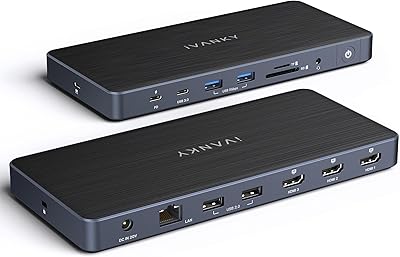
iVANKY FusionDock Pro 1+ 14-in-1 Docking Station
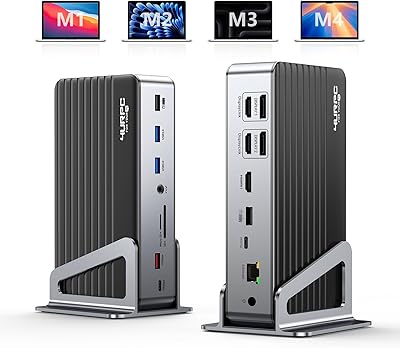
4URPC DC0001A Triple 4K Docking Station
Minisopuru MD6950D Triple Monitor Docking Station
UtechSmart D3903-1 USB-C Docking Station
JCYMELE MS002 19-in-1 USB-C Docking Station
NOVOO 15-in-1 USB C Docking Station
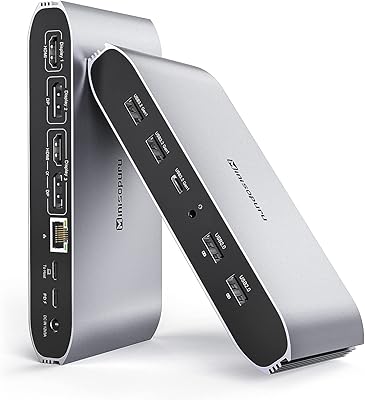
Minisopuru DS808 DisplayLink Triple Monitor Docking Station
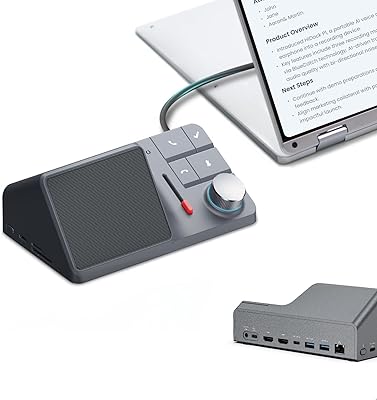
HiDock H1 11-in-1 USB-C Docking Station
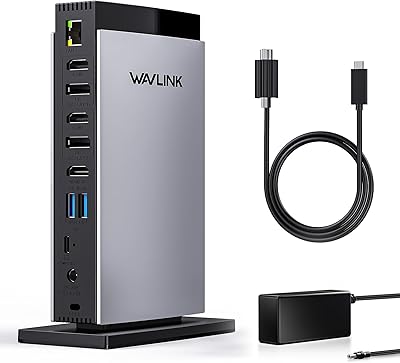
WAVLINK UG69DK13 Triple Monitor USB-C Docking Station