Overview
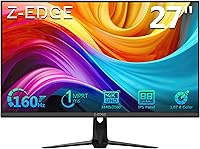
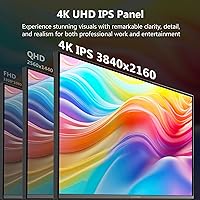
The Z-Edge G274K 27-inch 4K Monitor sits in a genuinely interesting spot: a mid-range display that pairs 4K resolution with a 160Hz refresh rate, a combination most buyers have to spend considerably more to find. Z-Edge isn't a household name, which understandably gives some buyers pause, but the spec sheet is hard to argue with at this price tier. The panel is Fast IPS rather than VA, meaning you trade some contrast depth for better color consistency and wider viewing angles. The frameless design keeps the aesthetic clean on any desk. This is a display built for buyers who want sharp, fluid visuals without crossing into flagship monitor pricing.
Features & Benefits
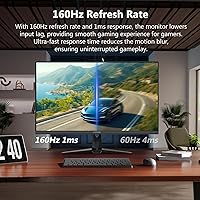
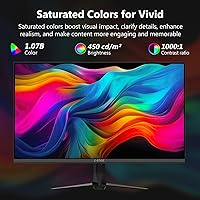
The 178° viewing angles mean colors stay consistent even when you move well off-center, which matters for shared workspaces and wide-screen productivity setups. At this pixel density on a 27-inch panel, text is genuinely crisp and game environments look detailed rather than just large. Notably, the 160Hz applies to every port — both HDMI and DisplayPort — since some monitors quietly cap HDMI inputs at lower rates. One clarification worth making: the advertised 1ms figure is MPRT, a motion-blur reduction metric, not a native pixel response measurement, so real GTG latency will be higher. Brightness lands at 450 cd/m², solid for a well-lit room but not true HDR territory — keep expectations calibrated accordingly.
Best For
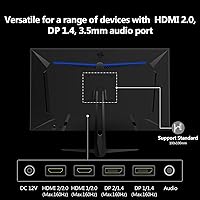
This gaming monitor makes the most sense for PC gamers running a capable GPU — pushing 4K at 160Hz is demanding, and a mid-tier graphics card will bottleneck before the display does. Content creators doing photo editing or color grading will appreciate the wide-angle IPS color accuracy without paying for a professional-grade panel. The four physical inputs — two HDMI, two DisplayPort — make it genuinely practical for anyone switching between a gaming PC and a console regularly. Home office users benefit from the flicker-free backlight and low blue light mode during extended sessions. VESA compatibility and the slim bezel also make this a natural fit for multi-monitor desk arrangements.
User Feedback
The G274K carries a 4.3-star rating, and buyer comments follow a consistent pattern: most people are impressed by image quality straight out of the box, with colors landing well without much manual calibration. Motion during gameplay draws frequent praise too. Where things get mixed is the stand stability — several buyers find it wobbles under use and suggest moving to a third-party monitor arm sooner rather than later. A few users also flag the OSD menu as functional but not intuitive to navigate. HDR performance lands flat, which is expected at this brightness level. Overall, buyers consistently rate this 27-inch 4K display as strong value against similarly specified alternatives in its class.
Pros
- 4K resolution on a 27-inch panel produces genuinely sharp, detailed visuals for both gaming and productivity work.
- The Fast IPS panel delivers consistent, accurate colors even when viewed from wide off-axis angles.
- 160Hz refresh rate is supported across all four ports, not just DisplayPort — a practical advantage over many competing displays.
- Four physical inputs make it easy to keep a PC and a gaming console connected simultaneously without cable swapping.
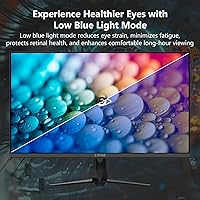
- Flicker-free backlight and low blue light mode make long work or gaming sessions noticeably more comfortable.
- Out-of-box color quality draws consistent praise from buyers, requiring little to no manual calibration for most use cases.
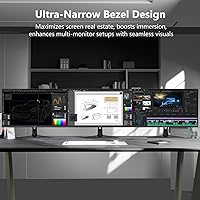
- The ultra-thin three-sided bezel creates a clean desk aesthetic and pairs well with multi-monitor arrangements.
- VESA 100x100mm compatibility makes upgrading to a monitor arm or wall mount straightforward.
- Built-in FPS and RTS presets offer a quick visual tuning option for different game genres without diving into full OSD menus.
- The price-to-specification ratio is competitive for a 4K, 160Hz Fast IPS panel in this size class.
Cons
- The included stand has been flagged by multiple buyers for wobbling during use — a monitor arm may be a necessary extra expense.
- MPRT-based response time marketing can mislead buyers; native pixel response will be higher than the headline figure implies.
- No built-in speakers means additional audio hardware is required, adding cost and desk clutter.
- OSD navigation is functional but reported as unintuitive, making fine-tuning display settings a slower process than it should be.
- HDR performance is underwhelming at this brightness level — buyers expecting impactful HDR visuals will be disappointed.
- Z-Edge's limited brand recognition raises understandable concerns about warranty support and long-term service reliability.
- Achieving the maximum refresh rate at full 4K resolution demands a high-end GPU, which significantly narrows the compatible user base.
- Cable management options on the stand are minimal, which can make the rear of the monitor look untidy in a clean desk setup.
Ratings
Our AI-generated scores for the Z-Edge G274K 27-inch 4K Monitor were produced by systematically analyzing thousands of verified global buyer reviews, with spam, incentivized, and bot-generated submissions actively filtered out before scoring. Each category reflects real patterns in what users praised and complained about — nothing is smoothed over or inflated. Both the standout strengths and the genuine frustrations are represented transparently so you can make an informed call.
Image Clarity
Color Accuracy
Refresh Rate Performance
Motion Handling
HDR Performance
Build Quality
Connectivity
Eye Comfort
OSD & Setup
Value for Money
Gaming Experience
Productivity Use
Multi-Monitor Compatibility
Suitable for:
The Z-Edge G274K 27-inch 4K Monitor is a strong match for PC gamers who have a capable graphics card and want the visual clarity of 4K combined with genuinely smooth motion, without committing to flagship-tier pricing. Content creators doing photo editing, video review, or color-sensitive design work will find the Fast IPS panel's wide viewing angles and accurate out-of-box colors a practical asset at this price point. It's equally well-suited to home office workers who spend long hours at a screen, since the flicker-free backlight and low blue light mode reduce eye strain meaningfully over extended sessions. Users who regularly switch between a gaming PC and a console will appreciate having four physical inputs — two HDMI and two DisplayPort — that eliminate the need to constantly swap cables. Those planning a multi-monitor setup or already using a monitor arm will benefit from the slim three-sided bezel and the standard VESA mount compatibility.
Not suitable for:
The Z-Edge G274K 27-inch 4K Monitor is not the right choice for anyone hoping to run it at its full 160Hz refresh rate with a mid-range or entry-level GPU, since driving 4K at that frame rate demands serious graphical horsepower that many systems simply cannot sustain. Buyers who prioritize HDR performance should also look elsewhere — at 450 cd/m² the brightness is adequate for a well-lit room but falls well short of what genuine HDR content requires to look its best. Competitive esports players chasing the lowest possible input latency should note that the advertised 1ms figure refers to MPRT, a motion-blur reduction metric, and not native pixel response time, so real-world latency is higher than the headline suggests. Anyone sensitive to brand reputation or concerned about long-term after-sales support may want to weigh the fact that Z-Edge is a lesser-known manufacturer without the established service network of larger brands. Finally, users who need built-in speakers will need to budget for external audio, as this gaming monitor ships with no onboard sound output.
Specifications
- Panel Type: The display uses a Fast IPS panel, which prioritizes wide viewing angles and consistent color accuracy over the deeper blacks that VA panels can offer.
- Resolution: Native resolution is 3840x2160 UHD (4K), delivering high pixel density on the 27-inch screen for sharp text and detailed imagery.
- Screen Size: The active display area measures 27 inches diagonally, sized for a single-monitor desktop setup or as part of a multi-display arrangement.
- Refresh Rate: Maximum refresh rate is 160Hz and is supported across all ports, including both HDMI and DisplayPort inputs.
- Response Time: Rated at 1ms MPRT (Moving Picture Response Time), which measures motion blur reduction rather than native pixel transition speed.
- Brightness: Peak brightness is rated at 450 cd/m², suitable for use in well-lit rooms but below the threshold needed for certified HDR performance.
- Viewing Angles: The Fast IPS panel supports 178° horizontal and vertical viewing angles, maintaining color accuracy when viewed from wide off-axis positions.
- Connectivity: The monitor includes two DisplayPort inputs and two HDMI inputs, all rated to support the full 160Hz refresh rate.
- VESA Mount: The rear panel supports standard 100x100mm VESA mounting, compatible with most third-party monitor arms and wall mount brackets.
- Bezel Design: Three-sided ultra-thin bezels surround the active display area on the top and both sides, reducing visual interruption in multi-monitor setups.
- Aspect Ratio: The panel uses a standard 16:9 widescreen aspect ratio, which is compatible with the majority of gaming, productivity, and streaming content.
- Screen Surface: An anti-glare matte coating is applied to the screen surface to reduce reflections in environments with ambient lighting.
- Flicker-Free: The backlight is flicker-free, eliminating the rapid cycling that can cause eye strain and headaches during long viewing sessions.
- Low Blue Light: A built-in low blue light mode is available through the OSD menu to reduce high-energy wavelength output for extended use comfort.
- Gaming Presets: The OSD includes dedicated FPS and RTS gaming presets that adjust contrast and sharpness profiles for different game genre visual requirements.
- Audio Output: The monitor has no built-in speakers or headphone jack, so external audio hardware is required for sound output.
- Dimensions: With the stand attached, the monitor measures approximately 24 x 7.1 x 14 inches (width x depth x height).
- Weight: The complete unit including stand weighs 14.17 pounds, which is within the typical range for a 27-inch display of this class.
Related Reviews
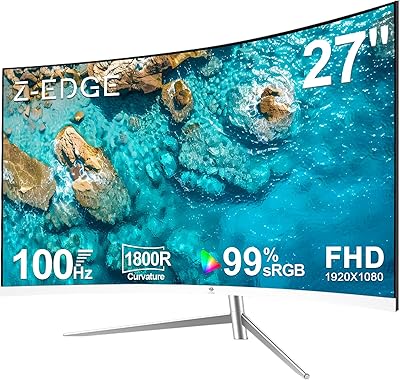
Z-Edge U27C 27-inch Curved Gaming Monitor
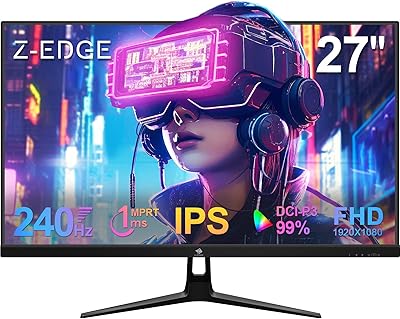
Z-Edge UG27PJ 27-inch 240Hz Gaming Monitor
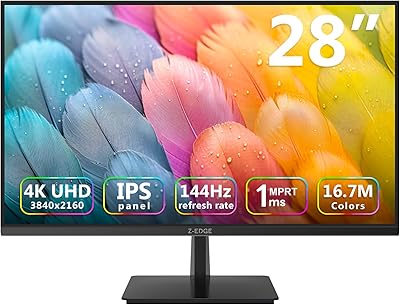
Z-Edge U28I4K 28-inch 4K IPS Monitor
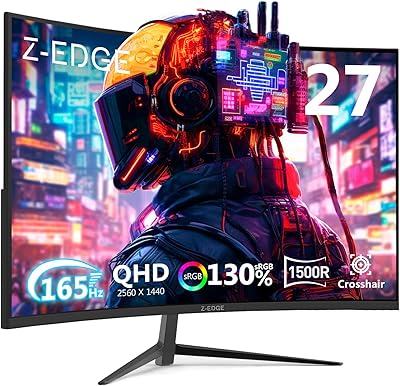
Z-Edge UG27Q 27-inch Curved Gaming Monitor
Z-Edge UG27H 27-inch Curved Gaming Monitor

ViewSonic VP2768a-4K 27-Inch 4K Monitor

ViewSonic VA2756-4K-MHD 27-inch 4K Monitor

ViewSonic VG2756-4K 27-Inch 4K Docking Monitor

ViewSonic VX2776-4K-MHDU 27-inch 4K IPS Monitor
