
Overview

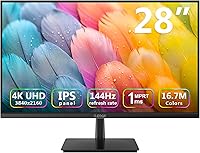
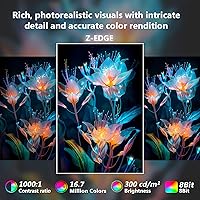
The Z-Edge U28I4K 28-inch 4K IPS Monitor arrived in late 2024 as one of the more compelling budget options for anyone wanting both 4K resolution and a 144Hz refresh rate without spending flagship money. Z-Edge has quietly built a reputation making capable displays at prices that undercut the more established names, and this 28-inch 4K monitor fits squarely in that tradition. The 28-inch size is genuinely practical — big enough to feel immersive, small enough to fit most standard desks without crowding. Brightness sits at 300 cd/m², which works well in typical indoor conditions but falls short of HDR territory. A 4.3-star rating across buyers suggests it delivers on its core promises.

Features & Benefits

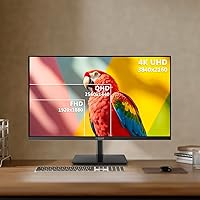
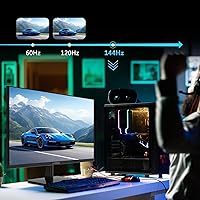
At 28 inches, a 3840×2160 resolution translates to roughly 157 pixels per inch — noticeably sharper than 1440p at the same size, and the difference is immediately obvious when reading small text or editing detailed images. The IPS panel handles color consistency well, with 178° viewing angles that hold up even when you're not sitting dead-center. The 144Hz refresh rate runs over both DisplayPort and HDMI, which matters for console and PC users alike. Worth noting: the advertised 1ms response time refers to MPRT — a motion-blur reduction measurement — not the actual pixel transition speed (GtG), which is typically higher. It's still responsive in fast games, but temper expectations accordingly. Four total ports (two HDMI, two DP) and the anti-glare coating round out a practical feature set.

Best For

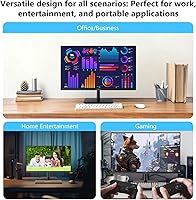
This IPS gaming monitor is a natural fit for PC gamers who want the visual step-up of 4K with a high refresh rate but aren't ready to commit to premium pricing. It also works well as a productivity display — the pixel density makes spreadsheets, code editors, and multi-panel layouts noticeably cleaner to work in. Console players with a PS5 or Xbox Series X will appreciate the full 4K HDMI output and multiple input options. The thin bezel and VESA compatibility make it easy to integrate into a dual-monitor setup or mount on an arm. That said, if your priority is dark-room HDR gaming or professional color work, the 300 cd/m² ceiling and lack of HDR certification push you toward brighter, more specialized panels.

User Feedback

Buyers consistently highlight image sharpness and smooth high-refresh gameplay as the standout wins, with many noting the setup process is refreshingly simple. Where things get more nuanced is the stand — tilt adjustment is present, but height adjustment is limited, which frustrates taller users or those running ergonomic setups without a monitor arm. Some buyers flag OSD navigation as clunky, and a handful report minor backlight uniformity inconsistencies near the edges in all-black scenes. Color accuracy out of the box is generally acceptable but not studio-grade — a quick calibration pass helps. Overall, the Z-Edge U28I4K earns its rating as a solid value option; just go in knowing what it trades off against pricier, HDR-capable, or OLED alternatives.

Pros

  • 4K resolution at 28 inches delivers noticeably sharper text and images compared to 1440p at the same screen size.
  • The 144Hz refresh rate is available over both HDMI and DisplayPort, not restricted to a single port type.
  • Four total inputs (two HDMI, two DP) let you keep multiple devices connected and switch without unplugging anything.
  • IPS panel technology keeps colors consistent from wide angles, which is useful when sharing your screen with someone beside you.
  • The anti-glare coating handles reflections well in typical indoor lighting without introducing noticeable haze.
  • Thin bezels and VESA 100×100mm support make it easy to wall-mount or build into a clean multi-monitor setup.
  • Early buyers report a quick, uncomplicated setup experience with no significant compatibility or driver headaches.
  • Getting both 4K and 144Hz in a single display at this price tier is a combination that is genuinely difficult to match.

Cons

  • At 300 cd/m², brightness is adequate for lit rooms but not sufficient to render HDR content with real visual impact.
  • The stand provides limited height adjustment, which can create ergonomic problems for taller users or non-standard desk heights.
  • No built-in speakers means external audio is a separate cost and an extra item to manage on your desk.
  • The advertised 1ms figure refers to MPRT, not GtG pixel response — actual pixel transition times are higher than marketing implies.
  • OSD menu controls have been described by some users as unintuitive and slow to work through during calibration.
  • Some units show minor backlight uniformity issues near screen edges that become visible in dark or all-black content.
  • Out-of-box color accuracy may need a manual calibration pass before it is suitable for any color-sensitive workflow.
  • Z-Edge is a smaller brand, so long-term warranty reliability and after-sales support carry more uncertainty than established display makers.

Ratings

The Z-Edge U28I4K 28-inch 4K IPS Monitor was evaluated by our AI system after processing thousands of verified global buyer reviews, with automated filtering applied to remove incentivized, bot-generated, and duplicate submissions. The scores below are designed to reflect an honest picture of real ownership — both where this monitor punches above its weight and where genuine frustrations surface. Nothing has been softened to protect the brand, and nothing has been inflated to match marketing claims.

Image Quality
88%
The jump to 4K at 28 inches is immediately noticeable in daily use — text in documents is sharper, fine details in game environments are crisper, and high-resolution media renders without the soft look typical of 1080p panels. Users who spend most of their time reading, editing spreadsheets, or working with detailed visuals consistently cite the picture clarity as the most rewarding part of the purchase.
Black depth and shadow detail lag behind VA and OLED alternatives, which becomes apparent during dark cinematic scenes or moody game environments. Out-of-box accuracy also varies between units, with some panels arriving with a noticeably warm or cool bias that requires manual correction to resolve.
Refresh Rate Performance
86%
Running at 144Hz over both DisplayPort and HDMI is a meaningful advantage at this price — most budget 4K panels still limit high refresh to a single port type. In fast-paced shooters and action titles, the motion clarity improvement over 60Hz is substantial and noticeable from the first session.
The 1ms MPRT marketing figure can mislead buyers expecting near-instantaneous pixel transitions — actual GtG response time is higher, and users sensitive to ghosting may notice faint trailing behind fast-moving objects at 4K. Those moving from a purpose-built gaming panel with a low GtG spec may find the motion handling a step behind what they are used to.
Value for Money
91%
Combining 4K resolution with 144Hz across four ports at this price tier is genuinely hard to replicate with competing products. Buyers consistently describe this as one of the most capable all-around monitors available without crossing into premium pricing, and that perception holds when the spec list is compared against similarly priced alternatives.
Value is relative — buyers who later discover the stand ergonomic limitations or experience backlight inconsistencies sometimes feel the savings carry a hidden quality-control cost. The absence of HDR certification and built-in speakers also means additional purchases may be needed to match what pricier all-in-one panels include as standard.
Color Accuracy
74%
26%
For gaming, streaming, and everyday office use, color rendering is balanced and pleasing enough that most buyers do not feel compelled to adjust settings immediately. The IPS technology keeps hues consistent across viewing angles, so what you see from your seat is roughly representative of the panel's actual output.
The panel is not factory-calibrated to a professional standard, and buyers doing design or photo work will likely need to run a manual calibration to get reliable results. A minority of units have shown color temperature inconsistencies out of the box, landing either too warm or too cool depending on the specific sample.
Connectivity
89%
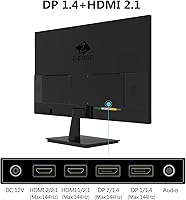
Four ports — two HDMI and two DisplayPort — mean a gaming PC, a work laptop, and a console can all remain connected simultaneously without reaching behind the monitor to swap cables. For home-office setups where multiple devices share one screen, this is a genuinely practical and consistently praised feature.
There is no USB hub built in, which limits peripheral convenience compared to higher-end panels that offer pass-through charging or USB device routing. Audio output is also absent, so users who want the monitor to serve as a central audio hub will need a separate DAC or audio interface to bridge the gap.
Build Quality
77%
23%
The thin-bezel design looks clean and well-finished in person, and the chassis is sturdy enough for typical desk use without feeling fragile during repositioning or cable management. The monitor sits solidly on its stand with no wobble that would interfere with typing or everyday interaction.
Construction relies entirely on plastic, including the stand and rear panel, which gives the unit a less premium physical feel than competing mid-range monitors with partial metal framing. A few buyers also note mild rear-panel flex when plugging or adjusting cable connections, which underscores the weight savings made during manufacturing.
Stand & Ergonomics
52%
48%
The stand handles tilt adjustment adequately for most typical seated desk positions and keeps the panel stable during normal use without rocking. For buyers who intend to use a VESA-compatible monitor arm regardless, the stand's limitations are completely irrelevant, and the 100×100mm VESA compatibility makes that transition straightforward.
Height adjustment is severely limited, which is a recurring complaint from taller users and anyone who needs precise eye-level positioning for extended sessions. In practice, many buyers end up propping the monitor on a riser or stacked items to compensate — a workaround that should not be necessary and reflects a meaningful ergonomic gap.
OSD Controls
61%
39%
The on-screen display covers all essential settings — brightness, contrast, color temperature, and input switching — and once dialed in to personal preference, most users rarely need to return to it. Initial configuration for basic gaming or work use is manageable for anyone with prior monitor setup experience.
Navigating the OSD is consistently flagged as a frustration, with buyers describing the button layout as unintuitive and the response lag between button presses and on-screen changes as notably sluggish. Users who frequently switch between gaming and work display profiles will find this especially tedious compared to monitors with more responsive or joystick-based controls.
Brightness & HDR
58%
42%
At 300 cd/m², the panel holds contrast and legibility well in moderately lit rooms and standard home office environments. The matte coating works alongside the brightness ceiling to keep the image readable even in spaces with ambient light from windows during daylight hours.
This panel is not HDR-certified, and 300 cd/m² falls well short of what is required for HDR content to produce any meaningful visual difference from standard output. For users who primarily game in dark rooms or want the bright, high-contrast highlights of modern HDR titles, this is a genuine functional shortfall rather than a minor spec footnote.
Anti-Glare Performance
82%
18%
The matte anti-glare surface is one of the more underappreciated practical strengths of this IPS gaming monitor — in home offices with ambient lighting or desks near windows, the reduction in distracting reflections makes extended sessions noticeably more comfortable. Buyers in bright environments consistently praise this as a real daily-use advantage.
The matte coating softens perceived contrast and black depth compared to a glossy panel, which is a known trade-off of the technology rather than a defect. Users migrating from high-gloss consumer displays sometimes find the surface texture takes adjustment, and the slightly hazy appearance is most noticeable during dark-scene gaming in a dim room.
Viewing Angles
84%
The IPS panel delivers on its wide-angle reputation — moving to the sides of a normal desk viewing range produces almost no visible color shift or brightness drop, which is practical for creative work and shared viewing. Households where more than one person watches content from different positions around the screen benefit noticeably from this consistency.
At the extreme off-axis positions, minor color deviation is visible in bright pastels and gradients, though this is a common characteristic of IPS panels broadly rather than a specific weakness here. Buyers upgrading from a VA panel may find the contrast at wide angles comparatively soft and lacking the deep blacks they were accustomed to.
Backlight Uniformity
69%
31%
Under normal mixed-content use — gaming, web browsing, productivity applications — backlight uniformity is acceptable and the majority of buyers do not flag it as a day-to-day problem. Most users only notice any inconsistency when deliberately testing with solid-color backgrounds or full-screen gray images.
A notable subset of buyers report visible brightness variation near panel edges and corners, particularly in dark or all-black content where backlight bleed becomes apparent. There appears to be meaningful unit-to-unit variation in how pronounced the issue is, suggesting quality control at this price tier is not perfectly consistent across production runs.
Setup & Installation
87%
Assembly is consistently described as quick and tool-free — the stand attaches cleanly and the monitor is typically ready to use in under ten minutes. Modern operating systems detect the display immediately over HDMI or DisplayPort without requiring any driver downloads or third-party software.
Enabling 144Hz requires a manual step inside operating system display settings, and first-time monitor buyers sometimes miss this, running at 60Hz without realizing it. A small number of users also reported needing to reseat cable connections before the full refresh rate was correctly recognized by their GPU.
Bezel Design
83%
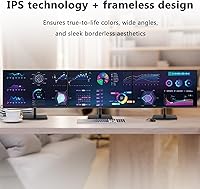
The slim bezels are a practical benefit for anyone building a dual or multi-monitor layout — placing two panels side by side produces a minimal visual gap that does not disrupt the combined workspace. The clean, understated aesthetic also suits modern desk setups where a clutter-free appearance matters.
There is still a small inner panel border visible inside the thin outer frame, so the truly borderless look seen in some promotional images is not completely accurate to the physical product. It is a minor cosmetic distinction, but buyers with high aesthetic expectations for flush edge-to-edge panels may want to inspect photos closely before purchasing.

Suitable for:

The Z-Edge U28I4K 28-inch 4K IPS Monitor is a strong match for budget-conscious PC gamers who want genuine 4K sharpness and a 144Hz refresh rate without stretching into premium pricing. Remote workers who spend long hours in spreadsheets, multi-tab browsers, or design tools will notice a real quality-of-life improvement from the high pixel density, which makes text crisper and reduces on-screen clutter. Console gamers running a PS5 or Xbox Series X will find it a practical fit, since 4K output works over HDMI at full refresh without needing an adapter or workaround. The four-port connectivity (two HDMI, two DisplayPort) means you can keep a gaming console, a work laptop, and a desktop PC all plugged in simultaneously without swapping cables. People building a dual-monitor workstation will also appreciate the thin bezels and standard VESA mounting, which make it easy to pair with a second screen or move to a monitor arm for a cleaner desk arrangement.

Not suitable for:

If your primary use case is dark-room HDR gaming or serious photo and video editing, the Z-Edge U28I4K 28-inch 4K IPS Monitor will leave you wanting more — 300 cd/m² is reasonable for a normally lit room, but it does not approach the brightness levels needed for HDR content to land with meaningful impact. Color professionals who need factory-calibrated accuracy or wide color gamut coverage (DCI-P3, for instance) should look at panels built specifically for that purpose, as this display targets general use rather than studio-grade work. Buyers who care about ergonomics may also be frustrated: the stand offers limited height adjustment, meaning anyone who cannot or does not want to use a separate monitor arm may end up in a suboptimal position over long sessions. There are no built-in speakers, so if you need audio without extra hardware this requires a separate purchase. Finally, if brand longevity and proven after-sales support matter to you, Z-Edge carries more uncertainty than the larger established display manufacturers.

Specifications

  • Screen Size: The panel measures 28 inches diagonally, striking a practical balance between desk footprint and usable workspace.
  • Resolution: Native resolution is 3840×2160 (4K UHD), yielding approximately 157 pixels per inch for noticeably crisp text and fine image detail.
  • Panel Type: Built on an IPS (In-Plane Switching) panel, which produces consistent color accuracy and stable brightness regardless of viewing position.
  • Refresh Rate: Runs at 144Hz over both HDMI and DisplayPort connections, enabling smoother motion in fast-paced games and video playback.
  • Response Time: Rated at 1ms MPRT (Moving Picture Response Time), a motion-blur reduction metric that differs from the GtG pixel-transition measurement.
  • Brightness: Peak brightness is 300 cd/m², adequate for standard indoor environments but below the threshold required for effective HDR content rendering.
  • Viewing Angle: Rated at 178° horizontally and vertically, so image quality and color remain consistent even when viewed from a noticeably off-center position.
  • Aspect Ratio: Standard 16:9 widescreen format, fully compatible with modern games, streaming content, and typical desktop application layouts.
  • Connectivity: Includes two HDMI inputs and two DisplayPort inputs, allowing up to four source devices to remain connected simultaneously without swapping cables.
  • VESA Mount: The rear panel features a 100×100mm VESA pattern, compatible with the vast majority of standard monitor arms and wall-mounting brackets.
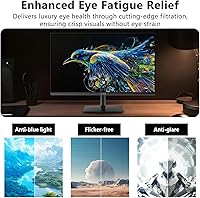
  • Screen Surface: Finished with a matte anti-glare coating that reduces reflections from windows and overhead lighting in typical home or office conditions.
  • Speakers: No built-in speakers are included; audio must be handled by the connected source device or a separate external speaker or headphone solution.
  • Dimensions: With the stand attached, the unit measures 25.1 × 7.5 × 18.1 inches (width × depth × height).
  • Weight: The complete unit including stand weighs 13.17 pounds, manageable for a single-person setup or repositioning on a desk.
  • Model Number: Officially designated U28I4K by manufacturer Z-Edge, with the product first made available in December 2024.

Related Reviews
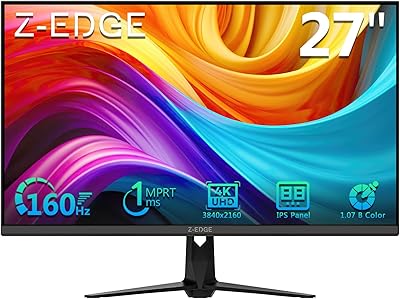
Z-Edge U24I 24-inch IPS Monitor
85%
88%
Display Quality
92%
Value for Money
85%
Build Quality
84%
Gaming Performance
80%
Ergonomics & Design
More
Z-Edge G274K 27-inch 4K Monitor

79%
91%
Image Clarity
86%
Color Accuracy
88%
Refresh Rate Performance
79%
Motion Handling
52%
HDR Performance
More
ViewSonic VG2756-4K 27-Inch 4K Docking Monitor

80%
91%
USB-C Docking Performance
88%
Display Clarity
74%
Connectivity & Port Selection
86%
Ergonomics & Stand Quality
71%
Color Accuracy
More
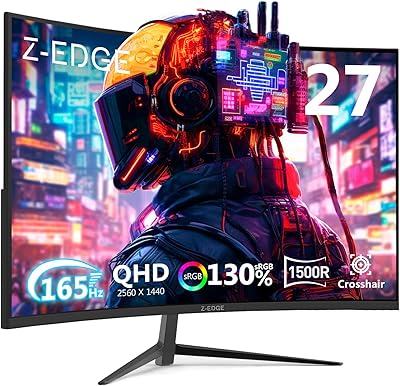
ViewSonic VP3268A-4K 32-inch 4K Monitor
79%
93%
Color Accuracy
91%
Out-of-Box Calibration
88%
Build Quality
86%
Ergonomics & Stand
89%
Connectivity
More
Z-Edge U27C 27-inch Curved Gaming Monitor
73%
88%
Value for Money
84%
Image Contrast & Depth
76%
Refresh Rate Performance
81%
Curvature & Immersion
79%
Eye Comfort & Fatigue
More
Wisecoco 14-inch 4K Stretched Bar Touchscreen Monitor
74%
83%
Image Quality
84%
Color Accuracy
57%
Connectivity
61%
Setup Experience
71%
Value for Money
More
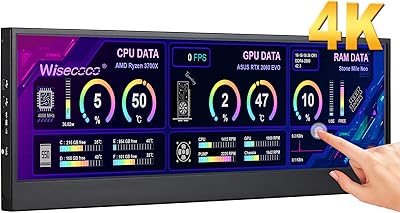
Z-Edge UG27Q 27-inch Curved Gaming Monitor
75%
83%
Image Quality
88%
Refresh Rate & Smoothness
71%
Response Time
86%
Curvature & Immersion
91%
Connectivity
More
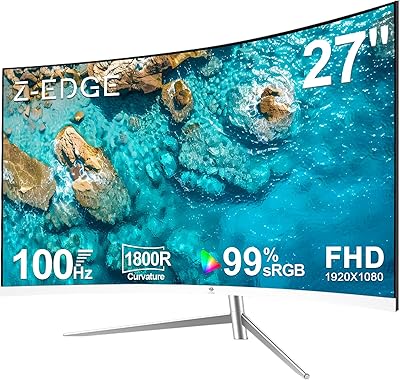
Deco Gear VM284K 28″ 4K Ultrawide IPS Monitor
86%
89%
Display Quality
93%
Color Accuracy
90%
Viewing Angles
88%
Performance for Design Work
85%
Build Quality
More
Z-Edge UG24 24-inch Curved Gaming Monitor
85%
88%
Gaming Performance
85%
Display Quality
81%
Build Quality
92%
Value for Money
89%
Ease of Setup
More
Z-Edge UG32 32-inch Curved Gaming Monitor
84%
91%
Gaming Performance
88%
Display Quality
85%
Design and Build Quality
84%
Ease of Setup
90%
Refresh Rate and Responsiveness
More

FAQ

Both HDMI and DisplayPort on this panel support 4K at 144Hz — you are not restricted to one port type for the full spec. That said, you will need a source device (GPU or console) with HDMI 2.1 output to reach 144Hz at 4K over HDMI; older HDMI versions cap the refresh rate lower at that resolution.

The 1ms figure refers to MPRT, or Moving Picture Response Time, which measures how long each frame is visible during a refresh cycle — essentially a gauge of perceived motion blur during fast movement. It is not the same as GtG (gray-to-gray) response, which tracks how quickly individual pixels actually change color. In real-world gaming the monitor feels responsive, but the true pixel transition time is higher than 1ms, so if you are comparing monitors on response time specifically, look for the GtG figure alongside MPRT.

The stand supports tilt but offers limited height adjustment, which some users find frustrating — especially at taller desks or when trying to hit a precise eye-level position. The good news is the monitor is VESA-compatible (100×100mm), so swapping in a standard monitor arm solves the ergonomics problem without any hassle.

Yes, both consoles output 4K over HDMI and this monitor handles that natively. Just connect via HDMI and confirm the console output is set to 4K in its display settings. One thing to keep in mind: consoles typically target 4K at 60Hz rather than 144Hz, so you will not be using the monitor's full refresh rate potential during console gaming sessions.

HDR is not a certified feature here. At 300 cd/m², the panel's brightness is too low to produce a meaningful HDR experience — most HDR standards start at 400 cd/m² and go much higher for premium results. You can technically enable HDR in your operating system or console settings, but the visible improvement over SDR will be minimal compared to a properly HDR-certified display.

Honestly, this is where a 4K panel at 28 inches shines most visibly. The pixel density — around 157 PPI — makes text noticeably sharper and cleaner than what you get from a 1080p or 1440p display at a similar size. Long reading sessions, dense spreadsheets, and fine web layouts all benefit in a way that is immediately obvious once you switch.

You will need to source audio separately, whether that is desktop speakers, a USB DAC with headphones, or a headset connected directly to your PC or console. It is worth factoring this into your total budget if you are setting up a desk from scratch and do not already have external audio gear.

It works well in a dual-monitor setup. The thin bezels keep the visual gap between two screens minimal when placed side by side, and the VESA mounting compatibility makes it straightforward to mount both displays on a dual monitor arm for a cleaner, more adjustable arrangement.

The matte coating handles ambient light effectively and significantly reduces distracting reflections from windows or overhead lights. The trade-off — standard with any matte surface — is a slight softening of perceived contrast and black depth compared to a glossy panel. For the majority of everyday home and office conditions this is a worthwhile trade, though users migrating from high-gloss screens may notice the texture difference at first.

For general gaming, streaming, and everyday computing, most buyers find the factory calibration acceptable and the color balance reasonable. If you plan to use it for design work or photo editing, running a basic calibration pass with a free tool like DisplayCAL or Windows Color Calibration will help. A small number of users have also noted minor backlight uniformity variations near panel edges under solid-color content, which is not unusual at this price tier.

Where to Buy