Overview

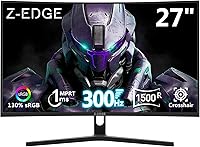
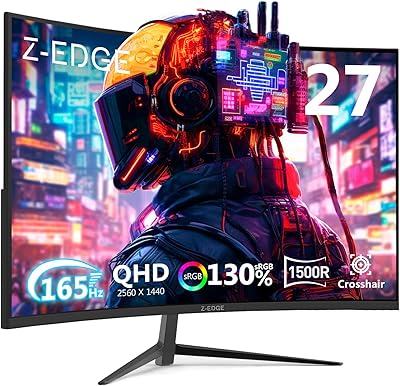
The Z-Edge UG27H 27-inch Curved Gaming Monitor landed on the market in early 2025 and has already carved out a respectable spot among budget-friendly curved displays. Built around a 1500R curved panel, it wraps your field of view in a way flat monitors simply cannot match at this price. It is climbing the computer monitors category rankings, which says something about early buyer reception. One thing worth being upfront about: FHD 1080p on a 27-inch screen means pixel density is lower than ideal. If you sit close, that is a real consideration — not a dealbreaker, but something worth factoring in before buying.
Features & Benefits

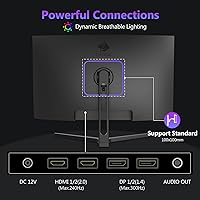
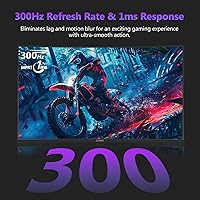
The 300Hz refresh rate is the headline here, and it genuinely matters in fast-paced titles — enemy movements feel crisper and overall fluidity is a clear upgrade from anything below 200Hz. Pair that with 1ms MPRT response time and motion blur becomes a non-issue during high-speed scenes. Connectivity is a strong suit: both DisplayPort 1.4 ports support the full 300Hz, while the two HDMI ports cap at 240Hz — worth knowing if you plan to connect a console. The anti-glare coating handles ambient light reasonably well, and the 3000:1 contrast ratio gives darker scenes genuine depth without washing out highlights.

Best For

This curved gaming monitor punches well above its weight for competitive FPS players who care more about buttery-smooth frame delivery than pixel-perfect sharpness. If you are upgrading from a 60Hz or 144Hz display, the jump to 300Hz is immediately noticeable — not subtle at all. Console gamers will appreciate having two HDMI inputs for quick device switching. The VESA 100x100mm mount support is a practical touch for anyone looking to wall-mount or use a monitor arm to clear desk space. It also works well as a secondary high-refresh display where motion clarity matters more than resolution.

User Feedback

Buyers running the UG27H for competitive gaming consistently praise how smooth the experience feels, and the frameless design comes across as cleaner than expected at this price tier. That said, a few recurring concerns are worth noting. At 250 nits, brightness is on the lower end — in well-lit rooms the screen can feel noticeably dim. The stand also offers limited ergonomic adjustment, which frustrates users who want precise tilt or height control. The 1080p sharpness on a 27-inch panel divides opinion too: some find it perfectly acceptable, others notice softness during detailed scenes. A 4.4-star average reflects solid overall satisfaction with honest caveats attached.

Pros

  • 300Hz via DisplayPort delivers genuinely smooth, responsive gameplay that competitive players will notice immediately.
  • The 1500R curve adds real immersion without the steep price premium seen on higher-end curved displays.
  • Dual HDMI ports make it easy to connect a PC and a console simultaneously without swapping cables.
  • 1ms MPRT response time keeps fast motion clean, with minimal ghosting during high-speed scenes.
  • The frameless bezel design looks clean on a desk and works well in multi-monitor configurations.
  • Anti-glare coating handles ambient light better than glossy panels in typical home setups.
  • VESA 100x100mm support gives you the freedom to mount it on an arm or wall for a clutter-free workspace.
  • The 3000:1 contrast ratio produces punchy darks and bright highlights that hold up well in darker game environments.
  • At this price tier, the build quality and feature set represent strong value for budget-conscious buyers.
  • Early buyer ratings are notably positive, suggesting the panel holds up well in real-world use.

Cons

  • 1080p resolution on a 27-inch screen means lower pixel density — text and fine detail can look soft up close.
  • At 250 nits, brightness is below average and struggles in well-lit or sunlit rooms.
  • The stand offers limited ergonomic adjustment, making it difficult to dial in a comfortable viewing height.
  • No built-in speakers means extra cost and desk space if you do not already have external audio.
  • HDMI ports are capped at 240Hz, so console users miss out on the full 300Hz the panel can deliver.
  • The panel is FHD only — buyers wanting future-proof resolution or 1440p clarity will need to look elsewhere.
  • At 9.9 pounds, the monitor is not particularly light, which may matter if you move your setup frequently.
  • No mention of HDR support, which limits the visual ceiling compared to monitors in similar or adjacent price ranges.

Ratings

The scores below for the Z-Edge UG27H 27-inch Curved Gaming Monitor were generated by AI after analyzing verified buyer reviews from global markets, with spam, bot-submitted, and incentivized feedback actively filtered out before scoring. Each category reflects the honest consensus of real users — competitive gamers, casual players, and everyday desktop users alike. Strengths are credited where earned, and recurring pain points are scored without softening.
Refresh Rate Performance
93%
Buyers upgrading from 144Hz displays consistently describe the jump to 300Hz as immediately noticeable — faster crosshair tracking, cleaner enemy movement in FPS titles, and an overall fluidity that is hard to give up once experienced. Via DisplayPort, the panel delivers on its headline spec without requiring extra software configuration.
Realizing the full 300Hz requires a DisplayPort 1.4 connection and a GPU capable of pushing enough frames, which not every buyer factors in at purchase. Users on older or mid-range hardware may rarely see the refresh rate operating at its ceiling in demanding titles.
Response Time & Motion Clarity
88%
The 1ms MPRT rating translates well in practice — fast-moving scenes in racing games and shooters stay clean without the trailing ghosting effect that plagues slower panels. Most users report crisp motion even during extended high-action sessions.
MPRT is a measured best-case figure, not an average, so occasional minor ghosting can appear in non-ideal overdrive settings. A small number of users noted that the factory overdrive level needed manual adjustment to get the cleanest results.
Image Sharpness & Resolution
61%
39%
For pure gaming where you are tracking motion rather than inspecting fine detail, the 1080p image holds up reasonably well at normal seating distances. Colors and contrast help compensate, and casual gamers report no strong complaints during typical play sessions.
At 27 inches, the 1920x1080 pixel density sits noticeably below what many users expect, and text sharpness during desktop or productivity use is a frequent point of criticism. Buyers sitting less than two feet from the screen tend to be more bothered by this than those at a standard gaming distance.
Brightness & HDR
54%
46%
In a darkened or dim gaming room, 250 nits is workable and the 3000:1 contrast ratio helps the image feel punchy enough that some users do not immediately flag the low brightness as an issue.
In any room with natural light or overhead lighting, 250 nits is genuinely underwhelming — the screen can look washed out and fatiguing to view for long periods. There is no HDR support at all, which puts this monitor behind similarly priced competitors that at least offer HDR400 certification.
Contrast & Color Accuracy
78%
22%
The 3000:1 contrast ratio delivers noticeably deeper blacks than IPS panels at this price point, making dark-environment games like horror titles and space shooters look more atmospheric. Users generally praise the visual punch this brings to cinematic content and darker game palettes.
Color accuracy for content creation work is not a strength — this is a gaming-tuned panel, and out-of-box calibration can favor saturation over accuracy. Users doing photo or video editing will likely find the colors need significant correction.
Curvature & Immersion
82%
18%
The 1500R curve genuinely reduces the flat-edge distortion that some users find distracting on standard monitors, and at 27 inches the effect is subtle enough to feel natural rather than gimmicky. Buyers who spend long gaming sessions appreciate the slight wraparound effect for reducing peripheral eye strain.
A few users who primarily use their monitor for productivity found the curve mildly disorienting when working with straight lines or grids in spreadsheets and design tools. At this screen size, the immersion benefit is real but modest compared to what ultrawide curved panels offer.
Connectivity & Port Selection
86%
Having two DisplayPort 1.4 and two HDMI 2.0 ports on a budget monitor is genuinely useful — it means PC users can keep both a primary and secondary device connected, and console players can plug in two systems without swapping cables. Users with multi-device setups praised this layout specifically.
The 240Hz cap on HDMI is a limitation worth knowing upfront, particularly for users who assumed all four ports ran at full speed. No USB hub passthrough is included, which some buyers expected given the port density.
Stand & Ergonomics
49%
51%
The stand is stable enough that the monitor does not wobble during normal use, and out-of-box setup is quick and straightforward without needing tools.
Ergonomic flexibility is a clear weak point — height adjustment is absent or very limited, and swivel range is narrow. Users who spend long hours at their desk frequently flagged neck and posture discomfort as a result, and several recommended buying a monitor arm immediately rather than relying on the included stand.
Build Quality & Design
77%
23%
The frameless bezel design looks noticeably cleaner than expected at this price point, and most buyers describe the overall construction as solid rather than plasticky. The aesthetic holds up well next to more expensive displays in a multi-monitor setup.
A handful of users noted minor panel flex when adjusting the monitor, and the plastic finish on the rear housing attracts fingerprints. Nothing feels fragile, but it does not reach the premium feel of higher-cost alternatives.
Value for Money
89%
The combination of 300Hz refresh rate, dual DP and dual HDMI connectivity, and a curved panel at this price tier is genuinely difficult to beat on paper — and most buyers confirm that the day-to-day gaming experience matches what the spec list promises. For a first high-refresh-rate monitor, the value argument is strong.
Value perception drops slightly for buyers who discover the brightness limitation or resolution softness only after purchase, feeling those were not communicated clearly enough. Compared to competing monitors in the same bracket offering 1440p or higher brightness, the value equation is not as clear-cut.
Setup & Out-of-Box Experience
81%
19%
Assembly is quick — most users report having the monitor up and running within ten minutes of opening the box. The OSD menu is navigable without consulting a manual, and basic settings like refresh rate selection are easy to find.
Some users noted the default color and brightness settings needed adjustment before the image looked its best. The included documentation is minimal, and a small number of buyers were initially unsure how to enable 300Hz in Windows display settings without researching it separately.
Anti-Glare Coating
73%
27%
The matte anti-glare surface handles indirect ambient light well and performs reliably in typical home gaming environments where room lighting is controlled. Most users do not mention the coating at all, which usually means it is doing its job without drawing attention.
In rooms with strong overhead lighting or near-facing windows, the anti-glare coating is not strong enough to compensate for the low 250-nit brightness. The matte finish also adds a very slight texture to the image that purists or those coming from glossy screens may notice.
Gaming-Specific Features
74%
26%
The panel covers the core needs of competitive gaming well — high refresh rate, fast response, and a clean frameless design that works in esports or casual setups alike. Flicker-free operation is appreciated by users who game for multiple hours in a single session.
Beyond refresh rate and response time, the gaming feature set is sparse — no adaptive sync certification is listed, and the absence of crosshair overlays, refresh rate counters, or dedicated gaming presets leaves enthusiast users wanting more from the OSD.
Audio
31%
69%
The absence of speakers is a non-issue for users who already own a headset or external speakers, and it arguably keeps the monitor's price down and form factor clean.
There are no built-in speakers whatsoever, which catches some buyers off guard — particularly those setting up a secondary gaming station or console corner where a separate audio solution was not part of the plan. For buyers expecting at least basic audio output, this is a notable omission.

Suitable for:

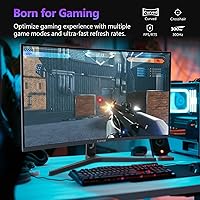
The Z-Edge UG27H 27-inch Curved Gaming Monitor is a strong fit for competitive gamers — particularly those grinding FPS or esports titles — who want a high refresh rate display without spending flagship money. If you are currently on a 60Hz or 144Hz flat panel, the step up to 300Hz via DisplayPort will feel like a genuine upgrade the moment you boot into a fast-paced game. Console players will also find value here, since the dual HDMI inputs make switching between two devices quick and painless. The 1500R curve and anti-glare coating make extended sessions more comfortable, especially in mixed-lighting setups like a home office that doubles as a gaming station. Those who want to wall-mount or use a monitor arm will appreciate the standard VESA compatibility, which keeps the desk clean and the setup flexible.
Not suitable for:

The Z-Edge UG27H 27-inch Curved Gaming Monitor is not the right call for buyers who prioritize image sharpness or resolution above all else. At 27 inches, a 1080p panel produces a noticeably lower pixel density compared to a 1440p or 4K display of the same size — if you sit close or do detail-intensive work like photo editing or video production, you will likely feel that limitation daily. The 250-nit brightness ceiling is also a real constraint for anyone in a bright room or near a window; it simply cannot compete with higher-brightness panels in those conditions. The stand's limited ergonomic range will frustrate users who need precise height or swivel adjustments for a comfortable posture. And since there are no built-in speakers, buyers who do not already own external audio will need to factor that into their setup budget.
Specifications

  • Screen Size: The panel measures 27 inches diagonally, offering a wide viewing area suited to both gaming and everyday desktop use.
  • Resolution: Native resolution is 1920x1080 pixels (FHD), delivering standard high-definition clarity across the full panel.
  • Panel Curve: The display uses a 1500R curvature radius, meaning the screen bends gently to better match the natural arc of human vision.
  • Refresh Rate: Supports up to 300Hz when connected via DisplayPort 1.4, and up to 240Hz when connected via HDMI 2.0.
  • Response Time: Rated at 1ms MPRT (Moving Picture Response Time), which reduces perceived motion blur during fast on-screen movement.
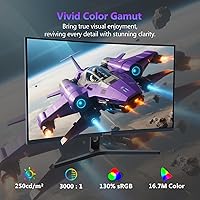
  • Brightness: Peak brightness is rated at 250 nits (cd/m²), which is adequate in dim environments but may feel limited in bright rooms.
  • Contrast Ratio: A 3000:1 static contrast ratio helps produce deeper blacks and brighter highlights compared to many entry-level panels.
  • Color Depth: Supports 16.7 million colors, covering standard sRGB content for gaming and general multimedia use.
  • Connectivity: Equipped with two DisplayPort 1.4 ports and two HDMI 2.0 ports, allowing up to four simultaneous device connections.
  • Aspect Ratio: Standard 16:9 widescreen aspect ratio, compatible with virtually all modern games, applications, and video content.
  • Screen Surface: The panel features an anti-glare matte coating to reduce reflections from ambient light sources in the room.
  • VESA Mount: Compatible with standard 100x100mm VESA mounting patterns, supporting most third-party monitor arms and wall mounts.
  • Dimensions: The monitor measures 24.2 inches wide, 14.2 inches tall, and 6.9 inches deep with the stand attached.
  • Weight: Total unit weight with stand is 9.9 pounds, which is typical for a monitor of this size and build.
  • Speakers: No built-in speakers are included; users will need external speakers or headphones for audio output.
  • Model Number: The official model identifier is UG27H, manufactured by Z Z-Edge and first available in February 2025.

Related Reviews
Z-Edge UG27Q 27-inch Curved Gaming Monitor
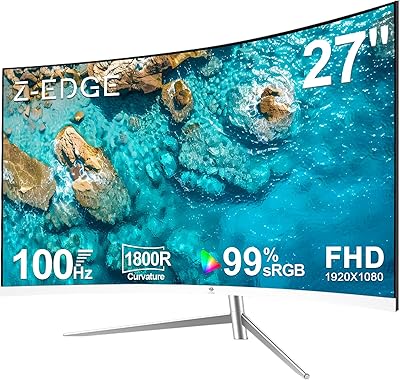
87%
93%
Gaming Performance
88%
Visual Quality
96%
Refresh Rate (165Hz)
85%
Build Quality
74%
Color Accuracy
More
Z-Edge U27C 27-inch Curved Gaming Monitor
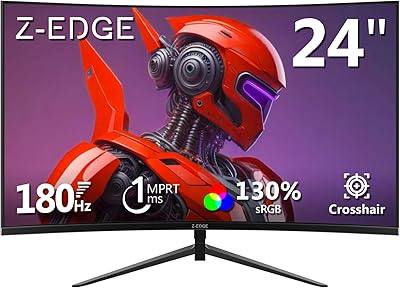
73%
88%
Value for Money
84%
Image Contrast & Depth
76%
Refresh Rate Performance
81%
Curvature & Immersion
79%
Eye Comfort & Fatigue
More
Z-Edge UG27PJ 27-inch Gaming Monitor 240Hz
86%
91%
Display Quality
94%
Refresh Rate Performance
88%
Color Accuracy
87%
Ease of Setup
85%
Build Quality
More
Z-Edge UG24 24-inch Curved Gaming Monitor
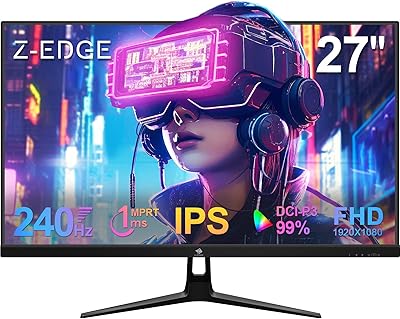
85%
88%
Gaming Performance
85%
Display Quality
81%
Build Quality
92%
Value for Money
89%
Ease of Setup
More
Z-Edge UG32 32-inch Curved Gaming Monitor
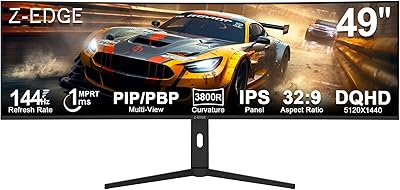
84%
91%
Gaming Performance
88%
Display Quality
85%
Design and Build Quality
84%
Ease of Setup
90%
Refresh Rate and Responsiveness
More
Z-Edge UG49W 49-Inch 5K Curved Gaming Monitor
86%
94%
Overall Display Quality
92%
Gaming Performance
85%
Build Quality
81%
Ergonomics and Comfort
90%
Color Accuracy
More
Skytech Gaming Moonshadow 27-inch Curved Gaming Monitor

83%
88%
Image Quality
91%
Refresh Rate Performance
86%
Adaptive-Sync
83%
VA Panel Contrast
84%
Stand & Ergonomics
More
Sealan 27-inch Curved Gaming Monitor
82%
85%
Display Quality
90%
Ease of Setup
91%
Value for Money
87%
Performance in Gaming
83%
Color Accuracy
More
FYHXele 27-inch Curved Gaming Monitor 165Hz
85%
91%
Gaming Performance
94%
Display Quality
88%
Value for Money
76%
Build Quality
89%
Ease of Setup
More
CRUA CR270C 27″ Curved Gaming Monitor
71%
83%
Value for Money
78%
Image Quality
81%
Refresh Rate Performance
86%
Panel Contrast & Blacks
67%
Build Quality
More

FAQ

Yes — you need to use one of the DisplayPort 1.4 ports, not HDMI. The HDMI ports top out at 240Hz, so if you plug in via HDMI and wonder why you cannot select 300Hz in your display settings, that is why. Make sure your GPU also has a DisplayPort output and that you are using a quality DP cable.

Honestly, it depends on how close you sit and what you are using it for. At a typical gaming distance of 2 to 3 feet, many people find it perfectly acceptable — especially in fast-paced games where you are focused on movement rather than fine detail. If you do productivity work, read a lot of text, or sit very close to your monitor, you may notice the lower pixel density more. It is a real trade-off, and worth being honest with yourself about before buying.

Yes, both consoles connect via HDMI 2.0, and the UG27H has two HDMI ports. Keep in mind that consoles currently do not output above 120Hz in most titles, so the 240Hz HDMI cap is not a limiting factor in practice. You will still get a smooth, responsive experience.

The stand is fairly basic — it offers tilt adjustment but limited range for height or swivel. If ergonomics are a priority, you would be better off picking up a VESA-compatible monitor arm, since this monitor does support 100x100mm mounting. That will give you full flexibility in positioning.

It is primarily designed with gaming in mind, but it works fine for general desktop use. Web browsing, documents, and video streaming all look fine. Just be aware that 250 nits of brightness can feel a bit dim for a bright office environment, and there are no speakers, so you will need headphones or a separate audio setup.

No, this monitor does not advertise HDR support. The 250-nit brightness ceiling and the absence of HDR certification mean you will not get the expanded dynamic range that HDR-capable displays offer. For gaming with HDR visuals, you would need to look at a different panel.

At 27 inches, the 1500R curve is subtle but present — enough to give a slightly more immersive feel during gaming without being distracting during regular use. It is not as dramatic as ultrawide curved monitors, but it does reduce the sense of flat-panel edge distortion when you glance to the sides.

Yes, as long as your laptop has an HDMI output or you use an appropriate adapter, it will connect without issue. You will be limited to the HDMI 2.0 maximum of 240Hz from that connection, but MacBooks and most laptops do not push refresh rates that high anyway, so that is rarely a real limitation.

It handles indirect ambient light reasonably well, but if you have a window directly behind you or strong sunlight hitting the screen, 250 nits of brightness will struggle to compete. In a controlled or dim gaming environment it performs fine; in a bright open-plan room it can look washed out.

Z-Edge typically includes at least one cable in the box, but it is worth checking the included accessories when you receive it. To use the full 300Hz, you will want to confirm you have a good DisplayPort 1.4 cable — if one is not included or you are unsure of its quality, picking up a certified DP 1.4 cable separately is a low-cost way to ensure you are getting the full performance.

Where to Buy