



Overview

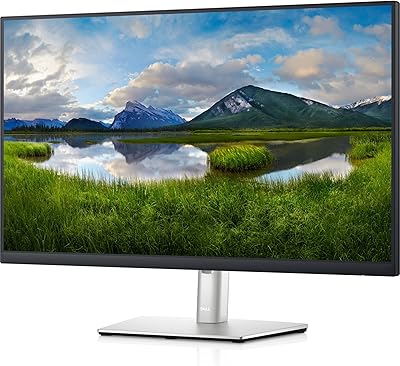
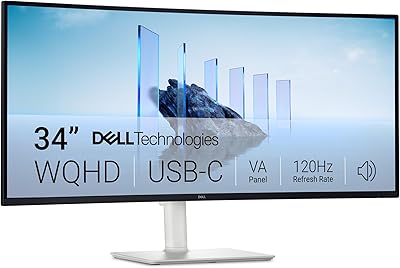
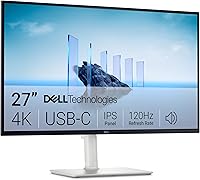
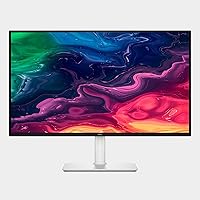
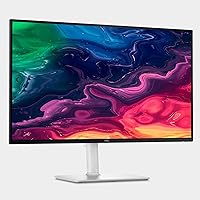
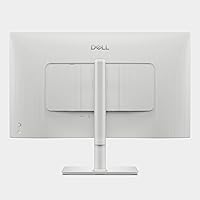
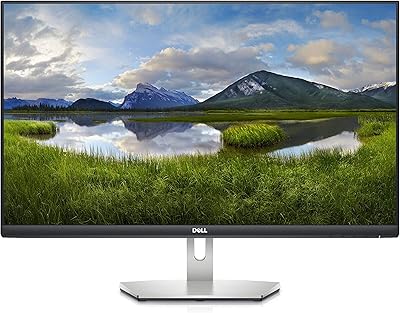
The Dell S2725QC 27-inch 4K USB-C Monitor arrived in March 2025 as one of the more practical additions to Dell's S-series lineup — a family known for balancing solid image quality with everyday usability. What separates this particular model is the Ash White finish, which looks genuinely sharp on a modern desk rather than the industrial black most monitors default to. The central appeal, though, is the single-cable USB-C workflow: plug in your laptop and you get display output, data, and up to 65W of charging through one connection. It's a well-rounded mid-range option that gets a lot right without asking you to compromise on the things that matter most.

Features & Benefits

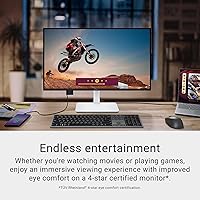
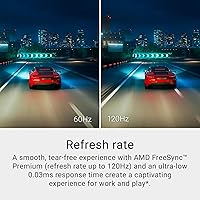
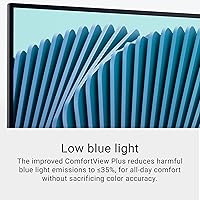
The IPS panel here runs at full 4K resolution with a 120Hz refresh rate — a combination that pays off whether you're tracking spreadsheet columns for hours or watching high-framerate content at the end of the day. Colors land in a solid place for a display at this tier; 99% sRGB coverage means photos and videos render with enough accuracy to be genuinely useful for light creative work. The ComfortView Plus technology quietly reduces blue light output without noticeably shifting the white balance, which is a more honest approach than simple software filters. AMD FreeSync Premium reduces screen tearing without demanding a gaming-grade GPU. One honest note: the 65W USB-C power delivery works well for most laptops, but owners of power-hungry machines may still need a separate charger.

Best For

This 27-inch Dell display is a natural fit for remote workers who want a clean, uncluttered desk — the kind of setup where a single cable between laptop and monitor is genuinely appealing. It also works well for photo and video editors who need reasonably accurate color rendering but aren't ready to invest in a professional-grade panel. Mac and Windows laptop users with USB-C ports will find the plug-and-play experience refreshingly simple. Casual gamers get a smooth enough experience at 120Hz without overpaying for features they won't use. Students and anyone running a dual-purpose workstation — half productivity, half entertainment — will find this display versatile enough to handle both without feeling like a compromise.

User Feedback

With a 4.4-star average across nearly 1,000 ratings, the S2725QC sits in solidly positive territory — not universally loved, but clearly doing enough right to satisfy most buyers. The most consistent praise centers on image sharpness and the single-cable desk setup, with several reviewers noting how much cleaner their workspace feels. Build quality and the Ash White aesthetic also get regular nods. On the critical side, a handful of users flag the integrated speakers as underwhelming — fair, since built-in monitor audio rarely punches hard. Some buyers also wish the stand offered more adjustment options. That said, a majority report that after weeks of daily use, the value holds up well against similarly priced competitors.

Pros

  • Sharp 4K resolution makes text, photos, and video look noticeably crisper than a typical 1080p or 1440p display.
  • The single USB-C cable setup genuinely reduces desk clutter and simplifies connecting a laptop in seconds.
  • 120Hz refresh rate brings smooth scrolling and fluid motion that benefits both productivity and casual gaming.
  • ComfortView Plus blue light reduction works passively — no jarring color shift like software-based filters.
  • 99% sRGB color accuracy is reliable enough for photo editing and content review without a pro-grade price tag.
  • The Ash White design stands out aesthetically and fits naturally into bright, modern home office setups.
  • AMD FreeSync Premium keeps visuals tear-free during gaming without requiring a specific GPU brand.
  • Matte anti-glare screen coating handles ambient light well, reducing reflections in bright rooms.
  • Strong owner ratings across nearly 1,000 reviews reflect consistent satisfaction after real-world daily use.
  • Released in early 2025, so buyers are getting a current-generation product with modern connectivity standards.

Cons

  • Integrated speakers are underwhelming — most users will want external audio for anything beyond background noise.
  • 65W USB-C power delivery cannot fully charge high-performance or gaming laptops under heavy load.
  • Stand adjustability is limited, which can be a real frustration for users with specific ergonomic needs.
  • No DCI-P3 or AdobeRGB coverage makes it unsuitable for professional color-critical production work.
  • Peak brightness may feel insufficient in very bright or sunlit rooms, even with the matte coating.
  • HDR support is nominal — do not expect the kind of HDR contrast you would get from a dedicated HDR display.
  • Out-of-box color calibration may require some tuning for buyers with accuracy-sensitive workflows.
  • At 27 inches, some users stepping up from an ultrawide or larger panel may find the screen size a step back.

Ratings

The scores below reflect an AI-driven analysis of verified global buyer reviews for the Dell S2725QC 27-inch 4K USB-C Monitor, with spam, bot activity, and incentivized feedback actively filtered out before any scoring was applied. Each category was weighted against real-world usage patterns — from daily home office sessions to casual evening gaming — so the numbers reflect genuine satisfaction levels, not marketing claims. Both what this 27-inch Dell display does exceptionally well and where it leaves some buyers wanting more are represented here with full transparency.

Image Clarity
93%
Buyers consistently describe the 4K sharpness as one of the first things they notice after unboxing — text is crisp enough that font rendering on small UI elements is noticeably cleaner than on 1080p or 1440p panels they had previously. Spreadsheet rows, fine photo details, and video subtitles all benefit in ways that quickly feel indispensable.
A small number of reviewers note that the jump to 4K demands more GPU headroom, and users pairing it with older or integrated graphics occasionally report scaling issues or lower-than-expected performance. The panel's HDR readiness also sets expectations that its actual HDR output cannot fully satisfy.
Color Accuracy
88%
For everyday photo editing, social content creation, and video review, buyers find the out-of-box color reproduction reliable and consistent across the screen. The IPS panel's wide viewing angles mean colors stay accurate whether you are sitting directly in front or slightly to the side, which matters during collaborative reviews.
Buyers with professional color grading workflows note the absence of wide-gamut DCI-P3 or AdobeRGB coverage as a real limitation. A portion of reviewers also mention that factory calibration, while good, benefits from a manual fine-tune for strict accuracy work — it is not a plug-and-shoot solution for demanding creative professionals.
USB-C Connectivity
91%
The single-cable workflow is the feature buyers praise most enthusiastically — plugging in a laptop and instantly getting 4K output, peripheral access, and charging simultaneously feels genuinely transformative for desk cleanliness. MacBook and Windows ultrabook users in particular describe it as a daily quality-of-life improvement that is hard to overstate.
The 65W power delivery ceiling is a recurring frustration for owners of high-performance laptops, particularly those with discrete GPUs that demand more wattage under load. These users report the battery still drains during intensive tasks, effectively forcing a second charger back onto the desk and undermining the whole single-cable appeal.
Refresh Rate & Smoothness
86%
At 120Hz, everyday interactions — browser scrolling, window dragging, video playback — feel noticeably more fluid than the 60Hz monitors most buyers are upgrading from. Casual gamers report a satisfying smoothness in single-player titles, and AMD FreeSync Premium keeps screen tearing out of the picture during GPU frame-rate fluctuations.
Buyers who game competitively or who specifically sought a high-refresh gaming display may feel 120Hz falls short compared to 144Hz or 165Hz panels available at similar price points. The monitor is not marketed as a gaming display, but expectations around this spec occasionally lead to mild disappointment in that audience segment.
Build Quality & Design
89%
The Ash White finish consistently earns compliments in buyer reviews — it looks intentional and modern rather than like a budget afterthought, and fits naturally into home office setups dominated by white or neutral tones. The overall chassis feels solid, with no reported flex, creaking, or wobble from the stand base during daily use.
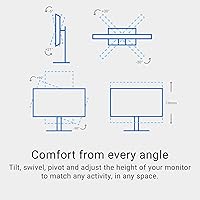
Stand ergonomics are the most consistent structural complaint: height adjustment range is limited, and there is no pivot or swivel on the standard stand, which frustrates buyers who prefer portrait orientation or who have specific ergonomic requirements. A VESA mount adapter resolves this but adds cost and hassle.
Stand Ergonomics
61%
39%
The included stand handles basic tilt adjustment adequately for users who are comfortable at a fixed height, and the footprint is compact enough to avoid dominating the desk surface. For buyers with a standard seated posture, the default positioning is workable without modifications.
This is one of the clearest weak points flagged across reviews — the stand simply does not offer the height, swivel, and pivot range that users accustomed to premium monitor stands expect. Buyers who spend many hours daily in front of this display and need precise ergonomic positioning often find themselves purchasing a separate monitor arm fairly quickly.
Integrated Speakers
54%
46%
The redesigned speakers perform adequately for video calls, system sounds, and background audio at low-to-moderate volume — an upgrade over the bare minimum speakers found on many competing displays. For buyers who just need basic audio without adding desktop clutter, they serve as a functional fallback.
Buyers who expected meaningful audio quality are consistently disappointed — the speakers lack bass response and volume ceiling, and audio clarity at higher volumes degrades noticeably. Most reviewers recommend budgeting for even a modest pair of desktop speakers if sound quality matters at all in your setup.
Brightness & HDR Performance
67%
33%
In typical indoor office lighting conditions, the panel provides sufficient brightness for comfortable all-day use, and the matte anti-glare coating handles moderate ambient light effectively without introducing distracting reflections. Most home office environments fall well within the monitor's comfortable brightness range.
In sun-lit rooms or bright environments, some buyers find the peak brightness falls short of what they need for comfortable viewing. The HDR-ready label also generates frustration — the display does not deliver the contrast or luminance performance that buyers associate with true HDR panels, and some feel the specification is misleading.
Eye Comfort
84%
The ComfortView Plus blue light reduction is frequently cited as a genuine benefit by buyers who work eight or more hours a day at their desk — unlike software-level filters, it does not produce an obvious yellow tint that distorts color perception. Several reviewers note that eye fatigue during long sessions has measurably reduced since switching to this display.
A smaller group of buyers who are particularly sensitive to flicker report occasional discomfort, and a few note that the blue light reduction, while effective, does not fully eliminate fatigue during marathon sessions in low-light environments. These cases are a minority, but worth noting for buyers with known visual sensitivities.
Setup & Out-of-Box Experience
87%
Assembly is straightforward — most buyers report having the display up and running within a few minutes of opening the box, with no tools required. USB-C plug-and-play with a compatible laptop is particularly smooth, requiring no driver installation or manual configuration in typical macOS and Windows environments.
Buyers connecting via HDMI instead of USB-C occasionally report needing to manually adjust resolution and refresh rate settings to unlock full 4K 120Hz output, which is a minor but avoidable friction point. A small number of units arrived with cosmetic packaging damage, though the panels themselves were unaffected in most reported cases.
Value for Money
82%
18%
Buyers who compare this display to alternatives at the same price point generally conclude that combining 4K resolution, 120Hz refresh, and USB-C single-cable charging in one panel represents strong overall value. For home office users who would otherwise need a separate dock or hub, the integrated connectivity makes the effective cost-per-feature ratio even more favorable.
Buyers whose primary use case is gaming or professional color work tend to feel the value proposition weakens when they consider what else is available at this price — dedicated gaming monitors offer higher refresh rates, and color-critical displays offer wider gamuts. The S2725QC earns its value most clearly for the all-rounder buyer, less so for specialists.
Compatibility
85%
USB-C compatibility across major laptop brands — Apple, Dell, HP, Lenovo, ASUS — is consistently reported as smooth and reliable. Windows and macOS both recognize the display without manual driver intervention in the vast majority of cases, and the monitor handles resolution scaling reasonably well across operating systems.
Buyers using older laptops with Thunderbolt 3 or USB-C ports rated below the display's bandwidth requirements occasionally encounter limitations with achieving the full resolution and refresh rate simultaneously. Compatibility across the broadest range of devices is strong, but not entirely universal, which occasionally catches buyers off guard.
Cable Management
83%
The stand includes a basic cable routing channel that keeps the USB-C cable tidy and out of sight from the front of the desk. Buyers who specifically cite desk aesthetics as a priority appreciate that the monitor was clearly designed with clean setups in mind, not just as a display afterthought.
The cable management solution handles one or two connections neatly but becomes less effective if buyers are running multiple peripherals through a hub or daisy-chaining devices. The stand's routing channel is narrow enough that thicker third-party cables occasionally do not fit cleanly.

Suitable for:

The Dell S2725QC 27-inch 4K USB-C Monitor was clearly designed with the modern home office worker in mind, and it delivers on that promise in meaningful ways. If you spend long hours in front of a screen — whether writing, designing, coding, or juggling video calls — the combination of sharp 4K clarity and blue light reduction makes extended sessions noticeably more comfortable. Laptop users with a USB-C port will get the most out of it: one cable handles display, data transfer, and charging simultaneously, which genuinely simplifies a cluttered desk. Content creators working in photography or video who need reliable color accuracy without stepping into pro-monitor pricing territory will find the 99% sRGB coverage more than adequate for their workflow. Casual gamers who primarily play story-driven or slower-paced titles will also appreciate the smooth 120Hz output without overpaying for features they would rarely push. Students needing a versatile display that pulls double duty for study and entertainment are well served here too.

Not suitable for:

There are specific buyer profiles for whom the S2725QC is likely to disappoint, and it is worth being upfront about that. Competitive or performance-focused gamers who need ultra-fast response and high-refresh-rate panels built specifically for reaction-time-sensitive play will find better-suited options in the gaming monitor segment. Professional colorists or photographers working to strict print or broadcast standards may find the color gamut falls short — this display does not cover DCI-P3 or AdobeRGB at a professional level. Users who rely solely on built-in audio and expect satisfying sound without external speakers will be let down; the integrated speakers are functional but not impressive. If you own a power-hungry laptop — a high-end gaming rig or a mobile workstation — the 65W USB-C charging may not keep pace under full load, requiring a second charger on the desk and defeating part of the convenience argument. Finally, buyers who need extensive ergonomic adjustment from their stand may find the options here limiting compared to premium display lines.

Specifications

  • Screen Size: The display measures 27 inches diagonally, offering enough screen real estate for side-by-side windows without overwhelming a standard desk.
  • Resolution: Native resolution is 3840x2160 (4K UHD), delivering roughly four times the pixel density of a standard 1080p panel at the same screen size.
  • Panel Type: Uses IPS (In-Plane Switching) technology, which provides consistent color accuracy and wide viewing angles compared to TN or VA alternatives.
  • Refresh Rate: Supports a maximum refresh rate of 120Hz, enabling noticeably smoother motion during scrolling, video playback, and casual gaming.
  • Response Time: Rated at 0.03ms response time, which minimizes motion blur and ghosting in fast-moving content.
  • Color Coverage: Covers 99% of the sRGB color space, making it a reliable choice for everyday photo editing and color-sensitive content review.
  • Contrast Ratio: Delivers a 1500:1 static contrast ratio, providing solid differentiation between dark shadows and bright highlights in typical viewing conditions.
  • HDR Support: The panel is HDR-ready, though it is not a full HDR display and should not be compared to dedicated high-brightness HDR monitors.
  • Blue Light Filter: ComfortView Plus technology reduces harmful blue light emissions to 35% or below without applying a visible color shift to the screen.
  • Sync Technology: AMD FreeSync Premium is supported, dynamically matching the monitor's refresh rate to the GPU output to reduce screen tearing.
  • USB-C Power: The USB-C port delivers up to 65W of power, sufficient to charge most thin-and-light laptops while simultaneously transmitting display and data signals.
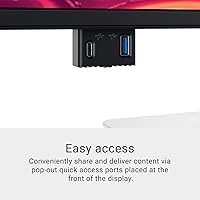
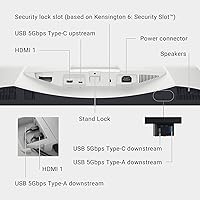
  • Connectivity: Primary connectivity centers on a single USB-C cable for video, data, and charging; additional port configuration follows Dell S-series standards.
  • Speakers: Integrated speakers are included and have been redesigned over the previous generation for improved output power and frequency response.
  • Screen Surface: The matte anti-glare coating reduces reflections from ambient light sources, making the display more usable in brightly lit environments.
  • Aspect Ratio: Standard 16:9 widescreen aspect ratio, compatible with virtually all content formats and operating system display configurations.
  • Dimensions: The monitor measures approximately 24.08 inches wide, 15.3 inches tall, and 7.89 inches deep with the stand attached.
  • Weight: Total weight with stand is 14.79 pounds, which is typical for a 27-inch display and manageable for occasional repositioning.
  • Color Finish: Available in Ash White, a warm off-white finish that suits modern and Scandinavian-inspired home office aesthetics.
  • Release Date: This monitor was first made available in March 2025, making it a current-generation product with up-to-date connectivity standards.
  • Model Number: The official model designation is S2725QC, part of Dell's S-series lineup of productivity-focused displays.

Related Reviews
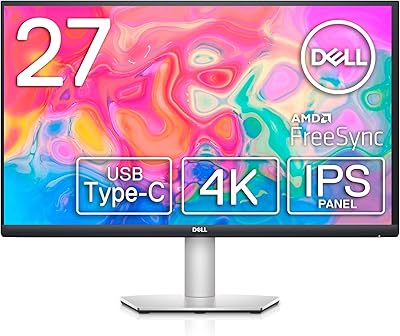
Dell S2722QC 27-inch 4K USB-C Monitor
74%
91%
Image Sharpness & Clarity
88%
USB-C Connectivity
86%
Ergonomics & Stand
83%
Value for Money
67%
Color Accuracy
More
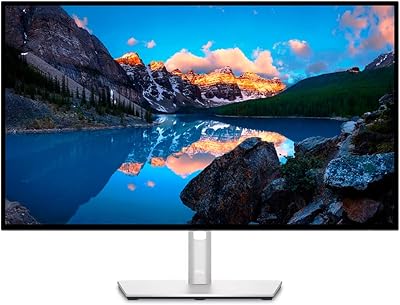
Dell UltraSharp U2723QE 27″ 4K Monitor
78%
93%
Color Accuracy
88%
Contrast & Black Depth
91%
USB-C Hub & Connectivity
89%
Eye Comfort
87%
Build Quality & Stand
More
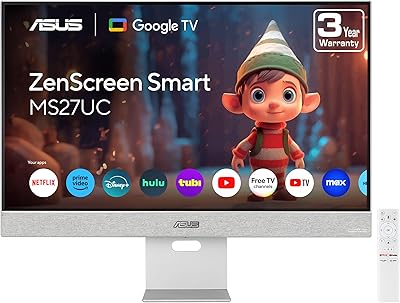
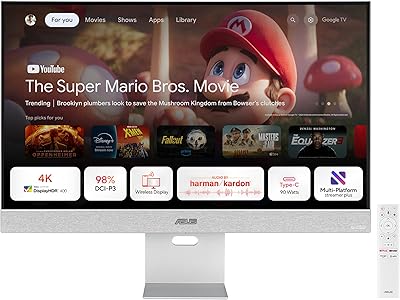
ASUS ZenScreen MS27UC 27-inch 4K USB-C Smart Monitor
86%
91%
Display Quality
94%
Color Accuracy
88%
Connectivity & Convenience
84%
Smart Features (Google TV, Streaming)
80%
Sound Quality
More
Dell P2721Q 27-inch 4K Monitor
75%
93%
Image Sharpness
81%
Color Accuracy
89%
USB-C Connectivity
63%
Build Quality
77%
Ergonomics & Adjustability
More
Dell S2721Q 27-inch 4K UHD Monitor
84%
91%
Picture Quality
88%
Color Accuracy
92%
Value for Money
85%
Setup and Installation
89%
Gaming Performance (FreeSync)
More
Dell 34 Plus USB-C Curved Monitor S3425DW 34-inch
86%
91%
Display Quality
94%
Color Accuracy
85%
Gaming Performance
88%
Build Quality
92%
Ease of Setup
More
Dell UltraSharp U3821DW 38-inch Curved USB-C Hub Monitor
87%
91%
Display Quality
87%
Ergonomics & Comfort
89%
Multitasking Performance
92%
Color Accuracy
90%
Connectivity Options
More
ASUS ZenScreen MS32UC 31.5-inch 4K USB-C Smart Monitor
85%
94%
Display Quality
93%
Color Accuracy
89%
Connectivity Options
91%
Ease of Setup
88%
Smart Features (Google TV, Streaming)
More
ViewSonic VP2768a-4K 27-Inch 4K Monitor

86%
94%
Color Accuracy
88%
Ergonomics & Comfort
91%
Value for Money
89%
Build Quality
85%
Ease of Setup
More
ViewSonic VA2756-4K-MHD 27-Inch 4K Monitor
84%
92%
Display Quality
90%
Color Accuracy
88%
Design & Build Quality
85%
Ease of Setup
89%
Connectivity Options
More

FAQ

Yes, as long as your MacBook has a USB-C or Thunderbolt port, you can connect it with a single cable and get 4K video output, data transfer, and up to 65W of charging at the same time. Most modern MacBook Air and MacBook Pro models are fully compatible. Just keep in mind that 65W may not keep a MacBook Pro under heavy load from draining slowly — it charges comfortably at rest or during light tasks.

It handles casual gaming quite well. The 120Hz refresh rate and AMD FreeSync Premium make everyday gaming noticeably smooth, and the fast response time keeps motion blur minimal. That said, if you are a competitive player who needs 144Hz or higher with very specific gaming features, there are panels better tailored for that use case. For most people who game occasionally alongside regular work, this 27-inch Dell display is more than capable.

It depends on your laptop. For ultrabooks, thin-and-light machines, and most consumer laptops, 65W is plenty to maintain or slowly top up the battery during use. However, if you own a high-performance laptop — particularly gaming notebooks or mobile workstations — 65W under full CPU and GPU load may not be sufficient, and you may still need a dedicated charger. Check your laptop's recommended wattage before assuming single-cable charging will fully cover you.

Most users find the out-of-box image quality quite good for everyday use. Colors are accurate enough for casual photo editing and general content consumption without any adjustment. That said, buyers with more demanding color accuracy requirements — graphic designers or photographers with strict output standards — may want to run a basic calibration to dial things in precisely. It is not a strict requirement, but the option is there.

They work fine as a fallback for video calls, background music, or the occasional YouTube video. Dell has improved them over the previous generation with better output power and a wider frequency range. But if you care about sound quality at all — music listening, immersive movie watching, gaming audio — a pair of external speakers or headphones will make a significant difference. Do not buy this monitor expecting great audio from the integrated speakers.

The stand provides tilt adjustment, which covers the basics for most setups. Full height, swivel, and pivot adjustments may be limited depending on the configuration, and this is one area where some buyers have expressed a wish for more flexibility. If ergonomics are a priority for you, it is worth checking whether a VESA-compatible third-party arm would be a better fit for your specific needs.

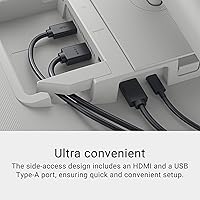
Beyond the primary USB-C connection, the monitor includes additional ports typical of Dell's S-series line, such as HDMI and USB downstream ports for connecting peripherals. For the full and most current port layout, it is worth checking Dell's official spec sheet, as port configurations can vary slightly by region or retailer listing.

Yes, the USB-C connection supports the full 4K resolution at 120Hz simultaneously with power delivery, which is one of its more practical strengths. You get the maximum visual output and charging through a single cable without having to choose one or the other.

The finish holds up well in everyday use — it is not a glossy white that fingerprints obviously, but more of a matte-textured off-white that resists visible smudging on the casing. The screen itself has a matte anti-glare coating that also stays clean-looking with light maintenance. Standard microfiber cleaning is recommended for the panel.

At its price point, the S2725QC competes well by offering 4K resolution and 120Hz together with USB-C single-cable convenience — a combination that many competitors in the same tier split across different models. Buyers who have compared it to alternatives tend to highlight the clean desk cable management and the reliability of the Dell brand as differentiators. It is not the absolute best in any single category, but as an all-around mid-range 4K option for home office use, it holds its own against the competition.

Where to Buy