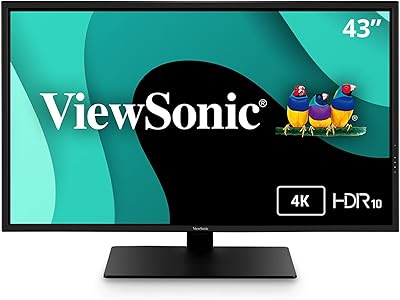
ViewSonic VA2756-4K-MHD 27-inch 4K Monitor


Overview
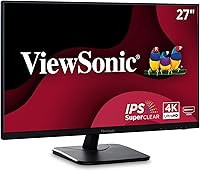
The ViewSonic VA2756-4K-MHD 27-inch 4K Monitor lands squarely in the camp of monitors built for people who spend their day staring at a screen and want that screen to actually look good. It is a 27-inch IPS panel running true 4K UHD resolution, wrapped in a matte black shell with bezels thin enough that you forget they are there after a week of use. Pricing sits in the mid-range bracket, which makes it less of a splurge and more of a practical first step into 4K computing. With a 4.6 out of 5 average across well over 400 ratings, it has clearly earned a reputation as a dependable, no-drama choice for home offices and everyday desks.
Features & Benefits
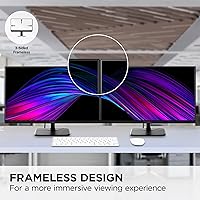
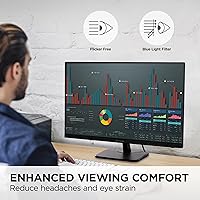
Spend any real time with this ViewSonic monitor and the SuperClear IPS panel is what stands out first; colors stay accurate and contrast holds up even when you are viewing from an angle, not just dead-center. The 3840x2160 resolution makes a genuine difference for anyone who reads or edits documents for a living, since text renders with a crispness that 1080p simply cannot match. ViewSonic also built in Flicker-Free backlighting and a blue light filter, both of which matter more than they sound on paper during long sessions. Five picture presets adjust the tone for gaming, movies, or plain text work, and the mix of HDMI, DisplayPort, USB, and VGA inputs means it plays nicely with both modern laptops and older office PCs. The slim bezels also make multi-monitor setups look far less cluttered.
Best For
This 27-inch 4K display makes the most sense for remote workers and home-office setups where screen real estate and text clarity actually affect how comfortable your day feels. If you are coming from a tired 1080p monitor, the jump in sharpness here is immediately noticeable, and it does not require spending premium-tier money to get there. It is also a solid pick for anyone doing light photo editing or document-heavy work, where color accuracy matters more than chasing a high refresh rate. Thanks to its slim-bezel build, it fits naturally into a dual or triple-monitor arrangement without the screens feeling boxy or disjointed. Buyers who care more about clarity than competitive gaming performance will likely be the happiest with it.
User Feedback
Buyer sentiment around this IPS monitor leans strongly positive, with a 4.6 out of 5 rating across more than 427 reviews and a steady ranking among the better-selling computer monitors on Amazon, both of which point to consistent satisfaction rather than a lucky batch of reviews. The most common praise tends to circle back to value, since getting a 4K IPS panel at this price point feels like a fair trade. The honest downside worth flagging is the 60Hz refresh rate, which is perfectly fine for office work and casual use but will frustrate anyone hoping to use it for fast-paced, competitive gaming. For general productivity and everyday viewing, though, it appears to consistently meet expectations.
Pros
- Delivers genuinely sharp 4K detail that makes text and images noticeably crisper than 1080p
- SuperClear IPS panel holds accurate color and contrast even from wider viewing angles
- Flicker-Free backlight and a blue light filter make long workdays easier on the eyes
- Five picture presets let you tailor the screen for work, movies, or casual gaming
- Wide input selection, including HDMI, DisplayPort, USB, and VGA, fits both new and older devices
- Ultra-thin bezels make this 27-inch 4K display blend nicely into multi-monitor setups
- Strong 4.6-star average across hundreds of buyers points to consistent real-world reliability
- Sits at a price point that makes 4K feel accessible rather than a luxury upgrade
Cons
- 60Hz refresh rate is a real limitation for fast-paced or competitive gaming
- No confirmed details on stand height adjustability for buyers who need ergonomic flexibility
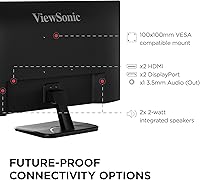
- VESA mount compatibility is not clearly listed, which matters for wall-mount setups
- Lacks built-in speakers as far as the available specifications indicate
- Color credentials are good for general use but not certified for professional color grading
- At 12.1 pounds, this IPS monitor is heavier than some slimmer 27-inch alternatives
- Five preset modes are convenient but offer less granular control than advanced calibration tools
- Buyers wanting cutting-edge gaming features will find this monitor better suited to office work
Ratings
These scores for the ViewSonic VA2756-4K-MHD 27-inch 4K Monitor are generated by AI after analyzing verified user reviews from buyers worldwide, with spam, bot activity, and incentivized feedback actively filtered out. The goal is a transparent breakdown that reflects both what people genuinely love and where this 27-inch 4K display falls short, so you get the full picture before buying.
Display Sharpness & Resolution
Color Accuracy & IPS Panel
Refresh Rate & Gaming Performance
Eye Comfort Features
Connectivity & Port Selection
Design & Build Quality
Value for Money
Ease of Setup
Brightness & Contrast
Multi-Monitor Suitability
Stand & Ergonomics
Overall Reliability
Suitable for:
The ViewSonic VA2756-4K-MHD 27-inch 4K Monitor is a strong fit for remote workers and home-office users who spend hours reading, writing, or working in spreadsheets and want sharper text without paying premium prices. It also suits anyone upgrading from an aging 1080p display, since the jump to true 4K resolution is immediately noticeable on everyday tasks. Light photo editors and document-heavy professionals will appreciate the IPS panel's color accuracy and wide viewing angles, especially when sharing a screen with a colleague. Its slim bezels make it a natural choice for people setting up dual or triple-monitor desks, where minimal frame width keeps the workspace feeling unified. For buyers who simply want a dependable, well-rated screen for daily productivity, this is an easy recommendation.
Not suitable for:
Competitive and fast-action gamers should steer clear of the ViewSonic VA2756-4K-MHD 27-inch 4K Monitor, since its 60Hz refresh rate cannot keep pace with the 144Hz or higher panels built for that kind of play. Video editors or designers who rely on certified color accuracy for client-facing work may also want to look at higher-end professional monitors instead. Anyone needing built-in speakers, a height-adjustable stand, or specific VESA mounting compatibility should confirm those details elsewhere, since that information is not clearly documented here. Buyers expecting a premium, ultra-high-refresh gaming experience or specialized color-grading tools will likely find this monitor undersized for their needs. It is simply not designed with those use cases as the priority.
Specifications
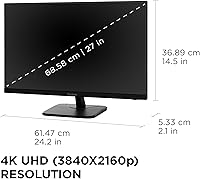
- Screen Size: The display measures 27 inches diagonally, suited for both single-monitor desks and multi-monitor arrangements.
- Resolution: It runs a native 4K UHD resolution of 3840x2160 pixels for sharp text and image detail.
- Panel Type: It uses ViewSonic's SuperClear IPS panel technology for consistent color and wide viewing angles.
- Refresh Rate: The maximum refresh rate is 60Hz, suited for office work and casual use rather than high-speed gaming.
- Aspect Ratio: The screen has a standard 16:9 aspect ratio common to most productivity and entertainment content.
- Screen Surface: The panel features a matte finish designed to reduce glare from ambient lighting.
- Eye Comfort: Flicker-Free backlight technology and a Blue Light Filter are built in to reduce eye strain during extended use.
- Picture Presets: Five preset modes, Game, Movie, Web, Text, and Mono, let you tailor color and contrast to different content types.
- Video Inputs: Connectivity includes HDMI, DisplayPort, USB, and VGA inputs to support a range of laptops, desktops, and older devices.
- Bezel Design: Ultra-thin bezels surround the screen, making it a practical choice for dual or triple-monitor setups.
- Color: The monitor is finished in black, giving it a neutral, professional appearance.
- Weight: The monitor weighs 12.1 pounds, including the included stand.
- Dimensions: Overall product dimensions are 2.1 x 24.2 x 14.5 inches as listed by the manufacturer.
- Brand & Model: It is manufactured by ViewSonic under the model number VA2756-4K-MHD.
- Customer Rating: The monitor holds an average rating of 4.6 out of 5 stars based on more than 427 customer reviews.
Related Reviews

ViewSonic VP2768a-4K 27-Inch 4K Monitor

ViewSonic VG2756-4K 27-Inch 4K Docking Monitor

ViewSonic VX2776-4K-MHDU 27-inch 4K IPS Monitor

ViewSonic VX3276-4K-MHD 32-inch 4K Monitor
ViewSonic VX2767-MHD 27-inch Gaming Monitor
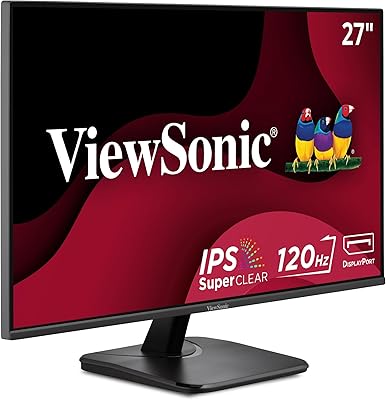
ViewSonic VA2756A-MHD 27-inch IPS Monitor
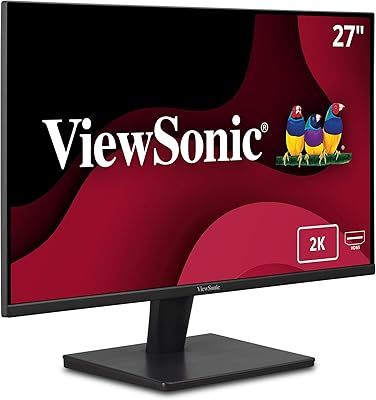
ViewSonic VA2715-2K-MHD 27-inch QHD Monitor
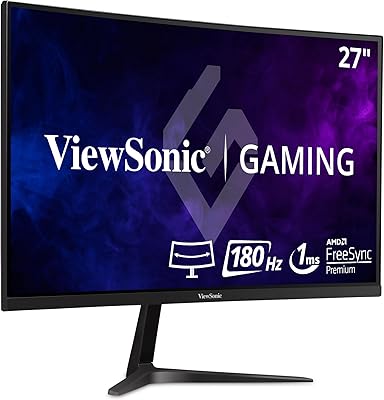
ViewSonic VX2718-PC-MHD 27-inch Curved Gaming Monitor

ViewSonic VP3256-4K 32-inch 4K IPS Monitor