
Overview

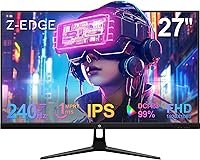
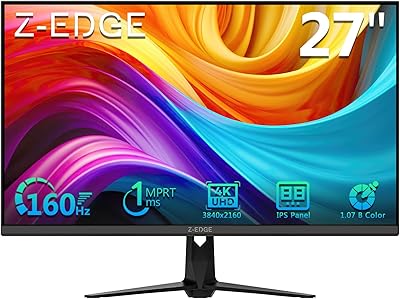
The Z-Edge UG27PJ 27-inch 240Hz Gaming Monitor enters a crowded sub-$200 arena where names like AOC, ASUS, and MSI dominate the conversation. Z-Edge isn't a household brand, and that's worth acknowledging upfront — but unfamiliar branding doesn't automatically mean inferior hardware. This Z-Edge gaming monitor sports a three-sided frameless bezel, a matte IPS panel, and a clean, understated look that holds its own on any desk. The pitch is simple: high refresh rate performance paired with respectable color reproduction at a price that won't strain most budgets. For buyers willing to look past the badge, there's a compelling case to be made here.

Features & Benefits

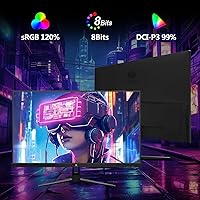
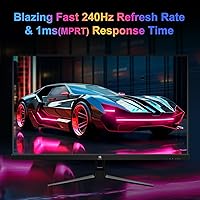
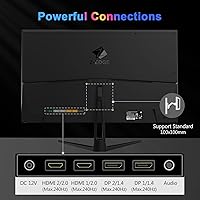
The headline spec is the 240Hz refresh rate, paired with a 1ms MPRT response time — though it's worth being clear about what MPRT actually means. Unlike GtG, which measures raw pixel transition speed, MPRT reflects how long a pixel stays visible per frame with backlight strobing active. Motion looks sharper, but it can slightly reduce brightness. The IPS panel covers DCI-P3 99% and sRGB 120%, so colors punch noticeably harder than budget TN alternatives. Four ports — two DP 1.4 and two HDMI 2.0 — all support full 240Hz output, which is genuinely uncommon at this price. Throw in a crosshair overlay, game presets, 400 cd/m² brightness, and flicker-free eye-care tech, and the feature list is hard to argue with.

Best For

The UG27PJ is a natural fit for competitive FPS and RTS players who prioritize frame rate over resolution. At 27 inches with a 1080p panel, pixel density is on the lower end — text and fine detail won't look as sharp as they would on a smaller or higher-resolution display, so this isn't the right call for heavy productivity or design work. Where it clicks is gaming. The four-port setup makes it especially practical for console and PC hybrid rigs, and the slim bezel works well in a dual-monitor arrangement. Students and first-time upgraders jumping from a 60Hz or 144Hz screen will feel the difference immediately without spending beyond their means.

User Feedback

Buyers consistently highlight vibrant out-of-box colors, fluid gameplay, and the clean frameless look as standout positives. The 4.5-star average reflects genuine satisfaction given what this 27-inch 240Hz display costs. That said, two complaints surface often. The included stand offers tilt only — no height, swivel, or pivot — which is a real ergonomic limitation for anyone not planning to use a VESA arm. The OSD navigation also earns grumbles: functional, but not intuitive enough to feel natural. A handful of buyers have flagged unit-to-unit variation in factory color calibration, so if a unit arrives looking noticeably off, requesting a replacement is likely a better path than fighting the settings menu.

Pros

  • 240Hz refresh rate delivers genuinely smooth, responsive motion in fast-paced competitive games.
  • All four ports — two DP 1.4 and two HDMI 2.0 — support the full 240Hz refresh rate, which is rare at this price.
  • The IPS panel's DCI-P3 99% and sRGB 120% coverage produces vivid, punchy colors straight out of the box.
  • Flicker-free backlight and low blue light filter make long gaming sessions noticeably easier on the eyes.
  • Three-sided frameless bezel gives this 27-inch 240Hz display a clean, modern look that works well in dual-monitor setups.
  • VESA 100x100mm compatibility makes it easy to pair with a wall mount or monitor arm.
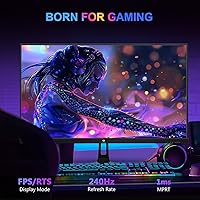
  • Built-in crosshair overlay and FPS/RTS game presets add genuine utility for competitive players without extra software.
  • 400 cd/m² brightness keeps the image clear and visible even in well-lit rooms.
  • Solid 4.5-star buyer rating reflects consistent satisfaction relative to what the monitor actually costs.

Cons

  • The included stand offers tilt adjustment only — no height, swivel, or pivot, which limits ergonomic flexibility.
  • 1080p resolution on a 27-inch screen produces lower pixel density, making text and fine detail look softer than on smaller or sharper panels.
  • The OSD menu is functional but unintuitive, and navigating settings takes more effort than it should.
  • Factory color calibration can vary between individual units, so some buyers may receive a panel that needs manual adjustment.
  • Z-Edge is a lesser-known brand with a thinner support and warranty track record compared to established display manufacturers.
  • MPRT response time spec can be misleading — it relies on backlight strobing and does not reflect raw GtG pixel transition speed.
  • No built-in speakers, which adds to the cost and cable clutter for buyers who don't already have external audio.
  • The stand base footprint may feel less stable than heavier branded alternatives, particularly noticeable on glass or polished desk surfaces.

Ratings

Our AI-generated scores for the Z-Edge UG27PJ 27-inch 240Hz Gaming Monitor are produced by analyzing thousands of verified global buyer reviews, with spam, bot-generated feedback, and incentivized reviews actively filtered out before scoring. Each category reflects both the genuine enthusiasm and the honest frustrations real users have reported, giving you a transparent, balanced picture of where this display excels and where it falls short.

Gaming Performance
88%
Competitive gamers consistently praise how fluid motion feels at 240Hz, especially in fast-paced shooters like Valorant or CS2 where frame timing directly affects reaction speed. The jump from 144Hz feels immediately noticeable, and buyers who play reflex-heavy games report a genuine improvement in gameplay feel.
The 1ms MPRT spec relies on backlight strobing rather than raw pixel switching, which can slightly reduce perceived brightness during high-speed sequences. Users with GPUs that cannot sustain frame rates near 240Hz will see diminishing returns from the high refresh rate.
Color Accuracy
76%
24%
Out-of-the-box color saturation impresses most buyers at this price tier, with the wide DCI-P3 coverage making game environments look noticeably more vivid than comparable TN panels. Casual content viewers and gamers report that the image feels rich and lively without any manual adjustment.
A meaningful subset of buyers report unit-to-unit variation in factory calibration, with some panels arriving with a slight color cast or uneven white balance. Budget IPS manufacturing tolerances mean that not every unit will match the spec sheet, and professional color-critical work is not reliably supported.
Value for Money
91%
For buyers entering the 240Hz market without a large budget, the UG27PJ delivers a feature set that would have cost significantly more just a few years ago. Four full-bandwidth ports, an IPS panel with wide color coverage, and a frameless design all within a tight budget make the value proposition hard to dismiss.
The strong value framing does require accepting certain trade-offs — namely a basic stand, no adaptive sync certification, and a lesser-known brand name. Buyers who factor in the likely cost of a VESA arm to compensate for the stand will narrow the price advantage somewhat.
Connectivity
89%
Having two DisplayPort 1.4 and two HDMI 2.0 ports all running at full 240Hz is genuinely unusual for a display at this price, and buyers with hybrid PC and console setups appreciate being able to leave multiple devices plugged in simultaneously. Switching between inputs is straightforward and the port selection covers virtually all modern gaming hardware.
There is no USB hub built into the display, which is a minor inconvenience for users who want to consolidate desk cable management. Some buyers also note that the port placement on the back panel is not the most accessible once the monitor is positioned against a wall.
Ergonomics & Stand
41%
59%
The stand does allow tilt adjustment, which handles the most basic positioning need for users who place the monitor at roughly eye level on a standard desk. VESA compatibility at 100x100mm means an aftermarket arm is a simple, low-cost fix that resolves the ergonomic limitations entirely.
The included stand is a consistent complaint across buyer reviews — tilt-only adjustment with no height, swivel, or pivot means many users cannot find a comfortable position without an extra purchase. For anyone who spends long hours at the desk or has specific neck and posture requirements, the stock stand is a real problem that should be budgeted around.
Image Sharpness
62%
38%
For gaming, the 1080p resolution at 27 inches looks perfectly acceptable to most buyers, especially when the screen is viewed from a typical desk distance of 24 to 30 inches. Game environments, UI elements, and in-game text read cleanly enough that most competitive gamers do not raise sharpness as a concern.
At roughly 82 pixels per inch, fine text in desktop applications and web browsing can look noticeably soft compared to a smaller 1080p screen or a 1440p display at the same size. Buyers who use the monitor for mixed productivity and gaming often find the resolution a persistent low-level frustration outside of gaming sessions.
Response Time Clarity
74%
26%
With MPRT active, fast-moving objects in games show reduced trailing and cleaner edges, which gives the UG27PJ a visual advantage in motion-heavy scenes compared to panels that do not use backlight strobing. Most gaming-focused buyers are satisfied with how motion looks in practice.
The 1ms MPRT label misleads a portion of buyers who expect GtG-level pixel switching, and some report confusion when the panel does not feel as snappy as a high-end 1ms GtG IPS. Enabling MPRT strobing also slightly dims the image, which not every buyer finds acceptable as a permanent trade-off.
Eye-Care Features
83%
The combination of a flicker-free backlight and an adjustable low blue light filter is genuinely appreciated by buyers who use this 27-inch 240Hz display for long evening gaming sessions. Several reviewers specifically note reduced headache frequency and less eye strain after switching from older monitors without these features.
Activating the low blue light filter noticeably warms the color temperature, which some users find too yellow for color-sensitive content. The filter presets are not finely graduated, so finding a middle ground between eye protection and accurate color can require some trial and error in the OSD.
OSD Usability
54%
46%
The OSD covers all the settings a gamer typically needs — brightness, contrast, game presets, crosshair overlay, and color modes — and buyers report that once it is configured, they rarely need to revisit it during regular use.
Navigation draws repeated criticism for being unintuitive and requiring more button presses than expected to reach common settings. The button layout on the back of the panel is not well-labeled and takes some getting used to, which is a minor but recurring frustration during initial setup.
Bezel & Aesthetics
85%
The three-sided frameless design looks clean and modern on a desk, and buyers who run dual-monitor configurations specifically call out how minimal the gap between screens appears. The matte finish keeps the display looking professional rather than budget, even up close.
The bottom chin is more prominent than the other three sides, which is a common IPS panel construction reality but can feel slightly inconsistent with the otherwise slim profile. The plastic housing, while tidy, does not feel as premium as the bezel design initially suggests.
Brightness & Visibility
79%
21%
At 400 cd/m², the panel holds up reasonably well in living rooms and home offices with moderate ambient lighting. The matte anti-glare coating further reduces direct reflections, meaning the display remains usable in a wider range of lighting conditions than a glossy alternative.
In bright or sunlit environments, the 400 cd/m² ceiling starts to feel limiting compared to higher-end monitors with 500 cd/m² or above. Enabling the MPRT backlight strobe mode also reduces effective brightness, which compounds the issue in already bright spaces.
Build Quality
72%
28%
The overall build is solid enough for daily use, and buyers do not widely report structural creaking, wobble under normal conditions, or noticeable build defects on arrival. The monitor feels appropriately assembled for its market tier.
The plastic construction and light chassis give the UG27PJ a noticeably budget feel compared to displays from mainstream brands at a similar or only slightly higher price. The stand base in particular feels less substantial than buyers sometimes expect, and some units have a minor wobble on smooth desk surfaces.
Brand Reliability
63%
37%
Z-Edge has accumulated a meaningful number of reviews on major retail platforms, and the overall satisfaction rate at or near 4.5 stars suggests the brand is delivering on its core promises for the majority of buyers. Many satisfied users report no issues after months of regular use.
Z-Edge does not carry the warranty infrastructure, customer service track record, or widespread service network of established brands like LG, ASUS, or BenQ. Buyers who have needed post-purchase support report mixed experiences, and the brand’s long-term reliability data is simply less proven than its more established competitors.
Multi-Monitor Setup
82%
18%
The slim three-sided bezel makes pairing two of these displays side by side look genuinely clean, with a narrow and consistent seam between screens. Buyers who run dual-monitor workstations specifically mention how well the frameless edges minimize visual disruption at the join.
The tilt-only stand makes it harder to precisely align two monitors at the same height without using VESA arms, which adds cost if you are outfitting a full dual-display desk. The lack of pivot also limits portrait-mode use cases that some multi-monitor workflows depend on.

Suitable for:

The Z-Edge UG27PJ 27-inch 240Hz Gaming Monitor is built for budget-conscious gamers who want a genuine competitive edge without spending big — particularly those playing fast-paced FPS or RTS titles where frame rate matters more than pixel count. First-time upgraders moving from a 60Hz or even 144Hz panel will notice an immediate, tangible difference in motion clarity. The four-port connectivity setup — two DP 1.4 and two HDMI 2.0, all running at full 240Hz — makes it a smart pick for anyone juggling a PC and one or two consoles simultaneously. Dorm setups and compact desks benefit from the slim, frameless aesthetic, and the VESA compatibility means it pairs cleanly with an aftermarket monitor arm if you want to reclaim desk space. Casual content creators who want wider color coverage than a standard budget panel without paying premium prices will also find the IPS panel's DCI-P3 and sRGB numbers genuinely useful.

Not suitable for:

Buyers who spend significant time on productivity tasks — document editing, spreadsheets, coding — may find the 1080p resolution underwhelming at 27 inches, as pixel density at this size is low enough that text can look noticeably soft compared to a 1440p or higher-resolution display. The UG27PJ is similarly not the right fit for graphic designers, video editors, or photographers who require verified, factory-calibrated color accuracy, since budget IPS panels at this tier can show unit-to-unit variation that makes consistent color work unreliable without manual calibration. Anyone who doesn't plan to use a VESA mount should be aware upfront that the included stand is tilt-only with no height, swivel, or pivot adjustment, which is a real ergonomic drawback for users who dial in their monitor position carefully. Those loyal to established display brands like ASUS, LG, or BenQ and unwilling to take a chance on a lesser-known manufacturer may also want to look elsewhere, since Z-Edge's warranty support and long-term service track record are less proven in the market.

Specifications

  • Screen Size: The display measures 27 inches diagonally, providing a wide viewing area suited to desktop gaming and general use.
  • Resolution: Native resolution is 1920x1080 (Full HD), delivering a standard 1080p image across the 16:9 panel.
  • Panel Type: Uses an IPS (In-Plane Switching) panel, which provides consistent color accuracy and wide viewing angles compared to TN alternatives.
  • Refresh Rate: Supports up to 240Hz on both DisplayPort and HDMI inputs, enabling very smooth motion rendering in supported games.
  • Response Time: Rated at 1ms MPRT (Moving Picture Response Time), a backlight-strobing-based measurement rather than a raw GtG pixel transition figure.
  • Color Coverage: Covers DCI-P3 at 99% and sRGB at 120%, offering noticeably wider color reproduction than standard budget panels.
  • Brightness: Peak brightness is rated at 400 cd/m², sufficient for use in moderately lit rooms without significant washout.
  • Connectivity: Includes two DisplayPort 1.4 ports and two HDMI 2.0 ports, all capable of running at the full 240Hz refresh rate.
  • Aspect Ratio: Standard widescreen 16:9 aspect ratio, compatible with the vast majority of PC games, consoles, and video content.
  • Viewing Angle: Rated at 178 degrees horizontally and vertically, meaning color and contrast remain stable across a wide range of off-axis positions.
  • VESA Mount: Supports the standard 100x100mm VESA mounting pattern, making it compatible with most third-party monitor arms and wall mounts.
  • Bezel Design: Features a three-sided frameless bezel on the top and both sides, with a thin bottom chin for a clean, modern appearance.
  • Screen Surface: Matte anti-glare coating reduces reflections from ambient light sources, improving visibility in mixed-lighting environments.
  • Stand Adjustment: The included stand supports tilt adjustment only, with no height, swivel, or pivot functionality provided out of the box.
  • Eye-Care: Equipped with a low blue light filter and a flicker-free backlight to reduce eye fatigue during extended viewing sessions.
  • Weight: The monitor weighs approximately 11 pounds with the stand attached, which is typical for a display of this size and build.

Related Reviews
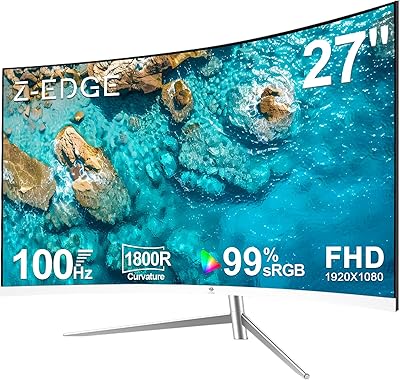
Z-Edge UG27H 27-inch Curved Gaming Monitor
73%
93%
Refresh Rate Performance
88%
Response Time & Motion Clarity
61%
Image Sharpness & Resolution
54%
Brightness & HDR
78%
Contrast & Color Accuracy
More
Z-Edge U27C 27-inch Curved Gaming Monitor
73%
88%
Value for Money
84%
Image Contrast & Depth
76%
Refresh Rate Performance
81%
Curvature & Immersion
79%
Eye Comfort & Fatigue
More
Z-Edge UG27Q 27-inch Curved Gaming Monitor
75%
83%
Image Quality
88%
Refresh Rate & Smoothness
71%
Response Time
86%
Curvature & Immersion
91%
Connectivity
More
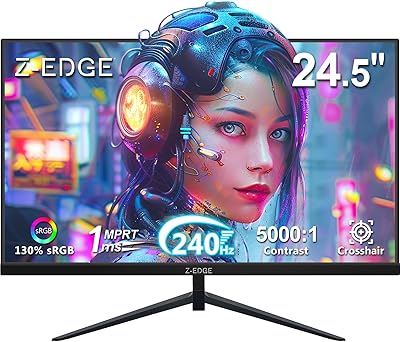
Z-Edge UG25I 24.5-inch 240Hz Gaming Monitor
83%
92%
Value for Money
90%
Gaming Performance
89%
Display Quality
85%
Ergonomics & Design
84%
Connectivity Options
More
Viewedge CS27FM 27-inch Gaming Monitor
72%
91%
Refresh Rate Performance
76%
Panel & Image Quality
61%
Resolution & Sharpness
74%
Color Accuracy
52%
HDR Experience
More
Z-Edge G274K 27-inch 4K Monitor
79%
91%
Image Clarity
86%
Color Accuracy
88%
Refresh Rate Performance
79%
Motion Handling
52%
HDR Performance
More
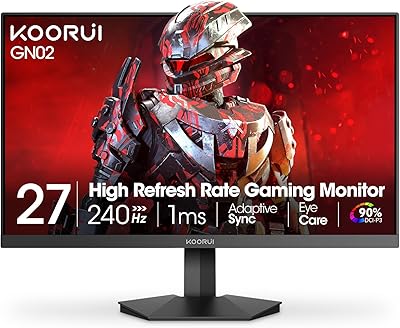
KOORUI GN02 27-inch 240Hz Gaming Monitor
87%
91%
Gaming Performance
89%
Display Quality
88%
Color Accuracy
93%
Response Time
85%
Ergonomics and Design
More
Prechen HD-270 27-inch QHD Gaming Monitor
72%
88%
Value for Money
81%
Image Quality
83%
Refresh Rate Performance
84%
Adaptive Sync
79%
Response Time
More
ArcticPro AD27EF4C 27-inch Curved Gaming Monitor
74%
88%
Value for Money
91%
Refresh Rate Performance
79%
Panel & Image Quality
76%
Motion Clarity
53%
Ergonomics & Adjustability
More
GTek Q2740P 27-inch 240Hz Gaming Monitor
76%
88%
Image Clarity
79%
Color Accuracy
91%
Refresh Rate Performance
74%
Response Time
67%
Build Quality
More

FAQ

Both connections support the full 240Hz refresh rate on this monitor, which is genuinely uncommon at this price point. Just make sure your cable and your GPU's output also support the required bandwidth — a cheap or older HDMI cable can be a bottleneck.

They are not the same thing. GtG (gray-to-gray) measures how quickly a pixel transitions between shades on its own. MPRT (Moving Picture Response Time) is measured with backlight strobing active, which artificially shortens perceived blur by dimming the backlight between frames. Motion can look crisper with MPRT, but it may slightly reduce overall brightness. Neither spec is dishonest — they just measure different things.

No. The stand that comes in the box supports tilt only. There is no height adjustment, swivel, or pivot. If ergonomics matter to you, plan to pick up a VESA monitor arm — the UG27PJ uses a standard 100x100mm pattern, so compatibility is easy.

At 27 inches, a 1080p panel works out to roughly 82 pixels per inch, which is noticeably lower than the same resolution on a 24-inch screen. For gaming, most people find it perfectly acceptable because you are focused on motion and immersion rather than fine detail. For reading dense text or doing productivity work all day, some users find it a bit soft. If sharpness matters a lot to you, a 24-inch 1080p or a 27-inch 1440p display would serve you better.

Z-Edge does not officially list FreeSync or G-Sync certification for this model. Some users report that AMD FreeSync may work over DisplayPort, but this is not a guaranteed or officially supported feature, so you should not buy this monitor specifically expecting adaptive sync compatibility.

Many buyers report the colors look vibrant and punchy straight from the box, which aligns with the wide DCI-P3 and sRGB coverage on the IPS panel. That said, budget IPS monitors can have some variation between individual units, so a small number of buyers have needed to tweak settings after receiving theirs. If you receive a unit with noticeably uneven color or a color cast, requesting a replacement is often the simplest solution.

Yes, both the PS5 and Xbox Series X support 1080p at 120Hz over HDMI 2.0, and the HDMI ports on this display support up to 240Hz, so 120Hz console gaming works without issue. Just make sure you enable 120Hz output in the console's display settings.

It is functional but not particularly intuitive. Several buyers mention that finding the right settings takes more button presses than it should, and the button layout is not immediately obvious. Once you have set up your preferred picture mode, you will not need to visit it often, but the initial setup can feel a bit clunky.

As with most budget IPS panels, some degree of IPS glow and minor backlight bleed is possible, particularly in dark scenes. The extent varies by unit. If you notice significant bleed in the corners on a dark background, that would be worth flagging as a defect rather than accepting as normal. Moderate IPS glow under dark conditions is typical for panels at this price tier.

No, there are no built-in speakers on this display. You will need external speakers or a headset for audio, which is worth factoring into your overall setup plan if you do not already have a separate audio solution.

Where to Buy