Overview

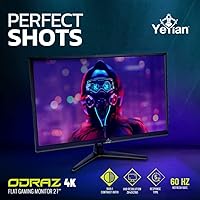
The YEYIAN ODRAZ 27″ 4K UHD Gaming Monitor is a value-oriented entry into the 4K IPS display space from a brand that has been quietly building a foothold in the budget gaming monitor market. At under 11 pounds with slim bezels on all sides, the physical design is clean and unobtrusive — it won't overwhelm a desk or clash with a minimalist setup. YEYIAN isn't a household name, and that's worth acknowledging upfront. What counters that uncertainty is a 3-year warranty and a zero dead pixel on arrival guarantee, which signals some confidence in build quality. The 100×100mm VESA compatibility means you can skip the included stand entirely if you prefer a monitor arm.

Features & Benefits

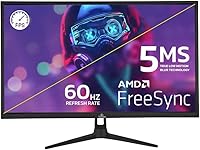
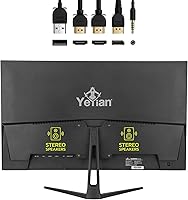
The IPS panel covers 99% of the sRGB color space at 10-bit depth — which in practical terms means color gradients render smoothly and hues stay accurate whether you're editing photos or watching a film. Both NVIDIA G-Sync and AMD FreeSync are supported, so screen tearing is a non-issue regardless of your GPU brand. The Low Blue Light mode and FlickerLess technology are genuinely useful for long work-from-home days or late-night gaming. HDR is on the spec sheet, and while 300 cd/m² brightness won't produce the dramatic pop of a higher-end panel, it does add visible depth in darker scenes. Port selection covers DisplayPort, two HDMI inputs, USB, and audio out. Built-in stereo speakers handle system sounds fine, but don't expect much beyond that.

Best For

This budget 4K IPS screen is a natural fit for single-player and casual gamers who care more about image quality than raw speed. The 60Hz refresh rate is a real tradeoff — you're choosing pixel density over frame rate, which is reasonable for story-driven games but a genuine limitation for competitive shooters. Photo editors and content creators on a tight budget will find the 99% sRGB coverage reliable enough for color-accurate work. Console gamers with a PS5 or Xbox Series X get full use of the dual HDMI inputs. The ODRAZ 27-inch display also handles home office duties well, and the VESA compatibility makes it a strong candidate for arm-mounted or multi-monitor setups.

User Feedback

Buyers who've spent time with this YEYIAN 4K monitor tend to agree on a few things: the image sharpness and color quality punch above expectations for the price, and the warranty coverage — including that dead pixel guarantee — eases the hesitation that often comes with buying from a less-established brand. Where things get mixed is the stand. Reactions range from perfectly adequate to noticeably wobbly, and it's clear the budget had to come from somewhere. The 60Hz ceiling remains the most consistent complaint, particularly from anyone who has used a high-refresh display before. Build quality and speaker performance are functional rather than impressive, but neither is a dealbreaker for the audience this monitor is clearly built for.

Pros

  • Crisp 4K IPS image quality that consistently outperforms expectations at this price tier.
  • 99% sRGB coverage keeps colors accurate and consistent for both gaming and everyday creative work.
  • G-Sync and FreeSync support eliminates screen tearing across AMD and NVIDIA GPU setups alike.
  • A three-year warranty with a zero dead pixel guarantee adds real purchase confidence for a lesser-known brand.
  • Dual HDMI inputs make console connections straightforward, with no adapters or dongles required.
  • Low Blue Light and FlickerLess modes meaningfully reduce eye fatigue during extended work or gaming sessions.
  • VESA 100×100mm compatibility opens up arm-mount options and supports cleaner multi-monitor arrangements.
  • The ODRAZ 27-inch display handles home office and casual gaming equally well without compromise.
  • Slim bezels and a sub-11-pound build keep the physical footprint tidy on a crowded desk.
  • Broad port selection — DisplayPort, dual HDMI, USB, and audio out — covers most connection scenarios without a hub.

Cons

  • The 60Hz refresh rate is a genuine limitation for competitive or fast-paced gaming genres.
  • Motion clarity at 5ms response time lags noticeably behind higher-refresh gaming monitors.
  • HDR impact is modest; 300 cd/m² brightness does not produce the bold contrast premium HDR panels deliver.
  • The included stand has drawn mixed feedback, with some users finding it insufficiently rigid.
  • Built-in stereo speakers are barely adequate for system sounds — real listening needs an external solution.
  • YEYIAN carries limited brand recognition, which may leave some buyers less confident in long-term reliability.
  • Only a single USB port is included, offering minimal peripheral expansion directly from the monitor.
  • The stand provides limited ergonomic adjustment, making it less practical for users with specific viewing angle needs.

Ratings

Our AI rating system processed verified global buyer reviews for the YEYIAN ODRAZ 27″ 4K UHD Gaming Monitor, actively filtering out bot-generated, incentivized, and spam submissions to isolate authentic ownership experiences. Scores are calibrated to reflect both the genuine strengths that earned consistent praise and the real pain points that surfaced repeatedly across buyer cohorts. Nothing here is averaged into vagueness — the ratings are an honest map of where this display delivers and where it falls short.

Image Quality
86%
The 4K IPS panel consistently earns praise from buyers who describe their first impression as noticeably sharper than any display they previously owned at the price. For watching movies, browsing high-resolution photography, and playing visually detailed games, the clarity difference over 1080p is immediately apparent.
At 300 cd/m² brightness, the panel can look slightly washed out in well-lit rooms, and some users note that the HDR mode does not deliver the dramatic brightness headroom they expected from a display marketed with HDR support.
Color Accuracy
88%
The 99% sRGB coverage is a genuine strength for the price tier. Photo editors and designers working within standard color workflows report that skin tones, gradients, and brand colors reproduce faithfully without needing aggressive calibration out of the box.
The panel is not factory-calibrated to a professional standard, and color performance outside the sRGB space — particularly in wider DCI-P3 or Adobe RGB workflows — is limited. Users doing professional print or broadcast color grading will need a more specialized display.
Gaming Performance
57%
43%
For the specific audience this monitor targets — casual players and single-player RPG or adventure gamers — 60Hz delivers a perfectly smooth experience. Paired with G-Sync or FreeSync, gameplay in slower-paced genres feels fluid and tear-free throughout, which is precisely what this segment of buyers needs.
Anyone stepping down from a 120Hz or 144Hz display will feel the transition immediately, especially in fast action sequences or multiplayer shooters where motion blur at 60Hz becomes a clear competitive disadvantage. The 5ms response time compounds this issue for high-movement content.
Value for Money
83%
Delivering a genuine 4K IPS panel with wide color gamut coverage, adaptive sync, and a solid warranty at this price point is a real achievement in the budget display segment. Buyers routinely describe it as the most display performance they have gotten for the money.
The value equation weakens for buyers whose gaming habits demand high refresh rates, since competitive players will quickly find themselves needing a more capable panel, negating the initial savings. Limited ergonomic adjustability on the stand also chips away at the overall value perception.
Build Quality
66%
34%
The monitor housing itself is reasonably solid for a budget-tier panel, and the slim bezels give it a clean, modern look that does not feel cheap on a desk. The sub-11-pound weight makes repositioning or arm-mounting straightforward without assistance.
The included stand draws the most criticism of any single component, with multiple buyers describing it as noticeably flexible under minor pressure. Plastic construction on the neck and base feels proportional to the price, and the tilt-only adjustment is a real ergonomic shortcoming for prolonged sessions.
HDR Performance
53%
47%
HDR mode does produce a visible improvement in shadow detail and a modest color boost compared to standard SDR output, which is noticeable in darker game scenes or late-evening viewing. For buyers without prior experience on a premium HDR display, the difference registers as meaningful.
Without local dimming zones and with brightness capped at 300 cd/m², the HDR implementation cannot produce the deep blacks or peak highlights that define a quality HDR experience. This is compliance-level HDR functionality rather than a true performance feature.
Connectivity
77%
23%
Dual HDMI inputs make it easy to keep a console and a PC connected simultaneously without swapping cables, and DisplayPort handles desktop GPU connections cleanly. The 3.5mm audio output rounds out a practical, low-clutter port selection that covers the majority of real-world setups.
Only a single USB port is available — a meaningful limitation for users who prefer to run peripherals through their monitor rather than relying on a PC or separate hub. There is no USB-C input, which increasingly matters for modern laptop users.
Eye Care Features
82%
18%
The combination of Low Blue Light mode and FlickerLess technology is a standout addition that home office users and students have praised specifically. Several buyers report a measurable reduction in end-of-day eye fatigue and headache frequency compared to their previous monitors.
Low Blue Light mode introduces a visible warm color shift that makes it unsuitable for color-accurate work, requiring users to toggle between modes depending on their task. The on-screen menu navigation to switch modes is functional but not particularly fast to operate.
Ergonomics & Stand
51%
49%
The stand provides a functional tilt range that handles most straightforward single-user desk positions, and the 100×100mm VESA pattern means buyers unhappy with the included stand have a clear and affordable path to an aftermarket arm.
No height adjustment, no swivel, and no portrait rotation are significant omissions that limit usability in shared workspaces. Stand rigidity issues reported by multiple buyers make it one of the weakest individual components on this YEYIAN 4K monitor, and an arm replacement is almost advisable from the start.
Adaptive Sync
76%
24%
Both G-Sync Compatible and FreeSync operation deliver noticeably smoother gameplay compared to running the display without adaptive sync, with screen tearing effectively eliminated across tested GPU configurations. Casual and mid-tier gamers report the difference as immediately visible in their first session.
G-Sync operation requires manual activation through the NVIDIA Control Panel and is not automatically plug-and-play, which catches some buyers off guard during initial setup. The effective sync range is also tied to the 60Hz ceiling, limiting its benefit to lower frame rate scenarios.
Setup & Installation
81%
19%
Stand assembly requires no tools and clicks together intuitively in under five minutes, which buyers consistently mention as a positive first impression. Port labeling is clear, and the OSD menu provides straightforward access to brightness, color modes, and input switching.
The OSD button layout sits on the rear panel edge, which some users find awkward to navigate by feel without reaching behind the monitor. First-time buyers occasionally report confusion when activating G-Sync Compatible mode, since it requires a separate step inside the GPU control software.
Built-in Audio
46%
54%
Having functional stereo speakers built into a monitor at this price is a real convenience for buyers without desk space for external audio equipment. For video calls, YouTube playback at moderate volume, and system notification sounds, the speakers perform their basic role without issue.
Bass response is effectively absent, and the speakers become audibly strained at higher volume levels. For gaming audio, streaming, or any session where sound quality genuinely matters, an external speaker set or headset connected through the 3.5mm output is the practical minimum recommendation.
Warranty & Support
87%
A three-year parts and labor warranty with a zero dead pixel on arrival guarantee is a notably generous protection package for a budget-segment display from a less-established brand. Several buyers cited these warranty terms as the specific factor that gave them enough confidence to complete the purchase.
YEYIAN's support infrastructure is less proven than that of established display brands, and warranty claim response times can vary depending on the buyer's region. The lifetime technical support promise is a genuine differentiator, though the practical consistency of that support is harder to verify from available feedback.
Design & Aesthetics
73%
27%
Slim bezels and a clean, non-gaming-centric exterior make this budget 4K IPS screen a natural fit for professional desk environments and minimalist setups where aggressive RGB lighting or angular chassis designs would feel out of place.
The matte plastic finish picks up fingerprints and minor scratches more readily than premium-textured surfaces, and close inspection reveals fit-and-finish tolerances that match the price point. It presents well from a normal viewing distance, but not impressively so when examined up close.

Suitable for:

The YEYIAN ODRAZ 27″ 4K UHD Gaming Monitor is a well-matched choice for casual and single-player gamers who want a genuinely sharp picture without paying a premium price. If your gaming library leans toward story-driven, open-world, or cinematic titles where visual richness matters more than split-second response times, this display holds its own confidently. Console players with a PS5 or Xbox Series X will find the dual HDMI inputs convenient for native 4K output with no adapters or workarounds. The wide color gamut and eye-care features also make it a practical home office screen, especially for anyone spending long hours in front of a display. Photographers and content creators working within the sRGB color space will find 99% coverage reliable enough for color-accurate proofing at a modest investment. Anyone planning to arm-mount their monitor or build a cleaner multi-screen arrangement will appreciate the VESA compatibility out of the box.

Not suitable for:

Competitive and fast-paced gamers should look elsewhere, because the YEYIAN ODRAZ 27″ 4K UHD Gaming Monitor caps out at 60Hz — and once you have spent time on a 144Hz or higher display, that ceiling becomes hard to ignore in shooters, fighting games, or any title where motion clarity is critical. The 5ms response time is functional but not competitive, and it will feel sluggish to anyone coming from a dedicated esports panel. Buyers expecting HDR to deliver deep blacks and eye-catching highlights should temper expectations; at 300 cd/m² brightness, the HDR impact is subtle rather than dramatic. Anyone who relies on built-in monitor speakers for real listening should plan on buying external audio, as the onboard stereo setup is minimal. The stand has drawn criticism for feeling less sturdy than expected, which may frustrate users who prefer not to immediately replace it with an arm. Finally, buyers who lean heavily on brand reputation as a quality signal may find less assurance here than they would with an established display maker.

Specifications

  • Screen Size: The panel measures 27 inches diagonally with a flat IPS surface and slim bezels on all four sides.
  • Resolution: Native resolution is 3840×2160 pixels, delivering a pixel density sharp enough to eliminate visible jaggies at typical desktop viewing distances.
  • Panel Type: IPS (In-Plane Switching) technology provides consistent color accuracy and wide viewing stability without the color shift common on TN panels.
  • Refresh Rate: The display operates at 60Hz, which is the standard ceiling for 4K IPS panels in the value price segment.
  • Response Time: Stated response time is 5ms (GtG), placing it in mid-tier territory — adequate for casual gaming but not suited to high-speed competitive play.
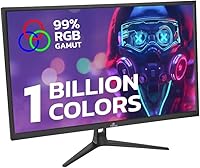
  • Color Depth: The panel supports 10-bit color output, capable of rendering approximately 1.06 billion colors for smooth gradients and nuanced tonal transitions.
  • Color Gamut: Coverage reaches 99% of the sRGB color space, making this display reliable for color-accurate work within standard web and consumer media workflows.
  • Brightness: Peak brightness is rated at 300 cd/m², sufficient for controlled indoor environments but not designed for use in high ambient light conditions.
  • Contrast Ratio: Static contrast ratio is 1000:1, a typical IPS figure that provides reasonable image depth without the deeper blacks achievable on OLED or VA panels.
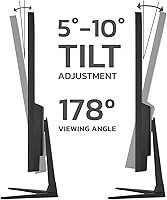
  • Viewing Angle: IPS geometry supports 178° viewing angles both horizontally and vertically, keeping colors and brightness consistent even from noticeably off-center positions.
  • HDR Support: HDR is supported, though the 300 cd/m² brightness ceiling and absence of local dimming zones limit the practical impact compared to premium HDR-certified displays.
  • Adaptive Sync: Both NVIDIA G-Sync Compatible and AMD FreeSync are supported, eliminating screen tearing across a broad range of GPU brands and generations.
  • Connectivity: Input options include 1× DisplayPort, 2× HDMI, and 1× USB, with a 3.5mm analog audio output for headphones or passive external speakers.
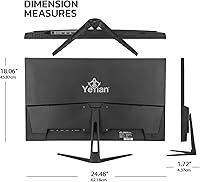
  • VESA Compatibility: The rear panel features a standard 100×100mm VESA mount pattern, compatible with most third-party monitor arms and wall-mount brackets.
  • Built-in Audio: Stereo speakers are integrated into the monitor housing and are suitable for system sounds and light media use; they are not a substitute for dedicated audio hardware.
  • Eye Care: Low Blue Light mode and FlickerLess technology are built in to reduce eye fatigue and flicker-related discomfort during extended viewing sessions.
  • Weight: The monitor weighs 10.58 lbs with the stand attached, which is manageable for solo repositioning or arm mounting without assistance.
  • Warranty: YEYIAN provides a 3-year parts and labor warranty, a zero dead pixel on arrival guarantee, and lifetime free technical support from the date of purchase.

Related Reviews
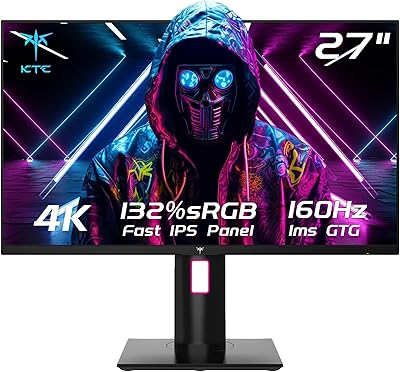
KTC H27T22 27″ 4K Gaming Monitor
78%
93%
Image Sharpness
88%
Color Accuracy
91%
Gaming Performance
58%
HDR Quality
89%
Ergonomics & Stand
More
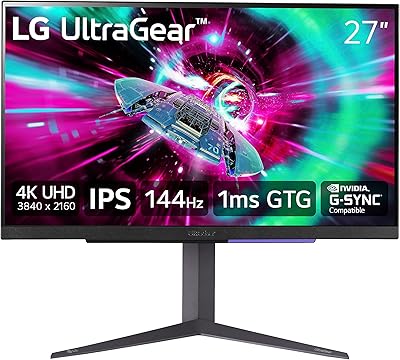
Acer Nitro VG270K 27-inch 4K Gaming Monitor
76%
91%
Image Clarity
88%
Color Accuracy
86%
Motion Performance
83%
Refresh Rate Flexibility
61%
HDR Performance
More
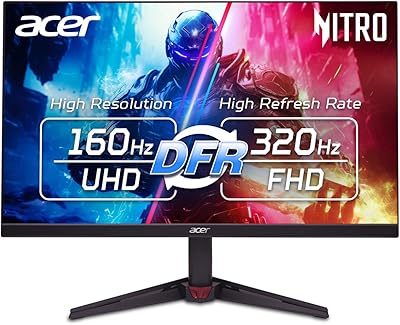
LG 27GR93U 27″ UltraGear 4K Gaming Monitor
74%
91%
4K Image Clarity
88%
HDMI 2.1 Performance
86%
Color Accuracy
47%
HDR Experience
83%
Refresh Rate & Smoothness
More
ViewSonic VX2776-4K-MHDU 27-inch 4K IPS Monitor
75%
91%
Image Clarity
93%
USB-C Convenience
78%
Color Accuracy
54%
HDR Performance
46%
Stand & Ergonomics
More
CRUA CR270H 27″ 4K Monitor
72%
88%
Image Sharpness & Clarity
79%
Color Accuracy
91%
Value for Money
47%
Refresh Rate & Gaming
43%
Stand & Ergonomics
More
Samsung S80UA 27″ 4K UHD IPS Monitor
80%
93%
Image Sharpness & Clarity
88%
Color Accuracy
91%
USB-C Connectivity
89%
Viewing Angles
67%
HDR Performance
More
ALOGIC Clarity 27-inch 4K UHD Monitor
73%
88%
Image Quality
91%
Text Sharpness
77%
Color Accuracy
79%
USB-C Hub
53%
Glare & Screen Surface
More
FYHXele 27-inch 4K 120Hz Gaming Monitor
72%
83%
Value for Money
88%
Image Sharpness
79%
Panel Response & Motion
76%
Color Accuracy
47%
HDR Performance
More
Sceptre U279W-4000R 27″ 4K Monitor
71%
88%
Image Sharpness
74%
Color Accuracy
91%
Value for Money
83%
Connectivity
67%
Refresh Rate & Motion
More
Dell S2721Q 27-inch 4K IPS Monitor
74%
91%
Image Clarity
87%
Color Accuracy
83%
Build Quality
41%
Stand & Ergonomics
53%
Glare & Reflections
More

FAQ

Yes — both consoles output 4K at 60Hz via HDMI, and the ODRAZ 27-inch display includes two HDMI ports, so you can connect a console without displacing another device. Just make sure you are using an HDMI 2.0 or higher cable to carry the full 4K signal without downscaling.

It depends almost entirely on what you play. Story-driven games, RPGs, open-world exploration, and casual titles are all very comfortable at 60Hz — the 4K sharpness more than compensates for the lower frame rate ceiling. If you regularly play competitive shooters or fast multiplayer games and have used a high-refresh display before, the difference will be noticeable. This is a deliberate trade-off: 4K resolution at an accessible price in exchange for a 60Hz cap.

The monitor is G-Sync Compatible rather than a full hardware G-Sync panel, meaning it uses the FreeSync standard to work with NVIDIA GPUs. In day-to-day use, most users find the result indistinguishable from native G-Sync. To activate it, open the NVIDIA Control Panel and enable G-Sync Compatible mode for the display — it may not turn on automatically.

That skepticism is warranted here. With a 300 cd/m² brightness cap and no local dimming, the HDR on this budget 4K IPS screen improves shadow detail and adds a touch more vibrancy compared to standard SDR output, but it stops well short of the dramatic contrast you would get from a high-brightness or OLED panel. Treat it as a modest visual bonus rather than a headline selling point.

A monitor arm works perfectly fine — the back of the display has a standard 100×100mm VESA mount pattern that fits the vast majority of aftermarket arms and wall brackets. If the included stand feels insufficient to you, swapping to an arm is a popular and straightforward upgrade that also frees up significant desk space.

YEYIAN is a smaller brand without the long track record of established display makers, so the unfamiliarity is understandable. The YEYIAN ODRAZ 27″ 4K UHD Gaming Monitor addresses that concern partly through its 3-year parts and labor warranty, a zero dead pixel on arrival guarantee, and lifetime free technical support — terms that hold up well against more recognized competitors. Long-term reliability data over many years is thinner than with legacy brands, so taking note of the warranty terms before purchasing is a sensible step.

YEYIAN typically includes a DisplayPort or HDMI cable along with the power adapter, but the exact bundle can vary across production batches. If a specific cable type is critical for your setup, it is worth confirming with the seller or contacting YEYIAN support directly before your order ships.

The included stand supports basic tilt adjustment but does not offer height adjustment, swivel, or portrait pivot. For a single desk session it is workable, but if you share a workspace or spend long hours at your screen, pairing this display with an adjustable monitor arm will give you significantly better ergonomic control.

They handle system notification sounds and low-volume background audio without complaint, but that is roughly their ceiling. For video calls, streaming, or gaming audio, a headset plugged into the 3.5mm output or a pair of external desktop speakers will make a clearly audible difference. Most buyers use the built-ins as a fallback when nothing else is connected.

Yes, it does shift the color temperature toward warmer tones by reducing the intensity of blue wavelengths, which means it is not ideal to leave active during color-critical work. A practical approach is to use it during evening sessions or long reading stretches, then switch it off when you need accurate color output. The toggle is accessible through the on-screen display menu and takes only a few seconds to adjust.