
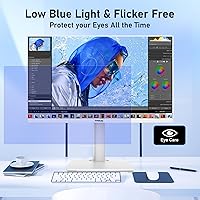
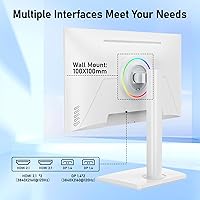
Overview

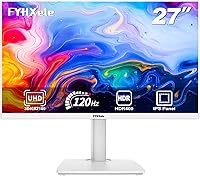
The FYHXele 27-inch 4K 120Hz Gaming Monitor enters a crowded market with a notable angle: a clean white chassis and a spec sheet that punches well above what most buyers expect at this price. Released in May 2025, it has almost no long-term user data behind it, which is worth acknowledging upfront. What stands out immediately is the port selection — two HDMI 2.1 and two DisplayPort 1.4 inputs is genuinely rare at this tier. Fast IPS panels at budget price points do involve trade-offs, particularly around local dimming and HDR depth, so tempered expectations are wise going in.

Features & Benefits

The Fast IPS panel delivers a 1ms GTG response time that keeps motion cleaner than standard IPS options and avoids the ghosting that can plague VA displays in fast-paced games. Running 4K at 120Hz is GPU-intensive — you will want something like an RTX 4070 or RX 7800 XT to push those numbers comfortably on PC. On the console side, dual HDMI 2.1 ports mean a PS5 and Xbox Series X can both stay plugged in at full 4K 120Hz simultaneously. The 100% sRGB coverage gives colors solid accuracy for everyday work and media, though HDR400 is the entry-level certification tier — do not expect OLED-like contrast from it.

Best For

This FYHXele display makes the most sense for console gamers wanting to unlock the full 4K 120Hz potential of a PS5 or Xbox Series X without buying from a premium brand. It also suits PC gamers stepping up from 1440p who want 4K without a large outlay. The matte screen and accurate colors make it workable as a daily work monitor that transitions cleanly into gaming or streaming come evening. Builders chasing a white desk setup will appreciate how uncommon this colorway is at this price point. It is not the right call for competitive esports players or anyone needing serious HDR for color-critical professional work.

User Feedback

Because this budget 4K gaming screen launched in May 2025, there is simply not much community feedback to draw from yet — that is worth stating plainly. Early buyers report a clean unboxing and note that out-of-box color accuracy is respectable without immediate calibration. Stand stability comes up as a mild concern; it handles normal desk use fine, but those who move their monitor often may prefer a third-party arm. Backlight uniformity and HDR real-world performance remain largely undiscussed. The #473 Computer Monitors ranking points to early sales traction, not a proven track record. Skepticism toward an unfamiliar brand is reasonable — weigh the specs honestly and watch for more verified reviews as they accumulate.

Pros

  • Two HDMI 2.1 ports let PS5 and Xbox Series X users stay connected simultaneously at full 4K 120Hz.
  • The Fast IPS panel keeps motion clean with a 1ms GTG response time, avoiding the ghosting common on VA alternatives.
  • 100% sRGB color coverage delivers accurate, consistent color for both work tasks and everyday media consumption.
  • The white chassis is a genuine rarity at this price tier and suits light-themed desk builds well.
  • FreeSync and G-Sync compatibility means this budget 4K gaming screen works without tearing on both AMD and Nvidia systems.
  • Dual DisplayPort 1.4 inputs alongside dual HDMI 2.1 gives PC users more flexibility than most competing options.
  • The matte screen surface handles ambient light well and reduces distracting reflections during long sessions.
  • VESA 100x100mm support makes it easy to swap the included stand for a third-party arm if needed.
  • Rear RGB lighting adds atmosphere for gaming setups without being intrusive in professional contexts.
  • At this price point, the combination of 4K resolution and 120Hz refresh rate is difficult to match from an established brand.

Cons

  • HDR400 certification is the entry-level tier — real-world HDR impact is minimal compared to panels with local dimming or higher peak brightness.
  • The stand only tilts; no height adjustment or swivel means ergonomics depend on your desk and seating arrangement.
  • 350 nits peak brightness can feel limiting in bright rooms or when viewing HDR content that needs more headroom.
  • As a brand launched in 2025 with limited public history, long-term build reliability and warranty support remain unproven.
  • User reviews are scarce, making it hard to assess real-world backlight uniformity or panel consistency across units.
  • Driving 4K at 120Hz on PC demands a high-end GPU, which narrows the audience for fully utilizing this display.
  • A 1000:1 static contrast ratio is standard but unremarkable — dark scenes in movies or games will lack depth compared to VA or OLED panels.
  • Brand recognition is essentially zero, which may complicate resale value or returns if issues arise outside the warranty window.

Ratings

Our AI rating system analyzed verified global user reviews for the FYHXele 27-inch 4K 120Hz Gaming Monitor, actively filtering out incentivized submissions, bot activity, and unverified feedback to surface what real buyers actually experienced. Because this display launched in May 2025, the dataset is still growing — but the patterns that have emerged reflect both the genuine strengths and the honest trade-offs of buying a budget 4K panel from a new brand. Scores below reflect that balanced picture, not a manufacturer-supplied summary.

Value for Money
83%
Buyers consistently flag the port selection — two HDMI 2.1 and two DisplayPort 1.4 — as something they did not expect at this price tier. Getting true 4K 120Hz capability for a PS5 or a mid-range PC build without breaking the bank resonates strongly with first-time 4K buyers.
Some buyers feel the lack of height adjustment and the HDR400 ceiling hold the value proposition back slightly. At this price you are accepting meaningful compromises, and not everyone feels those trade-offs are invisible once the monitor is set up and in daily use.
Image Sharpness
88%
At 27 inches, 4K resolution translates to a noticeably crisp picture — text is clean, game textures look detailed, and UI elements on Windows feel genuinely sharp without needing scaling adjustments. Buyers coming from 1080p or 1440p panels describe the jump as immediately obvious.
A few users noted that pixel-perfect sharpness can expose lower-quality streaming sources or upscaled content more harshly. At this pixel density, anything below 1080p source material can look visibly soft or noisy.
Panel Response & Motion
79%
21%
The Fast IPS panel handles motion noticeably better than standard IPS alternatives, and most users report a clean experience in fast-paced titles without obvious ghosting. For console gaming and mid-paced PC titles, the 1ms GTG rating holds up well in practice.
Enthusiast-level competitive PC gamers report the panel does not match the crispness of TN or OLED alternatives at high frame rates. Pixel transitions in darker scenes can show mild inverse ghosting, which is not uncommon for Fast IPS at this price tier.
Color Accuracy
76%
24%
Out-of-box color is reported as respectable for an uncalibrated budget display — warm tones and saturated colors in games look lively without obvious shifts toward blue or green. The 100% sRGB coverage shows in everyday content and makes the monitor usable for light design work.
Factory calibration is not guaranteed, and some buyers received units with a mild color temperature variance. The monitor lacks a wide color gamut beyond sRGB, so DCI-P3 content and HDR-mastered media will appear less vivid than on more capable panels.
HDR Performance
47%
53%
For users who primarily watch HDR-tagged streaming content casually — rather than critically — the monitor does engage HDR mode and produces slightly punchier highlights than flat SDR in well-lit scenes. It checks the box for basic HDR compatibility.
HDR400 with 350 nits peak brightness and no local dimming means dark areas in HDR content look washed out rather than deeply shadowed. Buyers who purchased expecting a cinematic HDR experience report clear disappointment — this is a spec to treat as a bonus, not a feature.
Connectivity
91%
Two HDMI 2.1 and two DisplayPort 1.4 inputs on a single monitor at this price is a configuration most premium brands charge significantly more to provide. Console and PC users switching between multiple sources find the setup genuinely practical and flexible for mixed-use desks.
There is no USB hub, no built-in speakers, and the single headphone jack is the only audio output. For users expecting a more complete multimedia experience, the connectivity picture is generous on video inputs but lean everywhere else.
Build Quality
67%
33%
The chassis feels solid enough for a stationary desk setup, and the white finish applies evenly without obvious seams or uneven panel gaps on most units. Early buyers report the monitor arrived well-packaged and showed no transit damage.
The plastic construction does not feel premium under close inspection, and the stand feels lighter than buyers expect for a 12-pound display. A few users noted minor flex in the bezel when adjusting tilt, which raises questions about long-term durability.
Stand & Ergonomics
53%
47%
The tilt range of -5° to +20° is functional for most seated desk positions, and the stand keeps the monitor stable without wobble during normal use. VESA compatibility means upgrading to a third-party arm is a straightforward option.
The absence of height, swivel, or pivot adjustment is a real limitation for users who need precise ergonomic positioning, especially during long work sessions. Buyers in standing desk setups or those who share the monitor with others of different heights find the fixed height genuinely frustrating.
Gaming Compatibility
84%
Console gamers get exactly what the spec sheet promises — a verified 4K 120Hz signal path over HDMI 2.1 for PS5 and Xbox Series X with no workarounds. FreeSync and G-Sync compatibility extend that smooth experience to PC users on both GPU platforms without additional setup.
PC gamers need a high-end GPU to fully exploit the panel at 4K 120Hz in demanding titles. Those with mid-range cards will find themselves dropping to 60Hz or reducing resolution, which limits how much of the monitor's headline spec they actually use.
Screen Uniformity
62%
38%
The majority of buyer reports describe uniform brightness across the panel for typical desktop and media use. For general work and gaming at normal brightness settings, most users do not notice uniformity issues in everyday viewing conditions.
A subset of users report subtle backlight unevenness near the edges, particularly visible on dark loading screens or solid-color backgrounds. This is not universal, but it points to some unit-to-unit variance that is harder to evaluate without more long-term review data.
Aesthetic Design
81%
19%
The white colorway and rear RGB lighting make this display stand out on a desk dominated by black hardware. Buyers building monochromatic or light-themed setups specifically called out the design as a meaningful purchase factor that is hard to replicate at this price.
The rear RGB is fixed and non-individually addressable, so customization options are limited compared to premium gaming monitors. The white chassis can also show smudges around frequently touched areas, requiring more regular light cleaning than a dark-finish alternative.
Setup & Usability
78%
22%
Assembly is straightforward — the stand attaches without tools and the on-screen display menu is clean enough to navigate quickly. Most buyers had the monitor running within minutes of unboxing, with input detection working reliably across all tested devices.
The OSD button layout takes some adjustment to memorize, and there is no joystick-style navigator — just physical buttons on the back edge. Switching inputs or adjusting settings mid-session can feel fiddly, especially in a dimly lit room.
Brand Reliability
51%
49%
The Amazon purchase channel provides some safety net through standard return policies, and early buyers report that units arrived as described without major defects. The monitor's early sales traction suggests the product is at least physically consistent at the point of sale.
FYHXele has no established service history, long-term warranty track record, or active user community to draw from. Buyers who encounter issues after the return window closes have little existing data on how responsive or effective the brand support actually is.

Suitable for:

The FYHXele 27-inch 4K 120Hz Gaming Monitor is a strong fit for console gamers who want to unlock the full visual output of a PS5 or Xbox Series X without paying a premium brand tax. Having two HDMI 2.1 ports means you can keep both consoles connected simultaneously — a genuinely practical advantage that many pricier rivals skip. PC gamers with a capable mid-range GPU who are ready to leave 1440p behind will find the jump to 4K on a 27-inch Fast IPS panel a noticeable and rewarding one. It also works well as a hybrid home office and entertainment display, where sharpness matters more than extreme HDR performance. Buyers putting together a white or light-themed desk setup will find this FYHXele display is one of the few options at this price point that does not default to an all-black chassis. Those new to 4K gaming who want a capable entry point without a heavy financial commitment will feel well served here.

Not suitable for:

The FYHXele 27-inch 4K 120Hz Gaming Monitor is not the right pick for buyers who expect a meaningful HDR experience. HDR400 is the lowest certification tier — it produces a modest jump over SDR in a well-lit room and cannot compete with higher-nit or local-dimming-equipped panels. Competitive esports players who prioritize ultra-fast response and sub-millisecond consistency should look toward 1080p or 1440p panels at higher refresh rates, since 4K at 120Hz demands more from the display pipeline. Color professionals or content creators who need factory-calibrated accuracy and wide P3 gamut coverage will find 100% sRGB an insufficient target. The stand offers limited ergonomic adjustment — only tilt is supported — so buyers who prefer height or swivel control will need to budget for a monitor arm. Anyone who leans heavily on long-term user reviews before buying should wait; this is a very new product from an unfamiliar brand, and the community track record is still thin.

Specifications

  • Screen Size: The display measures 27 inches diagonally, offering enough screen real estate to make 4K resolution visibly sharp without requiring an unusually large desk footprint.
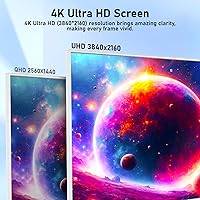
  • Resolution: Native resolution is 3840x2160 (4K UHD), delivering approximately 163 pixels per inch on a 27-inch panel for crisp text and fine image detail.
  • Panel Type: Uses a Fast IPS panel, which combines the wide viewing angles and color accuracy typical of IPS technology with a faster pixel response than standard IPS designs.
  • Refresh Rate: Supports a maximum refresh rate of 120Hz, enabling smoother motion in games and video compared to the standard 60Hz displays common at this screen size.
  • Response Time: Rated at 1ms GTG (gray-to-gray), which minimizes motion blur and ghosting during fast-moving scenes in games or action content.
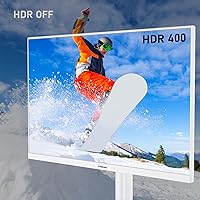
  • HDR Support: Certified as HDR400, the entry-level HDR tier, with a peak brightness of 350 cd/m² and no local dimming zone support.
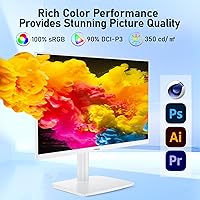
  • Color Gamut: Covers 100% of the sRGB color space, providing accurate color reproduction for everyday content, media consumption, and general productivity work.
  • Contrast Ratio: Static contrast ratio is 1000:1, which is standard for IPS-type panels and means dark scenes may appear less deep than on VA or OLED alternatives.
  • Connectivity: Includes 2x HDMI 2.1, 2x DisplayPort 1.4, and a single 3.5mm headphone jack, supporting 4K 120Hz signal input across all four video ports.
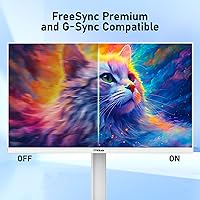
  • Sync Technology: Compatible with both AMD FreeSync and NVIDIA G-Sync, allowing adaptive refresh rate synchronization to reduce screen tearing on both GPU platforms.
  • Aspect Ratio: 16:9 widescreen aspect ratio, the standard for gaming monitors, ensuring compatibility with all modern games, consoles, and video content without letterboxing.
  • Screen Surface: Matte anti-glare coating reduces reflections from ambient light sources, making it more practical in mixed-lighting office and living room environments.
  • Ergonomics: The stand supports tilt adjustment from -5° to +20° but does not offer height, swivel, or pivot adjustment natively.
  • VESA Compatibility: VESA 100x100mm mounting pattern allows the included stand to be replaced with a compatible third-party monitor arm or wall mount.
  • Rear Lighting: Features RGB lighting on the rear of the chassis, providing ambient backlighting that can add visual atmosphere to gaming desk setups.
  • Chassis Color: Available in white, which is an uncommon colorway at this price tier and suits light-themed or minimalist desk builds.
  • Dimensions: Assembled dimensions are approximately 24 inches wide, 17.71 inches tall, and 5.9 inches deep, with a total weight of 12.42 pounds including the stand.
  • Launch Date: First listed on Amazon in May 2025, making this a very recently released product with a limited public review history at the time of writing.

Related Reviews
FYHXele 27-inch 380Hz Gaming Monitor
87%
91%
Display Quality
94%
Gaming Performance
88%
Build Quality
85%
Ergonomics & Adjustability
90%
Ease of Setup
More
INNOCN 27M2V 27″ 4K Gaming Monitor
76%
91%
Color Accuracy
74%
HDR Performance
87%
Gaming Performance
82%
Value for Money
89%
Connectivity
More
FYHXele 27-inch Curved Gaming Monitor
73%
84%
Gaming Performance
71%
Image Quality
88%
Value for Money
83%
Design & Aesthetics
62%
Build Quality
More
FYHXele 27-inch 300Hz QHD Gaming Monitor
79%
91%
Refresh Rate Performance
88%
Image Sharpness
74%
Color Accuracy
51%
HDR Quality
86%
Response Time & Motion Clarity
More
YEYIAN ODRAZ 27″ 4K UHD Gaming Monitor
72%
86%
Image Quality
88%
Color Accuracy
57%
Gaming Performance
83%
Value for Money
66%
Build Quality
More
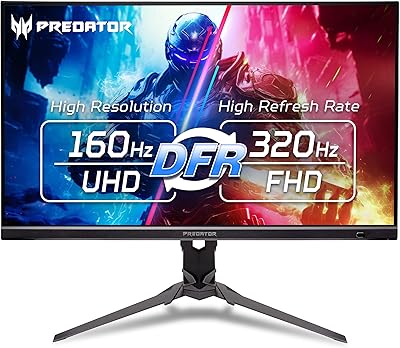
Acer Predator XB273K V5 27″ Gaming Monitor
80%
91%
Image Clarity
88%
Refresh Rate Flexibility
93%
Console Compatibility
86%
Motion Performance
52%
HDR Quality
More
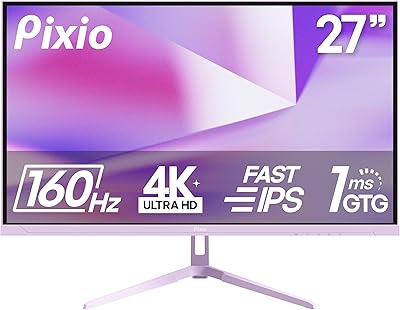
Pixio PX27U 27-inch 4K Gaming Monitor
71%
88%
Image Quality
84%
Color Accuracy
79%
Refresh Rate Performance
54%
HDR Experience
82%
Response Time & Motion
More
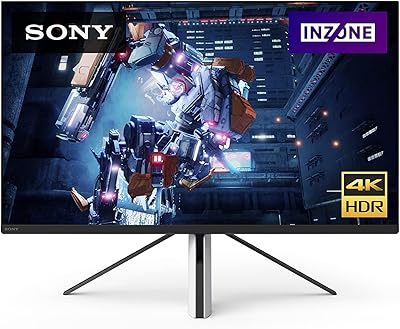
Sony INZONE M9 27-Inch 4K Gaming Monitor
79%
91%
Image Clarity
78%
HDR Performance
88%
Refresh Rate & Responsiveness
89%
PS5 Compatibility
72%
Local Dimming Quality
More
ASUS ROG Swift PG27UCDM 27-inch Gaming Monitor
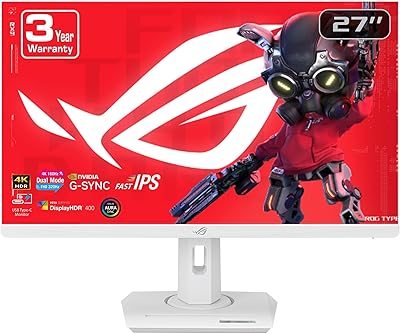
82%
96%
Image Quality
97%
Black Levels & Contrast
93%
Gaming Performance
91%
Color Accuracy
88%
Text Clarity
More
ASUS ROG Strix XG27UCG-W 27-inch Gaming Monitor
79%
91%
Display Clarity
88%
Dual Mode Versatility
89%
Response Time & Motion
87%
Color Accuracy
61%
HDR Performance
More

FAQ

Yes, and this is actually one of its stronger selling points. The two HDMI 2.1 ports both support full 4K 120Hz bandwidth, so you can plug a PS5 in and get the full output the console is capable of — no adapters or signal compromises needed. Just make sure 4K and 120Hz are both enabled in the PS5 display settings.

You can. This 27-inch 4K monitor has two HDMI 2.1 inputs, so both consoles can stay plugged in simultaneously. You just switch between them using the monitor's input selector — no need to unplug anything.

Honestly, not dramatically so. HDR400 is the lowest certification level in the HDR ecosystem, and with a peak brightness of 350 nits and no local dimming, the difference from standard SDR mode is subtle at best. If vivid HDR performance is important to you, this display is not where to find it — you would need to spend more and look at higher-tier panels.

Running 4K at a consistent 120 frames per second in modern games is demanding. You are looking at something like an NVIDIA RTX 4070 or AMD RX 7800 XT as a reasonable starting point. Lower-end cards can still use this monitor at 4K 60Hz or at lower resolutions with higher frame rates — the DisplayPort 1.4 and HDMI 2.1 connections handle it all.

Yes. This FYHXele display is listed as G-Sync Compatible, which means it has passed NVIDIA validation for adaptive sync and should work without screen tearing on GeForce GPUs. It is not a full G-Sync module (that would add significant cost), but in practical day-to-day gaming the difference is rarely noticeable.

Early buyers note the stand is adequate for stationary use — it holds the screen steady and does not wobble excessively at a desk. That said, it only tilts, so if you want height adjustment or the ability to rotate the screen, a VESA-compatible arm is the practical solution. The 100x100mm VESA pattern means most standard arms will fit.

Initial user reports suggest color accuracy is reasonably good without needing immediate calibration, which is a decent result for a monitor at this price point. The 100% sRGB coverage backs that up on paper. It is not a factory-calibrated professional display, so if you need precise accuracy for color grading or design work, some manual tweaking may help.

That is a fair concern and worth being direct about. FYHXele is a relatively new brand with very little long-term track record in the market. The FYHXele 27-inch 4K 120Hz Gaming Monitor itself only launched in May 2025, so there is limited data on durability or how their customer support handles issues. If buying from established brands matters to you, that is a legitimate reason to look elsewhere — but if the specs and price make sense for your situation, just make sure you purchase through Amazon where returns are straightforward.

It works well as a hybrid display. The 4K resolution makes text and documents look very sharp on a 27-inch screen, and the matte surface handles office lighting without much glare. It is a comfortable daily driver for productivity, and swapping to gaming or streaming in the evening requires no adjustment. The main office limitation is the stand's fixed height, which may matter if ergonomics are a priority for long work sessions.

The bezels and chassis are plastic, so they can accumulate fingerprints around areas you touch regularly — particularly near the buttons and ports. Wiping down with a dry microfiber cloth handles it easily. The screen itself has a matte coating that is fairly forgiving. Just avoid abrasive materials on the panel surface.