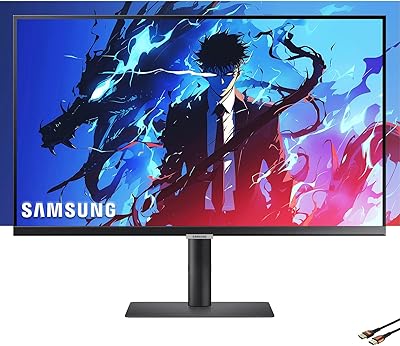
Samsung S80UA 27″ 4K UHD IPS Monitor


Overview
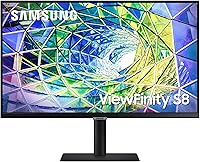
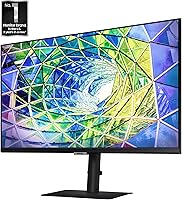
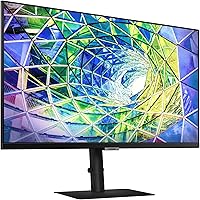
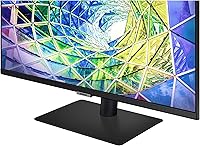
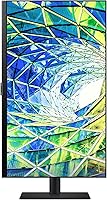
The Samsung S80UA 27″ 4K UHD IPS Monitor sits firmly in the professional productivity tier — a display built for people who spend real hours staring at detailed work, not just occasional browsing. Its 3840x2160 resolution delivers four times the pixel density of a standard 1080p screen, which translates to noticeably sharper text, tighter icon grids, and more usable desktop real estate. Samsung's S80UA line isn't chasing gaming monitors; it targets designers, analysts, and power users who need accurate color rendering and a clean workspace. The single-cable USB-C setup and a 3-year warranty add practical long-term value that meaningfully rounds out the package.
Features & Benefits
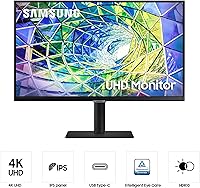
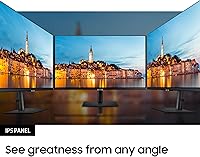
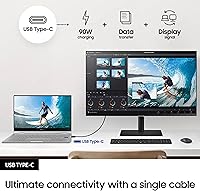
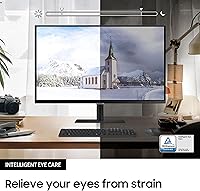
The IPS panel does what good IPS panels should: colors stay consistent at wide angles, and the 178° horizontal and vertical range means anyone glancing at your screen from the side sees the same accurate image you do. HDR10 support adds real depth to contrast without overpromising — at this tier it enhances the picture noticeably, but it won't replicate a high-end display experience. The USB-C connection handles display, data, and up to 90W of power delivery over a single cable; just confirm your laptop's actual charging requirements before assuming it covers your full wattage. Eye Saver Mode, flicker-free technology, and Eco Saving Plus round things out — though the glossy screen surface can catch reflections in rooms with strong ambient light.
Best For
This 27-inch productivity display is a strong match for graphic designers and photo editors who need pixel-dense screen space and reliable color consistency across the panel. Remote workers running everything through a single laptop will appreciate how cleanly one USB-C cable handles the entire desk connection. It also makes a compelling case for anyone jumping from 1080p — the resolution improvement is immediately visible in fine text and detailed design work. If long sessions leave your eyes tired, the built-in comfort features are genuinely useful rather than marketing checkboxes. Home office users focused on tidy setups and lower energy consumption will find the power-efficiency angle worth factoring in.
User Feedback
Owners of the S80UA consistently highlight sharpness and out-of-box color accuracy as standout qualities, with many noting the USB-C convenience as a daily-use win they didn't expect to value as much as they do. On the critical side, the glossy panel draws the most complaints — users in bright offices or near windows report noticeable glare that a matte-coated alternative might handle better. A few buyers also mention limited ergonomic adjustment options depending on configuration. Long-term reliability appears solid based on available feedback, and the 3-year warranty gives most buyers confidence. The overall value consensus leans positive — those prioritizing color work and cable simplicity feel well-served, while pure spec-comparison shoppers may pause.
Pros
- Native 4K resolution on a 27-inch IPS panel delivers exceptional text sharpness and detailed image clarity.
- Out-of-box color accuracy is strong enough for most design and photo editing work without manual calibration.
- Single USB-C cable connection handles display output, USB hub access, and device charging simultaneously.
- Flicker-free backlight combined with Eye Saver Mode measurably reduces eye fatigue during long working sessions.
- The 178-degree viewing angle holds color consistency well during collaborative or side-by-side working situations.
- Eco Saving Plus trims power consumption without any visible degradation in image quality during daily use.
- A 3-year warranty provides genuine long-term purchase confidence uncommon at this display category.
- Slim bezels and clean industrial design integrate well into professional and minimalist desk setups.
- USB 2.0 and USB 3.0 ports on the monitor itself add convenient peripheral access without extra hubs.
- The S80UA performs reliably as a daily driver for productivity-heavy workflows without requiring ongoing tweaking.
Cons
- Glossy panel surface causes persistent glare in bright rooms or near windows — a daily irritation for many users.
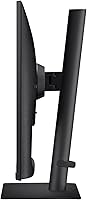
- Height adjustment is restricted on the standard stand, limiting ergonomic flexibility for taller users.
- USB-C power delivery tops out at 90W, which may fall short for high-performance laptops under full load.
- HDR10 support offers modest improvement over SDR — not a feature that justifies purchase on its own.
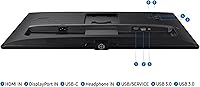
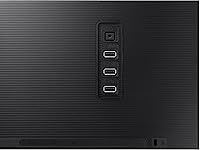
- Port selection overall is lean; users managing multiple video inputs or many USB peripherals will feel constrained.
- Eye Saver Mode shifts color temperature noticeably warm, making it impractical to leave on during color-sensitive work.
- Windows display scaling at native 4K requires manual setup and can frustrate less technical users initially.
- Long-term USB-C handshake reliability with certain laptop models has drawn isolated but recurring complaints.
- No built-in speakers, which adds a peripheral expense for users who need audio at the desk.
- Buyers purely comparing spec sheets may find competing 4K IPS displays offer similar numbers at a lower cost.
Ratings
The Samsung S80UA 27″ 4K UHD IPS Monitor earns its ratings here from AI-driven analysis of verified global buyer reviews, with spam, bot-generated, and incentivized submissions actively filtered out before scoring. Across thousands of real-world impressions — from design studios to home offices — both the genuine strengths and the recurring frustrations are reflected honestly in each category below.
Image Sharpness & Clarity
Color Accuracy
USB-C Connectivity
Viewing Angles
HDR Performance
Eye Comfort
Glare & Reflections
Build Quality & Aesthetics
Ergonomics & Adjustability
Connectivity & Port Selection
Power Efficiency
Out-of-Box Setup Experience
Value for Money
Long-Term Durability
Suitable for:
The Samsung S80UA 27″ 4K UHD IPS Monitor is built for people who spend serious hours in front of a screen and need that screen to hold up under scrutiny. Graphic designers and photo editors will appreciate the pixel density and reliable color consistency — the kind of display where you can actually trust what you see before sending work to print or publishing. Remote workers running a laptop-centric setup get a particularly strong case here: one USB-C cable handles display, peripheral access, and charging simultaneously, which keeps the desk clean and the workflow uncomplicated. If you are upgrading from a 1080p monitor, the resolution jump on a 27-inch panel is immediately visible in everyday tasks — sharper text, more screen real estate, less squinting at fine details. Professionals who log long hours and care about eye fatigue will also find the flicker-free backlight and blue light reduction more than cosmetic additions. For home office users who prioritize both productivity and power efficiency, the S80UA covers both without obvious compromise.
Not suitable for:
The Samsung S80UA 27″ 4K UHD IPS Monitor is a harder sell for buyers who work in bright, window-heavy rooms or open-plan offices with strong overhead lighting — the glossy panel surface reflects ambient light aggressively, and there is no matte coating to soften that. Gamers or users chasing high refresh rates will also want to look elsewhere; this is a productivity-focused IPS panel and does not prioritize fast response times or gaming-oriented features. Those who need precise ergonomic positioning may run into frustration: height adjustability is limited on the standard stand configuration, and buyers who want to dial in their monitor position exactly often end up purchasing a separate monitor arm. If your laptop or workstation demands more than 90W of power delivery to charge reliably under load, the USB-C charging may not fully meet your needs without supplementary power. Finally, buyers who make purchase decisions purely on specs per dollar may find other 4K IPS panels at this price point offer comparable numbers on paper — the value here is tied to the complete package rather than any single standout specification.
Specifications
- Screen Size: The display measures 27 inches diagonally, providing substantial workspace without requiring an oversized desk footprint.
- Resolution: Native resolution is 3840x2160 pixels (4K UHD), delivering four times the pixel density of a standard 1080p display.
- Panel Type: Uses an IPS (In-Plane Switching) panel, which maintains consistent color accuracy and contrast across wide viewing angles.
- Viewing Angle: Horizontal and vertical viewing angles each reach 178 degrees, ensuring minimal color shift when viewed off-center.
- HDR Support: Supports HDR10, which enhances contrast depth and color range beyond standard dynamic range content.
- Aspect Ratio: Standard 16:9 widescreen aspect ratio, compatible with virtually all professional and consumer content formats.
- Screen Surface: The panel features a glossy surface coating, which enhances color vibrancy but increases susceptibility to ambient light reflections.
- USB-C Power: The USB-C port delivers up to 90W of power delivery, enabling single-cable laptop charging alongside display and data transmission.
- USB Ports: Includes one USB 2.0 and one USB 3.0 downstream port, allowing peripheral connections directly through the monitor.
- Eye Saver Mode: Integrated Eye Saver Mode reduces blue light emission to lower eye strain during extended viewing sessions.
- Flicker-Free: The backlight operates without perceptible flicker at all brightness levels, reducing visual fatigue over long work periods.
- Eco Saving Plus: Eco Saving Plus technology reduces power consumption by up to 10% while maintaining consistent image output quality.
- Dimensions: The monitor measures 7.73 x 24.2 x 21.7 inches (depth x width x height) with the stand attached.
- Weight: Total weight with stand is 14.8 pounds, typical for a 27-inch IPS panel in this class.
- Voltage: Operates at 240 volts; buyers in regions using 110-120V should verify local power adapter compatibility before purchase.
- Warranty: Samsung covers this monitor with a 3-year manufacturer warranty, which is above average for consumer-grade displays in this category.
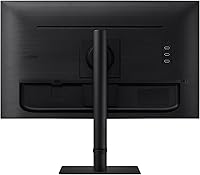
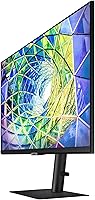
- Color: Available in Black, with a slim-bezel design and a clean profile suited to professional desk environments.
Related Reviews
Samsung ViewFinity S8 27″ 4K Monitor
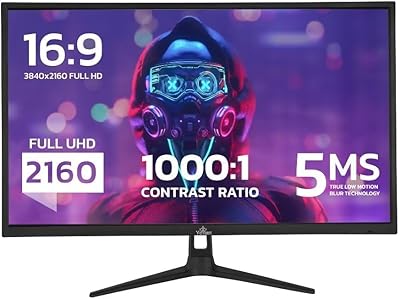
YEYIAN ODRAZ 27″ 4K UHD Gaming Monitor
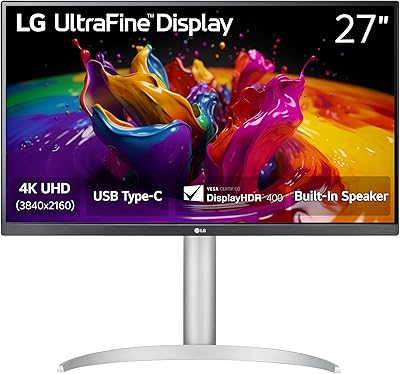
LG 27UP850K-W 27-inch 4K IPS Monitor

ViewSonic VG2756-4K 27-Inch 4K Docking Monitor

ViewSonic VP3268A-4K 32-inch 4K Monitor

ViewSonic VX2776-4K-MHDU 27-inch 4K IPS Monitor
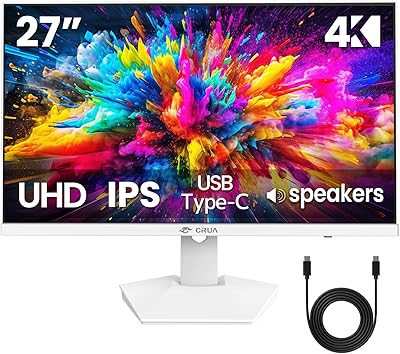
CRUA CR270H 27″ 4K Monitor
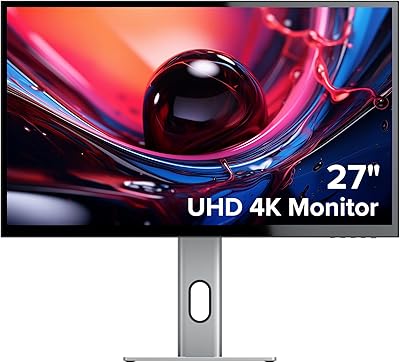
ALOGIC Clarity 27-inch 4K UHD Monitor
Philips 27E1N5900R 27-inch 4K Monitor