
Overview
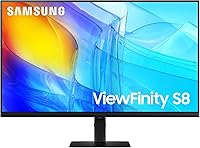
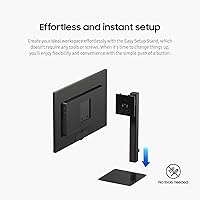
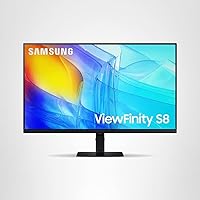
The Samsung ViewFinity S8 27″ 4K Monitor arrived in mid-2024 as Samsung's answer to a genuine gap in the market: a serious 4K productivity display that doesn't demand a serious budget. At 27 inches, the 3840x2160 panel hits a sweet spot where pixel density is high enough to make text genuinely crisp without requiring awkward scaling. The tool-free Easy Setup Stand is a small but real differentiator — you won't be hunting for a screwdriver on day one. Backed by a three-year warranty, this Samsung display builds a reasonable case for itself if you're a designer, writer, or analyst who spends long hours in front of a screen but isn't ready to spend premium monitor money.
Features & Benefits
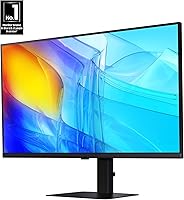
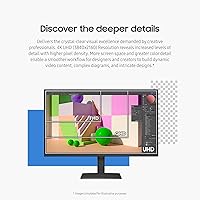
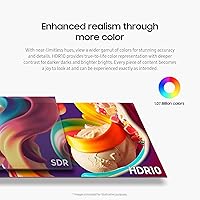
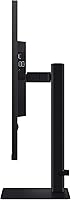
What stands out day-to-day is how much sharper everything looks at this resolution on a 27-inch panel. Icons, text, and fine design details are noticeably crisper than on a 1080p screen — the difference feels immediate, not theoretical. HDR10 support is present, though worth managing expectations: it improves contrast and color depth compared to standard dynamic range, but it won't match the HDR experience of higher-tier panels. The ergonomic stand earns its mentions — height, tilt, swivel, and a full 90-degree portrait pivot all work smoothly. Connectivity covers HDMI, DisplayPort, USB-A, and USB-B, so most users won't need a separate hub. The TÜV-certified eye care with automatic brightness adaptation makes long work sessions noticeably less tiring.
Best For
This ViewFinity monitor makes the most sense for graphic designers and illustrators who want color accuracy and pixel clarity without jumping to a professional-grade display. It's equally well-suited to home office workers who value a screen they can reconfigure as their setup evolves — the portrait pivot alone is genuinely useful for reading long documents or reviewing code. Students and multi-device users will appreciate how straightforwardly it handles peripheral connections. Where it's less compelling: competitive gamers chasing high refresh rates or video editors demanding top-tier HDR will find this Samsung display falls short of those priorities. For everyday productivity work, though, it covers a lot of ground at its price point.
User Feedback
The S8 27-inch 4K screen holds a 4.5-star average across roughly 76 ratings — a solid early signal, though not yet a large enough sample to draw firm conclusions. Buyers consistently highlight setup ease and sharpness as immediate wins, and several mention the stand's adjustability as a practical daily benefit. On the critical side, some users note that peak brightness feels modest in well-lit rooms, and a handful flag the absence of a built-in speaker or USB-C port as genuine inconveniences depending on their setup. Color accuracy generally meets expectations for the price tier, with most non-professional buyers calling it very good rather than exceptional. Overall sentiment trends positive, but it rewards buyers whose needs align with its core strengths.
Pros
- Crystal-clear 4K resolution makes text and fine details noticeably sharper than a typical 1080p screen.
- The tool-free stand setup saves real time and frustration right out of the box.
- Height adjustment, tilt, swivel, and portrait pivot give you genuine flexibility as your workspace changes.
- TÜV-certified eye care actively reduces strain during long work sessions without requiring manual tweaks.
- HDMI, DisplayPort, USB-A, and USB-B ports cover most setups without needing an extra hub.
- HDR10 adds meaningful contrast improvement for everyday content, even if it isn't a professional HDR panel.
- A three-year warranty provides solid peace of mind for a mid-range monitor purchase.
- Early buyers consistently praise how sharp and clean the image looks immediately after setup.
- Automatic brightness and color temperature adjustment is a quiet but genuinely useful daily feature.
- The portrait pivot mode is a practical bonus for developers, writers, and document-heavy professionals.
Cons
- No USB-C port is a real inconvenience for laptop users who want a single-cable connection.
- Peak brightness can feel insufficient in well-lit or sunlit rooms.
- No built-in speakers means you must source external audio separately from day one.
- The refresh rate is not suited to fast-paced gaming or motion-heavy use cases.
- HDR10 performance, while decent, falls noticeably short of higher-tier HDR standards for serious content work.
- The review pool is still relatively small, making it harder to assess long-term reliability with confidence.
- At 13-plus pounds, the monitor is not particularly easy to reposition or move between rooms regularly.
- No USB-C also means no single-cable power delivery for modern ultrabooks, which is increasingly expected at this price tier.
Ratings
The Samsung ViewFinity S8 27″ 4K Monitor scores below are generated by AI after analyzing verified buyer reviews from multiple global markets, with spam, bot-submitted, and incentivized feedback actively filtered out. This Samsung display attracts a wide range of buyers — from home office professionals to design students — and the scores reflect where it genuinely delivers and where real frustrations surface. Both the standout strengths and the recurring pain points are represented transparently so you can make a fully informed decision.
Image Clarity
Color Accuracy
Ergonomics & Stand
Setup Experience
Connectivity
HDR Performance
Brightness & Glare
Eye Comfort
Build Quality
Value for Money
Audio
Refresh Rate
Warranty & Support
Port Layout & Accessibility
Suitable for:
The Samsung ViewFinity S8 27″ 4K Monitor is a strong fit for anyone whose daily work involves staring at text, detailed graphics, or complex layouts for hours at a stretch. Graphic designers and illustrators working within a tighter budget will find the color rendering and pixel clarity meaningful without having to stretch into professional-grade display territory. Remote workers and home office setups benefit from the fully adjustable stand, which genuinely accommodates different desk heights, seating positions, and even a portrait orientation for document-heavy workflows. Students who split time between writing papers and watching content will appreciate how capable this Samsung display feels across both uses. It also suits multi-device households where straightforward port access matters more than wireless complexity, and buyers making their first real jump from 1080p will find the resolution upgrade immediately noticeable and worthwhile.
Not suitable for:
The Samsung ViewFinity S8 27″ 4K Monitor is not the right call for competitive gamers — the refresh rate simply isn't built for fast-paced titles where response time is critical, and shoppers in that camp should look elsewhere. Professional video editors or color graders who rely on precise HDR monitoring will find the HDR10 implementation adequate for casual viewing but not rigorous enough for production work. Anyone who needs USB-C connectivity for a laptop or tablet passthrough will hit a real gap here, as that port is absent. Users who work in very bright environments may find the brightness ceiling limiting during daylight hours. Finally, buyers expecting built-in speakers should know this ViewFinity monitor does not include them, which means budgeting for external audio or a headset from day one.
Specifications
- Screen Size: The display measures 27 inches diagonally, offering a comfortable workspace footprint without requiring an oversized desk.
- Resolution: Native resolution is 3840x2160 (4K UHD), delivering noticeably sharper text and fine detail compared to 1080p or 1440p panels.
- Aspect Ratio: The panel uses a standard 16:9 widescreen aspect ratio, compatible with virtually all modern operating systems and content formats.
- Panel Surface: The screen features a flat panel surface, which reduces edge distortion and suits detailed design or document work.
- HDR Support: HDR10 is supported, providing improved contrast and color depth over standard dynamic range for compatible content.
- Ports: Connectivity includes one HDMI port, one DisplayPort, one USB-B upstream port, and three USB-A downstream ports.
- Stand Adjustments: The ergonomic stand supports height adjustment, tilt, swivel, and a full 90-degree pivot into portrait orientation.
- Eye Care: The display is TÜV-certified and includes Eye Saver Mode, flicker reduction, and automatic brightness and color temperature adjustment.
- Setup: The Easy Setup Stand attaches without tools or screws and can be reconfigured with a single button press.
- Weight: The monitor weighs approximately 13.45 pounds including the stand, making it stable on a desk but not lightweight to move.
- Dimensions: Assembled dimensions are approximately 8.66 inches deep, 24.13 inches wide, and 21.91 inches tall with the stand attached.
- Voltage: The unit operates at 120 volts and is intended for standard North American power outlets.
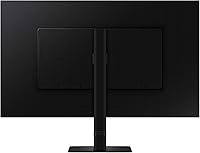
- Color: The monitor ships in a matte black finish across the bezel, stand, and base.
- Warranty: Samsung includes a three-year manufacturer warranty covering defects in materials and workmanship from the date of purchase.
- Model Number: The official model identifier is LS27D806EANXGO, also referenced under the series designation S27D804EAN.
- Launch Year: This monitor was first made available in July 2024 as part of Samsung's refreshed ViewFinity S8 lineup.
- USB 3.0 Ports: Three USB 3.0 Type-A ports are included for connecting peripherals such as keyboards, mice, and external drives.
- Brand: Manufactured and sold by Samsung, a globally recognized electronics brand with broad service and support infrastructure.
Related Reviews
Samsung ViewFinity S80D 32″ 4K Monitor
Samsung S8 27-inch 4K IPS Monitor
Samsung S80UA 27″ 4K UHD IPS Monitor
Samsung ViewFinity S9 27″ 5K Monitor
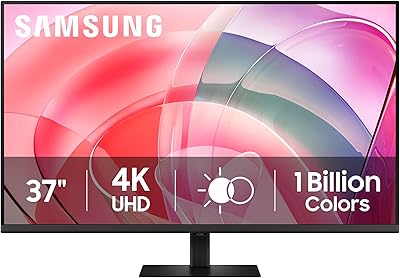
Samsung ViewFinity S7 37″ 4K UHD Monitor

ViewSonic VP2768a-4K 27-Inch 4K Monitor

ViewSonic VA2756-4K-MHD 27-inch 4K Monitor

ViewSonic VG2756-4K 27-Inch 4K Docking Monitor

ViewSonic VX2776-4K-MHDU 27-inch 4K IPS Monitor
