
Overview
The Philips 27E1N5900R 27-inch 4K Monitor sits comfortably in the mid-range tier, targeting home office users and light creatives who want genuine 4K sharpness without spending a fortune. Its IPS panel delivers solid color accuracy and wide viewing angles — practical advantages when you're color-checking a document from the side or sharing your screen with a colleague nearby. The glossy surface is worth flagging upfront: it looks crisp in a controlled environment but can act like a mirror in brightly lit rooms. What genuinely stands out at this price is the 4-year advance replacement warranty, a level of coverage you rarely find without paying significantly more.
Features & Benefits
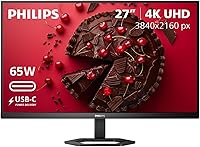
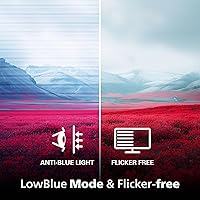
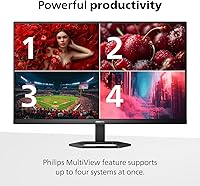
The most practical feature here is the USB-C single-cable connection, which handles video, data, and up to 65W of laptop charging in one plug — a real relief if your desk already looks like a cable graveyard. VESA DisplayHDR 400 certification is on board, though this is entry-level HDR: expect improved brightness and contrast over a standard panel, not the dramatic depth of a high-end display. The stand offers tilt, pivot, and height adjustment, which matters more than people realize over long work sessions. Philips also includes LowBlue mode and a flicker-free backlight, plus MultiView for running two input sources simultaneously — genuinely handy when switching between a laptop and a secondary desktop machine.
Best For
This 27-inch IPS monitor is a strong pick for remote workers and home office users who want crisp 4K text rendering and a tidier desk — the USB-C setup alone is worth the price of entry for laptop users tired of managing multiple cables and dongles. It also performs well for casual photo editing or everyday content consumption, where IPS color consistency pays off without demanding a calibrated professional panel. Anyone upgrading from a 1080p screen will notice an immediate, meaningful difference at 27 inches. Competitive gamers, however, should look elsewhere — no high refresh rate is on offer here. Serious colorists requiring factory calibration data will want to consider purpose-built alternatives.
User Feedback
Early buyer impressions for the 27E1N5900R are broadly positive, sitting at 4.2 out of 5 across roughly 108 reviews — a promising signal, though the pool is still modest enough to treat trends as early indicators rather than settled verdicts. Users consistently praise how straightforward the initial setup is, and out-of-box image quality earns frequent compliments. The ergonomic stand draws appreciation from buyers logging long hours at their desks. On the critical side, the glossy panel attracts predictable complaints in sun-facing rooms where reflections become a daily frustration. A handful of reviewers note that HDR impact is subtle rather than transformative, which is an honest and expected outcome at this certification level. No widespread reliability issues have surfaced yet.
Pros
- Single USB-C cable handles video, data, and up to 65W laptop charging — a genuine desk-clutter solution.
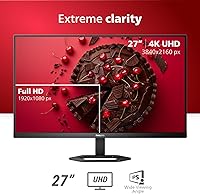
- True 4K UHD resolution on a 27-inch IPS panel delivers noticeably sharp text and fine image detail.
- IPS technology provides consistent color accuracy and wide viewing angles for everyday creative and office work.
- The 4-year advance replacement warranty is rare at this price point and adds meaningful long-term peace of mind.
- Ergonomic stand with tilt, pivot, and height adjustment supports comfortable posture during long work sessions.
- MultiView allows two input sources to be displayed simultaneously, reducing the need to switch cables constantly.
- LowBlue mode and flicker-free backlight make extended screen time noticeably easier on the eyes.
- Adaptive Sync helps reduce screen tearing for casual gaming without requiring a dedicated gaming monitor.
- Out-of-box image quality earns consistent praise from early buyers, with no mandatory calibration for typical use.
Cons
- Glossy screen surface creates strong reflections in bright or sun-facing rooms — a real daily frustration for some users.
- DisplayHDR 400 is entry-level certification; the visible HDR impact is subtle and underwhelming for media enthusiasts.
- No high refresh rate on offer, making this a poor choice for anyone who takes fast-paced gaming seriously.
- The review pool of around 108 ratings is still relatively small, so long-term reliability trends remain unproven.
- Only one HDMI port limits flexibility for users wanting to connect multiple video sources simultaneously.
- At 30 pounds, this is a heavy unit that can make repositioning or mounting feel more cumbersome than expected.
- VGA port inclusion feels dated and takes up space that could have been used for a second modern input.
- No factory calibration data or color accuracy report is provided, which is a gap for professional color-critical workflows.
- 65W USB-C power delivery may not fully charge higher-wattage laptops like certain gaming or workstation models.
Ratings
Our AI-generated scores for the Philips 27E1N5900R 27-inch 4K Monitor were produced by analyzing verified global buyer reviews, with spam, bot-submitted, and incentivized feedback actively filtered out before scoring. The ratings below reflect a balanced picture — genuine strengths are recognized, but real pain points are weighted just as honestly. Where early adopter enthusiasm clouds the data, that caveat is built into the score.
Image Clarity
Color Accuracy
USB-C Connectivity
HDR Performance
Glare & Reflections
Ergonomics & Stand
Eye Comfort
Build Quality
Port Selection
Gaming Performance
MultiView Utility
Setup Experience
Value for Money
Warranty & Support
Suitable for:
The Philips 27E1N5900R 27-inch 4K Monitor was clearly designed with home office users in mind, and it shows. If you work from a laptop and have grown tired of juggling a power brick, a video cable, and a USB hub, the single USB-C connection that handles all three is genuinely liberating. The IPS panel delivers consistent, accurate color across wide viewing angles, which makes it a solid choice for casual photo editing, content review, or any work where color fidelity matters but a professionally calibrated display feels like overkill. Anyone stepping up from a 1080p screen will find the jump to true 4K resolution on a 27-inch panel immediately and noticeably worthwhile — text becomes sharper, spreadsheets become easier to scan, and fine image detail is simply more visible. The 4-year advance replacement warranty adds a layer of ownership confidence that is genuinely rare at this price tier and will appeal to buyers who want to set it up and forget about it for years.
Not suitable for:
The Philips 27E1N5900R 27-inch 4K Monitor has real limitations that make it a poor fit for certain buyers, and it is worth being direct about them. If you sit in a bright, sun-facing room, the glossy panel will cause reflections that range from mildly annoying to genuinely disruptive — a matte-finish alternative would serve you far better in that environment. Competitive gamers who depend on high refresh rates and low response times for fast-paced titles should look elsewhere, as this 27E1N5900R is not built for that use case. Professional photographers, video editors, or colorists who rely on factory-calibrated color profiles and wide color gamut coverage will also find this display falls short of their workflow requirements. And while the DisplayHDR 400 certification is a nice addition on paper, buyers expecting a dramatic, cinema-style HDR experience will be disappointed — at this certification level, the improvement over standard dynamic range is real but modest.
Specifications
- Screen Size: The display measures 27 inches diagonally, offering a comfortable viewing area for both productivity tasks and casual media consumption.
- Resolution: Native resolution is 3840 x 2160 pixels (4K UHD), delivering approximately 163 pixels per inch for crisp, detailed imagery.
- Panel Type: Uses an IPS (In-Plane Switching) panel, which provides accurate color reproduction and consistent image quality when viewed from wide angles.
- Aspect Ratio: Standard 16:9 widescreen aspect ratio, compatible with virtually all modern video formats and operating system display configurations.
- Screen Surface: Glossy anti-reflective coating enhances color vibrancy but can produce visible reflections in brightly lit or sun-facing environments.
- HDR Support: Certified to VESA DisplayHDR 400 standard, offering improved peak brightness and contrast over SDR panels at an entry-level HDR tier.
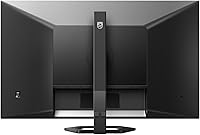
- Connectivity: Includes one HDMI port, one VGA port, and one USB-C port, covering a broad range of modern and legacy device connections.
- USB-C Power: The USB-C port supports up to 65W power delivery, enabling single-cable laptop connections for video, data, and charging simultaneously.
- Adaptive Sync: Supports Adaptive Sync technology to reduce screen tearing and stuttering during gaming or video playback with compatible graphics hardware.
- MultiView: MultiView functionality allows two input sources to be displayed side-by-side or in picture-in-picture format on the same screen.
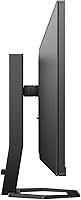
- Ergonomics: The included stand supports tilt, pivot, and height adjustment, allowing users to position the display for a comfortable and personalized viewing angle.
- Eye Care: Equipped with Philips LowBlue mode and flicker-free backlight technology to help reduce eye fatigue during extended daily use.
- Warranty: Backed by a 4-year advance replacement warranty, meaning Philips ships a replacement unit before requiring the defective monitor to be returned.
- Dimensions: Physical dimensions with stand measure 8.3 x 24.13 x 18.3 inches (D x W x H), suitable for most standard desk setups.
- Weight: The monitor weighs 30.1 pounds with stand attached, which is on the heavier side for a 27-inch panel and should be considered for VESA mounting.
- Color & Finish: Available in a matte black finish that blends with most desk environments and minimizes visible fingerprints on the housing.
- Manufacturer: Designed under the Philips brand and manufactured by TPV Technology, one of the world's largest display panel producers.
- VESA Mounting: The monitor is VESA mount compatible, allowing the stand to be removed and the panel attached to a third-party arm or wall bracket.
Related Reviews

ViewSonic VP2768a-4K 27-Inch 4K Monitor

ViewSonic VG2756-4K 27-Inch 4K Docking Monitor

ViewSonic VA2756-4K-MHD 27-inch 4K Monitor

ViewSonic VX2776-4K-MHDU 27-inch 4K IPS Monitor

Dell S2725QC 27-inch 4K USB-C Monitor
KOORUI N07 27-inch 4K IPS Monitor
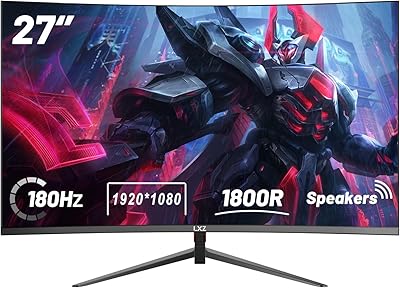
LXZ LX270ZC 27-inch Curved Gaming Monitor
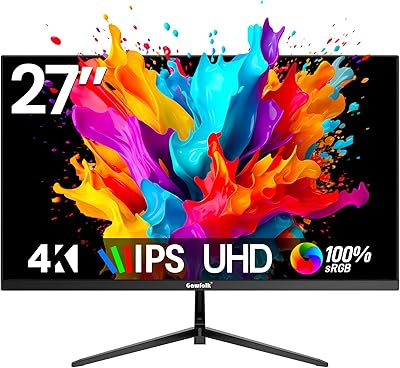
Gawfolk GF270M 27-Inch 4K Monitor
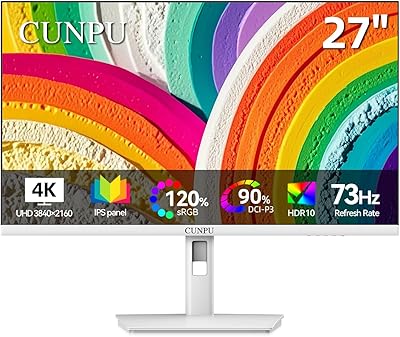
CUNPU U27 27-inch 4K IPS Monitor