Overview

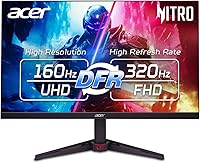
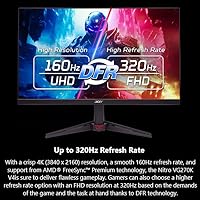
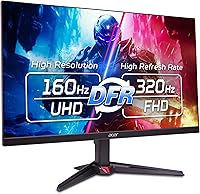
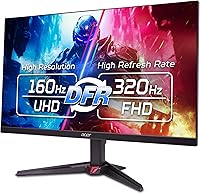
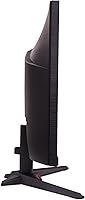
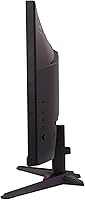
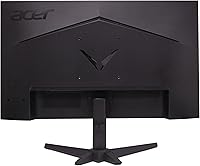
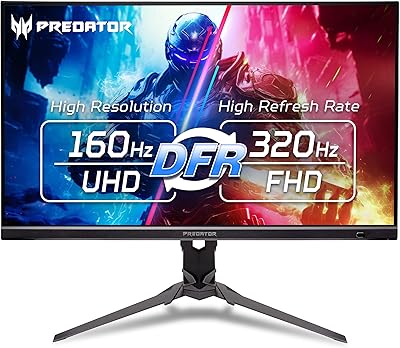
The Acer Nitro VG270K 27-inch 4K Gaming Monitor sits in a competitive pocket of the market where buyers want sharp visuals without paying flagship prices. Acer's Nitro line has long targeted practical gamers over spec-sheet chasers, and this display continues that tradition. Physically, it's a clean, no-nonsense build — slim borders on all sides give it a modern look that works well in tight desk spaces or multi-monitor arrays. The headline feature is DFR technology, which lets you run at full 4K resolution or drop to FHD for a dramatically higher refresh rate. Those modes are mutually exclusive — that trade-off matters, and buyers should understand it upfront.

Features & Benefits

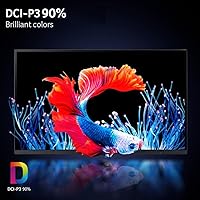
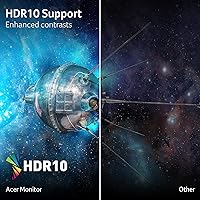
The IPS panel punches above its weight in color accuracy — out of the box, coverage reaches roughly 90% of the DCI-P3 gamut, translating to rich, saturated colors without requiring manual calibration for most users. Response times are tight enough that fast-moving scenes in shooters or racing titles stay crisp rather than smearing. AMD FreeSync Premium handles adaptive sync duties and works across compatible systems regardless of GPU preference. HDR10 is supported, though expectations deserve grounding — there is no local dimming or extreme peak brightness here, so HDR adds presence without transforming the image the way a purpose-built HDR display would.

Best For

This 27-inch 4K panel hits a sweet spot for a specific type of buyer. If you play a mix of story-driven games and competitive titles and want one monitor that handles both reasonably well, the DFR switching makes that practical. It is also a solid choice for anyone moving up from 1080p who wants a meaningful visual jump without stretching into premium-tier territory. Light content creators — photographers or video editors who also game — will appreciate the color accuracy and real estate. AMD GPU owners get the cleanest sync experience, and the near-borderless frame is a genuine asset in multi-monitor setups.

User Feedback

Across owner reviews, two things come up consistently on the positive side: image clarity and how vibrant colors look straight out of the box without spending time in menus. Motion handling in fast games draws consistent praise. On the other side, the stand frustrates a fair number of buyers — height adjustment is limited, and some reach for a third-party arm fairly quickly. IPS glow in dim rooms gets flagged by the VG270K owners who game in darker environments. DFR mode switching divides opinion; some find it straightforward, others feel it takes too many steps. Long-term, the value-to-performance balance holds up well for most owners.

Pros

  • Sharp, detailed 4K IPS image quality that impresses immediately out of the box, no calibration required for most users.
  • DFR mode flexibility lets you prioritize resolution or refresh rate depending on what you are playing.
  • AMD FreeSync Premium delivers consistently smooth, tear-free gameplay across supported GPU configurations.
  • Response times are tight enough to handle fast action in shooters and racing games without visible smearing.
  • Color vibrancy is a consistent highlight in owner feedback, especially for story-driven and visually rich games.
  • Near-borderless bezel design makes multi-monitor arrangements look clean and cohesive.
  • Two HDMI 2.1 ports add versatility for connecting a console alongside a PC without an adapter.
  • Color coverage is wide enough for light photo editing and creative work beyond gaming.
  • Owners consistently report strong long-term value relative to what this display delivers at its price point.

Cons

  • IPS glow is noticeable in darker rooms and can distract during night gaming sessions.
  • The included stand offers limited height and ergonomic adjustment, pushing many buyers toward a third-party arm.
  • HDR performance is modest — do not expect the dramatic contrast improvements seen on dedicated HDR monitors.
  • Running at peak resolution and peak refresh rate simultaneously is not possible; DFR requires choosing one over the other.
  • The glossy panel surface picks up reflections in brighter or window-facing room environments.
  • DFR mode switching can feel menu-heavy and unintuitive, especially for users new to the feature.
  • Backlight uniformity is inconsistent on some units, with occasional clouding reported in darker scenes.
  • No USB hub built into the display, which limits convenience for users with multiple peripherals to manage.

Ratings

The scores below reflect an AI-driven analysis of verified global buyer reviews for the Acer Nitro VG270K 27-inch 4K Gaming Monitor, with spam, bot-generated feedback, and incentivized reviews actively filtered out to ensure accuracy. The ratings surface both what owners consistently praise and where real frustrations emerge — nothing is glossed over. This is meant to give you an honest, data-grounded picture before you commit.

Image Clarity
91%
Owners repeatedly call out how sharp and detailed the 4K IPS panel looks from the moment it is plugged in — no tweaking required for most people. Text renders crisply for productivity work, and fine details in open-world games are noticeably richer than what most users experienced on their previous 1080p or 1440p displays.
A small number of reviewers note that the glossy surface can introduce reflections that distract from that sharpness in rooms with overhead lighting or windows nearby. At certain off-center viewing positions, uniformity across the panel is not perfectly consistent.
Color Accuracy
88%
Colors look vibrant and well-balanced out of the box, which buyers appreciate since most do not want to spend time on manual calibration. The wide color gamut gives both games and casual photo work a richness that stands out against monitors at similar price points.
For anyone doing professional color-grading or print work, the factory calibration is not precise enough to rely on without further adjustment. Coverage numbers are solid for this tier, but they do not match what dedicated creative displays offer at higher price points.
Motion Performance
86%
Fast-paced shooters and racing titles hold up well — motion looks clean, transitions between frames are handled smoothly, and smearing is not something most owners report as a problem in everyday gaming. The tight response time clearly makes a practical difference here.
A portion of buyers running the monitor at its highest refresh rate mode in FHD notice that the downgraded resolution takes some of the visual polish away, which slightly undercuts the overall motion experience. The trade-off between sharpness and speed is a real consideration.
Refresh Rate Flexibility
83%
The dual-mode capability is a genuine selling point — being able to prioritize resolution for story games and then switch to a higher refresh rate for competitive play is something buyers appreciate as a single-monitor solution. Owners upgrading from fixed 60Hz displays find the jump particularly impactful.
The two modes are not simultaneously available, and switching between them requires navigating the on-screen display rather than a convenient shortcut. Several reviewers express frustration that this process interrupts their workflow more than expected when they toggle frequently.
HDR Performance
61%
39%
HDR10 support does add a layer of color depth and warmth to compatible games and streaming content that owners notice compared to SDR output. For casual media consumption and gaming, the improvement in color richness is real even if it is not transformative.
Buyers expecting cinematic HDR contrast are consistently disappointed — there is no local dimming, peak brightness is limited, and dark scenes do not produce the deep blacks that dedicated HDR monitors deliver. This is a persistent theme in critical reviews and reflects a genuine hardware ceiling.
Adaptive Sync
89%
FreeSync Premium works reliably across the supported refresh rate range, and AMD GPU owners in particular report a noticeably tear-free experience in demanding titles without needing to cap frame rates manually. The implementation feels stable rather than finicky.
NVIDIA users can still benefit, but compatibility is not guaranteed across all card generations without checking first. A small number of reviewers note occasional sync behavior at the lower end of the refresh rate range that required manual settings adjustments to resolve.
Stand & Ergonomics
47%
53%
The stand keeps the monitor stable and wobble-free on a desk, which is a baseline most owners confirm is met. For buyers who are not particular about screen height positioning, it functions adequately for a standard seated setup.
Height adjustment range is a recurring complaint — many buyers find they cannot get the panel to a comfortable eye-level position without placing it on additional risers or switching to a third-party arm. Tilt is the main ergonomic option available, and users who want swivel or rotation support will not find it here.
Build Quality
74%
26%
The chassis feels solid for its price tier, and the slim-bezel design gives it a cleaner, more premium aesthetic than bulkier monitors in the same category. Owners building multi-monitor setups find the near-borderless frame holds up well over time without flexing or creaking.
The plastic back panel and stand do not feel particularly premium up close, which matters more to buyers who have handled higher-end displays. A few reviewers mention that the included stand has slight wobble when adjusting the panel's tilt angle.
Connectivity
84%
Having two HDMI 2.1 inputs alongside DisplayPort 1.4 makes this genuinely versatile — you can connect a PC and a current-generation console simultaneously without swapping cables. Console gamers running a PS5 or Xbox Series X appreciate getting a full-bandwidth connection out of the box.
There is no USB hub built into the display, which is an omission that stands out at this price point, particularly for buyers with several peripherals to manage at the desk. Audio output options are also minimal, pushing users toward external solutions.
Value for Money
82%
18%
Long-term owners consistently rate this as a fair deal — the combination of 4K resolution, a capable IPS panel, and adaptive sync at a mid-range price is hard to argue with, and most buyers feel the display has held up well over months of regular use.
A handful of reviewers feel the stand limitations and modest HDR implementation slightly undercut the overall value proposition compared to competing monitors at similar price points that include better ergonomic packages. Buyers who need USB connectivity pay extra elsewhere to compensate.
Out-of-Box Setup
78%
22%
Assembly is straightforward and most owners have the display up and running within minutes of opening the box. Default image settings are usable immediately, which is appreciated by buyers who prefer not to spend time on display calibration before they can start using it.
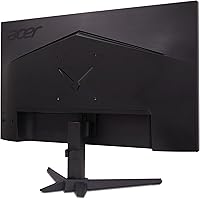
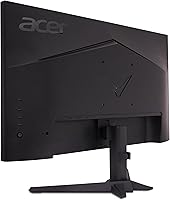
The on-screen display menu takes some getting used to, and finding features like DFR mode switching requires navigating deeper into the menu structure than feels intuitive. A few reviewers mention that the button layout on the back of the panel is not immediately obvious.
Backlight Uniformity
63%
37%
The majority of units display reasonably even brightness across the panel during normal gaming and everyday use, and most owners using the monitor in standard lighting conditions do not report any significant issues with uniformity during their time with it.
A consistent thread in negative reviews involves clouding or uneven brightness in dark scenes, particularly visible during night gaming sessions or when watching content with large dark areas. This appears to affect a meaningful minority of units rather than being an isolated incident.
IPS Glow Management
58%
42%
In well-lit environments, IPS glow is largely a non-issue and does not interfere with the viewing experience during typical daytime gaming or desktop use. Most buyers who set up this panel in a regularly lit room never raise it as a concern.
Buyers who game in dim or darkened rooms frequently flag IPS glow in the corners as distracting, especially during dark atmospheric games. This is a characteristic of the panel technology rather than a manufacturing defect, but it catches some buyers off guard who were not expecting it.
Gaming Experience Overall
85%
When used as intended — switching between modes based on the type of content being played — the VG270K delivers a genuinely satisfying gaming experience that most owners feel punches above its price bracket. The combination of sharpness and smooth motion wins over the majority of buyers who came from lower-tier displays.
Players who exclusively run competitive titles and want the highest possible refresh rate without resolution compromise may feel limited by the mode trade-off over time. The overall experience is strong, but it depends heavily on aligning expectations to what the panel was actually designed to do.

Suitable for:

The Acer Nitro VG270K 27-inch 4K Gaming Monitor is a strong match for PC gamers who refuse to choose between visual fidelity and competitive performance — the DFR technology lets them lean into 4K clarity for immersive titles, then switch to a much higher refresh rate for fast-paced multiplayer sessions. Buyers making the jump from a 1080p or 1440p setup will notice an immediate and meaningful difference in image sharpness, particularly in open-world and narrative-driven games. Light content creators who split time between gaming and casual photo or video editing will find the color accuracy sufficient for non-professional work without needing a secondary display. AMD GPU owners get a particularly clean experience with FreeSync Premium keeping things smooth across the refresh rate range. The near-borderless frame design also makes this a practical pick for anyone building a dual or triple monitor workstation where visual continuity across screens matters.

Not suitable for:

Buyers who game primarily in dark, light-controlled rooms should think carefully before committing to the VG270K — IPS glow is a known characteristic of this panel type, and it becomes noticeable in low-light conditions, which some owners flag as a frustration. Those chasing a true HDR experience will find the display's HDR10 implementation underwhelming compared to monitors with dedicated local dimming zones or significantly higher peak brightness; the color gamut coverage is respectable, but it does not transform dark scenes the way a proper HDR panel does. Competitive players who demand the absolute highest refresh rate at all times should also be aware that the ultra-high refresh mode only operates at a reduced resolution — you cannot run the panel at its maximum sharpness and maximum speed simultaneously. Users who want extensive ergonomic flexibility from the included stand will likely find themselves frustrated, as height adjustment range is limited and tilt options are basic. Finally, anyone with a tight desk or who prefers a matte panel for glare reduction should note the glossy surface finish, which can reflect ambient light in brighter room setups.

Specifications

  • Panel Type: The display uses an IPS panel, which provides consistent color accuracy and wide viewing angles compared to TN or VA alternatives.
  • Screen Size: The viewable screen area measures 27 inches diagonally, offering ample workspace for both gaming and productivity tasks.
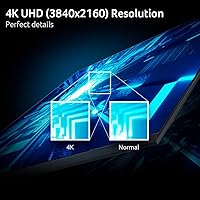
  • Resolution: Native resolution is 3840x2160 (4K UHD), delivering roughly four times the pixel density of a standard 1080p display at this screen size.
  • Aspect Ratio: The panel uses a standard 16:9 widescreen aspect ratio, compatible with virtually all modern games, applications, and video content.
  • Max Refresh Rate: When connected via DisplayPort 1.4, the monitor reaches up to 160Hz at full 4K resolution for smooth, fluid gameplay.
  • DFR Mode: Dynamic Frame Rate technology allows the display to operate at up to 320Hz when resolution is reduced to FHD, enabling a competitive-focused mode.
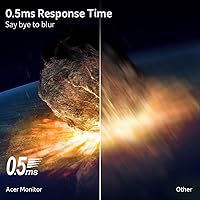
  • Response Time: Gray-to-gray response time is rated at up to 0.5ms, minimizing motion blur and ghosting during fast-paced gaming sequences.
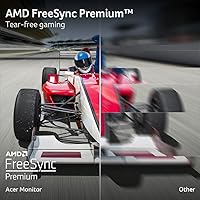
  • Adaptive Sync: AMD FreeSync Premium is supported, synchronizing the monitor's refresh rate with the GPU's output to eliminate screen tearing and stuttering.
  • HDR Support: The display supports HDR10 content with approximately 90% DCI-P3 color gamut coverage, adding color depth to compatible games and media.
  • Connectivity: Port options include one DisplayPort 1.4 and two HDMI 2.1 inputs, supporting both PC and modern console connections.
  • Bezel Design: The ZeroFrame near-borderless design minimizes the visible frame on all sides, making it well-suited for side-by-side multi-monitor configurations.
  • Surface Finish: The panel surface is glossy, which enhances color vibrancy but can reflect ambient light in brighter room environments.
  • Dimensions: The monitor measures approximately 24.2 x 18.2 x 7.8 inches with the stand attached, fitting most standard desk depths comfortably.
  • Weight: The full unit including the stand weighs approximately 15.27 pounds, which is typical for a monitor of this size and build.
  • Color Gamut: Color coverage reaches approximately 90% of the DCI-P3 gamut, suitable for color-sensitive work beyond casual gaming use.

Related Reviews
Acer Nitro KG273 27-inch Gaming Monitor
85%
88%
Display Quality
91%
Performance in Fast-Paced Games
85%
Ergonomics and Adjustability
83%
Build Quality
92%
Value for Money
More
Acer Predator XB273K V5 27″ Gaming Monitor
80%
91%
Image Clarity
88%
Refresh Rate Flexibility
93%
Console Compatibility
86%
Motion Performance
52%
HDR Quality
More
Acer Nitro XZ270 Xbmiipx 27-inch Curved Gaming Monitor
84%
92%
Gaming Performance
89%
Display Quality
86%
Ergonomics
93%
Response Time
85%
Value for Money
More
Acer Nitro KG271U 27-inch IPS Gaming Monitor
74%
88%
Image Quality
91%
Refresh Rate Performance
83%
Response Time
82%
Color Accuracy
86%
Adaptive Sync
More
FYHXele 27-inch 4K Gaming Monitor
85%
93%
Display Quality
90%
Gaming Performance
89%
Color Accuracy
85%
Build Quality
78%
Ease of Setup
More
INNOCN 27M2V 27-inch 4K Gaming Monitor
85%
91%
Display Quality
89%
Gaming Performance
88%
Color Accuracy
85%
Ergonomics and Adjustability
92%
Connectivity Options
More
Acer Nitro VG271U 27-inch Gaming Monitor
75%
91%
Image Clarity
83%
Color Accuracy
88%
Gaming Performance
86%
FreeSync Implementation
58%
HDR Quality
More
Acer Nitro ED270R 27″ Curved Gaming Monitor
73%
91%
Value for Money
88%
Immersion & Curvature
79%
Picture Quality
89%
Refresh Rate & Smoothness
84%
Adaptive Sync (FreeSync)
More
Acer Nitro EDA270U 27″ Curved Gaming Monitor
75%
91%
Image Clarity & Resolution
88%
Refresh Rate & Motion Performance
86%
AMD FreeSync Premium
58%
HDR Performance
63%
Color Accuracy & Out-of-Box Calibration
More
Acer Nitro KG251Q 24.5-inch Gaming Monitor
83%
91%
Value for Money
89%
Gaming Performance
83%
Display Quality
75%
Build Quality
94%
Ease of Setup
More

FAQ

No — that is not how the DFR feature works. You choose between modes: full 4K resolution at up to 160Hz, or a reduced FHD resolution to unlock the higher refresh rate. Both run on the same panel, but you switch between them depending on what you are doing. Most buyers use 4K mode for single-player games and switch down for competitive multiplayer titles.

It works with NVIDIA GPUs as well. FreeSync Premium is the adaptive sync standard supported here, and while AMD cards get the fullest compatibility, NVIDIA has supported FreeSync-compatible monitors through its G-Sync Compatible program for several years. You may want to verify your specific card is on the compatible list, but most modern NVIDIA GPUs handle it without issues.

It depends heavily on your room lighting. In a well-lit room, most users do not notice it at all. In a dark room with a black screen or dark game scenes, there can be some glow visible in the corners — this is a characteristic of IPS panels generally, not a defect. If you game primarily in a completely darkened environment, it is worth factoring into your decision.

The included stand is functional but basic — it offers tilt adjustment and not much else in terms of ergonomics. Height adjustment is limited, which frustrates buyers who want to position the screen precisely. A good number of owners move to a VESA-compatible monitor arm fairly quickly, and the panel does support standard VESA mounting if you prefer that route.

Honest answer: it is modest. The Acer Nitro VG270K 27-inch 4K Gaming Monitor supports HDR10 and has decent color coverage, but it lacks the local dimming or peak brightness levels that make HDR look dramatic on higher-end displays. In HDR-supported games, you will notice improved color richness, but do not expect deep blacks or the stark contrast you see on OLED or high-tier HDR panels.

That depends entirely on your GPU. Running modern games at native 4K resolution at high frame rates requires a powerful graphics card — generally something in the upper mid-range or higher tier. If your current setup struggles at 1440p, you may want to consider upscaling technologies like DLSS or FSR, which can help bridge the gap and still look sharp at 4K output.

Yes, the two HDMI 2.1 ports make this a practical option for current-generation consoles. Both the PS5 and Xbox Series X output at 4K and up to 120Hz over HDMI 2.1, so you get a solid connection without needing an adapter or accepting a bandwidth downgrade.

It can be, depending on where your monitor sits relative to windows or overhead lighting. Glossy panels tend to look more vivid and punchy than matte equivalents, but they pick up reflections more easily. If your desk faces a window or sits under bright overhead lights, you may find yourself repositioning the monitor or using curtains to manage glare.

It requires navigating the on-screen display menu, which is a few button presses rather than a single shortcut. Some owners find it straightforward once they learn the menu layout; others feel it takes too many steps for something they want to toggle regularly. It is not instant hot-key switching, so if you plan to change modes frequently, expect a brief interruption to do so.

It holds up well for a combined work-and-play setup. The 4K resolution gives you plenty of screen real estate for multitasking, documents, and browser work, and the IPS panel keeps things readable from slightly off-center angles, which matters if you share your desk or move around. Color accuracy is sufficient for casual photo editing or design work, though professional color-critical workflows would call for a more specialized display.

Where to Buy