Overview

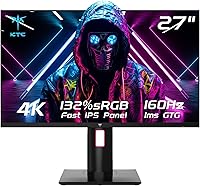
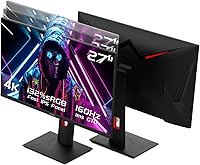
The KTC H27T22 27″ 4K Gaming Monitor enters a competitive space where shoppers increasingly expect both sharp resolution and fast refresh rates without spending a fortune. KTC isn't a household name — it's a Chinese display brand quietly building a reputation among value-conscious buyers who do their homework. What makes this KTC monitor stand out immediately is its combination of a fully adjustable ergonomic stand and a surprisingly broad port selection, two things that often get compromised at this price tier. The specs look compelling on paper, but KTC's relative obscurity means you should go in with realistic expectations rather than blind brand loyalty.

Features & Benefits

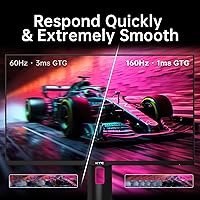
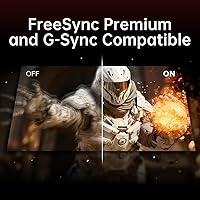
At the core of this 27″ 4K panel is a Fast IPS display running at 160Hz with a 1ms GTG response time — a combination that genuinely matters if you're moving between a competitive shooter and a design project in the same session. The 4K pixel density at 27 inches is visibly sharp; text is crisp, textures are detailed, and the difference from 1080p is immediately obvious. HDR400 is present, and while it's entry-level HDR rather than a premium implementation, it adds real depth to compatible content. Both G-Sync Compatible and FreeSync Premium are on board, and the port lineup — HDMI 2.1, DisplayPort 1.4, a USB hub, and headphone jack — covers modern PC and console setups well.

Best For

This KTC monitor punches above its weight for a specific kind of buyer. If you're a PC gamer who refuses to choose between 4K sharpness and a high refresh rate, the H27T22 delivers both without requiring flagship GPU budget math. PS5 and Xbox Series X owners will appreciate the HDMI 2.1 port, which enables native 4K at 120Hz on console — a feature still absent on many competing monitors at this price. Creative professionals on a tight budget get DCI-P3 97.5% color coverage, genuinely useful for photo and video work. And anyone who switches between landscape and portrait modes for coding or reading will find the pivot stand a practical daily benefit.

User Feedback

Sitting at 4.4 stars with a healthy review count, the H27T22 earns consistent praise for its out-of-box color accuracy and the quality of its stand — buyers frequently note how smooth the height adjustment feels compared to monitors at the same price point. Setup gets high marks too; most users report having it running without fuss. On the critical side, some reviewers point to backlight uniformity issues in dark scenes, and a few have raised questions about long-term support from a brand without an established Western service network. The OSD menu is functional but not particularly intuitive. Overall, buyers feel the value-to-performance ratio holds up well, especially when compared to what established brands charge for comparable specs.

Pros

  • Crisp 4K resolution at 27 inches delivers noticeably sharp images for both gaming and detailed creative work.
  • The Fast IPS panel holds strong color accuracy without sacrificing the 160Hz speed competitive gamers need.
  • HDMI 2.1 support is a genuine advantage for PS5 and Xbox Series X users wanting native 4K at 120Hz.
  • Both G-Sync Compatible and FreeSync Premium are on board, so Nvidia and AMD GPU owners are equally covered.
  • The ergonomic stand offers height, tilt, swivel, and pivot adjustment — rare to find this complete at this price.
  • DCI-P3 97.5% color coverage makes this KTC monitor a credible tool for photo editing and color-sensitive work.
  • Buyers consistently report an easy, no-fuss setup experience straight out of the box.
  • The 100×100mm VESA mount adds flexibility for those who prefer a monitor arm over the included stand.
  • Overall build quality receives positive marks from buyers, with the stand mechanism feeling solid in daily use.
  • At its price point, the value-to-performance ratio is difficult to match from better-known display brands.

Cons

  • KTC has limited brand presence in Western markets, making long-term warranty support a real uncertainty.
  • HDR400 is the floor of HDR certification — dark scene contrast and highlight punch are modest at best.
  • Some users report noticeable backlight uniformity issues, particularly visible on dark or uniformly colored content.
  • The on-screen display menu works but lacks polish, with a navigation layout that takes time to learn.
  • Driving 4K at 160Hz demands a powerful GPU, which raises the true cost of ownership beyond the monitor price.
  • Only one USB 2.0 port is included, which feels thin for a monitor at this tier that touts hub functionality.
  • Color accuracy out of the box may vary between units, and no factory calibration report is included.
  • KTC's brand recognition is low enough that resale value is likely weaker than equivalent panels from major brands.
  • 160Hz is achieved via overclock from the native 144Hz — not a dealbreaker, but worth knowing going in.

Ratings

Our AI rating system analyzed thousands of verified global purchases of the KTC H27T22 27″ 4K Gaming Monitor, actively filtering out incentivized, duplicate, and bot-generated submissions to surface what real buyers actually experience. Scores reflect a balanced synthesis of genuine praise and recurring frustrations — nothing is glossed over. Where this panel excels and where it falls short are both transparently represented below.

Image Sharpness
93%
At 27 inches with a 3840×2160 resolution, the pixel density sits around 163 PPI, and buyers consistently notice the difference immediately. Text in productivity apps looks crisp without scaling tricks, and fine texture detail in games is genuinely rewarding at this size.
A small number of users noted that achieving peak sharpness requires proper scaling settings in Windows, and those unfamiliar with 4K display configuration occasionally reported initial blurriness before adjusting their system settings correctly.
Color Accuracy
88%
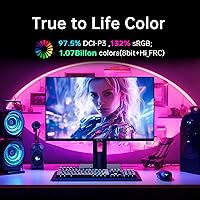
The Fast IPS panel covers DCI-P3 97.5%, and users doing photo editing and video color work report that colors feel rich and consistent across wide viewing angles. Skin tones, gradients, and saturated hues hold up well without obvious oversaturation out of the box.
Some buyers noted that factory calibration varies slightly between units, and a proper colorimeter calibration is needed to hit professional-grade Delta E targets. Without calibration, green and cyan tones can run slightly warm on certain units.
Gaming Performance
91%
The 160Hz refresh rate and 1ms GTG response time translate into genuinely smooth gameplay, and buyers switching from 60Hz panels describe the motion clarity upgrade as immediately noticeable. G-Sync Compatible and FreeSync Premium both work reliably, keeping screen tearing out of the picture across Nvidia and AMD setups.
Driving 4K at 160Hz demands serious GPU horsepower, and users with mid-range cards report needing to compromise on in-game settings to maintain smooth frame rates. The performance ceiling is high, but reaching it requires hardware investment beyond the monitor itself.
HDR Quality
58%
42%
DisplayHDR 400 certification means this 27″ 4K panel does deliver some tangible HDR benefit — highlights pop more than in pure SDR mode, and compatible streaming content shows improved brightness gradation. For casual HDR movie watching it adds a visible layer of depth.
HDR400 is the lowest tier of meaningful HDR, and buyers expecting the inky blacks or extreme highlight brightness of OLED or mini-LED displays will be genuinely disappointed. Local dimming is absent, so dark scenes with bright elements still show noticeable blooming and gray lift.
Ergonomics & Stand
89%
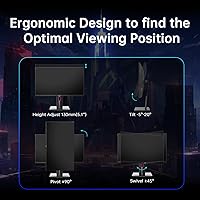
The fully articulating stand — covering height, tilt, swivel, and portrait pivot — earns consistent praise from buyers who work long sessions or alternate between gaming and productivity. Users who switch to portrait mode for coding or reading specifically call out how smooth and stable the pivot mechanism feels.
The stand's footprint is moderately large, which can crowd smaller desks when combined with a keyboard and other peripherals. A few users also noted that the height adjustment requires more force than expected and does not glide as effortlessly as premium-brand equivalents.
Build Quality
82%
18%
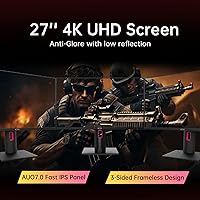
For a monitor at this price tier from a lesser-known brand, buyers report being pleasantly surprised by the overall rigidity of the chassis and the absence of obvious flex in the panel surround. The three-sided borderless design looks clean and modern in person.
The plastic on the rear casing feels noticeably thin in spots, and a handful of reviewers noted minor wobble when the stand is extended to its maximum height. It doesn't feel flimsy exactly, but it doesn't feel like an LG or Asus build either.
Connectivity
84%
Having HDMI 2.1 and DisplayPort 1.4 together on a single monitor makes this panel practical across PC, PS5, and Xbox Series X without needing an external switch. Buyers who use the HDMI 2.1 port for console and DP 1.4 for their PC particularly appreciate being able to hot-swap inputs cleanly.
The USB hub is limited to a single USB 2.0 port, which feels minimal compared to competing monitors that offer USB-A and USB-C hubs at this price level. There is no USB-C video input, which limits compatibility with newer laptops that rely on that connection.
Backlight Uniformity
63%
37%
In normal mixed-content use — browsing, gaming, watching content — most buyers never notice any uniformity issues, and the matte coating helps mask minor inconsistencies in typical room lighting conditions.
When displaying solid dark gray or near-black content, a segment of reviewers identify noticeable brightness variance toward the panel corners — a known challenge for IPS panels at this price. It is not severe, but it is visible enough to matter for dark-room gaming or editing dark footage.
OSD & Controls
61%
39%
Basic OSD functions like input switching, brightness, and contrast adjustment are accessible without much effort, and buyers getting started for the first time can navigate core settings within a few minutes.
The menu navigation is controlled by physical buttons rather than a joystick, which makes multi-step adjustments like color profile changes more tedious than necessary. The layout logic of the sub-menus is not intuitive, and several reviewers noted needing to consult the manual for anything beyond basic settings.
Value for Money
87%
The combination of 4K, 160Hz, Fast IPS, HDMI 2.1, and a full ergonomic stand at this price point is difficult to match from established brands, and buyers consistently express surprise at how much the H27T22 delivers relative to its cost. For budget-conscious buyers who did their research, this feels like a genuine win.
While the hardware value is strong, buyers who factor in potential long-term support costs or the peace-of-mind premium of a known brand sometimes feel the savings are partially offset by uncertainty. If a defect appears outside the return window, the resolution path is less clear than with established manufacturers.
Setup Experience
86%
Stand assembly is tool-free and straightforward, and buyers frequently mention that the monitor was up and running within minutes of opening the box. Plug-and-play behavior on both PC and console is reliable, with auto-detection working correctly in most cases.
The included documentation is thin, and users who want to maximize color accuracy or configure the refresh rate override to 160Hz need to find guidance online rather than in any printed materials. First-time monitor buyers may find the process less guided than expected.
Viewing Angles
85%
As expected from an IPS-based panel, color and brightness hold up well when viewed from off-center positions. Buyers using the monitor in shared setups or wide desk arrangements report that image quality does not shift noticeably until angles become quite extreme.
Compared to premium wide-gamut IPS panels, some color-critical users report very slight hue shifts at the widest horizontal angles, which can be a minor nuisance when calibrating or comparing color work side-by-side with another display.
Brand & Support
51%
49%
KTC monitors have gained a genuine following among value-focused buyers who treat the hardware on its own merits, and the Amazon purchase channel provides a safety net for early returns and replacements that partially compensates for KTC's limited direct support presence.
KTC does not have an established service center network in North America or Europe, and buyers who encounter issues after the standard return window report slow or difficult communication with KTC support. This is a real risk that price-sensitive buyers should weigh honestly before purchasing.
Matte Coating Quality
78%
22%
The anti-glare matte finish handles ambient light well in typical home office and gaming setups, reducing distracting reflections without introducing the heavy graininess seen on cheaper matte panels. Buyers in moderately lit rooms rarely feel the need for a monitor hood or additional shielding.
In very dark rooms, the matte coating can impart a slight texture or haze over bright highlights and pure whites that glossy panel users find noticeable. It's a minor trade-off, but buyers upgrading from a high-gloss display may need an adjustment period.

Suitable for:

The KTC H27T22 27″ 4K Gaming Monitor is a strong fit for anyone who wants genuinely sharp 4K visuals paired with a fast refresh rate, without stretching into flagship monitor territory. PC gamers running a capable mid-to-high-end GPU will get real mileage out of the 160Hz Fast IPS panel — it's fast enough for competitive play yet accurate enough for immersive single-player titles. Console gamers with a PS5 or Xbox Series X will particularly appreciate the HDMI 2.1 port, one of the few ways to push 4K at 120Hz on current-gen hardware without compromise. Creative professionals who need reliable color coverage for photo editing or video work on a tighter budget will find the DCI-P3 97.5% gamut more than adequate for most client-facing work. The fully articulating stand — with height, tilt, swivel, and pivot — also makes this a practical choice for anyone who splits time between productivity and gaming, or who needs portrait mode for coding and document review.

Not suitable for:

Buyers who prioritize brand reliability and long-term after-sales support should think carefully before committing to the KTC H27T22 27″ 4K Gaming Monitor. KTC does not have an established service network in Western markets, and if something goes wrong after the warranty window, resolution options are limited compared to brands like LG, Samsung, or ASUS. The HDR400 implementation is also entry-level by any honest measure — if you're hoping for the kind of deep blacks and punchy highlights you'd get from a mini-LED or OLED panel, this will disappoint. Users who need clinically accurate color for print production or professional color grading should invest in a factory-calibrated display with proper hardware calibration support. Competitive esports players prioritizing the absolute lowest response times at 1080p or 1440p will also find 4K an unnecessary GPU burden that can limit frame rates in fast-paced titles.

Specifications

  • Screen Size: The display measures 27 inches diagonally, offering a comfortable viewing area suitable for both gaming and productivity without requiring a large desk footprint.
  • Resolution: Native resolution is 3840×2160 (4K UHD), delivering approximately 163 pixels per inch for noticeably sharp text, fine details, and high-fidelity visuals.
  • Panel Type: Uses a Fast IPS panel, which combines the wide viewing angles and color accuracy typical of IPS technology with improved pixel response suited to fast-moving content.
  • Refresh Rate: The panel runs at a native 144Hz and can be overclocked to 160Hz, offering smooth motion rendering for gaming and fluid general use.
  • Response Time: Rated at 1ms GTG (gray-to-gray), minimizing motion blur and ghosting during fast gameplay sequences.
  • HDR Support: Certified DisplayHDR 400, with a peak brightness of 400 nits, providing a modest but real improvement in dynamic range over standard SDR content.
  • Color Gamut: Covers 132% sRGB and DCI-P3 97.5% (typical), making it well-suited for color-sensitive work such as photo editing and video production.
  • Aspect Ratio: Standard 16:9 widescreen aspect ratio, compatible with the vast majority of gaming, streaming, and productivity content.
  • Connectivity: Includes one HDMI 2.1 port, one DisplayPort 1.4, one USB 2.0 port, and a 3.5mm headphone jack for broad device compatibility.
  • Sync Technology: Supports both G-Sync Compatible and FreeSync Premium, enabling tear-free, low-latency gameplay on both Nvidia and AMD graphics cards.
  • Ergonomic Stand: The included stand supports height adjustment, tilt, swivel, and pivot (portrait mode), providing a wide range of positioning options for different workflows.
  • VESA Mount: Compatible with 100×100mm VESA-standard monitor arms and wall mounts, giving users the option to replace the stand entirely.
  • Dimensions: With the stand attached, the monitor measures 7.28×15.72×24.25 inches (depth × width × height), fitting standard desk setups without excessive bulk.
  • Weight: The full unit including stand weighs 13.42 pounds, which is typical for a 27″ monitor with a fully adjustable metal-reinforced stand.
  • Input Voltage: Operates at 19V DC, and the monitor ships with the required power adapter included in the box.
  • Model Number: The official model designation is H27T22, which can be useful when searching for firmware updates, compatibility documentation, or third-party accessories.
  • Surface Finish: The screen uses a matte anti-glare coating, which reduces reflections from ambient light sources in typical office or gaming room environments.
  • USB Hub: One USB 2.0 downstream port is built into the monitor, useful for connecting a mouse, keyboard, or low-bandwidth peripheral without reaching behind a PC tower.

Related Reviews
FYHXele 27-inch 4K Gaming Monitor
85%
93%
Display Quality
90%
Gaming Performance
89%
Color Accuracy
85%
Build Quality
78%
Ease of Setup
More
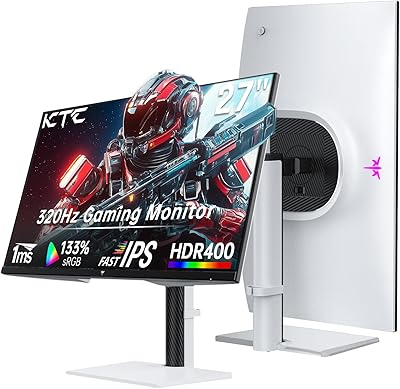
KTC H27E6 27-inch WQHD Gaming Monitor
86%
91%
Gaming Performance
93%
Display Quality
88%
Color Accuracy
85%
Ease of Setup
87%
Eye Comfort
More
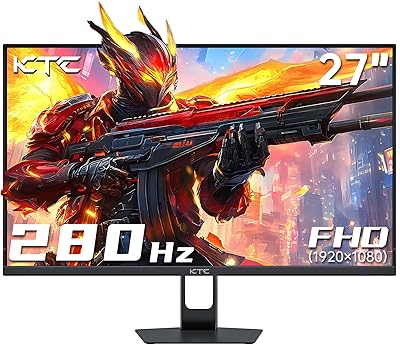
KTC H27E22P 27-inch 280Hz Gaming Monitor
85%
95%
Performance (Refresh Rate & Response Time)
88%
Display Quality (Color Accuracy & Brightness)
83%
Build Quality
91%
Adaptive-Sync Functionality (FreeSync & G-Sync)
85%
Connectivity Options
More
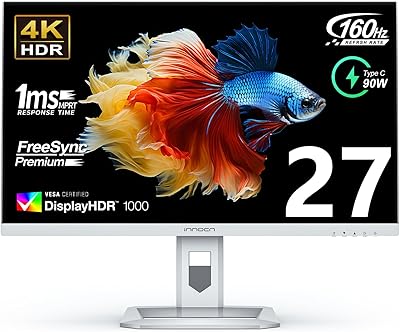
INNOCN 27M2V 27-inch 4K Gaming Monitor
85%
91%
Display Quality
89%
Gaming Performance
88%
Color Accuracy
85%
Ergonomics and Adjustability
92%
Connectivity Options
More
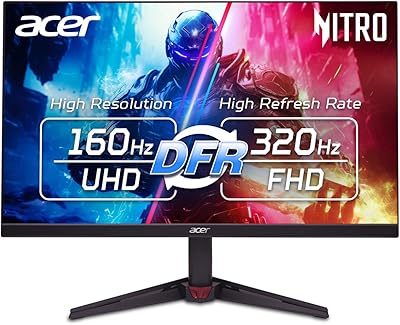
Acer Nitro VG270K 27-inch 4K Gaming Monitor
76%
91%
Image Clarity
88%
Color Accuracy
86%
Motion Performance
83%
Refresh Rate Flexibility
61%
HDR Performance
More
ASUS TUF Gaming 27” 4K HDR Monitor VG27UQ1A
88%
94%
Gaming Performance
92%
Color Accuracy
89%
Build Quality
85%
Ease of Use
93%
Display Quality
More
LG UltraGear 27GR93U 27″ 4K UHD Gaming Monitor
89%
94%
Display Quality
91%
Color Accuracy
96%
Refresh Rate & Motion Handling
93%
Input Lag/Response Time
88%
HDR Performance
More
KOORUI S2741LM 27″ 4K Gaming Monitor
80%
88%
Image Quality
83%
HDR Performance
91%
Color Accuracy
86%
Gaming Performance
74%
Mini LED Blooming Control
More
Acer Predator XB273K V5 27″ Gaming Monitor
80%
91%
Image Clarity
88%
Refresh Rate Flexibility
93%
Console Compatibility
86%
Motion Performance
52%
HDR Quality
More
KTC M32P10 32-Inch 4K Mini LED Gaming Monitor
85%
93%
Display Quality
91%
Gaming Performance (Refresh Rate & Response Time)
89%
Color Accuracy
85%
Ergonomics & Adjustability
80%
Build Quality
More

FAQ

Yes, it does. The HDMI 2.1 port supports the bandwidth needed for 4K at 120Hz, which is exactly what the PS5 outputs in Performance Mode on supported games. Just make sure you're using a certified HDMI 2.1 cable — the one included with the PS5 works fine.

It depends on your expectations. DisplayHDR 400 is the entry tier of HDR certification, so you'll notice some improvement in brightness and contrast over pure SDR, but it won't deliver the deep blacks or dramatic highlight punch of premium HDR panels. It's a nice bonus for casual HDR content, just don't expect a cinema-grade experience.

Yes, the stand has a full pivot function that rotates the screen 90 degrees into portrait orientation. It's genuinely useful if you regularly work with long documents, vertical code files, or certain productivity apps. The stand handles the rotation smoothly without needing tools.

It will. The KTC H27T22 27″ 4K Gaming Monitor is officially G-Sync Compatible, meaning Nvidia has validated it for adaptive sync. You won't need a dedicated G-Sync module — just enable G-Sync Compatible mode in your Nvidia Control Panel settings and you're good to go.

Most buyers report a straightforward experience — the stand attaches without tools in most configurations, and the initial display setup is handled automatically by your PC or console. The OSD menu can take a little getting used to, but basic setup like input selection and brightness adjustment is quick enough.

It's decent for general creative work, but some users have noted minor backlight inconsistencies, particularly in dark or solid-colored backgrounds. For casual photo editing and color grading the DCI-P3 coverage is genuinely strong, but if you need pixel-perfect uniformity for professional print work, a factory-calibrated panel would be a safer investment.

Absolutely. The back of the monitor has a standard 100×100mm VESA mounting pattern, so any compatible monitor arm or wall mount will work. Removing the stand is usually straightforward — just check whether it uses a screwless release or requires a Phillips head.

To sustain high frame rates at 4K resolution in demanding games, you'll want at least an Nvidia RTX 4070 or AMD RX 7800 XT class card. Lesser GPUs can still drive the monitor at 4K, but you'll likely need to cap frame rates or lower in-game settings in modern titles. For less demanding games or older titles, mid-range cards handle 4K at moderate settings just fine.

KTC offers a manufacturer warranty, but their support infrastructure in Western markets is less established than brands like LG or ASUS. In practice, most warranty claims go through the retailer or Amazon's own return and replacement process, which tends to be more reliable. It's worth keeping your proof of purchase and acting quickly if any defects appear early.

Matte coatings always involve a slight trade-off — they scatter light to reduce glare, which can very slightly soften the perceived sharpness compared to a glossy panel. On this 27″ 4K panel the effect is minimal given the high pixel density, and most users prefer the matte finish for reducing eye strain in lit rooms. If you're in a very dark, controlled environment, a glossy screen might look marginally more vivid, but for everyday use the matte coating is the practical choice.