

Overview

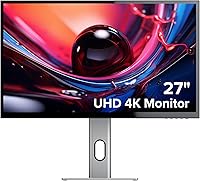
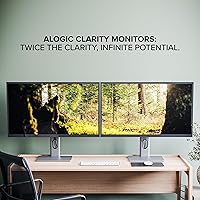
The ALOGIC Clarity 27-inch 4K UHD Monitor is ALOGIC's answer to a growing demand from professionals who want sharp visuals and desk-ready connectivity in a single unit. The Australian brand has built its reputation around workspace peripherals, and this 27-inch 4K hub monitor fits squarely in that lane. It's not chasing gamers — no high refresh rates, no RGB. Instead, the IPS panel signals a clear priority: color accuracy and wide viewing angles for people who spend long hours in documents, design tools, or video calls. Think of it as a productivity-first display that also happens to cut down on cable clutter.

Features & Benefits

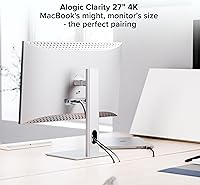
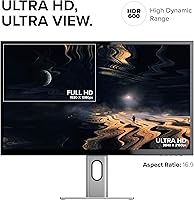
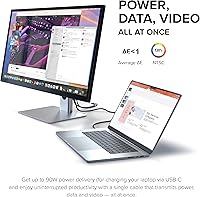
At 3840x2160 across 27 inches, the pixel density is high enough that text looks genuinely crisp — the kind of sharpness that makes a real difference when reviewing dense spreadsheets or detailed photos. The 90W USB-C Power Delivery port is arguably the headline feature for laptop users: one cable powers your machine and drives the display simultaneously. The built-in 8-in-1 hub — covering two USB-A ports, USB-B, USB-C, two HDMI inputs, a DisplayPort, and an audio jack — handles most desk peripherals without needing a separate dock. Worth noting: this hub is a convenience feature, not a professional docking station, so bandwidth-heavy setups may have limits. The adjustable stand supports portrait mode and tilt, which coders and writers will appreciate, and it works across macOS, Windows, and Chrome OS.

Best For

This USB-C docking monitor makes most sense for remote workers and hybrid professionals who want to arrive at their desk, plug in one cable, and be done with it. MacBook users in particular will find the USB-C Power Delivery setup genuinely practical. It also suits creative professionals working in photo editing or video review who need a color-accurate IPS display at this price point without spending up for a more specialized panel. Teams or shared workstations benefit from the 178-degree viewing angles — no squinting from the side. And if you're still on a 1080p monitor, the jump to true 4K resolution at 27 inches is substantial enough to feel immediately worthwhile. This is not the right pick for gamers or anyone prioritizing refresh rate over image clarity.

User Feedback

With around 57 ratings and a 4.0 average, there's a reasonable but limited picture of how buyers experience the ALOGIC Clarity day to day. Several buyers praised the image quality straight out of the box and found the USB-C hub convenience to be a genuine time-saver. Build quality also drew positive comments, with the stand feeling solid and purposeful. On the flip side, the glossy screen surface is a recurring sticking point — glare in bright rooms or near windows can become distracting, and that's worth considering before buying. A few users noted the display works best for productivity rather than casual evening use. The 2-year warranty is a meaningful inclusion, though documented buyer experiences with ALOGIC's support are still relatively sparse at this review count.

Pros

  • 4K UHD resolution at 27 inches makes text, images, and fine detail noticeably crisper than 1080p or 1440p alternatives.
  • The 90W USB-C Power Delivery port enables a true single-cable desk setup, powering your laptop while driving the display.
  • An integrated 8-in-1 hub covers two USB-A ports, USB-B, USB-C, two HDMI inputs, a DisplayPort, and audio output — all without an external hub.
  • IPS panel technology delivers accurate colors and 178-degree viewing angles, keeping the image consistent for anyone viewing from the side.
  • The adjustable stand supports both landscape and portrait orientations, which is genuinely useful for coding, reading, or long-form writing sessions.
  • Works out of the box across macOS, Windows, and Chrome OS with no driver installation required.
  • Several buyers noted the build quality feels solid and purposeful, which is not always a given at this price tier.
  • A 2-year warranty adds a meaningful layer of confidence for a brand that does not yet have widespread retail support in all markets.

Cons

  • The glossy screen surface reflects ambient light heavily, making this a frustrating choice for bright rooms or window-facing desks.
  • The refresh rate is not clearly disclosed in the listing — buyers should verify this spec before purchasing if it factors into their use case.
  • With only 57 ratings, the review pool is too limited to draw confident conclusions about long-term reliability or consistency across units.
  • The built-in hub is a convenience feature, not a professional dock — bandwidth-heavy peripheral setups may run into real limitations.
  • The stand lists tilt and portrait rotation but does not appear to include height adjustment, which limits ergonomic flexibility for many users.
  • ALOGIC has limited global retail presence, which could make in-person warranty service or returns more difficult depending on your region.
  • At nearly 17 pounds, this monitor is heavier than many competitors of comparable size, making repositioning or travel setups inconvenient.
  • A few buyers observed that the display is best experienced during daytime productivity use, with the glossy panel becoming less ideal in dim or low-light conditions.

Ratings

The ALOGIC Clarity 27-inch 4K UHD Monitor holds a 4.0 out of 5 average across verified buyers worldwide, and the scores below go further — synthesized by AI after analyzing confirmed purchase reviews and actively filtering out bot-generated, incentivized, and unverified submissions to surface what working professionals genuinely experience day to day. This 27-inch 4K hub monitor's strongest capabilities and its real-world trade-offs are both reflected transparently in each category. Whether the single-cable USB-C workflow or the sharp IPS image quality matters most to your decision, the breakdowns ahead give you an honest, category-by-category picture before you buy.

Image Quality
88%
The 4K UHD resolution on a 27-inch IPS panel produces a noticeably sharp image for document-heavy workdays and detailed visual tasks. Colors appear vibrant and consistent across the panel, with stable hue reproduction even at slightly off-center angles. Several buyers reported being genuinely impressed by how crisp the display looked straight out of the box.
The glossy panel introduces a visual wildcard — reflections from room lighting or windows can soften the perceived image quality during bright parts of the day. The refresh rate is not clearly published, which raises questions about whether motion rendering holds up during video playback or fast-scrolling tasks compared to competing IPS displays in the same price tier.
Text Sharpness
91%
At 3840x2160 pixels on a 27-inch panel, the pixel density is high enough that individual characters in documents, code editors, and spreadsheets appear genuinely crisp with almost no visible aliasing. Users who spend most of their day reading and typing described the text rendering as one of the most immediate and satisfying upgrades coming from a 1080p screen.
Text sharpness is at its best with native 4K content and display scaling set correctly in your operating system — incorrect scaling on Windows can introduce blurry or oversized text that requires manual adjustment. Buyers using older applications that do not support high-DPI rendering well may notice some inconsistency across different programs on the same desktop.
Color Accuracy
77%
23%
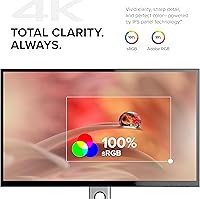
The IPS panel delivers reliable color consistency for most professional applications — graphic designers and photo editors working with standard sRGB content reported that colors looked accurate and pleasing without needing to touch the factory settings. Wide viewing angles mean colleagues reviewing your work from the side see the same colors you do, which matters in collaborative design environments.
No factory calibration data or color gamut coverage figures are published, making it difficult to assess suitability for professional color-grading work with any precision. A small number of buyers noted making minor brightness and contrast adjustments after unboxing, suggesting the out-of-box calibration, while decent, falls short of purpose-built creative displays at higher price points.
USB-C Hub
79%
21%
The integrated 8-in-1 hub is a genuine time-saver — one USB-C cable simultaneously powers the laptop, drives the display, and grants access to connected peripherals, which is exactly the friction-reduction that busy professionals notice in daily use. Several buyers specifically cited the hub as a deciding factor when choosing this monitor over simpler 4K alternatives at a similar price.
The hub functions as a shared-bandwidth convenience solution rather than a full docking station, and users pushing multiple high-speed storage devices or expecting Thunderbolt-level data throughput may find it limiting under heavier workloads. Port labeling and cable routing at the rear of the monitor can also feel cramped when several connections are active at the same time.
Glare & Screen Surface
53%
47%
In well-controlled lighting environments — rooms with indirect or dimmable lighting — the glossy panel's color vibrancy and contrast come through clearly, and buyers working in windowless offices or basement setups noted that glare was essentially a non-issue for their specific situation. The panel surface does enhance perceived depth and richness in color when conditions allow.
The glossy screen is the most consistently cited frustration among buyers, with reflections from overhead lights and windows becoming genuinely distracting during daytime use. This is not a minor cosmetic issue — in brighter rooms, surface reflections can actively interfere with readability, and there is no anti-glare coating to soften the effect at any angle.
Build Quality
83%
The monitor has a solid, well-assembled feel that several buyers commented on positively — the stand in particular feels stable and purposeful rather than the wobbly experience common with budget-tier displays. The silver and black finish gives the unit a professional aesthetic that suits most office environments without looking out of place alongside premium peripherals.
At 16.8 lbs with the stand, the monitor is noticeably heavier than many competitors of comparable size, which limits how easily it can be repositioned or relocated. A small number of buyers noted that the rear cable management area feels congested when multiple hub ports are in active use, making a truly tidy back-of-monitor setup harder to achieve.
Ergonomics & Stand
61%
39%
The ability to rotate the display into portrait mode is a useful and somewhat underrated feature — coders, legal professionals, and long-form writers who work with vertically scrolling content found it genuinely practical over the course of a workday. Tilt adjustment accommodates a range of viewing preferences for different seating positions and desk heights.
Height adjustment does not appear to be a listed stand feature, which is a noticeable gap at this price point — buyers taller or shorter than average may find the fixed height ergonomically limiting without adding a separate monitor arm. For a display marketed as a professional-grade workstation tool, this omission becomes harder to overlook when competing monitors include full adjustability.
Value for Money
72%
28%
For buyers who genuinely need both a sharp 4K IPS display and a built-in USB-C hub with power delivery, the combined value proposition holds up well — purchasing those two things separately would likely cost more in total. The 2-year warranty adds meaningful confidence for buyers committing to a mid-premium purchase from a less widely known brand.
Buyers who do not need the hub functionality may find it difficult to justify the price against standalone 4K IPS monitors that compete directly on image quality at a lower cost. The modest review count also means the long-term value picture — particularly around durability and post-purchase support — is not yet fully established across a broad enough buyer base.
Viewing Angles
84%
The IPS panel's 178-degree viewing angle spec translates well in real-world use — colleagues pulling alongside to review a design or presentation see accurate, consistent colors rather than the shifted or washed-out image common with VA or TN alternatives. For small office or shared workstation environments, this is a meaningful and practical daily advantage.
While the panel's viewing angles are wide by any standard, the glossy screen surface means off-axis viewing in bright environments can still be undermined by reflections rather than any weakness in the panel itself. No buyer feedback specifically criticized the viewing angles, making this category more of a reliable background strength than a standout celebrated feature.
Setup & Compatibility
86%
Cross-platform support across macOS, Windows, and Chrome OS is genuinely plug-and-play — no driver installation, no configuration menus to navigate before getting a working image. Mac users found the USB-C Power Delivery connection effortless, and several Windows laptop users confirmed the same single-cable experience once they verified their port supported DisplayPort Alt Mode.
Windows users with older or budget-tier USB-C ports may find the single-cable setup does not deliver video output if their laptop's port lacks DisplayPort Alt Mode support — a compatibility check before purchasing is necessary. The documentation included with the monitor has been described by some buyers as minimal, which can add friction during first-time configuration for less technical users.
Port Selection
76%
24%
Having two HDMI inputs alongside a DisplayPort and USB-C on a single display gives real flexibility for multi-source setups — switching between a desktop PC, a secondary laptop, and a console becomes straightforward without needing an external input switcher. The audio output jack is a small but appreciated touch for users who prefer wired headphones or external speakers directly from the monitor.
Users expecting a broader USB-C ecosystem — additional Thunderbolt ports or an SD card reader — will find the selection incomplete for photography and video workflows. There is no built-in memory card slot, which is a common gap at this tier but one that creative professionals who regularly pull footage or raw files will feel immediately.
Gaming Performance
41%
59%
The 4K resolution and IPS color consistency make the display serviceable for slow-paced or turn-based gaming where frame rate is not critical, and the image quality is genuinely enjoyable for cinematic or story-driven titles played from a desktop setup. Casual gamers who prioritize visual fidelity over competitive performance may find it adequate for their occasional sessions.
The refresh rate is not published in the official specifications — which alone signals this monitor is not designed for competitive or fast-action gaming, where motion clarity at high frame rates makes a tangible and immediate difference. Buyers who want a dual-purpose work-and-gaming display will almost certainly find better-suited options from manufacturers that explicitly target that use case.
Warranty & Support
69%
31%
A 2-year warranty is a meaningful commitment and longer than the single-year coverage offered by several competitors at this price point, which gives buyers a reasonable safety net for a mid-premium purchase. Buyers who purchased through official channels generally reported that the warranty terms were clearly communicated and straightforward to reference if needed.
ALOGIC operates as an Australian brand with limited global retail infrastructure, and documented buyer experiences with the actual warranty claims process remain sparse given the relatively small review pool available. Buyers in regions outside Australia expressed uncertainty about support response times and whether international warranty claims would be handled as smoothly as domestic ones.
Cable Management
67%
33%
The integrated hub reduces overall cable count significantly compared to running a standalone monitor alongside a separate dock and charger — fewer cables on the desk is one of the most consistently cited practical benefits from buyers who switched from multi-device configurations. For a single-laptop setup, the desk simplification is real and noticeable from day one.
When using several hub ports simultaneously — two USB-A devices, audio, and an HDMI source running at the same time — the rear panel becomes congested, with cables clustering in a tight space that was not clearly designed with organization in mind. The absence of any built-in cable clip or routing channel makes a clean rear presentation genuinely difficult to maintain over time.

Suitable for:

The ALOGIC Clarity 27-inch 4K UHD Monitor is genuinely well-matched for hybrid and remote workers who want a cleaner desk setup without sacrificing screen real estate or peripheral connectivity. If your daily routine involves docking a MacBook or USB-C laptop with a single cable — getting power, display output, and device access all at once — this 27-inch 4K hub monitor handles that scenario better than most standalone displays in its class. Creative professionals who spend meaningful time in photo editing, design tools, or video review will appreciate the IPS panel's color rendering and wide viewing angles, particularly in shared or collaborative settings where colleagues need to see the screen from the side. Small office teams looking for a workstation display that stays readable from nearly any position in the room will find the 178-degree coverage genuinely practical. And for anyone still running a 1080p monitor, the resolution jump delivered by this USB-C docking monitor is immediately noticeable in text sharpness, fine image detail, and overall on-screen comfort.

Not suitable for:

The ALOGIC Clarity 27-inch 4K UHD Monitor is a poor fit for anyone who uses their monitor as a gaming display. The refresh rate is not prominently disclosed in the product listing — which is itself a telling signal — and competitive or even casual PC gaming typically demands at least 144Hz, a bar this monitor does not appear designed to clear. The glossy screen surface is a real sticking point for buyers working near windows or in brightly lit rooms, where reflections can undermine the otherwise sharp image and become genuinely fatiguing over a full workday. Users who need professional-grade docking — multiple simultaneous 4K outputs, fast external storage throughput, or Thunderbolt-level bandwidth — should look at a dedicated dock instead, as the built-in 8-in-1 hub is a desk-tidying convenience rather than a high-performance docking solution. Finally, buyers in regions where ALOGIC has limited retail presence may want to factor in how accessible in-person warranty support would actually be before committing.

Specifications

  • Screen Size: The display measures 27 inches diagonally.
  • Resolution: Native resolution is 3840x2160 pixels, classified as 4K UHD.
  • Panel Type: Built on an IPS (In-Plane Switching) panel for consistent color accuracy across wide viewing angles.
  • Aspect Ratio: Standard 16:9 widescreen aspect ratio.
  • Screen Surface: The panel uses a glossy screen surface, which can enhance perceived color vibrancy but reflects ambient light more than a matte finish.
  • USB-C Power: The USB-C port supports up to 90W Power Delivery, capable of charging most laptops while simultaneously driving the display.
  • Hub Ports: The integrated 8-in-1 hub includes 2x USB-A, 1x USB-B, 1x USB-C, 2x HDMI, 1x DisplayPort, and 1x audio output.
  • USB 3.0 Ports: Includes 2 USB 3.0 Type-A ports suitable for connecting keyboards, mice, or external storage drives.
  • Viewing Angles: IPS technology supports horizontal and vertical viewing angles of up to 178 degrees without significant color shift.
  • Stand: The included stand supports tilt adjustment and allows the display to rotate between landscape and portrait orientations.
  • Compatibility: Officially compatible with macOS (Apple), Windows (Microsoft), and Chrome OS (Google) without requiring additional driver installation.
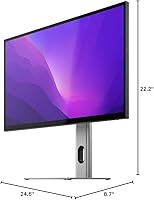
  • Dimensions: Overall dimensions with stand measure 8.7 x 24.6 x 22.2 inches (depth x width x height).
  • Weight: The monitor with stand weighs 16.8 lbs (approximately 7.6 kg).
  • Model Number: The official model designation is 27F34KCPD.
  • Warranty: Covered by a 2-year manufacturer warranty, with support handled through ALOGIC's seller account.

Related Reviews

ViewSonic VX2776-4K-MHDU 27-inch 4K IPS Monitor
75%
91%
Image Clarity
93%
USB-C Convenience
78%
Color Accuracy
54%
HDR Performance
46%
Stand & Ergonomics
More
Philips 27E1N5900R 27-inch 4K Monitor
77%
91%
Image Clarity
78%
Color Accuracy
88%
USB-C Connectivity
54%
HDR Performance
58%
Glare & Reflections
More
Dell S2721Q 27-inch 4K IPS Monitor
74%
91%
Image Clarity
87%
Color Accuracy
83%
Build Quality
41%
Stand & Ergonomics
53%
Glare & Reflections
More
Sceptre U275W-UPT 27″ 4K IPS Monitor
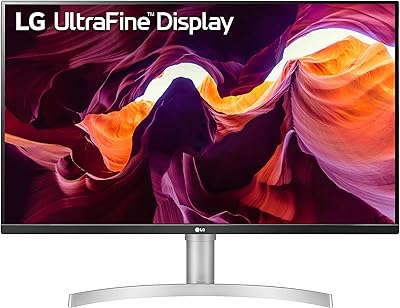
68%
91%
Image Sharpness
78%
Color Accuracy
63%
Panel Uniformity
69%
Refresh Rate & Smoothness
71%
Connectivity
More
LG 27UL550-W 27-inch 4K UHD Monitor
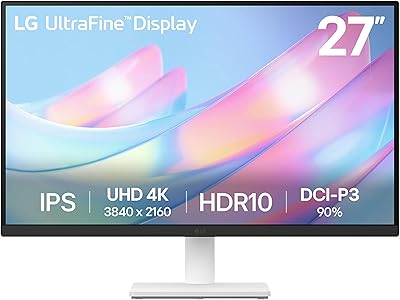
86%
91%
Display Quality
93%
Color Accuracy
88%
Ergonomics & Adjustability
85%
Performance (Gaming/Video Playback)
70%
HDR Performance
More
LG 27US500-W 27″ 4K UHD Monitor
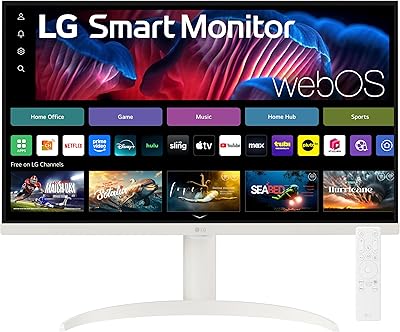
76%
93%
Image Sharpness & Clarity
91%
Color Accuracy
72%
HDR Performance
47%
Stand & Ergonomics
54%
Connectivity
More
YEYIAN ODRAZ 27″ 4K UHD Gaming Monitor
72%
86%
Image Quality
88%
Color Accuracy
57%
Gaming Performance
83%
Value for Money
66%
Build Quality
More
LG 27UP850K-W 27-inch 4K IPS Monitor
76%
88%
Image Quality
91%
Color Accuracy
93%
USB-C Connectivity & Power Delivery
86%
Ergonomics & Stand
84%
Build Quality & Design
More
LG 27SR75U-W 27-inch 4K Smart Monitor
77%
88%
Picture Quality
91%
Smart Platform
84%
Connectivity
79%
Value for Money
76%
Build Quality
More
ViewSonic VP2768a-4K 27-Inch 4K Monitor
86%
94%
Color Accuracy
88%
Ergonomics & Comfort
91%
Value for Money
89%
Build Quality
85%
Ease of Setup
More

FAQ

Yes, that is exactly the setup this monitor is built for. A single USB-C cable carries both the video signal and up to 90W of power back to your laptop, so your charger can stay in the bag. Just make sure you are using a good-quality USB-C cable that supports both data and power — not all USB-C cables are created equal.

For most everyday setups, it does the job well — keyboard, mouse, headphones, and an external drive can all connect simultaneously without issue. Where it falls short is high-bandwidth demands: if you need to run multiple fast storage devices or push data-heavy peripherals at full speed through several ports at once, you may notice throughput limitations. Think of it as a very capable convenience hub, not an enterprise-grade dock.

Honestly, it depends on where your desk sits. Glossy panels pick up reflections from overhead lights and windows much more noticeably than matte alternatives, and this is one of the more common complaints from buyers of this display. If your workspace gets significant natural light or you sit facing a window, it is worth taking seriously. Repositioning the monitor at an angle to the light source helps, but if glare is a persistent issue in your room, a matte-panel display might be a safer choice.

The refresh rate is not listed prominently in the official specifications, which is itself a meaningful signal — monitors built for gaming typically advertise that number front and center. This display is designed as a productivity and creative workstation tool, not a gaming monitor. If refresh rate matters to your use case, we would recommend reaching out to ALOGIC directly to confirm the spec before purchasing.

The ALOGIC Clarity 27-inch 4K UHD Monitor officially supports Windows, macOS, and Chrome OS. The USB-C single-cable experience works with any Windows laptop whose USB-C port supports DisplayPort Alt Mode — not all do, so it is worth checking your laptop's specifications. If your Windows machine only has a full-size HDMI or DisplayPort output, you can still use those inputs directly, though you would lose the Power Delivery charging benefit.

Yes, the stand supports portrait orientation in addition to standard landscape. It is a genuinely useful feature for reading long documents, reviewing code, or browsing vertically. One thing to be aware of: height adjustment is not listed as a feature of the stand, so your ergonomic options are primarily limited to tilt and rotation rather than raising or lowering the display.

The 8-in-1 hub gives you 2x USB-A, 1x USB-B, 1x USB-C, 2x HDMI, 1x DisplayPort, and 1x audio output, which covers a full typical desk: keyboard, mouse, headphones, an external drive, and a secondary display source can all coexist. Like any shared hub, very high simultaneous bandwidth demands across multiple ports may reduce individual throughput, but for standard office peripheral use it holds up well.

At this price tier, the IPS panel offers a solid baseline for color-sensitive work — consistent hues across wide angles and reasonable out-of-box accuracy. It is a practical choice for photographers and designers who need something meaningfully better than a basic office display without moving into purpose-built color-critical territory. If your work requires certified color gamut coverage or factory calibration, a specialist display would be the more appropriate investment.

ALOGIC provides a 2-year warranty and handles support via their seller account, but documented buyer experiences with the claims process are sparse given the relatively modest number of reviews available. ALOGIC is an Australian brand, so response times and support accessibility may vary depending on your region. Holding onto your purchase confirmation and keeping the original packaging for the first few months is always a sensible precaution.

It comes down to how much desk simplicity matters to you. The appeal of this USB-C docking monitor is a single cable, a clutter-free desk, and a sharp 4K IPS image — all from one device. If you already own a good standalone hub or dock, or the hub functionality is not important to your workflow, you could potentially get comparable image quality from a more affordable standalone 4K display. But if convenience and cable reduction are high priorities, the combination here is genuinely practical and the value case holds up.

Where to Buy